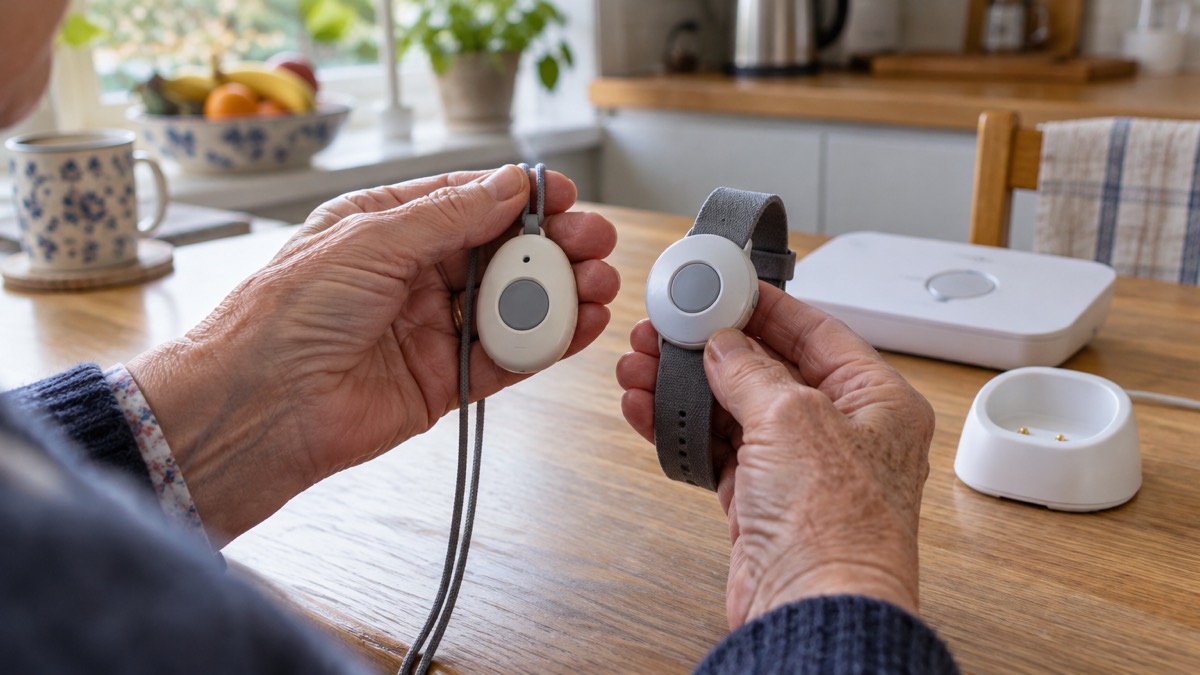
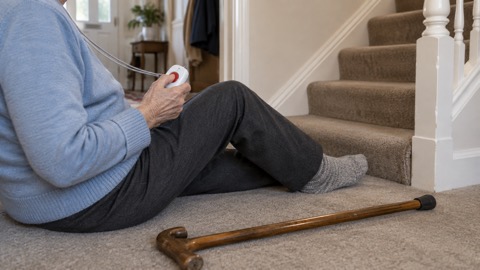
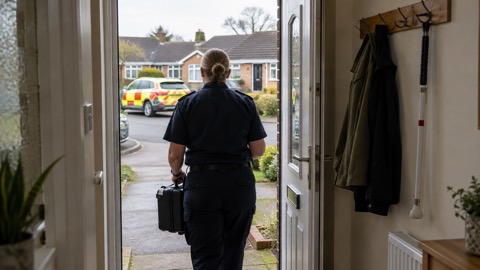
A personal alarm is a small button you wear on your wrist or around your neck. Press it, and it puts you through to a monitored response team, 24 hours a day, 365 days a year. When the button is pressed, the alarm calls a control centre where a trained member of staff assesses the situation, checks whether you are okay, and takes appropriate action, which could include calling a family member, a friend or the emergency services1. Councils describe these services as helping people remain safe, secure and independent in their own home2.
The alarms themselves are deliberately simple: a single button to call for help, lightweight and comfortable to wear, requiring very little technical knowledge3. They are not only for falls. A monitored alarm can be used for medical emergencies, feeling unwell, injuries, feeling unsafe or distressed, and home emergencies such as a fire, flood, burst pipe or suspected intruder3. Some services also include reminders to take medication and attend appointments2.
This page explains the main types of alarm, how to choose between them, what to check before and after the UK's digital phone switchover, and what to do when something goes wrong. It sits alongside our wider guidance for older, disabled and medically dependent households.
What a personal alarm does: one button to a 24/7 response team
A personal alarm system has two parts: the wearable button, often called a pendant, and a base unit in the home that makes the call. When you press the personal alarm, or one of the sensors detects a problem, the lifeline calls the control centre. A trained member of staff assesses the situation, checks if you are okay and takes appropriate action, which could include calling a family member, a friend or the emergency services1. The London Fire Brigade describes these systems as helping people continue to live independently by allowing someone else, typically a call centre or a relative who lives elsewhere, to make sure a person is safe7.
What that means in practice is that you never have to reach a phone, remember a number, or be able to speak clearly to be heard. That matters most for the situations people worry about: a fall in another room, a sudden illness in the night, or feeling unsafe when someone comes to the door. Councils that run these services describe them as helping residents remain safe, secure and independent in their own home, 24 hours a day, 365 days a year2.
The alarms are designed to be simple to use, with a single button to call for help, lightweight and comfortable to wear, and requiring very little technical knowledge3. One provider states that over 250,000 people and their families across the UK have relied on its alarms3. If you want to understand exactly what happens after the button is pressed, we cover that in detail in what happens when you press a personal alarm, including what to expect if you cannot speak.
Pendant or wrist: how each alarm is worn
A pendant alarm is something you would wear on your wrist or hang around your neck. If you fall or need help, you can press a button to trigger a call to the alarm receiving centre8. Councils describe these as lifeline pendant or wrist-worn alarms that can be used to alert a family member, carer or call centre following a fall9. The two wearing options are a matter of habit and circumstance rather than function: the same alarm button usually works either way.
| How it is worn | What it suits | What to watch |
|---|---|---|
| Neck chain | People who find a strap fiddly, or who take a wrist strap off for washing up or gardening and forget to put it back on | Must be comfortable enough to wear all day; hypoallergenic chains are available10 |
| Wrist strap | People used to wearing a watch, and those who dislike anything around the neck | Can be taken off and left behind more easily than a chain |
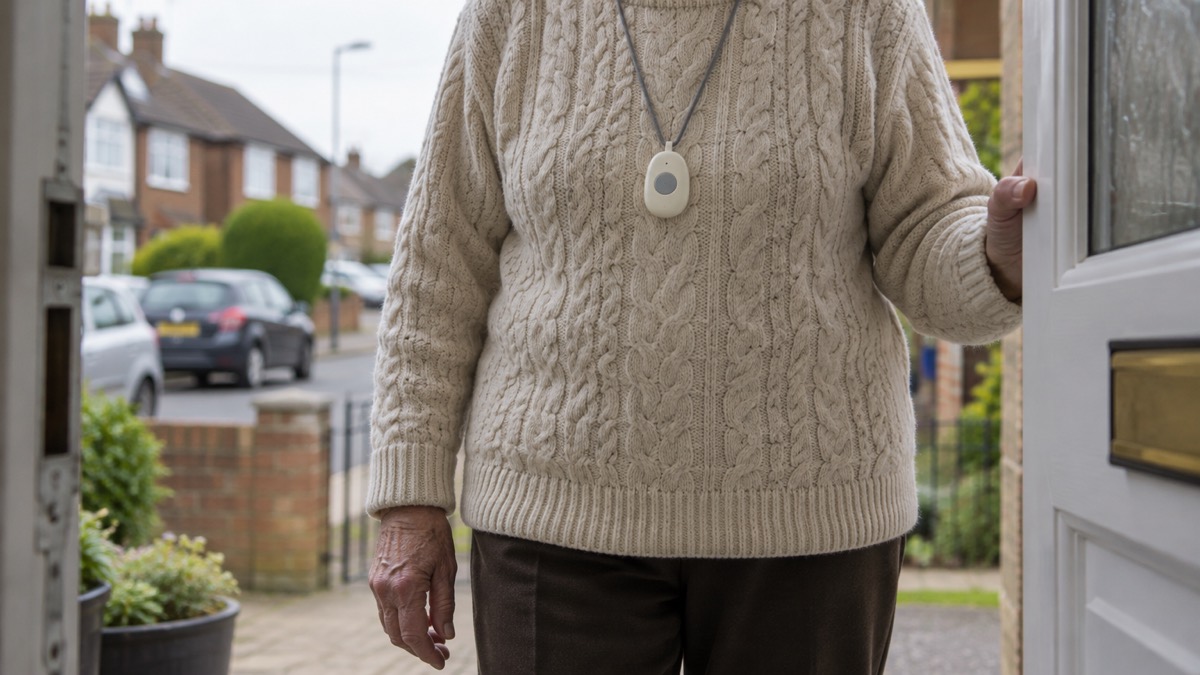
One widely used digital alarm offers a hypoallergenic neck chain or wrist strap depending on your choice, in a neck or wrist worn design10. The most important point, whichever you choose, is that the alarm only works while it is being worn. An alarm on the bedside table cannot help with a fall in the bathroom. If the person you care for resists wearing one, a wrist strap worn like a watch is often accepted more readily than a chain, but the decision is theirs to make.
For alarms worn away from the home, a watch-style design is common: see our page on the Taking Care Out-and-About Personal Alarm Watch for how that style works. If you are weighing an alarm against an ordinary mobile phone, our comparison of a personal alarm or mobile phone for an older person living alone sets out the trade-offs.
Fall detection and GPS: alarms for away from home
Two features extend what a basic pendant can do, and both matter for choosing.
Fall detection means the alarm raises the call itself if it detects a fall, rather than waiting for the button to be pressed. This matters because a fall can leave someone unconscious, confused, or unable to reach the button. One example is a care alarm for use at home and in the garden, with automatic fall detection for added reassurance11. Fall detection is not infallible: slow slides to the floor may not register, and some alarms can be triggered without a fall at all. We explain the limits in which falls a fall detector may miss, and how the technology works in fall detectors: how automatic fall alerts work.
GPS means the alarm works away from home and can tell the response team where the wearer is. A home pendant only works within range of its base unit; a GPS alarm uses mobile networks instead, so it can be used in the street, in a shop or in a park. Our comparison of a home personal alarm or GPS alarm sets out which suits which household, and our page on how far from the base unit a pendant alarm works covers the home range question.
| Alarm type | Where it works | Fall detection | Who it suits |
|---|---|---|---|
| Home pendant or wrist alarm | At home, within range of the base unit | Optional add-on on some models | Someone who is at home most of the time and can press a button |
| Fall-detection alarm | At home and in the garden | Yes, automatic11 | Someone at risk of falls who may not be able to press the button |
| GPS alarm | Away from home, over mobile networks | Varies by model | Someone who goes out alone, or is at risk of going missing |
If the person you care for has dementia and may walk out of the house unnoticed, read our pages on dementia and emergencies and what to do if the person you care for goes missing alongside this one.
Alarms, digital phone lines and the 3G switch-off
The UK's phone network is changing, and it affects personal alarms in two separate ways. Understanding both is the most important thing this page can tell you if you already have an alarm, or are about to buy one.
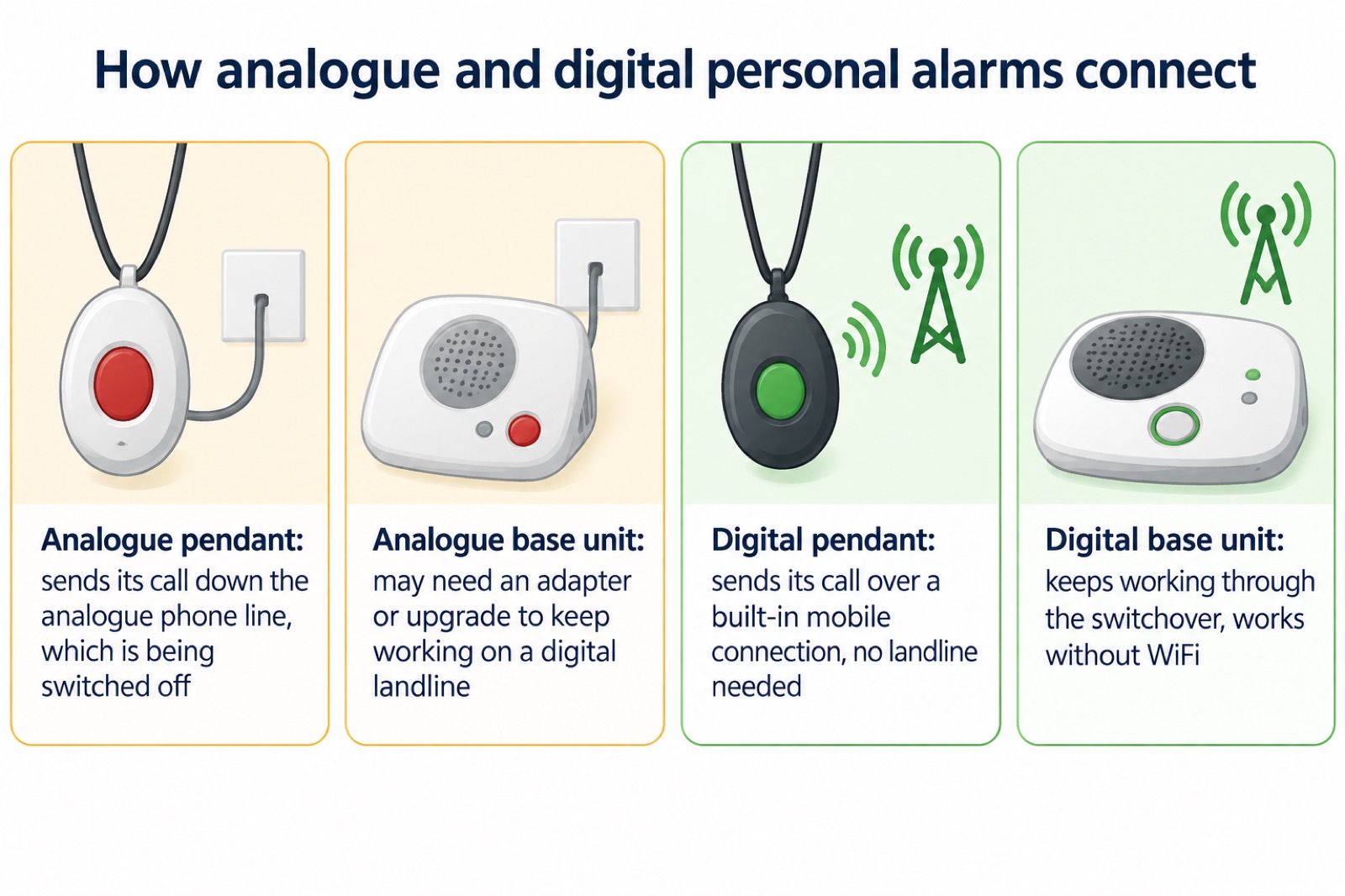
The first change is the digital landline switchover. Traditional analogue phone lines are being replaced with digital voice services that run over the internet. Ofcom's official guidance is blunt about the consequence: "Your care alarm or telecare device might not work properly on a digital landline"5. Many older personal alarms rely on analogue phone lines and may need adapters or upgrades to continue working11. Staffordshire County Council warns that some older telecare alarms may stop working if they are not updated12.
The second change is the 3G switch-off. Mobile providers are switching off their 3G networks, and Ofcom advises that providers should notify affected customers by text message (SMS) or email, with information on the provider's website and more reminders as the switch-off gets closer13. An alarm that connects over mobile networks using only 2G or 3G may eventually stop connecting. The government's emergency alerts guidance illustrates the same principle from the other side: you will not receive alerts if your device is connected to a 2G or 3G network14.
Newer digital alarms avoid both problems. One provider's digital personal alarm uses a built-in mobile connection rather than a landline, so the switchover does not affect it, and it works without WiFi as well11. The National Cyber Security Centre adds a general point worth applying to any connected device: install the latest software and app updates, because older devices will eventually stop receiving updates15. An alarm that no longer receives updates is a weaker alarm.
Tell your phone provider you have an alarm before the switch
This is the single most useful action in this section, and it comes from Ofcom, the regulator. Tell your landline provider and your device supplier before your landline is changed to digital if you, or someone in your household, has a telecare alarm, health pendant, personal alarm or any other device that uses your phone line5. Ofcom gives the same advice in plainer terms elsewhere: tell your provider before the change if you have a care alarm, health pendant, security alarm or other connected device that uses the telephone line16.
Argyll and Bute Council adds that most telecare alarm providers will have upgrade plans, and advises letting your communication provider know if your phone line has been upgraded or is due to be17. South Gloucestershire Council, which is managing the switchover locally, advises that devices such as fall monitors and personal alarms may require checks or upgrades before the switchover, and recommends a mobile phone as an emergency backup6.
Ofcom also sets out who is entitled to extra help through the process: tell your provider before your landline is changed to digital if you, or someone in your household, needs extra help, because you are elderly, disabled, have a health condition, have limited mobility, or need information in a different format5. That overlaps with the Priority Services Registers that energy and water companies hold, which we cover separately.
Numbered, the steps are:
- Contact your landline provider and tell them a personal alarm or telecare device uses the phone line5.
- Contact your alarm supplier and ask whether your model needs an adapter or an upgrade5.
- Ask your supplier what their upgrade plan is; most telecare providers have one17.
- Keep a mobile phone available as an emergency backup while the change is under way6.
- Test the alarm once the line has been changed, and again every few months.
Setting up: plug in, press the button, check it connects
Most modern alarms need no engineer and no technical skill. One provider states that most alarms simply need to be plugged in and tested by pressing the button to connect to the Emergency Resolution Team, with clear instructions provided3. Digital alarms that use a built-in mobile connection work without a landline, making them quick and easy to set up at home3. One digital model comes with a power adapter on a 3-metre cable, which gives you some choice about where the base unit sits relative to a socket11.
The set-up sequence is short:
- Plug the base unit into a mains socket, using the cable supplied11.
- Plug in any phone or landline connection the model requires, if it uses one.
- Put the pendant on, or set it beside you.
- Press the button and confirm you get through to the response team3.
- Tell the response team it is a test when they answer.
Where you place the base unit matters for a pendant alarm, because the pendant only works within its range. Our page on how far from the base unit a pendant alarm works covers this. If the person may need help getting in after an emergency, consider a key safe so responders can reach them without forcing a door.
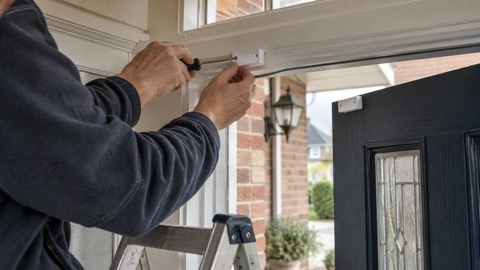
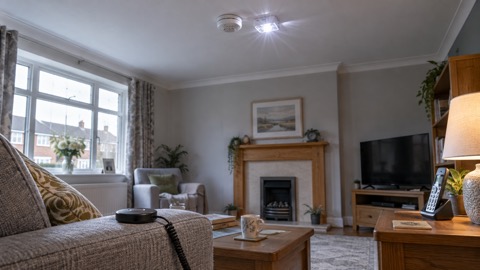
One option worth asking about is linking the personal alarm to the home's smoke alarms, which fire safety guidance for carers says can be arranged for additional safety18. The London Fire Brigade advises making sure alarms are interlinked so that when one alarm detects a fire they all go off together, giving the person early warning7. If the person you care for cannot hear an alarm, ask a qualified electrician to fit linked alarms19, and see our page on Deaf and hard of hearing households in an emergency.
Test the alarm every few months
An alarm that is never tested is an assumption, not a safety net. Press the button, confirm the response team answers, and tell them it is a test. The same discipline applies to the smoke alarms in the home: fire services advise testing alarms at least monthly by pressing the test button until the alarm sounds20, and Manchester Fire and Rescue Service advises that a series of loud beeps means the alarm is working21. Where the person cannot test their own alarms, carers are advised to test them for the person or identify somebody else who can22.
For the personal alarm itself, a sensible rhythm is:
- Test the pendant button from the furthest room you would normally be in.
- Test it from the garden if the model claims garden coverage11.
- Test after any change to your phone line, broadband or mobile provider.
- Test after a power cut, once power is back.
- Note the date somewhere so you remember the last test.
If a test call does not get through, treat the alarm as out of action until the supplier confirms otherwise, and keep a phone within reach in the meantime. Staffordshire's falls prevention advice captures the general principle: keep a phone or alert device nearby in case you need help20.
When the power or internet goes down
A power cut or broadband outage raises an obvious worry: does the alarm still work? The answer depends on the type of alarm. Most personal alarms use mobile networks or digital base units rather than WiFi, which means the alarm continues working if home internet is unavailable3. A digital alarm with a built-in mobile connection does not depend on the home broadband at all11. Alarms that rely on a digital landline do depend on the router and its power, which is why Ofcom and councils recommend keeping a mobile phone as a backup6.
We cover this question in full, including battery backup times and what to do during an outage, in will a telecare or personal alarm work in a power cut?. The broader household preparation is in our power cuts guide and backup power at home pages.
During storms and severe weather, the official advice from nidirect is to check on elderly or vulnerable family, neighbours and friends to make sure they are okay21. If you are the person being checked on, or the one doing the checking, a quick alarm test after any outage is a good habit. Our winter checks for an older relative's home page pulls this together with the other seasonal checks.
Wellbeing calls when alarm use changes
Some monitored services now go beyond answering the button. One provider includes free wellbeing calls with its personal alarm service, and states that if something seems different or worrying, like using the alarm more than usual, it will get in touch to check everything is okay3. The same provider's product page for its digital alarm describes free wellbeing calls included, with the provider getting in touch if alarm use changes11.
This is worth understanding when choosing a service, because it turns the alarm from a device that reacts into a service that notices. A sudden increase in alarm presses can be the first visible sign of a decline in health, a change in medication, or a problem in the home. A provider that watches for that pattern and calls to ask about it adds a layer of protection that a bare button does not.
Wellbeing calls began for new leased alarm customers of that provider from 1 August 2024, excluding its watch and tracker products, so check with any supplier exactly what their current service includes before assuming it. Ask specifically: are wellbeing calls included, are they free, and what triggers them?
Renting or buying, subscriptions, repairs and returns
Personal alarms are usually paid for in one of two ways: buy the equipment and pay a monthly monitoring subscription, or rent the equipment as part of a monthly plan. One provider describes its pricing as having no hidden costs, with calls, data and repairs included3.
For rented alarms, ask what happens when something goes wrong. One major supplier includes a free lifetime warranty and repairs with its digital alarm, which it describes as being for added peace of mind11. Before signing up, check:
- Whether repairs and replacements are included in the monthly cost11.
- What happens if the pendant is lost or damaged.
- How quickly a replacement is sent out.
- Whether the warranty runs for as long as you keep paying, or has a fixed term.
On returns, one provider allows you to return your personal alarm free of charge within 30 days for a full refund of the order3. That trial period matters, because the most common reason an alarm fails is not a technical fault but the wearer not wanting to put it on. Thirty days is enough time to find that out.
When an alarm reaches the end of its life, the Scottish Government's guidance on alarms is that some but not all types of alarms can be recycled at recycling centres, and to look on the alarm for information or check with the manufacturer23.
On delivery times, if you are ordering for someone else: one provider offers free next working day delivery in England and Wales for orders before 1pm, Monday to Friday, with 48-hour delivery available for other areas3. Scotland, Wales and Northern Ireland arrangements differ only in delivery speed here; the alarm services themselves operate UK-wide.
VAT exemption: most households do not pay it
Personal alarms are one of the purchases where many households legally pay less. One provider states that you do not need to pay VAT if you, or the person you are buying the alarm for, are disabled or have a condition that requires regular medication, and that a long-term illness or disability may make you eligible, saving 20%3. The same provider notes that prices exclude VAT and that most customers qualify for VAT exemption24.
The practical steps are straightforward: when ordering, declare that the alarm is for someone with a long-term illness or disability, and the supplier applies the exemption. If you are buying for a relative, the exemption can still apply, because the rule covers the person the alarm is for, not only the person paying3. If in doubt, declare the condition and let the supplier confirm; they handle these declarations routinely.
Choosing: a short checklist
Pulling the page together, these are the questions to answer before you order:
- Where will it be worn? Neck chain or wrist strap, whichever the wearer will actually keep on10.
- Where will it be used? Home only, home and garden, or out and about; GPS only matters if the answer includes leaving the house11.
- Is fall detection needed? If a fall might leave the wearer unable to press the button, yes11.
- How does it connect? Built-in mobile connection avoids both the landline switchover and broadband outages11.
- What does the subscription include? Calls, data, repairs and wellbeing calls3.
- Can it be returned? Look for a trial period of around 30 days3.
- Is VAT exempt? Usually yes, if the wearer has a long-term illness or disability3.
If you are arranging this for someone who lives alone, our pages on living alone: staying safe when no one is nearby and carers: planning for when you cannot be there cover the wider arrangements, including a carer's emergency plan. For the specific worry that brings most families to this page, falls at home: getting up, getting help and prevention explains what to do in the first minutes after a fall, with or without an alarm.
Sources (24)
- Assistive technology, Warwickshire County Council
- Home safety and support at home, Devon County Council, 2025-02-21
- Blue light personal alarms, Taking Care, 2026-10-29
- Carers and support workers: alarms, London Fire Brigade, 2026-10-25
- Telecare: help and support, NHS inform Scotland, 2024-08-13
- Digital Personal Alarm, Taking Care, 2026-10-29
- Future of landline calls, Ofcom, 2026-08-26
- Switchover to digital landlines, South Gloucestershire Council, 2026
- Emergency video relay, Ofcom, 2023-03-31
- Telecare, Staffordshire County Council, 2025-07-20
- Digital phone switchover, Argyll and Bute Council, 2026
- Advice for consumers: future of landline calls, Ofcom, 2024-02-07
- How alerts work, GOV.UK, 2026
- Install the latest software and app updates, National Cyber Security Centre, 2021-12-21
- Caring for someone who smokes, Dorset and Wiltshire Fire and Rescue Service, 2025-11-19
- Fire safety for people with hearing difficulties, Devon and Somerset Fire and Rescue Service, 2026
- Hanukkah fire safety, Manchester Fire and Rescue Service, 2026-10-29
- Home fire safety checks, Manchester Fire and Rescue Service, 2026-10-29
- Emollients: advice for carers and social workers, Manchester Fire and Rescue Service, 2026-10-29
- Falls prevention, Staffordshire County Council, 2026
- Strong winds weather warning information and advice, nidirect, 2026-10-24
- Installation of alarms, Scottish Government, 2024-08-14
- Where and what to buy, Scottish Government, 2024-08-14
- Digital personal alarm FAQs, Taking Care
 Carer's Emergency Plan
 Herbert Protocol Form
 In Case of Emergency Card
 Energy and Water Company Duties
 What Happens When Alarm Pressed
 How Fall Detectors Work
 Home Oxygen Therapy Safety
 Airflow Mattress Fire Risk
 Fire Risk at Home
 Dementia and Emergencies
 Falls at Home
 Living Alone Safely
 Sight Loss and Emergencies
 Deaf and Hard of Hearing Safety