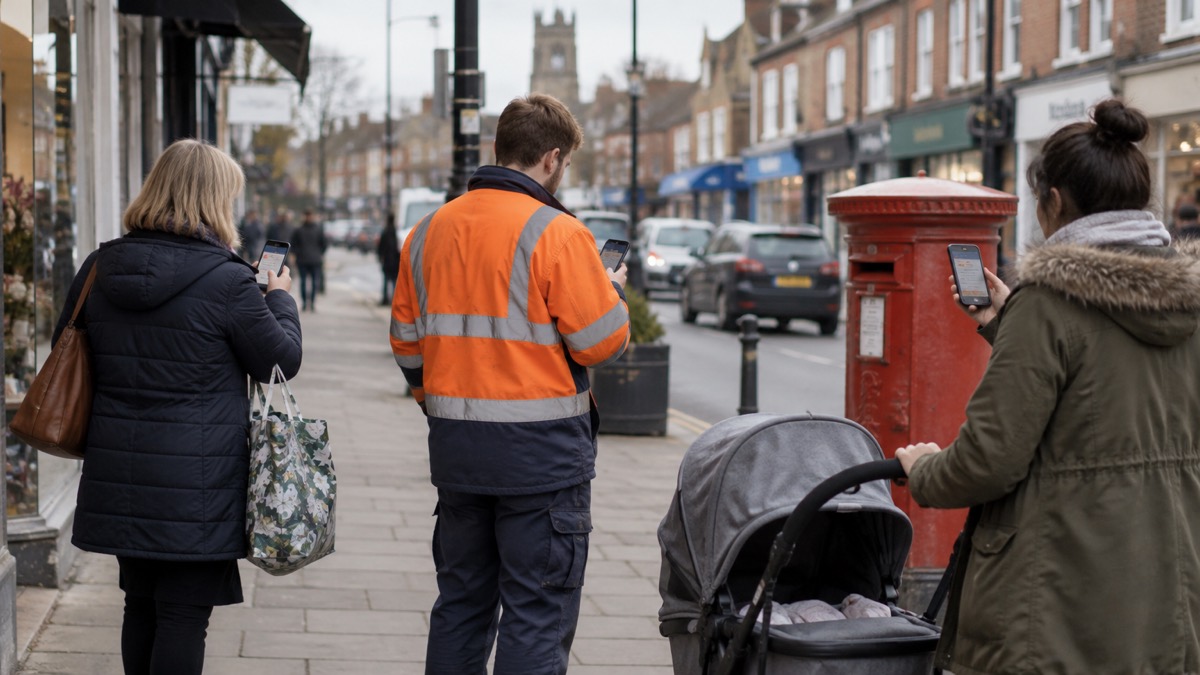
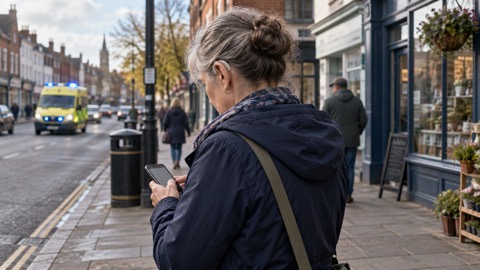
If a loud siren-like sound suddenly blasts from your mobile phone, accompanied by a strong vibration and a message on screen, it is almost certainly a UK Emergency Alert. Stop what you are doing, read the message, and follow the instructions it gives. The alert will tell you what the emergency is and what you need to do to stay safe, and it may include a phone number or a link to the GOV.UK website for more information1. If you are driving, do not pick up the phone: carry on driving and only read the message once you have stopped somewhere safe and legal2.
Emergency Alerts are a UK Government service used to warn people about serious incidents where there is a risk to life3. Alerts are broadcast through mobile phone networks to every compatible phone and tablet in a defined area, so you receive them based on where you are at that moment, not where you live1. There is no sign-up, no charge, and no app to install4. The system has been used only a handful of times since it launched in 2023, so an alert is rare, but when one arrives it means the government or the emergency services believes lives may be at risk nearby5.
What to do when an alert goes off
An Emergency Alert is designed to interrupt you, and that is deliberate. When one arrives, the message stays on your screen until you acknowledge it, and it will give you clear instructions on what to do to stay safe10. In an actual emergency, follow those instructions to keep yourself and others safe3. The instructions come from whichever body issued the alert, whether that is a government department, the police, a fire and rescue service, or your local council, and they are tailored to the specific incident1.
The kinds of situations that trigger alerts are those where there is a live or imminent risk to life and specific instructions on how to respond are required11. Examples given in official guidance include severe flooding, major fires, wildfires, extreme storms and other life-threatening emergencies1. An alert might tell you to move to higher ground, to stay indoors, to evacuate a specific area, or to avoid a particular stretch of road or countryside.
A few practical points are worth knowing in advance:
- Read the alert carefully and follow the instructions provided. The alert will tell you what the emergency is and what you need to do to stay safe1.
- Do not call 999 to ask about the alert. Emergency services deal with the incident itself; the alert is the warning, not a request for you to make contact.
- Expect the alert to be repeated elsewhere. Every alert is replicated on the GOV.UK website, so you can confirm details there12.
- Remember alerts are area-based. You get an alert because of where you are standing at that moment, so a family member in another part of the country may not receive the same one1.
Alerts do not replace local news, radio, television or social media1. They are a fast, direct channel for the most urgent warnings, and other official information will follow through the usual routes. For a fuller picture of where to find official warnings and news during an emergency, see our guide to where to get official warnings and news, and for the moment-by-moment detail of handling an alert, see what to do when you get an Emergency Alert.
What an alert looks and sounds like
You will know an alert has arrived because your phone or tablet will make a loud, siren-like sound and use a distinct vibration, and a message will appear on your screen telling you about the emergency and what you need to do4. The sound and vibration last for about 10 seconds1. The sound plays even if your device is set to silent, which is central to how the system works: an alert about a risk to life must reach you whether or not you have silenced your phone for a meeting or for sleep7.
The message itself stays on screen until you acknowledge it, and on some devices it will appear for around 20 seconds10. If you have accessibility settings enabled, your phone may also read the alert aloud, and it can override your volume settings to do so7. After the alert is sent, the message typically reaches phones within about 4 to 10 seconds, which is why the system is suited to fast-moving emergencies13.
One feature catches people out: the loud sound can pose a risk in some situations, for example where someone is keeping a hidden mobile phone for personal safety reasons, such as a victim of domestic abuse7. If that applies to you or someone you know, it is possible to opt out of the system, and the steps for doing that are covered below.
Which phones get alerts, and when one will not arrive
Emergency alerts work on all 4G and 5G phone networks in the UK8. Within those networks, compatibility depends on your device and its software:
| Device | Requirement |
|---|---|
| iPhone | iOS 14.5 or later8 |
| Android phone or tablet | Android 11 or later8 |
| Other phones | Some phones that do not run iOS or Android may also receive alerts8 |
| Older Android | With an earlier version of Android you may still be able to receive alerts; search your device settings for "emergency alerts" to check8 |
| Phones released before 2015 | Likely to require changes to the settings14 |
Make sure your device has all the latest software updates, since alerts are sent to compatible phones with the latest software installed8. If you are unsure whether your handset qualifies, see our page on whether your phone will receive Emergency Alerts.
Just as important is knowing when a phone will not get an alert. You will not receive alerts if your device is turned off, connected to a 2G or 3G network, connected to Wi-Fi only, or not compatible8. You may not receive alerts if your device is in airplane mode8. Two points follow from this. First, an old handset kept in a drawer as a backup will not warn you unless it is switched on, on 4G or 5G, and updated. Second, as the older networks are retired, phones that only manage 2G or 3G lose this channel entirely; our guide to the 3G switch-off explains which devices are affected.
You do not need to be connected to mobile data or Wi-Fi to get an alert8. The alert travels over the mobile network's broadcast channel, not the internet, so a phone with no data allowance, no signal bars for data, or a SIM card out of contract for data can still receive one, as long as it is on a 4G or 5G network.
Driving when an alert arrives
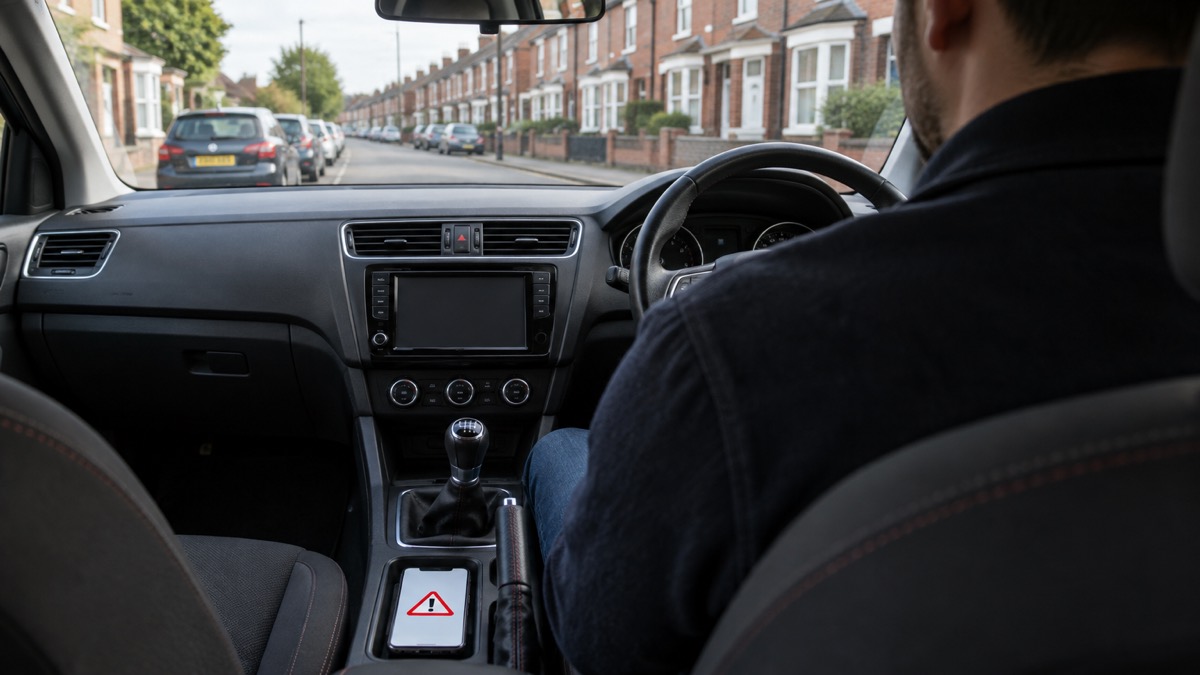
The advice here is unambiguous. If you are driving when you get an alert, you should carry on driving and not pick up the phone3. It is illegal to hold a mobile phone while driving or riding a motorcycle, and the law still applies if you are stopped at traffic lights, queuing in traffic, or supervising a learner driver10. The police can stop you if they think you are not in control because you are distracted, and you can be prosecuted10.
The correct sequence is:
- Keep driving as normal, staying in full control of your vehicle4.
- Find somewhere safe and legal to stop before reading the message6.
- Read the alert and follow its instructions once parked3.
- If there is nowhere safe to stop and nobody else in the vehicle can read it for you, tune into live radio and wait for news bulletins about the emergency until you can stop safely10.
A passenger can read the alert for you, and if you need to make a call, stop somewhere safe or ask a passenger to make it15. The only circumstances in which you may use a hand-held phone while driving are if you are safely parked, or if you need to call 999 or 112 in an emergency and it is unsafe or impractical to stop10. Even then, hands-free access such as voice command, a dashboard holder or a windscreen mount must be used where possible, and the device must not block your view of the road10.
The reason for the firm line is simple: the seconds after a sudden loud siren in a moving car are exactly when a driver's attention matters most. Our page on what to do if an Emergency Alert sounds while driving covers this scenario in more detail.
Checking an alert is genuine, and spotting scam texts
Every real Emergency Alert includes a link to gov.uk/alerts, where you can check that the alert is genuine3. If you are in any doubt, go to gov.uk/alerts, or contact neighbours, friends or family in the nearby area to check whether they have received it too16. Because alerts are broadcast to every compatible device in the affected area, the people around you should have had the same message; if nobody nearby received it and it is not on the GOV.UK site, treat it with suspicion.
The distinction matters because scammers do send texts claiming to be from official bodies. Ofcom warns that scammers call home phones and send texts to mobiles containing false information, some of it claiming to come from the UK Government, GP practices, the NHS or the World Health Organization17. Genuine government text messages come from the sender UK_Gov17. A real Emergency Alert is also unmistakable in form: it arrives as a special notification with the siren and vibration described above, not as an ordinary text message in your inbox4.
A genuine alert will include a phone number or a link to the GOV.UK website for more information1, and every alert sent is replicated on the GOV.UK alerts pages12, so verification takes seconds. For the full detail, see how to tell if an Emergency Alert is genuine, and for the wider problem of bad information during emergencies, our page on avoiding false information.
No sign-up, no charge, no personal data
One of the most common questions about the system is how the government knows your number. It does not. The emergency services and the UK government do not need your phone number to send you an alert8, and the organisations that send alerts do not need to know your phone number or location6. You do not need to sign up for the service and there is no charge to receive alerts7. There is no need to sign up or pay, and no app to install18.
The system works by broadcast. A message is sent to a defined geographical area, and any compatible device in or entering that area immediately receives it12. Every compatible mobile phone or tablet in range of a mast receives the alert, and alerts are only sent if your current location is affected18. You do not need to turn on location services to receive alerts6, and your phone does not have to be connected to mobile data or Wi-Fi8.
The privacy position is stated plainly in official guidance: Emergency Alerts do not track your location, need your phone number, or collect personal data9. Alerts are one-way and provide no feedback on your location or on whether you have received the message; no data is gathered about you, your phone or your location13. Data about you, your device or location will not be collected or shared8.
This has a practical benefit beyond privacy: because nothing is registered, there is nothing to keep up to date, nothing to cancel if you change number, and nothing that can be leaked or sold. The alert finds the phone, not the person. Our page on whether Emergency Alerts track your location or cost anything goes into this in more detail.
Who can send alerts, and what triggers them
Only the government and the emergency services can send Emergency Alerts9. More precisely, alerts will only be sent by the emergency services and by government departments, agencies and public bodies that deal with emergencies1. The service is managed by the UK Government and can be used by emergency services, government departments and other authorised organisations7. Alerts can be sent by the UK Government, Devolved Governments and other public bodies such as the police or your local council6, so an alert in Scotland may be issued by the Scottish Government, and in Wales by Welsh public bodies, as well as by UK-wide agencies.
The National Risk Register describes the service as issuing urgent messages to mobile phones when there is a live or imminent risk to life and specific instructions on how to respond are required11. Typical triggers named in official guidance include:
- severe flooding1
- wildfires and major fires1
- extreme storms and bad weather1
- any other type of life-threatening emergency1
The likelihood of receiving a message in any given year is low, and the most frequent use is expected to be for flooding14. Fire and rescue services, including London Fire Brigade in their wildfire guidance, note that every compatible device in range of a mast in the affected area receives the alert18, which is what makes the tool useful for fast-moving incidents like grass and wildfires.
Test alerts and how often real alerts are sent
To ensure the system works, the government occasionally carries out tests14. The most recent national test took place at 3pm on Sunday 7 September 20253. It was the second national test of the system19, and it was announced on 7 July alongside a new Resilience Action Plan20. The test message was sent to all 4G and 5G phone networks in the UK and made clear that it was a test and that no further action was required20. Regular testing ensures the system is functioning correctly should it need to be used in a life-threatening emergency20.
A test behaves much like the real thing: your phone makes a loud sound, vibrates, and shows a message on screen saying that this is a test3. The test alert lasts for about 10 seconds3, and you do not need to do anything in response3. Accessible materials were published for the September 2025 test so that people with visual and hearing impairments could know what to expect19.
Real alerts have been rare. Since the launch of Emergency Alerts in 2023, the system has been activated five times, in conjunction with other local warning methods, during emergencies to minimise risk to life5. Ministers have described using it in live scenarios in two storms that posed a real risk to life during the winter of 2024 to 2025, and in one or two more localised situations21. For example, an alert was sent to England and Wales by the UK government at 7:01pm on Friday 14 August 202622. Not every major incident leads to an alert: during the 999 disruption of 25 June 2023, the decision was taken not to issue one, because the incident was UK-wide rather than confined to a specific region, and there was no urgent action every member of the public needed to take immediately23. That gives a sense of the threshold: alerts are for danger to life in a defined area, with specific actions to follow.
Opting out, and why the advice is to keep alerts on
You can opt out of receiving emergency alerts9, and the government publishes instructions at gov.uk/alerts/opting-out3. The steps are straightforward:
- Search your phone's settings for "emergency alerts"7.
- On iPhone, turn off "Severe alerts" and "Emergency alerts"13.
- On Android, search your settings for "emergency alerts" and turn off "Emergency Alerts"4.
- On Huawei devices running EMUI 11 or older, turn off "Extreme threats", "Severe threats" and "Show amber alerts"13.
- If this does not work, contact your device manufacturer4.
Note that you will not receive alerts if your device is turned off or in airplane mode, regardless of your settings24.
The official advice, however, is to keep them on. The government strongly recommends that alerts are kept switched on, as the system is intended to warn you when lives are in danger4. There is one recognised exception: it is possible to opt out if you need your phone to stay concealed, for example if you are a victim of domestic abuse keeping a hidden phone for personal safety14.
If you turn alerts off and change your mind, the same settings let you turn them back on. Our page on how to turn Emergency Alerts off or on gives the steps for each type of device.
Help if you do not have a compatible phone, or have extra needs
Not everyone has a phone that can receive alerts, and the system is not the only warning channel. If you do not have a compatible device, you will still be informed about an emergency: the emergency services have other ways of telling people, and existing procedures remain in place, so those without a mobile will still be made aware through the news and local emergency services1. In an emergency, pay attention to official sources of information such as the websites and social media accounts of local authorities, government agencies or emergency services, as well as messages from the Emergency Alerts service25.
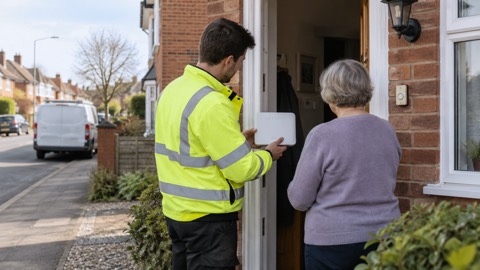
For people who are less likely to have a mobile phone, official advice is to identify someone who lives near you who can inform you of any Emergency Alerts being sent14. That neighbour, friend or relative becomes your warning channel, which is worth arranging in advance rather than in the moment.
The system was built with accessibility in mind. If you have a vision or hearing impairment, audio and vibration attention signals will let you know you have an emergency alert if accessibility notifications have been enabled on your phone or tablet1. Compatible phones use a loud, siren-like sound so people with visual impairments are not excluded10. Some phones will read out the message and can override volume settings, and alerts use a distinct vibration type; testing with users who have hearing aids demonstrated that the reserved tone is pronounced for those individuals in a unique way, and screen magnification can help with reading the message14. The noise should be audible for those who use a hearing aid10.
If you are deaf, hard of hearing, or need another route to the emergency services, there are dedicated options: see our guides to 999 BSL and Relay UK and emergencySMS. For warnings without any mobile phone at all, including radio and community channels, see how to get emergency warnings without a mobile phone, and for a wind-up or battery radio as a backup, emergency radios.
Getting your household ready
The practical preparations are small but worth doing now:
- Update your phone's software, since alerts go to compatible devices with the latest updates8.
- Check your settings for "emergency alerts" to confirm the feature is on7.
- Know where to verify an alert: gov.uk/alerts3.
- Agree a household plan for who checks on whom if an alert sounds, especially for older relatives without a compatible phone14.
- Keep a battery or wind-up radio as a second channel, since alerts do not replace local news, radio, television or social media1.
You can also sign up in advance for the free warning services that run alongside Emergency Alerts, such as flood warnings, and our checklist of free alert services to sign up for sets those out. For the wider job of getting a household ready, start with getting started: preparing your household for an emergency.
Sources (25)
- Emergency Alerts, GOV.UK, 2026
- About Emergency Alerts | Mobile | BT Help, BT
- Emergency Alerts: Easy Read, Cabinet Office, 2025
- Emergency Alerts System factsheet, Prepare campaign, 2025
- The UK Government Resilience Action Plan, HM Government, 2025
- Alerts and warnings, Be Ready campaign, 2026
- Emergency Alerts service, Croydon Council, 2026
- How alerts work, GOV.UK, 2026
- Emergency Alerts, Isle of Anglesey County Council, 2026
- National Emergency Alert System: what is it?, Essex Prepared, 2026
- National Risk Register 2025, HM Government, 2025
- National Risk Register annex, City of York Council, 2023
- National Emergency Alerts, Warwick District Council, 2026
- Emergency Alerts, Denbighshire County Council, 2026
- Winter driving: be a safer driver, Cornwall Council, 2026
- Emergency Alerts factsheet, Saltford Parish Council, 2023
- Scam calls and texts, Ofcom, 2024
- Wildfires: protecting your home and garden, London Fire Brigade, 2026
- Emergency Alerts test: 7 September accessible materials, GOV.UK, 2025
- Emergency Alert test, Sunday 7 September at 3pm, Wiltshire and Swindon Prepared, 2025
- Government Resilience Action Plan debate, Hansard, 2025
- Emergency Alert, 14 August 2026, GOV.UK, 2026
- 999 disruption report, HM Government, 2023
- Frequently asked questions about Emergency Alerts, GOV.UK, 2023
- Be informed about hazards, Prepare campaign, 2026
 Digital Landline Switchover
 3G Switch-Off
 emergencySMS Registration
 999 BSL and Relay UK
 Provider Extra Help