In an emergency, the first false message is often the one that reaches you fastest. A forwarded text about a dam bursting, a screenshot of a "government warning", an email demanding money: all of them spread because people are frightened and want to help. The defence is simple and it is the same every time. Go to the official source, check the alert there, and only then act or share.
The official sources are named and public. Pay attention to the websites and social media accounts of local authorities, government agencies and the emergency services, and to messages to your mobile phone from the UK Government Emergency Alerts Service1. You can check whether an Emergency Alert is genuine at gov.uk/alerts2. If you are still unsure, contact neighbours, friends or family in the nearby area to see whether they received it too3.
The rest is habits. Treat any message that asks you for details, a click or a payment as a scam until proved otherwise, because the Emergency Alerts service will never send you emails or ask you to provide personal details4. Check before you share, because some information online is misleading and inaccurate, making it harmful to share with friends and family1. And protect your accounts, so that a false message cannot be sent in your name.
Check the official source before you believe a warning
Every false warning fails the same test: it cannot be found where the real ones live. Official sources include the websites and social media accounts of the emergency services, government agencies and local councils, plus local radio, TV and the internet9. In winter, for example, Norfolk and Suffolk residents are pointed to updates from the NHS, local councils, the Met Office, the Environment Agency, Norfolk Prepared and Suffolk Prepared for information about health services, weather warnings, flooding and local support10. That is the shape of a trustworthy chain: a named body, on its own channel, saying what it is saying.
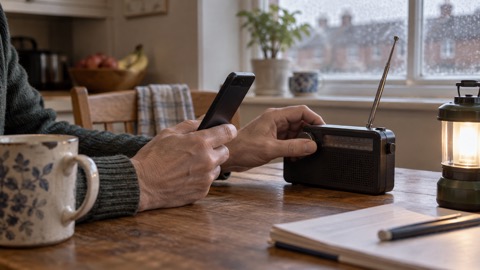
For phone alerts, the check is a single address. Visit gov.uk/alerts for more information and to check that an alert is genuine2. The same advice is repeated by councils across Wales and England, which tell residents they will be able to check an alert is genuine at gov.uk/alerts11. If you cannot confirm it there, treat it as unconfirmed.
For weather and flooding, go to the forecasters and the environment bodies directly. Sign up to Met Office weather warnings so that warnings reach you from the source rather than second hand12. The Environment Agency publishes flood warnings and the practical advice that goes with them, including turning off your gas, electricity and water supplies if it is safe to do so13. Our guide to where to get official warnings and news in an emergency sets out the channels in more detail, and Emergency Alerts: how the UK phone warning system works explains what a real alert looks and sounds like.
| What you have seen | Where to check it | What confirms it |
|---|---|---|
| A phone alert | gov.uk/alerts4 | The alert is listed there |
| A flood warning | Environment Agency and Met Office channels10 | A warning published by the body itself |
| A weather warning | Met Office warnings sign-up12 | A warning issued by the Met Office |
| A local incident | Council, police and fire service accounts9 | A statement on the organisation's own account |
| A health alert | NHS and local council updates10 | An update from the NHS or council |
How to tell whether a warning is real before you share it
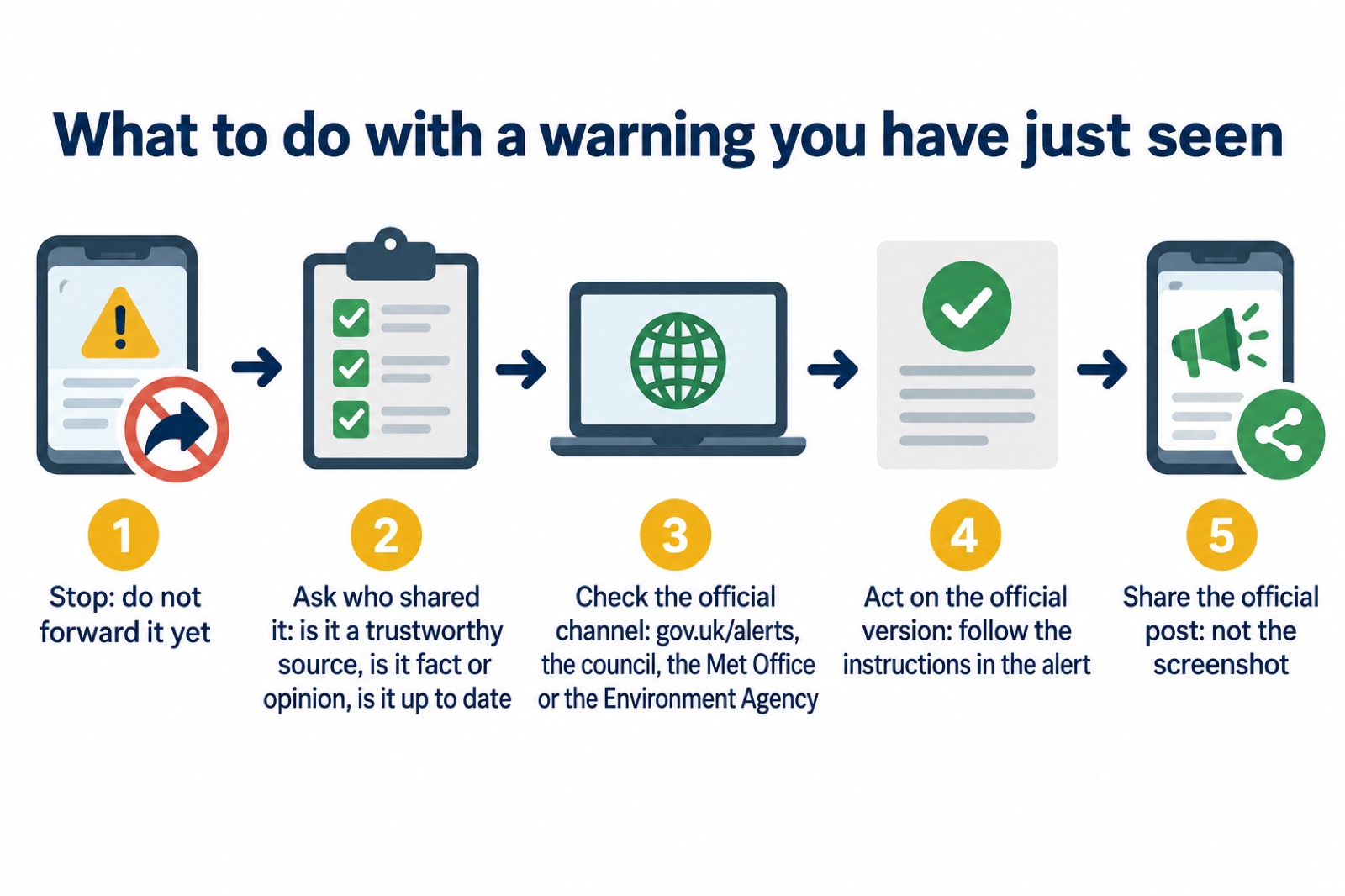
A real warning tells you what to do and who is telling you. A false one usually tells you to pass it on. Before you act on a message, ask the four questions official guidance sets out: who shared it, is it a trustworthy source, is it fact or opinion, and is it up to date14. A screenshot with no date fails the last one immediately, and a message that has travelled through five group chats fails the first.
Then check the content against what the official advice would be. In a flood, official guidance is to turn off gas, electricity and water if it is safe to do so, and to avoid flood water at all costs13. A message urging you to drive through water to collect supplies is not just false, it is dangerous. In any emergency, the official instruction is to check for injuries and help yourself before attempting to help others, to follow the advice of the emergency services, and not to put yourself or others in danger16. A warning that pushes you towards risk is not a warning.
Keep listening once you have checked. Watch TV, listen to the radio or check the internet often for official news and instructions as they become available17. The situation changes, and a warning that was accurate an hour ago may have been superseded.
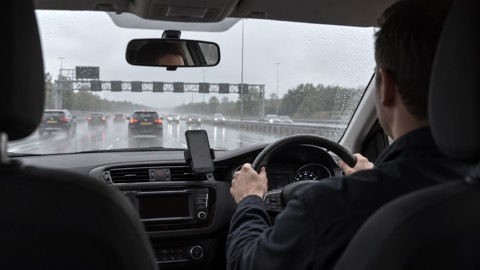
If you are driving or riding when an alert sounds, do not read or respond to it while driving or riding a vehicle; find somewhere safe and legal to stop before picking up your phone and reading the message19. It is illegal to hold a mobile phone while driving, so continue driving and find somewhere safe and legal to stop before reading the message20.
Scam messages that use an emergency to get your details
Criminals may take advantage of emergencies by sharing scams or false information, so keep your devices and personal information secure21. The pattern is predictable: a crisis makes people expect contact from authority, and the scam arrives dressed as authority.
The Emergency Alerts service gives the clearest test of all. The government does not need your phone number or any of your details to send you an alert, and the Emergency Alerts service will never send you emails or ask you to provide personal details4. Alerts are one-way: they do not provide any feedback on your location or whether you have received an alert, and no data is being gathered about you, your phone or your location11. So an email, a text reply or a phone call asking you to confirm anything "for the alert service" is a scam, whatever it says.
Bogus callers follow the same logic at the door and on the phone. Belfast City Council's advice is to avoid falling victim to a scam by being aware of the warning signs and reporting any concerns you may have22. If you have been scammed, or think someone is attempting to scam you or someone you know, report it22.
Sextortion emails are a common form of this. Criminals send millions of emails in the hope that someone will pay5. The advice is not to engage with the criminal; if you are unsure about an email, forward it to the NCSC's Suspicious Email Reporting Service and then delete it5. Do not reply, do not pay, and do not click.
Rumours on social media, and how to handle them
Social media is genuinely useful in an emergency, and official bodies use it. The problem is that it carries facts and opinions side by side. The internet and social media are full of both, and some information you find online can be misleading and inaccurate, making it harmful to share with friends and family1. The instruction is blunt: avoid creating more confusion by spreading rumours or unconfirmed information14.
The practical rule is to share the source, not the screenshot. If a neighbour posts that a road is closed, look for the police or council post that says so, and share that instead. If there is no such post, wait. Our guide to community resilience explains how a street or building group can be a reliable channel rather than a rumour mill.
A closed group of people you actually know is different from an open feed. Swap contact details with neighbours and consider creating an instant messaging group or other closed online social network for your street or building, which is an important source of information and support during an emergency23. In a closed group you know who is speaking and why they would know.
Keep the official channels in the mix. Go in, stay in, tune in remains the core advice: keeping safe is important, and tuning in to your local radio station as well as using social media gives you both the official line and the local detail24. For pets and animals, pay attention to public information about current emergency situations on local news bulletins or local multi-agency partners' social media accounts25. And keep up to date with the news through radio, TV, social media and the internet26.
Protect your accounts so false messages cannot be sent in your name
A hijacked email account is a false-information machine. Cyber criminals can use your email to access many of your personal accounts, leaving you vulnerable to identity theft27. If a criminal accesses your email, they could use it to access all your other accounts, access information about you including banking and social media details, and send emails and messages pretending to be from you28. In an emergency, a message from your address saying "I am stranded, please send money" is far more likely to be believed.
The defences are ordinary and take minutes:
- Use a strong and separate password for your email, because it is the key to so much else27.
- Turn on two-step verification, which is recommended to help protect your online accounts8.
- Be vigilant to phishing emails, text messages and phone calls, and keep all software and systems up to date, including mobile phones29.
If an account is hacked, tell contacts, friends or followers linked to the hacked account that you were hacked and warn them to be suspicious of recent messages from your account30. When you contact your bank for support, do not use the links in any messages you have been sent30. Our guide to cyber attacks and major IT failures covers what to do when the problem is wider than one account.
After a data breach, the organisation should be able to confirm if a breach has actually occurred, how you are affected and what else you need to do31. Be alert for suspicious messages afterwards, as cyber criminals may try to take advantage of it31. Change the password on the affected account and turn on two-step verification if you have not already.
Where to report false information and get help
Reporting is quick, and it protects other people as much as you.
| What you have | Where to report it |
|---|---|
| A suspicious email | Forward it to the NCSC's Suspicious Email Reporting Service7 |
| A suspicious text | Forward it to 77267 |
| A scam website | Report it to the NCSC7 |
| Money lost to a scam | Tell your bank, then report it as a crime to Report Fraud (England, Wales and Northern Ireland) or Police Scotland (Scotland)7 |
| Fraud where the suspect is known to you, or you are vulnerable | Call 1016 |
| A sextortion email | Forward it to the Suspicious Email Reporting Service, then delete it5 |
| A hoax call to the fire service | Never make one; it can put lives in danger18 |
Report Fraud deals with all fraud, unless the suspect is known to the victim or is vulnerable, in which case call 1016. The number is 0300 123 20406. If at any time you feel unsafe or unsure, call 999 for further information and advice32. If you see anyone setting deliberate fires, call the police on 101 or Crimestoppers anonymously on 0800 555 11133.
If you cannot speak on the phone, register for emergencySMS now rather than waiting for an emergency, and do not assume your message has been received until the emergency service sends a message back34. Our guide to emergencySMS explains how to register.
For people who need extra help, the same official channels apply. In a serious emergency where there is a risk of serious harm to human life, it should be assumed that it is lawful to share personal data if it is necessary to do so to respond to that emergency35, so do not let a concern about privacy stop you asking for help for someone who needs it. Our guide to extra help in an emergency sets out the support available.
Sources (35)
- Be informed about hazards, Prepare campaign (UK Government), 2026-10-22
- Emergency Alerts easy read, UK Government, 2025-09
- National Emergency Alert System - What is it?, Essex Prepared (essexprepared.co.uk)
- Emergency Alerts, GOV.UK, 2026
- Sextortion scams infographic, National Cyber Security Centre, 2026
- Others who can help, Devon and Cornwall Police, 2026-10-29
- Phishing, National Cyber Security Centre, 2026
- Cyber security, Essex Prepared, 2026-10-29
- Find and share information in an emergency, Ready Scotland, 2026-03-24
- Be prepared for winter emergencies, NHS Norfolk and Suffolk ICB, 2026-10-01
- Emergency Alerts, Isle of Anglesey County Council, 2026-10-29
- How to prepare for flash flooding, London Assembly, 2026-10-25
- Help during a flood, GOV.UK, 2026-10-25
- Prepared and personal resilience, Scottish Borders Council, 2026-10-29
- Staying safe in flooding, West Midlands Ambulance Service, 2026-05-20
- Prepare yourself, Greater Manchester Combined Authority, 2026-10-29
- Get help and advice in an emergency, Lincolnshire County Council, 2026-10-29
- Staying safe, Greater Manchester Fire and Rescue Service, 2026-10-29
- Frequently asked questions about Emergency Alerts, UK Government, 2023
- National Emergency Alerts factsheet, UK Government, 2023
- Emergency plan, Ready Scotland, 2026-03-24
- Bogus callers, Belfast City Council, 2026-10-29
- Get prepared for emergencies, Prepare campaign (UK Government), 2026-10-21
- Protect yourself and your family, Dorset Prepared, 2026-04-21
- Your pets, Wiltshire and Swindon Prepared, 2026-10-25
- Step 1: preparation, Essex Prepared, 2026-10-29
- Using passwords to protect your devices and data, National Cyber Security Centre, 2026
- Hacked accounts, National Cyber Security Centre, 2026
- Risks, Surrey County Council, 2026-10-28
- Recovering hacked accounts, National Cyber Security Centre, 2026
- Citizen data breaches, National Cyber Security Centre, 2026
- In the event of a fire, South Wales Fire and Rescue Service, 2026-10-25
- Adverse weather events, Llangattock Community Council, 2026-10-25
- Using 999 with speech or hearing impairment, Yorkshire Ambulance Service, 2026-10-29
- Identifying and supporting persons who are vulnerable in an emergency, UK Government, 2025-04-28
 Free Alert Services
 Emergency Apps
 Digital Switchover Checklist
 Silent 999 Calls
 Giving Your Exact Location
 When to Call 999
 Calling 999 With No Signal
 999 by Wi-Fi Calling
 When You Get an Alert
 Alerts While Driving
 Spotting a Genuine Alert
 Phones That Get Alerts
 Emergency Alerts On or Off
 Emergency Alert Privacy
 Emergency Alert Tests