Cyber Attacks and Major IT Failures: A Household Guide
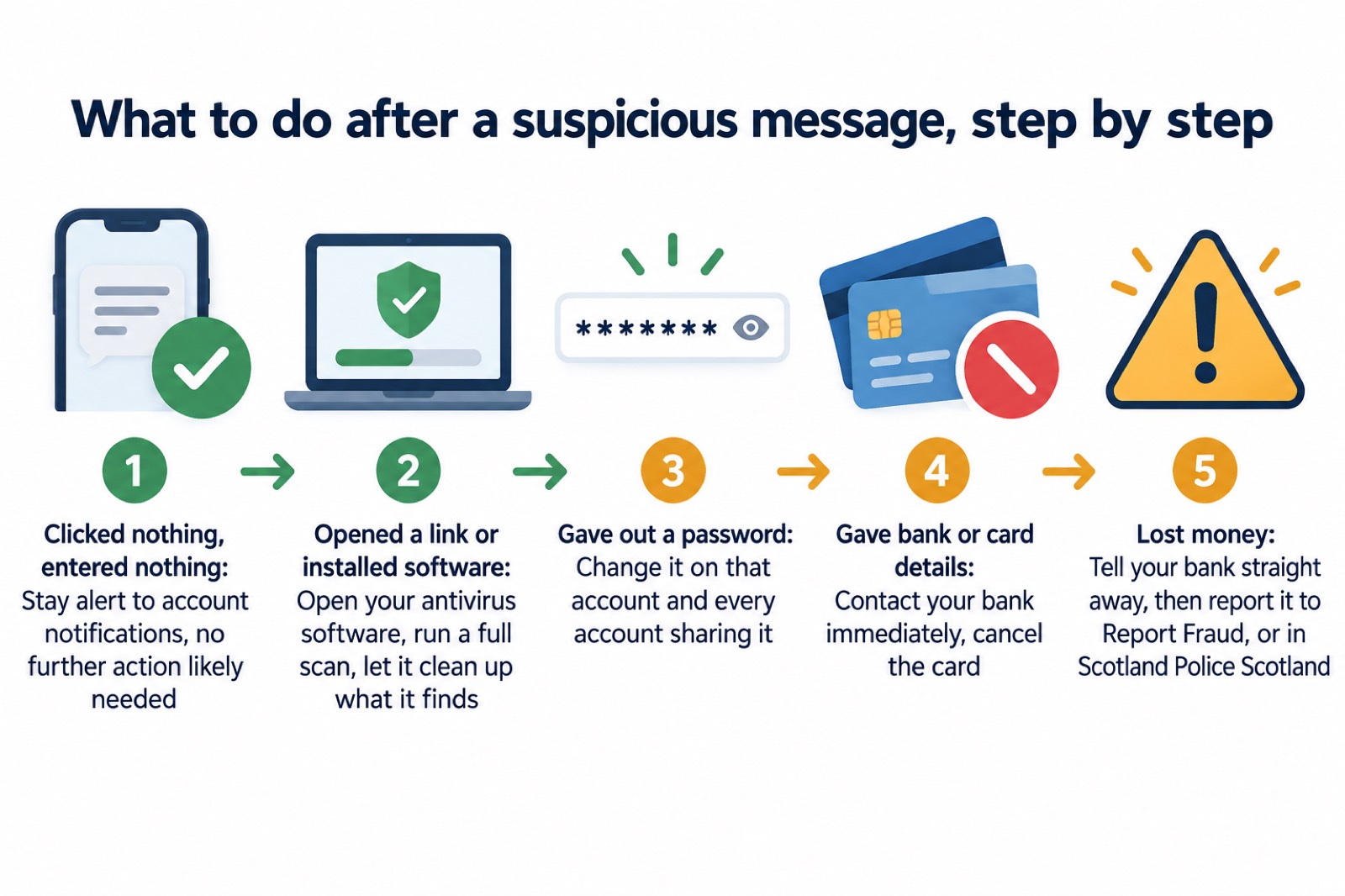
If you think you have been caught by a scam, stop the contact and do not click further links or enter information. Change any password you disclosed, including on every other account where it is reused. If you entered banking or card details, contact your bank straight away and cancel affected cards through online banking where available. If money has gone, tell your bank and report the crime to Report Fraud in England, Wales or Northern Ireland, or Police Scotland in Scotland.1
Forward suspicious emails to report@phishing.gov.uk and scam texts to 7726. For longer-term protection, use different passwords, turn on 2-step verification, install updates promptly and keep a recent offline backup of important files. These steps also limit the damage when an account, device or public service is affected.1
Caught out by a scam: first steps
What you did determines what to do next. Do not assume that one click has infected your device or exposed your accounts. The National Cyber Security Centre (NCSC) says that if you have not entered personal information, downloaded files or installed software, further action is unlikely to be necessary. Continue checking account notifications and activity.1
| What happened | What to do now |
|---|---|
| Clicked, but supplied nothing | Stay alert for unusual account activity |
| Entered a password | Change it immediately wherever it is used |
| Entered banking or card details | Contact your bank straight away; cancel affected cards through online banking where available |
| Received it on a work device | Tell your IT department |
| Cannot access an account | Start the provider's account recovery process |
| Lost money | Tell your bank and report the crime through the route for your nation |
The detailed guides on clicking a phishing link, giving bank details to a scammer and losing money to a scam take each situation separately.1
For a hacked account, go directly to the account provider's website and search its help or support pages for the recovery process. Do not rely on a link supplied by the suspicious message. Recover your email account promptly because it may be used to reach or reset other accounts. Follow the full guidance on recovering hacked accounts, recovering a hacked email account and checking forwarding rules set by hackers.4
If a device is infected or held to ransom
Malware is code that can harm computers, laptops and their data. It can steal information, encrypt it or erase it. Devices can become infected through a dubious email attachment, an infected website or an infected USB stick. Ransomware blocks access to a device or its files, usually through encryption, until a payment is demanded.5

If you believe ransomware is spreading, the NCSC's WannaCry recovery guidance says to disconnect the computer, laptop or tablet from the network and turn off Wi-Fi immediately. Its recovery sequence is:8
- Keep the device disconnected from the network.
- Safely format or replace the disk drives.
- Connect directly to the internet while remaining off the local network.
- Install and update the operating system and all other software.
- Install, update and run antivirus software.
- Reconnect to the network and monitor traffic or run antivirus scans for remaining infection.
Current NCSC ransomware guidance also advises safely wiping infected devices and reinstalling the operating system. Afterwards, set up the device securely, keep it updated, back up data and check that device encryption is enabled.6
Read the separate guidance on malware signs and removal, ransomware, whether to pay a ransom and restoring files safely. For phones and caller-installed software, see factory resetting an infected phone and removing remote-access software. Finish with the after-infection checklist.
Spotting scam messages and calls
If a message or call makes you suspicious, stop and break the contact. Consider the language being used. The NCSC identifies authority, urgency, emotion, scarcity and current events as tell-tale signs. A message may claim to come from an official body, demand immediate action or offer something for a limited time.10
Phishing messages often try to send you to a website that downloads a virus or steals bank details and personal information. Criminals can use information already available online, including social media, to make their approach convincing. After a breach, watch particularly for official-sounding messages about resetting passwords, receiving compensation, scanning devices or missed deliveries, as well as messages full of technical language.11
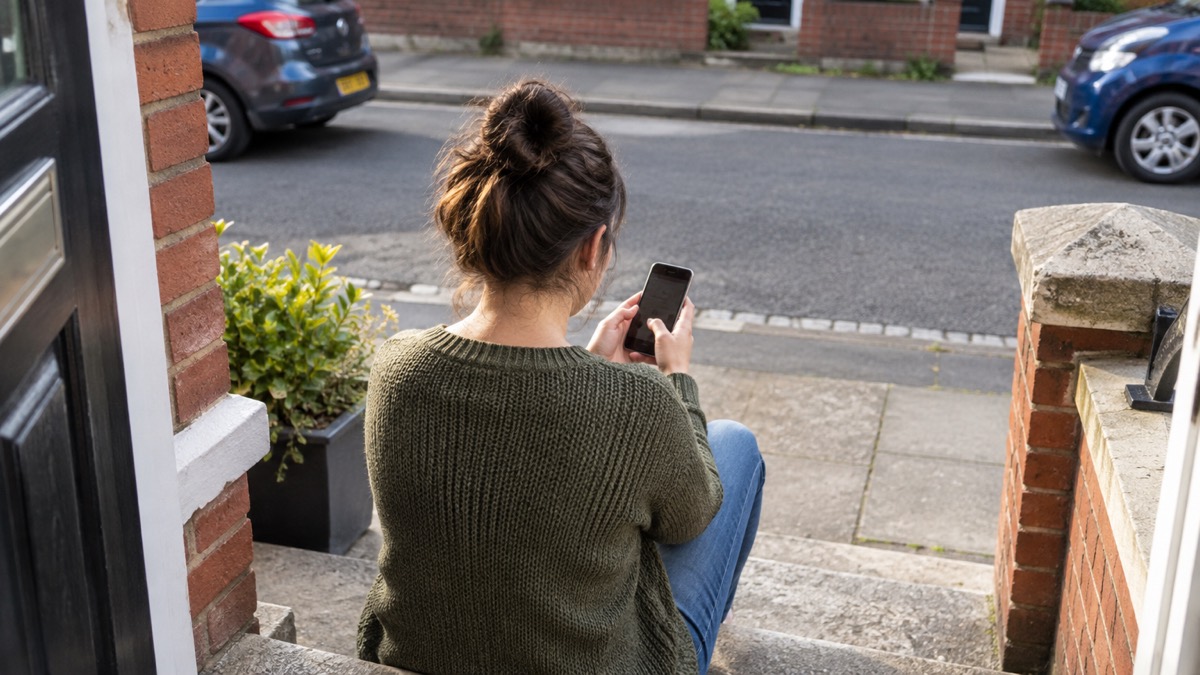
- Unexpected call offering to clean your computer: hang up immediately; the NCSC describes this as a common scam.13
- Message quoting a password: change it if still used, and change every account sharing it. Guidance on sextortion emails explains this situation.
- Claimed bank or NHS contact: use details from the organisation's official website, not those in the message. See checking bank messages and checking NHS emails and texts.
More detail is available on spotting phishing, scam phone calls, blocking nuisance calls, QR codes in messages, replies to scam texts, fake parcel texts and FluBot and shopping online safely.
Passwords and 2-step verification
Use a different password for each online account. Reuse means that one disclosed password can open several accounts. The NCSC encourages password managers because they can create strong passwords and remember them for you.14
Two-step verification, also called two-factor authentication or 2FA, usually provides a PIN or code through SMS, email or an app. It prevents access even when a criminal knows the password. Turn it on for important accounts, including email and social media, even where the password is strong. Email deserves particular attention because of its role in account recovery.16
| Protection | What it does |
|---|---|
| Unique passwords | Stops one compromised password being reused elsewhere |
| Password manager | Creates and remembers strong passwords |
| 2-step verification | Adds a code or PIN check beyond the password |
| Passkey | An alternative to consider when replacing a compromised password |
Start with protecting email and bank accounts and which accounts need 2-step verification. Practical guidance covers turning on 2-step verification, setting it up without a mobile, creating a strong password, writing passwords down, password managers, browser-saved passwords and passkeys.
Extend the same review to connected household equipment through the home online security checklist, guidance on smart speakers, cameras and baby monitors and information about broadband provider security features.
Updates, antivirus and backups
Install software and app updates as soon as they are available because they contain security fixes. Attackers rely on people ignoring update notifications. For PCs and laptops, use antivirus and set security updates to install automatically where possible. Windows and macOS have built-in malware protection suitable for this purpose; keep it turned on and up to date.9
Backups limit what ransomware can take from you. Keep a recent offline backup of your most important files and data. If the backup is on a USB stick, hard drive or other removable media, do not leave it connected to the device or network, because ransomware may attack it too.2
- Turn on automatic updates where offered.
- Check that antivirus is active and updated, then run a full scan when infection is suspected.
- Back up important files and disconnect removable backup media afterwards.
- Replace unsupported operating systems with one that receives regular vendor security updates.7
The supporting pages explain software updates, automatic updates, phones that stop receiving updates, antivirus software and antivirus on phones and tablets. For copies of files and photos, see home backups, cloud backup compared with an external drive, backup frequency and protecting backups from ransomware.
Offline records, cash and medicines
An offline backup gives you access to important files when a device is locked or an online account is unavailable. Keep it recent, and keep removable media disconnected when not making a backup. The NCSC makes this a specific defence against ransomware because data loss can otherwise be irreversible.2
Use keeping key records offline to organise this part of your household preparation, alongside the wider emergency kit checklist. The important distinction is that an online copy alone may be unreachable during the same incident that affects the device or account.
- Keep the most important files and data in a recent offline backup.2
- Disconnect USB sticks, hard drives and other removable backup media after copying.7
- Keep devices and applications updated so restored systems receive current security fixes.19
- Check that a repaired device is encrypted and that its antivirus remains updated.19
Medicines need separate planning from digital files. During NHS disruption, GP surgeries may work more slowly with paper records, so use the prescription and appointment routes described below rather than waiting for normal online services to reappear. The health emergencies guide covers wider household health preparedness, while getting prescriptions during system failures deals with GP and pharmacy disruption. Planning for failed card payments is covered by paying for essentials.
When banks, shops or services go offline
A major IT failure can resemble a cyber attack from the customer's side: websites stop responding, card services fail or appointments cannot be checked. Local resilience guidance warns that distributed denial-of-service attacks can make critical services, including local government websites and emergency response systems, temporarily unusable.20
Following the global IT outage on 19 July 2024, the NCSC advised affected organisations to put vendor mitigations in place and warned about an increase in related phishing. That warning matters to households: an outage can be followed by convincing messages claiming to restore access, refund a payment or check a device.11
| Situation | Safe response |
|---|---|
| Banking or shopping service unavailable | Avoid links offering repairs, refunds or account checks |
| Message claims to represent the affected organisation | Find contact details through its official website |
| You supplied bank details | Contact your bank straight away |
| Work systems are affected | Tell your IT department |
| Public service website is unavailable | Use the organisation's official communication channels for updates |
The detailed guides cover banks, shops and public services going offline, council online services and water, energy or phone companies being hacked. For communications and network failures more broadly, use staying informed and in touch. Households needing additional support can also consult extra help in an emergency.
Do not let urgency push you into supplying information. Your bank or another official organisation will not ask you to supply personal information through these approaches.21
When NHS systems are down
During the 2017 NHS ransomware incident, patients with hospital appointments were told to attend unless contacted and told not to. Inpatients would be informed if planned treatment needed to change. GP appointments could be slower while surgeries used paper records. For non-urgent illness, NHS England advised Health A-Z or a local pharmacist; for more urgent conditions, patients should contact their GP as usual or call 111.22
| Incident | What happened | Household relevance |
|---|---|---|
| WannaCry, from 12 May 2017 | More than 230,000 computers in at least 150 countries were reported infected within a day | Updates and backups are central to recovery |
| NHS impact in 2017 | 47 organisations providing urgent and emergency care were infected to varying degrees | Appointments and GP work could be slower |
| Synnovis, 3 June 2024 | A ransomware attack had its greatest impact in south-east London | Patients were warned about approaches claiming to have their data |
| Synnovis restoration | Services were fully restored by December 2024 | Recovery can take considerable time |
WannaCry affected at least 34% of trusts in England. NHS Digital's incident role included advice and support through CareCERT React and working with the NCSC.23
Synnovis did not contact patients directly; notification would come from an NHS organisation. Patients were told never to provide personal or financial information in response to contact about the incident and to use details from official websites rather than the message itself. As of 10 November 2025, the incident was no longer disrupting appointments or services.25
Use the dedicated guidance on NHS appointments, A&E and tests, prescriptions, the Synnovis incident, WannaCry and how services respond.
After a data breach
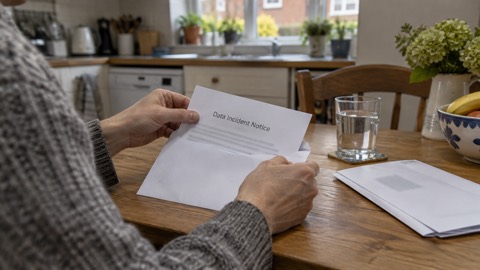
A data breach occurs when information held by an organisation is stolen or accessed without authorisation. Criminals can use the information in emails and texts so that scams appear legitimate, including pretending to represent an organisation that has recently been breached.26
- Check the organisation's official website or social media accounts to establish whether you are affected.26
- If a suspicious message includes a password you still use, change it as soon as possible and change every other account using it. Consider using a passkey instead.12
- Use Have I Been Pwned to check whether your email address or password has appeared in public breaches. Similar checking may be included in antivirus or password-manager tools.12
- Watch for suspicious messages about password resets, compensation, device scans and missed deliveries.12
- If an account appears to have been accessed, follow the hacked-account recovery process.27
- If money is lost, tell your bank and report the crime through Report Fraud, or Police Scotland in Scotland.12
The main data breach guide explains the process in full. Use checking whether your email was breached and spotting scam messages after a breach for the two most common follow-up tasks. A quoted password does not prove that the sender currently controls your account, but it does show that any password still in use should be changed.12
Reporting scams and where to get help
Reporting suspicious material and reporting a financial crime are separate actions. Forward emails to report@phishing.gov.uk, texts to 7726, and report suspicious websites to the NCSC. Do not click links on a suspicious website. Reporting is free and allows the NCSC to investigate and remove scams, including working with hosting companies to remove malicious links.1
| Where you live or what happened | Reporting route |
|---|---|
| England, Wales or Northern Ireland: fraud or cyber crime | Report Fraud online or call 0300 123 2040 |
| Scotland: fraud or cyber crime | Police Scotland on 101 |
| Money lost through a scam | Tell your bank as well as reporting the crime |
| UK organisation experiencing a cyber incident | Use gov.uk/report-cyber |
Report Fraud allows online reporting either with an account or as a guest. Contact it if you think you have lost money or been hacked because of an online scam or fraud in England or Wales; the reporting service also covers Northern Ireland.30
As of September 2026, the NCSC's suspicious email reporting service had received more than 59.6 million reports, resulting in 263.7k scams being removed across 466,300 URLs.11
For step-by-step routes, see reporting a phishing email, reporting a scam text and NCSC help for individuals and families. At national level, ransomware is treated as a national security risk. The Home Office holds the policy lead, while a parliamentary committee recommended transferring responsibility to the Cabinet Office in partnership with the NCSC and National Crime Agency.2 The wider arrangements are explained in how the UK prepares for emergencies.
Sources (31)
- Phishing: suspicious messages and what to do, National Cyber Security Centre, 2026
- Cyber crime: threats, risks and vulnerabilities, National Cyber Security Centre, 2022-11-01
- Phishing scams: what to do, National Cyber Security Centre, 2022-09-05
- Recovering a hacked account, National Cyber Security Centre, 2022-08-24
- Protecting devices from viruses and malware, National Cyber Security Centre, 2024
- Ransomware attacks: response and recovery, National Cyber Security Centre, 2026
- WannaCry guidance for home users and small businesses, National Cyber Security Centre, 2017-05-16
- Recovering from WannaCry ransomware, National Cyber Security Centre, 2017-05-16
- Infected devices: response and recovery, National Cyber Security Centre, 2026
- How to spot scam messages and calls, National Cyber Security Centre, 2022-09-05
- Suspicious email actions, National Cyber Security Centre, 2021-11-26
- Data breaches: guidance for individuals and families, National Cyber Security Centre, 2021-01-28
- Ransomware prevention and recovery, National Cyber Security Centre, 2020
- Having a strong password, Wiltshire and Swindon Prepared, 2026-10-25
- Community Risk Register 2025, North Yorkshire Council, 2025-02
- Using passwords to protect devices and data, National Cyber Security Centre, 2026
- Keeping yourself safe online, Avon and Somerset Police, 2026-11-02
- Protecting your family: cyber security, Essex Prepared, 2026-10-29
- Hacked device: action to take, National Cyber Security Centre, 2021-08-09
- Cyber attacks, threats and scams, Essex Prepared, 2026-10-29
- Data breaches: guidance for individuals and families, National Cyber Security Centre, 2021-01-28
- NHS cyber attack: updated statement, NHS England, 2017-05-16
- Lessons learned review of the WannaCry ransomware cyber attack, NHS England, 2018-02-01
- Ransomware: national security risk report, UK Parliament, 2023-12-13
- Synnovis cyber incident: questions and answers, NHS England, 2025-11-10
- Data breaches infographic, National Cyber Security Centre, 2023
- Data breaches: response and recovery, National Cyber Security Centre, 2026
- Report a scam website, National Cyber Security Centre, 2021-11-26
- Report a scam email, National Cyber Security Centre, 2021-11-26
- Report suspicious emails, websites and phishing, GOV.UK, 2026-10-29
- Ransomware: national security risk summary, UK Parliament, 2023-12-13
 Antivirus Software
 Backing Up Files and Photos
 Council Online Services Down
 Your Details in a Data Breach
 FluBot Fake Parcel Texts
 Hacked Online Accounts
 How Services Respond
 Malware Signs and Removal
 National Cyber Security Centre
 NHS Services During an IT Outage
 Keeping Key Records Offline
 Shopping Online Safely
 Paying for Essentials
 Spotting Phishing Messages
 Prescriptions in an Outage
 Protecting Your Accounts
 Broadband Filters and Alerts
 Ransomware and Your Household
 When Services Go Offline
 Sextortion Emails
 Securing Smart Devices
 Synnovis Ransomware and NHS Labs
 Software Updates
 When a Utility Company Is Hacked
 WannaCry and the NHS
 2-Step Verification No Phone
 Antivirus on Phones and Tablets
 Automatic Updates
 Gave Bank Details to a Scammer
 Checking a Bank Message
 Blocking Nuisance and Scam Calls
 Scams After a Data Breach
 Browser Saved Passwords
 Checking Your Email for Breaches
 Hacker Email Forwarding Rules
 Factory Reset an Infected Phone
 Recover a Hacked Email
 How Often to Back Up Data
 Lost Money to a Scam
 Checking an NHS Email or Text
 What Is a Passkey
 Do You Need a Password Manager
 Paying a Ransomware Ransom
 Clicked a Phishing Link
 When Your Phone Stops Updating
 Protect Backups From Ransomware
 Scanning a QR Code in an Email
 Removing Remote Access Software
 If You Replied to a Scam Text
 Reporting a Phishing Email
 Reporting a Scam Text Message
 Restoring Files After Ransomware
 Spotting a Scam Phone Call
 Creating a Strong Password
 Turning On 2-Step Verification
 Writing Passwords Down Safely
 Accounts to Protect With 2-Step
 After Fixing an Infected Device
 Home Online Security Checklist
 Cloud Backup vs External Drive