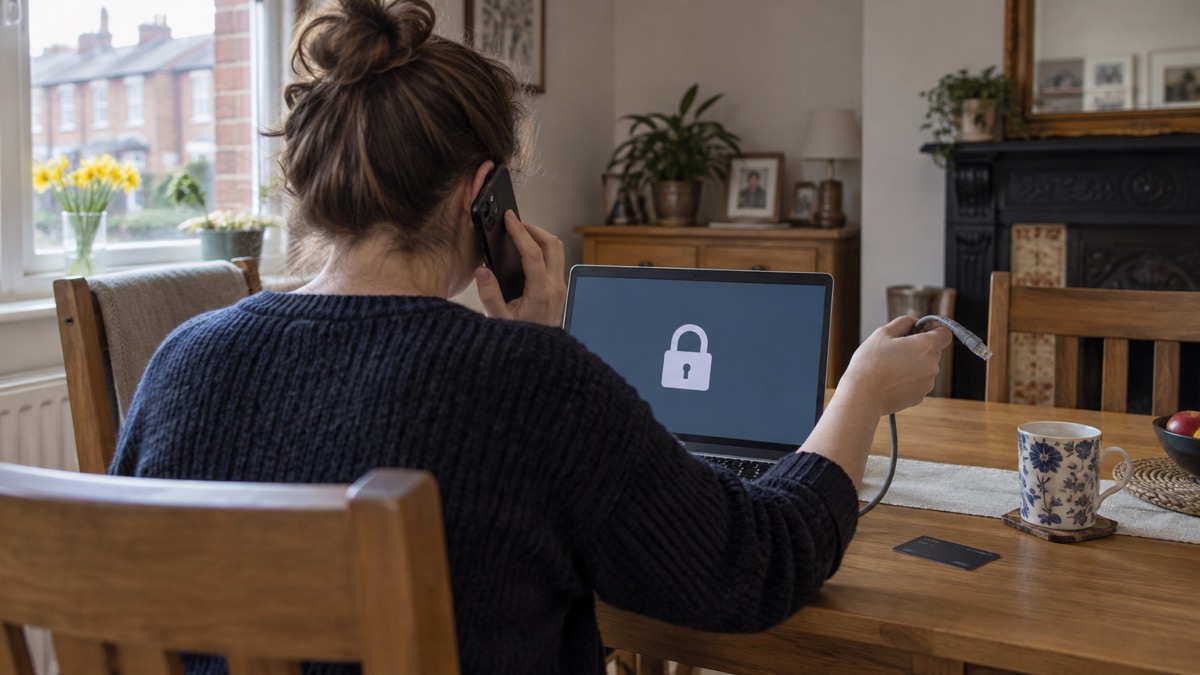
Clicking a link in a scam email or text feels like a mistake you cannot undo. In most cases it is recoverable, and the right steps in the first few minutes make the difference. The National Cyber Security Centre (NCSC) says that if you have not entered any personal information, downloaded any files or installed any software, it is unlikely you need to take further action, though you should stay alert to emails and notifications on your accounts1.
If you did enter details, act now. Contact your bank immediately and let them know, and if you use online banking you can cancel your card online1. Change the passwords on any of your accounts where you use the same password1. Then report the message: forward suspicious emails to report@phishing.gov.uk and suspicious texts to 7726, which is free2.
Phishing is when criminals use scam emails, text messages or phone calls to trick you, often to make you visit a website that may download a virus or steal bank details or other personal information3. The link itself is only the doorway. What matters is what you did after it opened, and that decides which of the steps below you need.
Act straight away: stop, disconnect and enter nothing more
The first instruction from the NCSC is simple: do not click any further links in the message, and do not enter any information1. If a page has opened asking for details, close it. If you have already typed something, stop and go to the section below on bank details.
If you opened a link on a computer, laptop or tablet and you are worried something may have installed itself, disconnect that device from the internet. The NCSC's ransomware guidance for home users says to immediately disconnect the infected computer, laptop or tablet from all network connections, whether wired, wireless or mobile phone based, and to turn off the Wi-Fi7. Disconnecting limits what malicious software can send out or pull in while you decide what to do.
Do not use the links or contact details in the message to check whether it was genuine. The NCSC's data breach guidance is explicit: find out if you have been affected by contacting the organisation using their official website or social media channels, and do not use the links or contact details in any messages you have been sent9. The same applies to your bank: always contact it using official websites or phone numbers10.
Be wary of a follow-up message that arrives soon after, claiming to be from the company you just dealt with and urging you to act immediately or within a limited timeframe. The NCSC lists being urged to act immediately or within a limited timeframe as a hallmark of scam messages sent after a data breach11. A real organisation will not mind you taking a minute to check.
If you gave bank or card details, call your bank on the number on your card
This is the one step that cannot wait. The NCSC says to contact your bank immediately and let them know, and if you use online banking you can cancel your card or cards online1. If you have lost money, tell your bank straight away and report it to Report Fraud, or in Scotland contact Police Scotland1.
Use the phone number printed on your card or the number on your bank's official website. Do not use a number, link or email address from the suspicious message, and do not use the contact details provided or click any links you are sent if someone calls or messages pretending to be your bank10. A scammer who has your details may try to pose as the fraud team next.
When you call, tell them plainly what you entered and when. They can tell you whether a transaction can be stopped and what happens next. No one else can answer that for you: what can be recovered depends on your bank and your circumstances, and the bank is the only body that can advise on it.
If you have given away a password rather than card details, change the passwords on any of your accounts where you use the same password1. If the message quoted a password you still use, the NCSC says not to worry that it was included, as it is probably from an old breach of personal data, but to change your account password immediately and anywhere else you use the same password14.
Change passwords, starting with your email
Your email account is the master key to almost everything else, because password resets for other services arrive there. That is why it comes first. The NCSC advises that if you have reused your email password across other accounts, you should change your email password as soon as possible, and it should be strong and different to all your other accounts4. Then change the password on any other account where you used the same one1.
Criminals create fake phishing emails and SMS messages that link to scam websites precisely to trick you into revealing passwords15. Once they have one password, they try it everywhere, which is why reuse turns one mistake into many.
After changing the password, check your email account's filters and forwarding rules. The NCSC warns that cyber criminals are known to set up a forwarding rule to automatically receive a copy of all emails sent to your account, which could allow them to reset your passwords12. Removing a forwarding rule you did not create closes a door that would otherwise stay open even after a password change.
A password manager can help you keep strong, different passwords without memorising them. If you use one, the NCSC says to switch on two-step verification on the password manager account too, so that even if a criminal knows the primary password they still cannot get in16.
- Change your email password first, to something strong and unique4
- Change it on every other account that shared the same password1
- Check email filters and forwarding rules for anything you did not set up12
- Turn on two-step verification on your email, then your bank and other important accounts17
Check your device for malware
If you opened a link on a computer or followed instructions to install software, the NCSC says to open your antivirus software if you have it and run a full scan, and to allow it to clean up any problems it finds18. On an Android phone, make sure Google's Play Protect service is enabled, as some Huawei devices provide a similar tool to scan for viruses19.
After clearing an infection, the NCSC advises following its guidance for setting up your devices securely, checking that your device is encrypted, and, for PCs and laptops, making sure you have antivirus and installing security updates as soon as they are available, ideally set to install automatically20. Keeping software up to date, including on mobile phones, is one of the basic defences against phishing and other attacks22.
If you are unsure whether a device is infected, the signs to look for and the removal steps are set out in our guide to malware on a computer or phone. If the device is a phone and you are considering starting again from scratch, read should you factory reset an infected phone before you wipe anything, because a reset erases evidence and anything you have not backed up.
Report the phishing link to the NCSC and Action Fraud
Reporting takes a minute and helps get the link taken down before someone else clicks it. Forward suspicious emails to report@phishing.gov.uk, the NCSC's Suspicious Email Reporting Service, and forward suspicious texts to 7726, which is free11. Forwarding a text to 7726 reports the message to your mobile phone provider23. If you have seen a website you think is a scam, report it to the NCSC10.
If you think you might have been a victim of cyber crime, visit the Action Fraud website or contact them on 0300 123 20403. Report Fraud is the UK's reporting centre for cyber crime, and reporting helps the NCSC and law enforcement reduce criminal activity13. In Scotland, contact Police Scotland instead1.
| What you have | Where to send it | Cost |
|---|---|---|
| A suspicious email | report@phishing.gov.uk2 | Free |
| A suspicious text message | 772624 | Free |
| A scam website | The NCSC10 | Free |
| Lost money or a suspected crime | Report Fraud, or Police Scotland in Scotland1 | Free |
Our guides to reporting a phishing email and reporting a scam text message walk through each step. For more on how the NCSC helps households, see the National Cyber Security Centre.
Signs someone is using your accounts
After a click, the question is whether anything has changed. Watch for emails and notifications on your accounts that you do not recognise, and check for suspicious activity1. If you suspect an account has been fraudulently accessed, the NCSC says to follow its actions to take to recover a hacked account9.
The clearest signs are things you did not do: a password that no longer works, a message sent from your account that you did not write, a forwarding rule you did not create, or a purchase or login you do not recognise12. If any of these appear, work through our guide to what to do if an online account is hacked, and if money is involved, tell your bank straight away1.
If a message quoted an old password of yours, that is a sign of a past data breach rather than proof that someone is in your account now, but change the password if you still use it14. To check whether your email appears in a known breach, see how to check if your email was in a breach.
If it happened on a work device
Tell your IT or security team straight away, even if you feel embarrassed. They can check the device, block the sender and warn colleagues who may have received the same message. Do not try to fix it yourself or delete the evidence.
If you are working from home, disconnect the laptop from your home Wi-Fi until your IT team advises you, following the same principle the NCSC gives for infected devices: disconnect from all network connections, whether wired, wireless or mobile phone based7. Your employer's security team, not this page, should decide the next steps for a work device.
Making it less likely next time
The defences that matter most are the ones you set up before the next message arrives. Turn on two-step verification: the NCSC calls it the first and most important step to help protect you if your password gets phished or otherwise compromised16. It usually works by sending a PIN or code, often by SMS or email, to prove it is really you12. Our guide to turning on 2-step verification shows how, and which accounts to protect helps you choose where to start.
Before clicking any link, hover over it to see where it actually goes25. Do not click links or open attachments unless you trust the person sending them, and if in doubt, contact them another way to check the email is legitimate26. Do not give out private information such as bank details or passwords, reply to text messages, download attachments or click links in emails if you are not sure they are genuine18.
Scammers also exploit moments of disruption. SP Energy Networks warns that scammers may send phishing emails or texts pretending to be the network asking you to claim compensation or verify your account, and advises pausing before you click, checking the sender's address, looking for red flags, never sharing personal information, and verifying by calling directly27. The same caution applies after any power cut or major incident.
For the wider picture, see our guides to phishing and protecting email and bank accounts, and the home online security checklist.
Sources (27)
- Phishing, NCSC, 2026
- Galwadau a negeseuon testun twyllodrus am y coronafeirws, Ofcom
- Protecting your family: cyber security, Essex Prepared, 2026
- Having a strong password, Wiltshire and Swindon Prepared, 2026
- Sextortion scams infographic, NCSC, 2026
- Protect Yourself Booklet English.pdf, Police Service of Northern Ireland
- Sole ransomware attack, NCSC, 2026
- Ransomware and WannaCry: guidance for home users and small businesses, NCSC, 2026
- Data breaches, NCSC, 2026
- Shopping online, NCSC, 2026
- Data breaches: guidance for individuals and families, NCSC, 2026
- Hacked accounts, NCSC, 2026
- Recovering hacked accounts, NCSC, 2026
- Sextortion, NCSC, 2026
- Using passwords to protect your devices and data, NCSC, 2026
- Password managers, NCSC, 2026
- Protecting email and bank accounts, NCSC, 2026
- Phishing scams: what to do, NCSC, 2026
- Scam missed parcel SMS messages, NCSC, 2021
- Infected devices, NCSC, 2026
- Sole infected devices, NCSC, 2026
- Risks, Surrey County Council, 2026
- Avoid and report internet scams and phishing: Report internet scams and phishing - GOV.UK, GOV.UK
- Data breach guidance for individuals, NCSC
- Email safety tips, Virgin Media, 2026
- Staying safe online, RNIB, 2026
- Power cut support, SP Energy Networks, 2026
 Accounts to Protect With 2-Step
 After Fixing an Infected Device
 Home Online Security Checklist
 2-Step Verification No Phone
 Antivirus on Phones and Tablets
 Automatic Updates
 Gave Bank Details to a Scammer
 Checking a Bank Message
 Blocking Nuisance and Scam Calls
 Scams After a Data Breach
 Browser Saved Passwords
 Checking Your Email for Breaches
 Hacker Email Forwarding Rules
 Factory Reset an Infected Phone
 Recover a Hacked Email