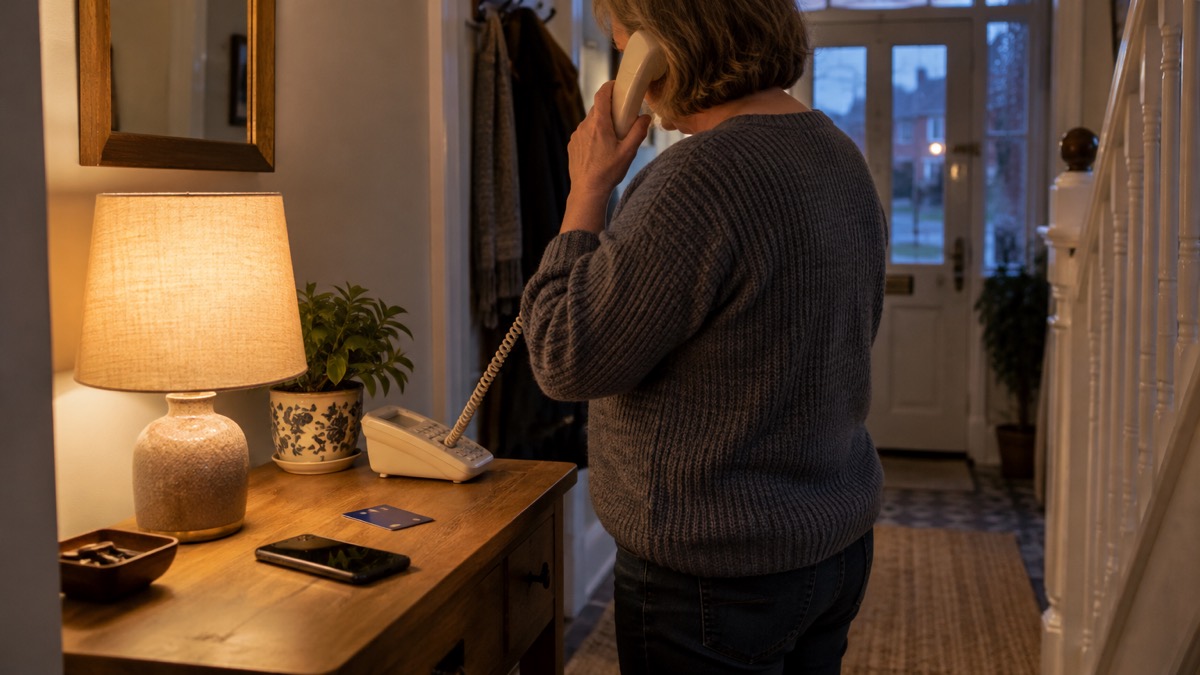
A message arrives saying it is from your bank. It might be a text about a suspicious payment, an email about a locked account, or a phone call from someone warning that fraud has been detected. It may use your name, quote part of your card number, or sound urgent. The first thing to do is nothing: do not reply, do not tap a link, and do not ring the number in the message. The National Cyber Security Centre (NCSC) advises that if a message or call makes you suspicious, you should stop, break the contact, and consider the language it uses1.
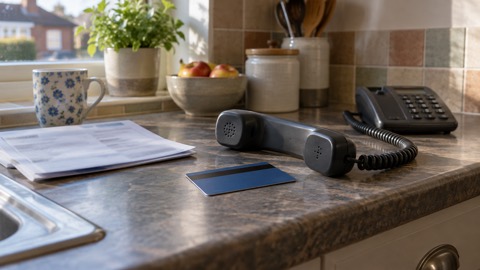
Instead, reach your bank through a route you already trust. The number printed on the back of your bank card, or the contact details on your bank's official website, are the safe ways in2. If you have lost money or given a scammer your financial details, contact your bank immediately3. If you have shared your banking details, contact your bank straight away and, if you use online banking, you can cancel your card online4.
Most of these messages are phishing: an attempt to get you to hand over details or click something harmful. If you have received a suspicious message, it is probably a phishing attempt4. The good news is that a few simple habits, checking through official channels, turning on 2-step verification and knowing what your bank will never ask, close off most of the risk.
Stop before you reply, click or call back
The single most useful habit is a pause. Scam messages are built to make you act before you think, so the moment you feel pushed, that is the moment to slow down. Official guidance is to take a moment to stop and think before sharing personal information7. If a message or call makes you suspicious, stop, break the contact, and consider the language it uses; tell-tale signs are authority, urgency, emotion, scarcity and current events1.
That list of signs is worth knowing by heart, because it describes almost every bank scam. Authority is the message claiming to be your bank, the police or a fraud team. Urgency is the deadline, the account about to be closed, the payment about to leave. Emotion is the fear of losing money. Scarcity and current events are the hooks that make a message feel timely.
Breaking the contact means ending the call, closing the email or putting the phone down, and then doing something else for a few minutes. Do not ring back on the number you were given, and do not reply to ask whether the message is real: a reply confirms your number is live. If a threatening text arrives, official police guidance is not to reply to, forward or delete the message, but to note the details immediately8.
Signs a bank message is a scam
Scam messages share a shape. They typically contain links to websites that look genuine but store your real details once typed in, install viruses, or steal passwords you enter10. The link is the heart of the trick: the page looks like your bank, so you type your login and hand it over.
A phone call version works the same way. Usually this kind of vishing scam is done through a pre-recorded message, but sometimes the call might be made by a person claiming to be from your bank11. The caller may already know some of your details. Even if they know some of your personal details, like your name or address, do not give them your bank details or click any links12.
| What the message does | Why it is a warning sign |
|---|---|
| Pushes you to act now, with a deadline or threat | Urgency is a tell-tale sign of a scam1 |
| Sends a link to log in or "verify" your account | Links can lead to fake sites that store your details or steal passwords10 |
| Quotes your name, address or part of a card number | Scammers can hold real details and still be scammers12 |
| Asks you to confirm your PIN, password or account details | Your bank will never ask for these by email or a call5 |
| Comes from a number or address you cannot check | Caller ID can be spoofed easily, so do not trust a displayed number13 |
The last row matters more than it looks. A scam call can display your bank's real number on your phone, so the screen proves nothing. Treat the display as a claim, not a fact, and check through a route you chose yourself.
How to check with your bank directly
Checking is simple once you accept that the message itself cannot be trusted. The safe route is the one you already hold: the number on the back of your bank card, or the contact details on the bank's official website2. Official contact details are often written on paper statements or credit cards, which makes them easy to find without going online1.
If you use online banking, type the bank's address directly into your browser rather than following a link. When you contact your bank for support, do not use the links in any messages you have been sent14. If you are checking your accounts after a worry, look out for unauthorised purchases and unusual transactions, and contact your bank directly using contact details from its official website or social media channels15.
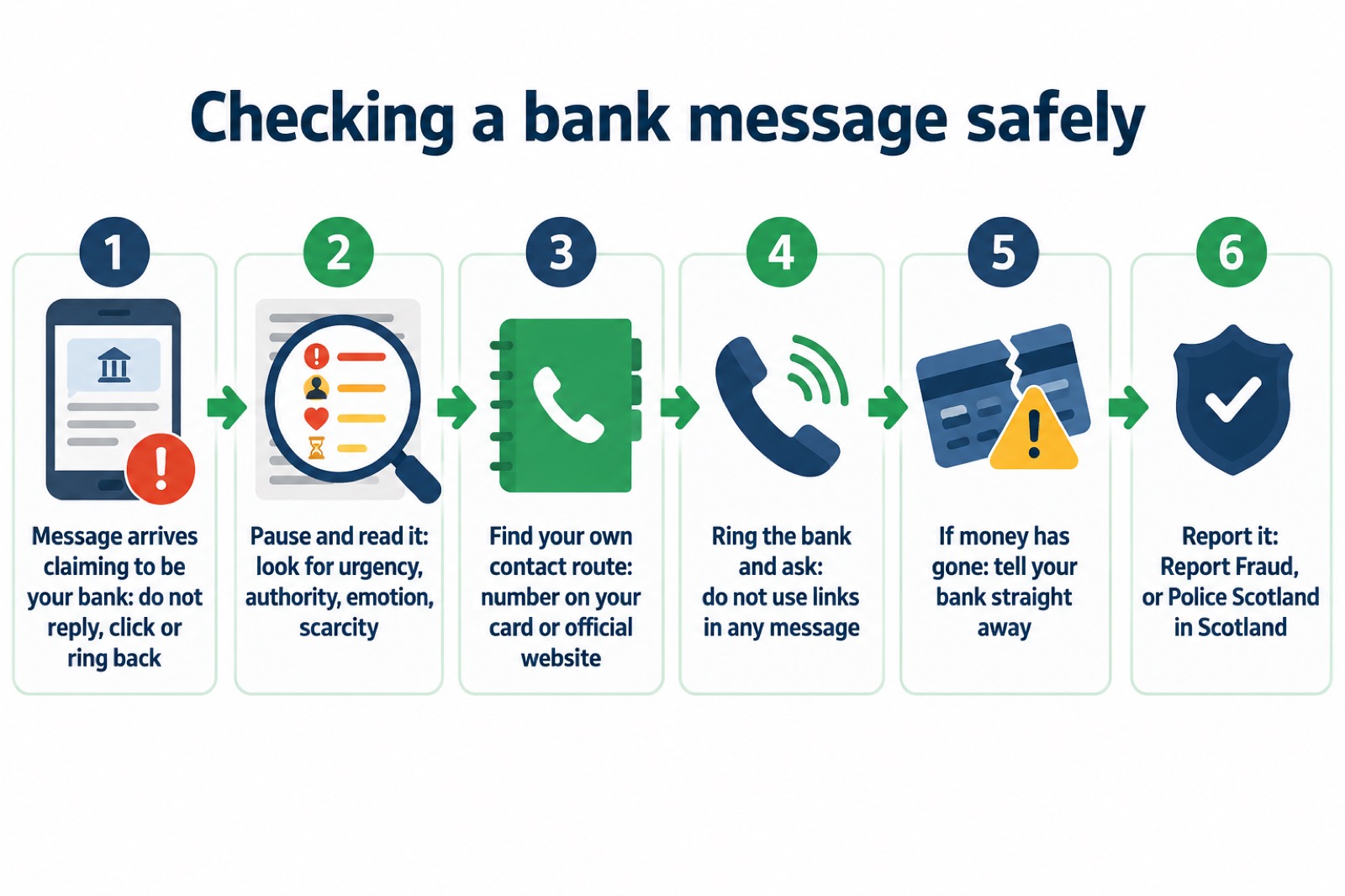
If you have shared your banking details, contact your bank immediately and let them know; if you use online banking, you can cancel your card or cards online4. If you have lost money, tell your bank straight away and report it to Report Fraud, or in Scotland contact Police Scotland4. Reporting it as a crime matters as well as telling the bank: it helps the authorities track the scam even where your own money is returned.
What your bank will never ask you to do
This is the part to learn and to pass on to anyone in your household who might be less sure. Your bank, or any other official source, will never ask you to supply personal information via email, or call and ask you to confirm your bank account details; if you suspect someone is not who they claim to be, hang up and contact the organisation directly1. Your bank or other official organisations will never ask you for personal information or banking details via email16.
The police put it just as plainly: your bank, the police, or real companies will never ask for your details in an email, text, or phone call, and caller ID can be spoofed easily so do not trust a displayed telephone number13. Age UK's guidance for older people says the same: your bank will never ask for personal information or your PIN over email17. And never provide bank or card details to anyone who has contacted you unannounced18.
"Your bank (or any other official source) will never ask you to supply personal information via email, or call and ask you to confirm your bank account details."
Protect your accounts with 2-Step Verification
Even a careful household can be caught out once, so it is worth making a single stolen password less useful to a criminal. Two-step verification, also called 2-step verification or 2SV, gives you a code to enter from an app or SMS, and means even if a criminal knows your password, they will not be able to access your accounts19. It usually works by sending you a PIN or code, often via SMS or email, to prove it is really you14.
The NCSC calls turning on 2SV the first and most important step, to help protect you if your password gets phished or otherwise compromised20. Set it up on all your important accounts, email, social media and the rest, even if you have a strong password19. Turn it on for your most important accounts first if you are doing it gradually21. There is a page on this site on how to turn on 2-step verification if you want the steps.
A breach elsewhere can lead to bank scam messages later. Be alert to suspicious messages, which may be sent some time after the breach is made public; your bank or any other official organisation will never ask you to supply personal information10. Watch for logins that fail or messages sent from your account that you do not recognise5. If you are worried your email was caught up in a breach, there is guidance on how to check if your email was in a breach.
If a scam message gets through: reporting and recovery
Reporting is quick and helps protect others. Forward suspicious emails to report@phishing.gov.uk, texts to 7726 and report scam websites4. Forwarding a suspicious text to 7726 is free6. If you have lost money, tell your bank straight away and report it to Report Fraud, or in Scotland contact Police Scotland4.
If you think a device is infected, look for the signs: someone you know has received unexpected emails from you, advertising unlikely products, or perhaps asking for money22. On a PC or laptop, the easiest way to confirm an infection is to run an antivirus scan and see if it detects anything22. Change your important passwords from a different device, and turn on 2-step verification. There is more on this site about malware on a computer or phone and what to do if an online account is hacked.
One scam deserves its own mention because it frightens people. A sextortion scam is when a criminal attempts to blackmail someone, usually by email, claiming they have login details or a video of the victim visiting an adult website and threatening to disclose this unless the victim pays a ransom23. These are sent in huge numbers: criminals will send millions of emails in the hope that someone will pay23. Do not worry if the message includes your password, as it is probably from an old breach of personal data, but change your account password immediately and anywhere else you use the same password24. Forward the email to report@phishing.gov.uk and then delete it24. There is a full guide on sextortion emails that quote your password.
Sources (24)
- Protecting your family: cyber security, Essex Prepared, 2026
- Staying safe online, RNIB, 2026
- Winter Matters, Suffolk Fire and Rescue Service, 2026
- Phishing, NCSC, 2026
- Data breaches, NCSC, 2026
- Report suspicious emails, websites and phishing, GOV.UK, 2026
- Digital switchover telecare guide, Suffolk County Council, 2025
- Protect Yourself booklet, Police Service of Northern Ireland, 2024
- Bogus callers, South Staffs Water, 2026
- Data breaches guidance for individuals and families, NCSC, 2021
- Dealing with fraudulent calls and vishing, Virgin Media, 2026
- Check your personal alarm will work after the landline switch off, Citizens Advice, 2025
- Preparing for an emergency: be ready, stay safe, act now, Sussex Police, 2025
- Recovering hacked accounts, NCSC, 2026
- Hacked accounts, NCSC, 2026
- Data breaches infographic, NCSC, 2023
- Staying safe, Age UK, 2025
- Covid-19 and scams, Nottinghamshire County Council, 2026
- Using passwords to protect your devices and data, NCSC, 2026
- Password managers, NCSC, 2026
- Top tips for staying secure online, NCSC, 2024
- Infected devices, NCSC, 2026
- Sextortion scams infographic, NCSC, 2026
- Sextortion, NCSC, 2026
 Accounts to Protect With 2-Step
 After Fixing an Infected Device
 Home Online Security Checklist
 2-Step Verification No Phone
 Antivirus on Phones and Tablets
 Automatic Updates
 Gave Bank Details to a Scammer
 Blocking Nuisance and Scam Calls
 Scams After a Data Breach
 Browser Saved Passwords
 Checking Your Email for Breaches
 Hacker Email Forwarding Rules
 Factory Reset an Infected Phone
 Recover a Hacked Email
 How Often to Back Up Data