
Most online shopping in the UK goes through perfectly well, but criminals run fake shops and fake messages alongside the real ones, and they are good at looking genuine. The National Cyber Security Centre (NCSC), the UK's official cyber security body, gives the core rules: do not give out private information such as bank details or passwords, do not reply to suspicious text messages, do not download attachments and do not click on any links in emails if you are not sure they are genuine1. If a message or call makes you suspicious, stop, break the contact, and consider the language it uses2.
If you have lost money to a fake shop or scam message, tell your bank immediately using its official website or phone number, then report it as a crime: to Report Fraud in England, Wales and Northern Ireland, or to Police Scotland by calling 101 if you live in Scotland3. You can also help shut scammers down by forwarding suspicious emails to report@phishing.gov.uk, texting scam messages to 7726, and reporting scam websites directly to the NCSC4. Reports work: as of September 2026 the NCSC's reporting service had received more than 59.6 million reported scams, resulting in 263.7 thousand scams being removed across 466,300 URLs5.
How to check if a website is safe
The safest habit is to reach a shop under your own steam. Type the address into your browser yourself, or use a bookmark or an official app downloaded only from an official app store, rather than following a link that arrived by email or text6. Scam messages typically contain links to websites that look genuine, but which store your real details once you have typed them in, install viruses, or steal any passwords you enter7. Many scammers operate fake websites which will download viruses to your computer or are designed to steal passwords or other personal information8.
Before you enter card details or a password, take a moment to consider how you arrived at the site and how it is asking you to behave. The NCSC says scams often feature one or more of these tell-tale signs: authority, urgency, emotion, scarcity and current events9. A site that insists a price is available only for a short time, that claims to be an official body, or that leans on a story in the news to win your trust is showing you the pattern. If a message or call makes you suspicious, stop, break the contact, and consider the language it uses2.
If you are unsure whether a site or message is genuine, contact the organisation directly using details from their official website, not the numbers or address in the message. Official contact details are often written on paper statements or credit cards2. That single habit defeats most fake-website tricks, because the whole point of the fake site is to be the only route you use to reach the "shop".
If you have landed on a site you already suspect, do not explore it. The NCSC's advice is blunt: don't click on any links on a suspicious website8. Close it, and report it (see the reporting section below). If you have already entered details, move straight to the sections on telling your bank and reporting the crime.
The padlock symbol and checking the address

Many people were told for years that a padlock in the browser's address bar means a site is safe. Treat that idea with caution. What matters, in the NCSC's own framing, is that you "manually verify that a website is what it purports to be" before you trust it with anything10. A padlock tells you something about the connection, not about who runs the site or whether the shop behind it is honest, and criminals can set up convincing-looking sites with the same browser symbols as legitimate ones.
The practical checks, all drawn from official guidance, are these:
- Reach the site by typing the address yourself or using an official app, not a link in a message6
- Check the sender of any email that brought you there; the NCSC notes that convincing scam emails can be unmasked by checking where they have come from11
- Do not click on any links on a suspicious website8
- If you have clicked a link in a suspicious message, do not enter any information on the page it opens12
- If in doubt, leave and contact the organisation using details from its official website, your paper statements or your card2
If there is no padlock at all, or the address looks odd, the same rule applies: do not enter card details or passwords, and report the site to the NCSC. It is free to report a suspicious website and it only takes a minute, and the NCSC asks you to send websites that feel suspicious even if you are not certain they are a scam, because it can check them8.
Do not click suspicious links in emails or messages
The government's advice on suspicious emails and websites is simple: do not give out private information (such as bank details or passwords), reply to text messages, download attachments or click on any links in emails if you're not sure they're genuine1. The NCSC's online shopping guidance repeats the core instruction: don't click on any suspicious links3. If an email does not look right, never click on links or attachments13.
This matters because of what sits behind the links. Scam messages typically contain links to websites that look genuine, but which store your real details once you've typed them in, install viruses, or steal passwords you enter7. The purpose of a scam text message is often to get you to click a link that takes you to a website criminals use to download viruses or steal passwords or personal information, sometimes known as phishing14.
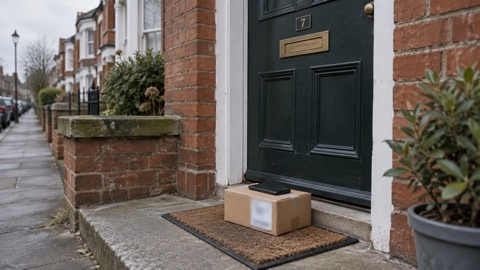
One widespread example is the fake "missed parcel" text. The NCSC explains that the malware behind these messages is known as a "banking trojan", the most notorious of which is called FluBot, which secretly monitors online activity and steals passwords and other personal details used to commit online crime including financial crime4. If installed, this malware can steal your banking details, passwords, and other sensitive information4. The NCSC's instruction is: do not click the link in the message, and do not install any apps if prompted4. A safer way to track a parcel's status is to use the official website of the delivery company, or its official app downloaded only from an official app store6. Our page on FluBot and fake parcel texts on Android phones covers this scam in detail.
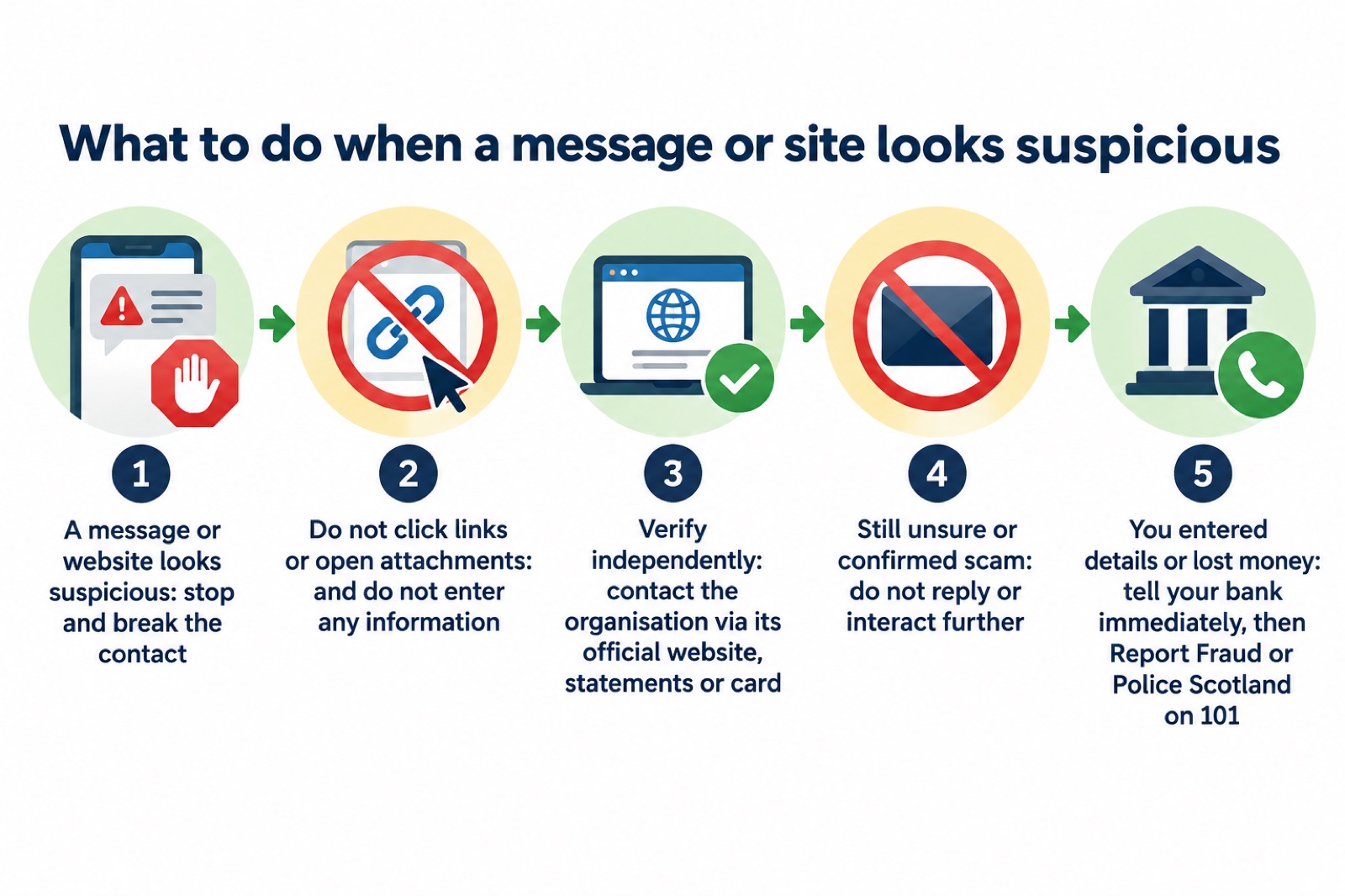
If you have clicked but nothing else happened, the NCSC's guidance is reassuring: if you haven't entered any personal information, downloaded any files, or installed software, it's unlikely you need to take further action, but you should stay alert to emails and notifications on your accounts to check for any suspicious activity12. If you think your device may have been affected, open your antivirus software if you have it and run a full scan, allowing it to clean up any problems it finds12. Our page on clicked a phishing link: what to do next walks through this step by step.
Messages pretending to be your bank
Cyber criminals may contact you via email, text, phone call or social media, and they will often pretend to be someone, or an organisation, you trust16. Your bank is the favourite disguise, because a message "from your bank" can demand exactly what a criminal wants: your account details, your passwords, or access to your computer.
The rule that exposes all of these is official and absolute: your bank, or any other official source, will never ask you to supply personal information via email, or call and ask you to confirm your bank account details2. If you suspect someone is not who they claim to be, hang up and contact the organisation directly2. If you have received a suspicious call or message pretending to be your bank, don't use the contact details provided, or click on any links you are sent3.
Criminals can make these messages very convincing, especially after a data breach. Criminals use stolen information within scam emails and text messages so that they appear legitimate, and may pretend to be from an organisation that has suffered a recent data breach7. If the stolen information includes phone numbers, you might receive a suspicious call asking for banking details or passwords, or for access to your computer17. A call telling you your device is infected and offering to clear it up is a common scam, with the caller often claiming to be from a trusted company such as Microsoft or your internet service provider18. Our pages on how to spot a scam phone call and how to check a message from your bank is genuine go deeper.
Fake websites complete the trick. In one example investigated by the authorities, a text message linked to a fake NHS website that asked for personal details; this was a phishing scam, and anyone who clicked the link was warned not to enter any details on the website11. The same applies to any "bank" page a message sends you to: the page can look right and still be a trap that stores what you type.
"Remember, your bank (or any other official source) will never ask you to supply personal information via email, or call and ask you to confirm your bank account details."
If you have lost money: tell your bank straight away
Speed matters here. If you have lost money, or given a scammer your financial details, contact your bank immediately19. Always contact your bank using official websites or phone numbers3. If you use online banking, you can cancel your card or cards online12, which stops further payments while you talk to the bank.
Then check for damage beyond the payment you know about. Keep a look-out for unauthorised purchases, and check your bank accounts and online shopping accounts for any unusual transactions20. Contact your bank directly for further support using contact details from their official website or social media channels, or by typing the address directly into your browser20. If an account itself has been taken over, go to the account provider's website and search their help or support pages to find the account recovery process15. Our page on what to do if an online account is hacked covers the full recovery steps.
Alongside your bank, report the crime. Tell your bank and report it as a crime to Report Fraud, the UK's reporting centre for cyber crime15. In Scotland, contact the police by dialling 101 instead7. If you have given your banking details to a scammer but no money has gone yet, the action is the same: contact your bank and let them know16. Our page on gave your bank details to a scammer sets out the sequence.
Report Fraud, or Police Scotland if you live in Scotland
Where you report depends on which nation you live in. Report Fraud is the reporting centre for fraud and cybercrime in England, Wales and Northern Ireland11. If you live in England, Wales or Northern Ireland, you should report fraud or cyber crime to Report Fraud at https://www.reportfraud.police.uk/ or by calling 0300 123 204021. You can report online, either signing up for an account or continuing as a guest1.
In Scotland, the arrangement is different. If you're in Scotland and you've lost money because of an online scam or fraud, report the crime to Police Scotland1. Reports of fraud and any other financial crime in Scotland should be reported to Police Scotland via 10111. The Police Service of Northern Ireland also reminds residents that in the UK you can forward scam text messages to 7726 free of charge and forward suspicious emails to report@phishing.gov.uk22.
| Where you live | Report fraud or cyber crime to | How |
|---|---|---|
| England | Report Fraud | Online at reportfraud.police.uk, or call 0300 123 204021 |
| Wales | Report Fraud | Online at reportfraud.police.uk, or call 0300 123 204021 |
| Northern Ireland | Report Fraud | Online at reportfraud.police.uk, or call 0300 123 204021 |
| Scotland | Police Scotland | Call 10111 |
Whichever route applies to you, tell your bank straight away as well3. Reporting the crime and stopping the money are two separate actions, and both need to happen immediately.
Reporting a scam website to the NCSC
You do not have to be a victim to report, and you do not have to be certain. If you have seen a website you think is a scam, report it to the NCSC3. The NCSC asks for websites that feel suspicious even if you're not certain they're a scam, because it can check them, and it points out that it's free to report a suspicious website and it only takes a minute8. If you have encountered a suspicious website with malware, you can report this directly to the NCSC4.
The NCSC has the power to investigate and remove scam email addresses and websites21. It will analyse the suspect email and any websites it links to, and use any additional information you've provided to look for and monitor suspicious activity8. It may also work with hosting companies to remove links to malicious websites, and raise awareness of commonly reported suspicious emails and methods via partners21.
Reporting produces visible results. As of September 2026 the NCSC's reporting service had received more than 59.6 million reported scams, which has resulted in 263.7 thousand scams being removed across 466,300 URLs5. Earlier figures showed 454.8 thousand scam URLs removed by the NCSC as of July 202621, so the removals continue month by month. One practical tip from the NCSC: if a forwarded email contains more than one link and is rejected, send separate emails each with one link, or submit each link to the NCSC's suspicious website reporting form21.
Forwarding suspicious emails to report@phishing.gov.uk
Emails take a different route from websites. Forward suspicious emails to report@phishing.gov.uk1. That address is the NCSC's Suspicious Email Reporting Service, known as SERS23. The NCSC will investigate what you send1. After forwarding, the NCSC's general advice on phishing emails is not to engage with the sender; forward it to the Suspicious Email Reporting Service and then delete it23.
Texts have their own route. Forward suspicious text messages to 7726, which is free of charge11. Reporting scam texts reduces the amount of scam texts you receive, makes you a harder target for scammers and protects others from cyber crime online14. In the UK you can forward scam text messages to 7726 free of charge and forward suspicious emails to report@phishing.gov.uk22.
| What you have | Where to send it | Cost |
|---|---|---|
| Suspicious email | report@phishing.gov.uk (the NCSC's Suspicious Email Reporting Service)23 | Free |
| Scam text message | Forward to 772611 | Free of charge11 |
| Suspicious website | The NCSC's suspicious website reporting service8 | Free, and it only takes a minute8 |
| Lost money or fraud | Report Fraud (England, Wales, Northern Ireland) or Police Scotland on 10111 | Report online or by phone1 |
If you receive a message or call about a security breach that doesn't feel right, report it using these same routes7. Criminals follow real breaches with fake "security" messages, so a warning about your details being compromised can itself be the scam. Our page on how to spot scam messages after a data breach explains the pattern.
Staying harder to fool next time
A few habits, all from official guidance, make the whole family a harder target. If a message or call makes you suspicious, stop, break the contact, and consider the language it uses, watching for authority, urgency, emotion, scarcity and current events2. Do not open emails from unknown or suspicious senders24. Check the security protection of your home Wi-Fi network and change the default manufacturer passcode24. On Android devices, make sure Google's Play Protect service is enabled; some Huawei devices provide a similar tool to scan devices for viruses4.
If you write your passwords down rather than using a password manager, be aware that you will be at greater risk of phishing attacks, since you need to manually verify that a website is what it purports to be10. Passwords stored in your browser are only as secure as your devices and accounts, so do not switch off the security auto-update feature for your browser and operating system10. You can also check whether your details have appeared in public data breaches using online tools such as haveibeenpwned.com; similar services are often included in antivirus or password manager tools17. Our pages on protecting email and bank accounts and your details in a data breach take these further.
Finally, if the worst happens and a device is badly affected, help exists. If you can't download and install an antivirus product because your web browser is infected, you will probably need to get expert help25. And if your organisation rather than your household has experienced a cyber incident and is based in the UK, you can report it at gov.uk/report-cyber25. For households, the routes in the table above are the ones that matter.
Sources (25)
- Report suspicious emails, websites and phishing, GOV.UK, 2026-10-29
- Cyber security: protecting your family, Essex Prepared, 2026-10-29
- Citizen shopping online, National Cyber Security Centre, 2026
- Scam missed parcel SMS messages: advice on avoiding malware, National Cyber Security Centre, 2021-04-23
- Phishing scams collection, National Cyber Security Centre, 2026-09
- Scam missed parcel SMS messages, National Cyber Security Centre, 2021-04-23
- Data breaches infographic, National Cyber Security Centre, 2023
- Report a scam website, National Cyber Security Centre, 2021-11-26
- Phishing scams: how to spot and report them, National Cyber Security Centre, 2022-09-05
- Password managers, National Cyber Security Centre, 2026-05-21
- Coronavirus scam calls and texts, Ofcom, 2022-03-31
- Phishing: what to do, National Cyber Security Centre, 2026
- COVID-19 and scams, Nottinghamshire County Council, 2026-10-29
- Report a scam text message, National Cyber Security Centre, 2021-11-26
- Recovering a hacked account, National Cyber Security Centre, 2022-08-24
- Phishing scams: what to do, National Cyber Security Centre, 2022-09-05
- Data breaches guidance, National Cyber Security Centre, 2021-01-28
- Hacked device: action to take, National Cyber Security Centre, 2021-08-09
- Winter Matters seasonal advice, Suffolk Fire and Rescue Service, 2026-10-29
- Recovering hacked accounts infographic, National Cyber Security Centre, 2026
- Report a scam email, National Cyber Security Centre, 2021-11-26
- Protect Yourself booklet, Police Service of Northern Ireland, 2024
- Sextortion scams infographic, National Cyber Security Centre, 2026
- IT security and online communications, Protect UK, 2022-10-06
- Infected devices, National Cyber Security Centre, 2026
 Accounts to Protect With 2-Step
 After Fixing an Infected Device
 Home Online Security Checklist
 Antivirus Software
 Backing Up Files and Photos
 Council Online Services Down
 Your Details in a Data Breach
 FluBot Fake Parcel Texts
 Hacked Online Accounts
 How Services Respond
 Malware Signs and Removal
 National Cyber Security Centre
 NHS Services During an IT Outage
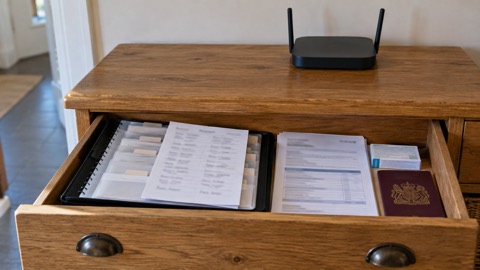 Keeping Key Records Offline
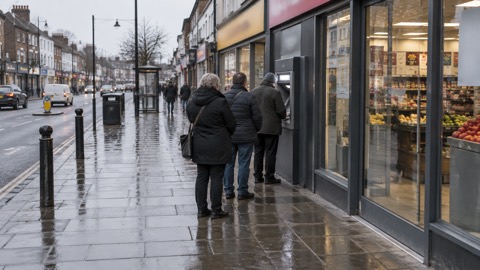 Paying for Essentials