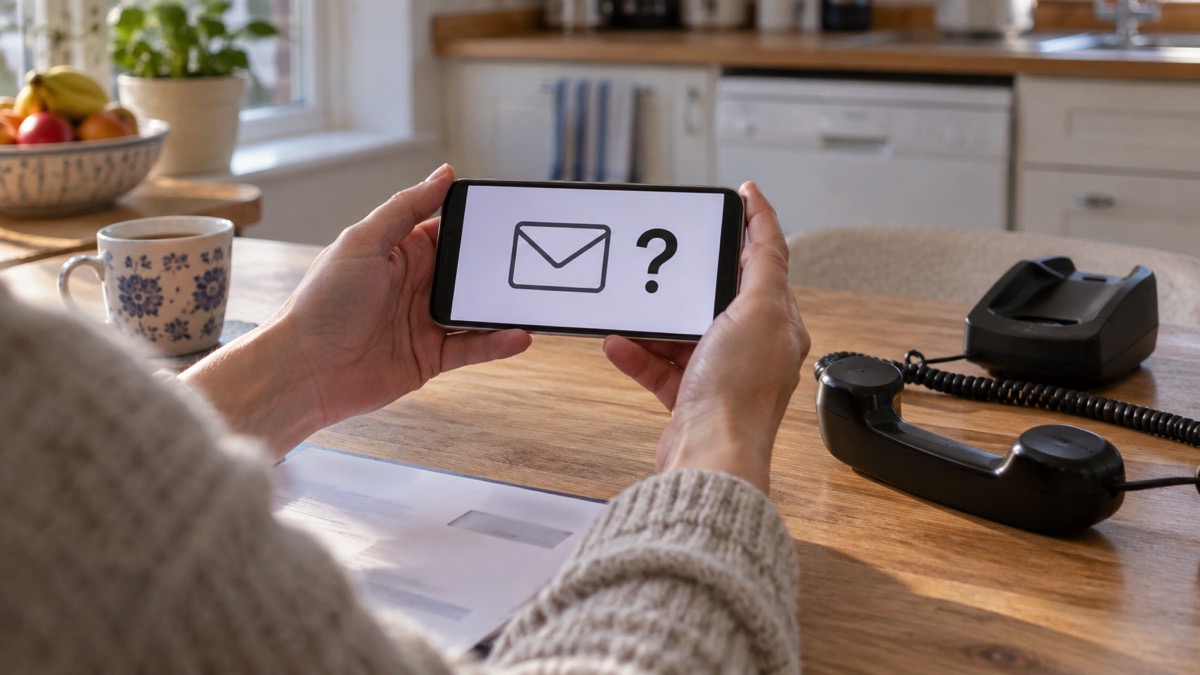
If an email or text says it is from the NHS and asks you to click a link, reply, or hand over details, stop and check the sender before you do anything. Fake NHS messages are built to look convincing at first glance, and the official advice is blunt: check where the message really came from, and do not click any links in it1.
The safest route is always the same. Contact the NHS directly using a phone number or web address you already trust, never one printed in the message. The NHS says that if you are contacted about a cyber incident you will never be asked for personal or financial information, and you should not use an address or phone number from the message itself, only details from the official organisation's website2.
If you have already clicked or replied, act quickly. Change any password you entered, check your email forwarding rules, and report the message. Suspicious emails go to report@phishing.gov.uk and suspicious texts to 7726, both free3.
Check the sender before you click
The single most useful habit is to look at who sent the message before you look at what it says. Official guidance on fake NHS vaccination emails puts it plainly: these emails are quite convincing at first glance, but by checking the sender you can see where they have come from, and you should not click on any links in them1. The wording is designed to rush you. The sender line is much harder to fake convincingly.
A genuine NHS message will come from an address or number that matches the organisation it claims to be. If the display name says NHS but the underlying address is a random string, a free webmail account or a lookalike domain, treat it as fake. The same applies to texts: a message that arrives from an ordinary mobile number and asks you to tap a link deserves suspicion.
Some official messages do have a known sender. UK Government text alerts come from UK_Gov1. Emergency Alerts appear as a notification and include a link to gov.uk/alerts, where you can check that an alert is genuine, or you can ask neighbours, friends or family nearby whether they received it too7. That pattern, a message that points you to a place you can independently verify, is a good sign. A message that pushes you to act immediately through its own link is not.
Contact the NHS directly using details you already trust
If you are unsure whether a message is genuine, do not reply to it and do not use the contact details in it. Instead, reach the NHS through a route you already know. The consistent official instruction is to contact the organisation directly using details from its official website, not the numbers or address in the message; official contact details are often written on paper statements or cards8. The Synnovis guidance repeats it: do not use an address or phone number from the message itself, use the details from the official organisation's website2.
For most health worries, the trusted routes are well established:
- NHS 111 is available 24 hours a day, seven days a week by going to 111.nhs.uk or by dialling 1119. Go online to 111.nhs.uk for assessment of people aged 5 and over only10, or use the NHS App10.
- NHS 111 online asks a series of triage questions about your main symptom when you visit 111.nhs.uk11.
- Your GP surgery can confirm whether it tried to contact you. If you think a call or text could be genuine, for example from your GP, you can phone your GP practice directly to check1.
- The NHS App is free and available 24 hours a day, 7 days a week, for booking winter vaccines, ordering repeat prescriptions, finding NHS services and viewing your GP health record12.
If you have an urgent health worry or need medical advice fast, go to NHS 111 first: go online to 111.nhs.uk or call 111 if you cannot get online9. NHS 111 is sometimes the fastest way to get advice on non-life-threatening problems9. None of these routes requires you to trust an unexpected message.
Convincing at first glance: how fake NHS vaccination emails work
Vaccination is the theme scammers return to most often, because it is something the NHS genuinely contacts people about. Fake NHS vaccination emails claim to have been sent by the NHS, but they are in fact phishing emails sent by scammers1. They borrow the language and layout of a real campaign and add a link that leads to a fake NHS website asking for personal details, which is a phishing scam; if you have clicked the link you should not enter any details on the website1.
The tell is the same every time: the sender. Checking it shows where the message really came from, and the official advice is not to click any links in these emails1. Scams also borrow the names of health bodies. Emails posing as the Centre for Disease Control and World Health Organisation have been reported13. A message that leans on a famous health name to borrow authority is a warning sign, not a reassurance.
It helps to know how the genuine route works, so a fake stands out. If you are eligible for an NHS flu vaccine, you can contact your GP surgery to book an appointment, book online or in the NHS App if you are aged 18 or over, or find a pharmacy offering walk-in vaccination without an appointment if you are aged 18 or over14. The NHS advises that you ask your GP about having a free flu vaccination14. Online booking for the NHS flu vaccine closes on 30 March 202614. None of these genuine routes depends on you clicking a link in an unexpected email.
What to do if you have clicked a link or replied
Act calmly and in order. The first question is whether you gave anything away. If you entered a password on a link from a scam message, change that password immediately, and change it anywhere else you use the same password6. Criminals trick people into revealing passwords by creating fake phishing emails or SMS messages that link to scam websites15, so a password typed into a fake NHS page should be treated as lost.
Then check your email account. Cyber criminals are known to set up a forwarding rule to automatically receive a copy of all emails sent to your account, which could let them reset your passwords16. Look at your email filters and forwarding rules and remove anything you did not set up yourself.
If you replied to a text, stop there. Do not give out private information such as bank details or passwords, do not reply to text messages, do not download attachments and do not click links in emails if you are not sure they are genuine3. If you are worried a message about your health was real, phone your GP practice directly to check whether they tried to contact you1.
Where to report a suspicious NHS email or text
Reporting is quick, free and helps protect other people. Forward suspicious emails to report@phishing.gov.uk, the National Cyber Security Centre's Suspicious Email Reporting Service, which will investigate3. Forward suspicious texts to 7726, which is free of charge4. You can also report suspicious emails and websites through the GOV.UK report suspicious emails, websites and phishing service17.
| What you have | Where to send it | Cost |
|---|---|---|
| Suspicious email | report@phishing.gov.uk3 | Free |
| Suspicious text message | 77264 | Free of charge5 |
| Suspicious website | GOV.UK report suspicious emails, websites and phishing service17 | Free |
The National Cyber Security Centre will investigate emails sent to report@phishing.gov.uk3. Send scam emails to the National Cyber Security Centre at that address18. If you are unsure about an email you have received, forward it to report@phishing.gov.uk, and send suspicious text messages to 7726, which is free1.
Sextortion emails and messages that quote your password
Some scam emails have nothing to do with the NHS but still frighten people, because they quote a real password. Do not worry if the message includes your password: it is probably from an old breach of personal data, but you should change your account password immediately and anywhere else you use the same password6. It has probably been discovered from a previous data breach, which you can check at haveibeenpwned.com19.
These campaigns are sent at scale. Criminals will send millions of emails in the hope that someone will pay19. The response is the same as for any other scam: forward the email to report@phishing.gov.uk and then delete it6. Do not reply and do not pay.
When the NHS itself is under attack
Some confusion about NHS messages comes from real incidents. In 2017 the WannaCry ransomware attack affected parts of the NHS, and the National Audit Office investigated its impact and how national bodies responded20. National NHS IT systems managed by NHS Digital were not infected, including the NHS Spine and NHSmail, the NHS email system20. NHS England and NHS Improvement wrote to every major health body asking boards to ensure they had implemented all alerts issued by NHS Digital between March and May 2017 and taken essential action to secure local firewalls20.
More recently, the Synnovis cyber incident saw stolen data published that included some personal data such as names, NHS numbers and test codes2. Synnovis will not be contacting patients directly; notification will come from an NHS organisation, as determined by UK data protection laws2. That is exactly why an unexpected email claiming to be about such an incident should be verified through the organisation's official website, never through the message itself2.
For more on what to do when health services are disrupted, see NHS Appointments, A&E and Tests During an IT Outage and The Synnovis Ransomware Incident and London NHS Pathology. For the wider picture, the Cyber Attacks and Major IT Failures section covers what to do when systems go down.
Sources (20)
- Coronavirus scam calls and texts, Ofcom, 2024-02-07
- Synnovis cyber incident: questions and answers, NHS England, 2025-11-10
- Report suspicious emails, websites and phishing, GOV.UK, 2026-10-29
- Phishing: respond and recover, National Cyber Security Centre, 2026
- Protect Yourself Booklet, Police Service of Northern Ireland, 2024
- Sextortion emails: how to protect yourself, National Cyber Security Centre, 2026
- Emergency Alerts system: what is it, Essex Prepared, 2026-10-29
- Protecting your family: cyber security, Essex Prepared, 2026-10-29
- Keeping safe and well in colder weather, London Ambulance Service, 2026-09-30
- NHS 111, NHS England, 2026-10-29
- NHS 111 online, North East Ambulance Service, 2026-10-29
- Keep winter well, Birmingham Community Healthcare NHS Foundation Trust, 2026-10-28
- COVID-19 and scams, Nottinghamshire County Council, 2026-10-29
- Use the right service in winter, Hampshire Hospitals NHS Foundation Trust, 2026-10-29
- Using passwords to protect your devices and data, National Cyber Security Centre, 2026
- Hacked accounts: respond and recover, National Cyber Security Centre, 2026
- Emergency Alerts, GOV.UK, 2026
- Seasonal winter safety advice, Suffolk Fire and Rescue Service, 2026-10-29
- Sextortion scams infographic, National Cyber Security Centre, 2026
- Investigation into the WannaCry cyber attack and the NHS, National Audit Office, 2017-10-27
 Accounts to Protect With 2-Step
 After Fixing an Infected Device
 Home Online Security Checklist
 2-Step Verification No Phone
 Antivirus on Phones and Tablets
 Automatic Updates
 Gave Bank Details to a Scammer
 Checking a Bank Message
 Blocking Nuisance and Scam Calls
 Scams After a Data Breach
 Browser Saved Passwords
 Checking Your Email for Breaches
 Hacker Email Forwarding Rules
 Factory Reset an Infected Phone
 Recover a Hacked Email