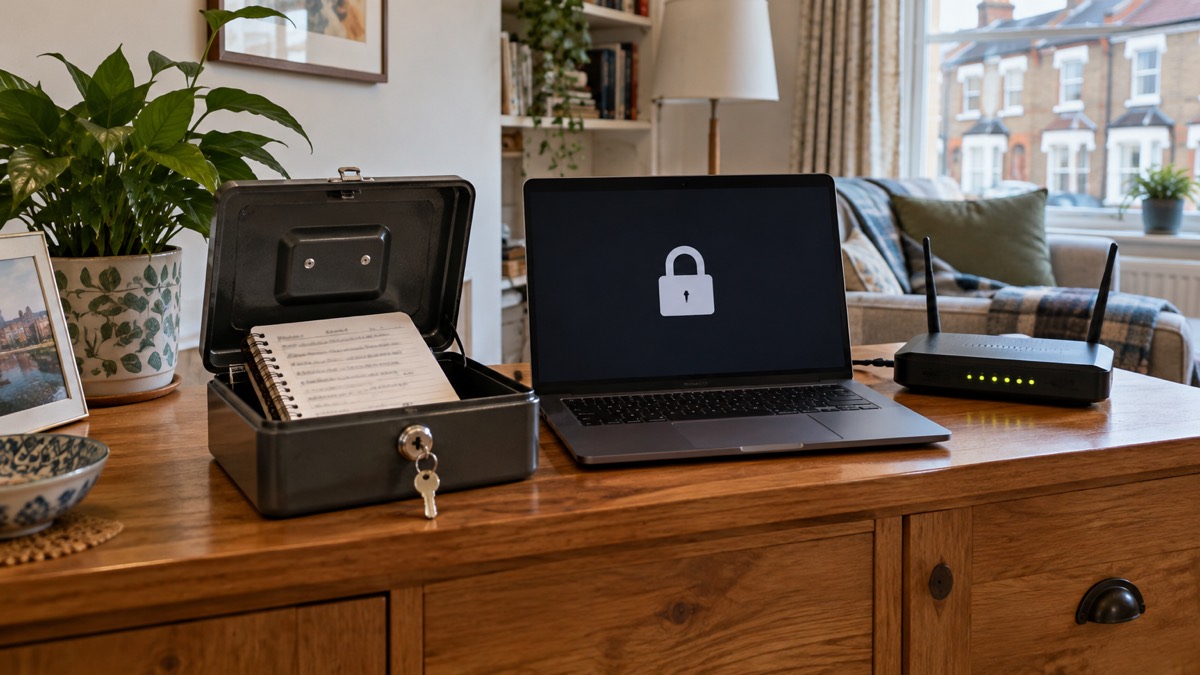
Most households do not need to think hard about this: yes, a password manager is worth having, and the National Cyber Security Centre encourages people to use one because it can create strong passwords for you and remember them1. The reason is simple. If you use the same password across different accounts and one of them is compromised, a hacker can try the same password on your other accounts and potentially get into those too2. A manager stores your passwords safely so you can have a unique password for every service without having to memorise any of them2.
You do not have to start with software. The National Cyber Security Centre says writing passwords down can be done safely, because an attacker would need physical access to where they are stored, and that this can suit people who need regular support to manage their online affairs2. What matters is that each account has its own password, and that you can get back into your accounts when something goes wrong.
This page sets out what a manager does, how it compares with a written list kept at home, why phishing tends to rise after big outages and attacks, and how to keep access to your accounts when systems go down.
Why one reused password puts every account at risk
The danger is not that any single password is weak. It is that the same one opens several doors. The National Cyber Security Centre puts it plainly: if you use the same password across different accounts and one of your accounts is compromised, a hacker can try the same password on your other accounts and potentially gain access to them too2. Wiltshire and Swindon Prepared, a local resilience site, makes the same point from the household's side: cyber criminals only need one password to access all your accounts1.
Passwords are often stolen when an organisation holding your details suffers a data breach4. You do nothing wrong; a company you once bought from loses its records, and your email address and password appear in a list. If that password also opens your email, your shopping account or your bank, the breach is no longer the company's problem alone.
Email deserves special treatment. The National Cyber Security Centre publishes separate guidance on using a strong and separate password for your email, because your email is where password reset messages for everything else arrive5. If you have reused your email password across other accounts, change your email password as soon as possible, and make it strong and different to all your other accounts5.
There is a second, quieter risk: predictable passwords that a criminal can easily guess4. A manager removes the temptation to build passwords from names, dates and football teams, because you never have to invent one.
If you already suspect a password has leaked, the response is quick and specific. Change the password on any account that has been hacked, and on any accounts using the same password3. If you gave a password out in response to a phishing message, change it on every account where you use it, immediately6. And if a scam email quotes a password you still use, it is probably from an old breach of personal data, but change that password immediately and anywhere else you use the same one7.
What a password manager does for a household
A password manager stores passwords safely for you, meaning that you can have unique passwords for each service without needing to remember them2. That single sentence covers most of what a household needs from it. You keep one password in your head, the master password, and the manager holds the rest.
There are two broad kinds, and the difference matters when you are choosing.
| Type | What it is | What it does well | What to weigh |
|---|---|---|---|
| Built into your browser | Storage that comes with the browser you already use | Safe on your own devices, and the easiest way to remember passwords2 | Only as secure as your devices and accounts, so keep automatic security updates switched on2 |
| A separate manager | Usually an app on your phone or tablet, also available through a website2 | Can synchronise passwords across a mix of different browsers and devices2 | Another thing to set up and keep working |
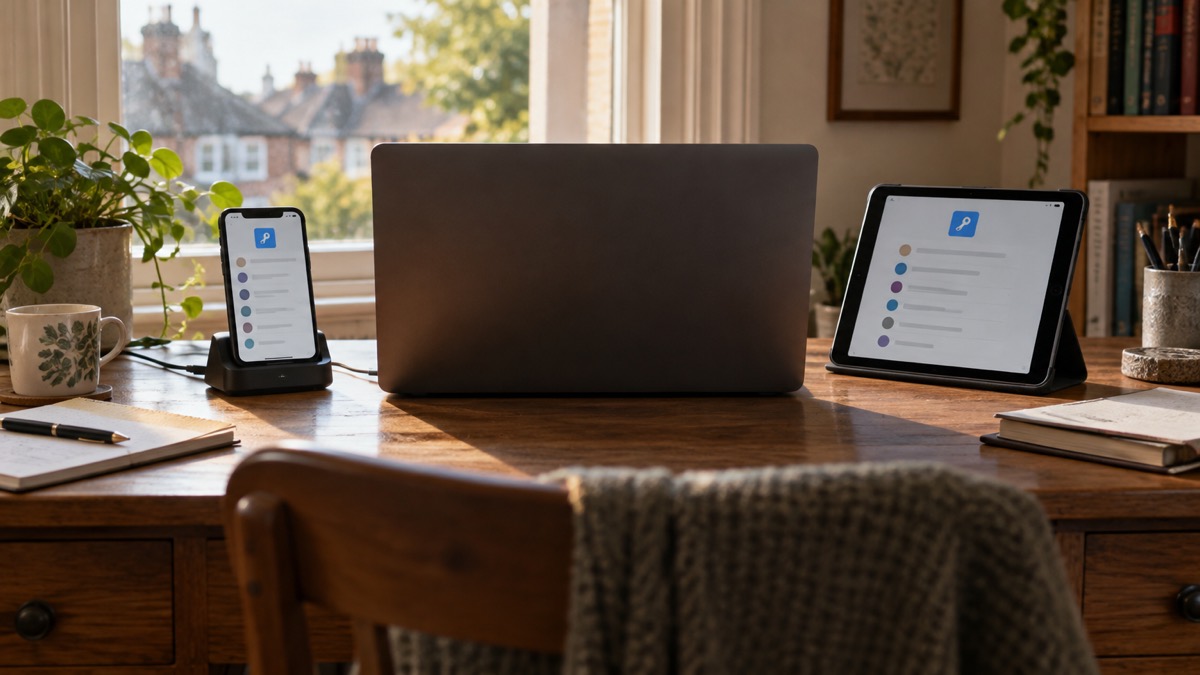
The National Cyber Security Centre describes the synchronising benefit as one of the main advantages of a separate manager over the one in your browser2. For a household with a phone, a tablet and a laptop between them, that is the practical difference: the password you set on the laptop is there on the phone.
A manager also solves the creation problem. The National Cyber Security Centre encourages people to use password managers, which can create strong passwords for you and remember them1. You are not asked to invent something memorable and unguessable for every site; the software does that, and you stop reusing.
What a manager cannot do is protect you if you hand the password over. It stores; it does not verify who is asking. That is the job of two-step verification, covered below.
Password manager or a written list kept at home
These are not as far apart as they look, and the official guidance treats both as legitimate. The National Cyber Security Centre says writing passwords down can be done safely because an attacker would need physical access to where the passwords are stored, and that it can suit people who need regular support to manage their online affairs2.
The conditions are what make it safe:
- Keep the list somewhere safe that you will remember, but where someone else is unlikely to find it, and do not leave it near your computer8.
- Do not share your passwords with anyone8.
- If you use a password manager, use it only on your own computer, share it only with people you trust, and do not use it anywhere in a public place, like a library9.
That last point comes from Age UK's staying safe guidance, and it applies to the written list too: a notebook carried to the library and left on a table is not the same as one kept at home.
The trade-off is phishing. The National Cyber Security Centre warns that with a written list you will be at greater risk of phishing attacks, since you will need to manually verify that a website is what it purports to be2. A manager fills in the password only for the site it has stored, so a convincing fake address does not get the same automatic help. That is the strongest argument for software over paper for anyone who is online often.
Phishing rises after big outages and attacks
Scams follow the news. Criminals use information about you that is available online, including on social media sites, to make their phishing messages more convincing10. The advice is to use strong passwords and be vigilant to phishing emails, text messages and phone calls, and to keep all software and systems up to date, including mobile phones11.
The pattern is not new. Cyber criminals used the energy regulator Ofgem as a lure for over 50 phishing campaigns used to harvest financial credentials, according to the National Cyber Security Centre's 2022 annual review11. Criminals also use information about you that is available online, including on social media sites, to make their phishing messages more convincing10.
For a household, the practical rules are short:
- Be vigilant to phishing emails, text messages and phone calls, and keep all software and systems up to date, including mobile phones12.
- If you think you have entered personal details or a password into a phishing site, change the passwords on any of your accounts where you use the same password6.
- If you entered banking or card details, contact your bank straight away, and if you use online banking, cancel the card or cards there6.
- If you think your device has been hacked or you opened a suspicious link, open your antivirus software if you have it and run a full scan, allowing it to clean up any problems it finds6.
A password manager reduces the damage in one specific way: because every account has its own password, a single phished login does not cascade. You change one password, not twenty. Our guide to phishing walks through how to spot the messages, and what to do if you clicked a phishing link covers the first hour.
Keeping access to your accounts when systems go down
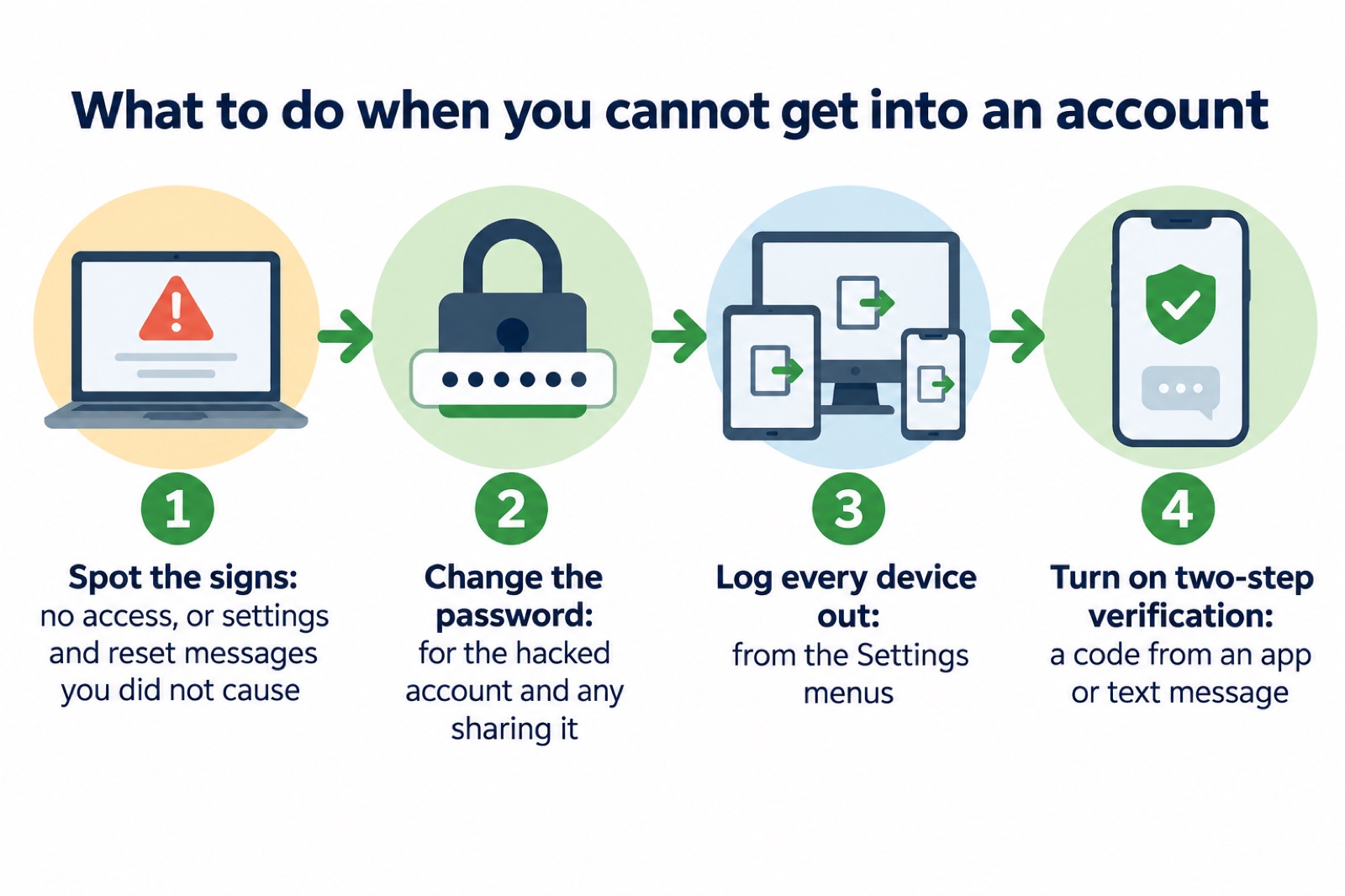
The scenario that catches households out is not a clever hacker. It is a service going offline, a password reset that never arrives, or a phone lost at the wrong moment. The National Cyber Security Centre's test for a hacked account is worth knowing: you may be hacked if you can no longer access your accounts, or if there is activity you do not recognise, such as changes to security settings or password reset messages13.
If that happens, work through it in order:
- Change the password for the account that has been hacked, and for any accounts using the same password3.
- Log all devices and apps out of the account, usually from the Settings menus of the app or website, so anyone trying to use it must supply the new password14. This means a cyber criminal will not be able to use your old password to access your account15.
- Set up two-step verification, which usually works by sending a PIN or code, often by text message or email, to prove it is really you14.
Two-step verification is the piece that keeps you in when a password is out. The National Cyber Security Centre calls turning it on the first and most important step, because it helps protect you if your password gets phished or otherwise compromised2. It gives you a code to enter from an app or text message, so even if a criminal knows your password, they will not be able to access your accounts4. The option to switch it on is usually in the security settings of your account16, and it is worth setting up on important accounts like email and banking even if they are already protected by a strong password, because it only takes a few minutes3.
Keep a route back in that does not depend on the account itself. Protect cloud accounts, and access to your backups, with strong passwords and two-factor authentication17. If you protect a backup with a password when offered the option, do so, in case the removable media is lost or stolen18. And if you are asked to enter a password when resetting a device, make sure you change that password afterwards19.
For the wider picture of what to do when banks, shops and public services go offline, see when banks, shops and public services go offline. Our protecting email and bank accounts guide covers the account-by-account work, and how to turn on 2-step verification takes you through the settings.
Smart devices, older phones and the passwords you did not set
Every connected device in the home is another account, and many arrive with a password set by the factory. The law now requires manufacturers not to supply devices that use default passwords, which can be easily discovered online and shared20. If a device or app still comes with a default password, change it20. The reason is direct: if the default password is used, a criminal could log into a smart device and use it to access a local network, or conduct cyber attacks20.
Older equipment needs a little more care. To change the password for older security cameras, you may have to type the camera's IP address into your browser, and you can find that address in your router settings under connected devices21. Our guide to smart speakers, cameras and baby monitors covers the rest.
An old phone can run a password manager, since a separate manager is usually an app on your phone or tablet and is also available through a website2. The limiting factor is updates. Browser-stored passwords are only as secure as your devices and accounts, which is why the National Cyber Security Centre says not to switch off the automatic security update feature for your browser and operating system2. If a handset no longer receives updates, use the manager through its website on a supported device instead.
Where to get help, and passwords for the door
Some passwords have nothing to do with the internet. Water and energy companies run password schemes so you can check that someone at your door is who they say they are. Northumbrian Water lets you set a password so the team can prove their identity when they visit; you ask for the password when they knock22. SP Energy Networks offers the same for home visits, for extra peace of mind23. Thames Water's doorstep password is shared only with the staff member visiting your property24.
These schemes sit alongside the Priority Services Register, which water companies use to record households that need extra help. South Staffs Water lists a password protection scheme among its Priority Services25, and Yorkshire Water describes some services as automatic, like bills in a specific format, and others as available when needed, such as requesting a password during a home visit26. If someone in your household would struggle to verify a caller, ask your supplier to add you. Our guide to extra help in an emergency explains what the register covers.
For online help, the National Cyber Security Centre's Cyber Aware pages are the starting point, and its top tips include using a password manager to help you create and remember passwords27. Essex Prepared advises turning on two-step verification to help protect your online accounts28. The British Red Cross suggests memorising the username and password for social media accounts as part of family safety planning29.
If a password has already been compromised, do not sit on it. Our guides to what to do if an online account is hacked and your details in a data breach set out the next steps, and is it safe to write your passwords down? looks at the paper option in more detail.
Sources (29)
- Having a strong password, Wiltshire and Swindon Prepared, 2026-10-25
- Password managers, National Cyber Security Centre, 2026-05-21
- Recovering a hacked account, National Cyber Security Centre, 2022-08-24
- Using passwords to protect your devices and data, National Cyber Security Centre, 2026
- Use a strong and separate password for your email, National Cyber Security Centre, 2021-12-21
- Phishing, National Cyber Security Centre, 2026
- Sextortion, National Cyber Security Centre, 2026
- Staying safe online, RNIB, 2026-10-29
- Staying safe, Age UK, 2025-08
- Report a scam website, National Cyber Security Centre, 2024-07-19
- Cyber crime, National Cyber Security Centre, 2022-11-01
- Risks, Surrey County Council, 2026-10-28
- Recovering a hacked account or service, National Cyber Security Centre, 2024-01-11
- Recovering hacked accounts, National Cyber Security Centre, 2026
- Hacked accounts, National Cyber Security Centre, 2026
- Use 2SV to protect accounts, National Cyber Security Centre, 2024
- Backing up your data, National Cyber Security Centre, 2026
- Always back up your most important data, National Cyber Security Centre, 2018-12-17
- Scam missed parcel SMS messages, National Cyber Security Centre, 2021-04-23
- New security law for smart devices, National Cyber Security Centre, 2024
- Smart security cameras: using them safely in your home, National Cyber Security Centre, 2020-03-03
- Priority Services, Northumbrian Water, 2026-10-28
- SP Energy Networks customer leaflet, SP Energy Networks, 2025-06
- Doorstep password, Thames Water, 2026-10-28
- Priority Services Register, South Staffs Water, 2026-10-29
- By your side, Yorkshire Water, 2026-10-29
- Cyber Aware, National Cyber Security Centre, 2018-12-17
- Protecting your family: cyber security, Essex Prepared, 2026-10-29
- Safety tips for families, British Red Cross, 2025
 Accounts to Protect With 2-Step
 After Fixing an Infected Device
 Home Online Security Checklist
 2-Step Verification No Phone
 Antivirus on Phones and Tablets
 Automatic Updates
 Gave Bank Details to a Scammer
 Checking a Bank Message
 Blocking Nuisance and Scam Calls
 Scams After a Data Breach
 Browser Saved Passwords
 Checking Your Email for Breaches
 Hacker Email Forwarding Rules
 Factory Reset an Infected Phone
 Recover a Hacked Email