
When a bank's app will not load, the council website shows an error page and a shop's card machine refuses your payment, the cause is usually a cyber attack or a major IT failure somewhere behind the scenes. Ransomware, where criminals lock an organisation out of its own systems and demand money, has hit UK councils, the NHS and businesses repeatedly, and distributed denial of service (DDoS) attacks can flood websites with traffic until they stop responding1. For your household the practical effects are much the same whoever is attacked: card payments, cash machines, online banking, appointments and public websites can all stop working at once.
Your first job is to work out what is really happening, because the answer changes what you do. If your bank alone is down, you wait and keep some cash to hand. If your own broadband or phone line has failed, you report it to your provider. And if criminals are using the disruption to contact you, you treat every unexpected message as a scam, because your bank will never email you asking for personal information or call to confirm your account details2.
This page covers what to do during a wide IT outage: how to check it is real, what still works, how to protect your own devices if ransomware reaches them, and where to get help and report an attack. For the wider background on these incidents, see the Cyber Attacks and Major IT Failures guide.
Why banks, councils and health services go offline

Two kinds of attack cause most of the outages that reach ordinary households. The first is ransomware, malicious software that locks victims out of their data or systems and only allows access once money is paid2. In a ransomware attack on an organisation, the files on its servers are encrypted, so the organisation itself cannot read them, and services that rely on that data simply stop. The second is a distributed denial of service attack, which works differently: the attacker overloads a system with traffic until it becomes unavailable, rather than breaking into it2. DDoS attacks against websites are often accompanied by extortion, where the attacker demands money to stop the flood6.
The targets are not random. In Essex, official risk guidance notes that targets may include local government systems, healthcare providers, schools and businesses1. A parliamentary committee has pointed to particular concerns about cash-strapped sectors such as health and local government7. Ransomware can cause severe disruption to the delivery of core government services, including healthcare and child protection8.
The recent record shows what this means in practice:
| Attack | When | What happened |
|---|---|---|
| Redcar & Cleveland Borough Council | February 2020 | A ransomware attack on its server estate kept the council offline for almost a week and caused severe data loss9 |
| Hackney Council | October 2020 | A major ransomware attack disrupted council services for months, cost over £12 million, and locked the council out of benefit and council tax payment information9 |
| Gloucester City Council | December 2021 | Ransomware encrypted its servers and temporarily prevented services that relied on the data held on them9 |
| Synnovis pathology provider | June 2024 | A ransomware attack significantly reduced capacity to process NHS tests, with the greatest impact in south-east London10 |
One point from the NHS's own experience is worth remembering at home: when ransomware previously affected some NHS organisations, many had not applied the recommended software updates in a timely manner, which left their systems vulnerable11. The same rule applies to your own laptop, tablet and phone. Update your apps and devices as soon as updates are available, and turn on automatic updates in your device's settings12. Our page on software updates explains how.
How long services stay down
How long an outage lasts depends on what failed and who owns it. Planning assumptions published by official bodies give a sense of the range households should be ready for.
| Type of outage | Typical or planned duration |
|---|---|
| Phone and broadband outage | Usually short or localised, but after severe weather disruption can last a number of days13 |
| Technological failure at a systemically important retail bank | Immediate effects last 48 to 72 hours, with some customers disrupted for several weeks3 |
| Outage of a systemically important UK financial market infrastructure | Planned for as lasting at least five days3 |
| Council ransomware attack | From almost a week (Redcar & Cleveland) to months of disrupted services (Hackney)8 |
| NHS pathology cyber attack | Some disruption felt over coming months as tests and appointments are re-booked10 |
The bank figure is the one most worth planning around. If a major bank's systems fail, assume at least two to three days before things work normally, and longer for some customers. That is why official guidance on the loss of banking systems advises households to have an emergency supply of cash available, as you may not be able to withdraw money from cash machines, and to check your bank account to ensure you can access your funds, contacting your bank if you uncover any problems4.
A wider lesson comes from planning for a nationwide loss of power, which shows how many services depend on the same infrastructure: a power outage can disrupt communications, water and transportation, and close retail businesses, grocery stores, petrol stations, cash machines, banks and other services14. Many services would close down due to either the loss of power or staff not being able to get to work14. A cyber attack that takes down payment systems can have a similar effect on shops even when the lights stay on. Our page on paying for essentials when card machines and banking apps fail goes into this in detail.
Council and NHS services during a cyber attack
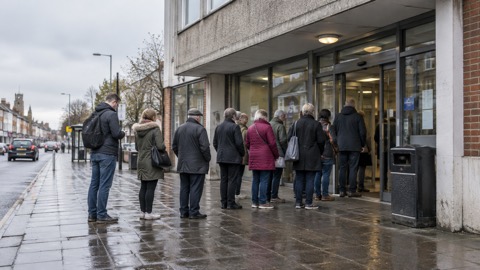
When a council is attacked, the services that stop are the ones that rely on the data held on the affected systems. Gloucester City Council's attack temporarily prevented the council from providing services which relied on the data held on those servers9. At Hackney, that included benefit and council tax payment information8. Local authorities are encouraged to have contingency plans for cyber incidents1, so phone lines, reception desks and some face-to-face services often keep running even when websites and online forms do not. If your council's website is down, phone the council's main number rather than assuming the whole organisation has stopped. Our page on council online services down covers what to try and in what order.
On the NHS side, the Synnovis attack in June 2024 shows the pattern. The attack affected blood tests, appointments and operations, and led to cancellations10. But all urgent and emergency services such as A&E, urgent care centres and maternity departments remained open as usual, with possible delays for blood tests10. Hospitals that were not affected created capacity to take patients from those that were10. The practical rule for households: in a health-service cyber attack, urgent and emergency care continues, so dial 999 in a genuine emergency and use NHS 111, by phone or online, for urgent but non-emergency help15. Expect delays for routine tests and appointments, and expect re-booking to take time, as the NHS itself said some disruption would be felt over coming months10. See our pages on NHS appointments, A&E and tests during an IT outage and prescriptions when GP or pharmacy systems are down.
If ransomware reaches your own device: disconnect it at once
Most ransomware attacks hit organisations, but the same software reaches households, and the National Cyber Security Centre (NCSC) has published specific guidance for home users and small businesses. If you believe a computer, laptop or tablet in your home is infected, act immediately.
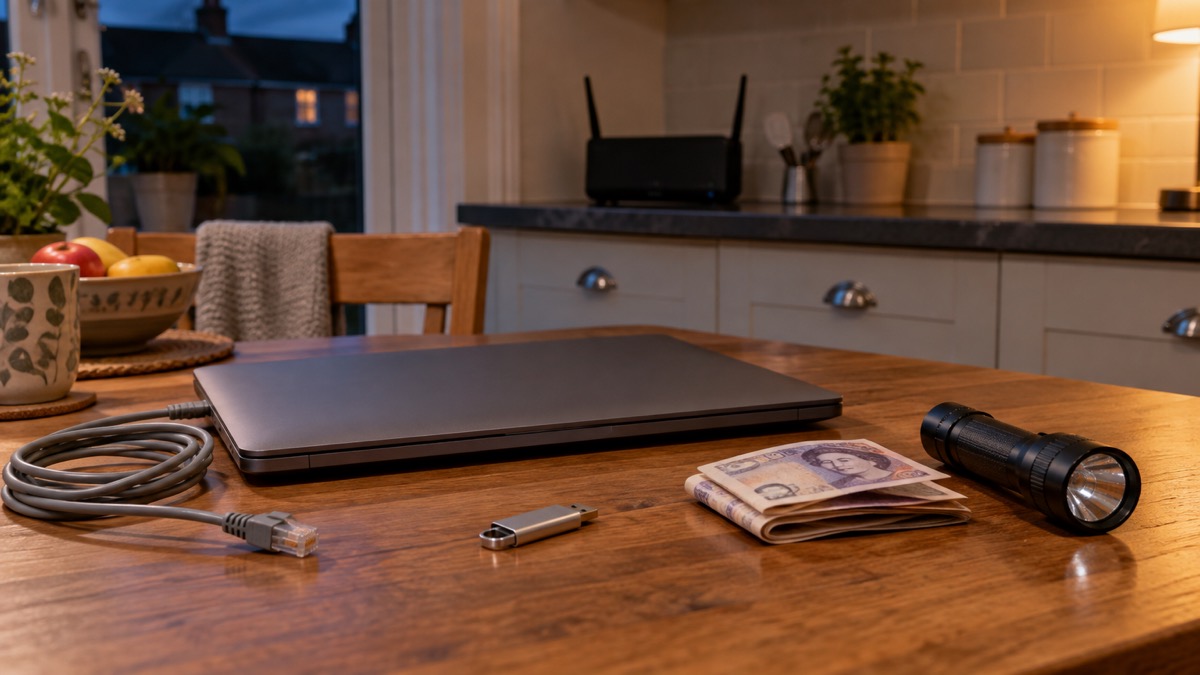
- Disconnect the device from every network connection at once, whether wired, wireless or mobile phone based5. Turn off your Wi-Fi16.
- Do not leave backup drives or USB sticks connected, or anywhere on your network, as they may also be attacked by ransomware17.
- Open your antivirus software if you have it and run a full scan, allowing it to clean up any problems it finds18.
- While still disconnected from your network, connect that one computer directly to the internet, then install and update the operating system and all other software, install, update and run antivirus software, and only then reconnect to your network17.
- Monitor network traffic or run further antivirus scans to identify whether any infection remains17.
"Immediately disconnect the infected computers, laptops or tablets from all network connections, whether wired, wireless or mobile phone based."
The reason for the urgency is that ransomware spreads across networks, so a machine you disconnect quickly is a machine that cannot infect the rest. If you have clicked a suspicious link rather than seen a ransom note, our page on what to do after clicking a phishing link is the right place to start, and malware on a computer or phone covers the signs and removal more broadly.
Prevention matters more than cure here. Install internet security on your laptop, tablet and PC11, keep everything updated12, and always have a recent offline backup of your most important files and data, because ransomware can leave the computer locked, or the data on it stolen, deleted or encrypted19. Our pages on backing up files and photos at home and protecting your backups from ransomware explain the options.
Never follow an attacker's payment instructions
In a ransomware attack you are typically asked to contact the attacker via an anonymous email address or follow instructions on an anonymous web page, to make a payment in a cryptocurrency5. Do not do it, and do not engage with the attacker's instructions at all.
The same rule applies to extortion emails that arrive out of the blue. A sextortion scam is when a criminal attempts to blackmail someone, usually by email, claiming they have login details or a video of the victim visiting an adult website, and threatening to disclose this unless the victim pays20. It is an example of a phishing attack, where victims receive emails that try to trick them into doing the wrong thing20. Do not pay: you might be targeted with future scams, as the criminal will know they have a willing customer20. If the email quotes one of your passwords, do not worry; it has probably been discovered from a previous data breach, which you can check at haveibeenpwned.com20. Our page on sextortion emails that quote your password covers these in full, and should you pay a ransomware or sextortion ransom sets out the reasoning.
The same caution extends to anyone who contacts you claiming to fix the problem. Your bank, or any other official source, will never ask you to supply personal information via email, or call and ask you to confirm your bank account details; if you suspect someone is not who they claim to be, hang up and contact the organisation directly2. When you contact your bank for support, do not use the links in any messages you have been sent21, and never use contact details provided in a suspicious call or message22. Type the address into your browser or use the number on your card. See how to check a message from your bank is genuine.
Checking whether the outage is on your side
Before you assume a national incident, check your own connection, because a fault at home looks exactly like a bank outage from where you sit. If your mobile, broadband or landline is unavailable, report this to your provider if you can, as this helps make sure faults are fixed as soon as possible23. If your landline is not working, try using your mobile; if your mobile network is down but you have a working internet connection, you may still be able to make calls over Wi-Fi by enabling Wi-Fi Calling on your device13. Turn on Wi-Fi calling in your settings so calls go over your broadband when the mobile network is unavailable23.
A few checks are worth making now, not during the outage:
- Contact your landline provider to check whether your phone will work during a power cut, especially if it is your only way of making emergency calls or you have telecare kit connected24.
- If you are a vulnerable customer with an analogue landline, your communication provider must provide a free back-up battery unit, meaning the landline would work for at least an hour in a power cut; some providers have back-ups that last up to seven hours23.
- Check with the provider or manufacturer of any medical or personal alarm devices that use phone or internet connections, for example how your personal alarm or diabetes sensor would function if mobile or broadband service is lost13.
- Keep a paper copy of important phone numbers (family, neighbours, doctor, utilities) in case your mobile loses power or you cannot access your contacts13.
- If possible, have an analogue phone that can be connected in your house, as this will still work if a power cut affects the mobile network25.
If you cannot reach 999 or 112 during an outage and it is safe to do so, seek help directly from emergency responders or go to your nearest police station, fire station, ambulance station or hospital13. Our staying informed and in touch guide covers communication options in depth, and when your water, energy or phone company is hacked covers attacks on the providers themselves.
Checklist: ready for banks, shops and the NHS going offline
The government's Be Ready campaign and local resilience guidance set out a small number of preparations that carry a household through a services outage. None of them need technical skill.
- Keep an emergency supply of cash, because you may not be able to withdraw money from cash machines when banking systems are down4.
- Have several means of contact: telephone and mobile phone, so a failure of one does not cut you off4.
- Keep a paper copy of important phone numbers and essential information, including family, neighbours, doctor and utilities13.
- Check your bank account regularly to ensure you can access your funds, and contact your bank if you experience any problems or uncover any issues4.
- Check on neighbours who may be vulnerable during the disruption4, and check on elderly or vulnerable family, neighbours and friends to make sure they are okay26.
- Talk to your neighbours about what extra support you might be able to share during an outage, and swap contact details27.
- Check if the place where you work or volunteer has a plan for what you should do if you cannot contact them during an emergency27.
- If you use medical equipment, make a plan with your care provider or clinical care team now setting out what action to take and who to contact in an outage24.
- Keep a recent offline backup of your most important files and data, so ransomware cannot take the only copy19.
- Install internet security on your laptop, tablet and PC, and turn on automatic updates11.

Two of these deserve a word on why. The cash point matters because a serious loss of essential services can include the loss of banking systems such as cash machines and online banking, so cash on hand is what keeps you going4. The neighbour point matters because official guidance across the UK repeats it: check with your neighbours during a utility failure, as they may not be so well prepared and might appreciate some help28. If you rely on medical equipment, official advice is to make a plan with your care provider and clinical care team now, setting out what will happen in a power cut, what action to take and who to contact24. Our page on keeping key records offline builds on the paper-copy habit, and extra help in an emergency covers support for older, disabled and medically dependent households.
Where to get help and report an attack
If you have lost money to a scam that exploited the outage, tell your bank straight away and report it as a crime to Report Fraud, the UK's reporting centre for cyber crime; in Scotland, contact the police by dialling 10121. If you have shared your banking details, contact your bank immediately and let them know; if you use online banking you can cancel your cards online18. Always contact your bank using official websites or phone numbers22.
Check your bank statements and online shopping accounts for unauthorised purchases and unusual transactions, and contact your bank directly for further support using official websites or social media channels, or by typing the address directly into your browser21. Our page on lost money to a scam walks through this step by step.
For the outage itself, the routes differ by service:
| What has stopped | Who to contact |
|---|---|
| Your bank's app, cards or cash machines | Your bank, using the number on your card or its official website4 |
| Your council's website or online services | The council's main phone line1 |
| NHS tests, appointments or operations | The clinic or hospital that booked them; A&E, urgent care and maternity stay open10 |
| Your mobile, broadband or landline | Your provider, reporting the fault so it can be fixed23 |
| A power cut | Call 105 or visit your local network operator's website to report it and track updates24 |
In an emergency, always dial 99925. For urgent medical help that is not an emergency, use NHS 111 by phone or 111 online15. If you think an account of yours has been hacked rather than just affected by the outage, the NCSC's guidance on recovering hacked accounts takes you through it in order, and our page on what to do if an online account is hacked mirrors those steps. To report suspicious emails or texts rather than lost money, see how to report a phishing email and how to report a scam text message.
Sources (28)
- Cyber attacks, threats and scams, Essex Prepared
- Cyber security: protecting your family, Essex Prepared
- London Risk Register v14, Greater London Authority, 2025-01
- Loss of essential services, Lancashire Prepared
- Sole ransomware attack: guidance for organisations, National Cyber Security Centre, 2024-05-14
- Cyber attacks, West Yorkshire Prepared
- A hostage to fortune: ransomware and UK national security, summary, Joint Committee on the National Security Strategy, 2023-12-13
- A hostage to fortune: ransomware and UK national security, report, Joint Committee on the National Security Strategy, 2023-12-13
- Gloucester City Council: managing a cyber attack, Local Government Association, 2023-12-20
- Synnovis ransomware cyber attack: frequently asked questions, NHS England
- Community Risk Register 2025, North Yorkshire Council, 2025-02
- Citizen hacked accounts, National Cyber Security Centre
- Phone and broadband outages, Prepare Campaign, 2026-10-12
- What is a national power outage, Wiltshire and Swindon Prepared, 2026-10-25
- Falls, NHS, 2025-03-06
- WannaCry guidance for home users and small businesses, National Cyber Security Centre, 2017-05-16
- Ransomware WannaCry guidance for home users and small businesses, National Cyber Security Centre, 2017-05-16
- Phishing: respond and recover, National Cyber Security Centre
- NCSC annual review 2022: cyber crime, National Cyber Security Centre, 2022-11-01
- Sextortion scams infographic, National Cyber Security Centre, 2026
- Recovering hacked accounts infographics, National Cyber Security Centre, 2026
- Citizen shopping online, National Cyber Security Centre, 2026
- Stay connected in severe weather, Ofcom, 2026-10-13
- Power cuts: be informed about hazards, Be Ready Campaign, 2026-10-21
- West Yorkshire Community Risk Register, West Yorkshire Prepared, 2025
- Strong winds weather warning: information and advice, nidirect, 2026-10-24
- Get prepared for emergencies, Prepare Campaign, 2026-10-21
- Power, gas and water: what if they fail, Surrey County Council, 2025-12-29
 Accounts to Protect With 2-Step
 After Fixing an Infected Device
 Home Online Security Checklist
 Antivirus Software
 Backing Up Files and Photos
 Council Online Services Down
 Your Details in a Data Breach
 FluBot Fake Parcel Texts
 Hacked Online Accounts
 How Services Respond
 Malware Signs and Removal
 National Cyber Security Centre
 NHS Services During an IT Outage
 Keeping Key Records Offline
 Shopping Online Safely