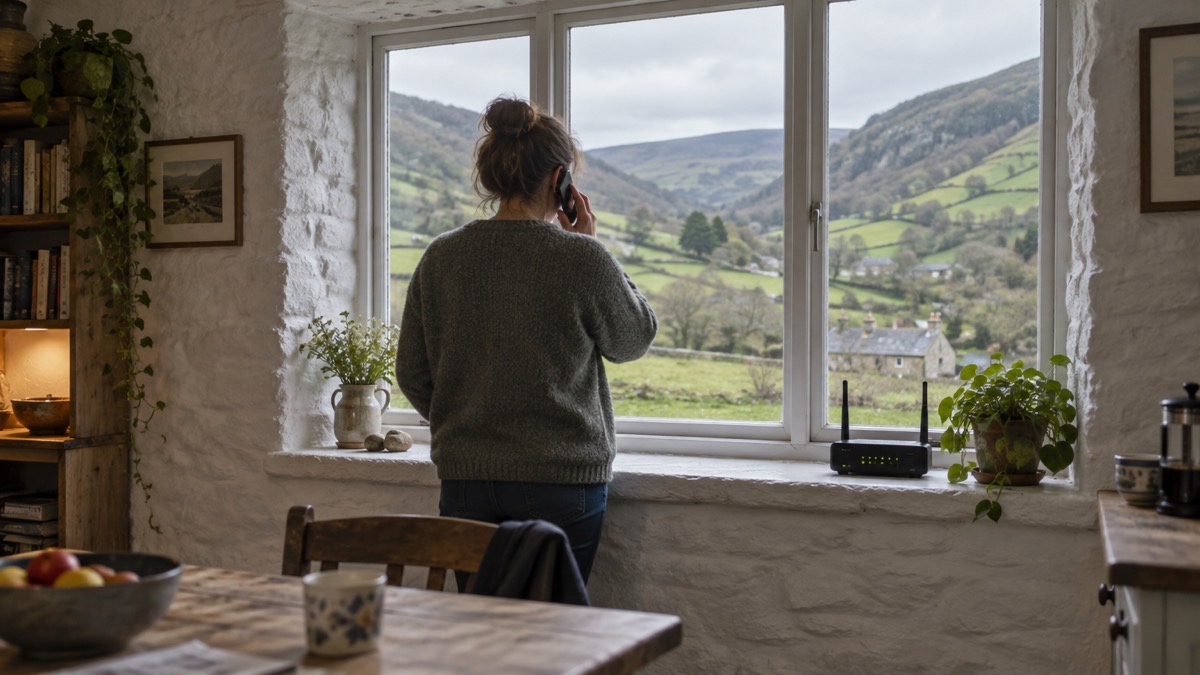
If your mobile signal is weak or disappears at home, Wi-Fi calling gives your phone a second route: it sends your calls over your home broadband connection instead of the mobile masts. Ofcom's advice for severe weather is simple and worth acting on today: "Turn on Wi-Fi calling in your settings on your mobile device to allow calls over your broadband connection if your mobile network is unavailable"1. It takes a minute or two in your phone's settings, and it is the kind of thing you want already working before a storm rather than fumbling with during one.
The reason this matters more now than it did a few years ago is that the UK's whole phone system is changing. The old copper landline network is being upgraded to digital technology, with completion expected by early 20272, and home phones are increasingly plugged into broadband routers rather than wall sockets3. That means more of your household's ability to call anyone, including 999, depends on your broadband and on your router having power. Wi-Fi calling fits into that picture as a bridge: it lets your mobile phone use your broadband when the mobile network fails, but it cannot help when the broadband itself is down.
This page explains what Wi-Fi calling does, how to switch it on, when it helps, and what its limits are during a power cut. It also covers what to keep ready for the situations where neither your mobile signal nor your broadband is available, and where to get help.
Turn it on before you need it
The single most important thing on this page is timing. Wi-Fi calling is a setting you switch on in advance, when nothing is wrong, because the moments you need it are exactly the moments when you do not want to be hunting through menus. Ofcom's severe weather advice is to enable it in your settings so calls can be made over your broadband connection if your mobile network becomes unavailable1. The Welsh-language version of the same Ofcom advice adds that turning on Wi-Fi calling allows calls over your broadband connection when your mobile network is not available, alongside messaging apps including WhatsApp, Messenger, iMessage and Signal7.
The same principle of setting things up in advance runs through all the official emergency calling advice. East of England Ambulance Service tells people to "register your mobile phone now and don't wait until you need the emergency-SMS service"8, and the Scottish Ambulance Service says of its Relay UK app: "It is important that you download the app before you need us"9. Bath and North East Somerset Council makes the same point about the relay and 18000 services for people who cannot speak on 999 calls: "You have to set both services up before you can use them"10. Wi-Fi calling belongs in the same category of preparation: a small job done in calm conditions that pays off in bad ones.
It also fits into a simple household habit. Manchester Fire and Rescue Service's winter safety advice includes ensuring you have access to a phone before bed11, which is a good moment to glance at your signal and your battery. If you live somewhere with patchy mobile reception, or you know a storm is forecast, that is the evening to check Wi-Fi calling is on and your phone is charged. Our page on getting your mobile phone ready for an emergency covers the rest of that routine.
What Wi-Fi calling does for your household
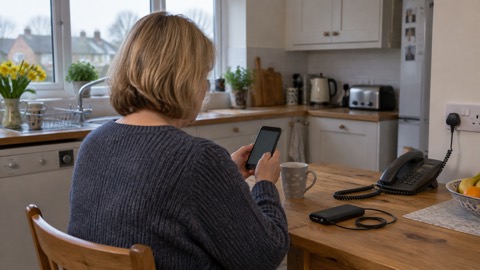
Wi-Fi calling, sometimes called VoWiFi, routes your ordinary mobile calls over your home broadband instead of over the mobile network. To you it looks and feels the same: you dial a number in your phone's normal dialler, and the call connects. The difference is behind the scenes, and it only matters when the mobile network fails. The government's emergency preparedness advice puts it plainly: "If your mobile network is down but you have a working internet connection (Wi-Fi) you may still be able to make calls over Wi-Fi by enabling WiFi Calling on your device"4.
For a household, that covers two everyday situations. The first is the ordinary one: you live in a spot where mobile signal is weak or absent indoors, and calls drop or fail to connect. The second is the emergency one: a storm or outage takes out mobile coverage in your area, but your broadband is still working, and you need to reach family, neighbours, work or the emergency services. In both cases your phone uses the internet connection you already pay for.
It is worth understanding how this fits the wider shift in UK phone services. The industry is upgrading landline services to digital technologies using the internet, known as Voice over Internet Protocol (VoIP), Digital Voice or All-IP telephony12. Suffolk Council describes the digital switchover as "upgrading home phone services across the UK, changing from older, less reliable copper wires to fibre ones"13. On switchover day, your home phone will need to be plugged into a WiFi Hub, which your provider will send if you do not have one, along with an adapter and instructions or an engineer visit13. If you already have an internet connection, the change may be as simple as plugging your phone into your broadband router rather than the wall socket, though some homes need an engineer12.
The practical consequence is that both your home phone and, with Wi-Fi calling, your mobile calls can end up depending on the same box: your router. That is efficient in normal times and a single point of failure in bad times, which is why the rest of this page spends as much time on the limits as on the benefits. Our guide to the digital landline switchover covers that change in full.
How to switch it on in your phone settings
Wi-Fi calling is a setting on your phone, and you turn it on once; it then stays on and your phone uses it automatically when it needs to. The exact menu path varies between phones, but Ofcom's instruction is the same whatever handset you have: turn on Wi-Fi calling in your settings on your mobile device to allow calls over your broadband connection if your mobile network is unavailable1.
A few points make the process easier:
- Look in your phone's main settings app, in the calls or connections section, for an option named "Wi-Fi calling" or "Wi-Fi calls". On most handsets it is a single switch.
- Your phone must be connected to your home Wi-Fi for the setting to take effect, so do it at home rather than out and about.
- Some networks require the feature to be supported on your account. If the switch is missing or greyed out, check your provider's website or contact them.
- Make a test call after switching it on, so you know it works before you depend on it.
If you use a digital landline as well, the same "check in advance" rule applies to that equipment. Government guidance on the landline migration recommends contacting the equipment supplier or device manufacturer to find out whether a device will remain functional on a digital phone line12, and if you identify as vulnerable or have devices connected to your telephone line such as alarm systems or telecare, you should contact your communication provider, the company listed on your bill, such as BT, Sky, Virgin Media O2, Vodafone or KCOM12. The Met Office's power cut advice makes a related point for people using a digital landline who do not have a mobile phone, or who live in an area with poor or no mobile signal: speak to your communications provider about additional support they can offer you in advance14. Our page on extra help from phone and broadband providers sets out what to ask for.
When Wi-Fi calling helps: weak or lost mobile signal at home
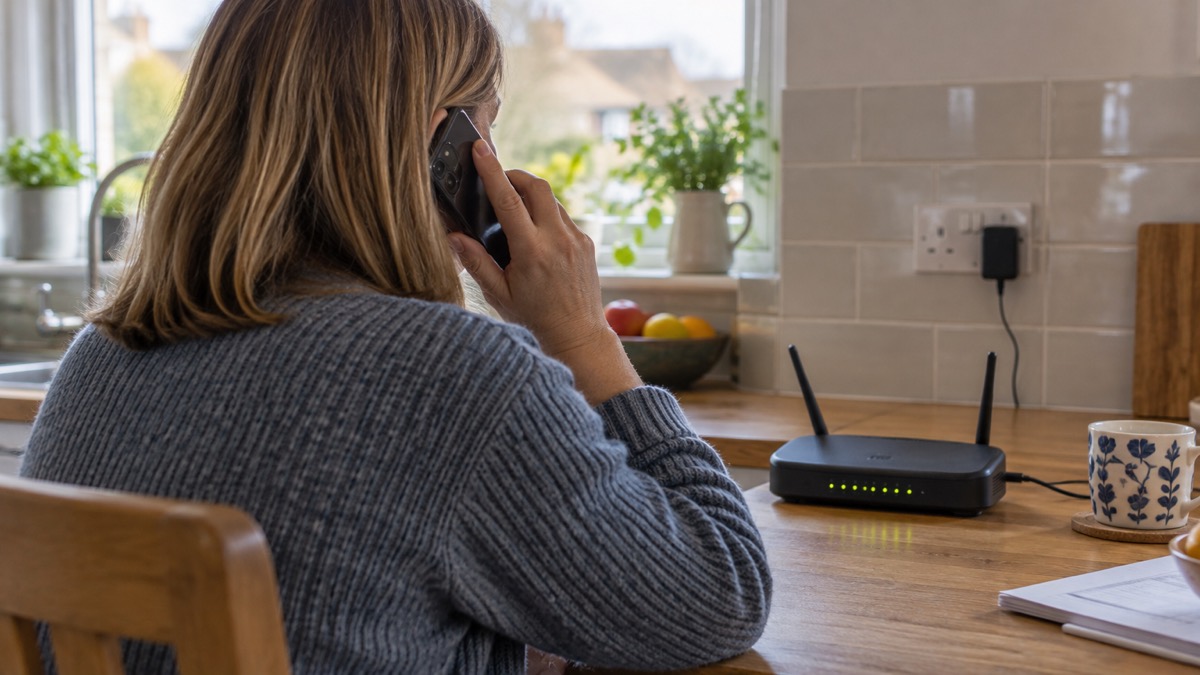
The clearest case for Wi-Fi calling is a home with poor mobile reception. This is not a rare problem. A parliamentary committee report on the UK's communications infrastructure noted that mobile coverage remains much weaker in rural areas, and that 8% of UK landmass has no mobile signal at all5. In those places, a phone that can call over broadband is not a convenience; it is the difference between having a working phone at home and not having one.
The same report noted that in 2017, 70% of calls to emergency services were made from mobile phones5. Households have moved heavily onto mobiles, so when mobile coverage fails, a large share of the population's way of calling for help fails with it. Wi-Fi calling plugs that gap, but only while your broadband is alive.
The government's preparedness advice describes the sequence to work through when your phone stops working: if your landline is not working, try using your mobile; if your mobile network is down but you have a working internet connection, you may still be able to make calls over Wi-Fi by enabling Wi-Fi calling on your device4. In other words, Wi-Fi calling is the middle step in a chain: landline first if it works, then mobile, then mobile over Wi-Fi. Knowing the order saves you time in an outage.
It also helps to know what your phone does when the mobile network is down but you have not enabled Wi-Fi calling. Ofcom advises that even if you have no signal on your usual mobile network, calling 999 will automatically connect through another network if one is available1. Government guidance explains this as national roaming for emergency calls: in the UK you can use any mobile phone network to contact the emergency services even if you are not a customer, and you may see the message "Emergency calls only" on your handset15. So a phone showing no signal may still be able to reach 999, and you should always try. Our page on how to call 999 when your mobile network is down goes through this in detail.
Wi-Fi calling or mobile signal: how each one behaves
It helps to see the two routes side by side, because they fail in different conditions and depend on different equipment in your home.
| Ordinary mobile signal | Wi-Fi calling | |
|---|---|---|
| What carries the call | The mobile masts of your network | Your home broadband connection |
| What it needs to work | Coverage from a mast, and the mast must have power and a live backhaul link | Your router powered and your broadband service working |
| Fails when | You are out of coverage, or the mast or network is down | Your power, router or broadband is down |
| Helps when | You are away from home, or your broadband is out but masts still work | Your mobile network is down but your internet still works |
| Emergency calls | 999 will automatically connect through another network if one is available1 | Works while your broadband works; if it fails, fall back to trying any available network4 |
The two routes are complements, not rivals. A household that has both enabled has two independent paths for a call, which is the whole point of preparation. One further behaviour is worth knowing: the UK's Emergency Alerts system reaches phones over the mobile network, and your phone or tablet does not have to have mobile data or Wi-Fi to get an alert16. During an alert test, compatible phones make a loud siren-like sound and vibrate17, and alerts make a loud sound even if the phone is set to silent, vibrate, and read out a message16. So an alert can still reach a phone whose broadband is down, while a Wi-Fi call cannot happen in that situation. Our pages on emergency alerts and what to do when you get an alert explain that system.
Coverage is the background condition for all of this. About 95% of the population is covered by 4G or 5G access, according to a government resilience report from July 202518, and alert tests are sent to all 4G and 5G phone networks in the UK17. But population coverage is not landmass coverage: the 8% of UK land with no signal5 is where Wi-Fi calling earns its keep at home, and where a broadband outage bites hardest.
Wi-Fi calling needs your broadband and router to have power
Here is the limit that matters most for a prepping household: Wi-Fi calling does not create a phone connection out of nothing. It borrows your broadband, and your broadband comes through a router that plugs into the mains. When the power goes, unless you have backup for the router, your Wi-Fi calling goes with it.
This has become more consequential with the digital landline switchover. Ofcom notes that with a digital landline you will need to plug your phone into your broadband router, rather than directly into the wall socket3. South Gloucestershire Council describes the change as "plugging your phone into your broadband router instead of a wall socket"2. In the old copper world, a corded landline kept working through many power cuts because the exchange powered the line. In the digital world, the router is the single powered box that both your home phone and your Wi-Fi calling depend on.
What that means in practice:
- Your router needs mains power. In a power cut, a standard router stops, and with it both your digital landline and Wi-Fi calling.
- Your broadband service can also fail independently of power, for example if a storm damages the network, so a working router is necessary but not sufficient.
- A mobile phone with battery left can still use the mobile network if masts in your area are still up, which is why you keep both routes available rather than relying on one.
The Met Office's advice for power cuts includes speaking to your communications provider in advance if you use a digital landline and have no mobile phone or live somewhere with poor or no mobile signal14. Providers can offer additional support, and some supply battery backup units for digital landlines; our page on getting a free battery backup for a digital landline explains that route, and keeping your router and hub running in a power cut covers the practical options. If you are considering backup power more broadly, our backup power at home guide sets out the choices.
What can go wrong during a power cut or broadband outage
The government's preparedness advice is direct about the worst case: phone and broadband outages are usually short or localised, but in some instances, such as following severe weather, disruption can last for a number of days4. Wiltshire and Swindon Prepared spells out what that can mean: "In the most serious circumstances, your mobile phone, landline and broadband connection could all be down, meaning you will not be able to contact emergency services on 999"19. The same guidance notes you could lose access to communication services due to a power cut or a problem affecting your service provider19.
When a power cut hits, the first number to know is 105, the national power cut line; Suffolk Council's Storm Ciaran guidance directs people to call 105 or visit their local power network operator's page for power cuts6. For the outage itself, the government's advice is to try calling from both a mobile and a landline, because if one is disrupted the other may be available, and emergency calls from mobiles will automatically connect to any available mobile network4.
Local resilience planning fills in the rest. The West Yorkshire Community Risk Register advises that if a major power outage occurs, you tune into BBC Radio 2, BBC Radio 4 or BBC Radio Leeds on FM, AM and DAB for updates20. It also advises having, if possible, an analogue phone that can be connected in the house, as this will still work if a power cut impacts the mobile network20. A battery or wind-up radio is the companion piece of kit here; our guides to emergency radios and which radio stations to tune into during a power cut cover what to keep.
There is also a back-up worth knowing about, because it is a right rather than a favour. If your landline will not work during a power cut, your landline provider might offer you a free solution, such as a back-up battery unit, for a minimum of one hour21. That will not carry you through a long outage on its own, so pair it with a charged mobile phone and a written list of the numbers you need. Our power cuts guide covers the practical side of living through one.
Keeping a way to call when both mobile and broadband fail
If both your mobile network and your broadband are down, your options narrow, but they do not disappear. The government's advice is to try both a mobile and a landline, since one may be disrupted while the other works, and to remember that emergency calls from mobiles connect to any available network4. An analogue phone that still works when the mobile network is impacted is one fallback the West Yorkshire risk register recommends keeping in the house20.
For people with additional communication needs, the advice has an extra layer. The government's preparedness guidance says people with additional communication needs should continue to use established accessibility services where available to contact the emergency services, including Relay UK, Emergency SMS and 999 BSL; but during a widespread communications outage these services may also be affected, in which case you should seek help directly from emergency responders or go to your nearest police station, fire station, ambulance station or hospital4. That last resort is worth saying out loud in a household plan: if no phone works, the plan is a physical one, and knowing where your nearest emergency service point is removes a decision from a stressful moment.
The accessibility services themselves are worth registering for in advance, because they all share the "set up before you need it" rule:
- Relay UK relays conversations between people using a smartphone app or textphone and people who use voicephones, for deaf, hard-of-hearing and speech-impaired people22. For 999, dial 18000 instead of 999, or use the Relay UK app23. To reach NHS 111 Wales through the service, dial 18001 111 from your textphone or using the Relay UK app24.
- 999 BSL lets a deaf person use an app on their smartphone, tablet or laptop to call an emergency service, including ambulance, police, fire or coastguard25. You access it at www.999bsl.co.uk or by downloading the app23, and Police Scotland's advice is simply: "Call 999 BSL if you use British Sign Language (BSL)"26.
- emergencySMS, part of the Next Generation Text Service, lets deaf, hard-of-hearing or speech-impaired people alert police, ambulance, fire or coastguard services by texting a message to 99927. East of England Ambulance Service's advice is to register your mobile phone now and not wait until you need the service8.
Our pages on emergencySMS and 999 BSL and Relay UK walk through each registration. For households that want a route independent of all networks, two-way radios work between neighbours on the PMR446 licence-free frequencies, and satellite messengers can send messages and SOS calls with no mobile network at all.
Where to get help with Wi-Fi calling
Your first port of call for Wi-Fi calling itself is your mobile provider, since the feature depends on both your handset and your account. If the setting is missing or calls fail over Wi-Fi, their support pages or customer service line is where the answer sits. For anything connected to the digital landline switchover, government guidance is to contact your communication provider, the company listed on your bill, such as BT, Sky, Virgin Media O2, Vodafone or KCOM, particularly if you identify as vulnerable or have alarm systems or telecare devices on your line12. Some local information lists British Telecom's help line as 0800 800 150 for landline matters28.
For power cuts affecting your service, call 1056. For energy advice generally, consumers resident in England can call the Consumer Advice and Information Phoneline on 0800 098 795029. NHS 111 is the place to go for medical advice when it is not an emergency, and North West Ambulance Service asks people to consider options such as 111.nhs.uk before dialling 999 when it is not a life-threatening emergency30. NHS 111 Wales also asks that you do not call 999 back to check if an ambulance is delayed, as this prevents other calls getting through; if you no longer need an ambulance, call 111 and let them know31. Our page on non-emergency numbers collects these in one place.
One caution while you sort out your phone setup: scammers exploit confusion around phones and broadband. Ofcom has warned of scam calls in which a recorded message or caller claims that, because of more people working from home, your broadband needs to be slowed down or switched off32. No legitimate provider asks you to act on that kind of call. If you have lost money or been hacked as a result of a scam, you can report it to Report Fraud at https://www.reportfraud.police.uk/ or by calling 0300 123 2040 in England, Wales or Northern Ireland33. Our page on digital switchover scams covers the specific frauds around the landline change.
Finally, when you call 999 for any reason, it helps to know what the call handler will ask. The Scottish Ambulance Service says you will be asked for the phone number you are calling from, the address or location including postcode if possible, and whether the patient is conscious and breathing9. London Ambulance Service adds practical advice for when help is on its way, including locking away family pets before the crew arrives34. Having your address and postcode written down by the phone, or on a note in your wallet, makes that first exchange faster, and our page on how to give emergency services your exact location takes that further.
Sources (34)
- Stay connected in severe weather, Ofcom
- Switchover to digital landlines, South Gloucestershire Council
- Future of landline calls, Ofcom
- Phone and broadband outages, Prepare Campaign, 2026-10-12
- Written evidence on UK communications infrastructure, UK Parliament, 2022-01-13
- Storm Ciaran information, Suffolk Council
- Aros yn gysylltiedig mewn tywydd garw, Ofcom
- Contacting 999 with speech or hearing impairment, East of England Ambulance Service
- Phoning 999, Scottish Ambulance Service
- If you can't speak when you call 999, Bath and North East Somerset Council
- Winter safety, Manchester Fire and Rescue Service
- Moving landlines to digital technologies, GOV.UK, 2025-05-28
- The digital switchover, Suffolk Council
- What to do in a power cut, Met Office
- UK transition from analogue to digital landlines, GOV.UK, 2023-01-06
- Emergency Alerts easy read guide, GOV.UK, 2025-09
- Emergency alert test, Sunday 7 September, Wiltshire and Swindon Prepared
- Government Resilience Action Plan debate, Hansard, 2025-07-08
- Planning for phone and broadband outages, Wiltshire and Swindon Prepared
- West Yorkshire Community Risk Register, West Yorkshire Prepared, 2025
- Power cuts - Be Ready, prepare.campaign.gov.uk
- Calling 999, NHS 111 Wales
- Additional support when accessing 999, Welsh Ambulance Service
- Welsh Ambulance Service FAQ, NHS 111 Wales
- 999 BSL emergency video relay service, North West Ambulance Service, 2024-03-15
- Major events advice, Police Scotland
- Home safety advice for people with disabilities, Mid and West Wales Fire and Rescue Service
- Adverse weather events, Llangattock Community Council
- Energy domestic consumer advice, England and Wales, Ofgem, 2024-11
- Using our 999 service: an A to Z guide, North West Ambulance Service, 2024-10-08
- Calling 111, NHS 111 Wales
- Scam calls and messages, Ofcom, 2022-03-31
- Protect Yourself booklet, Police Service of Northern Ireland, 2024
- What happens when you call 999, London Ambulance Service, 2026-09-30
 Free Alert Services
 Emergency Apps
 Digital Switchover Checklist
 When Phones and Internet Fail
 Official Warnings and News
 Emergency Radios
 Telecare on Digital Phone Lines
 Mobile Networks in Power Cuts
 Broadband Outages
 Router and Hub Power Cuts
 Satellite Messaging and SOS
 Satellite Messengers
 Calling 999 and 112
 Non-Emergency Numbers
 Getting Your Phone Ready