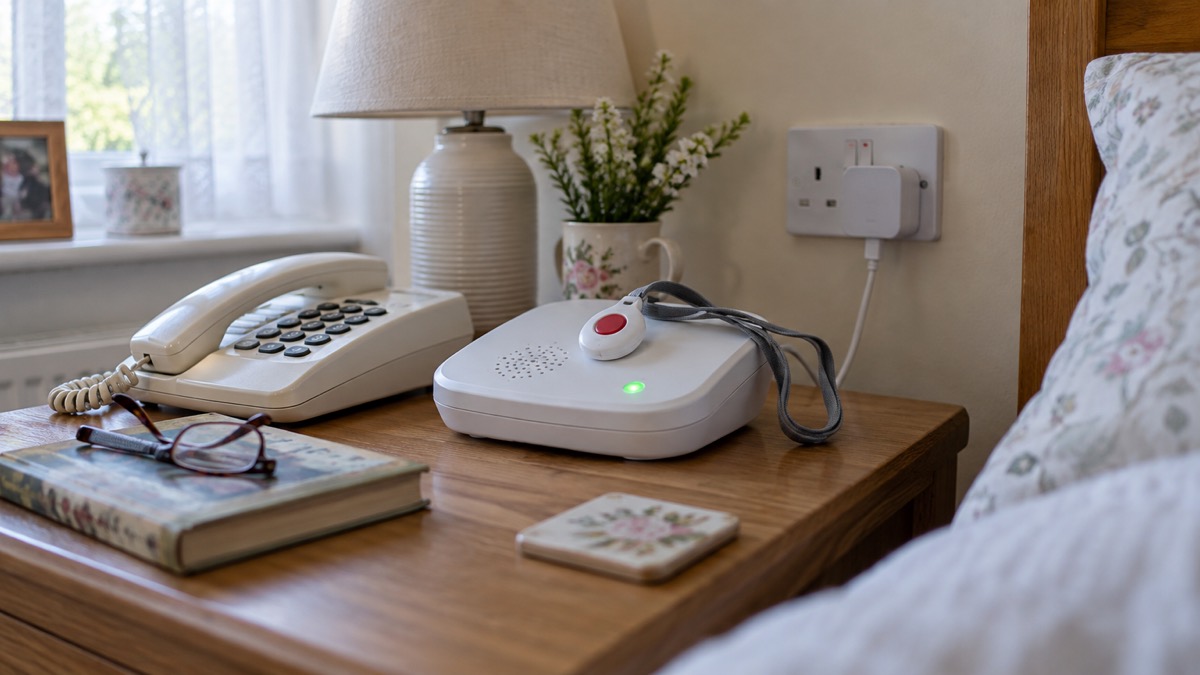
If you or someone in your household wears a pendant alarm, uses a fall monitor or has any telecare equipment connected to the phone line, the most important thing you can do is simple: tell your phone provider and your alarm provider before your line is switched to digital. Ofcom's advice is unambiguous on this point. Tell your landline provider and your device supplier before your landline is changed to digital if you, or someone in your household, has a telecare alarm, health pendant, personal alarm or any other device that uses your phone line1.
The reason is that an analogue alarm may simply stop working once the line goes digital. The UK's old copper phone network is being retired, with most providers moving customers over before January 20272, so this affects millions of households, not a handful. Government guidance on the migration asks telecare providers to check whether their equipment will keep working over digital services, and Citizens Advice advises anyone with a personal alarm to check it will work after the landline switch off3. A digital landline also needs electricity in your home, unlike an old copper line, which adds a power cut risk that old analogue equipment never had.
The good news is that the system is set up to protect you if you speak up in time. Telecare services are available 365 days a year, 24 hours a day, with a call centre that is always reachable when a sensor detects a problem5. This page explains what to do, when to test, how each type of alarm connects, what happens in a power cut, and where to get help.
First steps: tell your providers before the line changes
Start with two phone calls, and make them well before your switchover date. The first is to your landline or broadband provider, the company named on your bill, for example BT, Sky, Virgin Media O2, Vodafone or KCOM. The second is to your telecare or alarm provider, whether that is the council, a monitoring company or the supplier that sold you the pendant.
Your phone provider should contact you before the change to explain what you need to do9, but do not wait to be asked. Ofcom's guidance is to tell your landline provider and your device supplier before your landline is changed to digital if you, or someone in your household, has a telecare alarm, health pendant, personal alarm or any other device that uses your phone line1. When you call, the provider will give you additional support for the switchover and check whether your existing equipment is digital ready9.
Tell them the full picture of your circumstances, not just that an alarm exists. Official advice is to make your phone company aware of your circumstances and additional needs, and to let them know if you live in an area with poor mobile signal or frequent power cuts5. Both matter because many digital alarms fall back to the mobile network in a power cut, and a weak signal at your address changes what backup will actually work.
Numbered list of what to do:
- Contact your landline provider and say a telecare device is connected to the line. Ask them to flag it and confirm what support they will provide1.
- Contact your alarm provider and ask whether your equipment is compatible with digital lines and what their upgrade plan is. Most telecare alarm providers have upgrade plans2.
- Say if you need extra help, for example if you are elderly, disabled, have a health condition, have limited mobility, or need information in a different format1.
- Mention poor mobile signal or frequent power cuts at your address, as this affects which backup solution is right for you9.
- If buying a new alarm, check with the provider of that equipment that it is compatible with digital phone lines10.
There is a safety net behind this. Local authorities and telecare providers are being asked to disclose which phone lines have telecare devices on them through data sharing agreements with communications providers, so lines with alarms on them can be identified even if nobody calls10. And network providers have committed to additional checks that people who rely on telecare have not been switched and put at risk, and not to change people to digital unless a digital telecare solution is confirmed in place5. But do not rely on the safety net alone. The person who knows an alarm is on the line is you.
If you are not sure whether you are affected at all, speak to your provider to find out if you are affected by the switchover to digital landlines1. Our page on the digital landline switchover explains the change itself, and what to do before the switchover gives a full household checklist.
Test the alarm on switchover day
The day your line is switched is the day to find out whether your alarm still works, not the day you first need it. Arrange this in advance with your alarm provider: they can tell you how to run a test call and will expect you to do one.
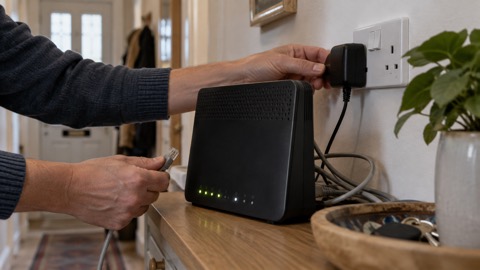
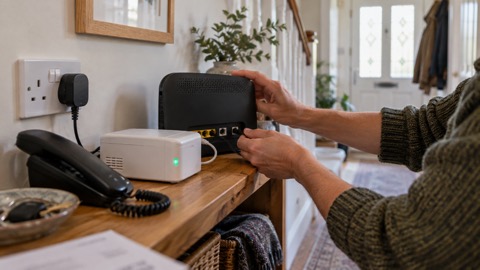
On the day of the switchover, your home phone will need to be plugged into a WiFi Hub. If you have not got one, the provider will send one, along with an adapter and instructions, or an engineer may visit5. The change may be as simple as plugging your phone into a broadband router rather than the phone socket on the wall2. Once that is done and the line is live, press your pendant or trigger a test in the way your provider has described, and confirm with the monitoring centre that the call came through.
Do the test more than once if anything is uncertain, and do it again after any change to your broadband setup. Citizens Advice advises checking your personal alarm will work after the landline switch off, not assuming it will4. A single successful test is reassuring, but the only real confirmation is a digital solution your alarm provider has signed off.
If the test fails, treat it as urgent. Contact your alarm provider the same day and your phone provider, and ask for the line to be checked or the alarm to be upgraded. An alarm that fails a test after the switchover is a fault to be put right, not something to live with.
Why an analogue alarm can fail on a digital line

To understand the risk, it helps to know what actually changes. The digital switchover is the process of upgrading home phone services across the UK, changing from older, less reliable copper wires to fibre ones9. Your landline will connect over the internet, and your telephone will be connected to a router rather than a wall socket11. Soon most phone calls will be made over a broadband line12.
An analogue telecare alarm is built to send its call for help as sound down a traditional phone line. A digital line carries that sound as internet data, and the conversion can distort it. If your alarm is analogue and your line is about to change, the question to ask your provider is not "will it work?" but "what are you doing to make it work?".
There is a second, separate danger: power. The migration of analogue to digital telephone lines means that telecare services will be at increased risk of power outages, because a digital landline needs electricity in your home to work, unlike an old copper line13. A telecare alarm can fail in a power cut if the alarm has no internal battery, if the battery runs out, or if the alarm is connected via a router that has no battery back-up. Ask your provider about all three when you call.
The Government expects analogue telecare devices to be phased out over the coming years as users move to fully digital devices14. In practice, that means an upgrade is coming for almost every analogue user, and arranging it early is calmer than arranging it after a failure.
Digital, mobile or hybrid: how each alarm connects
Telecare is usually made up of an alarm base unit and peripheral devices, such as a pendant you wear, that connect to the base unit through radio waves, and the base unit connects to an alarm receiving centre through a phone connection15. Having a telecare system in place ensures a 24/7 connection to an alarm receiving centre16. The question for the switchover is what that phone connection is.
There are three main types, and they behave very differently:
| Alarm type | How it connects | Effect of the landline switchover | Effect of a power cut |
|---|---|---|---|
| Analogue | Sends signals as sound over the copper landline | May not work properly; needs testing, and possibly an upgrade or reconfiguration3 | Depends on whether the alarm has an internal battery, and for how long |
| Digital (IP) | Connects over the internet through your broadband | Designed for digital lines; needs your router and broadband to be working3 | Depends on the alarm's battery and on router backup power6 |
| Digital (GSM/mobile) | Built in mobile connection using SIM cards | Unaffected by the landline switchover; depends on mobile network7 | Internal battery, around 40 hours on some models if fully charged7 |
The "GSM" label means the alarm carries its own mobile connection and does not depend on your landline or broadband at all. As an example of this type, one maker's Digital Personal Alarm uses a built-in mobile connection with two pre-fitted multi-network SIMs, so no landline is required, and the maker states it is not affected by the switchover7. Multi network SIMs matter because they can switch between mobile networks, which helps in areas where one operator's signal is weak.
A hybrid arrangement combines the two: the alarm uses the broadband line normally and falls back to its mobile SIM when the line or the power is down. If you are not sure which type you have, look at how the base unit is connected. If it plugs into the phone socket on the wall, it is almost certainly analogue. If it plugs into your router, or has a SIM and its own mobile signal, it is digital. Your provider can confirm, and asking them is part of the "tell your providers" step above.
One more thing to check on mobile connected alarms: the network generation. Our page on the 3G switch off covers which devices stop working and when.
Backup power: what keeps an alarm working when the electricity fails
Power cuts are where telecare planning really matters, because a digital line needs power in your home. Think about two separate batteries, because they are often confused.
The first is the battery inside the telecare alarm itself. Ask your provider two questions: does your alarm have an internal battery at all, and how many hours does it give? Some digital alarms state a long runtime: one maker states its Digital Personal Alarm continues to work during a power cut for approximately 40 hours, if fully charged7. Alarms that connect through your broadband need the router running as well as their own battery, so the alarm's battery alone is not the whole answer.
The second is the battery backing up your digital landline. Ofcom's rule is that providers must supply a free back-up battery unit that lasts for at least one hour in a power cut6. If your alarm connects through the router, this battery is what keeps the alarm's path to the monitoring centre alive. Our page on getting a free battery backup for a digital landline explains how to request one.
If your alarm falls back to a mobile SIM, it also depends on the mobile mast near you still working, and masts have their own backup arrangements. Our page on mobile networks in a power cut explains how long masts typically keep running and why signal can disappear in a long outage.
The practical conclusion: the shortest battery in the chain decides how long your alarm works. An alarm with a 40 hour battery connected through a router with a one hour backup fails after one hour unless it can fall back to its SIM. Check the combination, not just the alarm.
What a telecare system includes and what it can do
Telecare, previously known as community alarms, is a service that offers you support through the use of technology and a monitoring centre15. In plain terms, it is discreet equipment that can help tell someone if there is an emergency or if you are having difficulties in your home17. The best known example is the wearable personal alarm, which lets you press a button to call for help if you need it11.
A typical system has two parts. The base unit sits in your home, connected to the phone line or to a mobile network, and keeps a 24/7 connection to an alarm receiving centre16. The peripheral devices connect to it by radio waves: most commonly a pendant worn around the neck or wrist, but also sensors15. Beyond the pendant, telecare can include a wide range of equipment. Technology enabled care solutions could be telecare devices, sensors, or simply off the shelf household devices such as smart speakers, smart light bulbs and one cup hot water dispensers18. Independent Age gives examples including incontinence sensors that notify your carer if your bedding becomes damp11.
Who is it for? Telecare can be useful for anyone who may need support, including older people, disabled people and people who feel vulnerable19. In Scotland, the service is available to anyone of any age, 365 days a year, 24 hours a day15.
Bulleted list of what a system can include:
- A base unit connected to an alarm receiving centre, monitored 24 hours a day16
- A wearable pendant with a button to press for help11
- Fall monitors and sensors around the home9
- Smoke alarms linked to the system so the monitoring centre is alerted automatically20
- Incontinence sensors that notify a carer if bedding becomes damp11
- Everyday devices such as smart speakers and one cup hot water dispensers as part of a broader technology enabled care package18
One point that matters for fire safety: fire and rescue services advise making sure telecare systems are always linked to smoke alarms21. By linking fire alarms to telecare as standard, delays in calling the fire brigade are limited, reducing the likelihood of injury or death occurring as a result of a fire20. Devon and Somerset Fire and Rescue Service recommends monitored smoke detection for people who may not be able to respond to a smoke alarm, for example due to mobility issues, memory loss or learning disability, because it ensures early detection of fire and gets help more quickly when a smoke alarm activates22. If you or the person you care for has telecare fitted, check it is linked to the smoke alarms23.
How to get telecare through your local council
If you think telecare might help you, contact your local council and ask for a care needs assessment. This works out your needs so you can see what support, including telecare, might help11. You can find your council through the gov.uk find your local council service. If they provide telecare services, they will arrange a home assessment24.
The process differs slightly across the UK. In England, contact adult social care services at your local authority and ask if they provide telecare services24. In Scotland, you can contact your local authority or your local social care service to make a referral, and you can also get advice about telecare from your GP practice, physiotherapist, occupational therapist or nurse15. Telecare services in Scotland are provided by local authorities including health and social care partnerships, housing providers and private companies15.
On cost: if you get telecare services from the council, they will assess your finances to work out what you have to pay, and you may be able to include some telecare as a disability related expense11. Some local authorities in Scotland offer means testing15. Costs vary by area: one English county council states plainly that telecare is not free for its residents and that costs vary depending on the provider and the package you choose19. If you arrange telecare privately instead, most companies will usually charge an initial set-up fee, and a weekly or monthly monitoring fee11.
To find a private provider, your local council or the Telecare Services Association should be able to provide a list of companies in your area11. If you are considering a new telecare device, make sure that it will work with the digital phone system11.
In Scotland there is also an online tool that can help you think it through before you call anyone. The Telecare Self-Check Online Tool on NHS inform may suggest that you contact your local Telecare Service17.
Wider support for older and disabled people in emergencies

Telecare is one part of a wider picture of support for people who may need extra help in an emergency, and it is worth knowing what else exists before you need it.
Start with your phone provider. Tell your provider before your landline is changed to digital if you, or someone in your household, needs extra help, whether because you are elderly, disabled, have a health condition, have limited mobility, or need information in a different format1. Providers maintain support for vulnerable customers, and our page on extra help from phone and broadband providers sets out what you can ask for. The UK Government's guidance on the landline migration lists specific help for telecare users, including free engineering visits and battery back-ups for telecare devices and landlines where needed3.
Beyond the switchover, think about how you would cope in any emergency. The Government's preparedness advice for disabled people and carers covers what to have ready, and its core warning for telecare users is the one above: your devices might not work without electricity or internet8. Readiness Scotland gives the same advice north of the border: tell your phone and broadband provider if you use a telecare system or any device that relies on your phone line25. Our extra help in an emergency page brings together the support available for older, disabled and medically dependent households.
If you have communication needs, plan for those too. People with additional communication needs should continue to use established accessibility services where available to contact the emergency services, including Relay UK, Emergency SMS and 999 BSL. During a widespread communications outage these services may also be affected, in which case seek help directly from emergency responders or go to your nearest police station, fire station, ambulance station or hospital26. Our pages on emergencySMS and 999 BSL and Relay UK explain how to register for these before you need them.
Local emergency plans also take account of people like you. Guidance for emergency planners in England asks them to identify and support people who are vulnerable in an emergency, and notes that the Department for Work and Pensions provides assistance to access financial support through its network of Jobcentres, telephony and digital tools, and by co-locating in premises such as evacuation centres during emergencies13. In a major incident, councils open reception centres, typically opened approximately 2 hours after the event and remaining in operation for 48 hours or so27, and these are where practical help and information are concentrated.
Finally, if someone helps look after you, bring them into the plan. Formal carers, support workers and healthcare professionals are advised to communicate with the person's family or other supporting agencies to consider how telecare can help keep vulnerable people safer28. A neighbour or relative who knows you wear a pendant, knows your provider's number and knows to check on you in a power cut is as valuable as any piece of kit. Our page on keeping in touch with your household helps you write that arrangement down.
Sources (28)
- Future of landline calls, Ofcom, 2026-08-26
- Digital phone switchover, Argyll and Bute Council, 2026
- Moving landlines to digital technologies, UK Government, 2025-05-28
- Check your personal alarm will work after the landline switch off, Citizens Advice, 2026
- The digital switchover, Suffolk County Council, 2026-10-29
- Stay connected in severe weather, Ofcom, 2026-10-13
- Digital Personal Alarm, no landline required, Taking Care, 2026-10-29
- Advice for disabled persons and carers, UK Government, 2026-10-20
- Switchover to digital landlines, South Gloucestershire Council, 2026
- UK transition from analogue to digital landlines, UK Government, 2023-01-06
- Technology to keep you safe at home, Independent Age, 2026
- Digital switchover telecare guide, Suffolk County Council, 2025
- Identifying and supporting persons who are vulnerable in an emergency, UK Government, 2025-04-28
- Telecare National Action Plan: protecting telecare users through the digital phone switchover - GOV.UK, Department of Health and Social Care and Department for Science, Innovation and Technology (GOV.UK)
- Telecare, NHS inform Scotland, 2024-08-13
- Telecare home care systems, Scottish Fire and Rescue Service, 2025-04-03
- Telecare self-check online tool, NHS inform Scotland, 2023-08-23
- Telecare, help to live at home, Lincolnshire County Council, 2026-10-29
- Telecare, help to live at home, Staffordshire County Council, 2025-07-20
- Alarms: guidance for carers and support workers, London Fire Brigade, 2026-10-25
- Fire safety prevention advice, Fire Kills campaign, 2026-03-25
- Carers and equipment, Devon and Somerset Fire and Rescue Service, 2026
- Caring for smokers, London Fire Brigade, 2026-10-25
- Find a telecare provider, UK Government, 2025-05-13
- Disabled people and carers, Readiness Scotland, 2026-10-25
- Phone and broadband outages, UK Government, 2026-10-12
- Reception centres, Cornwall Council, 2026-10-29
- Ability to respond and escape, London Fire Brigade, 2026-10-25
 Free Alert Services
 Emergency Apps
 Digital Switchover Checklist
 When Phones and Internet Fail
 Official Warnings and News
 Emergency Radios
 Mobile Networks in Power Cuts
 Broadband Outages
 Router and Hub Power Cuts
 Wi-Fi Calling
 Satellite Messaging and SOS
 Satellite Messengers
 Calling 999 and 112
 Non-Emergency Numbers
 Getting Your Phone Ready