
CyberPower is a maker of backup power equipment: uninterruptible power supplies (UPS) that keep a router, computer or other small device running for a while when the mains fails, and surge protection built into the same units. For a UK household, the practical use is narrow and useful. A power cut takes out the broadband router, the computer and the phone charger at the same moment, and a battery backup keeps the things you need to stay informed and in touch alive for a while longer.
The two units described on the maker's own product pages are the BR700ELCD and the BR1200ELCD. Both are line-interactive UPS units with four outlets that are battery and surge protected, audible alarms for Battery Mode, Low Battery, Overload and UPS Fault, and a user-replaceable battery for qualified personnel only1. The BR1200ELCD is rated at 1200 VA and has eight Schuko outlets in total2; the BR700ELCD has a Schuko input connector and an LCD status display1.
What a unit cannot do matters as much as what it can. It is not a generator, it does not run the whole house, and the maker's run time figures are approximate and depend on the battery's age and charge1. Plan for a short bridge to get through the first part of a cut, not for days of independence.
What CyberPower makes for UK households
CyberPower's household range, as described on the maker's pages, is built around two jobs: keeping equipment running briefly when the mains drops, and shielding it from voltage spikes and surges. The BR700ELCD is described as offering home and office users a reliable battery backup, safeguarding office PCs, network communication equipment and other electronic devices1. The BR1200ELCD is a line-interactive UPS with a higher VA rating and more outlets2.
Both units carry CE and RoHS certification, and the BR1200ELCD is also listed as Energy Star Qualified1. Both use GreenPower UPS Bypass Technology and include overload protection by internal current limiting and a circuit breaker1. The BR700ELCD adds automatic voltage regulation (AVR) and a USB charging port, phone, fax, modem, DSL and network protection, PowerPanel management software, and surge and spike protection1.
In the box you get the UPS, a USB cable, a phone line, a user's manual and a quick start guide1. The BR1200ELCD also has dual power inputs and can be wall mounted2.
For the wider picture of what backup power can and cannot do in a UK home, see Backup Power at Home: A Household Guide.
Uninterruptible power supplies: keeping a router and computer running
A UPS sits between the wall socket and the equipment. While mains power is present it passes electricity through and keeps its battery topped up. When the supply fails, it switches to the battery and the connected equipment keeps running for as long as the battery holds.
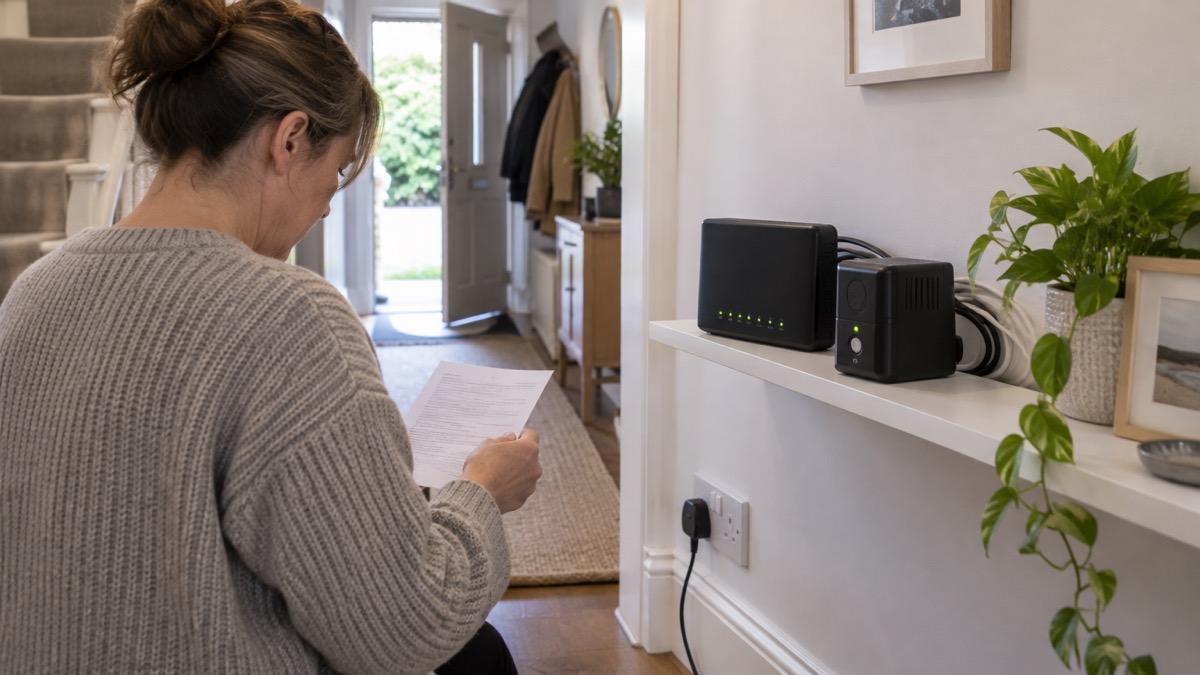
The BR700ELCD is the smaller of the two and is aimed at home and office users, safeguarding office PCs, network communication equipment and other electronic devices1. The BR1200ELCD is the larger, rated at 1200 VA with a rated input current of 5.51 A2. Both have four outlets that are battery and surge protected, so you choose which devices get the limited battery time and which merely get surge protection1.
The BR1200ELCD's LCD reports operation type, power status, battery status, load status, and fault and warning information2. That display is the main way to see how hard the unit is working and whether the battery is coping.
A UPS is not the only way to keep a router alive. Ofcom, the communications regulator, notes that a back-up must last for at least one hour in a power cut, and that some providers have back-ups that last up to seven hours3. If your broadband provider supplies a backup unit, that may cover the router without any purchase. For the household view of staying connected, see Staying Informed and in Touch in an Emergency: A Household Guide.
Surge protection for home electronics
A surge is a brief spike in voltage on the mains, and it can damage electronics. Warwickshire Fire and Rescue Service lists surge protectors among electrical fire safety measures, noting that they safeguard devices from voltage spikes or power surges4. Both CyberPower units build that protection in: their battery and surge protected outlets shield connected equipment, and the BR700ELCD also lists surge and spike protection as a feature1.
The distinction between outlet types matters. On both units, four outlets are battery and surge protected1. The BR1200ELCD has eight Schuko outlets in total, so the remaining outlets are not battery backed2. Put the router and any device you need during a cut on a protected outlet, and use the rest for equipment that only needs to be plugged in.
The BR700ELCD also offers phone, fax, modem, DSL and network protection, which covers the data line as well as the mains1. That is worth knowing if your broadband arrives over a phone line rather than cable or fibre.
Surge protection is not a substitute for safe wiring. The Health and Safety Executive is clear that you must ensure your electrical installation and equipment is safe, and that electrical installations must be installed by someone with the necessary training, skills and experience to carry out the work safely5. A plug-in unit does not change that.
Choosing a unit by the load it has to carry
The unit has to be big enough for everything plugged into its battery outlets, with headroom. The maker gives the headline ratings: the BR700ELCD is a line-interactive UPS1, and the BR1200ELCD is rated at 1200 VA with a rated input current of 5.51 A2. Both protect against overload with internal current limiting and a circuit breaker1.
| Feature | BR700ELCD | BR1200ELCD |
|---|---|---|
| Type | Line-interactive UPS1 | Line-interactive UPS2 |
| Battery and surge protected outlets | 41 | 42 |
| Total outlets | Not stated on the maker's page | Schuko x 82 |
| Rated output | Not stated on the maker's page | 1200 VA2 |
| Input connector | Schuko1 | Not stated on the maker's page |
| Display | LCD status display1 | LCD showing operation, power, battery, load, fault and warning2 |
| Battery type | Not stated on the maker's page | Sealed lead-acid2 |
| Wall mount | Not stated on the maker's page | Yes2 |
| Certification | CE, RoHS1 | CE, RoHS, Energy Star Qualified2 |
Work out what you want to keep running first, then match the unit to it. A router draws little; a desktop computer and monitor draw considerably more. The maker's own description of the BR700ELCD puts PCs and network equipment in scope1, so both are within its intended use, but the more you plug in, the shorter the run time and the closer you come to the overload limit.
If the load trips the protection, the Overload alarm sounds and the circuit breaker does its job1. Unplug something and reset before carrying on. For a fuller method of sizing backup power for a household, see Backup Power at Home: A Household Guide.
Run time: what decides how long a unit lasts in a power cut
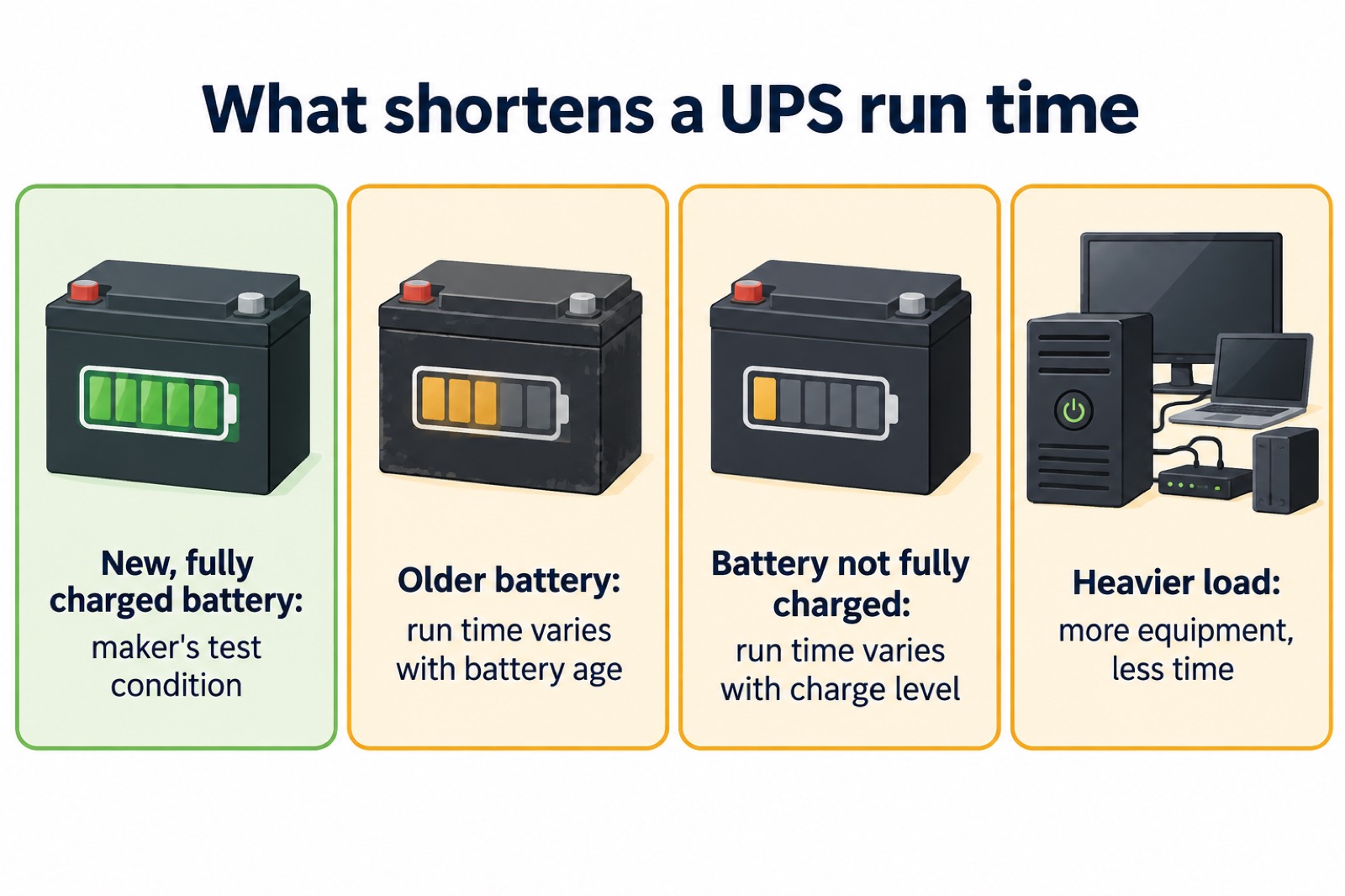
Run time is the number that decides whether a UPS is worth having, and it is the number the maker is most careful about. CyberPower states that run times are based on testing fully charged, new batteries at normal operating conditions, and that the figure is approximate and varies with battery age, the level of charge at the test, the environment and other variables1. Treat any run time as a best case for a new battery, not a promise for an old one.
Three things move the figure:
- The load. More equipment on the battery outlets means less time. The BR1200ELCD's load status display lets you see how much is being drawn2.
- Battery age and charge. A battery that has sat discharged, or is several years old, will not deliver what a new one does1.
- Temperature and conditions. The maker includes environment among the variables that affect run time1.
For context on what a reasonable expectation looks like, Ofcom's requirement for a provider-supplied back-up is at least one hour in a power cut, with some providers offering up to seven hours3. That is a regulatory baseline for telephone back-up, not a specification for these units, but it shows the order of magnitude a household should plan around.
The practical answer is to test your own setup. Note what is plugged in, run the unit on battery for a short while when nothing important depends on it, and see how the load and battery indicators behave. Then decide what to drop if a real cut comes.
Where to install a unit and how to use it safely
Placement is mostly about heat, cables and reach. The BR1200ELCD can be wall mounted2, which keeps it off the floor and out of the way of spills and feet. Both units have a plastic enclosure1, so they are light enough to move but should sit somewhere stable and ventilated.
The safety rules that apply are the ordinary electrical ones. The Health and Safety Executive advises that you must ensure your electrical installation and equipment is safe, and that work on installations should be done by someone with the necessary training, skills and experience5. Plugging in a UPS is a normal household task; wiring it into a circuit is not.
A few practical points:
- Keep the unit where you can see its display and hear its alarms1.
- Leave space around it for air, and keep it away from water and from anything that could fall on the cables.
- Do not exceed the outlets available; use the battery and surge protected ones deliberately1.
- If the unit reports a UPS Fault, stop relying on it and seek support1.
For the household side of electrical safety, including what to do about damaged equipment, see Home Emergencies: Fire, Carbon Monoxide, Gas Leaks and Burst Pipes.
Looking after the battery and storing the unit
The battery is the part that wears out. Both units use a user-replaceable battery, qualified personnel only1. The BR1200ELCD takes replacement battery pack RBP0063, supplied as two pieces, and uses a sealed lead-acid battery2. Sealed lead-acid is a mature, stable chemistry, but it still rewards care.
Fire and rescue services give consistent advice on battery storage that applies to any battery in the home. Keep batteries in a cool, dry place and away from metal objects like keys or coins6. Store single-use batteries in their original packaging and away from metal objects, because contact with metal can cause overheating and a fire7. Where a battery will not be used for an extended period, follow the manufacturer's instructions for proper storage and maintenance8.
For a UPS, that means keeping it in a dry, temperate spot, not in a shed that freezes or a loft that bakes, and checking it periodically. If you are storing the unit unused for a long stretch, the maker's manual that comes in the box is the place to check the routine1.
When a battery reaches the end of its life, dispose of it properly. Take it to a household waste recycling centre or a designated recycling point; many shops have collection points9. Do not put old batteries or electrical items in any of your household bins, including recycling bins10. If the battery cannot be removed, treat the whole item as electrical waste and take it to a household waste recycling centre or return it to a retailer when buying a replacement11.
What to do when a power cut starts
A UPS buys time, and the first minutes are when it earns its keep. The steps below are the household routine, with the unit's part in it.
- Check whether it is your home or the street. Look at neighbouring properties and check the unit's display: if it has switched to battery, the mains has gone1.
- Report the cut. Call 105 or use the Power Cut website to be directed to the operator for your area3. If you spot damaged or dangerous electrical equipment, report it, but call 999 in an emergency3.
- Protect the food. Keep fridge and freezer doors closed to protect the temperature12.
- Switch off appliances that could pose a hazard, such as straighteners and stoves, and leave a light on in one room so you know when power returns12.
- Keep warm and check on others. Keep blankets and thick jumpers available, and check on vulnerable neighbours12.
- Stay in touch. Keep a mobile phone charged and write down important phone numbers5. If you are anxious, tell a friend or neighbour12.
If the cut is localised, official advice is that you can stay with friends or relatives until your power is back on5. If you get advance notice, fill a flask with hot water and make up a hot water bottle5. Back up work and important files while you still have power5.
For the full household routine, see Power Cuts: A Household Guide. If your supply is cut off because of a faulty energy meter, contact your energy supplier rather than the network operator13.
Support, warranty and repairs
The first line of support is the documentation in the box: a user's manual and a quick start guide come with both units1. The BR700ELCD also includes PowerPanel management software, which lets a connected computer monitor and manage the unit1.
The maker's product pages are the reference for specifications, box contents and battery part numbers1. When you contact support, have the model name to hand, such as BR700ELCD or BR1200ELCD, along with what the display is showing: operation type, power status, battery status, load status, and fault and warning information on the BR1200ELCD2, or the LCD status display on the BR700ELCD1.
Register the unit with the manufacturer. Fire and rescue services advise registering electrical items with the manufacturer so you are informed of any safety recalls9. That is the mechanism by which a recall reaches you, and it costs nothing to do.
Keep the receipt and the box contents together. If a repair is needed, the model number and the fault indication are what a service desk will ask for first.
Safety notices and recalls
The safety record of any electrical item depends on how it is used as much as how it is made. The maker's own safety information is in the manual supplied with each unit1, and the alarms are there to tell you when something is wrong: Battery Mode, Low Battery, Overload and UPS Fault1.
Battery fires are a real hazard in the home, and fire and rescue services across the UK give the same core advice. Dispose of batteries and items containing batteries at household waste recycling centres or recycling points9. Do not put old batteries or electrical items in any of your household bins, including recycling bins10. If you notice warning signs of a failing battery, remove the battery and device from your home and store it outside and away from other items, preferably in a metal container14.
For the wider picture of battery safety at home, see Home Emergencies: Fire, Carbon Monoxide, Gas Leaks and Burst Pipes. For what to do if a cyber incident takes out services at the same time, see Cyber Attacks and Major IT Failures: A Household Guide.
Sources (14)
- BR700ELCD product page, CyberPower, 2026-10-29
- BR1200ELCD product page, CyberPower, 2026-10-29
- Future of landline calls, Ofcom, 2026-08-26
- Electrical fire safety, Warwickshire County Council, 2026-10-29
- Introduction to electricity, Health and Safety Executive, 2026
- Battery safety, West Yorkshire Fire and Rescue Service, 2026-10-29
- Battery safety, Manchester Fire and Rescue Service, 2026-10-29
- Lithium-ion batteries, Scottish Fire and Rescue Service, 2025-11-27
- Be battery aware, Manchester Fire and Rescue Service, 2026-10-29
- Electrical fire safety leaflet, Manchester Fire and Rescue Service, 2026
- Lithium battery fire safety, Tandridge District Council, 2026-10-29
- Power cuts, Wigan Council, 2026-10-29
- Help with a power cut, Ofgem, 2026
- Charging safety, Oxfordshire County Council, 2026