
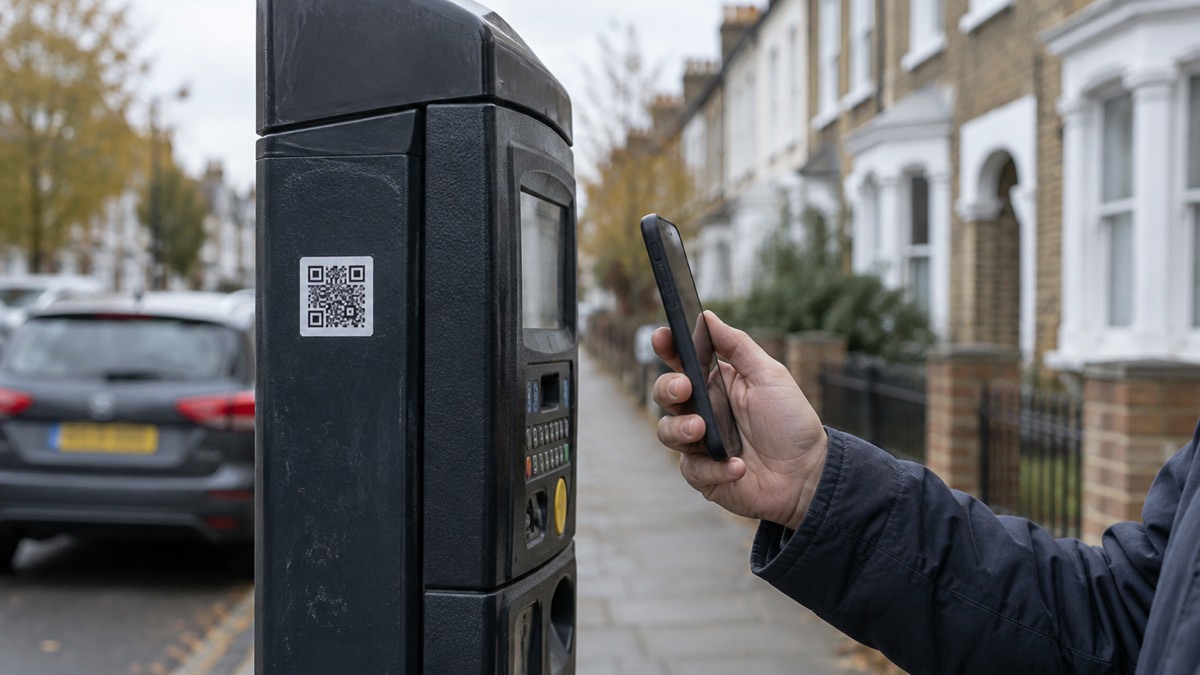
No. Do not scan a QR code that arrives in an email or letter you were not expecting. A QR code is just a link in picture form, and the National Cyber Security Centre warns that criminals are increasingly using QR codes within phishing emails to trick people into visiting scam websites1. The same caution applies to a code on a letter that asks you to "verify" an account, claim a refund or confirm bank details.
The safe habit is simple. If a message does not look right, never click on links or attachments, and treat a QR code as a link2. If you are unsure whether an email is genuine, forward it to report@phishing.gov.uk and then delete it3. Suspicious text messages go to 7726, which is free and reports the message to your mobile phone provider4.
If you have already scanned one, stay calm and work out what you did next. If you gave away bank details, contact your bank immediately, and if you use online banking you can cancel your card online5. If you entered a password, change it, and change it anywhere else you used the same one5.
Why a QR code in a letter or email is a risk
A QR code does one thing: it sends your phone to a web address. That is useful on a poster or a restaurant table, where you can see who published it. It is dangerous in a message, because the address is hidden until you have already opened it, and you cannot read it first the way you can read a web link.
The National Cyber Security Centre is explicit that criminals are increasingly using QR codes within phishing emails to trick users into visiting scam websites1. The purpose of a scam message is often to get you to click a link that takes you to a website criminals use to download viruses or steal passwords or personal information, sometimes known as phishing6. A QR code does the same job without the click.
Scam messages also arrive by text, and the pattern is the same. Cyber criminals have tricked UK citizens into downloading malicious software, known as malware, by sending scam "missed parcel" SMS messages with links to fake official delivery apps7. A code printed on a card pushed through the door, or on a letter that looks like it comes from a bank or a delivery firm, is the same trick on paper.
The reason it works is volume, not cleverness. Criminals send millions of emails in the hope that someone will pay8. They do not need to fool everyone, only enough people to make it worth their while.
How to check a message is genuine before you act
The first test is whether you were expecting it. A code in an email or letter that arrives out of the blue, asking you to confirm something, is the classic shape of a scam. The second test is what it asks for. Your bank or other official organisations will never ask you for personal information or banking details via email9. The police will never cold call or ask anyone to share bank details or move assets to aid investigations or for any other reason10.
If a message claims to come from a public service, check the claim against what that service says about itself. The Emergency Alerts service will never send you emails or ask you to provide personal details11. If you are unsure about an email you have received, forward it to report@phishing.gov.uk rather than acting on it3.
Use these checks before you scan anything:
- Were you expecting it? An unrequested code asking you to verify, claim or confirm is a warning sign1.
- Does it ask for details? A genuine bank or official organisation will not ask for personal or banking details by email9.
- Does it rush you? A message that threatens a closed account or a missed delivery is trying to stop you checking.
- Can you reach the organisation another way? Use the number on your card, your statement or the organisation's own app, never the contact details in the message12.
- Is it a text? Do not click links or attachments in scam text messages, as they cannot be trusted13.
"Criminals are increasingly using QR codes within phishing emails to trick users into visiting scam websites."
If you want to check a message that claims to be from your bank, our guide to how to check a message from your bank is genuine sets out the safe routes. For the wider picture on fake emails, texts and calls, see phishing.
If you have already scanned it: what to do next
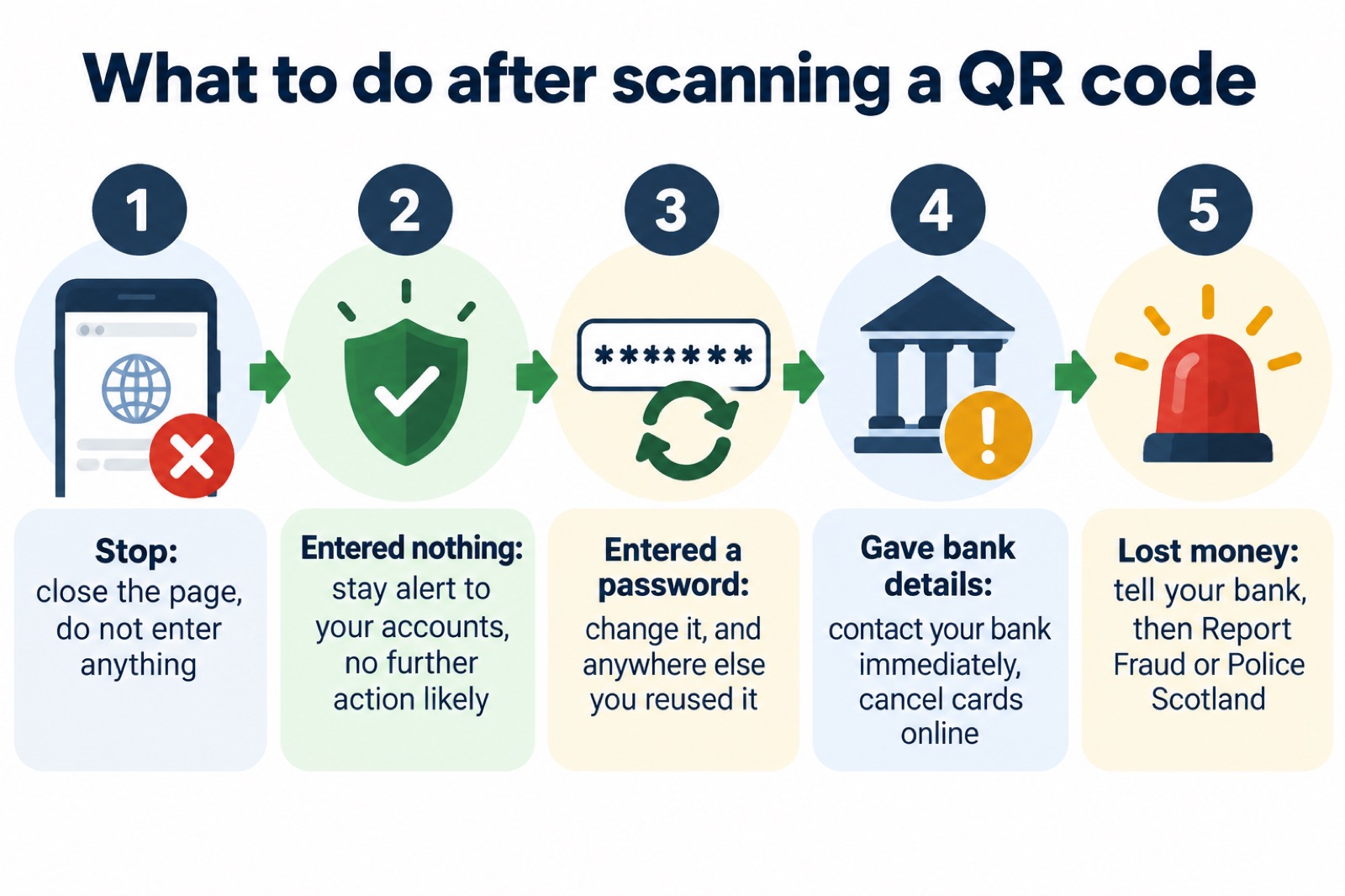
Work out what the page asked for, and what you actually did. The National Cyber Security Centre's advice is graded by what happened, and it is worth following in that order5.
| What happened | What to do |
|---|---|
| You opened the page but entered nothing, downloaded nothing and installed nothing | It is unlikely you need to take further action, but stay alert to emails and notifications on your accounts5 |
| You entered a password | Change it immediately, and change it anywhere else you used the same one5 |
| You shared banking details | Contact your bank immediately; if you use online banking you can cancel your card online5 |
| You think an account has been hacked | Follow the recovery steps for a hacked account5 |
| You lost money | Tell your bank straight away, then report it to Report Fraud, or Police Scotland in Scotland5 |
If you are worried about malware on a computer, the National Cyber Security Centre says that if you suspect an infection but are not sure, the easiest way to confirm an infection on a PC or laptop is to run an antivirus scan and see if it detects anything14. Our page on antivirus software explains what a scan can and cannot tell you.
If you entered a password, turn on two-step verification once you have changed it. It gives you a code to enter from an app or SMS, and means even if a criminal knows your password, they will not be able to access your accounts15. Your main email is the one to protect first, because criminals with access to your inbox can use it to reset passwords on other accounts16. The steps are set out in how to turn on 2-step verification.
If an account is locked or looks wrong
A scam page that collects a password is often the first step in taking an account over, and the signs can appear later. Check your email account for unwanted forwarding rules, which criminals set up to automatically receive copies of all emails sent to your account17. A forwarding rule can keep working quietly long after you have changed your password, so it is worth checking even if nothing else seems wrong. Our guide to email forwarding rules set by hackers walks through where to look.
If you cannot get into an account at all, treat it as hacked and use the service's own recovery process. Our page on what to do if an online account is hacked covers the order to do things in, and how to recover a hacked email account deals with the inbox specifically.
A message that quotes an old password is not proof that someone is watching you. The National Cyber Security Centre says not to worry if a message includes your password, as it is probably from an old breach of personal data, but you should change your account password immediately and anywhere else you use the same password18. If you want to know whether your details have appeared in a breach, see how to check if your email was in a breach.
Report it: 7726 for texts, report@phishing.gov.uk for emails
Reporting is quick and it helps the organisations that block these messages for everyone else. Forward suspicious emails to report@phishing.gov.uk, texts to 7726, and report scam websites3. Forwarding a text to 7726 is free and reports the message to your mobile phone provider4. The National Cyber Security Centre's advice for a suspicious email is to forward it to report@phishing.gov.uk and then delete it18.
The routes are the same across the UK, with one difference when money has gone. If you have lost money, tell your bank straight away and report it to Report Fraud, or in Scotland contact Police Scotland5. In the Scottish Borders you can also join SB Alert to receive free information relevant to the area where you live or work, straight to your inbox or phone20.
- Suspicious email: forward to report@phishing.gov.uk, then delete it3
- Suspicious text: forward to 7726, free4
- Suspicious website: report it through the same government service3
- Money lost: your bank first, then Report Fraud, or Police Scotland in Scotland5
For the full step-by-step on each route, see how to report a phishing email and how to report a scam text message. If money has already gone, lost money to a scam sets out who to contact and in what order.
Sources (20)
- Phishing scams: how to spot and report them, National Cyber Security Centre, 2022
- Report a scam email, National Cyber Security Centre
- Report a scam text message, National Cyber Security Centre
- Report suspicious emails, websites and phishing, GOV.UK
- Phishing: respond and recover, National Cyber Security Centre
- Hacked accounts, National Cyber Security Centre
- Recovering hacked accounts infographic, National Cyber Security Centre
- Citizen data breaches, National Cyber Security Centre
- Citizen shopping online, National Cyber Security Centre
- Spotlight on Wiltshire police courier fraud, Wiltshire and Swindon Prepared
- Using passwords infographic, National Cyber Security Centre
- Use 2SV to protect accounts infographic, National Cyber Security Centre
- Sole infected devices, National Cyber Security Centre
- Citizen sextortion, National Cyber Security Centre
- Sextortion scams infographic, National Cyber Security Centre
- Scam missed parcel SMS messages, National Cyber Security Centre
- Password managers, National Cyber Security Centre
- Emergency Alerts, GOV.UK
- Emergency planning, Scottish Borders Council
- Preparing for an emergency: be ready, stay safe, act now, Sussex Police
 Accounts to Protect With 2-Step
 After Fixing an Infected Device
 Home Online Security Checklist
 2-Step Verification No Phone
 Antivirus on Phones and Tablets
 Automatic Updates
 Gave Bank Details to a Scammer
 Checking a Bank Message
 Blocking Nuisance and Scam Calls
 Scams After a Data Breach
 Browser Saved Passwords
 Checking Your Email for Breaches
 Hacker Email Forwarding Rules
 Factory Reset an Infected Phone
 Recover a Hacked Email