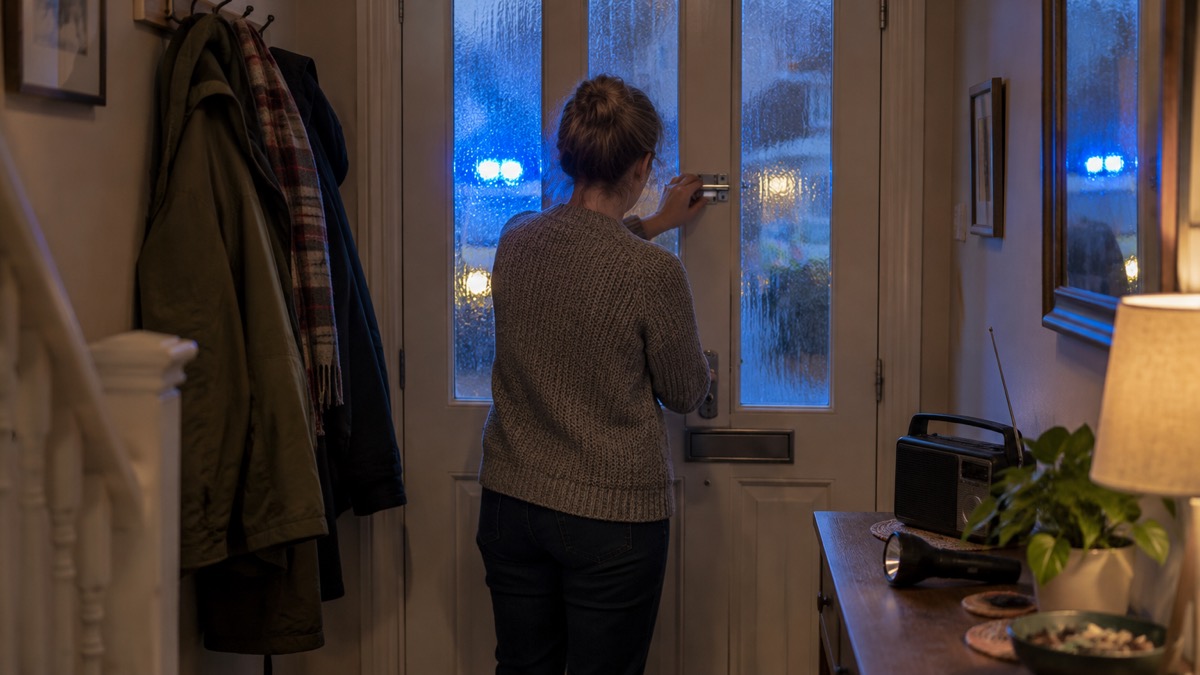
When an emergency happens at home or close by, the first minutes are about three things: making yourself and your household safe, calling for help if a life is at risk, and getting official information. If people are injured or there is a threat to life, call 999 or 112 straight away1. If the danger is outside your home, the standard advice across the UK is to go indoors, close doors and windows, stay there until you are told otherwise, and tune in to local radio, television or official sources online for updates2.
If a loud siren-like sound erupts from your mobile phone, it is almost certainly an Emergency Alert. You will hear the sound for up to 10 seconds and a message will appear on your screen for 20 seconds telling you about the emergency and what to do3. Stop what you are doing and follow the instructions in the alert4. You can check any alert is genuine at gov.uk/alerts5.
This page covers the first actions for any emergency: what to do when danger is outside, when and how to call 999, what the Emergency Alerts system does, and how warnings reach people without a mobile phone. For the wider picture on staying informed, see Staying Informed and in Touch in an Emergency.
Go in, stay in, tune in when the danger is outside
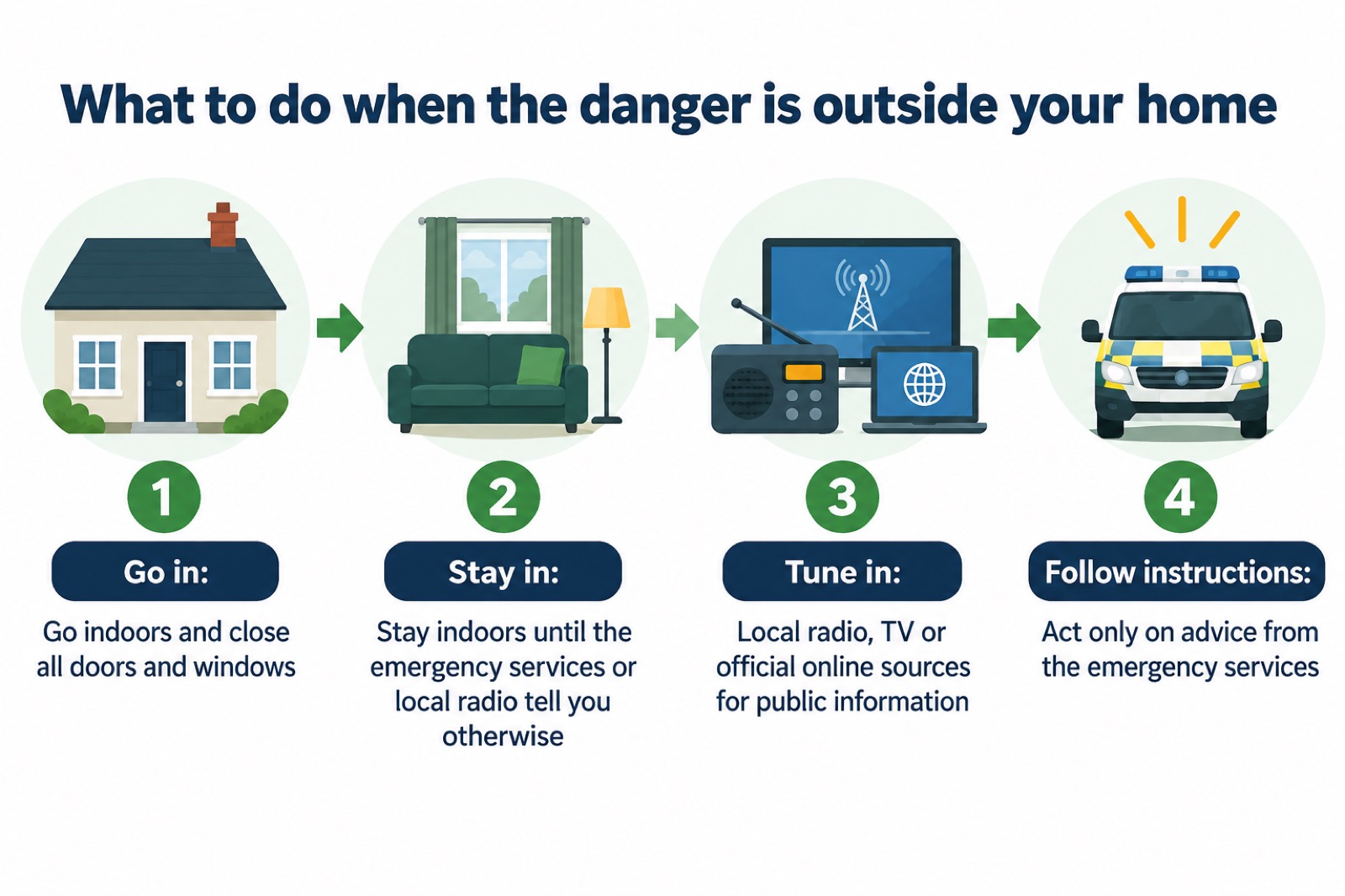
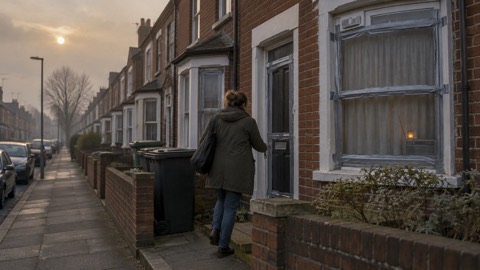
For most emergencies where the danger is outside your home, the advice from local resilience forums and councils across the UK is the same: GO IN, STAY IN AND TUNE IN2. Go indoors, close all doors and windows, and stay indoors until you know more, tuning in to local radio, television or the internet, where public information and advice from the emergency responders will be broadcast2. In a major emergency, if you are not involved in the incident but are close by or believe you may be in danger, the best advice is to go inside a safe building, stay inside until advised otherwise, and tune in to local radio or TV for information7.
The reason is simple. Going outside puts you in the danger zone, blocks the roads the emergency services need, and makes you harder to account for. Staying indoors, with doors and windows closed, puts a barrier between you and hazards such as smoke, gas or a chemical plume. Ready Scotland gives the same advice for a home emergency plan: if it is not safe to go outside, go indoors, close all windows and doors, stay indoors, and stay up to date using radio, TV or online information8.
Some incidents call for extra steps. The City of Edinburgh Council advises that if there is a release of gas, a toxic chemical or radiation, you should go indoors unless the emergency services ask you to leave, close all doors, windows and vents, put out all naked flames such as pilot lights, switch off gas supplies, put away or cover all fresh food, and use the phone only if you need to9. Stay indoors until you know more, and tune in to a local radio or TV station9. If you are told you are near a radiation emergency, go indoors as soon as you can, close the doors and windows, and stay as far away from external walls as possible10.
Stay in until you are told otherwise by the emergency services or local radio11. Do not leave to collect children from school or check on relatives unless you are advised to: schools have their own procedures for keeping pupils safe, and the emergency services will give instructions through radio, TV and official online sources2. If you are ever unsure whether to stay or go, the decision is covered in more detail in Staying Put or Leaving: How to Decide and Sheltering in Place: Staying Indoors When Danger Is Outside.
Call 999 or 112 when a life is at risk
If life is in danger, dial 999 immediately12. The same advice applies if people are injured or there is a threat to life: call 999 or 1121. Use 999 if you are unsure which number to use, and 112 if it is easier to remember or dial.
Call 999 when someone is seriously ill or injured and their life may be at risk, or when there is a fire, a crime in progress, or any situation needing an immediate response from the police, fire and rescue service or ambulance service. If lives are in danger or there is a risk of injury, contact the emergency services as soon as possible13. For flooding, Mid and West Wales Fire and Rescue Service is direct: if life is at risk, call 99914.
If there is a fire in your home, London Fire Brigade's easy-read advice is to act on the alarm at once: do not ignore it, follow your escape plan and go outside, and shout "Fire!"15. As soon as you are safely outside, use your mobile phone to dial 999, ask for the fire brigade and give the address. Do not go back inside15. If you are trapped by fire and cannot get out, call 999, tell the operator where you are, and close the door against the fire if you can16.
For non-life-threatening situations, do not use 999. Police forces and councils publish non-emergency numbers, and the NHS offers non-emergency health advice lines across the four nations. Keeping these numbers written down in your household emergency plan means you can find them when your phone or internet is down.
What to tell the 999 operator
When you get through, the operator will ask which service you need. Answer plainly and give the facts the responders need:
- Which service you need: the operator will ask which emergency service you require; in a medical emergency, ask for the ambulance service16
- What is happening: tell them what is on fire, for example "a two-storey house"16
- Where you are: your full address, or use the What3Words app to describe your location with only three words16
- Who is affected: whether anyone is still trapped in the building, and the room they are in16
Do not hang up until the operator tells you to. They may need more details, and they can give instructions on what to do while help is on the way. If you cannot speak safely, follow the operator's guidance, as emergency services have procedures for calls where the caller cannot talk. If you are driving, you can legally use a hand-held phone to call 999 or 112 in an emergency when it is unsafe or impractical to stop17.
What an Emergency Alert looks and sounds like
The Emergency Alerts service enables people to be contacted via their mobile phone or tablet if their lives are at risk in an emergency18. Alerts are sent to compatible 4G and 5G mobile phones within an area of risk, and they do not need your location or your phone number3. Only the government and the emergency services can send them3. The service is used to warn about life-threatening emergencies such as severe flooding, and alerts may also be sent during major fires, extreme weather, wildfires and other incidents that require immediate action19.
You will know an alert when it arrives. You will hear a loud, siren-like sound for up to 10 seconds, and your phone will use a distinct vibration3. A message will appear on your screen for 20 seconds, telling you about the emergency and what you need to do3. The sound plays even if your phone is set to silent20. After the alert is sent, the message is received on mobile phones within about 4 to 10 seconds21.
| What happens | Detail |
|---|---|
| Sound | A loud, siren-like sound for up to 10 seconds, even on silent3 |
| Vibration | A distinct vibration for around 10 seconds20 |
| Screen | A message appears for 20 seconds until you acknowledge it3 |
| Spoken message | Some phones will read the alert aloud if accessibility settings are enabled20 |
| Arrival time | Within about 4 to 10 seconds of being sent21 |
The likelihood of receiving an alert in any given year is low, and the most frequent use is expected to be for flooding22. Alerts are based on your current location, not where you live or work, and you do not need to turn on location services5. They do not track your location, need your phone number, or collect personal data21. Emergency Alerts will not replace local news, radio, television or social media5, so keep using those sources too.
Do what the alert tells you, and check it is genuine
When you get an alert, stop what you are doing and follow the instructions of the alert4. Read the alert carefully and follow the instructions provided19. The alert will give you clear instructions of what to do to stay safe3, and it will include a phone number or a link to the GOV.UK website for more information5.
You can check an alert is genuine at gov.uk/alerts5. If in doubt, go to gov.uk/alerts, or contact neighbours, friends or family in the nearby area to check whether they have received it too21. Because alerts are sent to all compatible mobile phones within an area of risk23, people around you should have had the same message.
Criminals may take advantage of emergencies by sharing scams or false information, so keep your devices and personal information secure8. A genuine Emergency Alert appears as a notification and includes a link to gov.uk/alerts3. Treat any text message asking for money, bank details or personal information in connection with an emergency as a scam, and stay alert for hoax callers posing as utility company workers24.
Phones that will not get an alert, and how to make sure yours does
Emergency alerts work on iPhones running iOS 14.5 or later, and Android phones and tablets running Android 11 or later6. They work on all 4G and 5G phone networks in the UK6. Mobile phones released before 2015 are likely to require some changes to the settings21.
You will not receive alerts if your device is turned off, connected to a 2G or 3G network, wifi only, or not compatible6. You may not receive alerts if your device is in airplane mode6. Your phone does not have to be connected to mobile data or wifi to get an alert6, so a lapsed data plan is not a barrier.
To make sure your phone can receive alerts:
- Install all the latest software updates on your device6
- Check your phone is on 4G or 5G, not 2G or 3G6
- Search your settings for "emergency alerts" and check the settings are on25
- Note that on some phones the settings may be named "wireless emergency alerts" or "emergency broadcasts", depending on the manufacturer and software version26
Android phones and tablets may get more than one reminder about the same emergency alert. You can turn these reminders off through the "emergency alerts" settings on the device6. Other phones that do not run iOS or Android may also receive alerts6.
If you are driving when an alert arrives
Do not read or respond to an emergency alert while driving or riding5. If you are driving when you get an alert, carry on driving and do not pick up the phone27. Continue until you can stop safely and legally before reading the message19. If there is nowhere safe or legal to stop close by and nobody else in the vehicle can read the alert, tune into live radio and wait for bulletins until you can find somewhere safe and legal to stop3.
The reason is the law. It is illegal to hold a mobile phone while driving or riding a motorcycle, and the law still applies if you are stopped at traffic lights, queuing in traffic or supervising a learner driver3. The police can stop you if they think you are not in control because you are distracted, and you can be prosecuted3. If you use your phone hands-free, you must have hands-free access such as voice command, a dashboard holder or mat, or a windscreen mount, and the device must not block your view of the road or the traffic3.
Other ways warnings reach you, including people without a mobile
If you do not have a compatible device, you will still be informed about an emergency. The emergency services have other ways of warning people5. Existing procedures will still be in place: those without a mobile will still be made aware through the news and local emergency services21. Denbighshire Council advises people who are less likely to have a mobile to identify someone who lives near them who can inform them of any Emergency Alerts being sent21.
That neighbour arrangement is worth setting up in advance, and it works both ways: agree with a neighbour, friend or relative nearby that you will tell each other if an alert arrives. Write the arrangement into your household emergency plan.
Beyond alerts, warnings and information reach households through:
- Local radio and television, where public information and advice from the emergency responders is broadcast2
- Official sources online, including gov.uk/alerts for current and past alerts5
- The emergency services in person, for example door-to-door warnings during flooding or evacuation21
- The news media, for people without a mobile phone18
For anyone with impaired hearing, the Northern Ireland Fire and Rescue Service notes that sensory alarms are available which include a vibrating pad and flashing light, and suggests contacting your GP to arrange an assessment28. For alerts specifically, if you have a vision or hearing impairment, audio and vibration attention signals will let you know you have an emergency alert if accessibility notifications have been enabled on your mobile phone or tablet5. Some phones will also read out the message and can override volume settings, and testing with users who have hearing aids demonstrated that the reserved tone is pronounced for those individuals in a unique way. For those with visual impairments, screen magnification will also help with reading an Emergency Alert21.
Where to go next
The first actions on this page work for any emergency. What you prepare in advance decides how well they go. A household emergency plan sets out who to contact, where to meet and how to shut off utilities, and the emergency kit page covers what to keep ready so that staying in is comfortable rather than frightening. If you are asked to leave your home, What to Do If You Are Asked to Evacuate takes over from here, and Returning Home After an Emergency covers what comes after.
Sources (28)
- Emergency planning, Belfast City Council, 2026
- Northumbria Local Resilience Forum, Northumberland County Council, 2026
- National Emergency Alert System: what is it?, Essex Prepared, 2026
- Get prepared for emergencies: alerts, UK Government Prepare campaign, 2026
- Emergency Alerts, GOV.UK, 2026
- How alerts work, GOV.UK, 2026
- Get help and advice in an emergency, Lincolnshire County Council, 2026
- Emergency plan, Ready Scotland, 2026
- Release of gas, toxic chemical or radiation, City of Edinburgh Council, 2026
- Hazardous substance exposure, Essex Prepared, 2026
- Emergency advice for residents, Warwickshire County Council, 2026
- Flooding during a flood: easy read, Nottinghamshire County Council, 2025
- Flooding emergencies, Derbyshire County Council, 2026
- Flooding advice, Mid and West Wales Fire and Rescue Service, 2026
- Digital easy-read fire safety booklet, London Fire Brigade, 2026
- If you are trapped by fire, Essex Prepared, 2026
- Emergency Alerts factsheet, Saltford Parish Council, 2023
- Emergency Alerts System factsheet, UK Government Prepare campaign, 2025
- Emergency Alerts service, Croydon Council, 2026
- A4 Easy Read English, UK Government, 2025
- Emergency Alerts, Denbighshire County Council, 2026
- National Emergency Alerts, Warwick District Council, 2026
- Emergency Alerts, Isle of Anglesey County Council, 2026
- Community Risk Register 2025, North Yorkshire Local Resilience Forum, 2025
- Opting out, GOV.UK, 2026
- Are You Ready booklet, Culham Parish Council, 2025
- Be informed about hazards, UK Government Prepare campaign, 2026
- Other safety, Northern Ireland Fire and Rescue Service, 2026
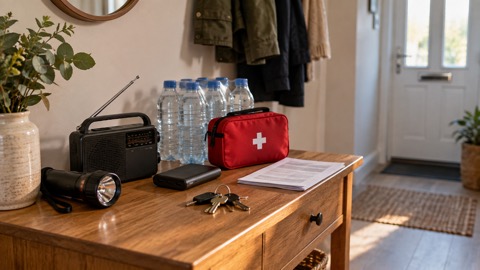 30-Day Household Checklist
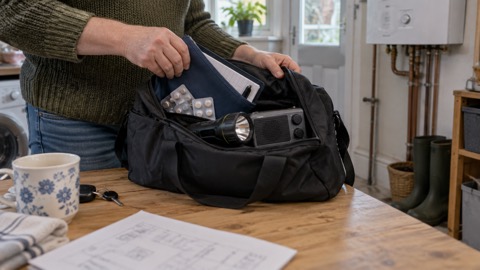 Emergency Plan Template
 Supply Interruption Checklist
 Household Emergency Plan
 Emergencies to Prepare For
 Community Risk Registers
 Sheltering in Place
 Staying Put or Leaving
 If You Are Asked to Evacuate
 Planning Your Evacuation
 Rest Centres
 Stopcock, Gas Valve and Fuse Box
 Returning Home
 Recovering After an Emergency
 Scotland Emergency Planning