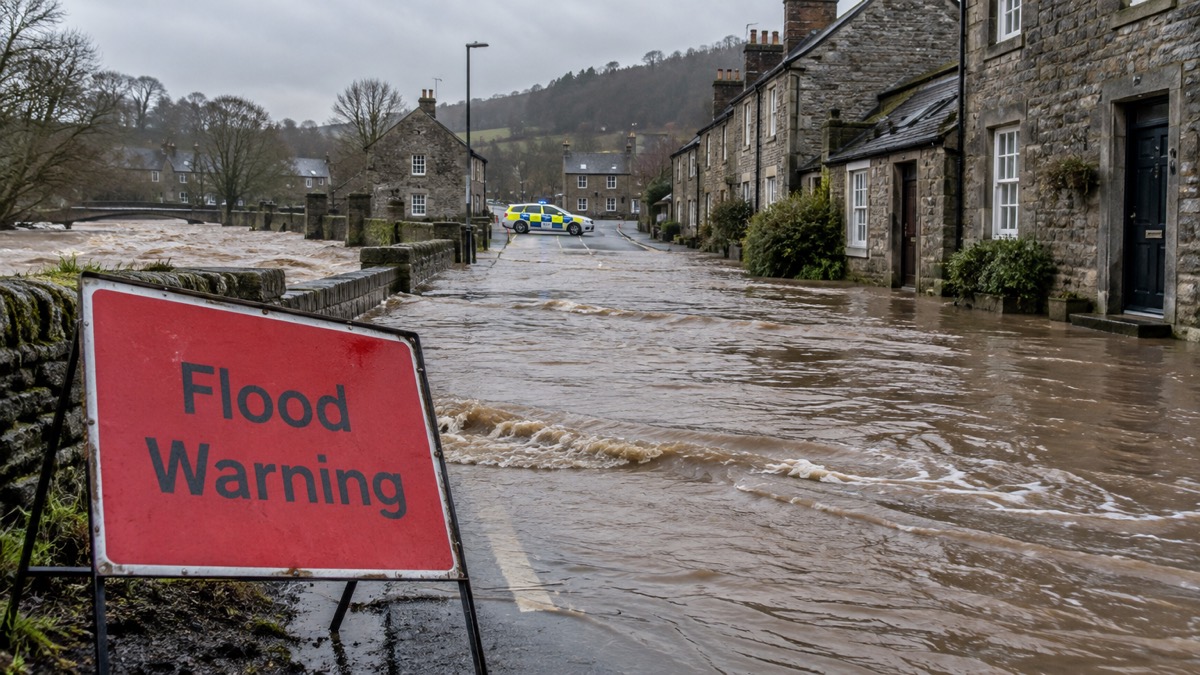
When something life-threatening is happening near you, the UK Government can send a message straight to your mobile phone or tablet. The Emergency Alerts service warns you if there is a danger to life nearby, and the alert will give you clear instructions on what to do to stay safe1. It is free, you do not need to sign up, and you do not need to turn on location services or share your phone number with anyone3.
The system is one part of a wider legal duty on the authorities. Under the Civil Contingencies Act 2004, emergency responders must warn and inform the public about emergencies, and Emergency Alerts is the loudest tool they have for doing it. Alongside it sit flood warnings from the Environment Agency, Met Office weather warnings and local radio broadcasts, which together form the warning system a household actually experiences. This page explains how Emergency Alerts works, what it covers, and what to do when one arrives, including if you are driving.
What Emergency Alerts are for
The Emergency Alerts system exists for one purpose: to warn you if there is a danger to life nearby7. The government is explicit about the limits of that purpose. Emergency alerts will only be used to warn you about an immediate threat to life8, and the service is used to issue urgent messages to mobile phones when there is a live or imminent risk to life and specific instructions on how to respond are required9.
That narrow purpose matters for two reasons. First, it means an alert is rare and serious. You should not expect one for routine disruption, minor weather or traffic news. When one arrives, it is because the sender believes lives are in danger in the area your phone is in, and the message will tell you what to do. The alert will give you clear instructions of what to do to stay safe10, and official advice is to read it carefully and follow the instructions provided5.
Second, it means the government strongly recommends keeping alerts switched on. The official factsheet is blunt about this:
The government's Emergency Alerts system is designed to warn you when lives are in danger, and it is strongly recommended that phones are kept switched on so that alerts can be received. When an alert arrives, a mobile phone will make a loud siren-like sound, even if it is set to silent, and it will vibrate and read out the alert11.
The system is now live and has been since its launch, so this is not a future service you can ignore. It works alongside the other ways responders warn the public, from flood sirens and loudhailer messages to local radio, and it is the only one that reaches every compatible phone in an affected area at once. For the wider picture of how households keep informed in an emergency, see Staying Informed and in Touch in an Emergency.
What situations can trigger an alert
The government gives three headline examples of situations that may lead to an alert: severe flooding, fires and extreme weather1. The full list of possible reasons is broader. You may get alerts about any type of life-threatening emergency, including wildfires, severe flooding and extreme storms2, and alerts may also be sent during other incidents that require immediate action, such as major fires5.
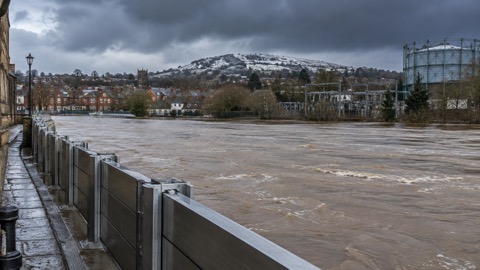
Flooding
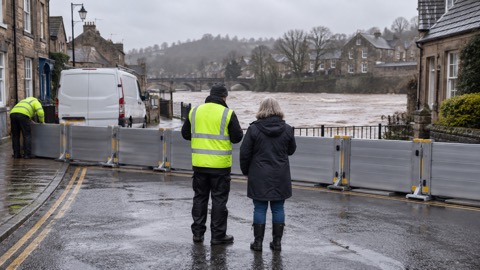
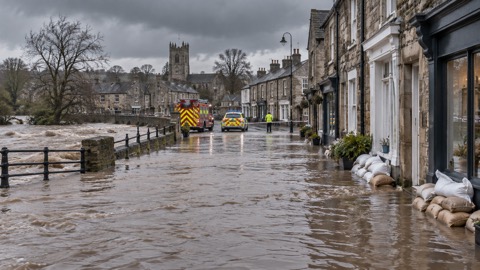
Severe flooding is the example given most often across official guidance1, and it sits on top of a separate, older warning system. In England, flood alerts, flood warnings and severe flood warnings are issued by the Environment Agency to show the level of flood risk in different areas13. A flood alert means flooding is possible: you should remain alert and vigilant and make early preparations for potential flooding15. Alerts can be triggered by forecasts indicating that flooding from rivers may be possible, forecast intense rainfall for rivers that respond very rapidly, or forecasts of high tides, surges or strong winds16. A flood alert is issued for all sources of flooding, including river, coastal and surface water flooding17.
In Scotland, the equivalent warnings are issued by SEPA rather than the Environment Agency17. You can find out if your home is at risk and sign up for flood warnings directly, and official advice is to do exactly that18. For what to do when a warning arrives, see Flooding: A Household Guide.
Fires and wildfires
Fire and rescue services can issue an alert if there is a risk to life, and the alert is based on your current location19. Wildfires are named specifically in the official list of alert reasons2, and fire services publish their own advice on protecting your home from wildfire, which is worth reading before summer if you live near moorland, heathland or grassland19.
Extreme weather
Extreme weather covers both storms and heat. Met Office warnings are designed to let people, businesses, emergency responders and governments know what weather is in store, and official advice is always to check your latest local forecast to find out if there are any weather warnings in force for your local area21. Community flood plans show how these warnings layer together: a level 1 trigger might be a flood alert, a Met Office Yellow weather warning or a community alert; level 2 adds a flood warning or an Amber warning; level 3 corresponds to a severe flood warning or a Red warning22.
For health risks from heat and cold, the Weather-Health Alert system sends advice and information to the public and to health and social care professionals, particularly those working with at-risk groups, after an alert is issued or updated23. See Storms, Snow and Ice and Heatwaves and Drought for what to do at each warning level.
| Warning | What it means | Who issues it |
|---|---|---|
| Flood alert | Flooding is possible; be alert and prepare early15 | Environment Agency in England13; SEPA in Scotland17 |
| Flood warning | Flooding is expected; act on your flood plan22 | Environment Agency in England13 |
| Severe flood warning | Danger to life; immediate action needed22 | Environment Agency in England13 |
| Met Office Yellow / Amber / Red | Increasing severity of weather expected22 | Met Office21 |
| Emergency Alert | Immediate threat to life nearby8 | Government and emergency services only5 |
Who can send an alert
Only the government and the emergency services can send Emergency Alerts3. In practice this means alerts are sent by the emergency services and by government departments, agencies and public bodies that deal with emergencies2. The UK Government's own guidance is more specific about which bodies these are: alerts can be sent by the UK Government, devolved governments and other public bodies such as the police or your local council1.
That last point matters for households in Scotland, Wales and Northern Ireland as much as England. The Scottish Government's readiness guidance confirms that alerts can be sent by the UK Government, the Scottish Government or other public bodies that deal with emergencies, for example the police or your local council24. So an alert may come from more senders than you might expect, but the list is closed: no company, charity, political body or individual can send one, which is one of the system's strongest protections against misuse.
Alongside Emergency Alerts, other bodies issue their own warnings through their own channels. The Environment Agency is responsible for issuing flood warnings to the public in England14, and flood alerts and warnings are broadcast on local media when the situation becomes a cause for concern for ground, property and life26. The practical rule for a household is simple: follow the advice in any official warning or emergency alert you receive27. To understand which organisations count as responders and what each is responsible for, see Category 1 and Category 2 Responders and What Your Council Does Before, During and After an Emergency.
How an alert reaches your phone
Emergency Alerts are sent using mobile phone networks to compatible mobile phones and tablets in a specific geographical area5. Every compatible phone or tablet in range of a mast in the affected area receives the alert, and alerts are only sent if your current location is impacted20. The system works on all 4G and 5G phone networks widely used by smartphones8.
The technical detail worth knowing is that the system uses cell broadcast. All towers in the area broadcast the alert, and the government does not need to know the specific location or personal data on your device8. Your phone does not have to be connected to mobile data or wifi to get an alert6, which means you can receive one even if you have no signal strength for browsing or no data allowance left.
To make sure your device can receive alerts:
- Make sure your device has all the latest software updates7
- Check that your phone is 4G or 5G compatible; mobile phones released before 2015 are likely to require some changes to the settings28
- If you have an older Android phone, look for the emergency alerts settings, sometimes named "emergency broadcasts" or "wireless emergency alerts", under Settings > Sounds > Advanced, Settings > Wireless & Networks > More > Cell Broadcasts, or your text message app's message settings29
The system is tested from time to time. When any alert arrives, whether a test or a real one, a compatible phone or tablet will make a loud siren-like sound, even if it is set to silent, and it will vibrate and read out the alert11. If a test arrives, you do not need to do anything except remember what a real one looks and feels like12.
No sign-up, no phone number, no location tracking
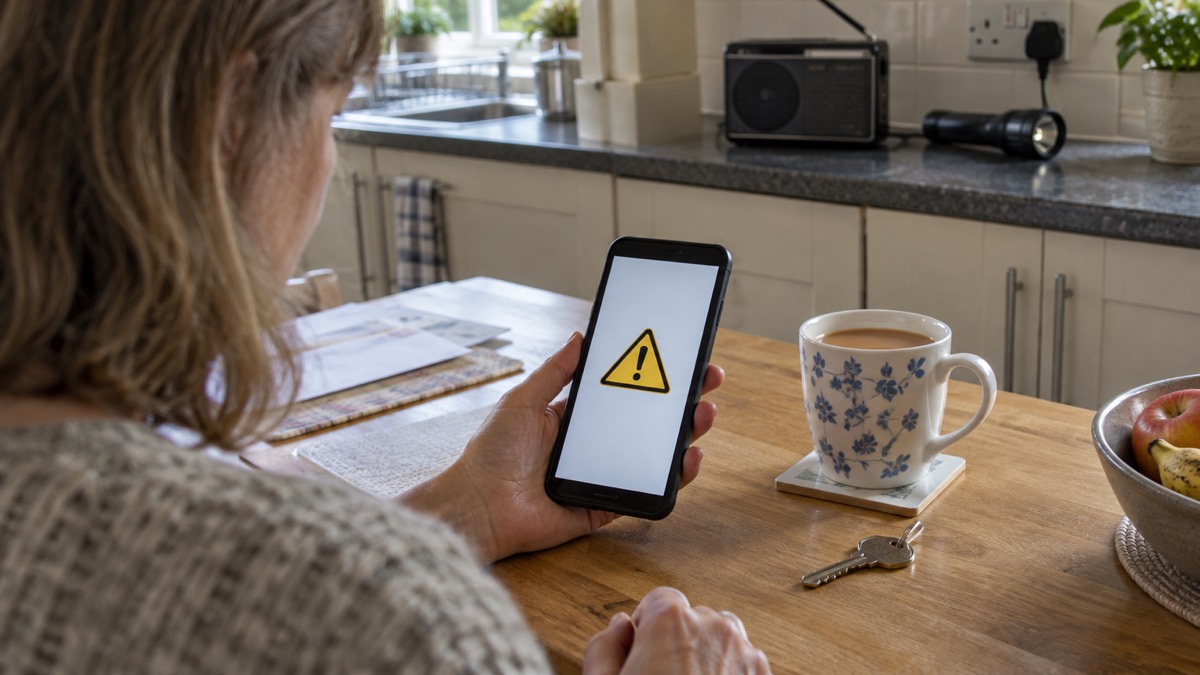
There is no need to sign up or pay for the Emergency Alerts service20. You do not need to register, download an app, or give anyone your number. The government does not need your phone number or any of your details to send you an alert7, and the organisations that send alerts do not need to know your phone number or location1.
The privacy position is stated consistently across official guidance: the system does not collect personal information or track your location, and no personal data is shared when an alert is sent5. Emergency Alerts require no personal information, such as your telephone number, identity or location12. Alerts are also one-way and do not provide any feedback to the government12, so receiving one tells the sender nothing about who you are or whether you read it.
One group should think carefully about this. If you need your phone to stay concealed, for example because of domestic abuse, it is possible to opt out of the system10. The government still recommends keeping alerts on, but the choice exists and instructions for opting out are published on the official alerts pages30. For wider advice on support available to households that need extra help, see Extra Help in an Emergency.
What your phone does when an alert arrives
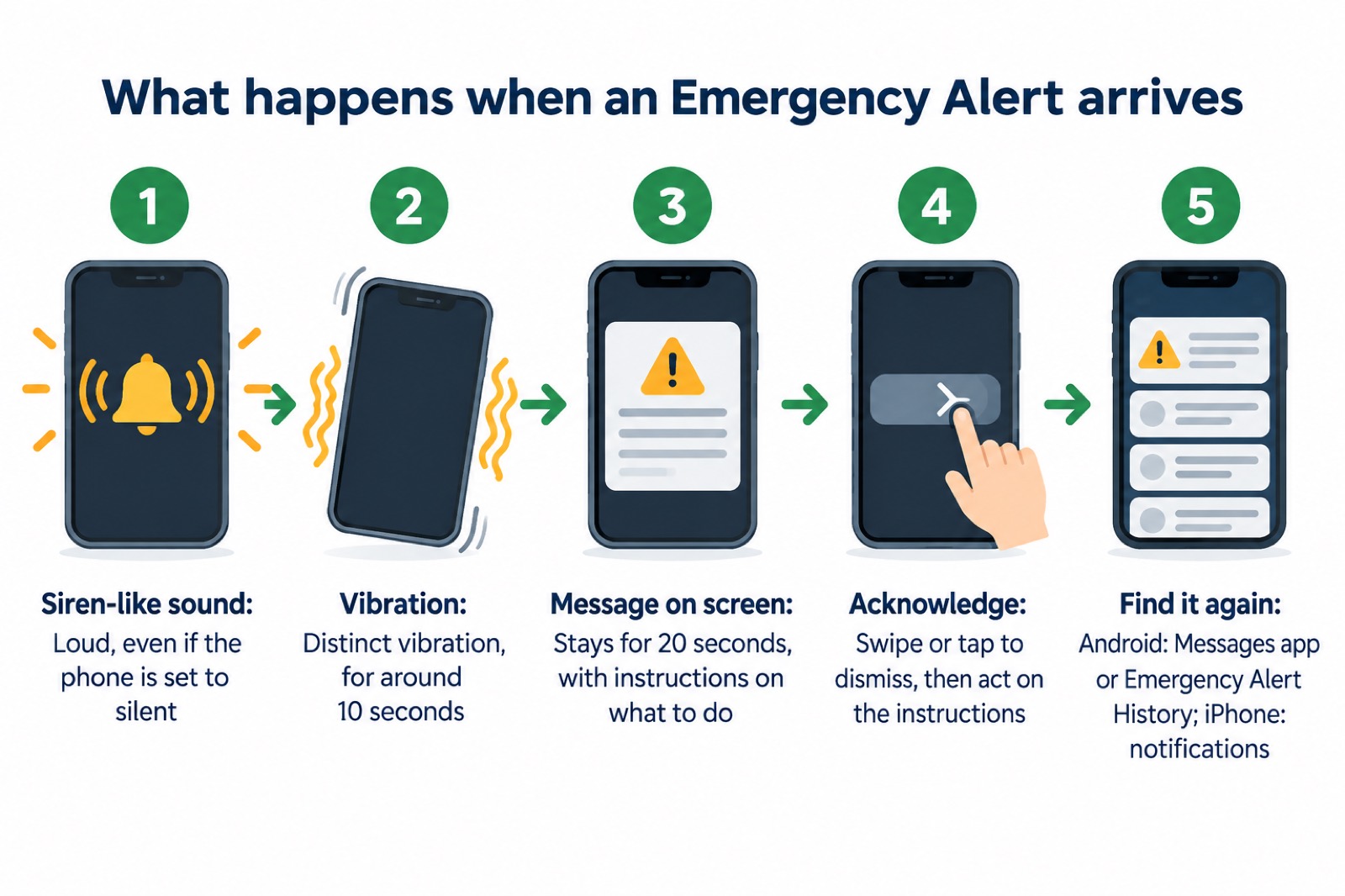
You will know you have an Emergency Alert because you will hear a loud, siren-like sound and your phone will use a distinct vibration12. The full behaviour, set out in official guidance, is that your mobile phone or tablet may make a loud siren-like sound even if it is set to silent, vibrate, and read out the alert2. The device may vibrate for around 10 seconds5, and the alert will appear on your device for 20 seconds10.
The message on screen tells you about the emergency and what you need to do12. After you acknowledge it, you can find it again: on Android phones the alert may be in the Messages app or in "Emergency Alert History", and on iPhone it will be in your notifications3. On iPhone, deleting your notifications deletes the alert, so read it before clearing them32.
Accessibility is built in rather than bolted on. Audio and vibration attention signals will let you know you have an emergency alert if accessibility notifications have been enabled on your mobile phone or tablet, which covers people who are deaf, hard of hearing, blind or partially sighted2. The alerts are designed to attract attention, so people with visual impairments are not excluded, and the unique noise emitted by the phone should also be audible for those who use a hearing aid12. Guidance for disabled people and carers confirms the same: alerts are sent to your phone or tablet, and audio and vibration attention signals will let you know you have one33.
Android phones and tablets may give you more than one reminder about the same emergency alert. You can turn these reminders off through the "emergency alerts" settings on the device7.
If an alert arrives while you are driving
The reason for the warning is not just the law on handheld phones. You may be entering or leaving the emergency location the alert is about, so stopping carelessly could put you in the danger zone the alert is trying to move you away from32. The instruction is consistent across every official source: carry on driving, do not pick up the phone, and deal with the message only once you have stopped somewhere safe and legal7.
If you are driving alone and there is nowhere safe and legal to stop close by, and nobody else in the vehicle can read the alert for you, official guidance gives a specific fallback: tune into live radio and wait for bulletins until you can find somewhere safe and legal to stop12. The UK Government's advice says the same: you can listen to news on live radio to find out about the emergency1. Local radio is also used to broadcast flood alerts and warnings when the situation becomes serious26, so it is a dependable second channel when your phone is out of reach.
Where you must not stop: on the hard shoulder of a motorway, on a bend, blocking a lane, or anywhere illegal. "Safe and legal" is the test the guidance uses, and both halves matter1. A passenger can read the alert aloud for you if one is in the vehicle12, but the driver's job is to keep driving until a proper stopping place appears.
If you do not have a mobile phone
Not everyone has a compatible phone, and the system has not forgotten them. People without a mobile phone will still be made aware through the media and local emergency services29. Councils in Wales and elsewhere advise people who are less likely to have a mobile to identify someone who lives near them who can inform them of any Emergency Alerts being sent28.
That is a practical step worth taking for older relatives and neighbours: agree now who will knock on the door or phone them if an alert goes out for your area. It costs nothing and it closes the one gap the technology leaves. For the broader task of keeping in touch when networks are strained, see Staying Informed and in Touch in an Emergency.
The wider duty to warn and inform
Emergency Alerts is the newest part of a duty that has existed since the Civil Contingencies Act 2004 placed a warning and informing obligation on local responders36. The duty shows up in your area in several ways beyond the phone: flood warnings issued by the Environment Agency14, Met Office weather warnings aimed at people, businesses, emergency responders and governments21, Weather-Health Alerts for heat and cold23, and community flood plans that set out trigger levels tied to those warnings22.
The National Risk Register describes the Emergency Alerts service as the mechanism used to issue urgent messages to mobile phones when there is a live or imminent risk to life and specific instructions on how to respond are required9, which places it at the sharp end of a warning chain that runs from forecasting to action. When such a message arrives, a phone will make a loud siren-like sound, even if it is set to silent, and it will vibrate and read out the alert11, so the instruction reaches people whether or not they are watching the news.
To see how the risks that trigger warnings are assessed, read The National Risk Register and Likelihood and Impact: How Emergency Risks Are Scored. To understand who coordinates the response once a warning is issued, see Local Resilience Forums and What It Means When a Major Incident Is Declared.
Sources (36)
- Emergency Alerts and warnings, Be Ready campaign, UK Government, 2026
- Emergency Alerts, GOV.UK, 2026
- How alerts work, GOV.UK, 2026
- Get prepared for emergencies: alerts, UK Government, 2026
- Emergency Alerts service, Croydon Council, 2026
- Emergency Alerts, easy read, UK Government, 2025
- Frequently asked questions about Emergency Alerts, UK Government, 2023
- Emergency Alerts System factsheet, UK Government, 2025
- National Risk Register 2025, Cabinet Office, 2025
- National emergency alert system: what is it?, Essex Prepared, 2026
- National Emergency and Safety Alerts | Age UK, Age UK
- Emergency Alerts System factsheet, UK Government, 2023
- Flooding in Derbyshire, Derbyshire County Council, 2026
- Early warning and weather forecasts, GOV.UK, 2024
- Flooding FAQs, SEPA, 2026
- Know your flood warnings, Wiltshire and Swindon Prepared, 2026
- About flood alerts and warnings, SEPA, 2026
- Storm Babet, Suffolk County Council, 2026
- Protecting your home from wildfires, North Yorkshire Fire and Rescue Service, 2026
- Wildfires: protecting your home and garden, London Fire Brigade, 2026
- Community resilience, Met Office, 2026
- Community Flood Plan Template, Merton Council, 2026
- Weather-Health Alert system user guide, GOV.UK, 2026
- Find and share information in an emergency, Scottish Government, 2026
- Flood health action card for the voluntary and community sector, GOV.UK, 2025
- City flooding: emergency information and preparedness, City of London Corporation, 2026
- Be prepared for emergencies, North Devon Council, 2026
- Emergency Alerts, Denbighshire County Council, 2026
- National Emergency Alerts factsheet, UK Government, 2023
- Opting out of Emergency Alerts, GOV.UK, 2026
- Emergency Alerts system testing, GOV.UK, 2026
- Emergency alerts, Surrey County Council, 2023
- Advice for disabled persons and carers, UK Government, 2026
- National Emergency Alerts Service, North Hertfordshire District Council, 2022
- National emergency alerts, Warwick District Council, 2026
- The Civil Contingencies Act 2004: What It Requires, SafePrepared, 2026
 30-Day Household Checklist
 Emergency Plan Template
 Supply Interruption Checklist
 National Risk Register
 How Emergency Risks Are Scored
 Civil Contingencies Act 2004
 What Counts as an Emergency
 Category 1 and 2 Responders
 Local Resilience Forums
 Strengthening Local Resilience
 What Your Council Does
 Central Government Response
 Gold, Silver and Bronze Command
 Major Incident Declared
 Emergency Powers