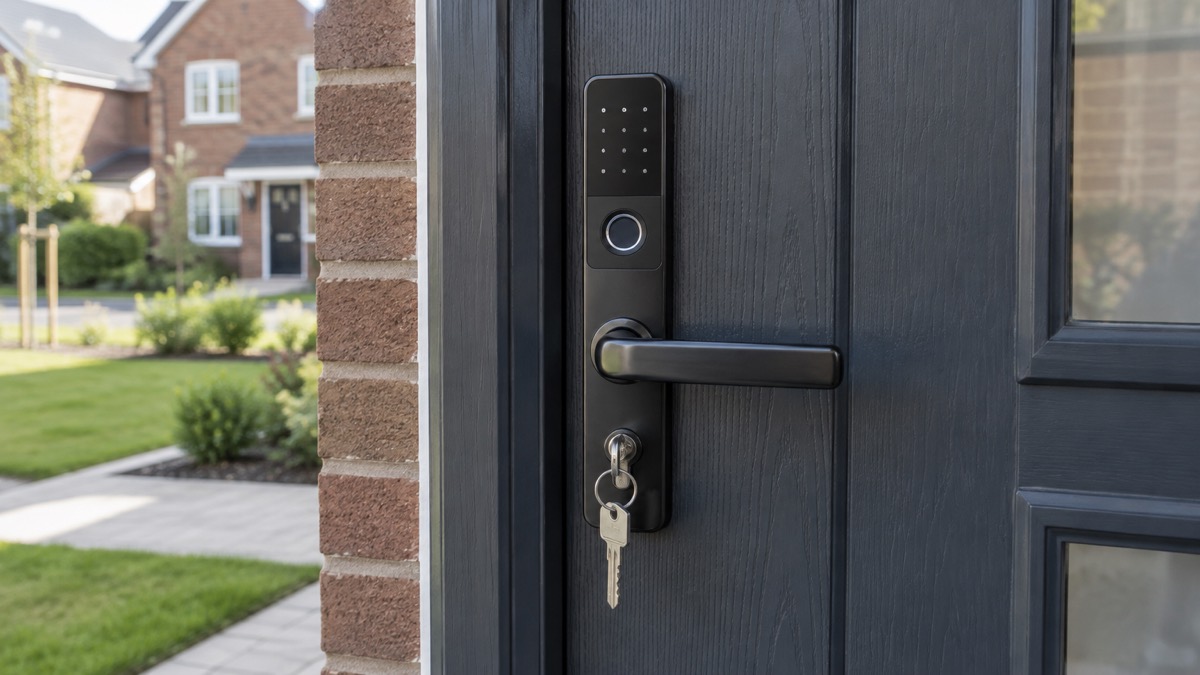
A smart lock replaces your door lock, or part of it, with a digital locking system, doing away with the need for a physical key1. Instead of turning a key, you secure your property with an entry code, a fingerprint, a fob, or an app on your phone2. Most run on their own batteries rather than mains power, so the reassuring headline is this: in a power cut the door stays locked and the motor still works, and you can get in with the keypad, a fob, a fingerprint scanner or your phone over Bluetooth2.
What a power cut does take away is anything that needs your home internet. Remote unlocking, access logs and voice control may stop working while your Wi-Fi is down2. And the bigger risk to plan for is not the power cut but the battery: smart lock batteries last from six months to a couple of years and eventually need replacing or recharging2. This page sets out what keeps working and what stops, how to keep a way in that depends on neither power nor signal, and what to check before you rely on a smart lock in an emergency.
What happens to a smart lock in a power cut
The first thing to understand is where a smart lock gets its power. Unlike a burglar alarm panel or a video doorbell that may be wired into the mains, a typical smart lock runs on batteries inside the unit. Which? explains the practical effect plainly: "if there's a power cut, the door will stay locked and the motor will still work"2. That means the part of the lock that physically turns the bolt keeps doing its job, and you can still operate it from the doorstep with the keypad, a fob, a fingerprint scanner, or your phone when it is close enough to connect over Bluetooth2.
What changes is everything that depends on your router. If your Wi-Fi has no power, remote unlocking, access logs and voice control may not work2. So if you are away from home and hoped to let a neighbour in from your phone, that may not be possible until your broadband is back. The lock itself is not the weak point; the link between the lock and the internet is.
It also helps to know what kind of power cut you are dealing with. Most are local faults, and your local electricity network operator's engineers work around the clock to restore power as quickly as is safely possible4. During a power cut you may notice the electricity going off and coming back on several times for short periods while engineers re-route power around a fault, a process called switching5. In a severe, planned shortage the electricity system in Great Britain can be sectioned into blocks that are temporarily switched on and off until the shortage is resolved, with each meter assigned a block letter6. None of this changes how your lock behaves, but it explains why the power may flicker, and why a lock that rides through a short outage is worth having.
If you experience a power cut, you can contact your local Distribution Network Operator or visit Power Cut 105 for information, advice and restoration updates7. Our page on keeping your home protected in a power cut covers the wider household steps, such as checking whether neighbours are safe and whether they have power too, which can tell you whether your trip switch has activated8.
When the lock's battery dies you could be stuck
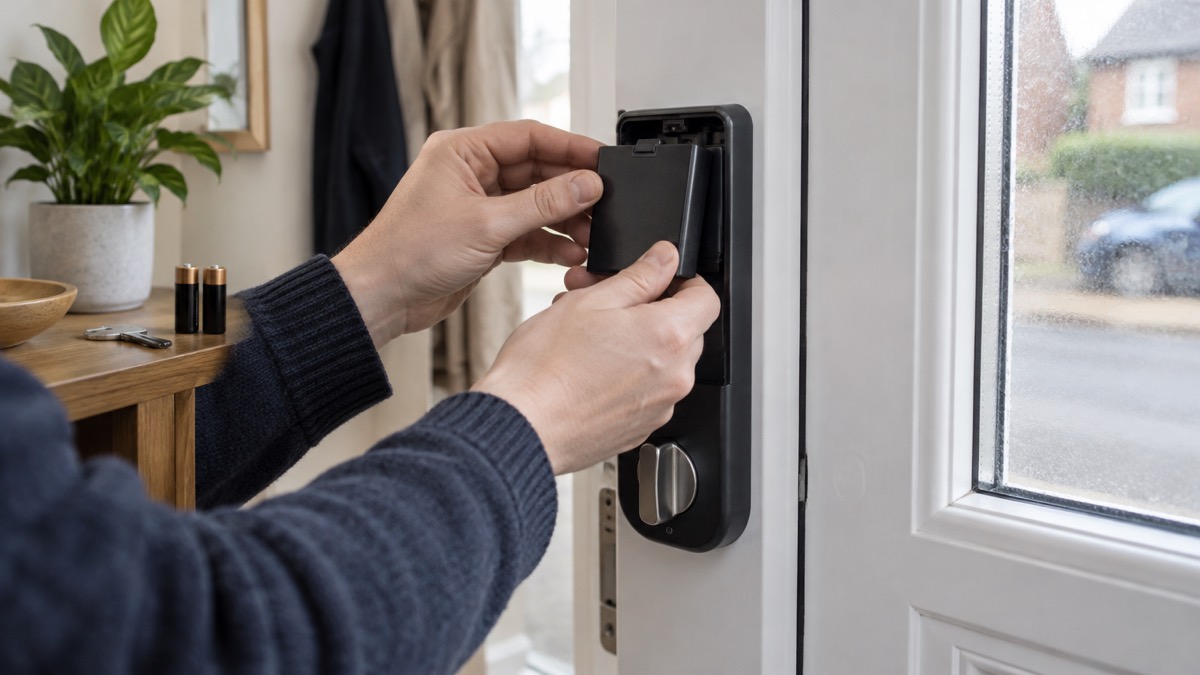
The battery, not the power cut, is the failure to take seriously. Which? warns that smart lock batteries "can last from six months to a couple of years, but eventually the battery will need replacing or recharging"2. If you let that run to the end, you could find yourself at your own front door with a lock that will not respond.
The good news is that locks warn you first. Nuki states that "you'll always receive a warning when the battery level of your Smart Lock drops below 20 per cent"3. SwitchBot's advice for its Lock Pro is to "remember to replace batteries upon low battery notifications"9. Treat those notifications as a job for that day, not for someday. The Nuki Smart Lock Go takes 4 AA batteries, included in the box, and you can expand the set-up with the Nuki Power Pack, a rechargeable battery you can charge either directly in the lock or while disassembled3. Some models ship with spares: the SwitchBot Lock Ultra comes with two spare CR123A batteries in the box10.
Two further points are worth knowing. First, rechargeable cells left flat for a long time can be permanently damaged: the Caravan and Motorhome Club advises that a battery left discharged for a week or so is likely to have become sulphated, a permanent change that may render it totally useless11. If your lock uses a rechargeable pack, keep it topped up rather than running it to empty. Second, store and dispose of spare batteries safely, especially button batteries. NHS guidance warns that if a button battery gets stuck in the throat or gullet, energy from the battery can react with saliva to make the body create caustic soda, which can burn a hole through the throat and lead to serious internal bleeding and death12. RoSPA adds that used batteries can still be dangerous: even when a device stops working, the battery may hold enough charge to cause significant injury if swallowed13. Keep spares out of reach of children and recycle dead cells rather than leaving them loose.
Wi-Fi or Bluetooth down: which features stop working
Smart locks connect in different ways, and the connection decides what you lose when something fails. Some smart locks rely on a wireless connection to run, whether that is Bluetooth, Wi-Fi or other networks such as Zigbee1. Which? draws the basic distinction: Bluetooth-enabled locks connect when in proximity to your device, which often means fewer features and no remote control2. A Bluetooth lock works from the doorstep even with no internet in the house; it just cannot be operated from the other side of town.
Wi-Fi is what adds distance. With a Wi-Fi connection you can lock and unlock remotely, review access logs and use voice control, but all of that depends on your router having power and your broadband working2. Some devices also care about which Wi-Fi band they use: some battery-powered doorbells only work on the 2.4GHz band, while dual-band offers greater flexibility14, and the same consideration applies when you check a smart lock's specifications before buying.
The Nuki Smart Lock Go shows how makers handle this in practice. Nuki states that without its Remote Access feature, all features and functions of the lock are only available while in Bluetooth range, and that Matter compatibility allows smart home integration without Remote Access3. The Smart Lock Pro (5th Gen) ships with Remote Access included3. So when you compare models, check what the connection gives you and what happens without it: a lock that falls back to Bluetooth-only is still usable at the door, which is the part that matters most in an emergency.
One security habit is worth adopting whatever your lock uses. Police advice on connected devices is to consider disabling Wi-Fi and Bluetooth connections when not in use and to disable location services where possible15. That is aimed at phones and gadgets generally, but it is a reminder that radios left on are radios that can be probed. Our page on alarms and cameras on a weak mobile signal or slow broadband goes further into what a poor connection does to connected security kit.
Keeping a way in that does not depend on power or signal
Whatever lock you choose, keep at least one way into your home that needs no battery, no app and no network. This is the single most important emergency precaution for a smart lock household.
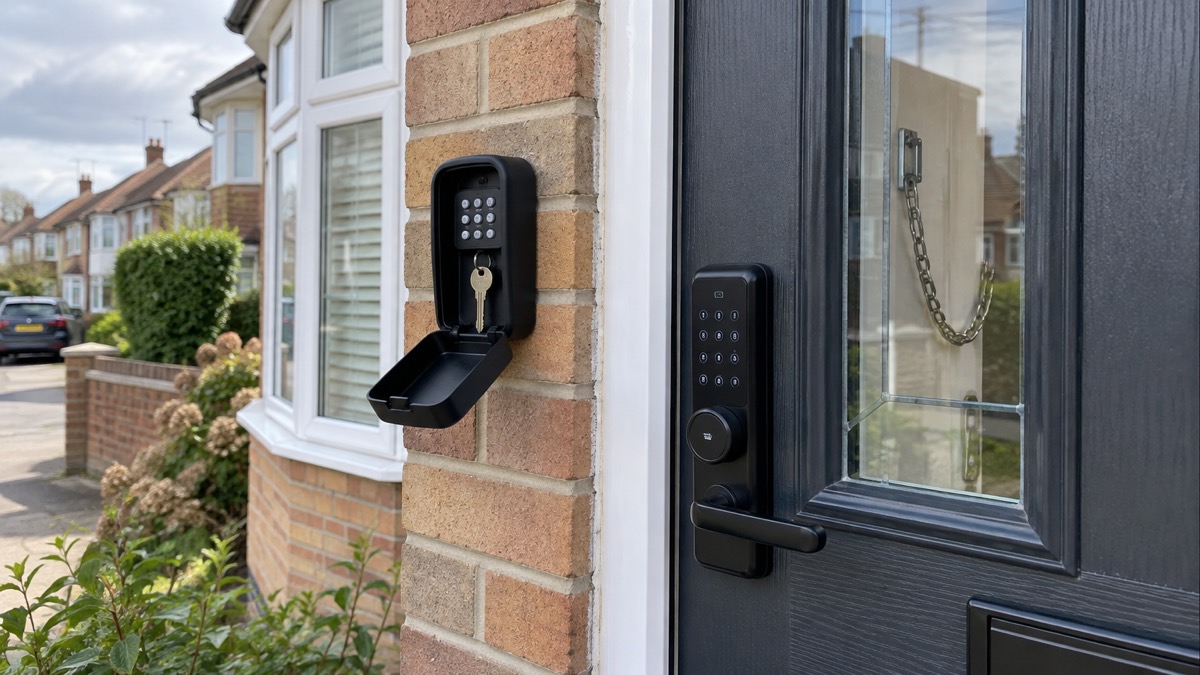
The simplest version is a physical key. Some smart locks keep one: the Ultion Nuki Smart Lock 2025 comes with a regular key, and because it replaces your current cylinder, the underlying lock remains secure even if the smart motor is removed2. That design means the mechanical lock is doing the security work, and the electronics are a convenience on top of it. If your lock retains a key, keep a spare somewhere sensible, and see our guidance on keys: spares, hiding places and lost sets.
A second option is a key safe outside the door, which lets a household member, carer or responder in without any electronics on the door itself. Our pages on key safes: letting carers and responders in and where to fit a key safe for emergency access cover choosing and placing one.
There is also a security angle that makes keyless entry attractive in the first place. Sussex Police note that a fob or code entry system means "there's no fumbling to get keys in a lock while on the doorstep"16, which reduces the time you spend exposed at your own door. And for short-let properties, the lack of a physical key avoids the risk of keys being stolen and copied1. But convenience and resilience point in opposite directions: the more you rely on the electronic path, the more you need a mechanical backup. If you ever find yourself locked out because the electronics have failed, our page on what to do when locked out of your home covers choosing a locksmith.
PIN codes for shared homes and rented properties
For households where different people need access at different times, a PIN code lock is often the practical choice. Verisure notes that rental property owners often opt for PIN code-operated smart locks, because they can change the access code any time a new guest checks in without having to change the whole door lock1. The same logic applies to a shared house, a home with regular cleaners or carers, or a family where a teenager keeps losing keys.
The rules for using codes safely follow the same lines as any connected device. Which? advises using a long, unique password for the lock and keeping its software updated2, so change any code or password that came with the device and never reuse one you use elsewhere. Avoid codes tied to your address or birthday, and change shared codes when someone's access should end.
Renters should take one step before anything else: if you are a renter and want to install a smart lock, check with your landlord or property manager first, because installing one could be considered a modification of the property1. Makers are aware of this, and some designs answer it directly. Nuki says its Smart Lock Go is installed on the inside of your door without needing any technical know-how, drilling or special tools, and can be installed and removed without leaving any residue or marks, which the maker calls ideal for rented apartments3. Verisure adds that smart locks are suitable for any property type, from flats and terraced homes to semi- and fully-detached houses1. Our page on smart locks in rented and shared homes covers the practicalities in more detail.
Fingerprint, face and voice models
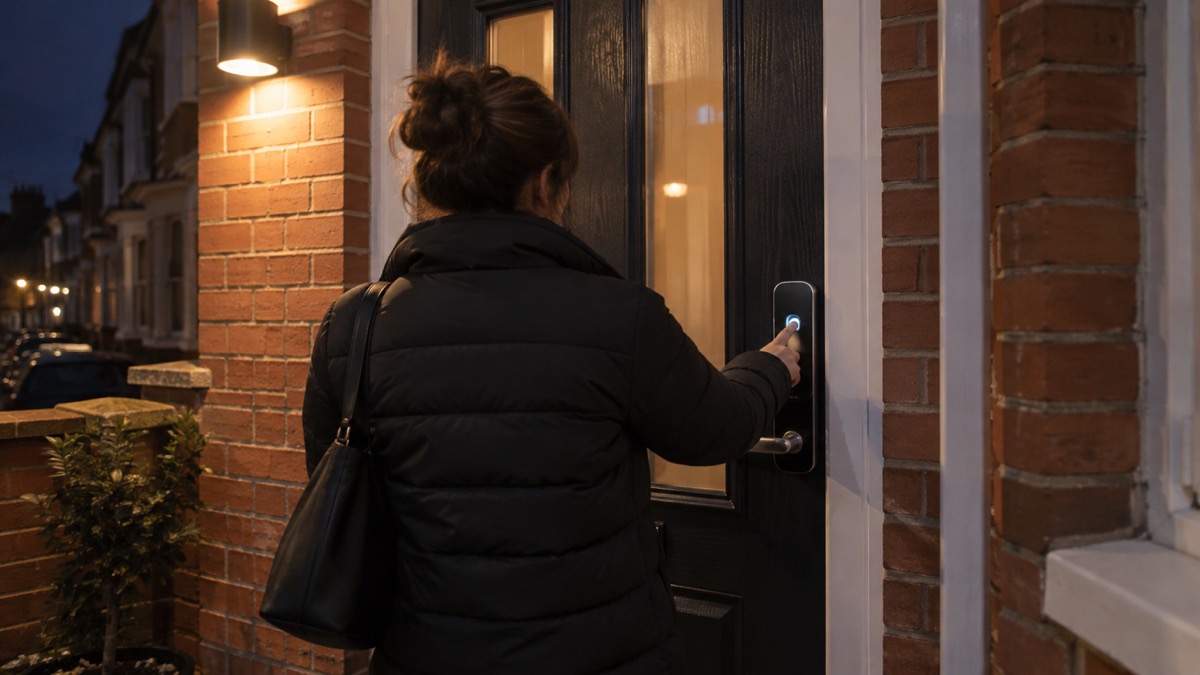
Beyond codes and apps, smart locks can use biometric information: fingerprint, face or voice recognition1. Which? describes the same range of options for smart door locks generally: entry code, biometric recognition like a fingerprint, or remote operation via an app, sometimes with a fob or keycard2. The appeal is speed and not having to remember anything, and the same principle applies to your phone: official cyber security guidance notes that a screen lock can be a PIN, password, biometric (fingerprint or facial recognition) or pattern, and any is better than none17.
The weakness of biometrics is that a reader can fail to recognise you, whether through a cold finger, a dirty scanner or a glitch. So the golden rule with a biometric lock is to make sure it is never the only way in. Choose a model that also offers a PIN code, a fob, an app or a physical key, and make sure every member of the household has at least one non-biometric route. A lock that offers several methods is a lock that still works when one of them has a bad day.
*A fingerprint reader is quick, but pair it with a PIN, fob or key so a failed read never leaves you stuck outside.
When you weigh biometric models against simpler ones, think about who uses the door day to day. A keypad suits visitors and cleaners because you can give and withdraw codes; a fingerprint reader suits a settled household because it is fast and there is no code to leak. Some products combine approaches, and reviews of models such as the SwitchBot Lock Ultra note the maker supplies spare batteries in the box, a small sign of how these products are packaged for real households10. Whatever you choose, the underlying questions are the same: what happens when the battery is low, what happens when the signal is down, and what is the backup.
What to check before relying on a smart lock in an emergency
Before you trust a smart lock as your main lock, work through a short checklist. Each item below is backed by official or independent guidance.
- Check the lock meets British Standards. Which? reports that as long as it meets British Standards, installing a smart lock shouldn't void your home insurance, though insurers' advice is mixed and some view a smart lock as an enhancement only when combined with a robust mechanical locking mechanism meeting British Standards2. Our page on what British Standard your door lock should meet explains the ratings.
- Check what your insurer says. Which? also warns that if the lock is hacked or a password is stolen, it could affect your ability to claim2. Tell your insurer what lock you have, in writing, and keep the reply. See home insurance conditions: locks, alarms and unoccupancy.
- Set a long, unique password and keep software updated. Which? advises exactly this, and suggests connecting the lock to other security devices such as outdoor cameras and smart security systems where possible2. The NCSC's point about default passwords applies here too18.
- Confirm the low battery warning works. Nuki locks warn below 20 per cent3; SwitchBot tells owners to replace batteries on low battery notifications9. Test that the notification actually reaches your phone.
- Keep a backup way in. A retained physical key, or a key safe, that works with no power and no signal2.
- Check the mechanical lock's attack resistance. Some cylinders defend themselves: Avocet's ABS Ultimate Series detects an attack and locks the cylinder after a snap attack to keep intruders locked out19. Our page on which way round to fit a 3 star anti-snap cylinder covers fitting.
- Verify anyone who knocks. In an emergency or outage, engineers and officials may call. Cadent advises that engineers may take readings around your property and neighbours' properties before knocking, and you should always check their ID badge before letting them in20. Official emergency alerts include a link to gov.uk/alerts where you can check an alert is genuine21. See how to check a doorstep caller is genuine.
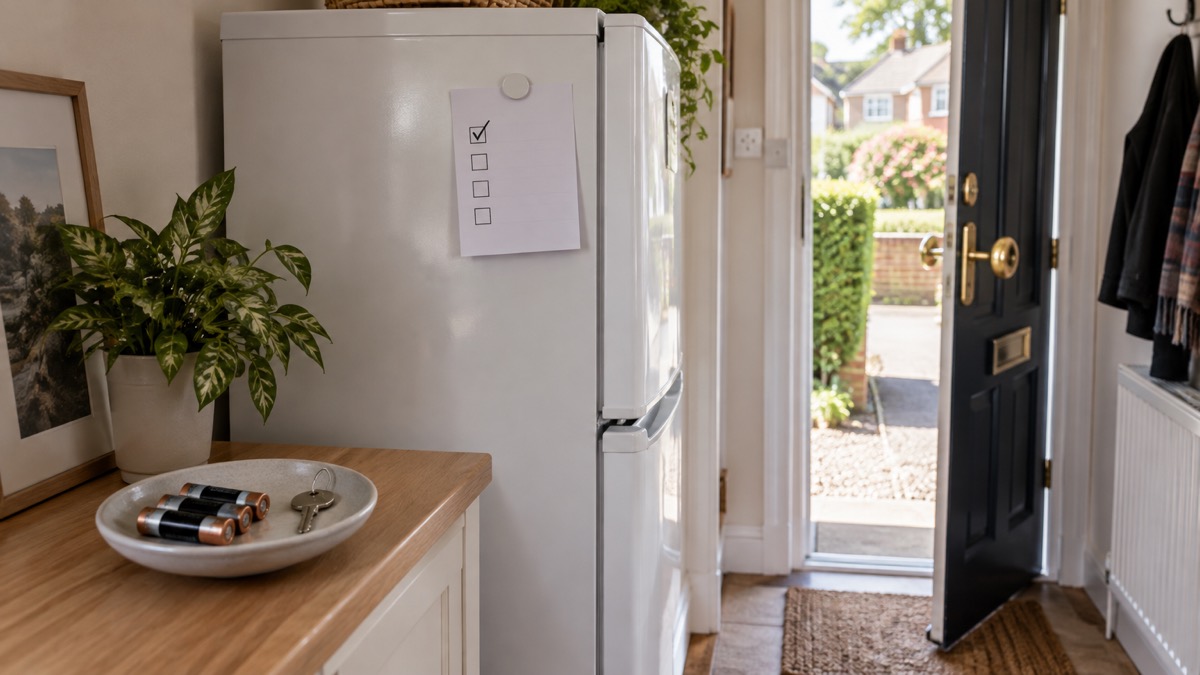
One habit from police advice on keyless entry is worth carrying over to your door. Electronic devices can jam the signal from a key fob, so police advise always manually checking your vehicle has locked before walking away, and if unsure, locking it manually22. The same scepticism serves you with a smart lock: watch the bolt move or check the app's confirmation before you walk off, rather than assuming the command went through.
Choosing well, briefly
A smart lock suits a household that wants keyless convenience and is willing to manage a battery. Choose by circumstance, not by brand. Homeowners with a standard cylinder can consider a full cylinder replacement such as the Ultion Nuki, which keeps the underlying mechanical lock secure even if the smart motor is removed2. Renters and anyone who cannot drill the door should look at retrofit designs like the Nuki Smart Lock Go, which fits on the inside of the door with no drilling, no special tools and no residue when removed3. Shared homes and short lets suit PIN code models, where codes can be changed between guests1. Settled households may prefer biometric models, provided a code, fob or key backs up the reader1.
Whatever you fit, the emergency questions are the ones on this page: does it work in a power cut (a battery-powered one does2), what stops when the Wi-Fi is down (remote features2), when will the battery need attention (six months to a couple of years2), and how do you get in if all of that fails at once. Answer the last question with a physical key or a key safe, and the rest is convenience rather than risk. For the wider picture of door security, see doors and locks: standards, cylinders and making entry harder, and for the narrow questions, do smart locks work in a power cut? and how long do smart lock batteries last?.
Sources (22)
- Smart lock: suitable properties, FAQ, Verisure, 2026
- Do I need a smart door lock?, Which?, 2026
- Nuki Smart Lock Go product page, Nuki, 2026
- About the Priority Services Register, UK Power Networks, 2026
- Yellow weather warning for wind (Tues) - Aberdeenshire Council, Aberdeenshire Council
- How care and assisted living providers can prepare for power cuts, Energy Networks Association (ENA), Energy Networks Association (ENA)
- Power cuts: what to do, West Yorkshire Prepared, 2026
- Power cuts, Wigan Council, 2026
- SwitchBot Lock Pro product page, SwitchBot, 2026
- SwitchBot Lock Ultra and Keypad Vision review, Trusted Reviews, 2025
- Technical advice: batteries, The Caravan and Motorhome Club, 2026
- Button batteries: keeping your child safe, NHS South Yorkshire, 2026
- Child safety hub: poisoning, RoSPA, 2026
- How to buy the best smart video doorbell, Which?, 2026
- Protect Yourself booklet, Police Service of Northern Ireland, 2024
- How safe is your flat?, Sussex Police, 2026
- Cyber security: protecting your family, Essex Prepared, 2026
- Smart devices in the home, National Cyber Security Centre, 2024
- ABS Ultimate Series Locks Key/Key, Avocet Hardware, 2026
- Emergency engineer visit, Cadent, 2026
- National Emergency Alert System: what is it?, Essex Prepared, 2026
- Preventing car and vehicle theft, Sussex Police, 2026
 Moving Home Locks Checklist
 After a Break-In Checklist
 Holiday Security Checklist
 Locking Up When Evacuating
 Flats and Shared Entrances
 Key Safes for Carers
 Keys and Spare Sets
 Terraced Houses and Rear Alleys
 Windows and Ground-Floor Risks