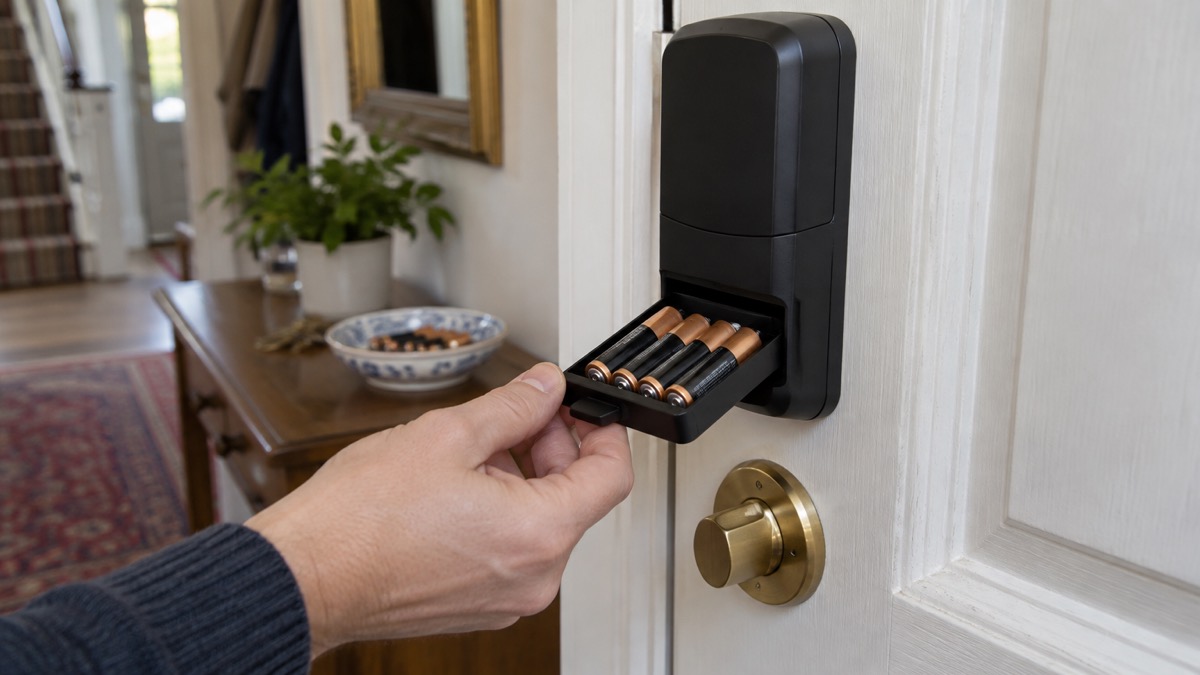
A smart lock's battery is the part that decides whether the convenience is worth it. The honest answer to how long it lasts is that it varies widely: Which? puts the range at six months to a couple of years before the battery needs replacing or recharging, and every maker's headline figure assumes a well-fitting door and modest use1. Aqara, for instance, quotes up to 6 months between charges for its U200, based on about 8 unlocks a day by fingerprint or NFC2.
What you can control is the gap between the headline figure and your reality. A stiff door, a cold snap, a lock set to its fastest and firmest mode and a busy household all pull the number down. The practical answer is not to chase a longer figure but to know your lock's warning system, keep a mechanical way in, and match your battery routine to the type of battery your lock uses.
This page sets out what the makers claim, what shortens battery life, how rechargeable packs compare with standard cells, and what to do when the warning appears.
What the makers claim, and why your figure will differ
Headline battery figures are best-case numbers, and it helps to see how the makers phrase them. Aqara's U200 is quoted at up to 6 months between each charge, based on 8 cycles of unlocking and locking per day2. Its U600 runs on 4 AA batteries and is quoted at up to 10 months, with the cells easily replaceable3. Nuki's Smart Lock Ultra is quoted in months on a single charge from its built-in lithium-polymer battery6.
Nuki is vaguer on purpose. It says the Smart Lock Ultra will last for months on a single charge, and that battery life depends heavily on usage, door type, locking modes and other factors6. The Ultion Nuki 2025, built on the Nuki system, is more specific at up to 9 months4.
Aqara's own range page gives the widest view: its smart locks offer a maximum battery life of 8 to 18 months, although cold temperatures and frequent use can shorten that7. That single sentence explains most of the gap between a maker's figure and a household's experience.
| Lock | Battery type | Maker's figure |
|---|---|---|
| Aqara Smart Lock U200 | Rechargeable Li-ion pack or 4 AA cells | Up to 6 months, at about 8 unlocks a day2 |
| Aqara Smart Lock U600 | 4 AA batteries | Up to 10 months3 |
| Aqara Smart Door Lock A100 Zigbee | 8 AA (4 main, 4 backup) | 18 months8 |
| Ultion Nuki 2025 | Built-in rechargeable | Up to 9 months4 |
| Nuki Smart Lock Ultra | Built-in lithium-polymer | Months on a single charge6 |
The maker's figure is a ceiling, not a promise. A door that suits the lock flatters the battery, and the quoted months assume the daily use the maker sets out, such as the 8 unlocks a day behind the U200's 6 months2. Treat the headline as the best case and expect your own use to decide the rest.
What makes a smart lock battery run down faster
Four things dominate, and three of them are within your control.
How often it unlocks. Every motor turn costs charge. Aqara's figures are explicitly tied to about 8 unlocks a day2; a household of four coming and going separately will beat that comfortably.
The door itself. A door that binds, swells in damp weather or needs a push to line up makes the motor work harder on every turn. Nuki names door type as one of the factors that matters most6.
The locking mode. Nuki's Smart Lock Ultra offers three: Gentle at 1.5x faster than previous generations, Standard at 2.6x faster, and Insane at 3.4x faster9. Faster and firmer modes drive the mechanism harder, which is the trade you are making.
Temperature. Aqara says cold temperatures can shorten battery life7. The London Fire Brigade's guidance on lithium-ion batteries explains the general principle: heat can cause the chemicals inside the battery to break down more quickly, reducing lifespan and affecting charging performance10. A lock on a door that catches direct sun in summer and freezes in winter sits at both extremes.
Aqara U200: up to 6 months at about 8 unlocks a day
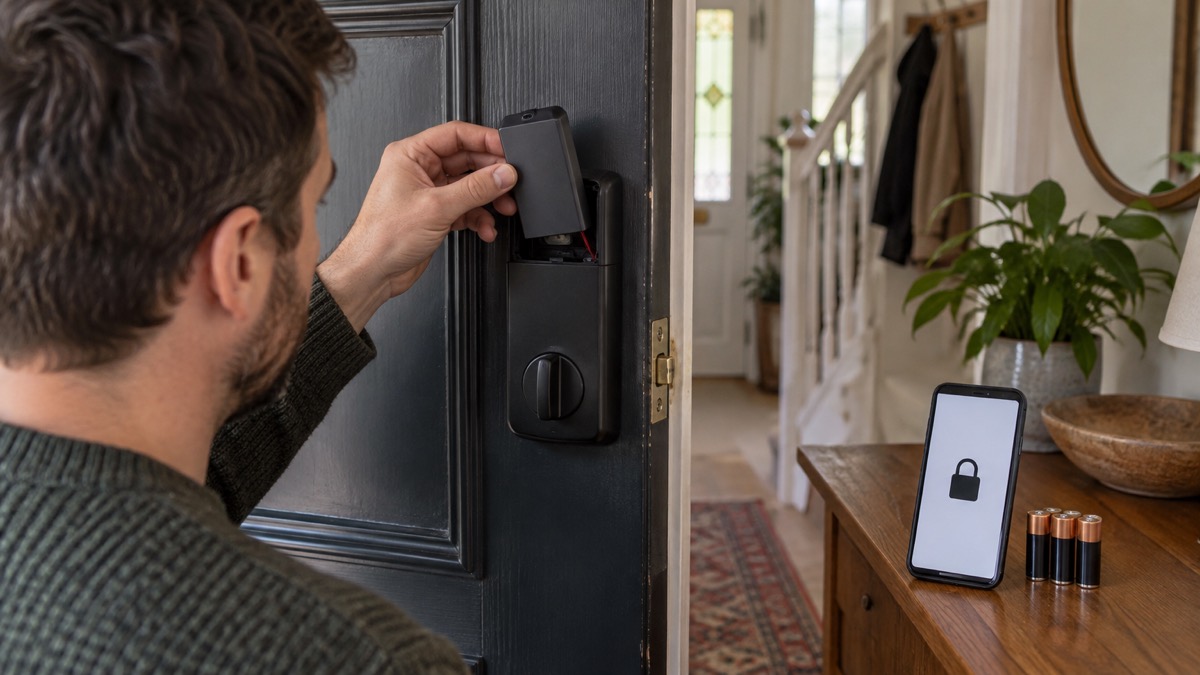
The U200 is the model most UK households will meet first, so it is worth setting out exactly what its battery arrangement is. The door lock itself takes either an Aqara Rechargeable Li-ion Battery at 7.4V or 4 LR6 1.5V batteries11. The keypad is separate: it takes 4 LR3 AAA 1.5V batteries, or can be wired to a 12V to 24V AC or DC supply11. Which? describes the keypad as running on AAA batteries or hard-wired to the front door1.
That split matters. If your keypad goes flat you may still be able to get in by app or fingerprint, and if the lock pack goes flat the keypad still works. Two batteries, two warning systems, two things to check.
Aqara also credits its hub with helping. It says using Matter over Thread extends lock battery life up to 6 months by reducing power consumption12. The maker's own figure and the hub's contribution land in the same place, so treat 6 months as the realistic ceiling rather than a floor.
Rechargeable packs or standard AA batteries
There are two ways to power a smart lock, and the choice decides your whole routine.
Built-in rechargeable packs suit people who would rather plug in than stock a drawer. The Nuki Smart Lock Ultra has a built-in lithium-polymer battery and recharges in only 2 hours, on the door or off it13. Nuki also sells a Power Pack rechargeable battery for its Smart Locks, which can be charged either directly in the lock or while disassembled7. The catch is that when it is flat, it is flat: there is no swapping in a fresh set.
Standard cells suit people who want a spare set ready. The Aqara U600 takes 4 AA batteries3. The A100 Zigbee takes 8 AA, split into two groups so you can run it on 8 or just 48. The Nuki Smart Lock Go ships with 4 AA batteries included, and can be upgraded later with a Nuki Power Pack rechargeable battery, charged either in the lock or while disassembled14.
If you go the standard-cell route, rechargeable cells are worth considering. Duracell guarantees its rechargeable AA cells for 10 years in storage15, and its rechargeable AAA cells for the same, unused batteries remaining rechargeable after 10 years of storage16. Its other rechargeable AA cells carry a shorter 5-year storage guarantee15, so check the figure on the pack you buy.
Low-battery warnings and when to replace or recharge
Every reputable lock warns you before it stops, and the threshold is usually 20%. Nuki says that when the battery level reaches below 20% you will be notified via the Nuki app and directly on the Smart Lock via the LED lights, and email notifications can be enabled5. The Smart Lock Ultra repeats the 20% figure9.
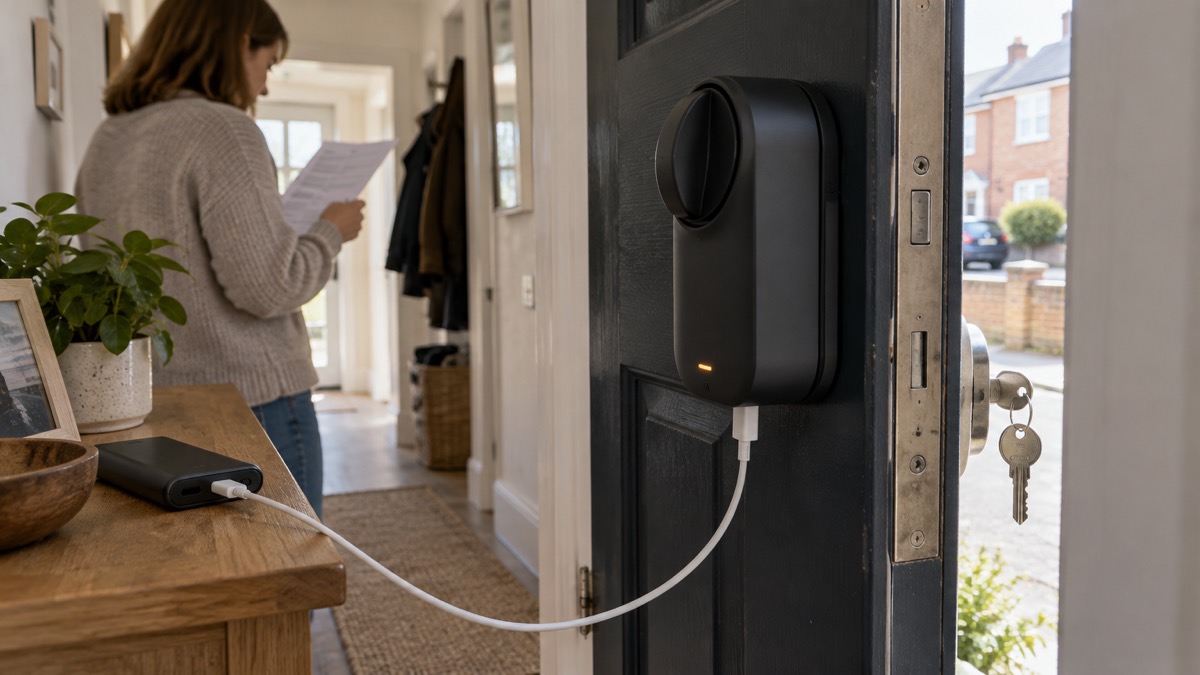
Aqara's U600 goes further, sending app push notifications when the remaining battery reaches 20% and 10%, with a reminder tone playing each time the door is opened17. Nuki's Smart Lock Ultra warns you when the battery level drops below 20%4, and the Ultion Nuki notifies you through the Nuki app and the LED lights on the lock below 20% charge, with email notifications available14.
Other lock types use the same pattern. The Master Lock 5441EURD key lock box gives a low battery notification and reminder on the lock box and in the app18. The Codelocks CL2000 flashes a red LED on opening to indicate a low battery19. The igloohome Deadbolt 2S updates PIN code logs and battery status when the lock is synced with the app in Bluetooth range20.
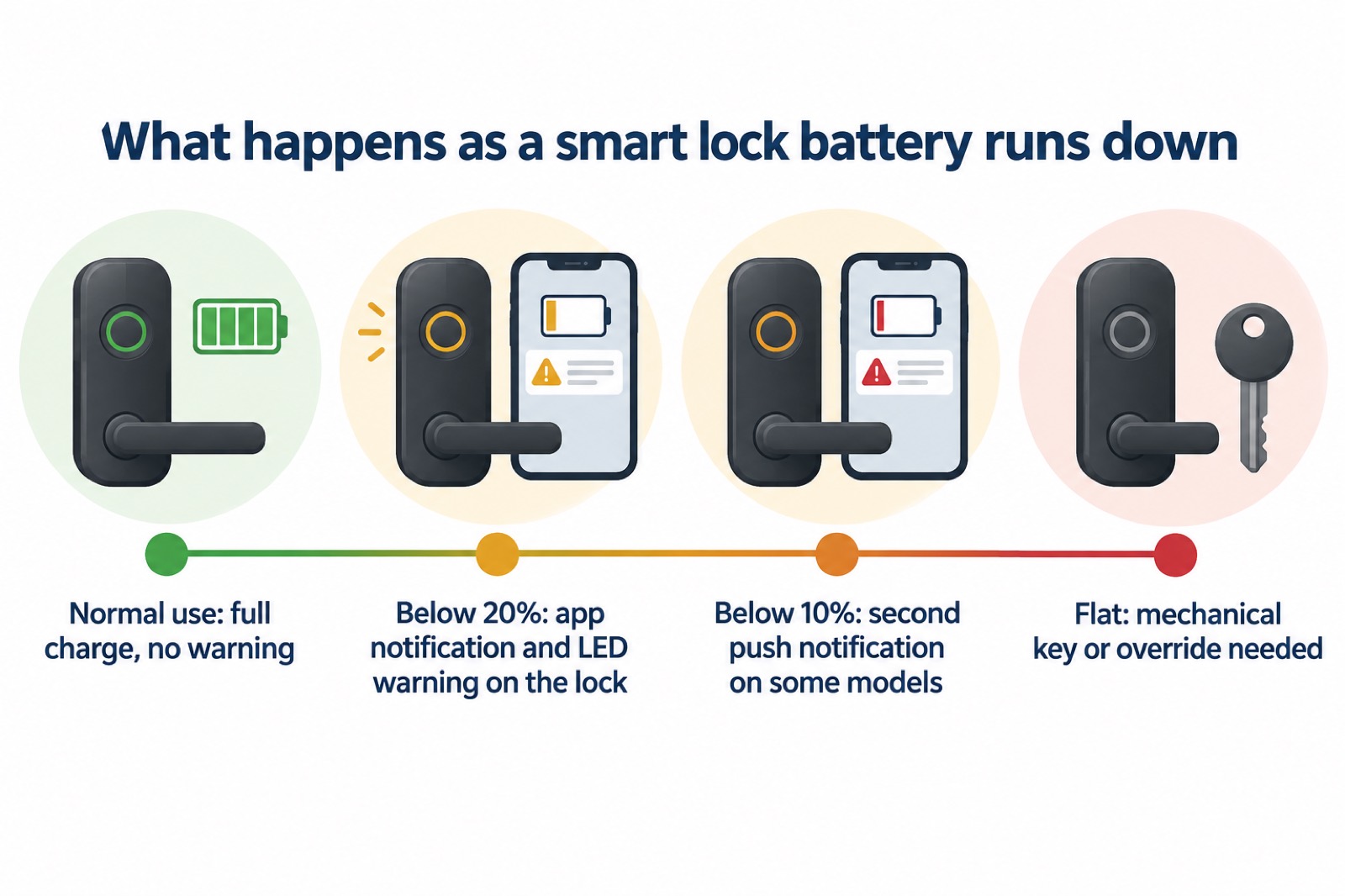
The practical routine is simple. When the warning arrives, act within the week rather than the month. Recharge a built-in pack at a convenient moment, or fit fresh cells. Do not wait for the lock to refuse.
Where to go next
If you are still deciding whether a smart lock suits your door, our guide to smart locks sets out how they work and what to check, and smart lock or traditional key lock weighs the two directly. For the specific model, see the Aqara Smart Lock U200 and Ultion Nuki pages.
Two related questions come up often. Whether a smart lock still works when the mains power fails is covered in Do Smart Locks Work in a Power Cut?, and what to do if you are already outside is in Locked Out of Your Home. If you rent, Smart Locks in Rented and Shared Homes covers the permissions question.
Finally, keep the lock's software current. The independent safety guidance is that regular software updates are essential throughout a smart product's lifetime, and that failing to update could affect the full functionality and security of your smart home21. One reviewer reported that an Aqara U200 update to version 3.0.0_0080 caused the lock to turn without engaging and fail to calibrate after about eight months of good operation2. Install updates, then test the lock before you rely on it.
Sources (21)
- Do I need a smart door lock?, Which?, 2026-04-15
- Smart Lock U200 2-Pack, Aqara, 2026-11-03
- Aqara Smart Lock U600 (UK), Aqara, 2026-11-03
- The all-new Ultion Nuki 2025, Ultion, 2025-11-03
- Ultion Nuki 2025, Ultion, 2026-10-08
- Nuki Smart Lock Pro (5th Gen), Nuki, 2026-11-03
- Aqara Smart Door Locks, Aqara, 2026-10-14
- Aqara Smart Door Lock A100 Zigbee, Aqara, 2026-08-17
- Nuki Smart Lock Ultra, Nuki, 2026-11-03
- Heat, cold and rain: how weather conditions affect e-bikes and e-scooters, London Fire Brigade, 2026-10-25
- Aqara Smart Lock U200 Specifications, Aqara, 2026-06-04
- Aqara Smart Lock U200 with Hub M3, Aqara, 2026-11-03
- Nuki Smart Lock Ultra, Nuki, 2026-11-02
- Nuki Smart Lock Go, Nuki, 2026-11-03
- Duracell Rechargeable Batteries, Duracell, 2026-11-02
- Duracell Simply AAA Alkaline Batteries, Duracell, 2026-05-25
- Aqara Smart Lock U600, Aqara, 2026-10-26
- Master Lock No. 5441EURD, Master Lock, 2026-11-03
- CL2000 Surface Latch with Key Override, Codelocks, 2026-11-02
- igloohome Deadbolt 2S Metal Grey, igloohome, 2026-11-02
- Smart homes, Electrical Safety First, 2026-10-25
 Moving Home Locks Checklist
 After a Break-In Checklist
 Holiday Security Checklist
 Fitting an Anti-Snap Cylinder
 British Standard Door Locks
 Double Locking a uPVC Door
 Garage to House Door Safety
 Police Preferred Key Safes
 Where to Fit a Key Safe
 Letterbox Guards
 Measuring a Euro Cylinder
 PAS 24 Doors and Windows
 Securing Patio Doors
 Smart Locks in a Power Cut
 Smart Locks in Rented Homes