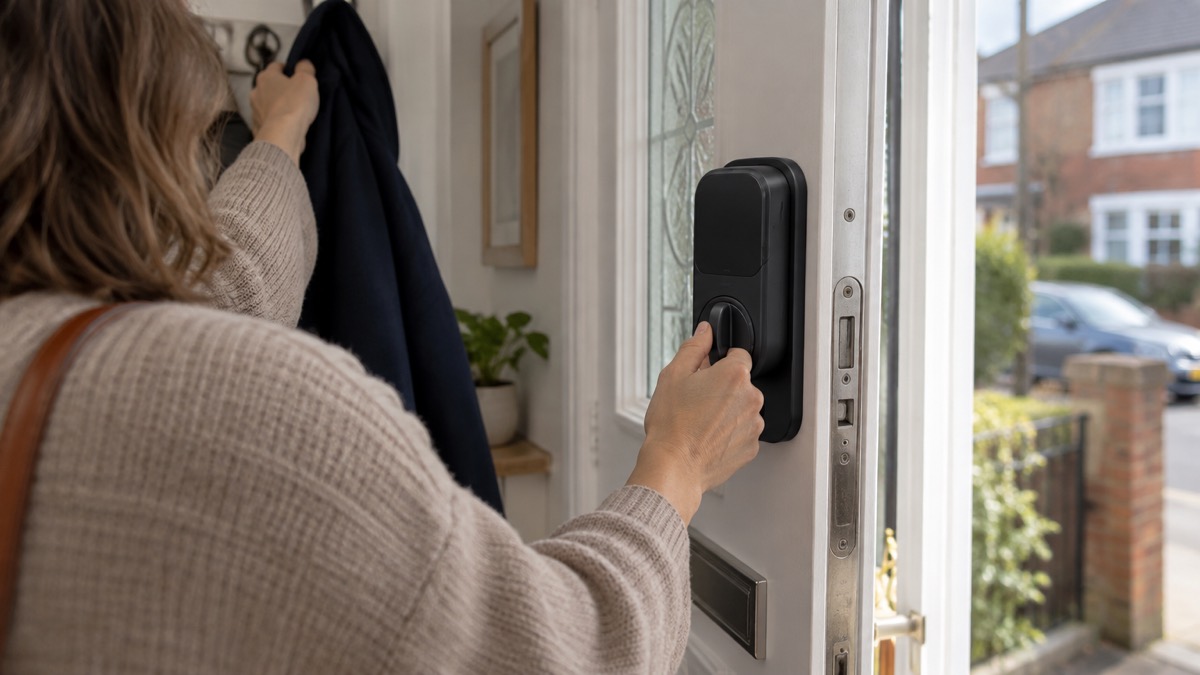
A smart lock is only useful in an emergency if it still lets you in when the power is off, the broadband is down or your phone is flat. The Nuki Smart Lock Go is a retrofit lock that fits over the key or knob on the inside of your door and turns it for you, so your existing cylinder and your existing key stay in place1. It is fitted in less than 5 minutes with no drilling and no special tools, and it runs on four AA batteries, warning you when the level drops below 20 per cent1.
For a household getting ready for a power cut, a storm or a flood, that combination matters. The lock is mechanical at heart: it turns a key that is already in your door. Nuki recommends using it only with a cylinder that has an emergency function, so you can always unlock from the outside with your mechanical key even if a key is inserted on the inside3. If your cylinder does not have that function, Nuki points to the Smart Lock Ultra instead2.
This page sets out what the Smart Lock Go does, which doors and cylinders it fits, how it is powered and kept ready, what still works when the internet or the mains fails, and how to use it safely. It is written for an ordinary UK household, not for an installer.
What the Smart Lock Go is and what it does for your door
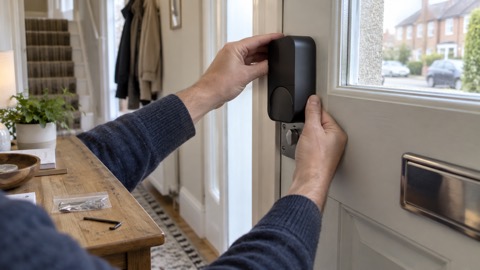
The Smart Lock Go is a smart lock that mounts over your current key or knob on the inside of the door2. It does not replace your cylinder or your lock; it sits on top of the existing cylinder and simply turns your key3. That is why it suits a household that wants keyless entry, a code for a carer or a way to let someone in remotely, without changing the door furniture or the lock itself.
Nuki describes it as an entry point to smart access, one you can expand whenever you need3. It is installed on the inside of the door without technical know-how, drilling or special tools, and it can be installed and removed without leaving residue or marks, which Nuki notes makes it suitable for rented homes1. It is designed for indoor use only and should not be installed on the exterior side of the door2.
For emergency planning, the important point is that the lock is a convenience layer over a working lock. If the batteries run flat or the app will not connect, the door is still a door with a cylinder and a key. Nuki lists the ways back in: a physical key through a Nuki Universal Cylinder or a cylinder with an emergency function, Nuki Web, a compatible smart watch, a Nuki Keypad code or fingerprint, a Nuki Fob, or someone with access permission1. Keep at least one of those routes independent of the phone.
Which cylinders and doors it fits
The Smart Lock Go is compatible with Europrofile, Swiss round and UK Oval cylinders and with selected knob cylinders4. Nuki describes these as the most common European cylinder types2. It works regardless of how many locking turns your cylinder requires, one or more2, and it is compatible with both horizontal and vertical key orientation2.
Knob cylinders are the narrower case. Nuki lists compatible brands as Abus, CES, CISA, Dom, Dormakaba, EVVA, Keso, M&C, Mauer, Nemef, Winkhaus and Yale2. If your knob cylinder is not on that list, check with the maker before buying.
Clearance is the other check, and it differs by the way the door opens:
| Door opens | Keyhole centre to frame | Keyhole centre to handle |
|---|---|---|
| Inwards | more than 30 mm | more than 30 mm |
| Outwards | more than 40 mm | more than 30 mm |
Both sets of figures come from Nuki's compatibility guidance2. Measure from the centre of the keyhole, not the edge, and measure both distances before you order. A door that fails either check is not a fit, however much you like the idea.
If your cylinder is old or the lock protrudes, Avon and Somerset Police advise that if a cylinder lock protrudes beyond the frame handle, you get a member of the Master Locksmiths Association to change it to a shorter, more snap-resistant one5. That is worth doing before you add a smart lock on top. For the wider picture on cylinders and standards, see Doors and Locks: Standards, Cylinders and Making Entry Harder.
Fitting it in under 5 minutes
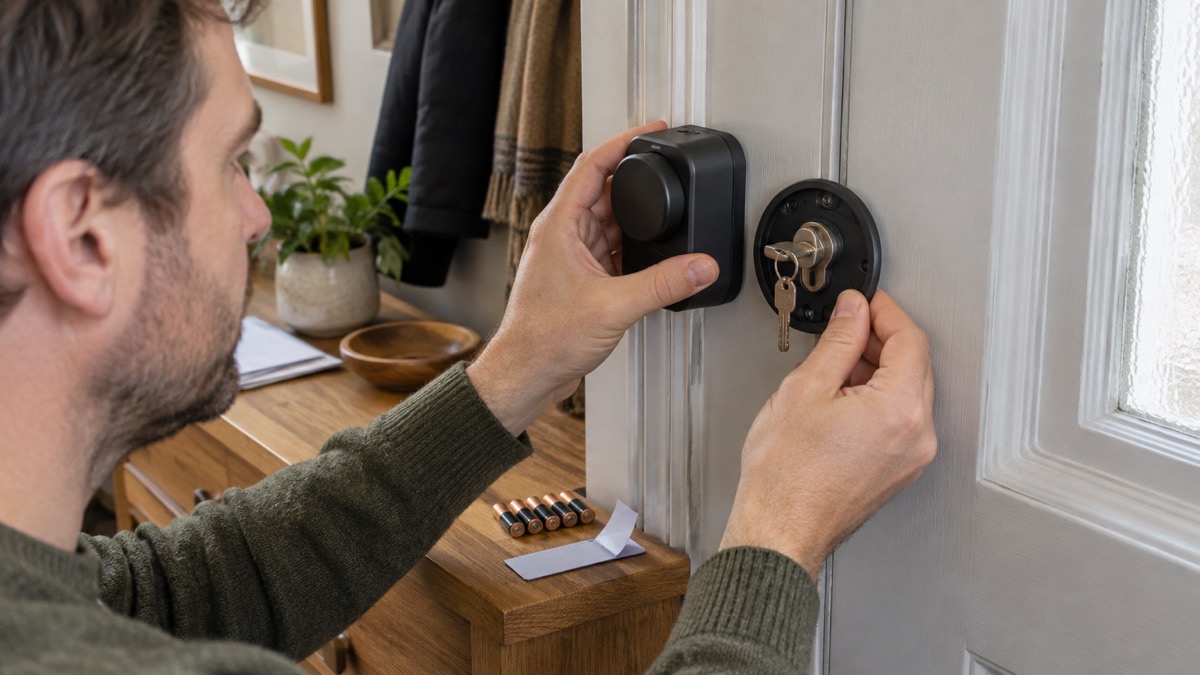
Nuki states that you can install the Smart Lock Go in less than 5 minutes, with no drilling and no special tools required1. The same figure appears in Nuki's setup guidance for short-stay lets, which describes quick installation in less than 5 minutes6. The lock is fitted on the inside of the door, over the key or knob, and can be removed without leaving residue or marks1.
That short fitting time is not the same as a short check. Before you fit it:
- Measure the keyhole clearances for your door's opening direction2.
- Confirm your cylinder type, and whether it has an emergency function2.
- Check the key orientation, horizontal or vertical, which the lock accepts either way2.
- Keep the mechanical key somewhere you can reach it in the dark, not in a drawer upstairs.
Because the lock is removable without marks, it also suits a household that rents or may move. If you are in rented or shared housing, Smart Locks in Rented and Shared Homes covers what to agree with a landlord before fitting.
Power: four AA batteries and the 20 per cent warning
The Smart Lock Go is delivered with four AA batteries, and can be expanded with a Nuki Power Pack for a more sustainable setup4. Nuki states that you will always receive a warning when the battery level of your Smart Lock drops below 20 per cent1. If you use Nuki Web, you can also receive notifications by email, so that managing several locks does not end with empty batteries7.
For a household preparing for a power cut, the battery arrangement is the part that decides whether the lock keeps working. The lock runs on its own batteries, not on the mains, so a power cut does not stop it turning the key. What a power cut can stop is everything around it: the router, the hub and the phone charger. Plan for that:
- Keep a spare set of AA batteries in your emergency kit, sized for this lock.
- Act on the 20 per cent warning rather than waiting for the lock to stop1.
- If you add a Nuki Power Pack, charge it either directly in the Smart Lock or while disassembled1.
- Keep a physical key route that does not depend on the app1.
For how long batteries tend to last and how to plan replacements, see How Long Do Smart Lock Batteries Last?. For the wider question of what happens to a smart lock in an outage, Do Smart Locks Work in a Power Cut? sets out the position.
Remote access, Matter and what works only in Bluetooth range
Out of the box, the Smart Lock Go works over Bluetooth. Nuki states that you can use the lock without buying Remote Access, but in that case all features and functions are available only while you are in Bluetooth range1. Matter compatibility allows smart home integration without Remote Access1.
To connect the lock to the internet, you need to activate Remote Access with a one-time purchase, bought separately in the Nuki app or the Nuki Shop, which enables connection to your home Wi-Fi or Matter integration with a suitable hub1. Nuki lists built-in Wi-Fi or Thread as the connection methods1. For older Nuki generations you would need an external Nuki Bridge, and if a lock already supports Matter you can also use Remote Access over Thread7.
Which.co.uk's independent guidance is a useful check on what Bluetooth-only means in practice: Bluetooth-enabled locks connect when in proximity to your device, which often means fewer features and no remote control8. That is not a fault in the lock; it is what you are buying if you skip Remote Access.
For emergency planning, decide in advance which of these you actually need:
| What you want | What it needs |
|---|---|
| Unlock at the door with your phone | Bluetooth, no extra purchase1 |
| Let someone in while you are away | Remote Access, bought separately1 |
| Smart home integration without Remote Access | Matter1 |
| Remote access over Thread | Matter-compatible hub1 |
If your home has a weak mobile signal or slow broadband, the remote features are only as good as the connection. Alarms and Cameras on a Weak Mobile Signal or Slow Broadband covers the general problem, and Staying Informed and in Touch in an Emergency covers keeping communications going when the network is under strain.
Security, encryption and insurance
Nuki states that all communication with the Smart Lock is protected with end-to-end encryption, using state-of-the-art encryption mechanisms commonly used in online banking1. Its press material describes a challenge-response mechanism that ensures intercepting or copying and replaying locking commands does not work, and notes that a significant portion of its APIs is public so developers can review the security architecture9.
On independent testing, Nuki states that its Smart Lock was certified by AV-TEST as a secure smart home product in 20251, and that its locks have been certified as Secure IoT Products by the independent AV-TEST institute since the first generation9. Certification is a signal about the product's security design; it is not a substitute for fitting it properly and keeping it updated.
Which.co.uk's advice for keeping a smart lock secure is straightforward: create a long, unique password, keep the software updated, and where possible connect it to other security devices such as outdoor cameras and smart security systems8. Do those three things and the lock is doing what it was designed to do.
On insurance, Nuki states that the Smart Lock Go is a retrofit solution and does not change the security class of your door10. That is the sentence to take to your insurer if you are asked whether fitting a smart lock affects your cover. For the general rules on locks and insurance conditions, see Home Insurance Conditions: Locks, Alarms and Unoccupancy.
Using it safely and keeping it ready
The Smart Lock Go is designed for indoor use only and should not be installed on the exterior side of the door2. That is a maker's instruction, and it matters: the lock is not built to withstand weather or tampering on the outside face.
To keep it ready for an emergency:
- Check the battery level regularly. Act on the low-battery warning rather than after it1.
- Keep a physical key route. Use a cylinder with an emergency function, or a Nuki Universal Cylinder, so the mechanical key still works1.
- Keep the app and firmware updated. Which.co.uk lists software updates among the basics of smart lock security8.
- Use a long, unique password on your Nuki account, as Which.co.uk advises8.
- Test the backup route at least once a season: key, code or fob, without your phone.
- Tell the people who need access how to get in if you are away, and make sure one of them holds a mechanical key.
If you are fitting a smart lock as part of a wider plan for outages, Backup Power at Home: A Household Guide and Power Cuts: A Household Guide cover keeping the router, the hub and the phone charged so the remote features keep working when the mains does not.
Support, returns and where to get help
Nuki allows a total return period of 30 days starting from the receipt of the goods, alongside the statutory 14-day right of return1. Check the fit and the clearances in the first few days, so that if the lock is not right for your door you can send it back within the period.
For support, start with the maker's own compatibility guidance, which sets out the cylinder types, the knob cylinder brands and the clearance measurements2. Nuki's own product page carries the specifications, the battery arrangement and the Remote Access details1. If you are unsure whether your door is suitable, ask a locksmith who is a member of the Master Locksmiths Association, as the police advice recommends for cylinder work5.
For the wider subject, Smart Locks: How They Work and What to Check sets out what to look for in any smart lock, and Smart Lock or Traditional Key Lock? compares the two approaches. The maker's page is at Nuki.
Sources (10)
- Nuki Smart Lock Go, Nuki, 2026
- Smart Lock Go compatibility guide, Nuki, 2026
- How Nuki works, Nuki, 2026
- Nuki Smart Lock Pro (5th generation), Nuki, 2026
- Door security, Avon and Somerset Police, 2026
- Find your setup, Nuki, 2026
- Nuki app and web, Nuki, 2026
- Do I need a smart door lock?, Which?, 2026
- Privacy and security, Nuki, 2024
- Nuki Smart Lock Ultra, Nuki, 2026
 ABS Ultimate Series Cylinder
 Aqara Smart Lock U200 Lite
 Aqara Smart Lock U200
 igloohome Deadbolt 2S
 Keyguard Digital XL Key Safe
 Nuki Smart Lock Pro
 SwitchBot Lock Ultra
 Ultion ALPS Cylinder
 Ultion Nuki Smart Lock