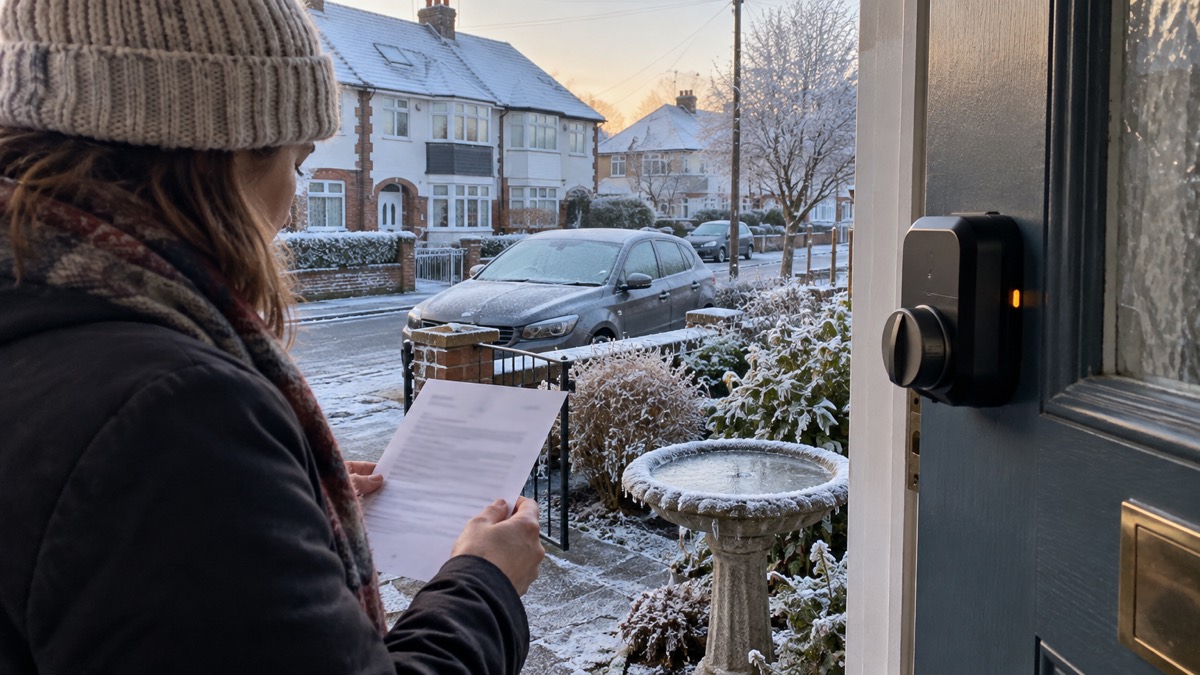
The SwitchBot Lock Ultra is a retro-fit smart lock: it fits over the thumb turn on the inside of an existing door lock rather than replacing the lock itself, and it lets you unlock with a fingerprint, a PIN code, NFC, your phone or your voice. SwitchBot lists it as fitting 99.9% of doors, working with most single deadbolts, Jimmy Proof and mortise locks with an adapter, and says the rechargeable main battery lasts around nine months based on 10 locks and unlocks a day1.
If you are thinking of fitting one, the practical questions are whether it suits your door, how you keep it powered, and how you get in when something goes wrong. The lock carries three layers of power: a rechargeable main pack, a cold-resistant CR123A backup, and an emergency reserve that lets you in when both are nearly flat1. It is sold in Black and Silver, on its own or in bundles with a keypad, hub or doorbell1.
This page sets out what the lock does, what it fits, how to fit and calibrate it, how to keep it powered, how to unlock it, and what to do when the battery runs low or the lock sticks. It also covers the safety points that matter with any smart lock, and where to get help if something goes wrong.
What the SwitchBot Lock Ultra is and which doors it fits
The Lock Ultra is a motorised unit that sits over the inside thumb turn of your existing lock. SwitchBot describes it as a smart lock released in 2025, with a full aluminium alloy shell and a body 50% slimmer than the Lock Pro1. It measures 122 × 62.6 × 66.8 mm and weighs 367 g with batteries fitted1. Because it turns the existing lock rather than replacing it, you keep your original door lock and cylinder, which matters if your home insurance names a particular standard. Our guide to doors and locks explains what insurers tend to look for.
On compatibility, SwitchBot states the lock fits 99.9% of doors and works with most single deadbolts, Jimmy Proof and mortise locks with an adapter1. The maker also says the Accessory Kit supports Jimmy Proof and Mortise locks without replacing the lock core, and that the lock is designed for European locks and lets you keep your original door lock3. Mortise locks require the adapter1. If your door is unusual, check with the maker before ordering.
A smart lock is not right for every door. Which? notes that smart locks are more expensive than traditional locks, need firmware updates, and need an internet connection for features such as remote unlocking6. If you rent or share an entrance, our page on smart locks in rented and shared homes covers the questions to ask first, and Smart Locks: How They Work and What to Check sets out the wider picture.
Power: about nine months from the main battery, plus backup and emergency layers
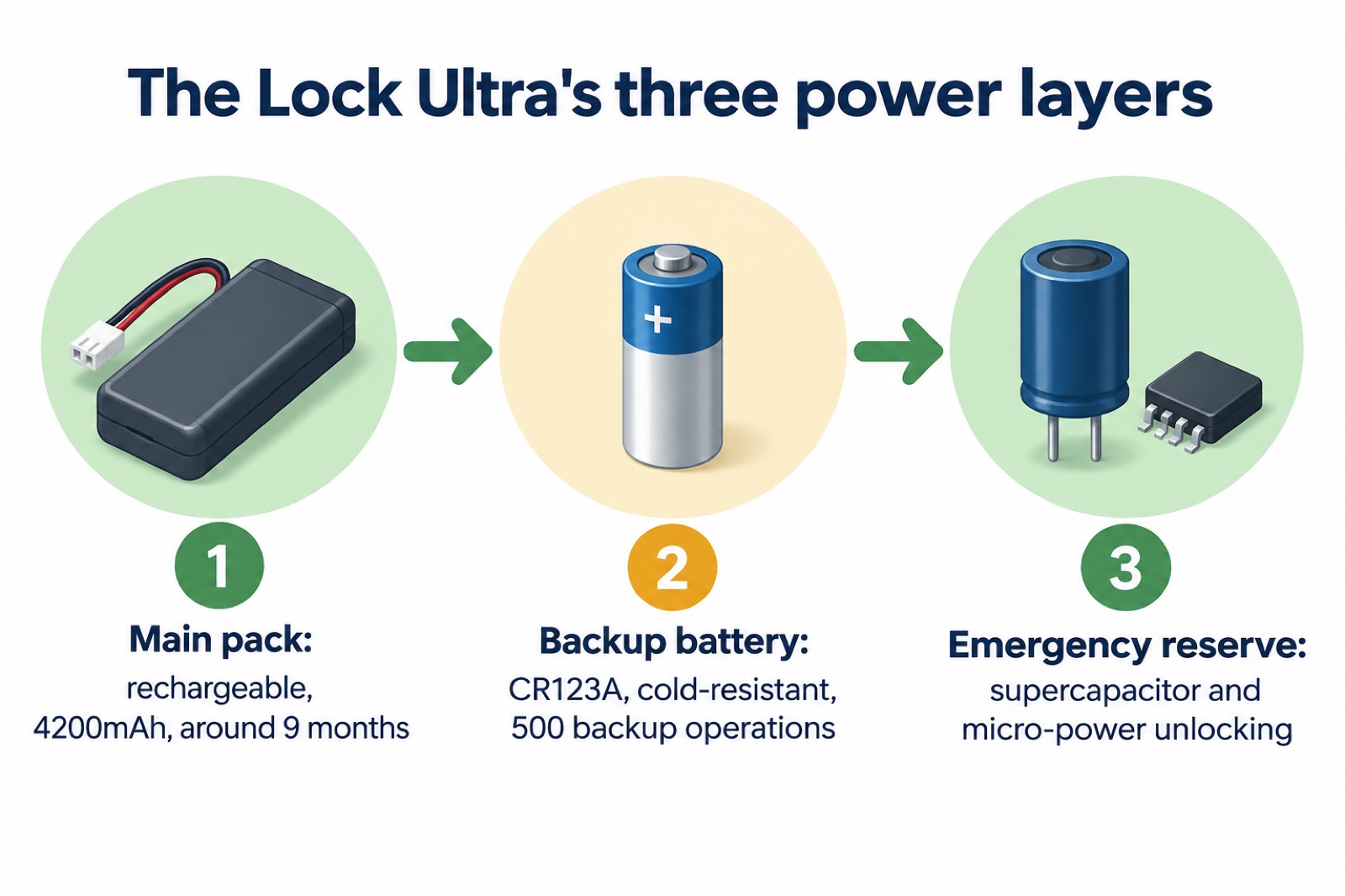
The Lock Ultra runs on three power layers, which SwitchBot calls triple battery protection: main, backup and emergency1. The main pack is rechargeable and holds three 18350 cells in parallel, 4200mAh in total, and SwitchBot rates it at nine months of battery life based on 10 locks and unlocks a day1. That figure is an estimate from the maker, not a guarantee: a busy household, a stiff lock or a cold porch will use more.
The second layer is a CR123A backup battery. SwitchBot describes it as low self-discharge and cold-resistant, and says it is the perfect backup for winter travelling or when the main battery is charging3. The maker states the backup supports 500 backup lock and unlock operations2. The third layer is a supercapacitor, which SwitchBot says stores just enough power to let you in even when the battery is nearly empty, and a micro-power unlock mode that gathers minimal current for emergency access when both batteries are low3.
For context, Which? says smart lock batteries generally last from six months to a couple of years before they need replacing or recharging6. The Lock Ultra's nine-month figure sits inside that range. The National Security Inspectorate, writing about alarm system backup batteries, notes that a backup should keep a system running for at least 12 hours in a power cut7. That is alarm guidance rather than lock guidance, but the principle is the same: a backup is there to buy you time to act, not to run indefinitely.
Getting in when the battery runs low or the lock sticks
The first warning comes from the lock itself. SwitchBot states that you get a low battery reminder through the app or on the device, with LED light, app notifications and sound alerts5. Treat that first warning as the moment to recharge the main pack. If you ignore it, the lock steps down through its backup and emergency layers rather than stopping dead.
If the lock has stuck, the SwitchBot app has an emergency unlock option, which boosts power before turning the handle2. If both batteries are low, micro-power unlocking gathers minimal current to provide just enough power for emergency access, and the supercapacitor holds enough for a few unlocks3. SwitchBot states the micro-power reserve supports five emergency unlocks5.
From the inside, the internal dial can always be twisted to lock and unlock the door by hand, and there is a large push button to lock or unlock2. That is your fallback if the motor or the app misbehaves: you are not locked in.
One risk worth knowing before you switch on automatic locking: Trusted Reviews notes that locking automatically when the door closes means you run the risk of locking yourself out automatically2. If you enable it, make sure a key is reachable from outside.
Works down to , 40°C with a cold-resistant backup battery
SwitchBot states the Lock Ultra works even in extreme cold down to , 40°C3. That figure is the maker's operating range, and it is the backup battery that carries the lock through cold weather: the CR123A is described as low self-discharge and cold-resistant, and as the backup for winter travelling or while the main battery charges3.
In a UK winter, the practical points are these. Cold reduces what a battery can deliver, so a lock on an exposed north-facing door will lean on its backup sooner than one in a sheltered porch. The main pack is rechargeable, so bring it indoors to charge rather than charging it in a cold porch. The lock also supports 5 emergency unlocks on micro-power, so a flat battery does not have to mean a locked-out household3.
If your lock is on an outbuilding, a gate or a door you do not use every day, the same logic applies with more force: a lock that is rarely used gives you fewer reminders, because the app only warns when the lock reports. Check it in person before a cold snap.
Fitting it to your door: adaptors, mounting plates and calibration
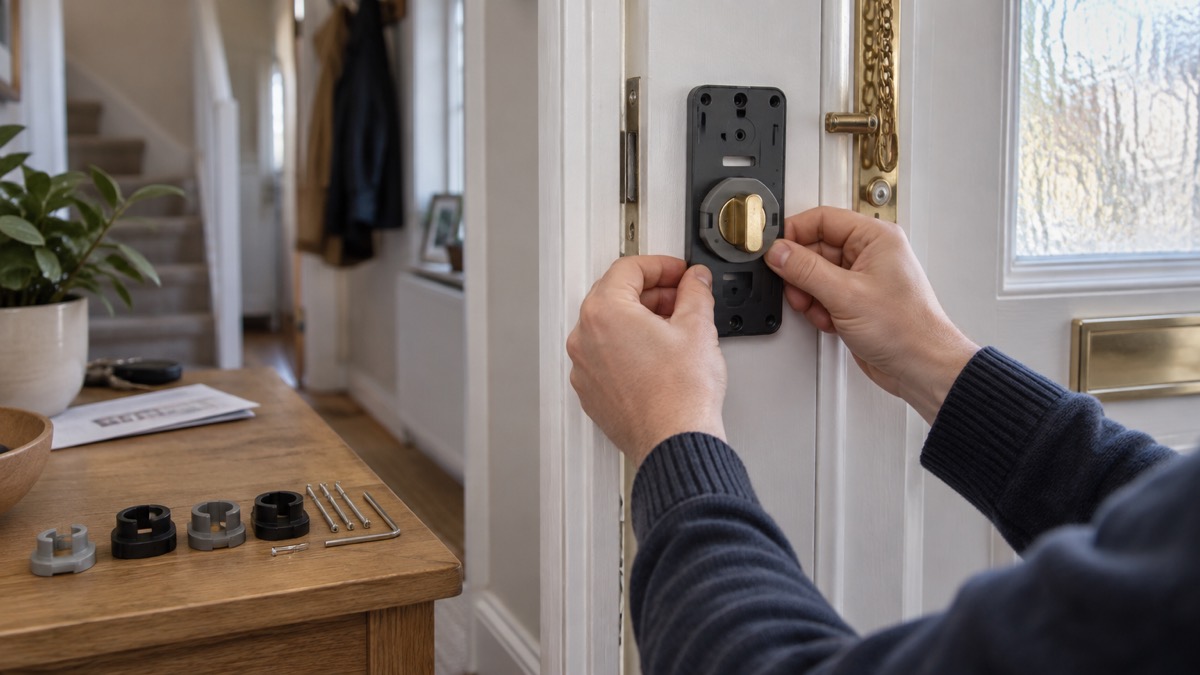
Fitting is designed to be drill-free. SwitchBot says no drilling or damage is required and that it installs on your existing door lock in minutes, fixed with screws or adhesive mounting3. The box includes mounting components (bracket, screws and lock cylinder parts), a magnet and three wood grain stickers, a charging cable and support tape, and the rechargeable main pack1.
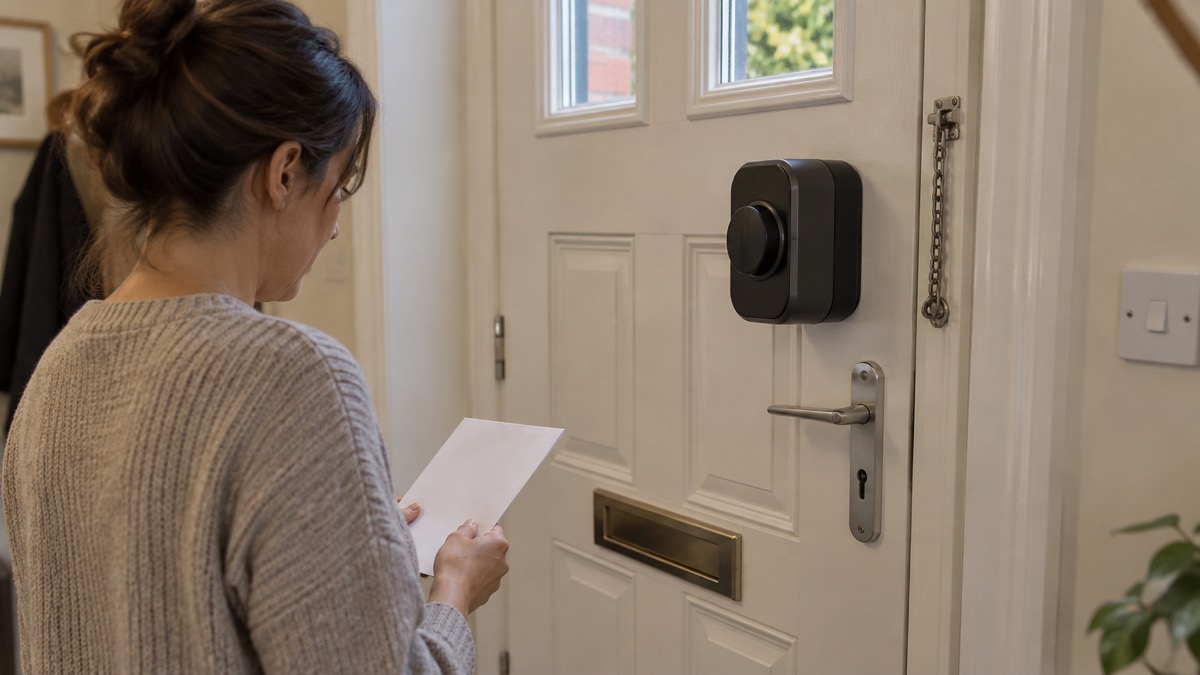
SwitchBot provides eight different adaptors designed to fit over the thumb turner, as with the Lock Pro2. There are two mounting plates: the A plate has grubscrews to attach it to the lock plate, and the B plate is supposed to stick to the door2. Once mounted, the door needs to be held open, and then calibration runs automatically2.
Customer reviews on the SwitchBot store give a sense of how it goes in practice. One reviewer said it was very easy to install, with no more than 30 minutes between out of the box and up and running5. Another found HomeKit integration took a couple of attempts, and that their thumb turn lock was not on the supported list, but a small modification to one of the adaptors got it set up5. If your lock is not on the list, ask SwitchBot support before you start rather than modifying an adaptor on your own initiative.
Ways to unlock: fingerprint, PIN codes, NFC, phone and voice
SwitchBot lists five unlock methods for the Lock Ultra: fingerprint, auto unlock, NFC, voice, or your smartwatch1. It also states 0.3-second fingerprint recognition supporting up to 100 fingerprints, and an unlock time of 0.3 seconds with 98% accuracy1. PIN codes can be set as Permanent, Temporary (operating only between set dates and times, with an expiry), One-time, or Emergency, and an email is sent when an Emergency PIN is used2. The Touch Combo page describes four password types: permanent, one-time, time-limited and disguise codes5.
This is now a common way for smart locks to work. Verisure, a smart lock maker, says models can be operated by PIN code, biometrics such as fingerprints or face recognition, a fob or voice recognition8. Aqara lists NFC, custom passcodes, fingerprint recognition, Apple Home Key or Zigbee on its range10, Nuki lists fingerprints, codes, a fob, a smartwatch or a physical key11, and Burg lists fingerprint, code, smartphone or radio key12. The point for a household is not which is best but which suits each person: a fingerprint for the adults who come and go, a PIN for a visitor, a one-time code for a tradesperson.
Whatever method you choose, secure the account behind it. Essex Prepared advises using a PIN, password, biometric (fingerprint or facial recognition) or pattern, and says any is better than none13. Avon and Somerset Police advise using facial or fingerprint recognition for your phone, digital wallets and banking apps, so you unlock with your face or finger rather than a PIN14. If your lock is controlled from a phone, that phone is now part of your door security.
Hub, Matter and remote control
Out of the box, the Lock Ultra works over Bluetooth, and SwitchBot states that a SwitchBot Hub is not required for Bluetooth unlocking and local control5. A hub is required for remote control via the app, real-time status updates, voice assistant integration, Matter and IFTTT integration, and automation with other SwitchBot devices5. The lock is listed as networking over Bluetooth and Wi-Fi, and as Matter compatible with a Matter-compatible hub2.
The bundles change what you get. The Vision Pro Combo comprises the Lock Ultra, a Hub Mini Matter and a Keypad Vision Pro, and SwitchBot says the included Matter-supported Hub Mini gives full compatibility with HomeKit, Alexa, Google Assistant and other third-party smart home platforms4. The Touch Combo supports Matter and works with Apple HomeKit via the SwitchBot Hub mini, and is also compatible with Alexa and Google Assistant5. The Vision Combo includes a Matter-compatible Hub Mini compatible with HomeKit, Alexa and Google3.
| What you want to do | Hub needed? |
|---|---|
| Unlock by fingerprint, PIN or Bluetooth from your phone nearby | No5 |
| Lock or check status from away from home | Yes5 |
| Use voice assistants, Matter or IFTTT | Yes5 |
| Automate with other SwitchBot devices | Yes5 |
One caution on remote access: it depends on your internet connection and your home network. Which? notes that smart locks need an internet connection for features such as remote unlocking6. If your broadband or mobile signal is poor, our page on alarms and cameras on a weak signal covers what still works. Ofcom's guidance on the move away from landline calls is relevant if your home still relies on a landline for connectivity15.
Security, tamper alerts and keeping the account safe
SwitchBot describes a six-layer security system covering tamper alerts, encryption and real-time status for all-around safety1. The Vision Pro bundle adds AES-128 encryption for stored facial and palm vein data4. The Touch Combo page states the app supports two-step confirmation for remote unlocking5. Those are the maker's own claims about its own product; they are worth checking against your own arrangements rather than taking on trust.
The weakest point in most smart lock set-ups is not the lock but the account and the phone. The lock offers 4 password types, permanent, one-time, time-limited and disguise codes, so you can give a visitor or a trader a code that stops working after they leave rather than sharing your main one3. If someone can unlock your phone, they may be able to unlock your door.
For the wider picture on choosing and living with a smart lock, see Smart Locks: How They Work and What to Check and Smart Lock or Traditional Key Lock?. If you are weighing up whether a smart lock is worth it at all, Which?'s guidance is a useful independent starting point6.
Motor noise, silent mode and living with the lock
SwitchBot lists the Lock Ultra's noise level as 50 to 55dB measured at 50cm, with a no-load speed of 50rpm5. It also says the upgraded motor is quieter than the Lock Pro, with noise reduced to under 20dB in Silent Mode5. The combos add a night setting: the Touch Combo automatically switches to Quiet Mode at night, disabling sound effects5, and the Vision Combo does the same3.
If the lock is on a bedroom door or a door next to one, set the quiet schedule before the first night rather than after. The lock also has a stall torque of 22.5Kgf.cm and a load torque of 8Kgf.cm, which is the maker's way of saying how much turning force it can apply to a stiff lock5. A door that needs a shoulder to close will make the motor work harder and drain the battery faster.
Support, warranty and swapping from a Lock Pro
SwitchBot states that all its smart locks come with a 2-year warranty1. The UK store lists a 30-day money-back guarantee and lifetime customer support, and ships from a local warehouse3. Keep your order confirmation: warranty claims normally need proof of purchase, and the warranty period runs from purchase rather than from fitting.
If you already have a Lock Pro, SwitchBot says both use the same thumbturn adaptors, so it is quite a straightforward swap2. You will still need to recalibrate: hold the door open and let calibration run automatically2. The Ultra is described as 50% slimmer than the Lock Pro with an all-metal body, so check the new body clears your door frame and handle before you rely on it3.
If a lock develops a fault, contact SwitchBot support before dismantling anything. A lock that is partly disassembled is a lock you cannot rely on, and it may affect your warranty. For the wider question of what to do if you are locked out, our guide to being locked out of your home covers locksmiths and the steps to take.
Sources (15)
- SwitchBot Lock Ultra product page, SwitchBot, 2025
- SwitchBot Lock Ultra and KeyPad Vision review, Trusted Reviews, 2025-10-20
- SwitchBot Lock Ultra Vision Combo, SwitchBot, 2025-05-21
- SwitchBot Lock Ultra Vision Pro Combo, SwitchBot, 2025-12-15
- SwitchBot Lock Ultra Touch Combo, SwitchBot, 2025-05-21
- Do I need a smart door lock?, Which?, 2026-04-15
- My alarm system has a back-up power battery, NSI, 2019-02-05
- What is a smart lock?, Verisure, 2026-10-27
- How do smart locks work?, Verisure, 2026-09-14
- Aqara Smart Door Locks, Aqara, 2026-10-14
- Nuki smart locks, Nuki, 2026-11-03
- secuENTRY easy, Burg, 2026-11-02
- Cyber security, Essex Prepared, 2026-10-29
- Smartphone theft, Avon and Somerset Police, 2026-11-02
- Future of landline calls, Ofcom, 2026-08-26
 Aqara Smart Lock U200
 Ultion Nuki Smart Lock