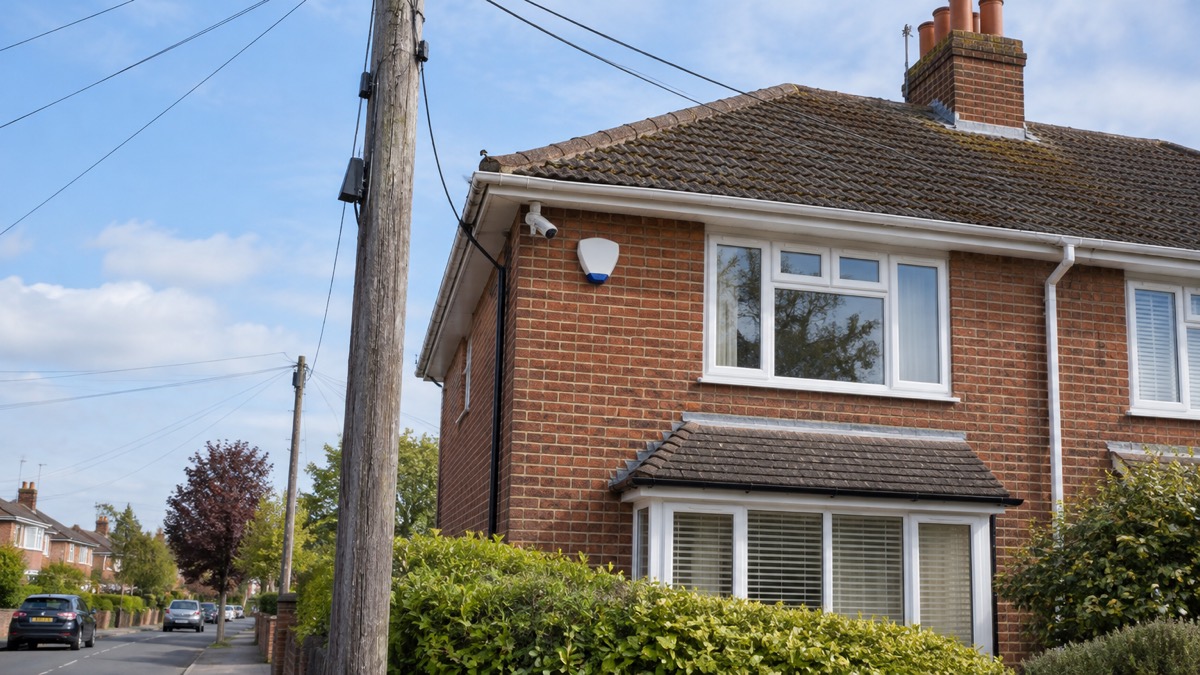
Most smart alarms and cameras sold today reach your phone through your home broadband. When that broadband drops, whether from severe weather, a power cut or a provider outage, the link between the alarm and the outside world can drop with it1. The siren in the hallway may still sound, but the notification that reaches you at work, and the signal that reaches a monitoring centre, both depend on a connection that has just failed.
The fix most makers use is a second path: a built-in SIM card that switches the alarm onto the mobile network. Ring calls this Cellular Backup and says it keeps your Ring Alarm online if your internet service goes down2. Not every system has it, and some that do require a paid subscription before it will work, so the time to find out is now, not during the outage.
One reassurance carries through everything on this page: even if you have no signal on your usual mobile network, calling 999 will automatically connect through another mobile network if one is available, according to Ofcom3. Your alarm may go quiet, but your way of calling for help does not depend on it.
What happens to an alarm when the broadband goes down
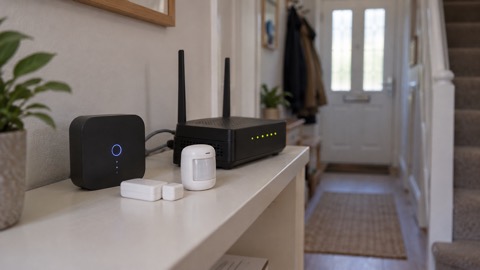
An alarm that talks to your phone or a monitoring centre over the internet loses that link the moment the broadband fails. What survives depends on how the system was built. The siren, the keypad and the sensors usually keep working locally, because they talk to the hub by radio inside your home. What stops is everything that has to leave the house: app notifications, alerts to a receiving centre, and in some cases the ability to arm or disarm remotely.
The government's preparedness advice is direct about this: if you have medical or personal alarm devices that use phone or internet connections, check with the provider or manufacturer how they work if the network is down, including how a personal alarm or diabetes sensor would function if mobile or broadband service is lost1. The same question applies to a burglar alarm. Ask specifically: does the siren still sound, do notifications still arrive, and does the monitoring centre still see an event?
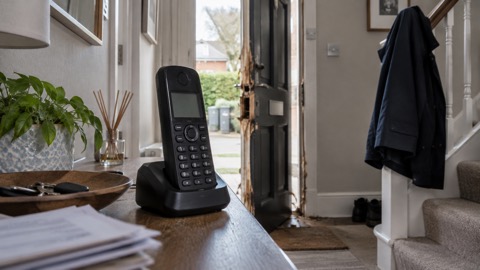
The stakes are higher than they used to be because of the digital landline switchover. The move to fibre broadband means that in the event of a power cut you will not be able to use an analogue telephone on your landline connection, as a local resilience forum guide puts it4. A power cut now takes out broadband and the landline together, which is exactly the moment an alarm's backup path matters.
For telecare and personal alarms the failure modes are well documented. A telecare alarm can fail in a power cut because it has no internal battery, because its battery runs out of power, or because it is connected via a router with no battery back-up. Check all three against your own set-up, and check with the provider or manufacturer how your alarm or sensor would work if mobile or broadband service is lost. If your alarm hub or router has no battery, a power cut silences the whole chain, however good your broadband contract is.
If you want the wider picture of how a power cut affects locks, lights and heating as well as alarms, see our guide to keeping your home protected in a power cut, and for alarms specifically after the digital switchover, will a burglar alarm work after the digital switchover.
Cellular backup: a built-in SIM keeps the alarm online
The common answer to a broadband failure is to give the alarm its own mobile connection. Ring describes its Cellular Backup as "powered by a built-in SIM card for mobile connectivity" and says it "keeps your Ring Alarm online if your internet service goes down"2. When the broadband drops, the hub switches to the mobile network and carries on sending notifications and, if you have monitoring, carrying on the alarm signal.
This is not unique to Ring, and not unique to burglar alarms. Many digital telecare alarms have an in-built roaming SIM, meaning they will connect to a mobile phone mast in the event of a mains power cut. A roaming SIM is worth having in a weak-signal area because it is not tied to one network: it can use whichever network has coverage at your address.
Cameras can take the same route. Reolink's 4G LTE outdoor security cameras need a SIM card with a data plan to access the internet, the maker states5. That makes them an option where broadband is slow or absent, but it also means the camera's uptime depends on mobile coverage and on the data plan staying active, so factor both into how you use one.
Some alarm kits ship with the SIM already in the box. Abode's new Gateway lists a 4G SIM card included6, and its Essentials Starter Kit does the same7. At the professional end, Hikvision's AX PRO panel uses a dual SIM card design8, which means two networks are available and the panel can fall back from one to the other. If you are choosing a system for a property with patchy coverage, a dual SIM or roaming SIM design gives you a second chance when the first network is weak.
What a SIM backup cannot do is fix a power cut at your end. The SIM runs on the hub's power, so if the hub has no battery, the mobile connection dies with everything else. Check the hub's battery specification alongside its SIM specification.
Who can use cellular backup: a compatible subscription is required
The SIM being in the box is not the whole story. Ring is explicit that Cellular Backup requires a compatible Ring Subscription2. Abode's Smart Security Hub includes a SIM for optional cellular backup, but it requires a subscription, included with the Pro Plan9, and its security kit likewise lists 4G Cellular Backup as requiring a plan10. SimpliSafe's monitoring plans include instant alarm alerts on the mobile app11. In every case, the backup path is part of what the monthly payment buys.
This matters most for people who bought a self-monitored system and assumed the hardware does everything on its own. It does not. The SIM, the connection to the mobile network and the software that switches over are services, and they stop when the subscription stops. If your budget rules out a subscription, choose a system whose local behaviour you can live with: a loud siren, and notifications that work while the broadband works.
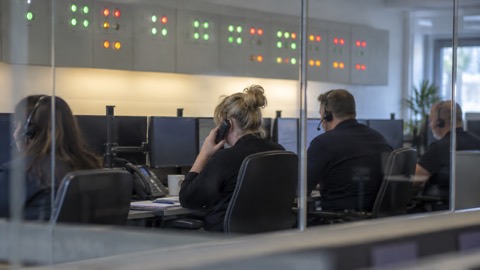
Professionally monitored systems handle this differently. ADT says daily checks ensure that your system is always in working order12, and its monitoring plans carry the same daily checks13. With a monitored system, the checking is the provider's job, which is one of the things the monthly fee pays for. Our guide to monitored alarms explains how receiving centres work and who responds.
For telecare users, Suffolk's digital switchover guide gives the practical instruction: check with the provider whether you need an upgraded device, a new adapter, device battery backup, or a mobile phone backup14. That is the full list of questions to ask, and it applies to burglar alarms almost word for word.
There is also a free entitlement worth knowing about, though it concerns your phone line rather than the alarm. If you don't have a working mobile phone or a reliable mobile signal, your landline provider must offer you a free back-up solution such as a battery back-up unit, according to Ofcom15. Ofcom's consumer advice on the future of landline calls says the same16. If your weak mobile signal is the reason your alarm's SIM backup worries you, this is the right to invoke with your landline provider.
Ring Alarm with no broadband: what still works
Ring sets out clearly what its Alarm does with no internet. With a compatible Ring Subscription, you can still arm and disarm the Alarm and hear it activate if a device is triggered2. The hub, keypad, sensors and siren are talking to each other by radio inside your home, so the protection at the property itself continues. What you lose without a subscription's Alarm Calls is different: you can still receive mobile and email notifications whenever Alarm detects a security threat, but there is no Cellular Backup2.
So the honest summary for a Ring owner is:
| Your set-up | With broadband working | Broadband down |
|---|---|---|
| With a compatible subscription | Full protection, notifications, Cellular Backup | Arm and disarm, siren sounds, Cellular Backup keeps it online2 |
| Without a subscription | Notifications by mobile and email | Siren sounds locally, but no Cellular Backup2 |
That pattern, local protection surviving while the remote link depends on a service, is common across smart alarms. It is also why the old-fashioned parts of a security set-up still matter. Scottish Fire and Rescue Service notes that its interlinked smoke alarms are linked by radio frequency and do not need WiFi17. Sensors that talk to each other by radio, not through your router, keep working through any broadband failure.
For getting help, remember the point from Ofcom that opens this page: even if you have no signal on your usual mobile network, calling 999 will automatically connect through another mobile network if one is available3, and Ofcom's severe weather advice repeats it15. A burglar in the house is a 999 matter, and your phone does not need your alarm's app to make that call.
If you are weighing Ring against other systems, our page on Ring Alarm covers the kit in detail, and burglar alarms: types and how to choose one sets out the options side by side.
Weak mobile signal and slow broadband: how they affect alarms and cameras
A weak signal does not usually break an alarm outright. It degrades it: notifications arrive late or not at all, video stutters, and the system's own fault warnings start appearing. Mid and West Wales Fire and Rescue Service makes a general point that applies well beyond smoke alarms: incorrect location and poor maintenance can affect the device18. Where you put the hub, and how well you look after it, changes how it behaves when the network is struggling.
The causes are usually mundane. Essex Prepared lists power failures affecting mobile towers and internet services as a cause of telecommunications failure19, and Merseyside's community risk register records limited telecommunications, including mobile phones, as a consequence of losing essential services20. In a widespread event, the mobile network your alarm's SIM wants to use may be under the same strain your broadband is.
Cameras feel this fastest. Blink states that its Blink Mini requires an always-on Wi-Fi internet connection21. A camera that must have Wi-Fi to function stops functioning when the broadband stops, full stop. If recording during outages matters to you, look for a camera that records locally, to a card or a recorder in the house, and see our page can security cameras record without the internet.
For people, the standard advice is to have a fallback. If mobile phone signal is poor, make sure you know where the nearest payphone is. The Welsh Ambulance Service advises people at risk of falls to carry a mobile phone or wear a pendant alarm22. The same layered thinking applies to your security kit: do not let any one link, broadband or mobile, be the only link.
There are household-level habits too. Manchester Fire and Rescue Service notes that some smoke alarms use optical sensor technology, typically more effective at detecting slow burning fires23, and the Northern Ireland Fire and Rescue Service advises that for those with limited mobility, an alarm should be fitted where they sleep24. Neither of those depends on WiFi, which is the point: the life-safety layer of your home should not be the layer that fails with the router.
Wings: the wireless link that checks and resends data
Inside a wireless alarm system, the sensors and the hub talk over a proprietary radio link. Ajax calls its link Wings, and its range extenders use a protocol called Jeweller. The maker's manuals quote the range of Wings differently: up to 6,550 ft without obstacles in one manual and up to 9,800 ft in another, so treat any single figure as indicative rather than exact. Obstacles such as walls, doors and inter-floor constructions reduce it further.
What matters more than the headline range is how the link behaves when it degrades. Mesh technology shows the principle. Texe's Ricochet mesh works by having devices receive and repeat wireless transmissions from other devices, extending size, scalability and range beyond point-to-point communications25. Its key property is self-healing: should the wireless connection between two devices weaken, the network will automatically re-route communications via alternate enabled devices25. In a large property or one with thick walls, a mesh-style system keeps working where a point-to-point system would start dropping messages.
The same idea appears in the standards world. Scottish government guidance on the tolerable standard notes that alarms can be interlinked via wires, hardwired, or wirelessly, by radio communication26. Interlinking by radio is what lets one smoke alarm trigger all the others without any router being involved, and it is why that layer survives broadband and power failures that would silence a WiFi-dependent device.
Range extenders are the practical fix when a sensor is too far from the hub. Hikvision's wireless repeater offers auto pairing with detectors and peripherals8, so adding one is usually straightforward. If your app reports a sensor as unreachable or delayed, distance and obstacles are the first suspects, and a repeater placed between the sensor and the hub is the standard remedy. Ask your installer to check signal strengths at every sensor during a professional installation, and re-check after any building work that adds metal or masonry.
Firmware updates over a weak connection
Every smart alarm and camera depends on software, and that software needs updating. Government advice on emergency alerts is blunt: make sure your device has all the latest software updates27. Alerts only reach compatible 4G and 5G phones with the latest software, which makes updates part of preparedness, not just housekeeping.
The security reason is stronger still. The National Cyber Security Centre, advising after a ransomware attack, says to connect devices to a clean network in order to download, install and update the OS and all other software28. For your household that means: apply updates while your broadband is healthy and trusted, not during an outage when you may be clinging to a weak connection, and not over a network you have reasons to doubt.
Some devices make this easier than others. Aqara's Smart Lock U200 can load firmware updates directly in the Aqara app without owning Aqara hubs, according to a customer review published on the maker's own product page29. Dahua's DMSS app, through internet connectivity, can receive alarm push notifications anytime and anywhere30. The general lesson is to know, before you need it, how each device updates: through the hub, through the app, or only through a web interface.
A weak connection makes updates fail partway, which is worse than not starting. If your broadband is slow, update one device at a time, keep the device close to the router or on a wired connection where possible, and let each update finish before starting the next. If an update fails, retry on a better connection rather than leaving the device half-updated. For how long cameras keep getting updates at all, see how long do cameras and doorbells get software updates.
Before an outage: check how your alarm stays connected
The work that pays off is done before anything fails. Start with the alarm's own health signs. Cheshire Fire and Rescue Service warns that frequent little beeps from a hard-wired smoke alarm are a sign of backup battery failure, and that many hard-wired smoke alarms have a back-up battery that will need to be replaced when they fail31. A dying battery in any alarm hub behaves the same way: it announces itself quietly, and if you ignore it, it chooses the worst moment to give up.
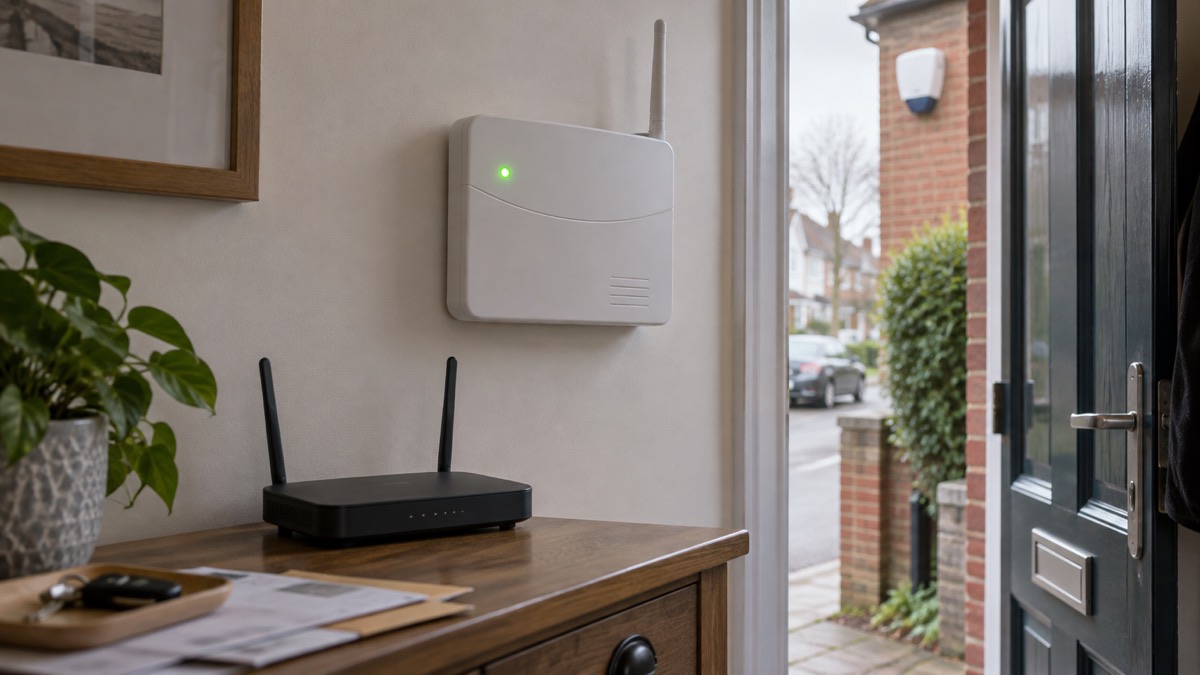
Next, check the power and installation side. If you experience a power cut and you have mains powered smoke alarms, check that the battery back-up is working, and treat frequent little beeps as a sign that the back-up battery is failing. The same logic governs an alarm hub: mains power, battery back-up, and a SIM or second path if the system supports one.
Then check the human side of being alerted. Devon and Somerset Fire and Rescue Service advises people with hearing difficulties to keep a phone in the bedroom in case they need to make an emergency call, and if it is a mobile, keep it charged32, and the same advice appears in its guidance for people with mobility difficulties33. Staffordshire Fire and Rescue Service describes the equipment for deaf households: when the alarm goes off, a pad below the pillow vibrates and a strobe light flashes34. These are life-safety layers that no broadband outage can touch.
In Scotland the rules are specific. Scottish Government guidance says specialist alarms, for example if you are deaf or have a Telecare system, must be fitted in addition to any smoke, heat and carbon monoxide alarms35. If you have a telecare system, that is a legal floor, not a suggestion.
Finally, keep your own phone ready. The Met Office advises making sure you keep your mobile phone charged so you can make calls in case of an emergency36, and Energy Networks UK advises keeping a mobile phone fully charged so you can use it to go online for updates or call if you have a power cut37. A charged phone is the back-up for every other back-up on this page.
A short pre-outage checklist:
- Ask your alarm provider, in writing, what happens to notifications, monitoring and the siren when broadband and mobile fail1
- Confirm whether your system has a SIM, whether it is roaming or dual SIM, and whether a subscription is needed for it to work2
- Check the hub's battery back-up and replace any battery that is failing31
- Test the mobile signal in the room where the hub sits, not just by the window16
- Keep your mobile phone charged, and keep a paper list of important numbers36
- If you have no reliable mobile signal at home, ask your landline provider for the free back-up solution you are entitled to15
Broadband and mobile coverage problems: staying informed
When networks are struggling, information still reaches you, but by different routes. The Emergency Alerts system works by mobile phone masts in the surrounding area broadcasting an alert, with every compatible mobile phone or tablet in range of a mast receiving it27. Your phone does not have to be connected to mobile data or WiFi to get alerts27. Warwick District Council notes that alerts go to compatible 4G and 5G phones with the latest software update, and that phones released before 2015 are likely to require changes to the settings38.
If you have no mobile at all, you are not cut off from warnings. Denbighshire Council's guidance on emergency alerts states that those without a mobile will still be made aware through the news and local emergency services39. A battery or wind-up radio, and the local radio station's frequency written down, cover that route.
When the mobile network is busy rather than absent, Ofcom's severe weather advice has two practical tips. If your phone shows signal but calls are not connecting, try sending a standard text message, as texts might still get through even if the network is extremely busy, and using them helps reduce pressure on the network15. And turn on WiFi calling in your settings, to allow calls over your broadband connection if your mobile network is unavailable15. The Welsh-language version of Ofcom's advice adds that WiFi calling includes apps such as WhatsApp, Messenger, iMessage and Signal40.
In the worst case, where normal telephone systems including 999 have failed entirely, community plans show what happens next. The Gavinton, Fogo and Polwarth resilient community plan records that police or mountain rescue teams will be deployed and will operate via Airwave or satellite radio systems, alerting the community co-ordinator to the alternative method of contacting the emergency services41. Few households will ever need that layer, but it explains why a community plan is worth knowing about: it is the back-up to the back-up.
For the full picture of staying in touch when networks fail, see our guide to staying informed and in touch in an emergency, and for the wider security context, home security: a household guide.
Sources (41)
- Phone and broadband outages, Prepare campaign, prepare.campaign.gov.uk
- Ring Alarm home security system, Ring, 2026-11-02
- Future of landline calls, Ofcom, 2026-08-26
- Community risk register guide, Walsall Healthcare NHS Trust, 2023-12
- 4G LTE outdoor security cameras, Reolink, 2026-11-03
- Abode new Gateway, Abode, 2026-11-03
- Abode Essentials Starter Kit, Abode, 2026-11-03
- AX PRO brochure, Hikvision, 2024-02
- Abode Smart Security Kit, Abode, 2026-11-03
- Abode Security Kit, Abode, 2026-11-03
- SimpliSafe monitoring plans, SimpliSafe, 2026
- ADT home security systems, ADT, 2026-11-03
- How ADT works, ADT, 2026-11-03
- Digital switchover telecare guide, Suffolk County Council, 2025
- Stay connected in severe weather, Ofcom, 2026-10-13
- Advice for consumers: future of landline calls, Ofcom, 2024-02-07
- Smoke and heat alarms at home, Scottish Fire and Rescue Service
- Smoke alarm maintenance and problems, Mid and West Wales Fire and Rescue Service, 2026-10-29
- Utility failure risk, Essex Prepared, 2026-10-29
- Loss of essential services, Merseyside Prepared, 2026-10-30
- Blink Mini FAQ, Blink, 2026-11-03
- Reasons people call 999, Welsh Ambulance Service NHS Trust, 2026-10-29
- Smoke and heat alarms, Manchester Fire and Rescue Service, 2026-10-29
- Home fire safety, Northern Ireland Fire and Rescue Service, 2026-10-14
- Ricochet mesh technology, Texe, 2012
- Tolerable standard guidance: fire and carbon monoxide detection, Scottish Government, 2023-06-20
- How alerts work, HM Government, 2026
- Respond and recover: ransomware attack, National Cyber Security Centre, 2026
- Aqara Smart Lock U200 with Hub M3, Aqara, 2026-11-03
- DMSS app, Dahua, 2026-11-04
- Smoke alarms: stay safe at home, Cheshire Fire and Rescue Service, 2026-07-27
- Fire safety: people with hearing difficulties, Devon and Somerset Fire and Rescue Service, 2026
- Fire safety: people with mobility difficulties, Devon and Somerset Fire and Rescue Service, 2026
- Smoke alarms and safety at home, Staffordshire Fire and Rescue Service
- Fire and smoke alarms in Scottish homes, Scottish Government, 2024-08-14
- What to do in a power cut, Met Office, 2026-10-25
- Power cut advice, Energy Networks Association, 2026-10-25
- National emergency alerts, Warwick District Council, 2026-10-29
- Emergency alerts, Denbighshire County Council, 2026-10-26
- Aros yn gysylltiedig mewn tywydd garw, Ofcom, 2026-10-13
- Gavinton, Fogo and Polwarth resilient community plan, Scottish Borders Council, 2018
 Moving Home Locks Checklist
 After a Break-In Checklist
 Holiday Security Checklist
 Home Assistant for Security
 Monitored Alarms and Response
 Panic Buttons on Home Alarms
 Police Response to Burglaries
 Home Protection in a Power Cut