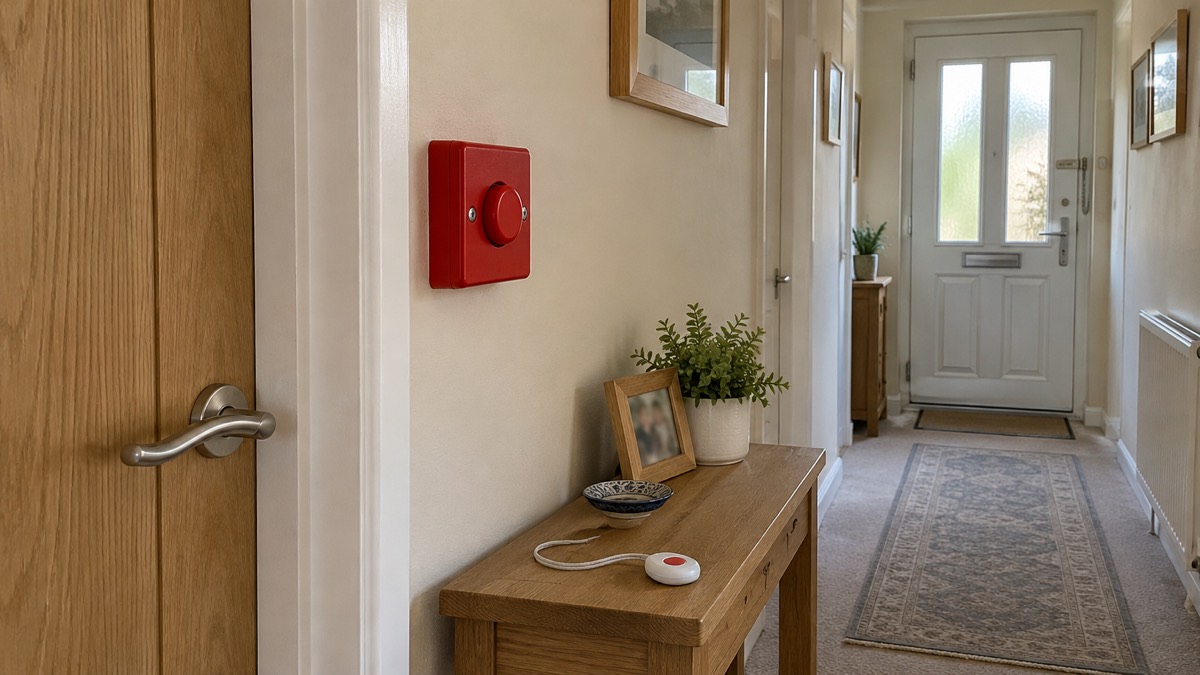
A panic button is a device you press in an emergency to send a distress signal, and who receives that signal depends entirely on which type of button you have1. On a professionally monitored alarm, pressing it connects you to a staffed centre that can act straight away. On a self-monitored smart alarm, it sends an alert to your phone. On a telecare pendant worn by an older person, it reaches a control centre that can call family, a carer or the emergency services.
That difference matters more than any other feature. A panic button is only as good as the response behind it, so the single most useful thing you can do is find out, before you need it, who your button calls and what they do next. This page explains what happens when each kind of button is pressed, who is told, who panic buttons suit best, and how to check your own set-up.
What happens the moment you press it
When you press a panic button, the device sends a distress signal out of your home to whoever is set up to receive it. Verisure, which runs professionally monitored systems, describes its panic button as an SOS button on a portable smart remote that you press when you need assistance. The button is linked to a 24/7 Alarm Receiving Centre, where security professionals activate a "silent listening mode" at your property when you press it1. That means the siren does not necessarily sound: the centre quietly opens a line, listens to what is happening, and decides on the response.
That is one behaviour, not all of them. On an audible-only alarm, a panic button may simply trigger the external siren, which relies on a neighbour or passer-by hearing it and acting. On a smart self-monitored alarm, it sends a notification to your phone and the phones of anyone else you have shared access with. On a telecare pendant, it opens a call to a staffed control centre. The button itself is a small, simple switch; everything that follows is decided by the system behind it.
Police security advice published through the Secured by Design scheme treats the domestic version as a "hold-up alarm" and is blunt about its value: it is "Invaluable if there is an intruder in the house"2. The same advice notes that an alarm can be part-set to cover areas you are not occupying while you are at home2, which matters here: with the alarm part-set at night, the panic button remains live even though the movement sensors in your bedroom and landing are not.
One point to hold on to: a panic button is a way of raising help, not a way of confronting anyone. On a monitored system, an SOS signal sent via the app or the central unit is answered on average in 25 seconds4. The button buys you a silent, hands-free way of summoning assistance when using a phone would be dangerous.
Who is told: police, emergency services or a private team
The distress signal from a panic button goes to one of three broad destinations: the emergency services, a private security team, or a monitoring centre that then decides whom to call. Who is notified depends on which type of panic button you have; some elderly people have medical emergency buttons which send a signal straight to ambulance services1.
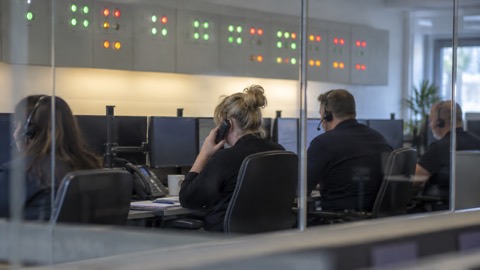
A professionally monitored system routes the signal to a monitoring centre staffed around the clock. ADT, one of the largest UK providers, describes what happens on its monitoring plans: when your alarm goes off, ADT will contact you and your nominated keyholders, and under its private security response it will notify you of the alarm and send an accredited security professional to your premises6. The police are not the first to be told in that arrangement: a security officer is.
The police can still be involved, but as a further step rather than the first call. ADT sets out its escalation options as ranging "from alerting a family member or neighbour to enlisting support from a private security guard or the police as part of our additional monitoring plans"7. In other words, police involvement depends on the plan you have, not on the button itself. Our page on how police respond to intruder alarms explains the conditions police forces attach to responding to alarm signals.
For a direct emergency call, the route is 999. Fire and rescue guidance is consistent on this: call 999 as soon as you are safe to do so8, and call 999 if in immediate danger9. If you cannot speak, perhaps because an intruder is in the house, you can register in advance for the emergencySMS service and send a text to 999. The ambulance service guidance on using 999 with a speech or hearing impairment sets out what the text must contain: who you need (Police, Ambulance, Fire and Rescue or Coastguard), what the problem is, and exactly where it is happening, giving road name, house number, postcode or a nearby landmark if possible5.
If you cannot make a voice call, the emergencySMS service lets you contact the emergency services by text. In your message, state who you need, whether Police, Ambulance, Fire and Rescue or Coastguard; briefly what the problem is; and exactly where it is happening, giving the road name, house number, postcode or a nearby landmark if possible5.
A panic button on a monitored alarm can therefore reach help faster than a text in some situations, but it reaches a private centre first, not the police control room. Knowing which of the two you are holding is the whole point of this page.
Monitored or direct: how each type behaves
Police security advice from the Police Service of Northern Ireland divides intruder alarm systems into four types: monitored, speech dialler, audible only, and smart home security3. The panic button on each behaves differently, and the choice between them is really a choice about who does the responding.
| Alarm type | Where the alarm signal goes | Who responds |
|---|---|---|
| Monitored | A 24/7 alarm receiving centre | Trained staff, who may send a security officer or escalate to the police, depending on the plan6 |
| Speech dialler | Pre-set phone numbers | You, family or neighbours, who then decide what to do |
| Audible only | The external siren | Whoever hears it and chooses to act |
| Smart home security | Your phone and app | You and anyone you have shared access with10 |
On a monitored system, the response does not depend on you hearing your phone. ADT's monitoring plans include keyholder response, in which ADT contacts you and your nominated keyholders when the alarm goes off, and a private security option in which an accredited security professional is sent to your premises6. Its additional monitoring plans extend this from alerting a family member or neighbour to enlisting a private security guard or the police7.
On a self-monitored smart system, you are the monitoring centre. Abode, which sells smart security systems in the UK, advises customers to "Self-monitor to keep costs down; add professional monitoring when you need extra response coverage"11, advice repeated across its product guidance12. Its plans include smart alerts from security cameras and immediate notifications including the names of the devices that triggered them14. Yale's smart alarms work the same way: the Yale Home Alarm delivers instant alerts and remote monitoring wherever you are15, and the Yale Sync Smart Home Alarm lets you arm, part arm or disarm and control alarm and accessory settings remotely through the Yale Alarm app16. Yale's Smart Alarm Starter Kit 2 lists real-time alerts among its features17, with the Yale Sync Hub acting as the smart alarm at the centre of the system18.
Traditional installed systems sit somewhere between. What happens when you press the panic button depends on how the system is set up: an audible-only system sounds the siren, while a system with monitoring or a speech dialler attached also raises the calls or centre response that go with it.
The practical difference is this: a monitored panic button works when you cannot reach your phone, but it usually carries an ongoing plan; a self-monitored one costs less to run but only helps if you, or someone you have shared access with, sees the alert and can act. Our comparison of monitored or self-monitored alarms goes through the trade-offs in more detail.
Medical emergency buttons and response services
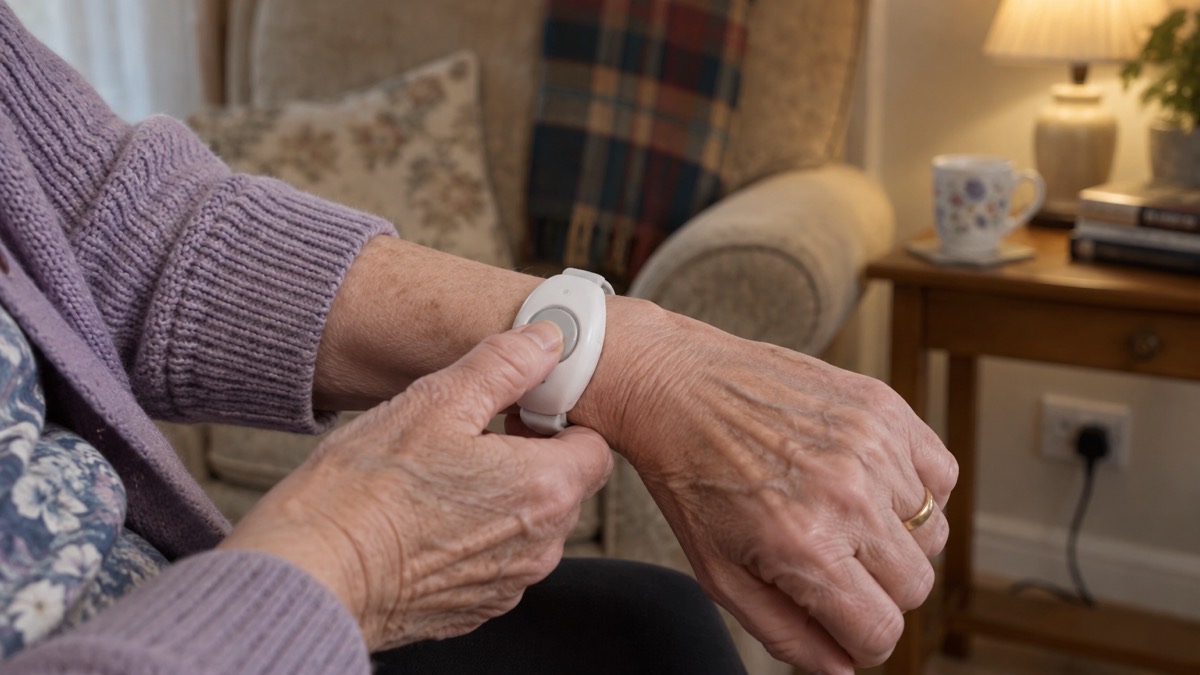
Some panic buttons are not about intruders at all. Who is notified of the distress signal depends on which type of panic button you have; some elderly people have medical emergency buttons which send a signal straight to ambulance services1. These are a distinct category: the button is worn on the person rather than fixed to the alarm panel, and the response is medical rather than security.
Council-run telecare services show how the response chain works. Warwickshire's assistive technology service describes it plainly: if you press your personal alarm, or one of the sensors detects a problem, the lifeline calls the control centre, where a trained member of staff assesses the situation, checks if you are okay and takes appropriate action, which could include calling a family member, a friend or the emergency services19. Lincolnshire's telecare monitoring service puts the same promise in one line: "If you sound the alarm, we will contact a family member, carer or the emergency services"20.
The control centre does not automatically send an ambulance. The staff member speaks to the person first, through the lifeline unit's speaker, and decides: a family member for a fall where the person is unhurt, an ambulance where they are hurt or cannot get up. This is why these systems ask for a list of contacts when they are set up, and why keeping that list current matters.
The ambulance services themselves handle a wide range of calls. The Welsh Ambulance Service lists some of the reasons people call 999, and for mental health emergencies its response options include a clinical call-back from a paramedic, nurse or mental health clinician, referral to urgent mental health services in the community, and dispatch of an ambulance or specialist resource if there is immediate risk21. A medical panic button that reaches a staffed centre can be routed into any of these, which is something a siren on your wall cannot do.
If you are arranging this for yourself or a relative, ask the provider two questions: who staffs the centre, and what hours it is staffed. A button that sends a signal to an office that closes at 6pm is a different product from one linked to a 24/7 centre.
Who a panic button is most useful for
A panic button earns its place in three kinds of household.
The first is anyone who might be at home when an intruder enters. Police security advice is direct that a hold-up alarm is invaluable in that situation, and suggests the bedroom as a typical location2. The scenario it answers is a demanding one: woken at night, phone downstairs or out of reach, and needing to raise help without making a sound. A silent alarm signal does that. Households in areas with higher burglary rates, or homes that are rural or remote where a neighbour may be too far away to hear a siren, get the most from this, because the siren-only alternative depends on someone nearby responding.
The second is the person who lives alone and might need help they cannot shout for. That is the telecare user in the next section, for whom the button is medical rather than security.
The third is anyone who feels anxious about being at home or walking to and from it. NHS trust guidance for staff who feel anxious advises: "If you feel anxious consider carrying a personal attack alarm"22. A personal attack alarm is a small handheld device, not part of the house alarm, that sounds a loud siren to attract attention. It is a different tool from a monitored panic button: it deters and attracts help rather than summoning a specific responder, but it is cheap, needs no contract and can be carried in a pocket.
What a panic button does not do is replace the basics. It sits on top of the household's everyday protection, not instead of it: the button raises help in an emergency, while the rest of the household's arrangements are what keep everyday risks in check. A panic button is an addition, not a substitute.
Personal alarms for older or disabled people living alone
For an older or disabled person living alone, the personal alarm is usually a pendant or wristband linked to a base unit plugged into the phone line, and the service behind it is often run or commissioned by the council. The person wears the button or keeps it within reach, so they can press for help whenever they need assistance, wherever they are in the home.
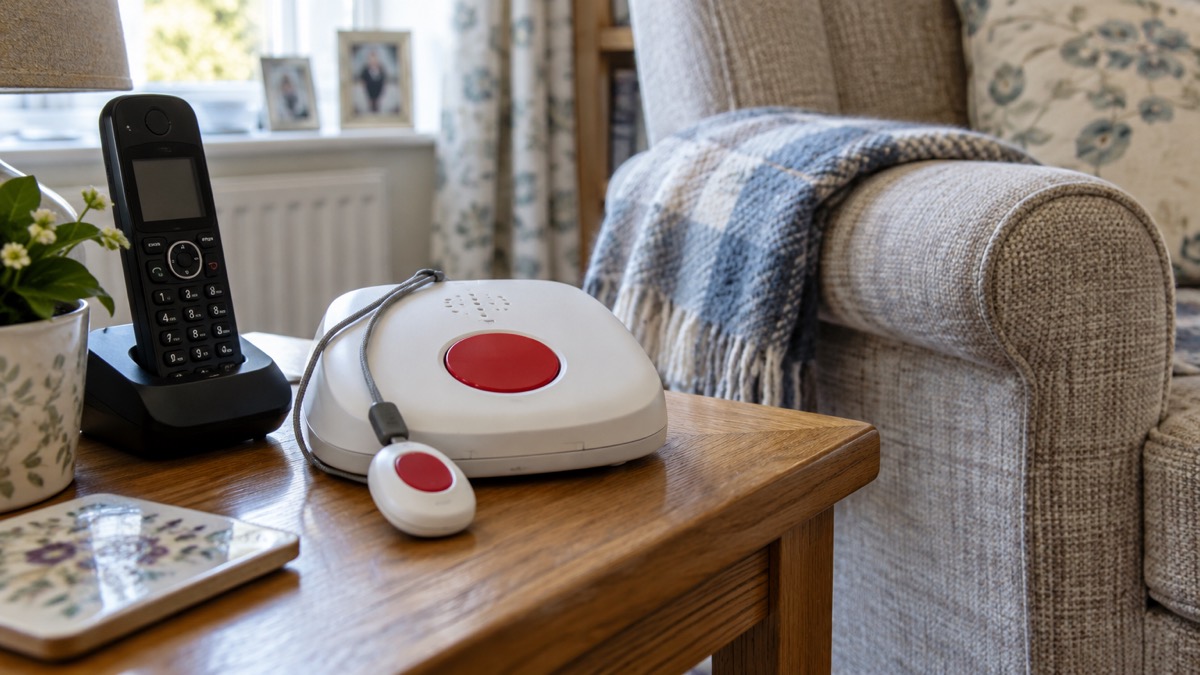
To arrange one, contact the local council's adult social care or telecare team and ask for an assessment. Councils describe these services under names such as telecare, assistive technology or lifeline, and they are generally available to anyone who needs them rather than only to people receiving other care. The Disabled Living Foundation can provide more information on remote controlled or easy access alarms23.
Fire and rescue services add a layer that works alongside the pendant. London Fire Brigade, writing for carers and support workers, says it even fits free smoke alarms if the person you care for needs them, and that specialist alarms can also be fitted, for example strobe light and vibrating pad alarms for those who are deaf or hard of hearing24. Devon and Somerset Fire and Rescue Service advises that if you or a family member are vulnerable or have a condition that may prevent or delay escape if there is a fire, you may need a specialist alarm system26. The Scottish Fire and Rescue Service lists the same equipment: mains-powered smoke alarms with back-up batteries, and vibrating pads and flashing lights that warn people who cannot hear well, for people with sight, hearing, mobility issues or other special needs27.
A home fire safety visit is worth arranging at the same time as the pendant, because the two systems cover different emergencies: the pendant calls people, the smoke alarm warns the person. Fire and rescue services fit free smoke alarms where they are needed, and specialist alarms, such as strobe light and vibrating pad alarms for those who are deaf or hard of hearing, can also be fitted.
If the person needs responders to get in when they cannot answer the door, a key safe fitted outside lets a family member, carer or emergency service enter without breaking a door. Our extra help in an emergency page sets out the wider support available to older, disabled and medically dependent households.
Where to put a panic button so it stays discreet
A panic button is generally designed to be discrete: a small standalone button you can place somewhere in your home without attracting too much attention1. Discretion serves two purposes. It means an intruder does not know you have pressed it, and it means the button does not advertise itself as worth disabling.
Police security advice suggests the bedroom as a typical location for a hold-up alarm2. The reasoning is straightforward: at night you are most likely to be in the bedroom, most likely to be cornered there, and least likely to have your phone in hand. A button fixed by the bed, within reach from the pillow, covers that scenario, and a portable button extends that cover to wherever you happen to be in the home.
A few placement rules follow from the same logic:
- Put a fixed button where your hand naturally falls in the situation you are planning for: by the bed, or by the door you would be behind if you locked yourself in a room.
- Keep it discreet: a panic button is generally designed to be a small standalone button you can place somewhere in your home without attracting too much attention1.
- Carry the portable version with you as you move around the home, so the cover follows you rather than staying with the room.
- Make sure everyone in the household knows where it is and how it works.
Do not confuse this with smoke alarm placement, which follows different rules entirely: smoke alarms belong on the ceiling, near the middle of the room or hall, and at least 30cm (one foot) away from a wall or light26. A panic button goes where a hand can reach it in the dark, not on the ceiling.
Check who your button calls before you rely on it
Everything on this page comes down to one check, and it is worth doing this week rather than after you need it.
Start with the paperwork. Official advice is to make sure you know how your house alarm works, including any passwords or codes28. For a panic button, that means knowing the answers to three questions: who receives the signal, what they do next, and what you need to say or do to confirm or cancel it. On a monitored system, ask the provider directly and get the answers in writing: ADT, for example, will contact you and your nominated keyholders when the alarm goes off and can send an accredited security professional to your premises, with police involvement available as part of additional monitoring plans6. If your plan does not include the escalation you assumed, you want to know now.
On a self-monitored system, the check is different but just as real. Confirm that the app notifications are switched on and that the alert reaches your phone. Test it the way you would test a smoke alarm: press the button, by arrangement with your provider if needed, and watch what happens.
Keep your contact list current. Monitoring centres and telecare services act by calling a family member, a carer or the emergency services20, and a list of people who have moved away or changed numbers slows that down.
Finally, know the limits of what neighbours can do. Fire and rescue guidance on hearing a neighbour's alarm sounding repeatedly is to try to contact them, and if you cannot, call 999, and not to attempt to enter the property yourself29. An audible-only alarm depends entirely on that kind of neighbourly response, which is one reason the monitored and telecare options exist. And in any emergency where you are in immediate danger and can reach a phone, do not wait for the system: call 9999.
Sources (29)
- What does a panic button do?, Verisure, 2026-08-12
- Alarms advice for domestic properties, Secured by Design, 2023
- Protect Yourself booklet, Police Service of Northern Ireland, 2024-10
- Home fire action plan, Surrey County Council, 2026-08-24
- Using 999 with a speech or hearing impairment, Yorkshire Ambulance Service NHS Trust, 2026-10-29
- ADT monitoring plans, ADT, 2026-11-03
- How ADT works, ADT, 2026-11-03
- Home security systems, ADT, 2026-11-03
- Preparing yourself for flooding incidents, Greater London Authority, 2026-10-25
- Burglar alarm systems UK, Abode, 2026-11-03
- Best home security system UK, Abode, 2026-11-03
- Home security systems UK, Abode, 2026-11-03
- Abode plans, Abode, 2026-11-03
- Yale Home, Yale, 2026-11-03
- Yale Sync Smart Home Alarm, Yale, 2026-11-03
- Yale Smart Alarm Starter Kit 2, Yale, 2026-11-03
- Yale Sync Hub, Yale, 2026-11-03
- Euro76 S Kit, Pyronix, 2026-11-04
- Assistive technology, Warwickshire County Council, 2026-10-29
- Telecare, Lincolnshire County Council, 2026-10-29
- Some of the reasons people call 999, Welsh Ambulance Service NHS Trust, 2026-10-29
- PowerPoint Presentation, University Hospitals Dorset NHS Foundation Trust
- Sight, hearing and mobility advice, HM Government, 2021-11
- Sprinklers: carers and support workers, London Fire Brigade, 2026-10-25
- Specialist health equipment, London Fire Brigade, 2026-10-25
- Smoke and heat alarms, Scottish Fire and Rescue Service, 2025-04-14
- Safe and Well Check, North Wales Fire and Rescue Service, 2026-10-29
- Smoke alarms for vulnerable people, Devon and Somerset Fire and Rescue Service, 2026
- Smoke alarms, Cheshire Fire and Rescue Service, 2026-07-27
 Moving Home Locks Checklist
 After a Break-In Checklist
 Holiday Security Checklist
 Home Assistant for Security
 Monitored Alarms and Response
 Police Response to Burglaries
 Home Protection in a Power Cut
 Alarms on a Weak Mobile Signal