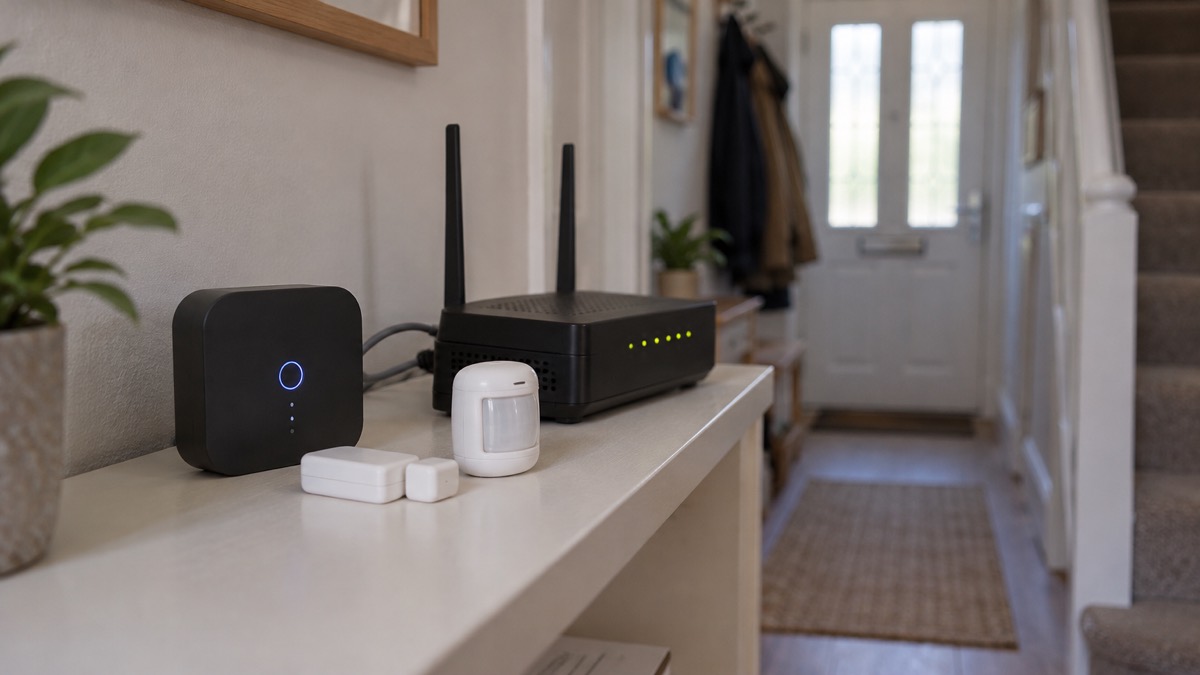
Most homes that build up smart security piece by piece end up with a drawer of apps: one for the doorbell, one for the cameras, one for the alarm, one for the lock. Home Assistant is the open way round that: it brings sensors, cameras, locks and alarms from different makers into a single app, so one screen tells you whether the doors are shut, who rang the bell and whether the alarm is set. Smart security packages sold in the UK already work this way in miniature, combining a wi-fi CCTV camera, video doorbell and an app to control the system1, and a self-built setup around a hub such as Home Assistant extends the same idea across brands you choose yourself.
The second reason households go this route is resilience. A combined system can keep running locally, on your own hardware, when the broadband drops or a maker's cloud service has a bad day, and it can carry on during a power cut if you give the hub and network backup power. That matters for security as much as for heating or lighting: an alarm that stops watching because the internet blinked is not much of an alarm. The trade-off is that you take on the jobs a packaged system's maker would do: keeping software updated, securing remote access and backing things up.
This page walks through the parts in the order worth buying them: sensors first, cameras second, then locks, sirens and monitoring. It covers where to put things, how automations tie them together, what happens when the internet fails, and how to keep the whole system secure.
Sensors first, cameras second: what each part does
If you are starting from nothing, spend your first money on sensors rather than cameras. Sensors tell you that something happened: a door opened, a window opened, someone moved in a room, water is on the floor. Cameras tell you what it looked like, which is valuable but secondary, because a camera watching a burglar does not itself stop one, whereas a siren triggered by an entry sensor might.
The way security kits are packaged reflects this order. At the small end, a starter kit is an entry sensor, a motion sensor and an indoor camera, aimed at small homes or flats; the next step up swaps the motion sensor for a keypad. Larger kits scale the sensor count: one offers seven entry sensors with an indoor camera and key fob to secure all entry points, and others combine multiple entry and motion sensors with an indoor camera2. The largest kits add environmental sensing: entry, motion, temperature and water sensors plus indoor and outdoor cameras, protecting against leaks and cold as well as burglary2.
Sensors also do quiet, everyday jobs that cameras cannot. Motion sensors fixed to doors and windows can send an alert when someone enters or leaves, and they can be attached to cupboards, a fridge door or interior doors to monitor daily use and send an alert when motion is not detected during a certain period7. That last trick is the basis of a "no movement for hours" warning, useful for someone who lives alone and whose family wants to know they are up and about. Property exit sensors, mounted to doors, alert you if someone passes the sensor and has left the property7, which is how you know a person prone to wandering has gone out.
| Part | What it tells you | What it cannot do |
|---|---|---|
| Entry sensor (door/window) | That a door or window opened, and when | See who opened it |
| Motion sensor | That someone moved in a space | Identify the person or animal |
| Glass break sensor | That glass was broken in the room | Work through walls or from outside the room |
| Water sensor | That water is where it should not be | Tell you the source |
| Camera | What happened, visually | Trigger a siren by itself |
| Siren | Make the event loud and frightening | Tell you anything if you are out |
Glass break sensors sit alongside entry and motion sensors in some kits, which include entry, motion and glassbreak sensors plus an indoor camera and siren2. They cover the case an entry sensor misses: a window smashed rather than opened.
Where to put door, window, motion and water sensors
Placement follows two rules: cover the ways in, and cover the paths between them. Every external door gets an entry sensor, including the door between a garage and the house and any back door reached down a side passage. Ground-floor and easily reached windows come next, then motion sensors in the hallway and on stair landings, where anyone moving through the house must pass.
The fire and rescue services give a placement pattern for alarms that transfers well to security sensors: in homes with more than one level, fit alarms in the downstairs hallway and on every stair landing8. A motion sensor in the same spots catches movement through the house at night. Water sensors belong under the boiler, behind the washing machine and under any sink with a history of leaks.
One placement rule is about escape, not intrusion, and it comes from the fire service: keep door and window keys where everyone you live with can find them, on hooks behind curtains or in boxes on window sills, and practise your escape plan regularly6. If you add sensors and smart locks, make sure they never slow down getting out. A door that opens from the inside without a code or a phone is a door that is safe at 3am.
For someone who lives alone, sensor placement can double as a welfare check. Door and window sensors are recommended for people who spend periods of time alone or live independently, to detect if someone has broken into the property, to keep track if the person is likely to wander and get lost, or to ensure that someone has returned home safely7. In that case, put sensors on the front and back doors and on the bedroom door, and let the automation layer do the watching.
Video doorbells and security cameras: seeing what happened
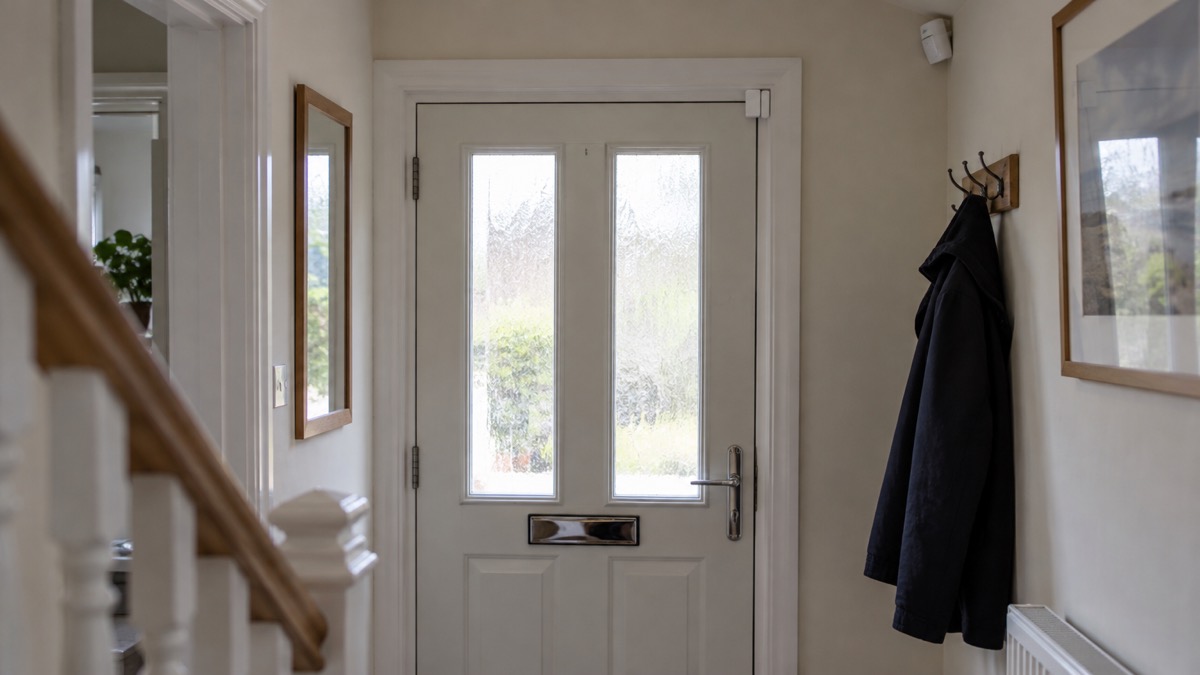
Cameras answer the questions sensors raise. An entry sensor says the back door opened at 14:03; the camera shows you who opened it. A video doorbell does the same job at the front door, and the police advise fitting one for a second reason: where possible, have a safety chain, intercom or video doorbell and viewer fitted, and always attach the chain or use the intercom or viewer before opening the door to strangers9. That is doorstep crime prevention as much as burglary prevention.
Indoor cameras suit the "did something happen inside" question. Outdoor cameras cover approaches, driveways and rear gardens. Between a doorbell and an outdoor camera, the doorbell wins if you can fit only one, because it covers the door, the most used entry point, and the conversation as well as the picture.
Two cautions from the wider security picture. First, cameras that film beyond your boundary bring data protection duties, covered on filming beyond your boundary. Second, a camera is only as good as the account behind it: weak and reused passwords are how strangers get into camera feeds, covered on camera and doorbell accounts.
There is a third use of cameras that few households expect. London Fire Brigade can accept live video of an emergency through its GoodSAM service, and the video footage allows control officers to send the most suitable resources and offer advice based on a more detailed understanding of the incident10. A doorbell or outdoor camera that you can point at an incident, and footage you can hand to responders, has value beyond burglary.
Smart locks that tell you when someone comes in
A smart lock turns the front door into a sensor with a motor. It reports when it opens and closes, who unlocked it if you give people their own codes or phones, and it can lock itself on a schedule. Combined with the rest of the system, that gives you the "did I lock up" answer from bed, and the "the kids got home at 16:40" answer without asking.
Smartphone or voice-activated systems can control areas of the home such as door opening, turning heating or lights on and off, and opening or closing windows11. That breadth is the appeal and the warning in one: a lock you can open by voice or app is a lock someone else might try to open by voice or app, so the security of the accounts and the hub matters more than with any other device. How smart locks work, and what to check before buying one, is covered on smart locks; whether they keep working in a power cut is on smart locks in a power cut.
Two official rules sit above the convenience. The PSNI advises: "Make sure you keep the appropriate keys nearby in case of an emergency"12. That advice applies whatever the lock does electronically: keep the appropriate key nearby, and make sure everyone in the household knows where it is. And if utility staff need access, water companies offer a password scheme: they use a password you give them, so you know who they are when they knock on your door13. That scheme, covered on doorstep password schemes, pairs well with a video doorbell: you see them, and they prove themselves with the password.
For households where carers or family need to let themselves in, a key safe is often the better answer than a smart lock, and key safes covers which are police preferred.
Alarms and sirens: self-monitored or a 24/7 Alarm Receiving Centre
Every combined system needs a loud answer to a confirmed intrusion, and the choice is who hears it. The PSNI sets out the four types of intruder alarm system generally available: monitored, speech dialler, audible only, and smart home security3. A smart home security alarm, the kind you build around a hub, is usually self-monitored: the siren sounds locally and your phone gets the alert, and you decide whether to call 999. How police respond to alarm signals, and what they require before they will, is on police response to alarms.
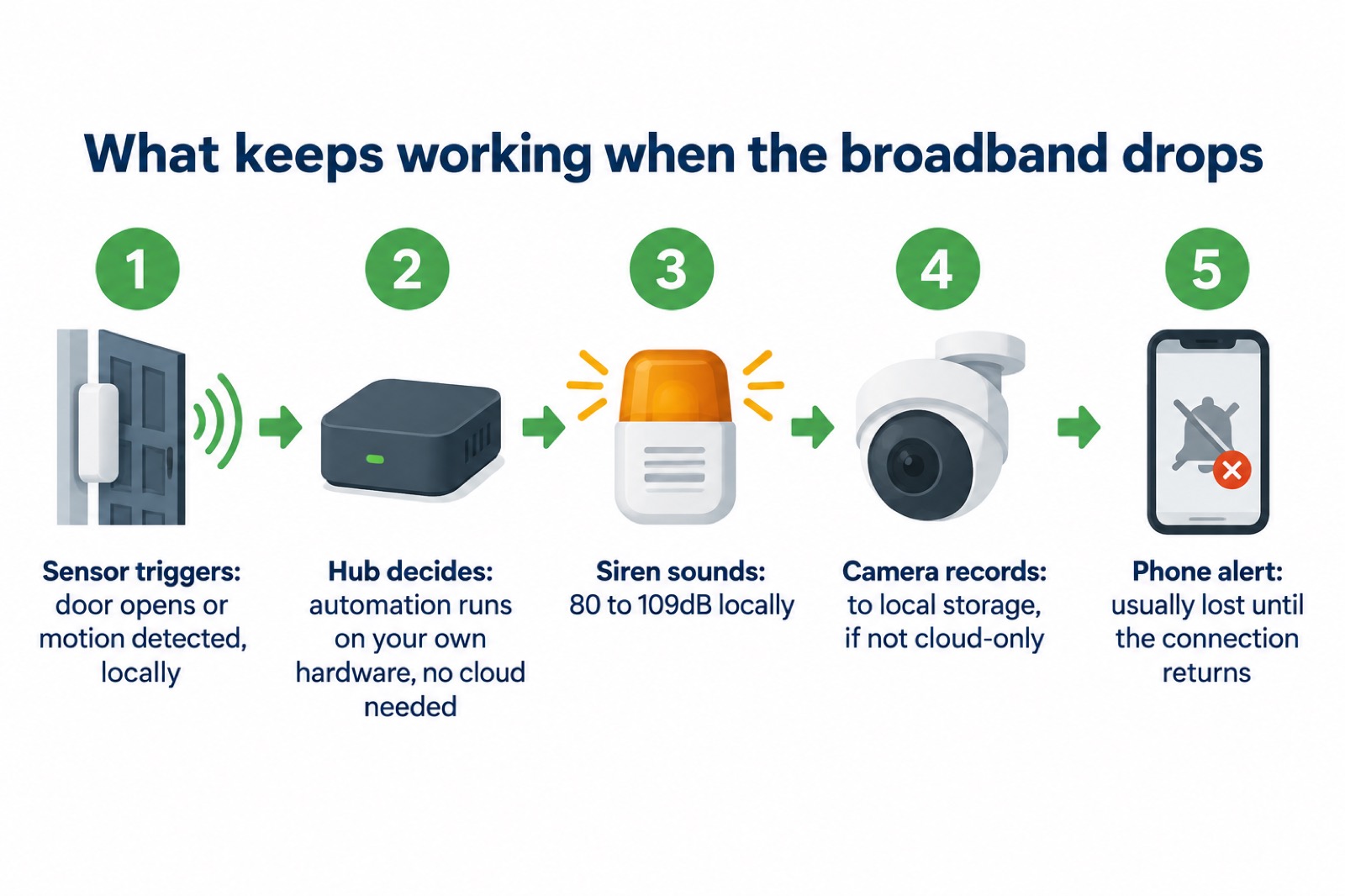
Siren volume is one of the few specifications worth comparing. Independent testing of UK smart security systems lists alarm volumes from 80dB for a compact indoor system up to 109dB for an outdoor bell box, with other systems at 102dB4. Louder is not automatically better: an outdoor siren at 109dB will wake the street, which is the point, while an 80dB indoor siren may be all a flat needs without antagonising the neighbours. Where to mount an outdoor siren is covered on outdoor siren height.
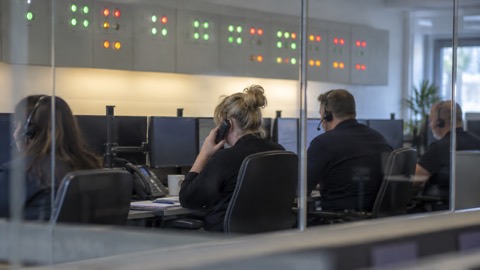
The alternative to self-monitoring is a professional service. SimpliSafe, for example, sells its kits with 24/7 alarm monitoring2, and the trade-off is a subscription against the reassurance that someone is always watching. The monitored world also includes services aimed at people who need help rather than burglary cover: personal alarm services give instant access to help from a call-monitoring centre, 24 hours a day, 365 days a year, plus reminders to take medication and attend appointments14. Devon's guidance notes that some providers add monitoring for smoke and carbon monoxide detectors, natural gas detectors, extreme temperature sensors, flood detectors, panic alarms, fall detectors, epilepsy sensors and medication dispensers14. Surrey describes community alarms linked to smoke alarms, connected to a 24 hour monitoring centre15, and London Fire Brigade describes telecare as an alarm system that helps people live independently by letting someone else, typically a call centre or a relative who lives elsewhere, make sure a person is safe16.
One app: bringing alarms, cameras and locks together
The point of the exercise is the single view. Smart packages sold in the UK may include a wi-fi CCTV camera, video doorbell and an app to control the system1, and a hub-based setup such as Home Assistant generalises that: the same screen shows the doorbell's last visitor, the alarm's armed state, the lock's status and the water sensor under the boiler, and the same automations link them.
What that buys you in practice:
- One history. Every event, from a door opening to a motion clip, lands in one timeline instead of four apps' notification feeds.
- One rule engine. "If the back door opens while we are away, sound the siren and send me the camera clip" is one rule, not a chain of separate apps hoping to cooperate.
- One login to secure. One hub and one set of accounts to protect, rather than a password per device, which matters because account security is where these systems are actually attacked.
- Mixed brands. Sensors, cameras and locks from different makers, chosen for what each does, rather than whatever one maker's ecosystem happens to include.
The last point is the practical reason most people build rather than buy a package. A single maker's app can already span alarms, cameras and locks, so you can add a device this year and another next year without abandoning the app that ties them together.
Mixing brands: voice assistants and makers' own integrations
Two things connect a mixed system: the radio protocols the devices speak, and the integrations the hub offers. Sensors and locks commonly use low-power radio standards such as Zigbee and Z-Wave, newer devices use Matter and Thread, and cameras and doorbells usually join over wi-fi through their maker's own integration. The hub's job is to speak all of these; your job is to check, before buying any device, that the hub supports it.
Voice assistants sit on top as a control layer rather than a connection layer. Many smart security systems are compatible with Alexa and Google Assistant4, and smartphone or voice-activated systems can control door opening, heating and lights on and off, and opening or closing windows11. Voice is convenient for arming the alarm with your hands full, but keep a physical fallback: a keypad or key fob, which many kits include2, so that a voice assistant outage, a wi-fi dropout or a forgotten phrase never locks you out of your own security system.
One caution when mixing brands: support periods differ. Independent testing of UK smart security systems flags that some have unknown software update periods4, and support can end outright. Hive said it would end support for the Hive Homeshield smart burglar alarm, including sirens, keypads and sensors, along with the Hive View indoor and outdoor cameras, on 1 August 20254. A device whose maker has stopped supporting it stops receiving security fixes, which is a real risk for anything with a camera or an internet connection. How long cameras and doorbells get updates is covered on camera software updates.
Automations: lights, alerts, sirens and locking up
Automations are where a pile of devices becomes a security system. The useful ones fall into a small number of patterns, and each is built from the same ingredients: a trigger (a sensor event), conditions (are we away? is it night?) and actions (lights, alerts, siren, lock).
- Lights on when motion is seen. Outdoor lighting that responds to movement is an established deterrent: Cheshire Fire and Rescue Service advises considering security systems such as intruder alarms and security lighting to deter intruders17. Motion-triggered lighting is covered on outdoor lights that deter burglars.
- An alert when a door opens while you are away. The automation adds the condition "and nobody should be home" to a door-entry alert, so a sensor that normally just logs comings and goings becomes a tripwire.
- No movement for hours. Sensors can be attached to cupboards, a fridge door or interior doors to monitor daily use and send an alert when motion is not detected during a certain time period or throughout the day7. This is the welfare-check pattern for someone living alone.
- A siren on confirmed entry. Entry plus motion in sequence, then the siren.
- Locking up at night. The lock engages on a schedule, and the app confirms every external door and window sensor reads closed.
- Fire that reaches someone. North Yorkshire Fire and Rescue Service advises considering monitored smart smoke alarms so that somebody will be alerted if a fire breaks out and nobody is at home18, which matters doubly for pet owners, as its pet fire safety guidance explains.
Working without the internet, and on backup power
The strongest argument for a locally controlled hub is that broadband and maker clouds both fail. A hub that runs on your own hardware keeps its automations running when the internet drops: the door sensor still triggers the siren, because that decision is made in your house rather than in a data centre. Cameras that record to local storage rather than a cloud subscription keep recording too, a point covered on cameras without internet. What you usually lose offline is remote viewing and phone alerts, so a weak mobile signal or slow broadband at the property is a genuine constraint, covered on alarms and cameras on a weak signal.
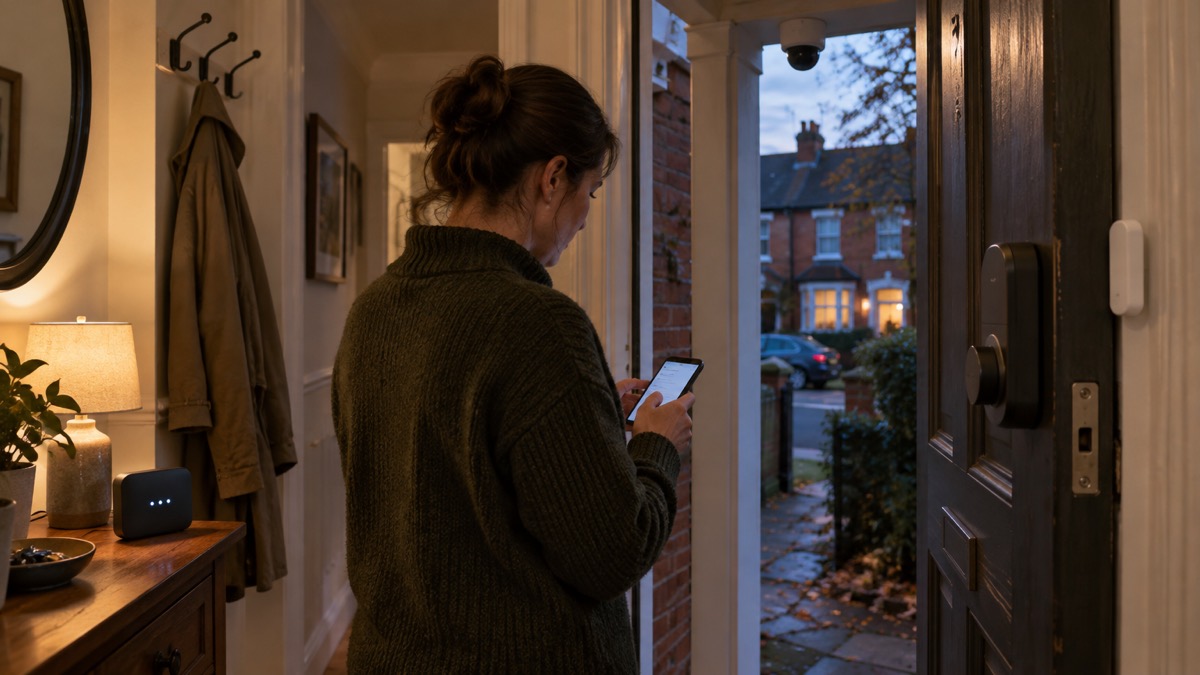
Power cuts are the other failure mode. A hub, its radio dongles and the network they run on are small loads, well within the reach of the backup power arrangements covered on backup power at home, and keeping your security system alive through a cut is part of the wider picture on keeping your home protected in a power cut. Battery-powered sensors and cameras ride out a cut by design; the hub and any wired cameras are the ones to put on backup.
The Hive shutdown is the third failure mode, and the least predictable: a maker deciding to end support for a product you have fitted throughout your house4. A hub-based system softens this, because a device that stops being supported by its maker can sometimes still be driven locally through an open integration, but treat that as a mitigation, not a guarantee, and check support commitments before buying.
Keeping the system secure: updates, access and backups
A combined security system is also a combined attack surface: one hub that can see every camera and open the front door. Police Scotland's advice on hacked accounts is direct: keep software and apps updated for the latest security updates5. In a self-built system that includes the hub's own software, every integration and every camera firmware update, on a schedule, not when you remember.
Access control comes next. Devon and Somerset Fire and Rescue Service puts it plainly for anyone with a house or personal alarm: "Make sure you know how your house or personal alarm works, including any passwords or codes"19. In a household, that means everyone who needs to arm, disarm or unlock can, and everyone who should not, cannot: strong unique passwords on the hub and every camera account, two-factor authentication where it is offered, and codes for the lock that you can revoke when a lodger or a cleaner leaves. Stopping strangers getting into camera accounts is covered on camera account security.
Backups are the quiet third leg. A hub that holds your whole configuration should be backed up so that a failed memory card does not erase your automations along with your evening. And the physical layer still matters more than any of it: the fire service's routine home safety advice is to carry out regular home safety checks, fit smoke and carbon monoxide alarms, use safety equipment where appropriate, keep emergency contact numbers accessible, and seek advice if you are concerned about hazards in your home20. A smart system supplements that; it does not replace it.
Where to get help, in every nation
Free home safety help exists across the UK and is worth having before and after you fit anything. In Wales, fire and rescue services offer a free home safety check: a visit includes free home safety advice and equipment, and if needed smoke alarms and carbon monoxide alarms will be provided21. Belfast City Council's family home safety check will show you the potential risk areas in your home, provide tailored advice, arrange for safety equipment to be delivered subject to eligibility, and refer you for a free smoke alarm installation22. South Wales Fire and Rescue Service's home safety visit starts with a practitioner contacting you by telephone, email or text to go through advice and chat through options for getting alarms to you if required23. London Fire Brigade's home fire safety visits are free, available 24/7, and free smoke alarms are fitted during the visit if you need them24.
For the security side, further advice on home security can be obtained from your local Police Crime Prevention Officer17, and Avon and Somerset Police's Be Home Safe team can help make your home more secure and offer bespoke advice25. In Scotland, the Scottish Fire and Rescue Service advises contacting your local authority, housing association, social work department or local community fire station for additional help, and firefighters can help you find assistance8.
| Nation | Free home safety help |
|---|---|
| England | Fire and rescue service home fire safety visits24 |
| Scotland | Contact your local authority, housing association, social work department or community fire station8 |
| Wales | Free home safety check from your fire and rescue service, with alarms provided if needed21 |
| Northern Ireland | Belfast City Council family home safety check with tailored advice and equipment22 |
Sources (25)
- Alarm systems for protecting your home, SSAIB, 2026
- Home security shop packages, SimpliSafe, 2026
- Protect Yourself booklet, Police Service of Northern Ireland, 2024
- Best burglar alarms and smart security systems, Which?, 2026
- Hacked accounts advice, Police Scotland, 2026
- Home fire action plan, Surrey County Council, 2026
- Smart tech and handy devices for the home, Carers UK, 2026
- Smoke and heat alarms, Scottish Fire and Rescue Service, 2025
- Doorstep crime prevention advice, Avon and Somerset Police, 2026
- Calling 999, London Fire Brigade, 2026
- Assistive technology, Warwickshire County Council, 2026
- House security guidance, Police Service of Northern Ireland, 2026
- Priority Services Register, Surrey County Council, 2026
- Support at home: home safety, Devon County Council, 2025
- Fire safety at home tips, Surrey County Council, 2026
- Alarms for carers and support workers, London Fire Brigade, 2026
- Protect your property from arson, Cheshire Fire and Rescue Service, 2024
- Protect your pets, North Yorkshire Fire and Rescue Service, 2025
- Fire safety for people using mobility aids, Devon and Somerset Fire and Rescue Service, 2026
- Home accident prevention, Public Health Agency Northern Ireland, 2026
- Get a free home safety check, Welsh Government, 2026
- Home safety, Belfast City Council, 2026
- Request a home safety visit, South Wales Fire and Rescue Service, 2026
- Home fire safety visits, London Fire Brigade, 2026
- Window security advice, Avon and Somerset Police, 2026
 Moving Home Locks Checklist
 After a Break-In Checklist
 Holiday Security Checklist
 Monitored Alarms and Response
 Panic Buttons on Home Alarms
 Police Response to Burglaries
 Home Protection in a Power Cut
 Alarms on a Weak Mobile Signal