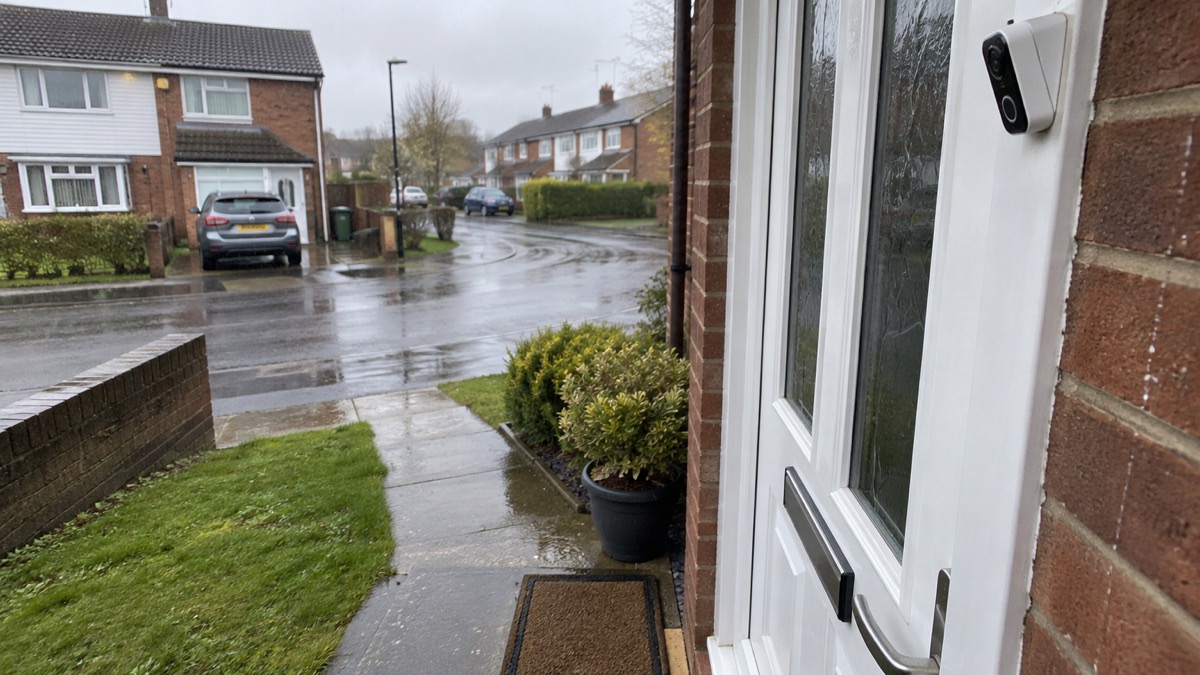
A camera that films only your own garden and your own doorstep is a security device. The moment it captures your neighbour's garden, a shared driveway, the pavement or the street, it becomes something more: a system that records other people, including people who never came to your door and never agreed to be filmed. That is when data protection expectations start to apply to an ordinary household camera.
The body that sets those expectations in the UK is the Information Commissioner's Office (ICO). It publishes guidance on the use of domestic CCTV aimed at "people who wish to (or already have installed) a CCTV system on their property"1. The guidance treats a doorbell camera or CCTV system that films beyond your boundary as collecting personal information about your neighbours and passers-by, and it expects you to handle that information fairly, tell people it is happening, keep it only as long as you need it, and respond properly when someone asks to see what you recorded of them.
None of this means you should take your camera down. The police actively encourage households to install external CCTV and digital doorbells, because burglars do not want to be seen and the devices capture evidence that can be circulated among officers and the public2. What it means is that a well-run camera is one that films what it needs to, tells people it is there, and does not become the neighbourhood's problem. This page sets out how to do that, and what to do if the problem is a camera pointing at you.
When a camera filming past your boundary brings in data protection law
The line that matters is your property boundary. A camera whose view stops at your fence, your wall or your doorstep records your property and the people you have chosen to let approach it. A camera that sees past that line, into a neighbour's garden, over a shared drive, or out onto the pavement and road, records people who have no relationship with you at all: neighbours sitting in their garden, delivery drivers walking past, children playing, anyone walking along the street.
The ICO's domestic CCTV guidance is written for exactly this situation, for people who have installed or are thinking of installing a camera on their property1. Its starting point is that when your camera captures images of people outside your household, you are handling their personal information, and that brings responsibilities with it. The same principle appears across official guidance elsewhere: a community flood plan template tells groups drawing up plans to "comply with GDPR regulations when gathering personal information from people"6, and official cyber security guidance notes that personal data breaches can lead to identity theft and legal consequences under GDPR7. The common thread is simple: collecting information about other people, even incidentally, is not a consequence-free act.
Two practical points follow. First, it is the camera's field of view that decides whether you are in this territory, not your intentions. A doorbell aimed at your doorstep but with a wide lens that takes in the pavement opposite is filming beyond your boundary. Second, the more of other people's space your camera captures, the more carefully you are expected to run it. A sliver of pavement at the edge of the frame is a different matter from a camera trained on a neighbour's patio, and the expectations scale accordingly.
If you are choosing a camera in the first place, our guide to home cameras and CCTV and our comparison of video doorbells and outdoor cameras cover what each type does; this page covers the rules that apply once the lens looks past your own land.
What the security law for smart devices requires
Most doorbell cameras and home CCTV systems sold today are smart devices: they connect to your Wi-Fi, stream to an app, and store footage in the cloud or on a recorder you control. Since 2024, a new security law for smart devices applies to products sold in the UK, and it covers a wide range of household equipment, including "smart doorbells, baby monitors and security cameras" alongside smart speakers, smart TVs, smartphones, tablets, game consoles, fitness trackers and smart domestic appliances8.
The law's requirements are aimed at the manufacturers and sellers, but they change what you should look for when you buy. One requirement is that product information must state the minimum length of time for which the device will receive important security updates8. A camera that stops receiving security updates becomes a weak point in your home network, and a doorbell that films your neighbours while running software nobody patches any more is the worst of both worlds. Our page on how long cameras and doorbells get software updates explains what to check before buying, and our page on stopping your security camera being hacked covers keeping an installed device secure.
The practical habit to build is to buy a camera whose support period is stated, register it with the maker, and apply updates when they arrive. Keeping the camera's software current is part of running it responsibly: the ICO regulates how domestic cameras handle personal data, and you can contact it on 0303 123 1113 if you are unsure of your obligations7.
Positioning a camera so it stays on your property
The cleanest way to stay clear of every difficulty on this page is to keep your camera's view inside your own boundary, and positioning is where that is decided. Before you drill anything, stand where the camera will go and look at what it will see. If the answer includes a neighbour's windows, their garden table, or more than a sliver of the pavement, move the mount or narrow the field of view.
Police Scotland's housebreaking advice gives one concrete figure: put the camera 3 metres above the ground, because that height is more likely to record faces and stops thieves from breaking the camera3. That height also helps with the boundary problem, since a camera mounted high and angled downward tends to see your own ground rather than the horizon beyond it. Angling down is the single most useful adjustment you can make: it keeps faces in frame at your property and pushes the neighbour's garden out of the top of the shot.
A few checks worth doing before you finalise the position:
- Look at the live view on your phone from the intended mounting point before fixing the camera permanently.
- Check what the camera sees at night as well as by day, since infrared and night modes can widen the effective field of view.
- Confirm the camera meets British Standards (PD6662) if you are installing it as part of a wider alarm and CCTV set-up, which Police Scotland lists among its burglary prevention checks3.
- Re-check the view after any firmware update, because some updates change default motion zones and framing.
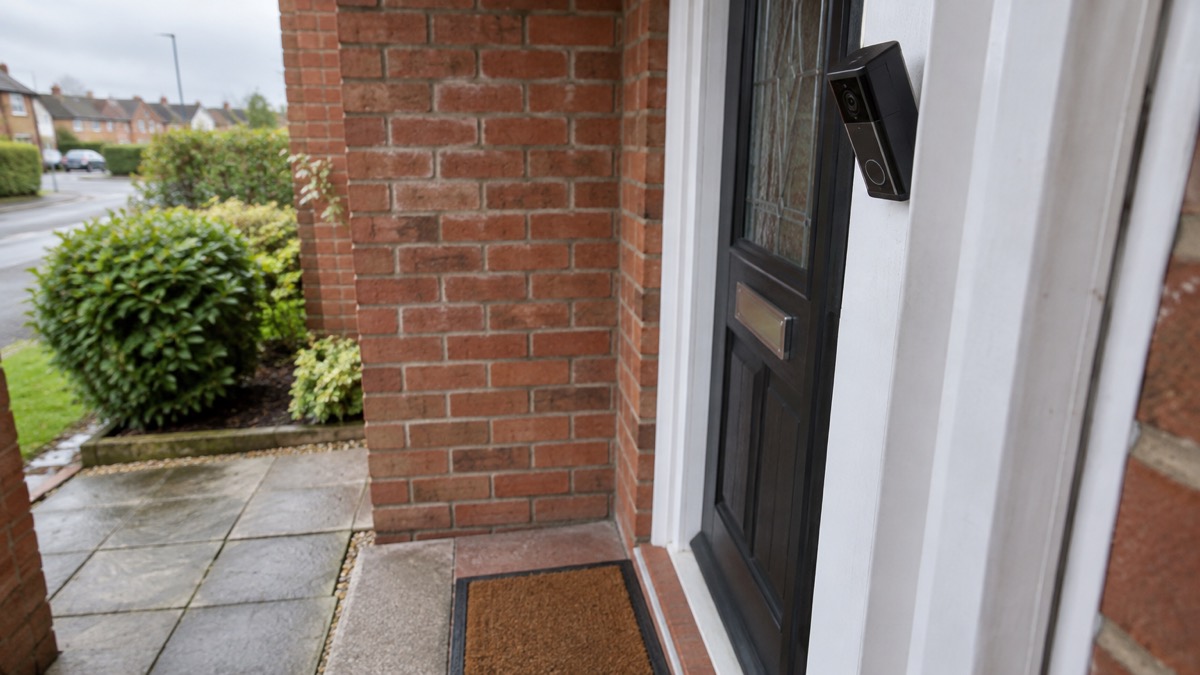
There is a genuine tension here, because the police value cameras precisely for the ground they cover. Gloucestershire Constabulary advises households to install external CCTV or digital doorbells because burglars do not want to be seen and the devices capture evidence that can be circulated among officers and the public2, and fire and rescue services similarly advise considering CCTV to help protect your property from arson9. The resolution is not to choose between coverage and privacy but to cover your own property thoroughly: your doors, your windows, your drive, your rear garden. A camera that does that well will usually capture enough of the approach to be useful as evidence without being trained on the houses either side.
Shared driveways, shared entrances and flats
Shared spaces are where boundary lines blur, and they need a decision before the camera goes up rather than after. A driveway you share with the house next door is not your property alone: your neighbour uses it as of right, so a camera covering the whole drive is filming them going about their normal business, every day, on land that is partly theirs. The same applies to a shared hallway or communal entrance in a block of flats, where a camera on your front door sees everyone who enters the building.
The starting point is conversation. Talk to the people who share the space, explain what you want the camera for, and agree what it will cover. Where a scheme already exists, a neighbourhood watch can be the natural forum: official guidance says the first step in setting one up is to talk to your neighbours and see if there is support for it in your area10, and a shared drive or entrance is exactly the kind of micro-area where a small scheme works. Our page on joining or starting a neighbourhood watch covers this in detail.
Then frame the camera to your own interest in the space. On a shared drive, that means your parking bay and the section of drive in front of your garage, not the neighbour's car or their front door. In a flat, it means your own front door, not the communal corridor. If you live in a property with a shared entrance, our guide to flats and shared entrances covers door entry systems and communal doors more broadly.
If a crime does occur on the shared space, footage from any camera covering it becomes valuable. Avon and Somerset Police's doorstep crime advice, which recommends having a video doorbell and using it before opening the door to strangers11, is written for exactly the kind of shared-approach situation where a doorbell earns its keep. And if parcels go missing from a shared porch, the same force advises contacting the police to get a crime reference number and checking with neighbours or for CCTV footage11, which is often the moment a shared drive camera proves its worth to everyone who uses it.
Rented homes, flats and leasehold: who allows the camera
If you do not own your home outright, there is a second question before the data protection one: are you allowed to put the camera up at all? For renters, the answer starts with your tenancy agreement and your landlord. Devon and Somerset Fire and Rescue Service's guidance for tenants notes that if you live in a building with areas shared by other tenants, your landlord has legal obligations for those shared areas12. The same guidance makes the broader point for anyone renting: your landlord or building owner may have responsibilities such as maintaining the shared areas of the building, and you may need their permission to make changes to the premises12. Fixing a camera or a wired doorbell to an external wall is a change to the premises.
For leasehold flats, the position is similar but the person to ask is usually the freeholder or managing agent rather than a landlord, and the external walls and communal parts of the building are commonly theirs to control. A battery doorbell stuck to the inside of your own front door, or a peephole camera within your own flat, is a different matter from a camera on the communal landing or the building's exterior.
Practical steps before you install in a rented or leasehold home:
- Read the tenancy agreement or lease for clauses on alterations and fixtures.
- Ask in writing, and keep the reply, so there is no dispute later about what was agreed.
- Prefer removable mounts and battery cameras where the agreement is silent, since they leave no permanent change.
- Check who else's space the camera will see: in a shared building that is rarely just your own visitors.
Our page on smart locks in rented and shared homes covers the same permission questions for another category of device, and the principles transfer directly.
Telling people they are being recorded, and keeping footage tidy
Once a camera films beyond your boundary, the people it films should know that it is happening. A small sign at the front of your property, visible to anyone approaching, does the job for most domestic set-ups: it tells visitors and passers-by that recording is in progress without you having to tell each of them individually. Signs work best alongside the other habits in this section, because a sign alone does not answer the questions people actually have: who is watching this, how long is it kept, and who gets to see it.
Keeping footage tidy matters as much as collecting it. Subscription services impose their own limits: an Arlo Secure subscription gives 30 days of video storage4, after which older footage is gone. That is a useful discipline to adopt even if your system stores more. Review what your system retains, delete clips that show nothing but your neighbours' ordinary life, and export and keep only what has a real purpose: an incident, a delivery dispute, evidence of a crime.
Some doorbells can record continuously rather than only on motion. Which notes that the Ubiquiti UniFi Protect G4 Doorbell offers continuous recording, although you need to purchase an additional storage device from Ubiquiti to make it work4. Continuous recording multiplies how much other people's data you hold, so if you use it, be stricter still about deletion. Good doorbells spot someone up to 2.5 metres away4, which is enough coverage for a doorstep without sweeping the street.
On the security side, treat your camera's account as carefully as the footage itself: our page on camera and doorbell accounts explains how strangers get into these systems and how to stop them.
If a neighbour asks to see footage of themselves
A person who appears in your footage can ask you to show them what you recorded. This follows from the same principle as the rest of this page: your camera has collected their personal information, and they are entitled to know what you hold. If you are unsure how to handle such a request, the ICO can be reached on 0303 123 111313.
When a request arrives, take it seriously and deal with it promptly. Check whether the footage still exists, remembering that subscription storage is self-emptying: Arlo Secure keeps 30 days of video4, so a request about something older may already be moot. Look at what the footage actually shows before sharing it, because a clip that also shows other neighbours, their children or their visitors may need those people editing out before you hand it over. If you decide not to share it, say so and explain why rather than ignoring the request.
Two things help enormously if the request ever becomes a complaint. The first is a record: notes of when the request came, what you checked, what you shared and when. The second is the state of your set-up itself: a camera aimed at your own property, a sign telling people they are recorded, and a deletion routine all show a household that took its responsibilities seriously, which is the picture the ICO's guidance asks domestic camera owners to present13.
Sharing footage with the police, insurers or online
Sharing footage is where a well-run camera does its public good, and also where careless sharing does harm. The two rules of thumb: share with the authorities when asked or when a crime has occurred, and do not post other people's footage online.
When a crime happens on or near your property, report it. Police Scotland's housebreaking guidance notes you can report online, by phone, or in person3, and Avon and Somerset Police advise contacting the police to get a crime reference number after a parcel theft, and checking with neighbours or for CCTV footage11. If the police ask for your footage, provide it. The ICO itself has said plainly that urgency should not be a barrier: "In an emergency you should go ahead and share data as is necessary and proportionate"5. That is the Information Commissioner's Office speaking, the same body whose domestic CCTV guidance governs your camera day to day1, so sharing with the police in an emergency is not a breach of your duties but the opposite.
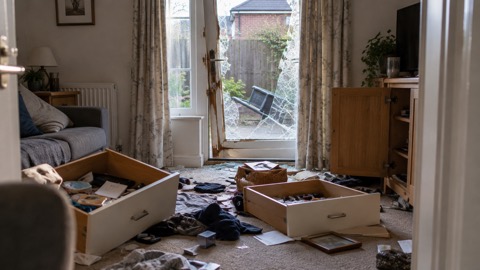
Insurers are similar: after a burglary or damage claim, footage you hold of the incident is evidence, and providing it to your insurer is a proportionate use. Our pages on coming home to a break-in and after a burglary set out the full sequence of crime numbers, insurers and repairs.
Posting footage online is different. A clip that shows a neighbour, a delivery driver or a passing stranger in a misleading light can cause real harm, and the law has teeth here: it is illegal to share or threaten to share intimate photos or videos of someone without their permission, and this includes deepfake images14. Even ordinary footage of a neighbour posted to a local group can feed a harassment or nuisance complaint. The default is simple: footage goes to the police or your insurer, not to the internet.
If a neighbour's camera points at your home
The view from the other side of the fence is the mirror image of everything above. If a neighbour's camera captures your garden, your windows or your family's movements, the same expectations apply to them that would apply to you, and you are entitled to raise it.
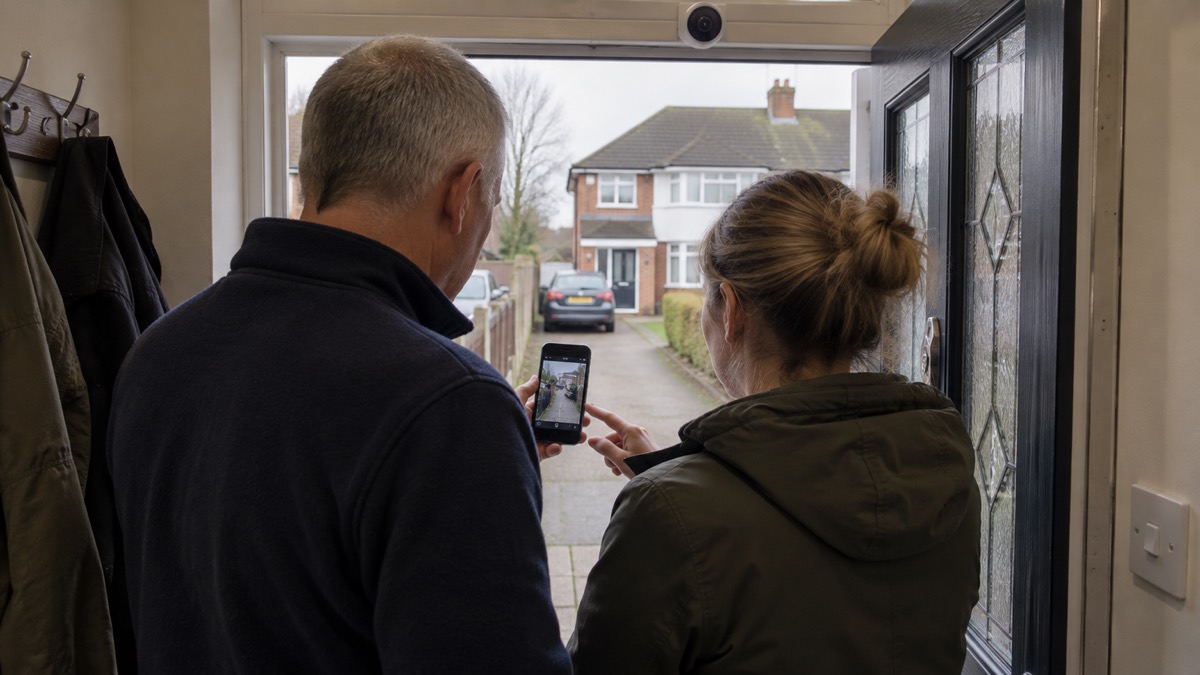
Start the way you would want them to start with you: talk. Many cameras are angled badly by accident rather than intent, and a neighbour who learns their doorbell takes in your patio will often adjust it once asked. Fire and rescue guidance captures the general spirit of neighbouring well: be respectful of your neighbours15. Give the conversation a chance before anything formal.
If talking does not work, or the situation feels hostile, you have options. You can complain to the ICO, which regulates domestic CCTV that films beyond the boundary and publishes the guidance these cameras are measured against13. And you can look at whether the camera is part of a wider pattern: bogus caller guidance from Belfast City Council suggests telling your neighbours, community groups and local Neighbourhood Watch scheme when someone is causing concern in your area, in case others are affected too16.
One thing not to do is interfere with the camera itself. Damaging a neighbour's equipment turns a civil dispute into a criminal matter, and it hands the stronger position to the other side.
Harassment, nuisance and the penalties for getting it wrong
Most camera disputes never reach a penalty, because most are settled by adjusting an angle or deleting a clip. But it is worth knowing where the edges are, both so you stay inside them and so you know what you can cite if a neighbour's camera use crosses them.
The data protection framework is the first edge. The ICO regulates domestic CCTV that films beyond the boundary, and you can contact it on 0303 123 1113 if you are unsure of your duties13. Handling other people's footage carelessly, leaving it exposed, or refusing to engage with requests is where those consequences begin.
The second edge is harassment and nuisance. A camera used not to protect a home but to monitor a particular household, or footage shared to embarrass or intimidate a neighbour, can support a complaint to the police, reportable online, by phone or in person3. The illegal sharing of intimate images, including deepfakes, is a separate and serious offence14.
The third edge is local orders. Behaviour that persists as a nuisance in a public space can be dealt with through a Public Space Protection Order: breaching a PSPO is a criminal offence and could result in a £1,000 fine17. That figure comes from an official warning about PSPOs on open land, not from a camera case, but it shows the order of penalty that nuisance enforcement can reach.
The through-line for a household that wants none of this: aim the camera at your own property, sign it, delete routinely, answer requests, share only with the authorities, and talk to neighbours early. Those habits keep you inside the rules the ICO applies to domestic cameras that film beyond your boundary13.
Where to go next
If you are installing or improving a camera, the companion pages in this section take you through the practical choices in order: home cameras and CCTV for the types available, video doorbells for what a doorbell can do, and wired or battery cameras for the power question. Once installed, protect the system itself through camera and doorbell accounts and how to stop your security camera being hacked.
If your concern is a neighbour's camera rather than your own, the ICO regulates domestic CCTV that films beyond the boundary and can be contacted on 0303 123 111313, and our home security household guide covers the wider ground of protecting a home without cameras at all: doors and locks, windows, outdoor lights and burglar alarms.
For the community route, joining or starting a neighbourhood watch explains how to set one up, starting with talking to your neighbours10, and bogus callers covers the doorstep crime that doorbell cameras are often bought to answer.
Sources (17)
- Guidance on the use of domestic CCTV, GOV.UK, 2015-12-08
- Burglary prevention campaign advice, Gloucestershire Constabulary, 2026-11-02
- Break-in and housebreaking advice, Police Scotland, 2026-11-02
- How to buy the best smart video doorbell, Which?, 2026-10-16
- Identifying and supporting people who are vulnerable in an emergency, GOV.UK, 2025-04-28
- Community flood plan template, GOV.UK, 2023-11-15
- Cyber attacks, threats and scams, Essex Prepared, 2026-10-29
- Security law for smart devices, National Cyber Security Centre, 2024
- Reducing arson risk, Devon and Somerset Fire and Rescue Service, 2026
- Neighbourhood Watch, nidirect, 2025-09-09
- Doorstep crime advice, Avon and Somerset Police, 2026-11-02
- Safety at home: tenants, Devon and Somerset Fire and Rescue Service, 2026
- Outdoor Security Cameras, eufy (Anker)
- Deepfakes: what is a deepfake, police.uk, 2026-11-02
- Bonfire safety, Mid and West Wales Fire and Rescue Service, 2026-10-29
- Bogus callers: community safety advice, Belfast City Council, 2026-10-29
- Staying safe on the moors this Easter, Lancashire Prepared, 2026-10-29
 Moving Home Locks Checklist
 After a Break-In Checklist
 Holiday Security Checklist
 Camera Account Security
 Video Doorbells Guide