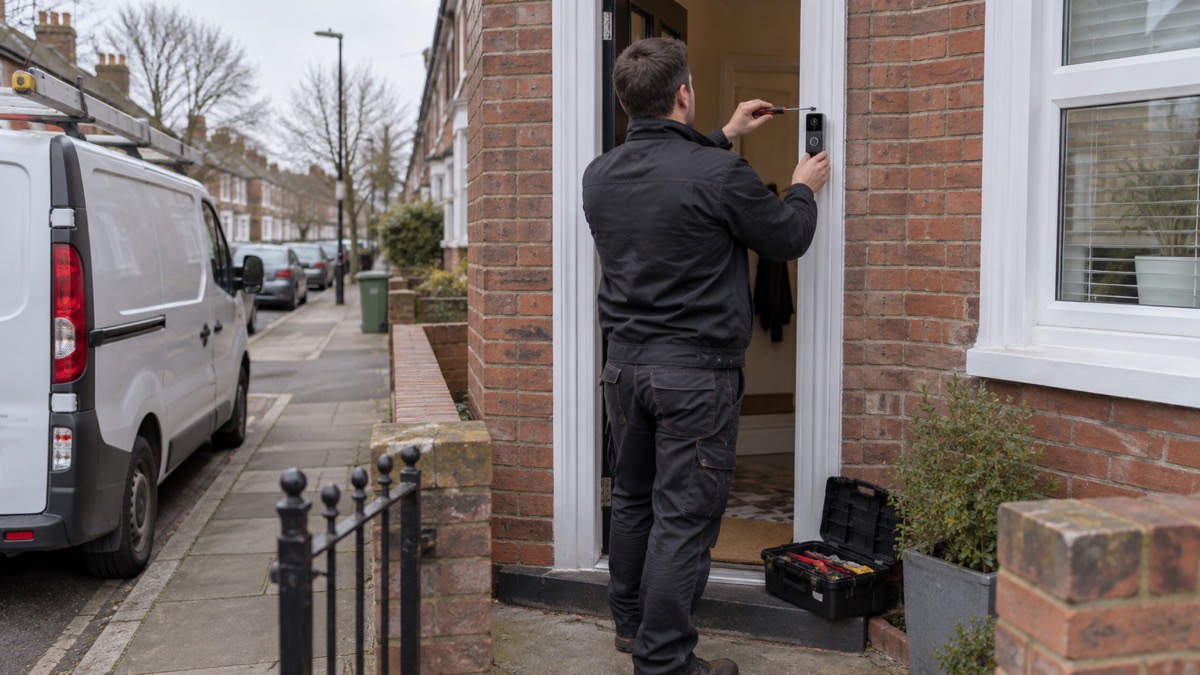
A video doorbell is a smart device that connects to your home Wi-Fi and lets you see, hear and speak to whoever is at your front door, from inside the house or from anywhere else. Blink describes its second-generation model as a "Wi-Fi-enabled smart doorbell that lets you see, hear, and speak to visitors"1, and Ring says all its video doorbells "can send notifications to your phone, tablet and PC when anyone presses your doorbell or triggers the motion sensors"2. Most record video when someone approaches, so you can see who called while you were out.
Before you buy, two practical things decide whether a doorbell will work in your home: your Wi-Fi and your wiring. Battery models fit in minutes without touching the electrics; wired models draw constant power from your existing doorbell wiring but usually need more care, and sometimes a professional, to install3. Since 29 April 2024, a UK law also requires the maker of any smart device, doorbells included, to state how long it will receive security updates, so you can check a doorbell's support period before you spend money4.
This page explains what a video doorbell does, what you need before fitting one, what the security law means for you, and how to set one up safely. For the wider picture of home security, see our guide to home security.
What a video doorbell is and what it does
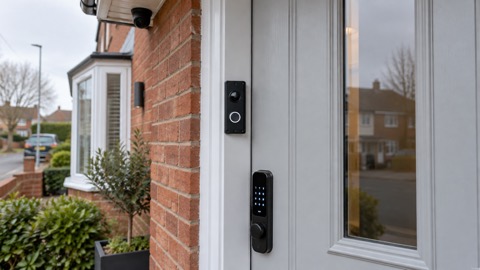
A video doorbell replaces or sits alongside your existing doorbell. It is a small camera, microphone and speaker in a weatherproof unit that connects to your home Wi-Fi. When someone presses the button or walks into the camera's view, it sends an alert to your phone and shows you a live picture. You can talk to the visitor through the speaker, whether you are in the back garden or away from home2.
Picture quality varies by model. The Blink Video Doorbell records 1080p HD video with two-way audio5; Blink's second-generation model goes up to 1440p with a 150° field of view1; Arlo's wireless doorbell offers up to 2K video, smart alerts, two-way audio and a built-in siren8. A wider field of view shows more of your doorstep and approach; independent testing by Which? found good doorbells will spot someone up to 2.5 metres away7.
Most models connect straight to your Wi-Fi without any extra hub. Arlo says its video doorbells "can connect directly to your Wi-Fi"8, and Blink's doorbell does not require a Sync Module, although the second-generation model does5. Some makers offer an optional hub that adds features: Arlo's SmartHub can improve Wi-Fi range, unlock local storage and add Apple HomeKit compatibility8.
There are two main types, and the choice shapes everything else about owning one. Battery models run on a rechargeable or replaceable battery and fit with screws or adhesive, so they suit renters and anyone without existing doorbell wiring. Reolink says a wireless, battery-powered video doorbell is better for "easy installation, recording during power outages, and portability"3. Wired models connect to your existing doorbell wiring for always-on power2, so you never recharge them, but they need the wiring to be there and correctly rated. Our comparison page on battery or wired video doorbells sets the two side by side.
Hearing the bell inside matters too. When a Blink doorbell is wired to existing chime wiring it rings your in-home mechanical chime; when it is not wired, a Blink Mini camera, a Blink Chime or a compatible Alexa device can act as the indoor chime instead1. Ring's wired doorbell works with a Chime or an Alexa-enabled device so you always know when someone drops by2, and Swann sells a wire-free battery-powered chime unit for several of its doorbells9. This matters if anyone in the house does not carry a phone around all day.
A doorbell also keeps working in a limited way when the internet does not. Blink says that without a Wi-Fi connection, sound still plays from the doorbell when the ringer button is pressed, but you will not receive notifications and motion events are not recorded until it reconnects5. If keeping an eye on the whole outside of your home matters more than the doorstep, read our comparison of a video doorbell or outdoor camera.
What you need before you fit one
Check four things before you order a doorbell: your Wi-Fi, your wiring, your door and your storage plan.
Your Wi-Fi. Most doorbells use the 2.4GHz band. Blink requires a 2.4GHz Wi-Fi network (802.11b/g/n) with a high-speed internet connection and a minimum upload speed of 2 Mbit/sec5; its second-generation model also specifies a minimum 2 Mbps upload speed1. Ring's wired 2K doorbell uses WiFi 4 on the 2.4GHz single band10, and its 4K Elite model recommends a minimum upload speed of 15 Mbps for optimal performance11. If your broadband is slow at the front door, see our advice on alarms and cameras on a weak signal.
Your wiring. If you want a wired doorbell, you need existing doorbell wiring in working order. Reolink's wired Wi-Fi doorbell "wires into your existing doorbell infrastructure for constant power"3. If there is no wiring, choose a battery model.
Your door and your tenancy. Renters and flat-dwellers have options that avoid drilling. Ring's Peephole Camera 2K is described by the maker as "the perfect Video Doorbell for home owners and renters, who have a peephole in their front door"12, and its No-Drill Mount uses a strong adhesive to attach battery doorbells to the wall without screws, with damage-free removal12. For shared entrances and door entry systems in blocks of flats, see our page on flats and shared entrances.
Your storage plan. Decide where recordings will live. The Blink Video Doorbell "has no way to store clips by itself" and needs a Sync Module 2 with a USB flash drive inserted, sold separately5; the second-generation model offers local storage through a Sync Module 2 (USB drive) or Sync Module XR (MicroSD card)1. Reolink states no monthly subscription is required for its doorbells unless you use its cloud services3, while Arlo doorbells without a subscription still allow live streaming, doorbell calls, motion notifications and two-way audio, with local storage if you add a SmartHub or Base Station8. Our page on cameras without internet explains local storage in more detail.
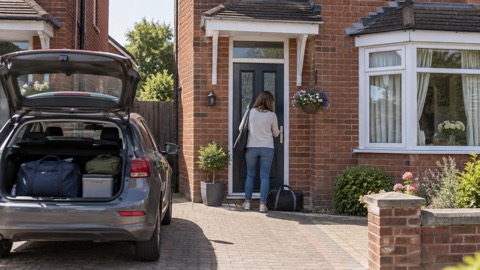
For the fitting itself, Reolink lists the tools you need: a drill, a screwdriver, a level and a pencil, plus a voltage tester, wire strippers and jumper cables if you are connecting to existing wired doorbell wiring3. Finally, if you are going away, Avon and Somerset Police's pre-holiday routine advises: "Make sure any video doorbells are fully charged and operating before you leave"13. Our holiday security checklist covers the rest of that routine.
The UK smart device security law covers your doorbell
From 29 April 2024, manufacturers of consumer smart devices sold in the UK must comply with new UK law under the Product Security and Telecommunications Infrastructure act6. The law applies to any consumer smart device that connects either to the internet or to a home network, for example by Wi-Fi6. Smart doorbells are named explicitly in the official guidance alongside baby monitors and security cameras as covered devices4.
The law exists because cheap connected devices were reaching the market with weak security. The National Cyber Security Centre (NCSC) explains that from 29 April 2024, all smart devices must meet basic cyber security requirements, "which includes stating the product support end date"14. In practice, this means two things you can act on as a buyer: the maker must tell you how long the device will get security updates, and the device must meet baseline security requirements rather than shipping with known weaknesses.
For detailed instructions about updating a specific device, the official guidance directs you to the support area of the manufacturer's website4. The NCSC also publishes general guidance on smart devices in the home14, which is worth reading alongside this page. If you buy from a shop or online retailer, look for the support period on the packaging or product page before you buy: it is now a legal requirement, not a courtesy.
Check how long the maker will provide security updates
The support period is the number of years the maker promises to fix security flaws in your doorbell. Because a doorbell is a camera pointed at your home, connected to the internet, this number matters as much as any picture-quality specification.
The law requires the manufacturer to state the minimum length of time for which the device will receive important security updates6. Makers now publish these commitments, and independent testing by Which? has collected them. Which? reports that Amazon's Ring "has said that it will support all video doorbells for at least four years after the device is last available to purchase"7. Ring's own product pages state that its wired 2K doorbell "gets software security updates until at least four years after it is bought new from this website"10, and the same wording appears for the Wired Video Doorbell 4K Elite11.
Commitments differ between makers, as Which?'s testing found7:
| Maker or model | Stated software update period |
|---|---|
| Ring (all video doorbells) | At least four years after the device is last available to purchase |
| Ring Battery Video Doorbell (2nd Gen) | Until at least December 2030 |
| Ring Video Doorbell Wired (2nd Gen) | Until at least 2030 |
| Blink Video Doorbell (Gen 2) | Four years after purchase from Amazon |
| Eufy | At least five years from launch |
| Philips Hue Wired Video Doorbell | Five years from purchase |
| Nest Doorbell (Battery) | Five years from release date |
| Yale Smart Video Doorbell | Four years from discontinuation, supported until January 2028 |
| SimpliSafe Video Doorbell Pro | Three years from launch |
| TP-Link Tapo D230S1 | Three years from discontinuation |
| Arlo 2K Wireless Video Doorbell | Unknown at the time of testing |
All figures in this table come from Which?'s testing of 60 video doorbells, published in October 20267. Note the different starting points: some makers count from launch, some from purchase, some from the date the product is withdrawn from sale. A doorbell bought late in a model's life may have less support remaining than the headline number suggests, which is one reason to be careful with second-hand and clearance stock. Our page on how long cameras and doorbells get software updates goes deeper.
When updates stop, a doorbell is easier to hack or may stop working
The official warning is plain. NCSC guidance states: "When updates are no longer provided, devices are easier to hack, or may stop working as designed"4. The NCSC's blog post on the smart devices law carries the same wording6.
The reason is simple: security flaws are found continuously, and updates are how they are fixed. The RNIB's guidance on staying safe online puts it directly: "Hackers often use outdated software to hack devices. Updates fix security known issues and add new security features, to help keep you safe"15. Essex Prepared's cyber security advice adds that hackers rely on you ignoring update notifications so they can get in before the update is made, so install patches when the maker releases them16. Police Scotland advises that a smart device not protected with a strong password or kept updated is more likely to be hacked17.
So two habits keep a doorbell safe for as long as it is supported: install updates promptly when the app offers them, and keep the account password strong. Our page on camera and doorbell accounts explains the account side in full.
There is a wider lesson here that applies to other connected equipment around the home: Staffordshire County Council notes that some older telecare alarms may stop working if they are not updated, as the digital phone switchover proceeds. If your household includes a telecare alarm or other connected care equipment, check its support status with the supplier as well.
How a hacked camera can put your home at risk
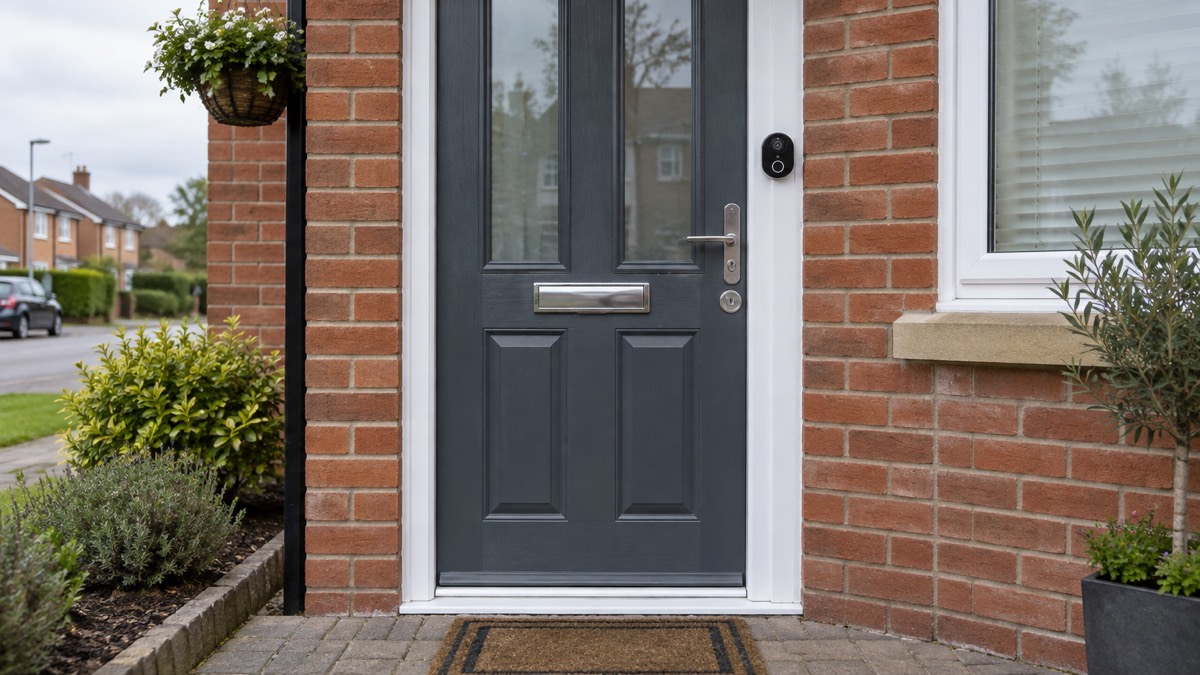
A video doorbell is an internet-connected camera. If a stranger gets into it, they can see and hear your doorstep, learn when you are out, and in some cases speak through its speaker.
The NCSC's guidance on smart security cameras explains the risk and its most common cause: live feeds or images can in rare cases be accessed by unauthorised users, because some cameras ship with well-known or guessable default passwords such as admin or 0000018. The NCSC's published version of the same guidance states: "Live feeds or images from smart cameras can (in rare cases) be accessed by unauthorised users, putting your privacy at risk"19. Get Safe Online records that there have been "a number of incidents recorded of cameras being hacked into, with results ranging from personal video footage being unlawfully viewed and sometimes streamed online, to the perpetrator speaking to a child via the camera's built-in speaker"20.
The practical protections are the ones the NCSC sets out: change any default password immediately, use a strong and unique password on the account, and install updates18. Instructions for making these changes are in the manufacturer's documentation, the manual or the support section of their website19. Police Scotland adds that if an account is compromised, hackers might install malware that records your passwords and information21, so a weak doorbell password can damage more than the doorbell.
Two further points are worth weighing. Which? found that of the 60 video doorbells it tested, two were named Don't Buys, let down by poor sound and video quality and unreliable notifications7; when the same testers find security flaws, they contact the manufacturer to get them fixed, and can automatically make a doorbell a Don't Buy if the maker ignores or refuses7. And a doorbell is one layer, not the whole answer. Police Scotland advises looking for "PAS24" doors and windows because they are harder to break22; see our pages on doors and locks and on how burglars choose a home. For doorstep crime specifically, Police Scotland advises being alert for strange vans in your neighbourhood and being extra alert if someone has been scammed before, because scammers often target the same person more than once23. Our page on bogus callers covers that in detail.
Setting up your doorbell safely
The golden rule: follow the maker's instructions for their own product, and use a professional for anything that involves your home's electrics beyond a simple battery fit.
Battery models are designed for self-installation. Ring describes its battery doorbell setup in three steps: connect it to the Ring app, mount the bracket with screws and click the doorbell in, then use the removal tool to detach it for recharging12. Arlo describes its Essential Wireless Video Doorbell FHD as a 4-in-1, battery-powered HD wireless doorbell you can install in minutes8. Reolink says that for DIY video doorbells like theirs, you do not need an electrician or professional installation, but to call an electrician when you need long Ethernet wiring and are not comfortable with the electrical work3.
Wired models are different. Ring says that while its Wired Video Doorbell (2nd Gen) allows DIY setup, it strongly recommends professional installation10. Its 4K Elite page goes further: installation must be done according to local electrical regulations, which may require a professional11, and the doorbell's single relay must be configured for either chime support or access control support, not both11. Electrical Safety First advises that for more complicated devices or smart systems, you should use a professional installer and check they are properly qualified24.
A short setup checklist:
- Change any default password on the doorbell and its app account, as the NCSC advises for smart cameras18.
- Set a strong, unique password on the account, and keep the device updated17.
- Follow the maker's mounting instructions exactly, including any weatherproofing steps.
- If the doorbell is wired, or you are unsure about your doorbell wiring, use a qualified installer24.
- Test the view from the app: check the camera covers your doorstep and approach, and that the chime or notifications are heard by everyone in the house.
- If you rent, use a no-drill mount or peephole camera and keep the original fittings so the door can be restored12.
A video doorbell can also help people who find it hard to answer the door. Carers UK notes that a door video system can enable someone to see who is calling without opening the door, so that they do not answer the door to unknown callers25, and the Alzheimer's Society advises considering a peephole or video doorbell so you can see visitors without opening the door26. If the person does not use a smartphone, choose a model that rings a physical chime indoors1, and consider who in the household will receive the alerts.
Where to get official advice on smart devices
Three places cover most needs. For a specific device, Police Scotland advises contacting the manufacturer or reading the National Cyber Security Centre's smart device guidance17; the official security law leaflet likewise directs you to the support area of the manufacturer's website for updating instructions4. For the general rules of keeping connected devices secure, the NCSC's guidance on smart devices in the home14 and its guidance on using smart security cameras safely18 are the authoritative starting points. Get Safe Online also publishes consumer advice on internet-connected cameras20.
If security is part of a wider plan for your home, an alarm installer registered with a recognised inspection body can advise on how a doorbell fits with other measures; the SSAIB notes that smart security packages may include a Wi-Fi CCTV camera, video doorbell and an app to control the system27. Our pages on burglar alarms and home cameras and CCTV cover those choices, and filming rules for doorbells explains what you may lawfully record beyond your own boundary.
Sources (27)
- Blink Video Doorbell (2nd Gen) FAQ, Blink Support, 2026-11-03
- Ring Video Doorbell Cameras, Ring, 2026-11-03
- Reolink Video Doorbells, Reolink, 2026-11-03
- Security law for smart devices, National Cyber Security Centre, 2024
- Blink Video Doorbell FAQ, Blink Support, 2026-11-03
- Smart devices law blog post, National Cyber Security Centre, 2024-04-29
- How to buy the best smart video doorbell, Which?, 2026-10-16
- Arlo Video Doorbells, Arlo, 2026
- Swann wire-free chime unit, Swann, 2026-11-02
- Ring Wired Video Doorbell 2K (2nd Gen), Ring, 2026-11-03
- Ring Wired Doorbell Elite (2nd Gen), Ring, 2026-11-03
- Ring Battery Video Doorbell (2nd Gen) and accessories, Ring, 2026-11-03
- Pre-holiday routine, Avon and Somerset Police, 2026-11-02
- Smart devices in the home, National Cyber Security Centre, 2024-04-29
- Staying safe online, RNIB, 2026-10-29
- Cyber security advice, Essex Prepared, 2026-10-29
- Smart devices advice, Police Scotland, 2026-11-02
- Smart security cameras: using them safely in your home, National Cyber Security Centre, 2020-03-03
- Smart security cameras guidance (PDF), National Cyber Security Centre, 2020-03-03
- How to ensure internet-connected cameras are secure, Get Safe Online, 2020-03-03
- Hacked accounts advice, Police Scotland, 2026-11-03
- Break-in and housebreaking advice, Police Scotland, 2026-11-02
- Doorstep crime and bogus callers, Police Scotland, 2026-11-02
- Smart homes safety advice, Electrical Safety First, 2026-10-25
- Smart tech and handy devices for the home, Carers UK, 2026-10-25
- Keeping secure at home, Alzheimer's Society, 2026-10-29
- Protecting your home: alarm systems, SSAIB, 2026-11-02
 Moving Home Locks Checklist
 After a Break-In Checklist
 Holiday Security Checklist
 Camera Account Security
 Filming Beyond Your Boundary