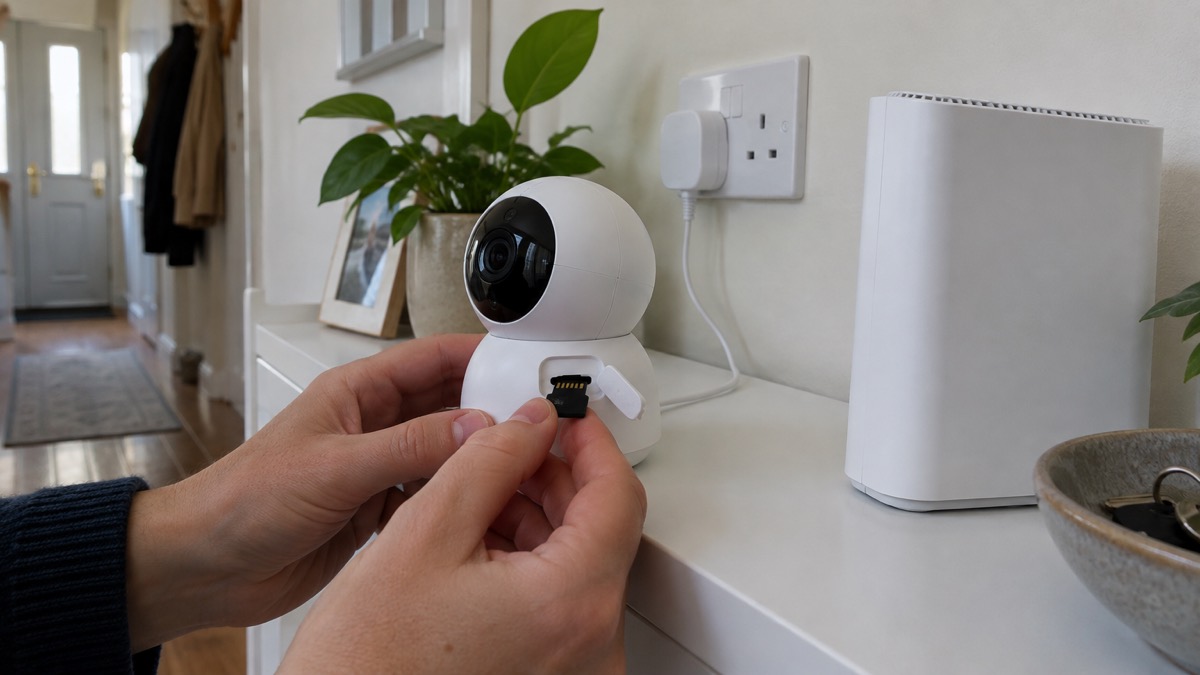
Most home cameras will keep recording when your broadband goes down, provided they save footage somewhere in the house rather than only in the cloud. A camera with a microSD card or a connection to a recorder keeps filming through an outage; what you lose is the remote view, the alerts on your phone and any cloud backup until the connection returns1.
That distinction matters more than it used to. The government's preparedness guidance warns that phone and broadband outages are usually short or localised, but after severe weather disruption can last for a number of days3. A camera that depends entirely on the cloud is blind for exactly that period, which is often when you would most like to know what is happening at home.
The practical answer is to check, before you need it, where your camera writes its footage and whether it can be reached without the internet. This page sets out which setups keep recording, what stops working, how Blink's local backup behaves, what a monitored system does differently, and the limits on where a camera may point.
Cameras with local storage keep recording when the internet goes down
The rule is simple: if the footage is written to something inside your home, the camera carries on. Reolink, a camera maker, puts it plainly: many security cameras continue recording when the internet goes offline, as long as they support local storage such as a microSD card or an NVR, while remote viewing, cloud storage and mobile notifications are unavailable until the connection is restored1. Its own WiFi cameras record locally to a microSD card even when the internet drops, but you lose alerts, live streaming off-site and cloud backup during the outage2.
The same principle appears across makers. Reolink's Home Hub stores all recordings locally, so there is no data loss if the network connection is interrupted6. Its Home Hub 2 goes further, creating a local network so that cameras function without an internet connection at all7. Eufy states that most of its cameras, such as the eufyCam S3 Pro, can record locally to microSD without internet8. Philips Hue lists its Secure wired cameras as working without Wi-Fi9. FireAngel makes the same point about its connected alarms: if the internet fails, the alarms still work and protect the property, but there are no push notifications while it is down10.
The contrast is a camera that relies on the cloud. Bosch's support pages for its Eyes Outdoor Camera II state that during a temporary loss of internet the camera does not capture event data or clips, and you cannot reach clips already stored in the Bosch Cloud; everything works as usual once the connection is restored11. That is not a fault, it is a design choice, but it is the one to avoid if outage recording matters to you.
What stops working without the internet
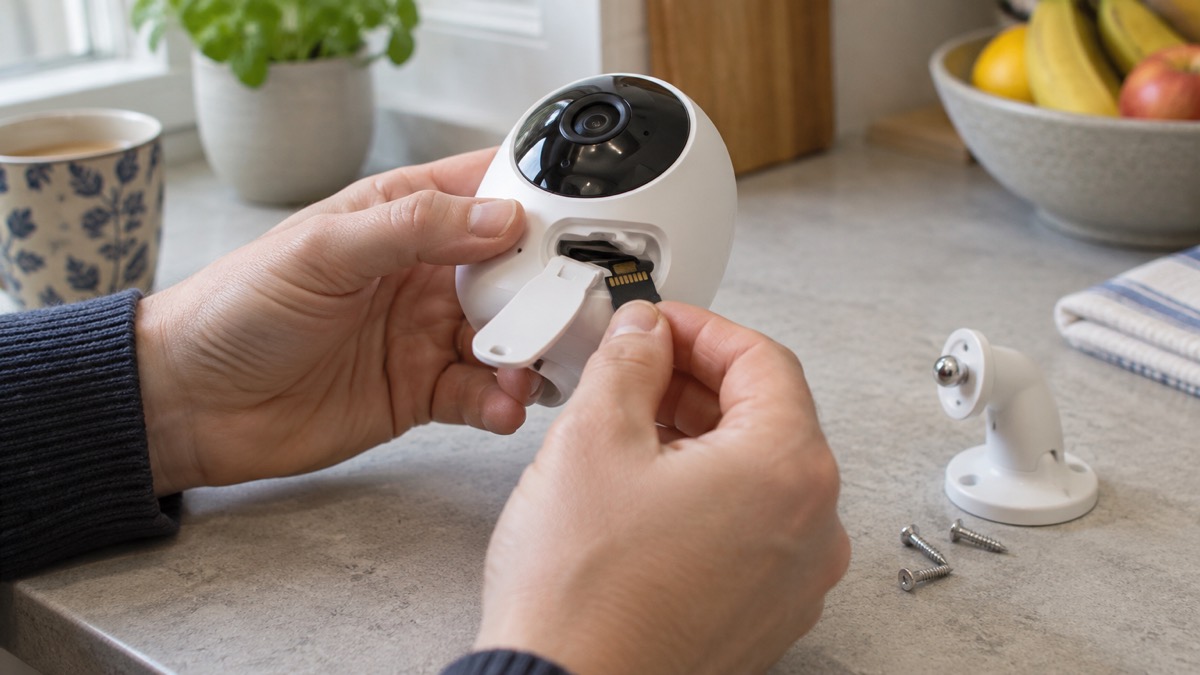
An outage does not switch a locally recording camera off, but it does cut the parts of the system that depend on a connection. The clearest statement comes from Reolink: remote access requires some form of internet connection, whether WiFi, Ethernet with internet or cellular data1. Without one, you cannot open the app from elsewhere and watch live.
What you lose, in practice:
- Phone alerts. Motion notifications stop until the connection returns1.
- Remote live view. You cannot look in from work or while away1.
- Cloud backup. Anything stored only in the cloud is out of reach, as Bosch describes for its own camera11.
- Some smart features. Anything that needs the maker's servers, rather than the camera itself, pauses.
What keeps working:
- Local recording. Footage continues to the card, hub or recorder1.
- On-site viewing. A recorder with an HDMI output shows connected cameras on a display even when it is not connected to the internet13. Swann's SWNVK-8ADVANX4B-EU records without requiring an internet connection and can be viewed directly on a TV by HDMI cable14.
- The camera's own detection. Motion detection and privacy zones set in the camera carry on, as Which? lists them among the features of models with local storage12.
There is a useful side effect to local storage. A recorder or hub that keeps everything in the house also keeps it out of a maker's cloud, which is one less account for someone to break into. Our guide to camera and doorbell accounts covers locking those down.
microSD card or NVR: which local storage suits your home
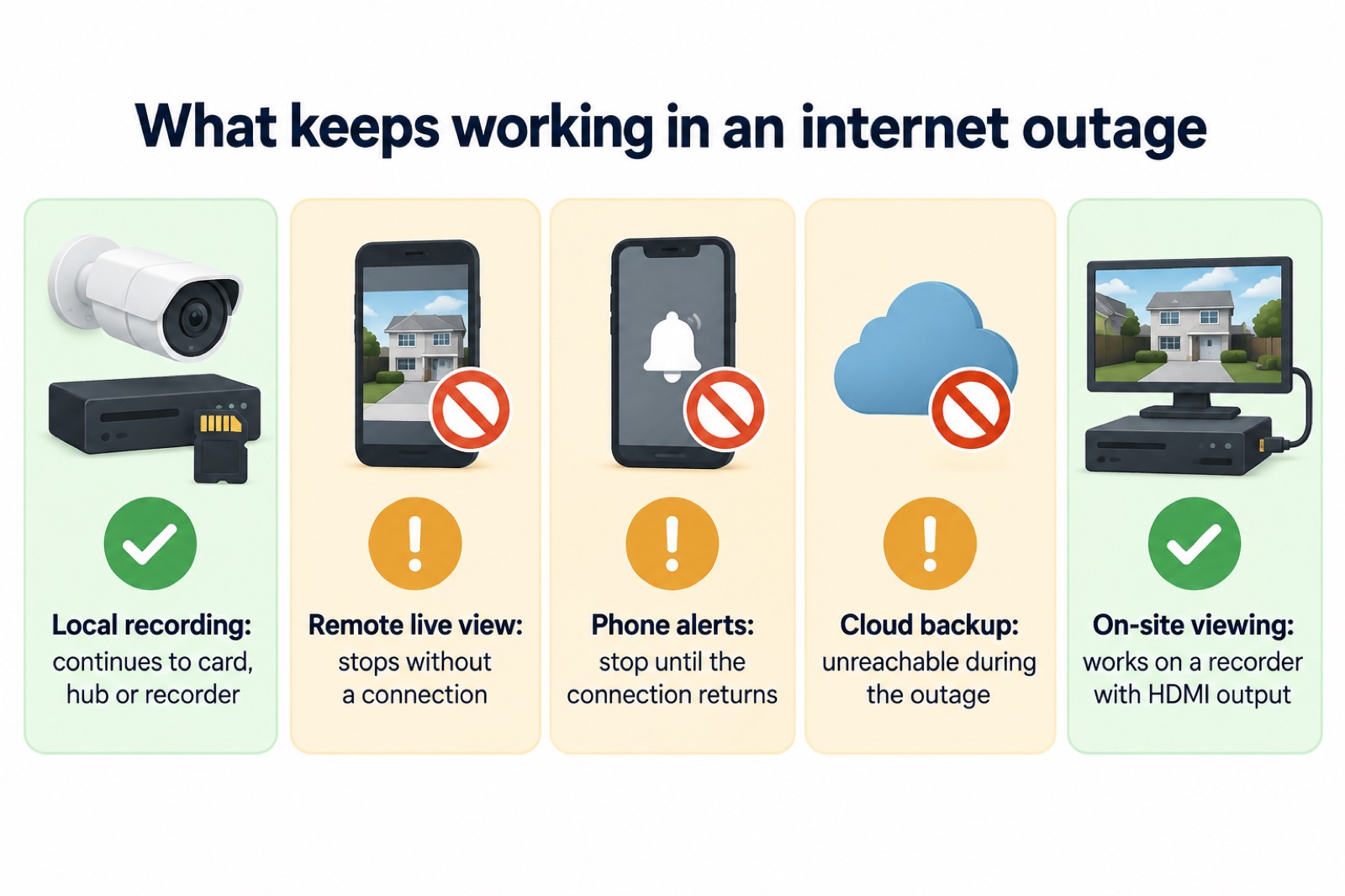
Both keep footage in the house, and the choice comes down to how many cameras you have and how much you want to review in one place. Reolink's own guidance is that microSD cards suit individual cameras, while NVRs offer larger storage capacities and centralised recording for multiple cameras.
| Storage | What it does | Suits |
|---|---|---|
| microSD card | Sits in the camera and records with no network connection required15 | A single camera, or a couple of standalone ones |
| NVR (network video recorder) | Records several cameras to one hard disk, with centralised storage | A set of cameras around the house |
| Home Hub | A local hub that stores recordings from paired cameras6 | A small system that should work without the internet |
| Camera with internal memory | Saves footage on the camera itself8 | Simple setups with one or two cameras |
A few specifications decide the choice. Reolink's no-WiFi cameras take a microSD card of up to 256GB, or an indoor NVR1. Its E1 Swift stores weeks of footage on a microSD card, which is not included, with no network connection required, so recordings are kept even off-grid2. Its RLN4E recorder has a built-in microSD card slot for offline storage that keeps recordings safe without a network connection3. Ajax's BulletCam and DomeCam Mini HL can each operate without a memory card or via an NVR4. If you are weighing a card against a recorder, our guide to home cameras and CCTV sets out the types in more detail.
Blink local backup: every 24 hours with a Sync Module
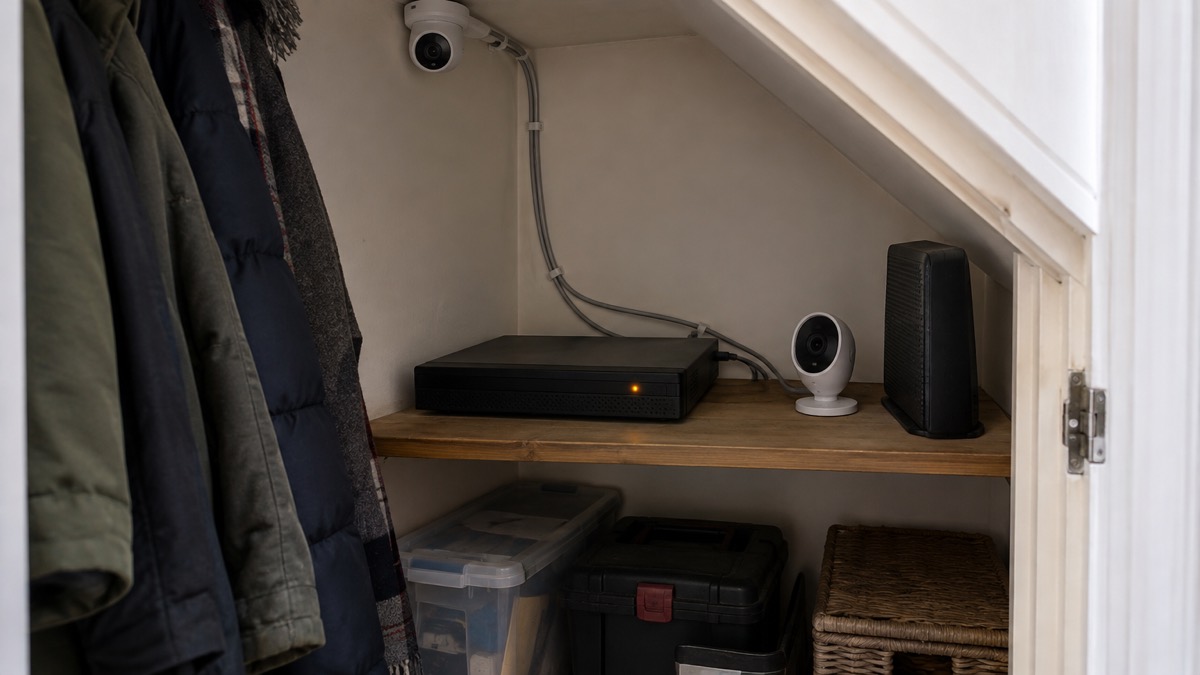
Blink cameras can keep footage locally, but the arrangement has conditions worth knowing before you buy. Which? lists the Blink Mini 2 as offering local storage with a Sync module, cloud storage for a subscription, motion detection and customisable privacy zones12. For doorbells, it notes that you can buy a Sync Module with Blink doorbells for local storage17.
The timing is the part people miss. Blink states that copies of any new clips in cloud storage will be backed up locally every 24 hours4. So the local copy is a daily backup of what is already in the cloud, not a continuous second recording. If the internet fails partway through the day, the clips recorded since the last backup are not yet on the local drive.
Two further conditions apply:
- The hardware is extra. Blink states that the Sync Module 2 and the USB drive are sold separately4.
- A plan is required for automatic backup. Blink says automatic local backup is available with a Sync Module 2 and USB drive, or a Sync Module XR and microSD card, when you have a Blink Subscription Plan4.
Which? also records that Amazon Ring and Blink security cameras will be supported for at least four years from launch12, which is worth weighing if you plan to keep the system for a long time. Our guide to how long cameras and doorbells get software updates explains why that matters.
Remotely monitored CCTV and what an outage changes
A monitored system adds a watching party, and that changes what an outage means. SSAIB, a certification body for security installers, describes remotely monitored CCTV as an economic solution where property protection is required 24 hours a day, seven days a week18. Monitoring personnel confirm that an activation is genuine before alerting the police18.
The weak point is the line. SSAIB explains that with a digital communicator, alarm signals are monitored by an Alarm Receiving Centre, but a failure of the line, such as the line being cut, will prevent an alarm signal being received18. A broadband outage is a failure of that kind. That is why monitored systems often carry a second path, such as a mobile network, and why the choice of signalling matters as much as the camera.
If you are choosing a monitored system, check two things:
- Certification. SSAIB states that to get a police response number, the installer and the monitoring centre must be registered with a certification body such as SSAIB18. Police Scotland advises that alarms and CCTV meet British Standards, specifically PD66625.
- Verification. Some centres use video verification to judge whether an incident is real. SimpliSafe states that its professional monitoring centre will use video verification to confirm whether an incident is real or false, and that there are no additional fees for it19. Its packages list 24/7 alarm monitoring20.
Our guides to monitored alarms and to how police respond to intruder alarms take this further. If your alarm uses a phone line, will a burglar alarm work after the digital switchover is the companion question.
Recording neighbours: the legal limits on where cameras point
A camera that keeps recording through an outage is still a camera, and the rules on where it looks do not relax because the internet is down. Police Scotland advises fitting the camera about 3 metres above the ground, since it is more likely to record faces and stops thieves breaking the camera5. SSAIB notes that installing and setting up CCTV requires knowledge of human rights legislation, particularly if cameras impact on public space18.
In practice, that means keeping the view on your own boundary and avoiding a neighbour's windows, garden or the public pavement beyond what you need. If a camera unavoidably overlooks shared ground, record why and keep the footage no longer than necessary. Our guide to filming beyond your boundary sets out the data protection position.
Indoors, the same care applies. Reolink advises installing an indoor camera anywhere in the house where privacy is not expected, such as entry and exit points, stairs, living rooms, kitchens and hallways21. A camera in a bedroom or bathroom is a different matter.
For homes where the internet is unreliable or absent, a camera with a SIM card can cover the gap. Reolink describes its TrackMix LTE as able to monitor livestock, equipment and perimeter access without relying on home networks, on farms, barns, orchards and remote homes1. Our guide to alarms and cameras on a weak mobile signal or slow broadband covers the options.
Sources (21)
- Security Cameras Without WiFi, Reolink, 2026-11-03
- WiFi Security Cameras, Reolink, 2026-11-03
- Phone and Broadband Outages, Prepare, 2026-10-12
- Blink Subscription Plans UK, Blink, 2026-11-03
- Break-In and Housebreaking, Police Scotland, 2026-11-02
- Reolink Home Hub, Reolink, 2026-11-02
- Reolink Home Hub 2, Reolink, 2026-11-02
- eufy Security Hub, eufy, 2026-11-03
- Philips Hue Secure Wired Camera, Philips Hue, 2026
- Pro Connected Kitchen Heat Alarm, FireAngel, 2026-10-28
- Eyes Outdoor Camera II Help, Bosch Smart Home, 2026-11-02
- Best Indoor Security Cameras, Which?, 2026-08-18
- NVR H Series Manual, Ajax Systems, 2026-10-27
- SWNVK-8ADVANX4B-EU, Swann, 2026-11-03
- Reolink E1 Swift, Reolink, 2026-11-02
- NVR Manual, Ajax Systems, 2026-10-27
- How to Buy the Best Smart Video Doorbell, Which?, 2026-10-16
- Alarm Systems, SSAIB, 2026-11-02
- Professional Alarm Monitoring, SimpliSafe, 2026
- Home Security Shop Packages, SimpliSafe, 2026
- Indoor Security Cameras, Reolink, 2026-11-03
 Moving Home Locks Checklist
 After a Break-In Checklist
 Holiday Security Checklist
 Camera Hacking
 Camera Software Updates
 Remote Camera Viewing