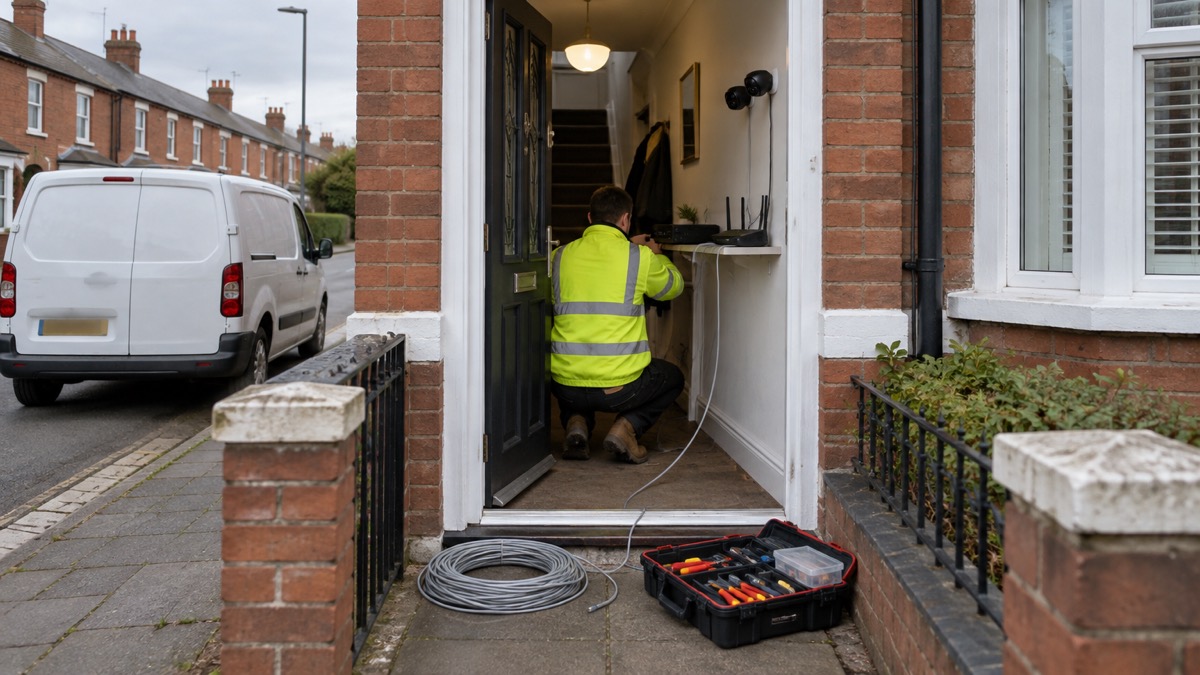
The Reolink RLN4E is a compact network video recorder: a box that sits in your home, takes video from up to six cameras and stores it on a drive you control rather than in a cloud account. It has four built-in PoE ports, so four wired cameras can each run from a single Ethernet cable that carries both power and data, and two further channels are reserved for Wi-Fi cameras1.
If you are buying one, the two things to plan for are storage and connection. The recorder does not include a hard drive, and it supports up to an 8TB 2.5 inch or 3.5 inch drive, or a microSD card of up to 512GB1. It connects to your router by Ethernet cable only, never wirelessly, so it needs to sit within reach of a cable run1.
This page sets out what the RLN4E does, which cameras it takes, how to connect it, the settings that make recordings last longer, and what the maker says about support and warranty. It is a description of one product, not a recommendation over any other.
What the RLN4E is and what it suits
The RLN4E is a six-channel PoE network video recorder with four built-in PoE ports and local AI video search1. In plain terms, it is the box that receives pictures from your cameras, writes them to a disk in your own home and lets you search the footage. Reolink describes it as compact, and at 198mm wide, 47mm high and 198mm deep, weighing 588g without a drive, it will sit on a shelf or in a cupboard1.
The four PoE ports are the heart of it. Each port supplies up to 25W and uses the IEEE 802.3 af/at standard, so a compatible camera needs no separate power supply, just one cable back to the recorder1. Reolink's PoE cameras are designed around this: a single Ethernet cable carries both power and data, which the maker says gives a stable wired connection without Wi-Fi interference3. That matters in a UK home where the router is at the front and the cameras are at the back, or where the walls are thick enough to make Wi-Fi unreliable.
The recorder also has one LAN/WAN port for the router, two USB 2.0 ports, an RCA audio output and a choice of HDMI or VGA for a screen1. It supports live view and playback at resolutions up to 7680x2160, and up to 20 user accounts with 12 simultaneous video streams1.
Who it suits is a household that wants footage kept at home, on a wired connection, without a subscription. Reolink sells its cameras to the United Kingdom among other countries, and its cameras support local storage through microSD cards, compatible recorders or Home Hubs rather than requiring a cloud plan1. If you are still deciding between a recorder and a simpler setup, our guide to home cameras and CCTV sets out the wider choice, and wired or battery cameras covers the trade-off that decides most installations.
Cameras it supports: four wired and two Wi-Fi
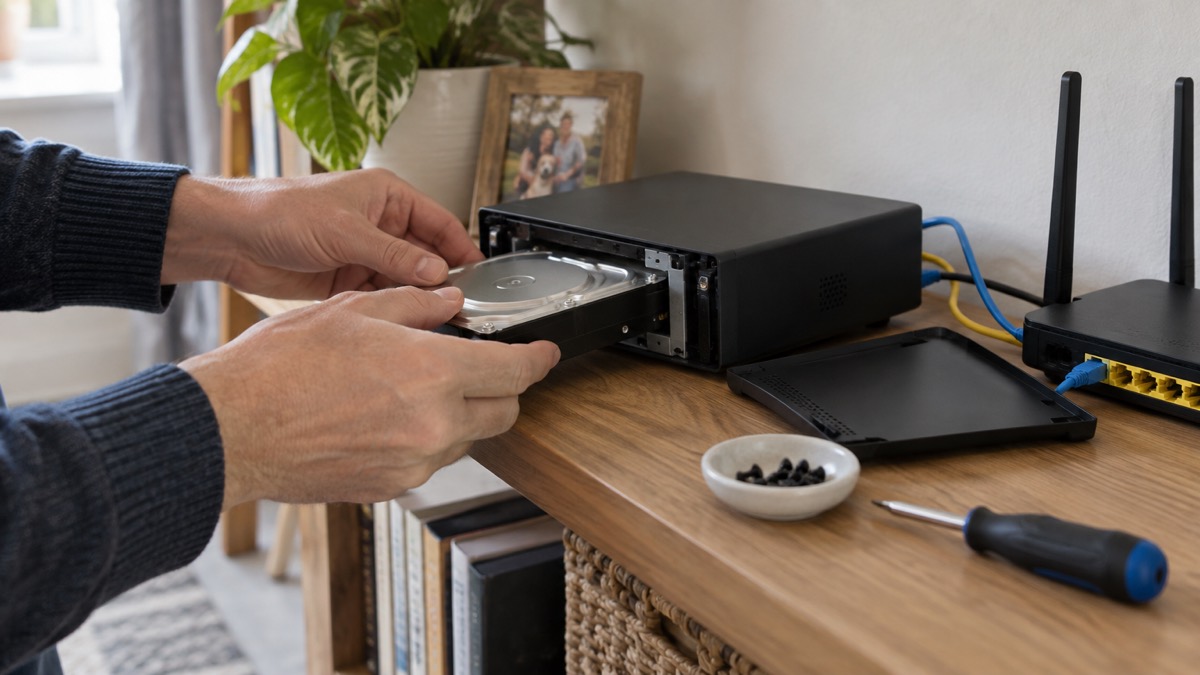
The channel count is the first thing to understand, because it decides how many cameras you can add later. The RLN4E supports up to four PoE cameras and two additional Wi-Fi cameras, which can be Wi-Fi plug-in cameras or Wi-Fi battery-powered cameras1. That is six channels in total2.
The two Wi-Fi channels are not simply two spare slots. Reolink states that the number of battery-powered Wi-Fi cameras the recorder supports is the maximum minus the number of wired IP cameras connected1. Put plainly, the more wired cameras you run, the fewer battery cameras you can pair. The maker also notes that the actual number of supported cameras may vary depending on power consumption, RAM and other factors1.
| Camera type | How it connects | Power | Notes |
|---|---|---|---|
| PoE camera | Ethernet to one of the 4 PoE ports | Over the Ethernet cable, up to 25W per port | Single cable for power and data3 |
| Plug-in Wi-Fi camera | Wi-Fi to one of the 2 wireless channels | 12V DC adapter5 | Counts against the six-channel total1 |
| Battery Wi-Fi camera | Wi-Fi to one of the 2 wireless channels | Battery | Number supported is the maximum minus wired cameras connected1 |
Resolution is not the limiting factor: the recorder supports up to 16MP UHD1. Reolink's own range includes bullet, dome, PTZ and doorbell models, many with AI detection and colour night vision3. PoE doorbells are powered and networked over Ethernet, and PoE doorbell models can store to a recorder6.
On cameras from other makers, Reolink is direct: it is not suggested, compatibility issues may occur, and not all cameras from other brands are compatible1. The one exception the maker names is the OMVI 3i PoE, which it states is compatible1. If you already own third-party cameras, treat the RLN4E as a Reolink-only recorder in practice.
Storage: up to 8TB on a drive, or 512GB on a card
The RLN4E has two places to keep footage, and they do different jobs.
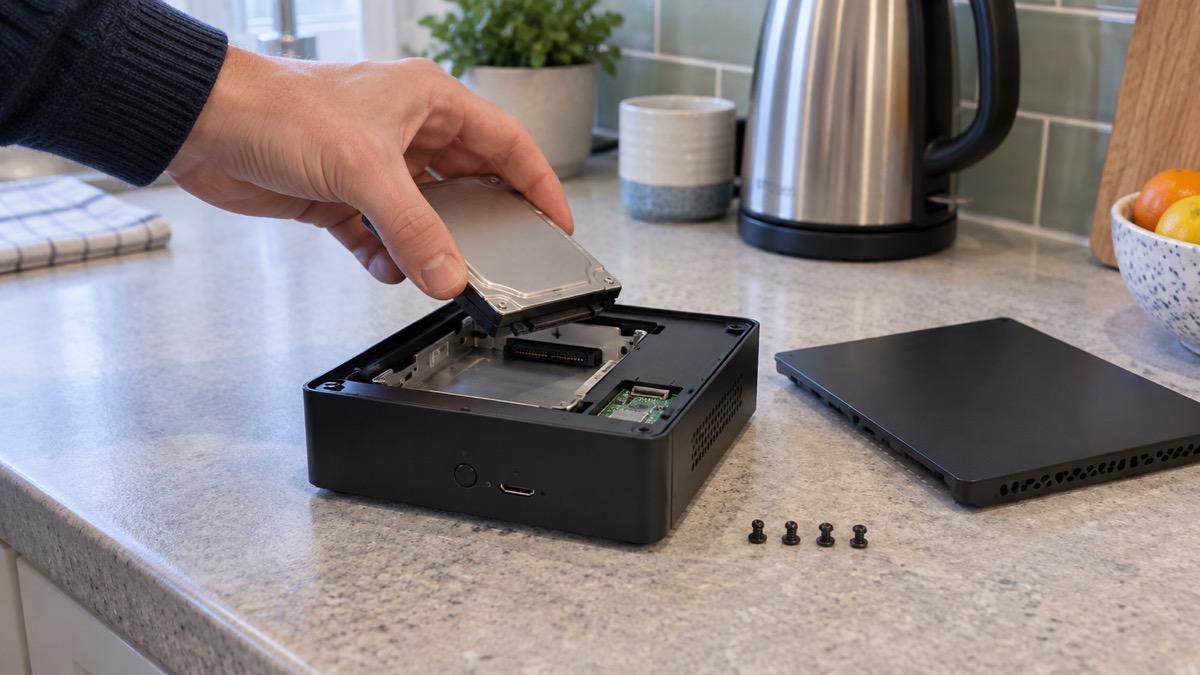
The main store is a single SATA interface for a 2.5 inch or 3.5 inch hard drive of up to 8TB1. The drive is not included: Reolink states plainly that the recorder does not include an HDD, though some models include a microSD card depending on which version you buy1. If you buy a drive separately, the maker's instruction is specific: use a surveillance-grade HDD rated at 5400 RPM spindle speed or lower1. A desktop drive built for occasional use is not what the maker asks for.
The second store is a built-in microSD card slot that takes up to 512GB and enables offline storage, keeping recordings safe even without a network connection2. If you use a card from another brand, Reolink asks that its read or write speed is Class 10 or above1.
| Storage | Capacity | Included | What it suits |
|---|---|---|---|
| Internal hard drive | Up to 8TB, 2.5 or 3.5 inch | No | Continuous recording from several cameras over weeks1 |
| microSD card | Up to 512GB | Some models only | A smaller setup, or a backup that keeps recording without a network1 |
The currently on-sale RLN4E supports a maximum 8TB drive and has no eSATA port, so there is no external expansion route beyond that2. Plan the drive size around how many cameras you run and whether you record continuously or on motion, because those choices change how far the capacity goes.
Making recordings last longer
Capacity is only half the answer to how long footage lasts. The other half is what triggers a recording. Reolink's own advice for getting more days from the same card is to enable motion-triggered recording instead of continuous recording1. The setting is in the record schedule: go to Record Schedule, then Alarm, then select the detection types you want, choosing from Any Motion, Person, Vehicle or Animal1.
That advice is written for the microSD card, where space is tightest, but the principle applies to a drive as well: recording only when something happens stretches the same capacity over a longer period. Reolink's cameras support a range of recording modes across its range, including 24/7 with motion-triggered, continuous with motion-triggered, and motion-triggered alone4. PoE doorbells offer 24/7 continuous, motion-triggered and scheduled recording6.
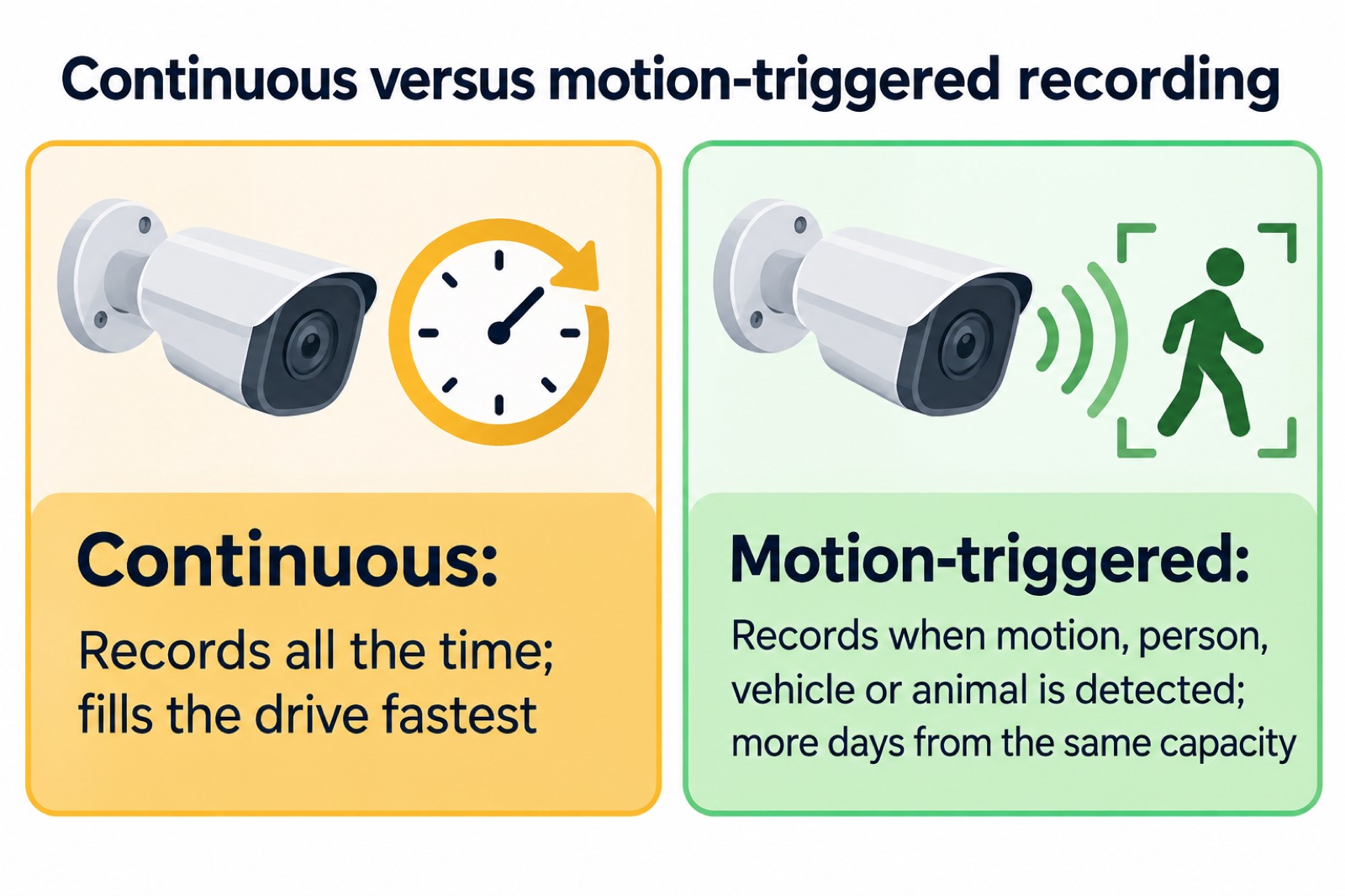
The trade-off is coverage. Motion-triggered recording can miss the moments just before a trigger, and it depends on detection working in the conditions you have. Continuous recording catches everything but uses capacity quickly, especially with several cameras at high resolution. A common arrangement is continuous on the camera covering the front door and motion-triggered elsewhere, which is a judgement about your own home rather than a rule.
Two related settings affect how much you get from the storage. The recorder uses Intelligent H.265+, H.265 or H.264 compression, and the intelligent mode is available only when the camera itself supports it1. Higher efficiency means smaller files for the same picture. Synchronous playback runs one to four channels at once, but only one channel if you view at 8MP or higher1, so reviewing four high-resolution cameras together is not possible.
Connecting it: router by Ethernet, and the PoE switch options
The RLN4E connects to your router by Ethernet cable and cannot connect wirelessly1. That single constraint shapes where it can live: near enough to the router for a cable, or near enough for a cable run to be practical. It is the same principle as the cameras, which is why a wired installation is often planned as one job rather than two.
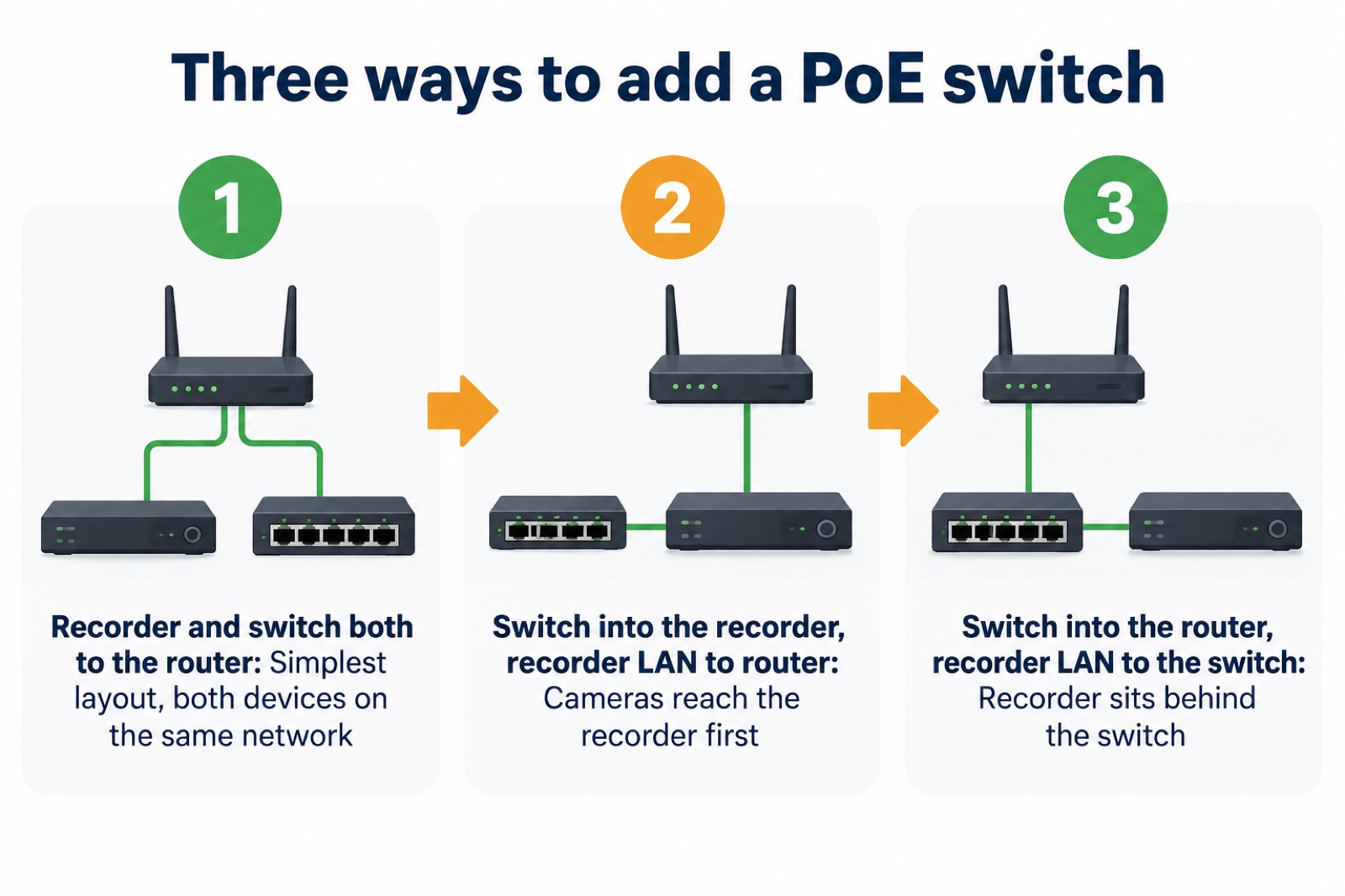
If you want more than four wired cameras, a PoE switch, sold separately, extends the count to six PoE IP cameras maximum1. Reolink gives three ways to wire it1:
- Plug the PoE recorder and the PoE switch into the same router.
- Plug the PoE switch into the recorder, then connect the recorder's LAN port to the router.
- Plug the PoE switch into the router, then connect the recorder's LAN port to the switch.
Adding further switches will not take you beyond six cameras, because the recorder's video channels are fixed2. The switch is a way to reach the sixth channel, not a way to grow past it.
The recorder's network protocols include HTTP, TCP/IP, DHCP, P2P, RTSP, RTMP, SMTP, SSL/TLS, DNS, DDNS, NTP and FTP1, which is what allows remote viewing and integration with other software. Supported browsers are Edge, Firefox, Chrome and Safari, and the desktop software runs on Windows and Mac, with the app on iOS and Android1.
Screens, outputs and remote viewing
There are two ways to look at the RLN4E: on a screen plugged into it, or remotely through the app or browser.
For a local screen, the recorder has one HDMI and one VGA output1. HDMI supports 3840x2160, 1920x1080, 1280x1024 and 1280x720; VGA supports 1920x1080, 1280x1024 and 1280x7201. The HDMI cable is not included, so you will need one to use a television or monitor1. A USB mouse comes in the box for on-screen control1.
Remote viewing runs through the Reolink app or the PC client, and the recorder supports up to 20 users, made up of one admin account and 19 user accounts, with up to 12 simultaneous video streams split between 10 substreams and 2 mainstreams1. That is enough for a household and a couple of trusted viewers, but it is worth thinking about who holds the admin account. Our guide to camera and doorbell accounts explains why that matters, and is it safe to view your home camera remotely covers the remote side.
One feature is deliberately local. The heatmap, which shows where activity concentrates over time, is available only on the recorder itself, not in the Reolink app or the PC client, and needs a monitor connected through the VGA or HDMI port1. If the heatmap is part of why you are buying, budget for a screen beside the recorder.
Smart detection and AI video search setup
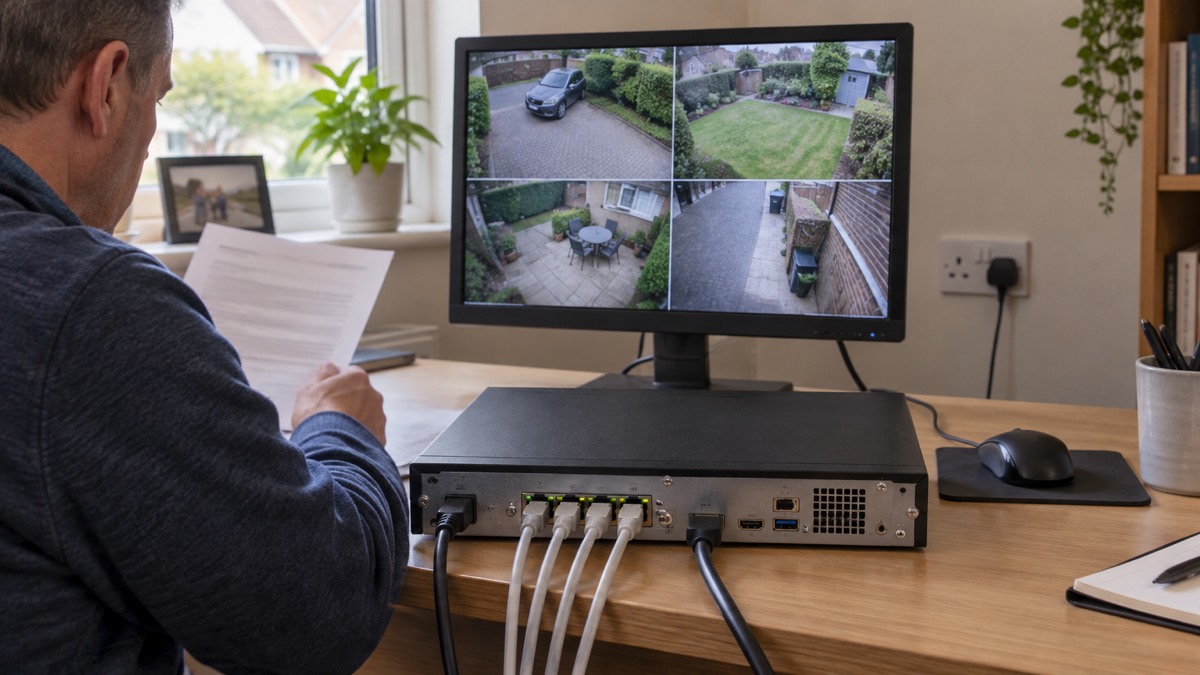
The RLN4E detects motion and can distinguish person, vehicle and animal detection1. That filtering is what makes alerts usable: a person walking up the path is worth knowing about, a fox at 3am less so.
AI video search is the recorder's headline feature, and it works differently from detection on the camera. Reolink states that all Reolink cameras compatible with the RLN4E, including PoE cameras, battery-powered Wi-Fi cameras and plug-in Wi-Fi cameras, realise AI video search through the recorder, even though the cameras themselves do not support it1. In other words, the searching happens in the box, so older or simpler compatible cameras gain the feature when they are recorded by it.
There is a setup step that catches people out. If you use it through the recorder for the first time, you follow the on-screen instructions to download and install the AI model files to your hard drive or microSD card before first use1. If you later replace or format the storage device, you must download and install the model files again1. Do this before you rely on search, not after you need it.
The recorder's smart detection covers motion, person, vehicle and animal1. Reolink's video doorbells list person, vehicle, animal and package detection4. If parcel alerts matter, that is a camera feature rather than a recorder one.
Specifications, warranty and support
The table below gathers the maker's published figures for the RLN4E1.
| Specification | Figure |
|---|---|
| Channels | 6 in total1 |
| PoE ports | 4 x RJ-45, 100Mbps self-adaptive, IEEE 802.3 af/at1 |
| Max power per PoE port | 25W1 |
| Network port | 1 x RJ-45, 100Mbps for LAN/WAN2 |
| USB | 2 x USB 2.01 |
| Video output | 1 HDMI, 1 VGA1 |
| Audio | 1 audio out channel, RCA1 |
| Storage | 1 SATA for 2.5 or 3.5 inch HDD up to 8TB; microSD up to 512GB1 |
| Max camera resolution | Up to 16MP UHD1 |
| Compression | Intelligent H.265+/H.265/H.2641 |
| Operating temperature | -10°C to +45°C1 |
| Operating humidity | 10% to 90%1 |
| Power supply | DC 52V/1.25A1 |
| Dimensions | 198mm x 47mm x 198mm1 |
| Weight | 588g without HDD1 |
| Warranty | 2-year limited warranty1 |
In the box you get the recorder, an NVR power adapter, a 1m network cable, a USB mouse and an operational instruction booklet1. No drive and no HDMI cable1.
Support is listed as 24/6 online support, one to one, with a 30-day money back guarantee1. On how long the software keeps coming, Reolink has given two figures. Which? reports that Reolink said it will support cameras for at least three years after the product's end-of-life date7, while separate guidance reports the company saying it will support cameras for at least two years after the product is last for sale8. The two statements measure different things and the figures disagree, so if long-term updates matter, check the current position with the maker. Our page on how long cameras and doorbells get software updates looks at the wider picture.
If you are weighing the RLN4E against a hub-based setup, the Reolink Home Hub and Home Hub 2 pages cover the alternative, and the maker states that Home Hub Series products are compatible with all Reolink PoE cameras, plug-in Wi-Fi cameras and most recently released battery Wi-Fi cameras, except 2MP battery cameras and 4G cameras9.
Sources (10)
- Reolink RLN4E product page (UK), Reolink, 2026-11-02
- Reolink RLN4E product page, Reolink, 2026-11-02
- PoE IP Cameras, Reolink, 2026-11-03
- Security Cameras Without Subscription, Reolink, 2026-11-03
- Wi-Fi Security Cameras, Reolink, 2026-11-03
- Video Doorbells, Reolink, 2026-11-03
- Best indoor security cameras, Which?, 2026-08-18
- How to buy the best smart video doorbell, Which?, 2026-10-16
- Reolink Home Hub 2, Reolink, 2026-11-02
- Reolink Home Hub, Reolink, 2026-11-02