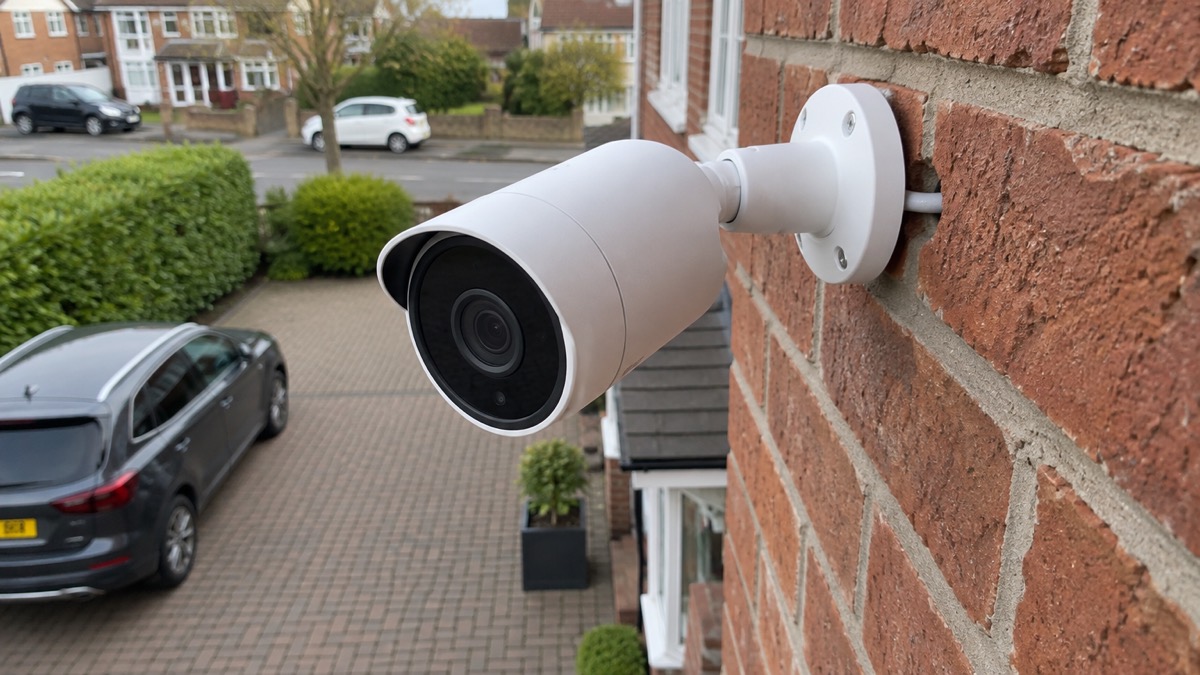
The Ajax BulletCam is a wired outdoor security camera made by Ajax Systems. It is not a plug-in-and-go gadget: it connects to your network by Ethernet cable, takes power either from that same cable (Power over Ethernet) or from a 12 V supply, and is managed through the Ajax app alongside an Ajax alarm system. If you are weighing up whether a wired camera suits your home, the short answer is that it rewards a bit of planning. You need a cable route to where you want it, a recorder or memory card to store footage, and an Ajax hub if you want it to work with your alarm.
The camera comes in four versions: 5 MP or 8 MP resolution, each with a 2.8 mm or 4 mm lens1. The 5 MP model uses a 5 MP CMOS sensor with a 2.8 to 12 mm varifocal lens, an aperture of f/1.6 and a signal-to-noise ratio above 52 dB2. It is designed for outdoor and indoor use, with hybrid infrared and white-light illumination, True WDR and audio and alarm inputs and outputs2. It is built without a built-in microphone, so audio needs an external microphone if you want it2.
What the BulletCam is and which version to choose
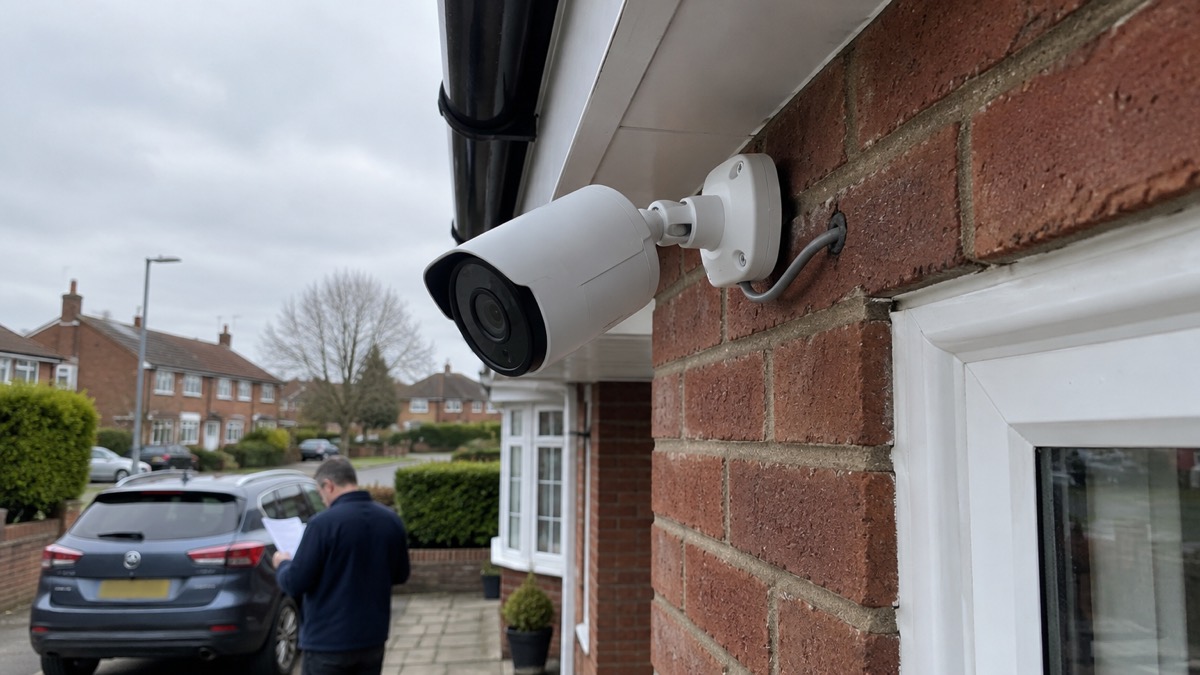
The BulletCam is an IP camera with a smart infrared backlight and object recognition1. It identifies moving objects and distinguishes between people, animals and vehicles, so alerts are filtered rather than firing at every swaying branch1. The 5 MP datasheet lists AI detection for people, pets, vehicles and line-crossing2. It is a wired camera, so it does not rely on batteries that need changing, but it does need a cable run to its position.
The four versions are the BulletCam 5 MP with a 2.8 mm lens, the 5 MP with a 4 mm lens, the 8 MP with a 2.8 mm lens and the 8 MP with a 4 mm lens1. The 8 MP model is described as a wired AI-powered IP camera with a 2.8 to 12 mm motorized varifocal lens, hybrid illumination, True WDR, audio and alarm inputs and outputs, and PoE or 12 V power3. The lens is motorized, so the focal length can be adjusted remotely rather than by hand on a ladder4.
Which version suits you depends on how far away the things you want to see are. A longer focal length narrows the field of view and brings distant objects closer; a shorter one takes in more of a driveway or garden. The varifocal lens lets you adjust this after installation, which matters on a camera you cannot easily reach. The 5 MP model records at up to 2880 × 1620, with lower resolutions available down to 1024 × 5762.
Image, lens and what the camera can see
The 5 MP sensor is a 1/2.7 inch CMOS type with an f/1.6 maximum aperture2. The wide aperture helps in low light, and the camera's dynamic range is 120 dB with True WDR, which keeps both bright sky and shadowed corners readable in the same frame2. The frame rate can be set from 3 to 25 frames per second in steps of one, and the video codec is H.265 or H.2641. The main stream resolutions run from 1024 × 576 up to 3840 × 2160, and the substream is 720 × 480 or 720 × 5761.
Motion detection is software-based, analysing image frames rather than using a separate sensor2. That means the camera can apply object recognition to what it sees, but it also means detection depends on the scene and the settings. The duration before an object is confirmed can be set to notify instantly, or after 2, 3, 4 or 5 seconds, with 2 seconds as the default1. A longer confirmation time reduces false alerts but delays the notification.
The camera supports up to four lines per camera for line-crossing detection, and up to four on-screen display elements per video stream, with custom text of up to 48 characters1. The device name can be up to 12 Cyrillic or 24 Latin characters1. These are small settings, but they make the difference between a camera that tells you something useful and one that fills your phone with noise.
Seeing in the dark: infrared and white light
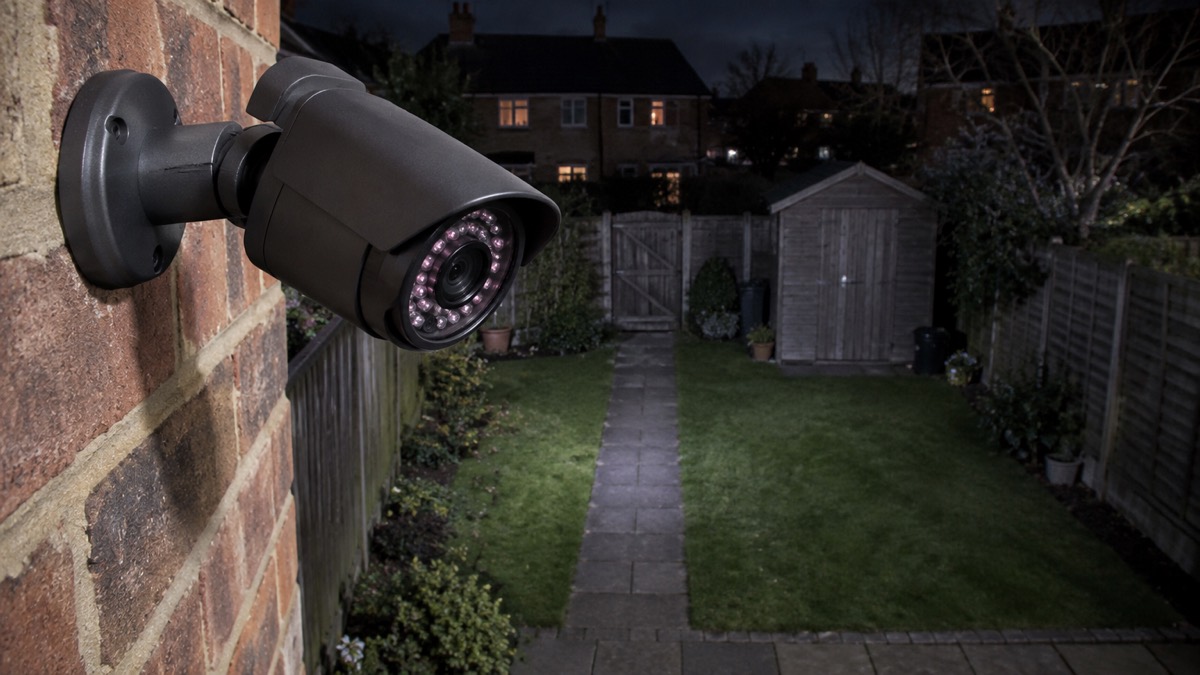
The BulletCam uses hybrid illumination. The 5 MP model's infrared LEDs reach up to 196 ft and its white LEDs up to 131 ft2. Intelligent lighting control adjusts the intensity of the IR and white LEDs in real time to prevent overexposure, so objects near the camera are not washed out while distant ones stay visible2. The scene illumination can be set to disabled or infrared light1.
Where you point the camera matters as much as the light it emits. The maker's manual warns against installing it in direct bright light or facing bright objects such as a white wall, because the bright surface reflects the IR backlight and blinds the camera in the dark1. A camera pointed at a pale rendered wall a metre away will perform worse at night than one looking down a darker garden.
If you want colour pictures at night rather than black and white, the white LEDs provide it, but they also announce the camera's presence. For most households the infrared setting is the quieter default, with white light used only where identification matters. The camera's night performance also depends on the surface it is mounted on and the amount of ambient light from street lamps or a porch light.
Power: PoE or a 12 V supply
The camera supports PoE and 12 V power4. If it is powered by PoE, no external power supply is needed; otherwise you connect both the external supply and the Ethernet cable1. The recommended supply is 12 V with a current of at least 1 A, and the 5 MP datasheet lists a 12 V, 1 A supply unit1. Power consumption is up to 12 W maximum and up to 6 W average2. The PoE standard is 802.3at/af, Class 32.
That power draw matters if you are planning to keep the camera running through a power cut. Ajax notes that its NVRs function solely with an external power supply, and that a backup power source is essential so the system functions during an outage6. The hub can be connected to a 12 V backup source by replacing the pre-installed power supply unit with a 12 to 24 V PSU of type A7. A camera on PoE draws its power from the network switch, so if the switch is not on a backup supply, the camera stops recording when the mains does.
The external power connector is a two-pin screw terminal2. That is a firm connection rather than a plug, which suits a permanent installation but means the cable should be terminated properly and protected from water. The camera has one RJ45 self-adaptive Ethernet port rated at 10/100 Mbps2.
Recording: microSD card or a video recorder
Footage can be stored on a microSD card in the camera or on an Ajax NVR on the same network4. The camera can also run with no memory card at all, or via an NVR1. The card must be between 32 GB and 256 GB and Class V30 or faster, and it is not included in the box1. The recording mode can be set per storage device to on detection or scenario, continuous, or never1.
| Storage option | What it gives you | What to check |
|---|---|---|
| microSD card in the camera | Local recording without a recorder | 32 GB to 256 GB, Class V30 or faster, bought separately1 |
| Ajax NVR | Central recording for one or more cameras | NVR needs its own external power supply6 |
| No card, NVR only | Recording handled entirely by the recorder | Network link between camera and NVR1 |
The archive depth can be set from 1 to 360 days, or unlimited1. One camera can be paired with several video recorders in one space at the same time1. That is useful if you want a local recorder and a second copy elsewhere, but it also means storage planning is worth doing before you install.
Detection, alerts and linking to your alarm
The camera is configured in the Ajax apps, and the app versions required are Ajax Security System 3.25 or later, Ajax PRO: Tool for Engineers 2.25 or later, Ajax PRO Desktop 4.20 or later, and Ajax Desktop 4.21 or later1. Ajax systems allow a scenario in which Ajax detectors trigger selected cameras to start recording, and the recorded event is delivered to the mobile or desktop Ajax PRO app2. The camera also has an accelerometer that alerts on attempts to move or dismount it2.
The operating modes are independent alarm, instant alarm, entry/exit and follower1. In independent alarm mode the device reacts to a threat according to its settings and does not trigger other devices1. The camera has two lines for third-party devices, and the alarm input can be set to normally open or normally closed2. The alarm output operates at 24 V, 300 mA2.
Notifications from camera detectors arrive as push notifications with the standard signal sound9. The system also notifies on arming and disarming, night mode, and automation events such as switching a WallSwitch, Relay, Socket, LightSwitch or WaterStop9. The interval for reporting similar events can be set from 30 seconds to 8 hours, with a default of 3 minutes1.
Sirens can be triggered by motion, but only under conditions. The feature is available when the camera and at least one siren are added to an Ajax hub with OS Malevich 2.31 or later, and the camera and hub must be online at the moment of motion detection1. If you want the camera to work with an alarm system more broadly, see Home Cameras and CCTV: Types and How to Choose and Burglar Alarms: Types and How to Choose One.
Where to mount it and how to install it safely
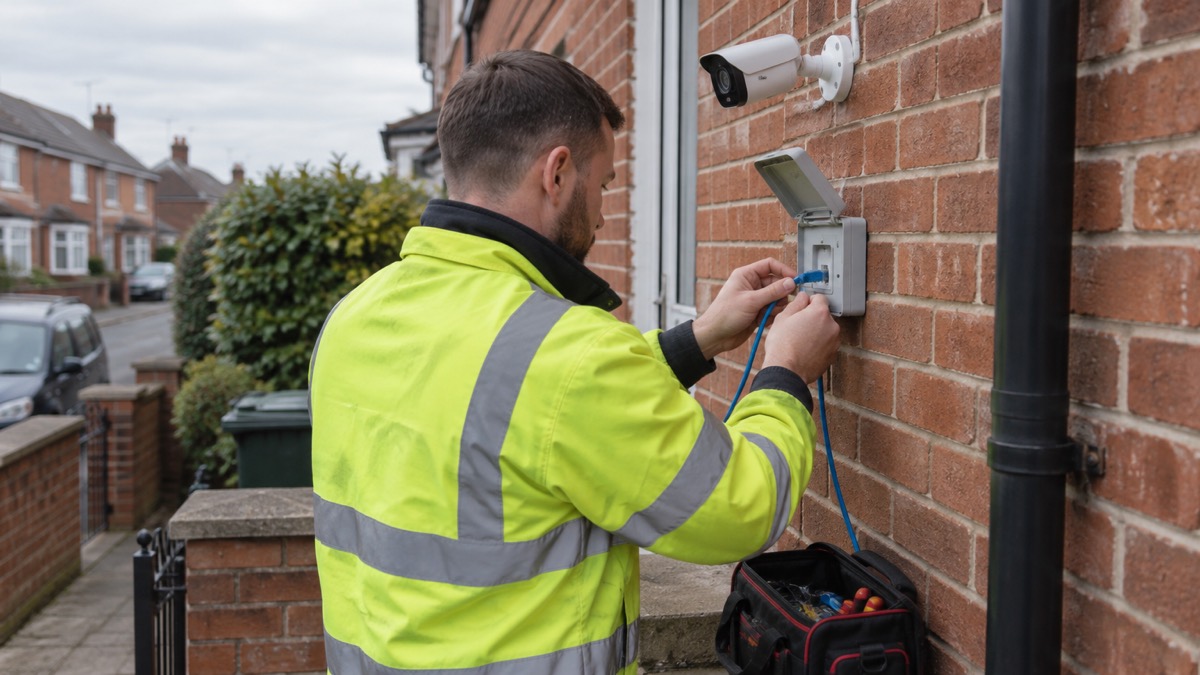
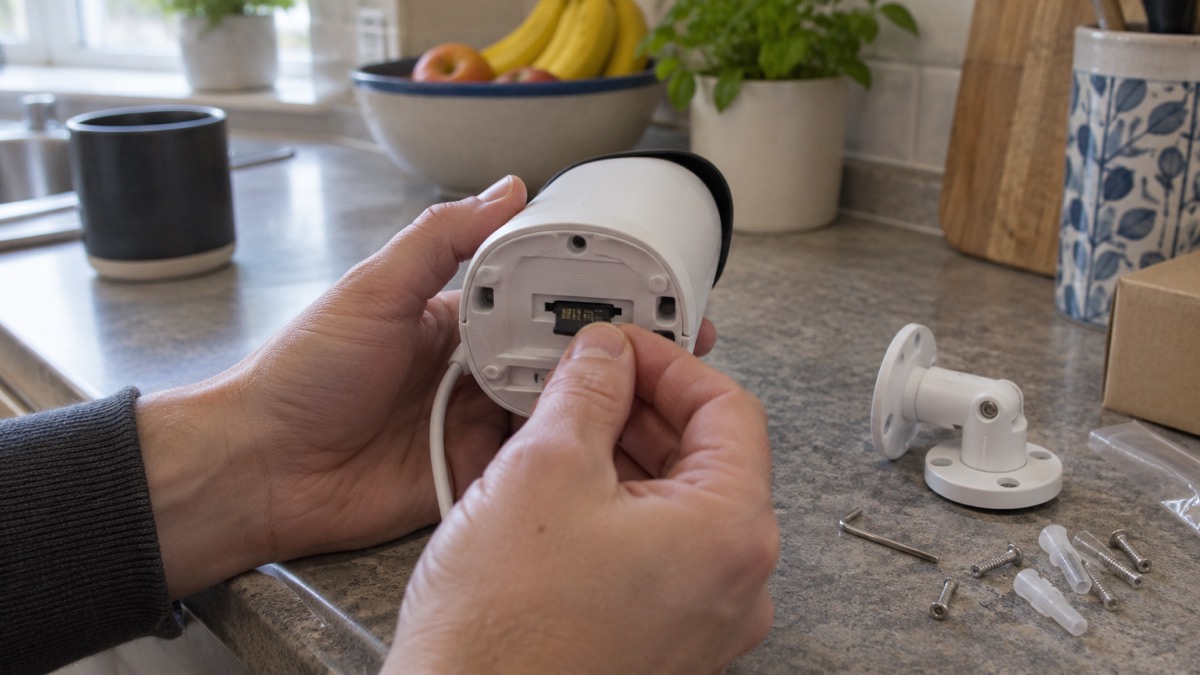
The camera is fixed with four screws through a drilling template taped to the wall1. The maker recommends installing varifocal cameras on solid, rigid mounting surfaces, because long-term exposure to continuous movement or vibration may gradually affect focus accuracy4. A fence post that flexes in wind, or a thin fascia board, is a poor choice for a camera whose focus is set remotely.
Avoid positions where temperature and humidity fall outside the operating parameters, where objects obstruct the view, or too close to reflective surfaces such as walls or glass, where IR or white light may reflect into the lens and reduce image quality4. The camera is connected to the network by Ethernet cable1. Its metal enclosure protects it against sabotage1.
The camera is compatible with only one space1. Only a PRO installer or a space admin with the rights to configure the system can add the device to the space1. If your system was installed by a company, that is who adds the camera. For more on choosing between wired and battery cameras, see Wired or Battery Security Camera?.
Built for British weather: IP67, IK10 and temperature range
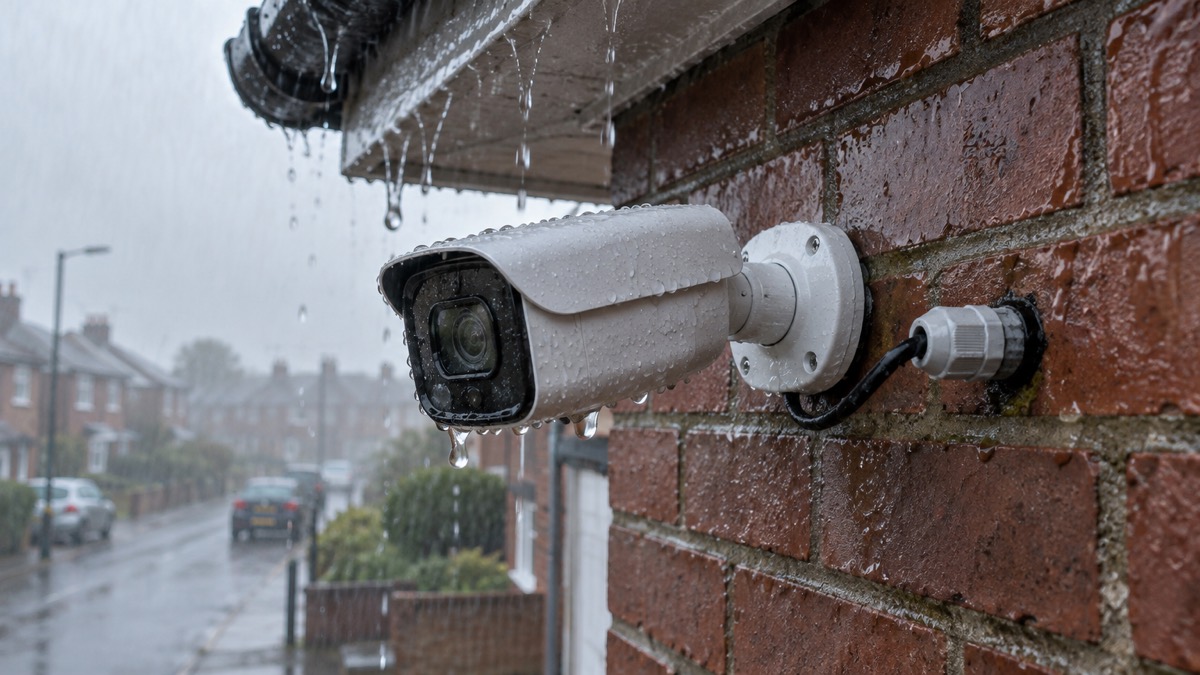
The 5 MP model carries IP67 and IK10 ratings and operates from −40 °F to 140 °F2. IP67 means it is sealed against dust and protected against temporary immersion, and IK10 means it resists a high level of impact11. The 8 MP model is listed for outdoor and indoor use3. The older BulletCam and BulletCam HL manuals state an IP66 protection class, suitable for outdoor installation1. Both are weatherproof ratings suitable for outdoor use, but if the exact rating matters to you, check the label on the model you receive.
Operating humidity is up to 90%2. The camera measures 9.53 by 3.52 by 3.52 inches and weighs 2.25 lb2. For context, other outdoor cameras on the UK market are commonly rated IP65, IP66 or IP67, and one maker advises looking for IP65 or IP66 or higher and checking the operating temperature range12. The BulletCam's temperature range is wider than most households will ever need in Britain, but the rating is only useful if the cable entry and connector are sealed to the same standard.
Keeping it secure and up to date
The camera authenticates via Ajax Cloud and transmits video using JetSparrow, an encrypted peer-to-peer technology developed by Ajax Systems2. It supports mTLS for encrypted connections, secure boot against firmware spoofing, and secure automatic firmware updates2. Downloaded video segments carry an Ajax digital signature verifying their integrity on firmware 2.309 and later1. The network protocols supported are HTTP, HTTPS, TCP/IP, IPv4, RTSP, UDP, DHCP and DNS2.
To update the firmware, go to the Devices tab, select the camera (or select the NVR then Cameras if connected to a video recorder), open Settings via the gear icon, view the version number and release notes, tap Next to download and Install to confirm13. Ajax releases security updates for cameras and NVRs for at least two years of the warranty period13. For more on keeping camera accounts secure, see Camera and Doorbell Accounts: Stopping Strangers Getting In and How Long Do Cameras and Doorbells Get Software Updates?.
The camera is conformant with ONVIF Profile G and S and implements ONVIF H.265 encoding, transmission of motion detection and AI recognition events, and control over WDR and other image settings2. It is not ONVIF profile or add-on conformant beyond that2. ONVIF authorisation requires firmware 2.356 or later, and the maker lists Milestone, Genetec and Digifort as compatible video management systems1. Third-party cameras and recorders can be added to an Ajax hub or NVR if they support RTSP14.
Support, warranty and where to get help
The warranty is 2 years from the date of purchase, listed as 24 months on the datasheet1. Keep the receipt and the installer's details. If you need to reset the camera, power it while holding the reset button: the LED lights blue for 20 seconds, goes off for 30 seconds, then turns violet, about 50 seconds in all1. Release the button when it turns violet. The camera then returns to factory settings and must be added to the space again.
For cleaning, use soft, dry wipes and do not use substances containing alcohol, acetone, petrol or other active solvents4. For general advice on protecting a home with cameras and alarms, see Home Security: A Household Guide. If you are deciding between an alarm and a camera, Burglar Alarm or CCTV Camera: Which Suits Your Home? sets out the trade-offs. For help with power cuts affecting a wired system, see Keeping Your Home Protected in a Power Cut.
Sources (14)
- BulletCam user manual, Ajax Systems, 2026-10-28
- Ajax BulletCam HLVF NM 5 MP specifications, Ajax Systems, 2026-11-02
- Ajax BulletCam HLVF NM 8 MP specifications, Ajax Systems, 2026-11-02
- BulletCam HLVF user manual, Ajax Systems, 2026-10-28
- BulletCam HL user manual, Ajax Systems, 2026-10-28
- How an Ajax system operates in case of a power outage, Ajax Systems, 2026-08-19
- Hub 2 blackouts FAQ, Ajax Systems, 2024-07-03
- PoE Cameras | PoE Security Cameras & Systems - Reolink UK, Reolink UK
- How Ajax send alarms, Ajax Systems, 2026-07-09
- Patio heaters safety advice, Electrical Safety First, 2026-10-25
- Best security camera features for UK weather conditions, Eufy, 2025-09-17
- Security camera without subscription, Reolink, 2026-11-03
- How to update the firmware on Ajax cameras and NVRs, Ajax Systems, 2024-10-16
- Hub 2 Plus user manual, Ajax Systems, 2026-09-25

 Ajax TurretCam
 Aqara Camera Hub G350
 Arlo Essential 3 2K
 Arlo Essential 3 Indoor
 Arlo Pro 6
 Arlo Ultra 2
 Arlo Ultra 3
 Blink Outdoor 4
 Eufy SoloCam S340
 Eufy eufyCam S3 Pro Kit
 Eufy eufyCam S4 Setup
 EZVIZ BC1-B2 Kit