The Arlo Ultra 2 is a wire-free security camera that records up to 4K video, sees a 180 degree diagonal field of view and runs from a rechargeable battery rather than a cable to the mains. Arlo rates the battery at up to 6 months on a charge, and the camera is built for indoor or outdoor use, with UV and weather resistance for the garden side of the wall1.
If you are weighing one up, the practical questions are how long it really runs between charges, what broadband it needs, what still works if you never take out a subscription, and how long the software will be supported. Arlo states a working broadband connection with at least 2Mbps upload speed, and lists live streaming and basic motion detection as the features available without a Secure plan1. Which? reports that Arlo's support will end between December 2028 and December 2029, depending on the model, so the camera has a finite software life even though the hardware will keep recording2.
This page sets out what the Ultra 2 does, the specifications that decide whether it suits your home, how to charge and mount it safely, and where to get help if something goes wrong. It does not compare it with other cameras or tell you which to buy.
What the Arlo Ultra 2 is and where it fits
The Ultra 2 sits at the top of Arlo's camera range: a battery-powered unit you screw or magnetically mount to a wall, fence or ceiling, with no mains cable run to the position. Arlo describes its wider range as a smart security ecosystem for homes and small businesses, with cameras, video doorbells and floodlights, and notes that the business is backed by Verisure, an alarm provider3. That matters to a household only in one respect: the camera is part of a system with an app, a cloud service and a subscription tier, not a standalone recorder.
The camera itself measures 89 x 52 x 78.4mm and carries two status lights, blue and amber, so you can see at a glance whether it is powered, connected and recording1. It is rated for indoor and outdoor use, with UV and weather resistance stated by Arlo, and it operates between -20 and 45 degrees Celsius1. For a UK household that range covers a hard frost and a hot summer day alike, though battery behaviour in the cold is a separate question, covered below.
Because it is wire-free, placement is limited by Wi-Fi signal rather than by where the mains reaches. That is the trade: you can put it where the risk is, above a back door or along a side return, but you need signal there. If your broadband or mobile signal is marginal at that corner of the house, read our guide to alarms and cameras on a weak mobile signal or slow broadband before committing.
The Ultra 2 is one of several Arlo cameras. The Arlo Pro 6 and the Arlo Ultra 3 are the nearer relatives, and the Arlo Essential 3 2K Camera is the simpler end of the range. For the general question of what a home camera can and cannot do for you, start with Home Cameras and CCTV: Types and How to Choose.
Specifications: 4K video, 180 degree view and 12x digital zoom
The headline specification is the resolution. Arlo lists a maximum video resolution of 4K, with recording modes at 4K, 2K, 1080p and 720p, an 8 megapixel image sensor and a 1/2 inch sensor size1. The lens gives a 180 degree diagonal field of view, and the camera offers 12x digital zoom, auto track and zoom, and HDR1. Digital zoom crops into the picture rather than magnifying optically, so the further you zoom the softer the image becomes; the value of 4K here is that you have pixels to crop into in the first place.
Motion detection uses dual detectors covering 150 degrees horizontally, which is narrower than the lens's diagonal view, so the edges of what you can see are not necessarily the edges of what triggers a recording1. Arlo states that the camera's AI can detect fire, people, vehicles, animals and packages, and that you can train it to recognise known people or vehicles and set custom detections1. Those AI detections sit with the subscription features rather than the free tier, so treat them as part of the paid service.
| Specification | Arlo's stated figure |
|---|---|
| Maximum video resolution | 4K1 |
| Video modes | 4K, 2K, 1080p, 720p1 |
| Image sensor | 8 megapixels, 1/2 inch1 |
| Lens field of view | 180 degree diagonal1 |
| Digital zoom | 12x1 |
| Motion detection | Dual detectors, 150 degree horizontal1 |
| Night vision | High powered infrared LEDs (850nm) with IR cut filter1 |
| Audio | Full duplex two-way audio1 |
| Operating temperature | -20 to 45 degrees Celsius1 |
| Dimensions | 89 x 52 x 78.4mm1 |
| Power adapter output | 5V 2A1 |
The camera's networking is 802.11 b/g/n/ac Wi-Fi with Bluetooth Low Energy 4.2, which is what the app uses to find and set the camera up1. Arlo lists compliance with 128-bit SSL, AES-128, TLS and two factor authentication, and regulatory certification to FCC, CE, IC and the EU RoHS, REACH and EuP1275 standards1. Two factor authentication is worth switching on: it is the single most useful protection for the account that controls the camera, and our guide to camera and doorbell accounts walks through the settings.
Night vision, spotlight and an 80dB siren
After dark the camera switches to high powered infrared LEDs at 850nm with an IR cut filter, and Arlo states that 4K full colour night vision captures detail even in the darkest nights1. In practice the colour night vision depends on the built-in spotlight being able to illuminate the scene, so the picture quality at night is a function of how much light reaches the subject, not of the resolution alone.
The spotlight is listed simply as present, and the siren is an 80dB smart siren that Arlo says can be heard up to 30 metres away1. Arlo groups the spotlight, siren and two-way audio together as "alarm-level deterrence" across its cameras3. That is the maker's description of its own product, and it is worth reading plainly: a siren and a light are deterrents that may interrupt someone at the window or on the drive, not a physical barrier and not a substitute for locks, doors and an alarm. Our guide to how burglars choose a home explains what actually puts them off.
Two-way audio is full duplex, so you can hear and speak at the same time through the app1. Arlo includes two-way audio among the features available without a subscription, alongside live streaming and motion alerts4. If you want the camera to double as an intercom at a front door, a purpose-made bell may suit better; our comparison of a video doorbell or outdoor camera sets out the difference, and the Arlo Essential 2K Wireless Video Doorbell is the doorbell in the same family.
Battery life: up to 6 months on a charge
Arlo rates the battery at up to 6 months on a charge, and states a charge time to full of 3.5hrs through the camera or 2.9 hrs using the charger accessory1. The asterisk Arlo attaches to the six month figure is the important part: battery life depends on how much the camera is triggered, how often you watch the live stream, how cold it gets and how strong the Wi-Fi signal is at the mount. A camera covering a quiet side gate will last far longer than one pointed at a busy pavement.
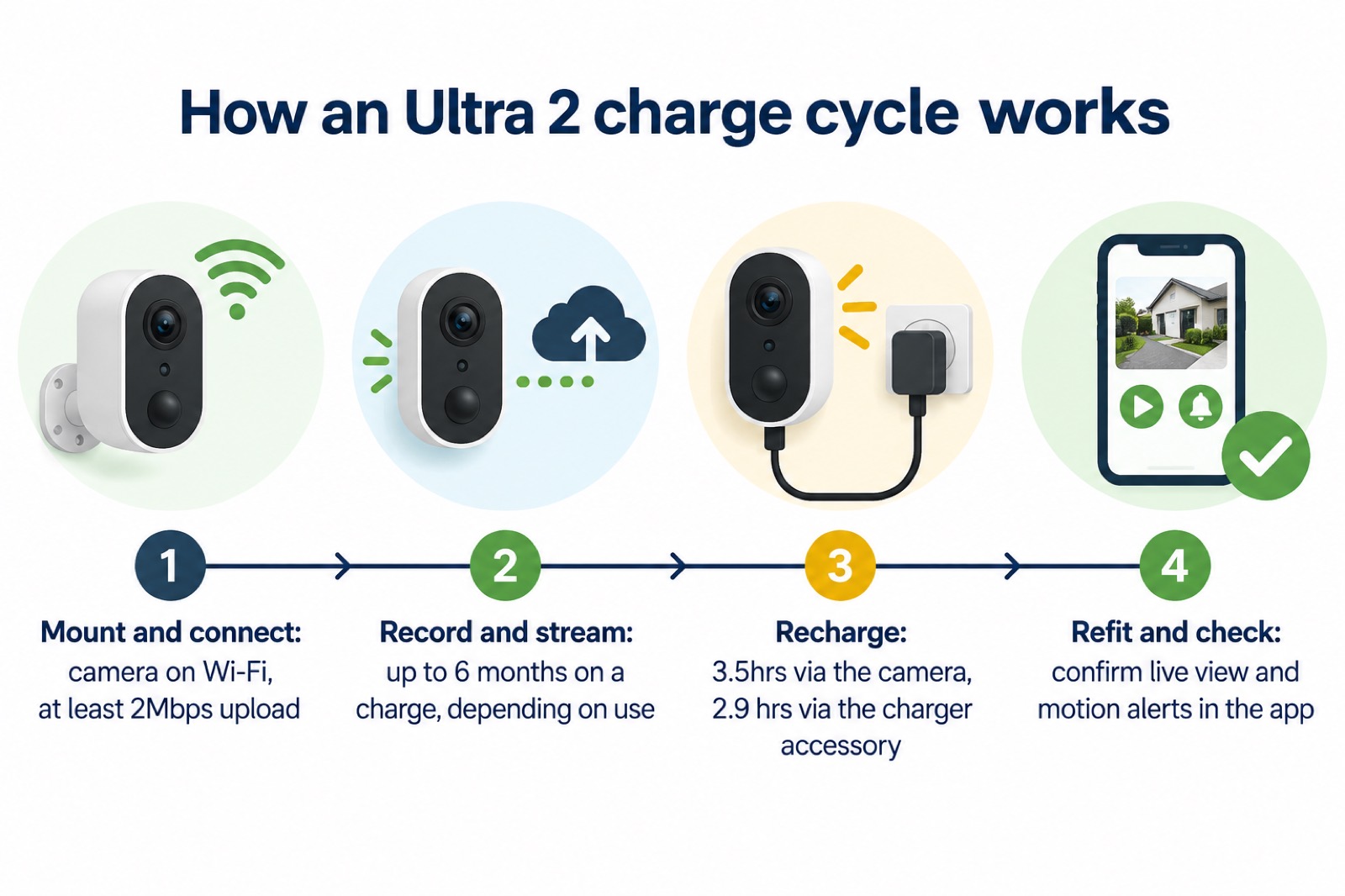
Charging is by magnetic charging cable, which is supplied with the kits and the add-on camera1. The power adapter output is 5V 2A, and the AC adapter input is 100-240V AC, 50/60Hz, so it will run from a standard UK socket1. Use the cable and adapter Arlo supplies for the camera, and charge from a socket rather than an extension lead trailing outdoors. If you keep a spare battery, label it so you know which is charged, and store it away from heat and out of reach of children.
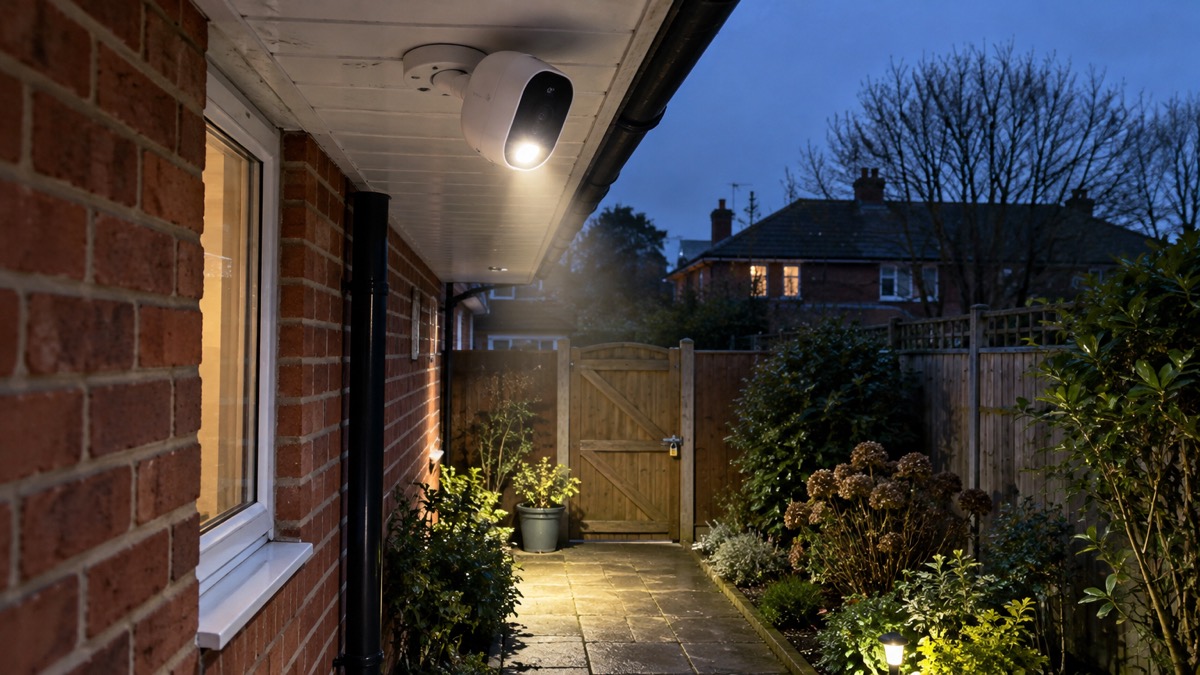
A power cut is the moment a battery camera earns its place, because it keeps recording when mains-powered kit goes dark. Our guide to keeping your home protected in a power cut covers what else to check, and Backup Power at Home explains how to keep the router and hub running so the camera stays reachable. Citizens Advice advises checking the battery life of any personal alarm you wear, which usually runs to 12 months, and the same discipline applies here: diarise a check rather than waiting for the camera to drop offline5.
Wi-Fi and broadband: at least 2Mbps upload
Arlo states that the Ultra 2 needs a Wi-Fi connection and a working broadband connection with at least 2Mbps upload speed1. It also gives a minimum home upload speed of 2-4Mbps, optimised for two simultaneous 4K streams1. Those two figures describe the same requirement from different angles: 2Mbps is the floor for one camera, and 2-4Mbps is what Arlo suggests for a household running two 4K cameras at once.
Upload speed is the number that matters, not download. Most UK broadband is sold on download speed, so check your upload figure before you buy, particularly on a fibre-to-the-cabinet line where upload can be a fraction of download. Arlo's own support material gives a lower figure for other Arlo cameras, up to 1Mbps upload per camera, and up to 2Mbps for its video doorbells6. Where the maker's product page and its support article differ, the product page figure of at least 2Mbps is the one to plan against for the Ultra 2.
| Requirement | Arlo's stated figure |
|---|---|
| Connection type | Wi-Fi, 802.11 b/g/n/ac, Bluetooth Low Energy 4.21 |
| Working broadband upload | At least 2Mbps1 |
| Minimum home upload speed | 2-4Mbps, optimised for 2 simultaneous 4K streams1 |
| Other Arlo cameras (support article) | Up to 1Mbps upload per camera6 |
| Arlo video doorbells (support article) | Up to 2Mbps upload6 |
If your upload is marginal, the camera will still work but the live view will stutter and clips may arrive late. Reducing the recording resolution to 2K or 1080p lowers the demand, and Arlo lists both modes1. Placing the camera closer to the router, or adding a SmartHub to improve Wi-Fi range, are the other levers Arlo names7. For households where the signal simply will not reach, our guide to cameras that record without the internet explains what local recording can and cannot do.
What works without a subscription
Arlo is clear that a subscription is not necessary for basic features: live streaming and motion alerts work without one8. On the Ultra 2 specifically, Arlo lists the features available without a Secure plan as live video streaming with no cloud storage, and basic motion detection1. Everything beyond that, including cloud video history, advanced AI detection, smarter notifications and other premium features, sits with the paid Arlo Secure plans3.
The practical consequence is that without a plan there is no cloud recording. If you want footage to look back on, you need local storage: a microSD card in a SmartHub or Base Station4. Arlo lists the features available without a subscription as motion alerts, doorbell calls, live stream, local storage with an Arlo Hub or Base Station, schedules and arrive or leave automations, three modes to automate actions based on motion, the deterrence features of spotlight, siren and two-way audio, and auto zoom and tracking4. That is a fuller list than the product page gives, and the two are consistent: the extra items all depend on a hub being present.
| Feature | Without a plan | With an Arlo Secure plan |
|---|---|---|
| Live video streaming | Yes, no cloud storage1 | Yes3 |
| Basic motion detection and alerts | Yes1 | Yes3 |
| Cloud video history | No1 | Yes, length depends on plan9 |
| Local storage via SmartHub or Base Station | Yes, with a hub4 | Yes4 |
| AI detection, smarter notifications | No3 | Yes3 |
| Spotlight, siren, two-way audio | Yes4 | Yes4 |
The cloud storage allowance varies by plan. Arlo lists 14 days of cloud storage on its Secure Plus+ Annual plan and 3 days on its Secure Lite+ Monthly plan9. If you are weighing up whether a plan is worth it, the question to ask is what you would want to look back at and for how long: a clip of a car on the drive last night, or a record of a visitor three weeks ago.
SmartHub, kits and the microSD card
The Ultra 2 is sold as a kit or as an add-on camera, and the difference matters. Arlo lists the add-on camera as requiring a SmartHub, so a single extra camera will not work on its own1. The kits include one. The two camera kit contains two Ultra 2 cameras, two rechargeable batteries, one magnetic charging cable, one magnetic wall mount and screw kit, one long screw mount and screw kit, a SmartHub, an Ethernet cable, a quick start guide, a video monitoring decal and a power adapter1. The three and four camera kits scale the cameras, batteries and mounts up accordingly1.
| Kit | What is in the box |
|---|---|
| 2 Camera Kit (VMS5240-200EUS) | 2 cameras, 2 batteries, 1 magnetic charging cable, 1 magnetic wall mount and screw kit, 1 long screw mount and screw kit, SmartHub, Ethernet cable, quick start guide, decal, power adapter1 |
| 3 Camera Kit (VMS5340-200EUS) | 3 cameras, 3 batteries, 1 magnetic charging cable, 2 magnetic wall mounts and screw kits, 1 long screw mount and screw kit, SmartHub, Ethernet cable, quick start guide, decal1 |
| 4 Camera Kit (VMS5440-200EUS) | 4 cameras, 4 batteries, 1 magnetic charging cable, 2 magnetic wall mounts and screw kits, 2 long screw mounts and screw kits, SmartHub, Ethernet cable, quick start guide, decal1 |
| Add-on Camera (VMC5040-200EUS) | 1 battery, 1 magnetic charging cable, 1 magnetic wall mount and screw kit, quick start guide, decal; SmartHub required1 |
Arlo's UK stock position at the time of writing shows the two, three and four camera kits in white and the add-on camera in black in stock, with the white add-on camera, the black two camera kit and the black four camera kit out of stock1. Stock moves, so check before you plan an installation around a particular colour or kit size.
For local recording, Arlo specifies a microSD card with speed class 10, UHS1 and V10 ratings1. Buy a card that carries all three markings. A card that is only class 10 may not sustain the write speed 4K recording needs, and a card that fails mid-event loses the clip you wanted. Fit it in the SmartHub or Base Station, not the camera, and check the app shows local storage working before you rely on it.
Cold weather, mounting and keeping it running
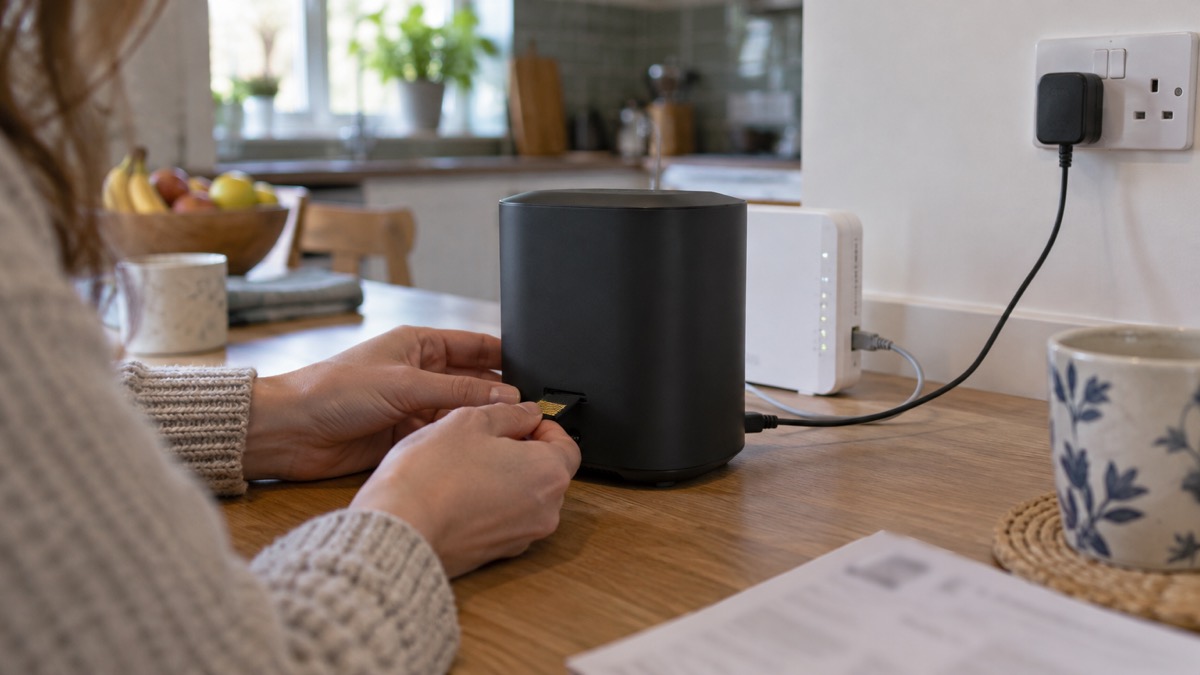
Arlo rates the Ultra 2 for operation between -20 and 45 degrees Celsius and describes it as outdoor UV and weather-resistant1. A British winter sits comfortably inside that range, so the camera itself is not the weak point. The battery is: cold reduces usable capacity, so expect shorter runs between charges in January than in June, and plan a recharge before the worst of the weather rather than during it.
The NHS in Scotland advises wearing several layers of thin clothing rather than one thick layer, a hat and gloves outside, and shoes with good grip on icy surfaces, and the same winter that makes a camera need charging makes a ladder unsafe11. Ready Scotland and the Northern Ireland Executive both stress keeping in contact with people who need extra help, and keeping a mobile phone charged, which is a reminder that the camera is one of several things depending on the same power and connection12. The NHS in England suggests using your pharmacist for winter health advice, and reducing draughts cheaply with excluders or a towel under a door, both of which bear on where you site a camera and how much cold air reaches it14.
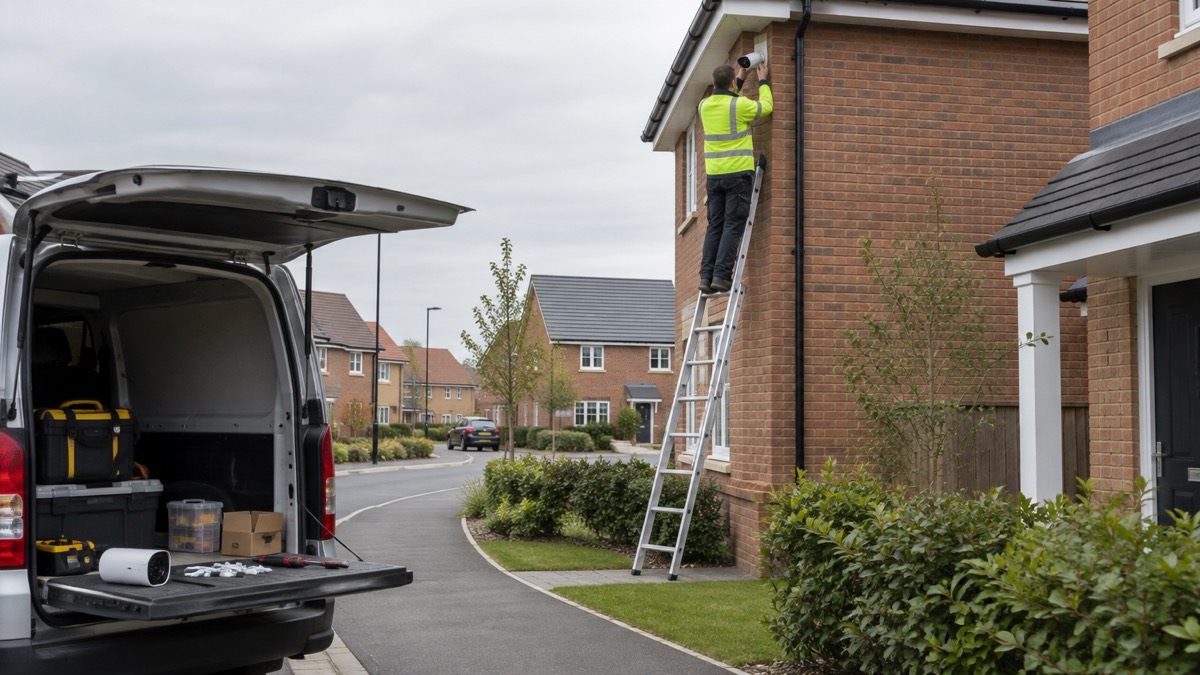
Mounting is by magnetic wall mount or long screw mount, both supplied with the kits1. Fix into solid masonry or a sound timber, not into fascia board or plastic cladding that will work loose. Angle the camera to cover the approach rather than the street, both to keep the subject close enough to identify and to avoid filming beyond your boundary, which our guide to filming beyond your boundary explains. If you are in a flat or a shared entrance, check with the freeholder or landlord before mounting anything on communal fabric; our guide to flats and shared entrances covers the usual constraints.
Software updates and how long it will be supported
A camera is a small computer with a lens, and it is only as good as the software it runs. Which? reports that Arlo's support will end between December 2028 and December 2029, depending on the model2. Arlo has not published a separate end date for the Ultra 2 in the material here, so treat that window as the outer limit of guaranteed updates rather than a date for this camera specifically.
The National Cyber Security Centre advises applying updates to apps and device software as soon as they are available, and turning on automatic updates where the option exists17. It notes that updating can take time and needs a reliable internet connection, best done at home on Wi-Fi with the device plugged in18. It also warns that older devices will eventually stop receiving updates17. When that happens the camera may keep recording, but it will no longer receive fixes for security flaws, and the sensible course is to replace it rather than keep it on the network.
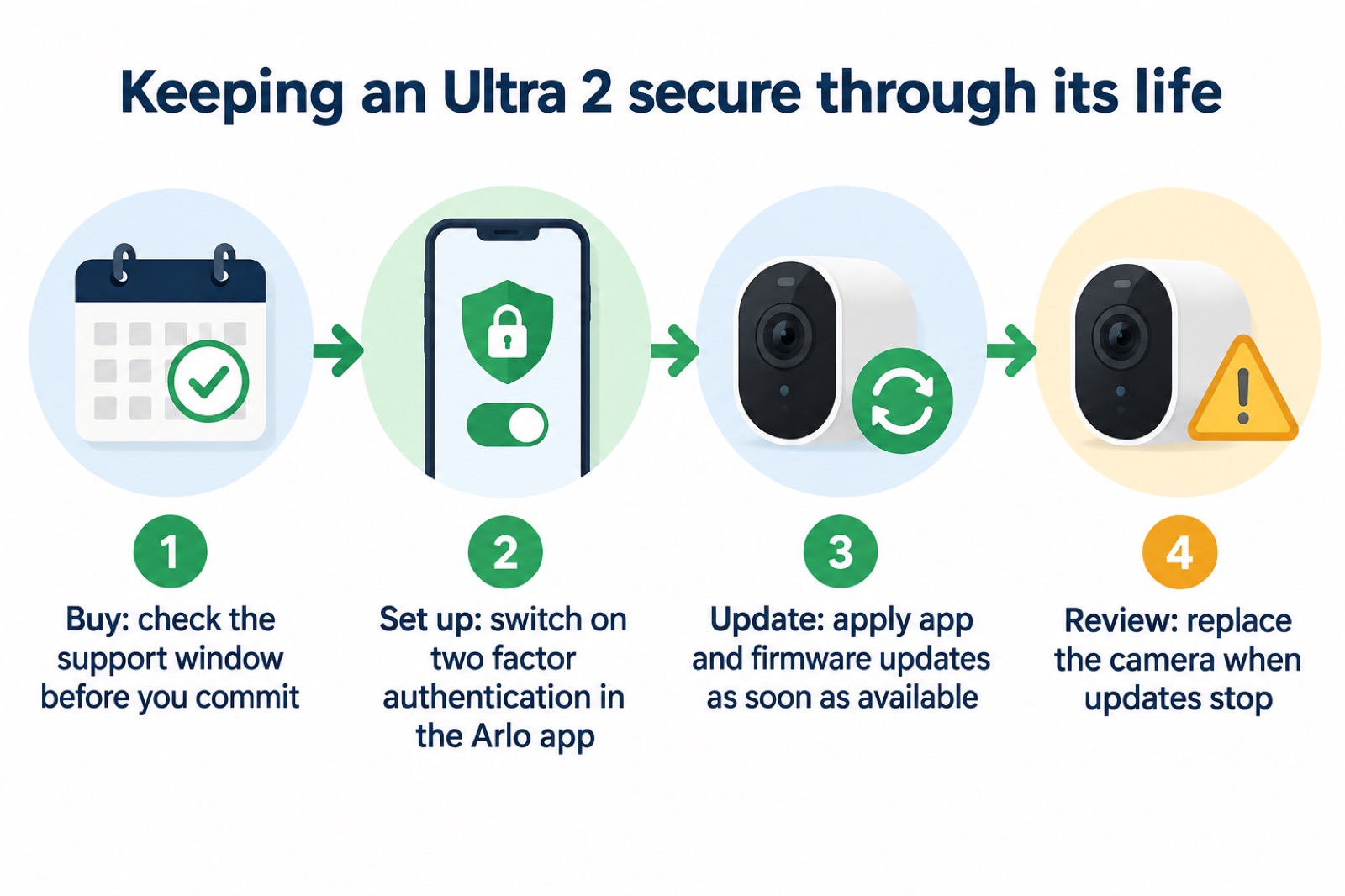
If you suspect the account has been accessed, the National Cyber Security Centre has a step by step guide to recovering a hacked account, starting with changing the password and checking connected devices18. Our guide to how to stop your security camera being hacked covers the settings in more detail, and how long cameras and doorbells get software updates explains why the support window is worth checking before any purchase.
Where to get help
Arlo's own support sits behind the Arlo app and the arlo.com website, and the Arlo site carries the product pages, manuals and support articles for the range19. Arlo states that it offers free delivery and free returns on Arlo.com UK, so if a camera arrives faulty you can return it through the maker rather than through a retailer3. Keep the order confirmation and the serial number; you will need them for a warranty claim.
If the camera is part of a wider security setup, the practical help is often local. Our guide to joining or starting a Neighbourhood Watch explains how shared camera coverage works in practice, and after a burglary sets out who to call and what to do with footage. For the law on filming and storing images of people beyond your boundary, see filming beyond your boundary.
In Scotland and Northern Ireland the reporting routes and support organisations differ from England and Wales; our guide to Scotland and Northern Ireland: reporting crime and getting support sets out the numbers and services. For the wider question of how a camera fits into a household security plan, start at Home Security: A Household Guide.
Sources (19)
- Arlo Ultra 2 product page, Arlo, 2026
- How to buy the best smart video doorbell, Which?, 2026-10-16
- Arlo home, Arlo, 2026
- Arlo service plans, Arlo, 2026
- Prepare for a power cut, Citizens Advice, 2023-11-14
- Smart camera bandwidth requirements, Verisure, 2026-10-30
- Arlo video doorbells, Arlo, 2026
- Arlo cameras, Arlo, 2026
- Whole home security kit, Arlo, 2026
- Arlo 2K wireless video doorbell, Arlo, 2026
- How to stay safe in cold weather, NHS Inform, 2026-09-21
- Cold weather health advice and keep neighbours in mind, nidirect, 2026-01-02
- Cold, snow and ice, Ready Scotland, 2026-03-25
- Stay well this winter, NHS England, 2024-10-31
- Winter messages, NHS England, 2015-11-11
- Best indoor security cameras, Which?, 2026-08-18
- Install the latest software and app updates, National Cyber Security Centre, 2021-12-21
- Recovering a hacked account, National Cyber Security Centre, 2022-08-24
- Arlo, Arlo, 2026

 Ajax BulletCam
 Ajax TurretCam
 Aqara Camera Hub G350
 Arlo Essential 3 2K
 Arlo Essential 3 Indoor
 Arlo Pro 6
 Arlo Ultra 3
 Blink Outdoor 4
 Eufy SoloCam S340
 Eufy eufyCam S3 Pro Kit
 Eufy eufyCam S4 Setup
 EZVIZ BC1-B2 Kit