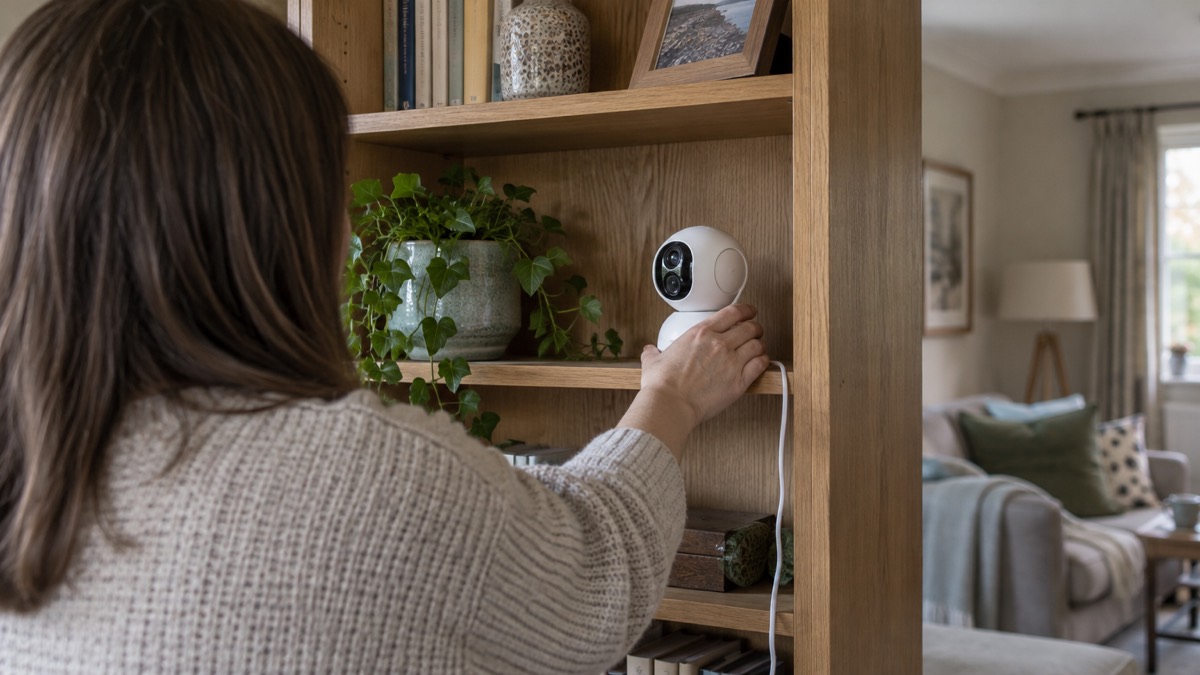
The Aqara Camera Hub G350 is a dual-lens indoor camera that pans and tilts through a full 360°, and it is also a smart home hub. Aqara describes it as a Matter-certified camera that doubles as an Aqara Zigbee hub, a Matter Controller and a bridge, linking Aqara devices to the wider smart home1. For a household, that means one box on a shelf can watch a room and also run sensors and other Aqara kit.
The two lenses do different jobs. The wide-angle lens gives a 3840 × 2160 picture across a 133° diagonal field of view, and the telephoto lens gives 2560 × 1440 across 43°, which together Aqara calls a 9x hybrid zoom1. It records to a microSD card of up to 512GB, sold separately, or to a HomeGuardian cloud plan, and it works with Apple Home, Google Home, Alexa, SmartThings and Home Assistant, with limits on some of those routes1.
If you are weighing up a camera at all, our guide to home cameras and CCTV sets out the types and what each suits. This page covers what the G350 is, what it can and cannot do, and how to power and place it safely indoors.
What the Camera Hub G350 is, and what it suits
The G350 is a mains-powered indoor camera with a motorised base, so the lens turns to look around a room rather than staring at one fixed view. Aqara calls it the first certified Matter camera, and says it plugs into leading smart home platforms for live viewing1. The hub side is the part that makes it different from a plain camera: it acts as an Aqara Zigbee hub, a Matter Controller and a bridge, so Aqara devices can join through it1.
That combination suits a household that wants one camera covering a living room or hallway and also wants to start adding sensors without buying a separate hub. It is not an outdoor camera: the maker's operating range and power input point to indoor placement, covered below.
Aqara is careful about one thing. It states that Matter camera support, and the specific features exposed, depend on each Matter-enabled ecosystem1. In plain terms, the camera may appear in your chosen app but not every feature will be available there. Check what your platform shows before you rely on a particular function.
If you already run Aqara door locks, the maker says its smart locks integrate with Apple Home, Amazon Alexa and Google Home2, and the G350's hub role is aimed at pulling that kind of kit together. For the wider picture on how cameras fit a home security plan, see home cameras and CCTV.
Specifications
The table below gives the maker's figures for the two lenses and the main hardware. Where a figure is a limit rather than a capability, it is marked.
| Specification | Wide-angle lens | Telephoto lens |
|---|---|---|
| Resolution | 3840 × 2160 | 2560 × 1440 |
| Field of view (diagonal) | 133° | 43° |
| Focal length | 2.8 mm | 8 mm |
| Other specification | Figure |
|---|---|
| Aperture | f/1.61 |
| Dimensions | 123 × 85 × 68 mm1 |
| Video codec | H.2641 |
| Frame rate | 20 fps1 |
| Power input | 5V⎓2A1 |
| Operating temperature | -10°C to 45°C1 |
| Operating humidity | 0 to 95% RH, no condensation1 |
| Wireless | Wi-Fi 802.11 a/b/g/n/ac/ax on 2.4 and 5 GHz, Zigbee/Thread 802.15.4, Bluetooth1 |
| Local storage | microSD, Class 10 or above, up to 512GB, not included1 |
| Siren | 95dB1 |
The frame rate of 20 fps is worth noticing if you are used to smoother video: it is the maker's figure and it applies to the camera's output1. The 5V⎓2A input is a modest USB power requirement, so a standard USB charger of that rating is what the camera expects.
Seeing the whole room: pan, tilt and zoom
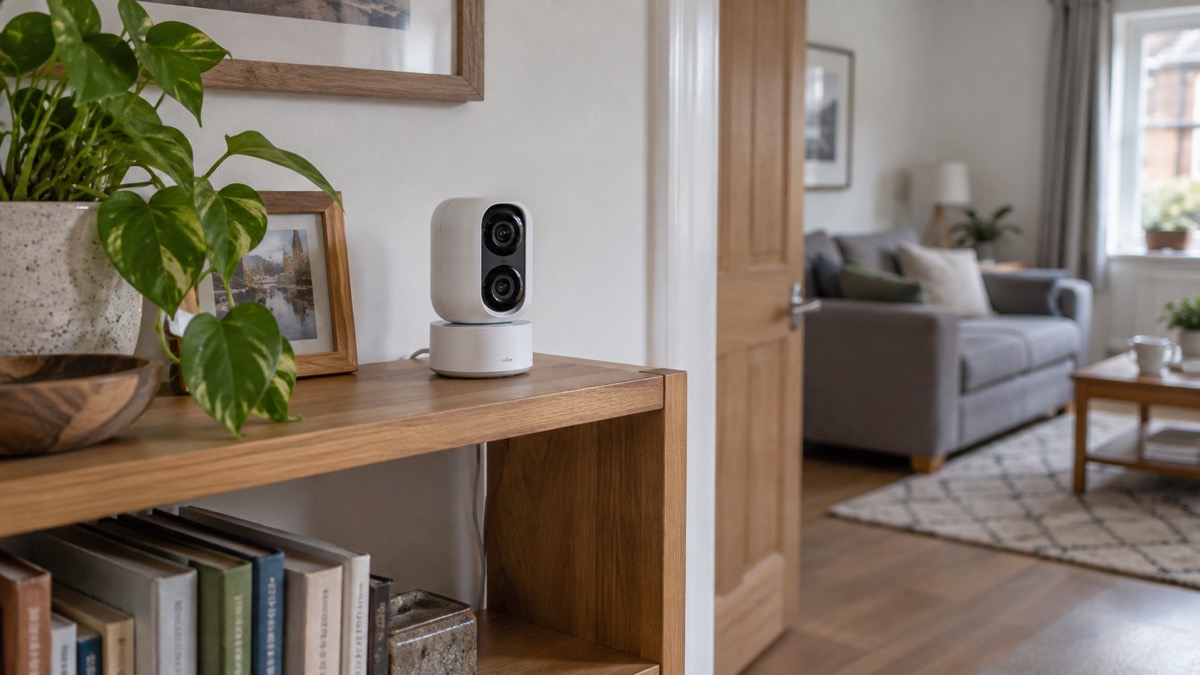
Aqara says the pan and tilt give a complete 360° view of your space without blind spots1. You can save up to 30 preset angles, so the camera can swing between the door, the window and the sofa at a tap rather than being aimed by hand each time1. That is the practical difference between this and a fixed camera: one unit covers a room, at the cost of only ever looking one way at once.
The zoom is where the two lenses earn their place. Aqara describes the matched dual-lens design as delivering a 9x hybrid zoom1, which means the camera switches between the wide view and the tighter telephoto view rather than only cropping the picture. The telephoto lens has a 43° diagonal field of view against the wide lens's 133°, so it sees a much narrower slice of the room at higher detail1.
Aqara has also addressed a common annoyance with motorised cameras. It states that the system automatically slows the camera's movement speed when you zoom in, which it says removes the overshoot that fixed-speed pan and tilt units suffer from1. The maker adds that this is a preset function and is not user-configurable1, so you cannot tune it yourself; it follows the zoom.
When the camera is turned off, Aqara says it extends a physical shutdown for what it calls 100% visual privacy1. That is a useful feature for a camera in a living space, and it is worth knowing where the off control sits before you place the unit.
Night vision, detections and the siren
The G350 sees in the dark using nearly invisible 940 nm infrared lighting, and Aqara pairs that with an f/1.6 aperture for what it calls covert night vision1. The 940 nm wavelength is chosen so the camera's infrared glow is far less noticeable than older illuminators, which matters if the camera faces a window or a neighbour.
Detection goes beyond simple motion. Aqara lists person, pet, face and lens obstruction detections, and says these give context for every alert1. It also lists six sound detections1. In practice, that means the camera can tell you a person moved rather than that pixels changed, and it can warn you if something is covering the lens.
The siren is rated at 95dB1. That is loud enough to startle and to draw attention indoors, and it is a deterrent rather than a guarantee. A camera siren is not a monitored alarm: nobody is dispatched when it sounds. If you want a response, our pages on burglar alarms and monitored alarms explain the difference.
Recording: microSD card or a cloud plan
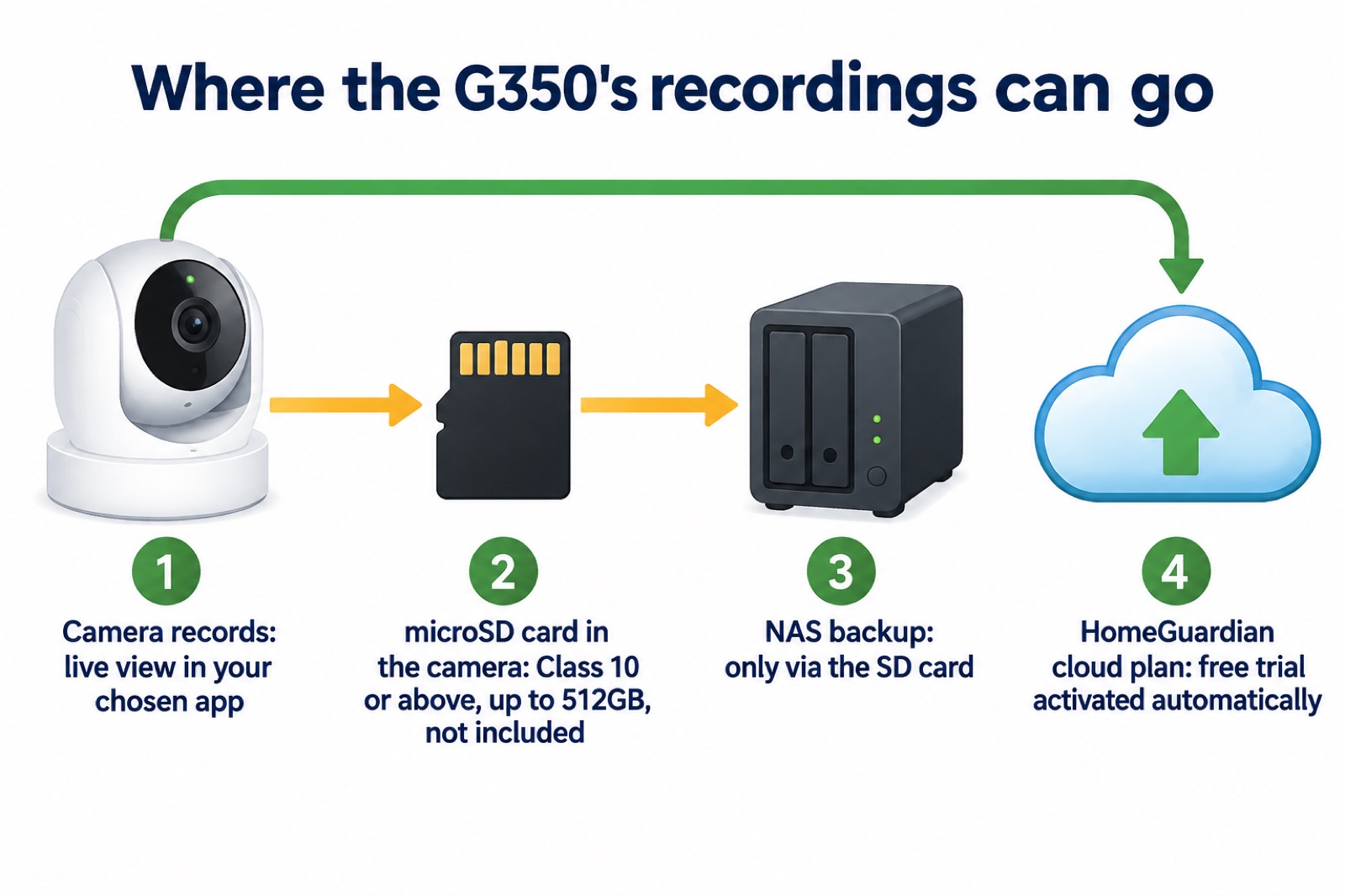
The camera records locally to a microSD card of up to 512GB, and Aqara says the slot supports 24/7 recording1. The card is not included, and the maker specifies Class 10 or above1. For most households a high-endurance card of that class is the sensible choice, because continuous recording writes constantly.
Cloud storage is the alternative. Aqara states that cloud storage requires a HomeGuardian plan, which includes a free trial that is activated automatically1. The maker also notes that recording availability depends on the platform and any subscription1, so the features you get can vary with the app you use.
The trade-off between local and cloud storage is well established. A maker's guide notes that local options such as microSD cards or network video recorders keep everything on site and avoid monthly fees, while cloud storage offers remote access and off-site safety but usually comes with ongoing costs and time limits on how long video is kept3. Another maker's comparison table lists up to 512GB microSD plus an NVR for its own cameras4, which shows the card capacity here is in line with what else is on the market.
If you want footage to reach a network drive, note the limit: Aqara states that NAS data transfer is only supported via the SD card1. The card is the route, not a direct network connection.
Working with Apple Home, Google Home, Alexa, SmartThings and Home Assistant
Aqara lists integration with HomeKit Secure Video, Home Assistant, Google Home, Alexa and SmartThings1. Each route has its own conditions, and they are worth knowing before you buy.
For Apple users, HomeKit Secure Video requires an iCloud+ plan and an Apple Home hub1. Within Apple Home the resolution is limited to 1080p, and Aqara notes it may be downgraded if network conditions are poor1. So the 4K wide-angle lens does not deliver 4K through Apple Home.
For Home Assistant users, Aqara states that only streaming is available, via RTSP1. That means live view rather than full control or recording through that integration.
For the other platforms, the maker's general caveat applies: Matter camera support and the features exposed depend on each ecosystem1. Aqara's own smart locks integrate with Apple Home, Amazon Alexa and Google Home2, and other makers in the market list similar compatibility, with Arlo for example citing Alexa, Google Assistant and HomeKit on supported devices5. The pattern is the same across the industry: the camera appears, but the feature set varies.
If you are setting up accounts for any of these, our guide to camera and doorbell accounts covers keeping strangers out, and how to stop your security camera being hacked covers the settings that matter.
Powering and placing it: 5V⎓2A, indoors
The camera takes a 5V⎓2A supply1. The box contains the camera, two user manuals and one USB-C to USB-C cable1, so you need to provide a USB power adapter rated for that output. Place it near a socket you can reach, because the camera has no battery.
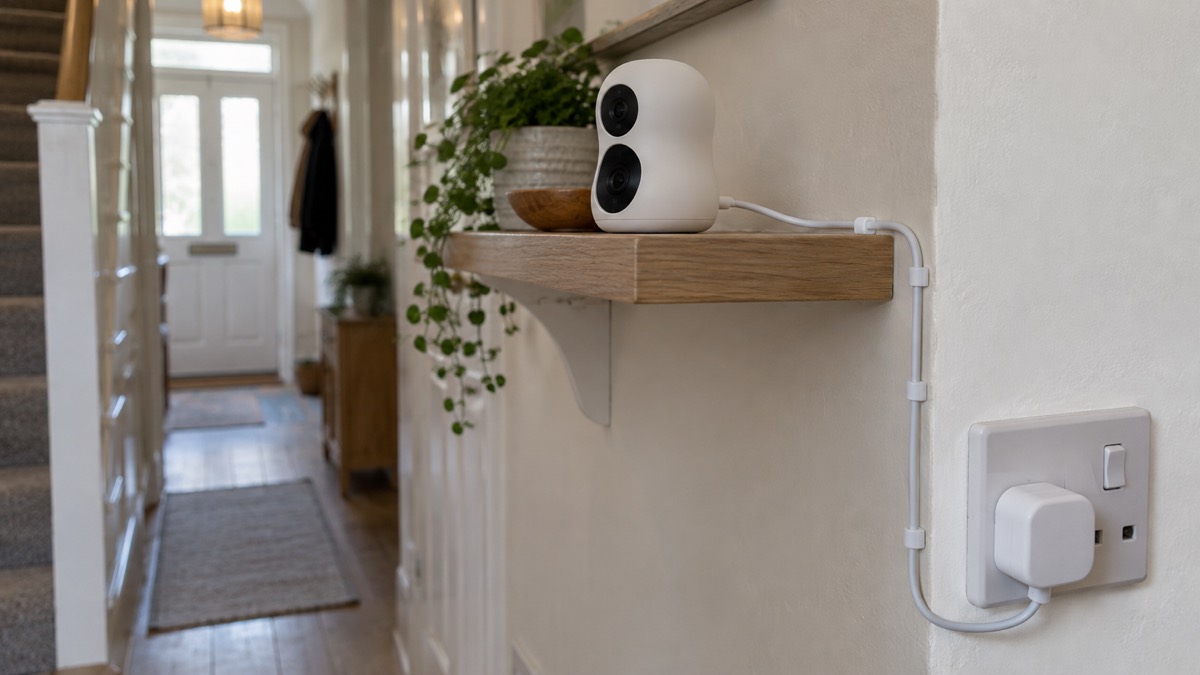
Aqara rates the camera for -10°C to 45°C and 0 to 95% relative humidity with no condensation1. That range covers a cold conservatory and a warm room, but the maker's power and cable arrangement point to indoor use, and running a USB cable outdoors brings its own risks. Keep it inside.
A few practical points follow from the maker's figures. The 360° pan means the camera needs clear space around it, or the motor will meet a wall. The 30 preset angles are most useful when the camera is high enough to see over furniture but not so high that faces are lost. And the physical privacy shutter is worth using when the room is occupied.
Support, warranty and where to get help
Aqara publishes the product page for the G350 with its specifications and footnotes, and that is the first place to check a feature or a limit1. The maker's notes on HomeKit, Home Assistant, NAS backup and Matter are all on that page, and they are the authoritative version if an app behaves differently.
For the wider question of whether a camera is the right buy at all, our comparison of a burglar alarm or CCTV camera sets out which suits which home, and wired or battery security cameras covers the power question. If your broadband or mobile signal is weak, alarms and cameras on a weak mobile signal or slow broadband explains what to expect.
If you are filming beyond your boundary, the rules change. Our guide to filming beyond your boundary covers CCTV, doorbells and data protection, and it applies to an indoor camera pointed through a window as much as to an outdoor one.
Sources (5)
- Camera Hub G350 product page, Aqara, 2026-03-18
- Aqara Door Lock, Aqara, 2026-10-14
- Best security camera features for UK weather conditions, eufy, 2025-09-17
- PoE IP cameras, Reolink, 2026-11-03
- Arlo home security, Arlo, 2026

 Ajax BulletCam
 Ajax TurretCam
 Arlo Essential 3 2K
 Arlo Essential 3 Indoor
 Arlo Pro 6
 Arlo Ultra 2
 Arlo Ultra 3
 Blink Outdoor 4
 Eufy SoloCam S340
 Eufy eufyCam S3 Pro Kit
 Eufy eufyCam S4 Setup
 EZVIZ BC1-B2 Kit