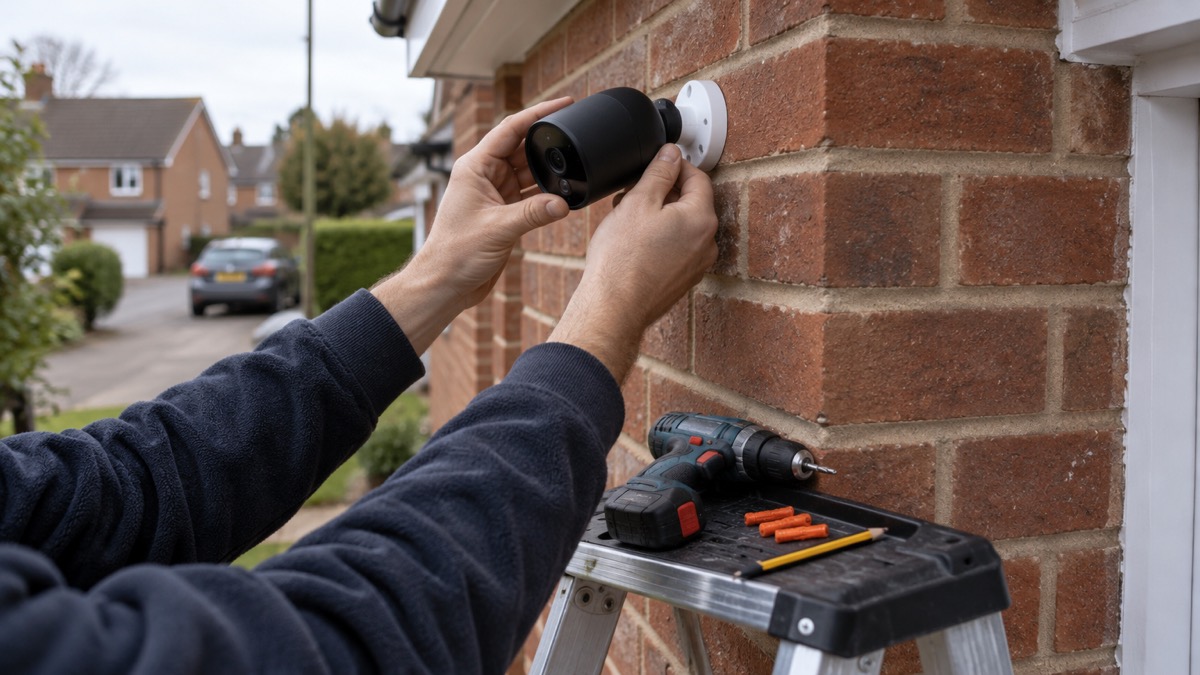
The Blink Outdoor 4 is a battery-powered outdoor security camera from Blink, made for watching a garden, drive or side path and sending an alert to your phone when something moves. Blink describes its cameras as monitoring areas inside or outside your property up to 20 feet (6 m), with 1080p video, night vision, Live View and two-way audio through the Blink Home Monitor app1. Because it runs on batteries rather than a cable, Blink says battery-powered models offer greater flexibility of placement, which is the main reason people choose one over a wired camera1.
It is not a substitute for a burglar alarm or a full CCTV system. Blink is explicit that these cameras "aren't meant to provide CCTV feeds or serve as baby monitors"1. What they are good at is checking on a specific spot at intervals: a gate, a shed, a parking space or the back door. If that is what you want, the camera is straightforward to set up, but a few decisions made before you drill any holes will decide whether it works reliably through a British winter.
What the Blink Outdoor 4 is and what it suits
Blink makes a range of smart home security cameras, and the Outdoor 4 sits in that line as the outdoor, battery-powered option1. The appeal for an ordinary household is that there is no wiring to run and no electrician to book: you fix a mount to a wall, pair the camera with the app, and it starts sending alerts. Blink's own summary of the range is coverage "from the edge of the yard to the living room"5.
The trade-off is the same one that applies to any battery camera. A wired camera, often using Power over Ethernet, gives a stable connection and continuous 24/7 recording, but needs more effort to install. Battery or solar models are quicker to set up and flexible in placement, though you will usually be limited to motion-triggered recording and occasional recharging2. For a household that wants to see what is happening at the side gate without lifting floorboards, the battery camera is the simpler answer; for someone who wants a permanent record of everything that passes, it is the wrong tool.
Blink also sells a floodlight version, the Blink Outdoor 4 Floodlight Camera, which is wire-free and can be bought as an accessory mount for an existing Outdoor 4 camera. It adds 700 lumens of motion-triggered LED light alongside HD live view and infrared night vision, and person detection alerts on it require a Blink Subscription Plan sold separately6. If you already own an Outdoor 4 and want light as well as video over a driveway, that accessory is the route Blink offers.
Video, night vision and what the app shows you
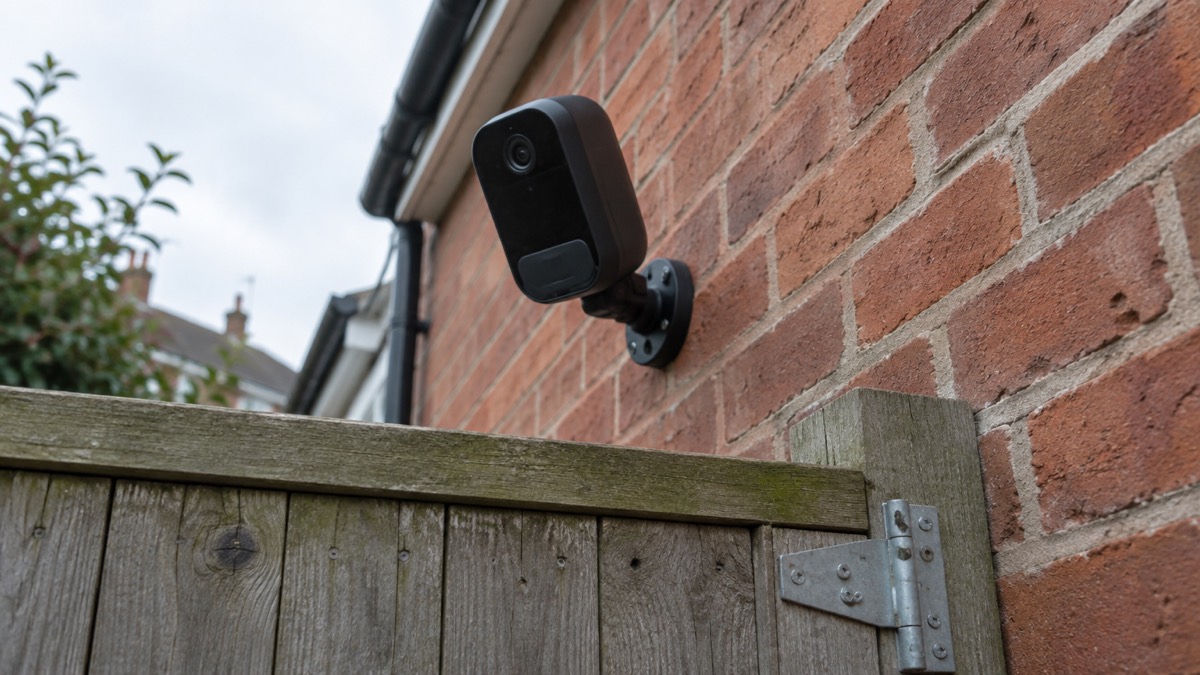
The core specification is modest and clearly stated. Blink lists Live View, 1080p video resolution, night vision and various storage options for motion events as the main features1. The camera monitors up to 20 feet (6 m) and sends motion alerts viewable from a smartphone or tablet1. For judging whether 1080p is enough, one camera maker puts it plainly: a resolution of 1080p is sufficient for basic monitoring, but 2K and 4K cameras capture more detail7. If you need to read a number plate at distance, this is not the camera for it; if you need to see that someone is at the gate, it is.
Live View and two-way audio are the features most people use day to day. Blink says its devices let you "see, hear and speak from the Blink Home Monitor app on your smartphone", and that the Outdoor 4 is among the cameras offering Live Views with Two-Way Audio communication1. In practice that means you can open the app when an alert arrives and talk to whoever is there, whether that is a delivery driver or a neighbour returning a bin.
Blink's Event Response feature, described for its doorbells, shows how the alert flow works: you receive motion alerts and doorbell button press notifications, and tap within 60 seconds to open a Live View session with two-way audio in the app8. The 60-second window is worth knowing, because it sets the pace: if you are slow to your phone, you may miss the moment.
| Feature | What Blink states | What it means at home |
|---|---|---|
| Resolution | 1080p video1 | Clear enough for basic monitoring; not for fine detail at distance7 |
| Night vision | Infrared night vision6 | Usable images after dark, in black and white |
| Motion range | Up to 20 feet (6 m)1 | Covers a gate, path or short drive, not a long garden |
| Audio | Two-way audio via the app1 | Speak to a caller or delivery driver |
| Alerts | Motion alerts on smartphone or tablet1 | Notifications wherever you have the app |
| Voice control | Works with select Alexa-enabled devices1 | Hands-free live view and alerts where supported |
Alexa integration is worth a word because it changes how you use the camera. Blink says its cameras work with select Alexa-enabled devices, and that you can be alerted when motion is detected, stream live video, speak to visitors and set up routines hands free, with features varying by setup and device type5. If you already have an Echo speaker or a Fire tablet, that is a convenient way to see the feed without reaching for a phone.
Where to mount it, and why height matters
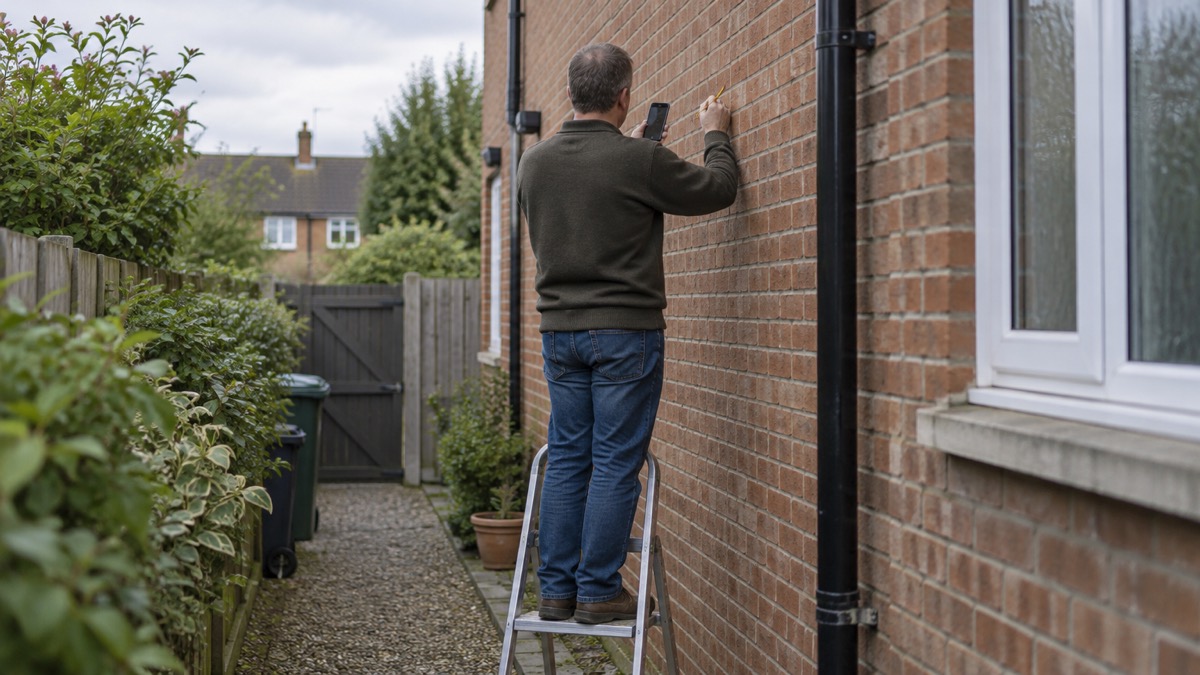
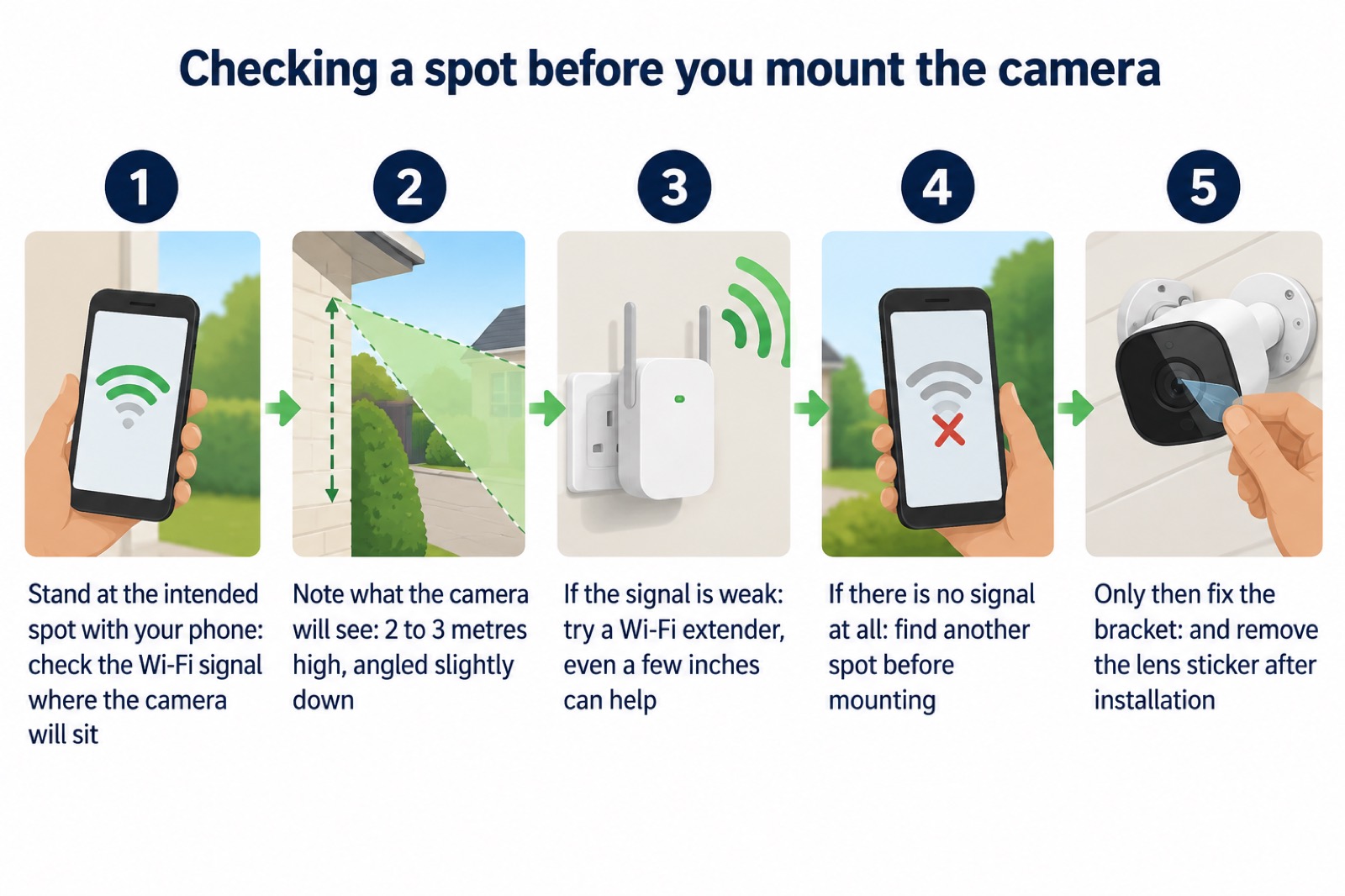
The single most useful piece of installation advice is the height. One camera maker's guidance is to choose a spot 2 to 3 metres high, angled slightly down, for the clearest view2. Another puts the working range at 8 to 10 feet high, because that height is hard to reach for tampering yet low enough for clear faces9. Both point the same way: high enough that someone cannot easily knock it or cover it, low enough that you are looking at faces rather than the tops of heads.
That is a different calculation from a video doorbell, which is mounted much lower. Independent testing advice for doorbells puts the best height at around four feet (1.2 metres) off the ground to the bottom of the unit, because a doorbell needs to see a face at close range10. An outdoor camera watching a path or drive is doing a different job and wants the wider view from above. Do not copy doorbell advice onto a garden camera.
Before you commit to a position, think about what the camera will actually see. A camera pointed at a public footpath or a neighbour's window raises questions about privacy and data protection that are worth settling first; our guide to filming beyond your boundary sets out the rules. If the camera is part of a wider plan to deter intruders, it is worth reading how burglars choose a home and home cameras and CCTV: types and how to choose alongside this page, because a single camera at the wrong angle does less than people expect.
Check the Wi-Fi signal before you fix it to the wall
A wireless camera is only as good as the signal reaching it, and the garden is usually the worst place in the house for Wi-Fi. The advice from camera makers is consistent: test the range and add an extender if the connection fades7. Test your Wi-Fi strength where you plan to mount it, because brick, metal and even water tanks can reduce signal2. One maker's installation guide is blunter still: walk to the intended spot with your phone or tablet to check for a Wi-Fi signal before mounting, and if there is no signal at all, find another spot3.
If the signal is weak but present, an extender is the usual fix. One maker suggests that if you are installing beyond the range of your existing network, you can try using a Wi-Fi extender, and notes that even a few inches can make a difference to signal strength3. The regulator's advice is to look on your broadband provider's website for guidance on improving your Wi-Fi signal around the home, since a number of in-home factors affect speeds11. Electrical Safety First adds a related caution for smart home devices generally: check you have a strong Wi-Fi and internet connection, as limited bandwidth may struggle to support multiple devices12.
What Blink cameras are not designed for
Blink is unusually clear about the limits, and it is worth taking at face value. The cameras "aren't meant to provide CCTV feeds or serve as baby monitors"1. That rules out using one as a continuous monitor for a sleeping child, and it rules out treating it as a replacement for a proper CCTV installation with a recorder. Blink's own framing is that if you need to monitor motion or view live video at intervals, Blink cameras are right for the job1.
Continuous recording is the clearest dividing line. One maker explains that some outdoor cameras can record continuously, but many are designed to record only when motion is detected to save battery life and storage space, and that for constant recording you should look for cameras with continuous video and a reliable power source such as mains or solar13. Another lists recording modes side by side, including 24/7 and motion-triggered, continuous and motion-triggered, and motion-triggered alone, which shows how much the choice varies between models7. If round-the-clock footage matters to you, our comparison of wired or battery security cameras sets out the trade-offs.
There is a second limit that catches people out: region locking. Blink states that the cameras and systems are region locked, which means North American cameras work with a North American Sync Module and will not function with Blink products sold in another region4. If you are buying a second camera, a sync module or a spare from an online marketplace, check it is the version sold for your region before you pay. A cheap imported camera that will not pair with your system is no bargain.
Keeping it working through British weather
An outdoor camera lives with rain, frost, sun and spiders. The first defence is the rating. An IP rating's last digit indicates protection against water penetration, and lighting suitable for outdoor use should have a number of three or higher15. Cameras sold for outdoor use commonly carry IP65, IP66 or higher, which confirms they are sealed against dust and resistant to rain or even temporary submersion2. Blink does not publish an IP rating for the Outdoor 4 in the material here, so if that specification matters to you, ask Blink before buying rather than assuming.
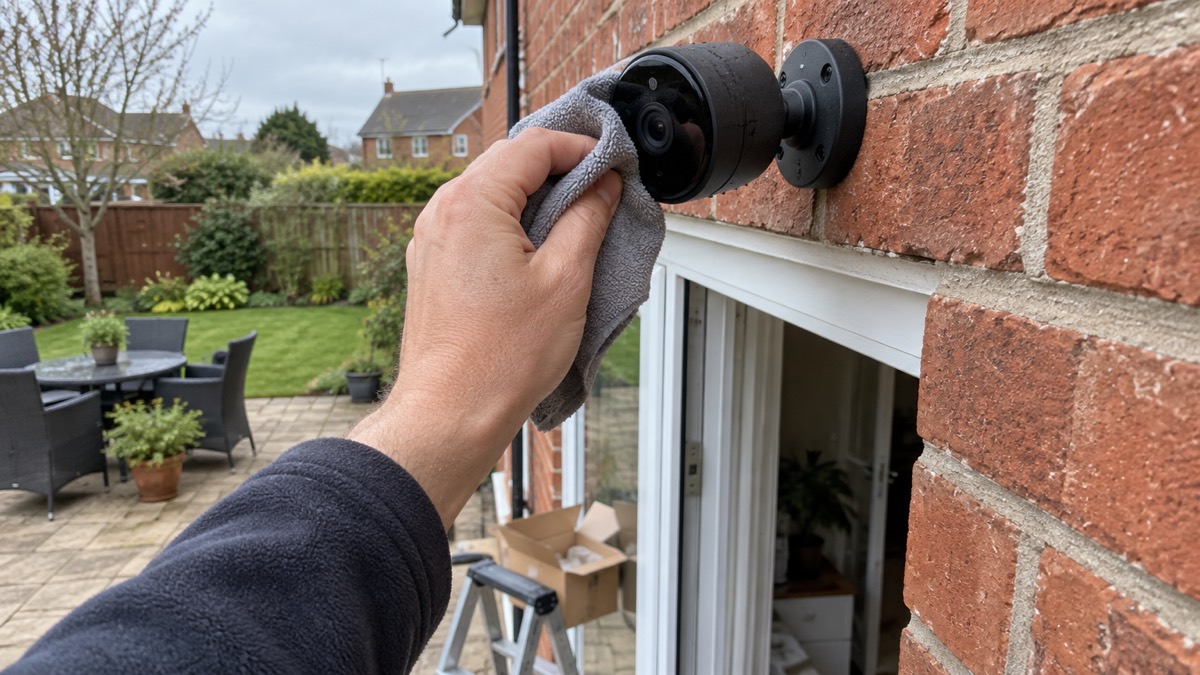
Maintenance is simple but easy to forget. Wipe the lens periodically to remove dust, rain spots or cobwebs2. If your camera arrives with a protective sticker over the lens, remove it, because it is only there for protection during delivery and installation3. A dirty lens at night, combined with infrared, produces a hazy image that looks like a fault when it is only grime.
Anything electrical outdoors deserves a second look. Electrical Safety First advises checking cables and connections for fraying, dirt and damage before use16, and says that if any faults are found you should switch off the electrical supply immediately and have them repaired by a registered electrician17. That applies to any mains-powered accessory you add, such as a floodlight mount or an outdoor socket feeding a charger. For outdoor lights generally, the fire service advises making sure they are fitted with a residual current device18.
Support, app access and keeping the account secure
Blink cameras are smart home security cameras, and the maker describes them as a way to monitor motion or view live video at intervals1. Because the camera depends on your account, treat access to it as part of your home security. Our guide to camera and doorbell accounts explains how to stop strangers getting in, and how to stop your security camera being hacked covers the practical steps. If your broadband or mobile signal is poor where you live, alarms and cameras on a weak mobile signal or slow broadband is worth reading before you rely on alerts arriving.
One thing the camera will not do is warn you about a national emergency. That is the job of the government's Emergency Alerts system, which sends a message to compatible mobile phones and tablets on 4G and 5G, and your device may make a loud siren-like sound even if it is set on silent, vibrate, or read out the alert19. If you have accessibility notifications enabled, audio and vibration attention signals will let you know you have received an alert20. Do not silence your phone overnight on the assumption that the camera app is your only alert.
On warranty and returns, the terms that apply are the ones Blink supplies with your purchase in the UK, and they are not set out in the material here. Keep your order confirmation and check the warranty period stated at the point of sale. If a camera develops a fault, contact Blink support through the app or its support site rather than dismantling the unit.
Sources (20)
- What to expect from your Blink camera, Blink Support
- Best security camera features for UK weather conditions, eufy, 17 September 2025
- Nest Cam Outdoor installation, Google Support
- Blink region locking, Blink Support
- Blink home page, Blink
- Blink products, Blink
- Security camera without subscription, Reolink
- Blink Video Doorbell setup, Blink Support
- Wi-Fi security cameras, Reolink
- How to buy the best smart video doorbell, Which?, 16 October 2026
- Helping broadband and mobile users stay connected, Ofcom, 25 March 2020
- Smart homes, Electrical Safety First
- Outdoor security cameras, eufy
- Blink subscription plans UK, Blink
- Christmas lights, Electrical Safety First
- Wise up in the garden this spring, Electrical Safety First
- Outdoor lighting, Electrical Safety First
- Fire safety advice to keep you safe at Christmas, Devon and Somerset Fire and Rescue Service
- Emergency Alerts, GOV.UK
- Emergency alert test frequently asked questions, GOV.UK, 7 July 2025

 Ajax BulletCam
 Ajax TurretCam
 Aqara Camera Hub G350
 Arlo Essential 3 2K
 Arlo Essential 3 Indoor
 Arlo Pro 6
 Arlo Ultra 2
 Arlo Ultra 3
 Eufy SoloCam S340
 Eufy eufyCam S3 Pro Kit
 Eufy eufyCam S4 Setup
 EZVIZ BC1-B2 Kit