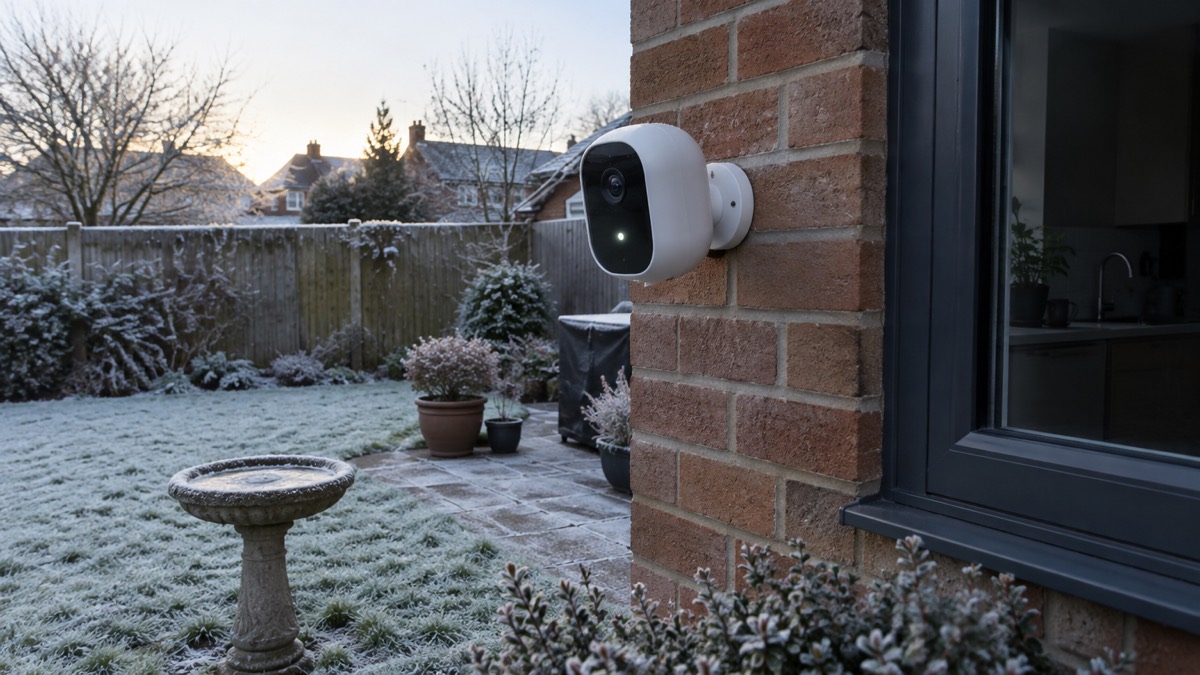
The Arlo Essential 3 2K is a battery-powered outdoor security camera that films in 2K, sees in colour at night with the help of a built-in spotlight, and lets you talk and sound a siren through the Arlo Secure app. It is made for a household that wants to watch a drive, garden or back door without wiring a camera to the mains. Arlo gives the battery life as 4 to 6 months and the charge time to full as 4 hours1.
What matters most before you buy is what happens after the free trial of Arlo Secure ends. Without a plan you keep live viewing, basic motion detection, two-way audio and the siren, but you lose cloud video storage and the smarter alerts that tell a person from a cat1. The camera also needs at least 2 Mbps of upload speed at home to work properly1.
This page sets out what the camera does, its specifications, how to charge and run it through cold weather, how to set it up, what a subscription adds, how the plug-in indoor model differs, and how to keep the footage and the account private.
What the Arlo Essential 3 2K does for a household
The Essential 3 2K is one camera in a wider Arlo range of cameras, video doorbells and floodlights, sold as a smart security system for homes and small businesses4. Arlo is part of Verisure, a monitored alarm company, which the maker presents as backing for long-term reliability4. For an ordinary household the camera does four jobs: it films a view in 2K, it alerts you when something moves, it lets you speak and listen through the app, and it can sound a siren to move someone on1.
It is rated for indoor and outdoor use, so the same camera can watch a hallway or a driveway1. It is fixed rather than moving: there is no pan and tilt, so you choose the view when you fit the mount and it stays there1. That makes placement the single decision that matters most. A camera pointed at the approach to a door, at a gate or along a side passage earns its keep; one pointed at open sky or a blank wall does not.
Because it runs on an integrated battery, it does not need a cable run to the mounting point, which is what makes it practical for a shed, a garage wall or the far end of a garden1. The trade is that you have to take it down or reach it to charge, roughly every four to six months on Arlo's figure1. How often it actually needs charging depends on how much motion it sees, how often you watch live, and whether colour night vision and the spotlight are firing every night.
For how this fits alongside other ways of watching a home, see Home Cameras and CCTV: Types and How to Choose.
Specifications: 2K video, 130° view and 12x digital zoom
Arlo lists the outdoor camera's video resolution as 2K (2560 x 1440), with 2K, 1080p and 720p recording modes, a 130° diagonal field of view and 12x digital zoom1. The image sensor is 4 megapixels and night vision works in both colour and black and white1. The camera measures 53.05 x 93.37 x 59.32mm and weighs 199.5g, and it carries FCC, CE, IC, EU RoHS and EU REACH regulatory marks1.
| Specification | Arlo Essential 3 2K (outdoor) | Arlo Essential 3 2K Indoor |
|---|---|---|
| Video resolution | 2K (2560 x 1440)1 | 2K (2304 x 1296)6 |
| Video modes | 2K, 1080p, 720p1 | 2K, 1080p, 720p6 |
| Field of view | 130° diagonal1 | 130° diagonal6 |
| Digital zoom | 12x1 | 12x6 |
| Image sensor | 4 megapixels1 | 3 megapixels6 |
| Night vision | Colour and black and white1 | Black and white only6 |
| Spotlight | Yes1 | No6 |
| Power | Battery, integrated1 | Plug in6 |
| Indoor or outdoor | Indoor and outdoor1 | Indoor use only6 |
| Motion detection | PIR sensor, 110° horizontal, 7.5m range1 | Image based, 7.5m range6 |
| Connectivity | Dual-band Wi-Fi1 | 4GHz and 5GHz Wi-Fi6 |
| Storage | Cloud1 | Cloud6 |
| Mount | Wall mount1 | Table stand or wall mount6 |
| Operating temperature | -20°C to 45°C1 | 0°C to 45°C6 |
Two figures are worth reading carefully. The 130° view is diagonal, not horizontal, so the usable width across the frame is narrower than the headline suggests. And the 12x zoom is digital, which means the camera enlarges part of the picture rather than optically magnifying it, so a face at the far edge of the frame will be softer than one nearer the lens1.
Charging and running it through the cold
Arlo rates the outdoor camera for -20°C to 45°C and gives a charge time to full of 4 hours1. That temperature range is the camera's, not its charger's, and the two are different jobs. The camera can keep filming in hard frost; the battery inside it charges more slowly, or not at all, when it is cold.
The maker's guidance for its own power banks is a useful discipline for any lithium charging: Anker states that the ambient temperature should be kept between 0°C and 35°C while charging7. Charging a camera battery in a freezing shed, or on a windowsill in direct summer sun, sits outside that band. Bring the camera indoors, let it reach room temperature, and charge it there.
For households that keep rechargeable batteries for torches and radios, the same cold rule applies. Panasonic rates eneloop pro cells for use between -20°C and 50°C8, and Energizer gives a charging range of 32°F to 104°F for its Recharge Universal cells9. Neither figure makes it sensible to charge a cold pack in an unheated outbuilding.
A practical routine: note the date you charged the camera, check the battery level in the app monthly, and bring it in for a charge before the first cold snap rather than waiting for the low battery warning in January. If you take it down in winter, charge it indoors and refit it when the battery is full.
Setting it up: the Arlo Secure app, dual-band Wi-Fi and at least 2 Mbps upload
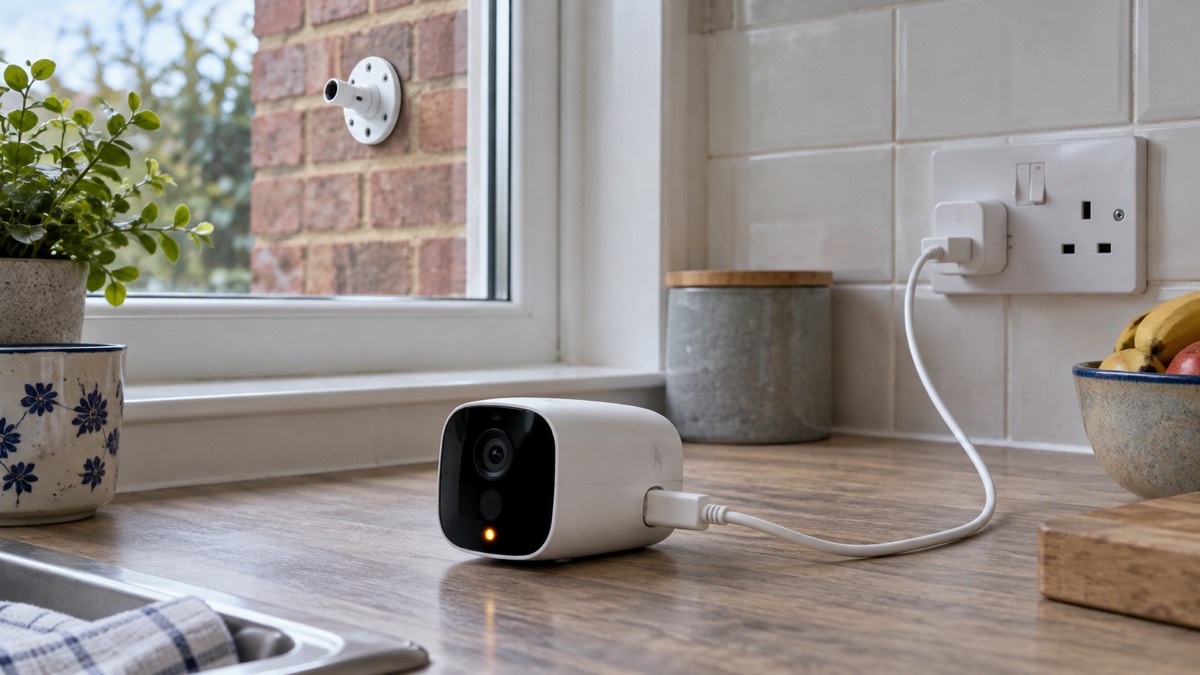
Setup runs through the Arlo Secure app. Arlo's instructions are to download the app, register with an email address and password, and follow the step by step instructions the cameras include; the camera connects over dual-band Wi-Fi with Bluetooth used to make the initial pairing easy1. Arlo also sends a separate email asking you to activate the account before you can log in to My Arlo, where videos are stored1.
The connection figure to check before you buy is upload speed. Arlo gives the minimum home upload speed as 2 Mbps for this camera1. Arlo's own support guidance for its cameras gives up to 1 Mbps upload per camera for models other than its video doorbells, and up to 2 Mbps for the doorbells10. The two figures are for different products, so treat 2 Mbps as the figure for this camera and allow headroom if several devices share the connection.
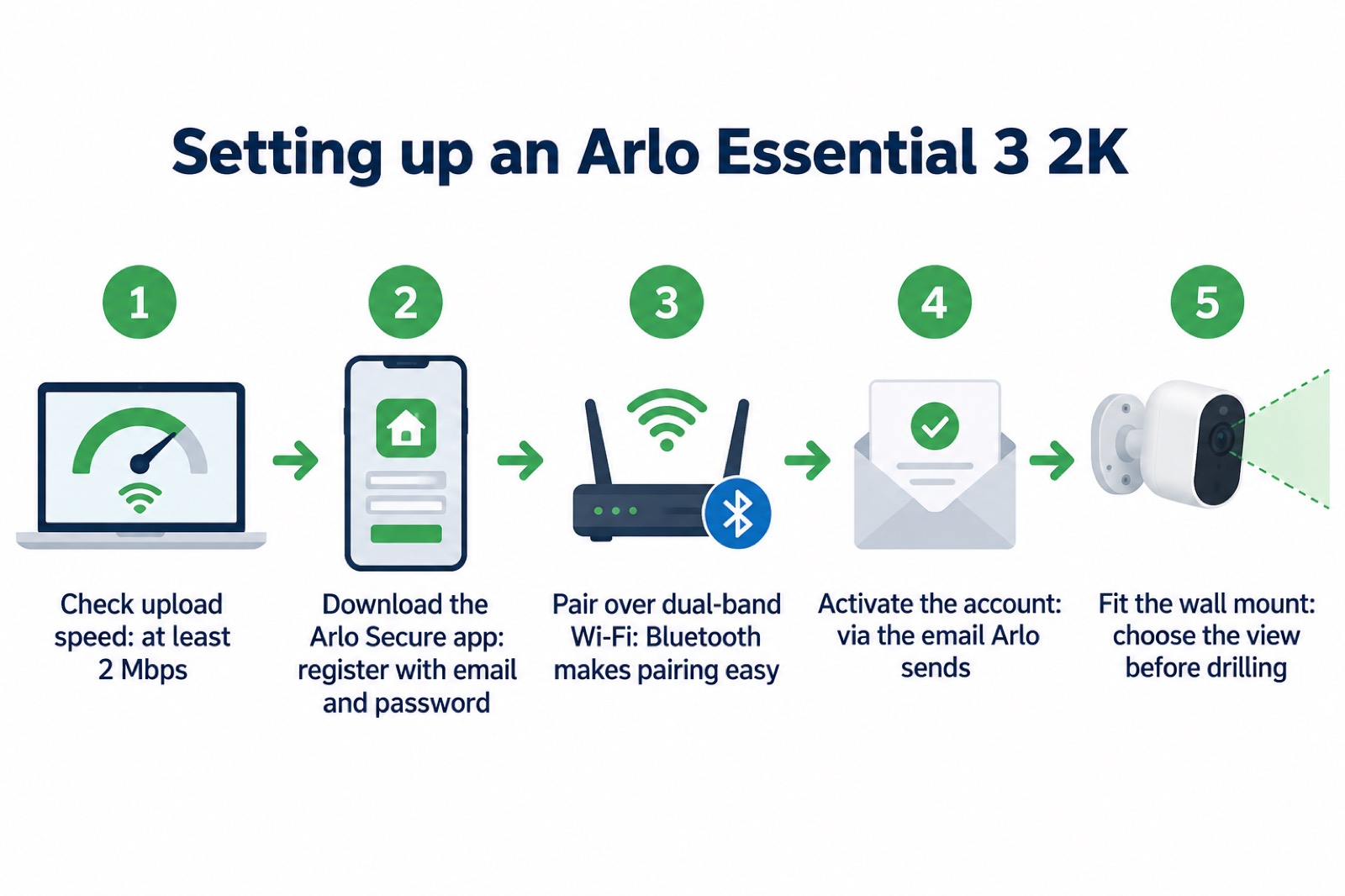
Range is the other number people ask about. Arlo gives the wireless range as up to 91m line of sight1. Line of sight means exactly that: a clear path. Brick, render, foil-backed plasterboard and metal all cut it, so a camera that works in the garden may drop out in a brick garage. Test live view from the intended spot on a phone before you commit to the mount.
If your broadband is slow or your mobile signal weak, the camera will still record to the cloud when it can reach the router, but live viewing and alerts may lag. For more on this, see Alarms and Cameras on a Weak Mobile Signal or Slow Broadband.
What works without a subscription and what needs Arlo Secure
Arlo states plainly that a subscription is not necessary for basic features such as live streaming and motion alerts, and that advanced features need a plan11. Without a plan, the camera gives live video streaming with no cloud storage and basic motion detection1. Arlo's service plan page lists what remains: motion alerts, live stream, local storage with an Arlo Hub or Base Station, schedules and arrive or leave automations, three modes to automate actions based on motion, and the deterrence features of spotlight, siren and two-way audio2.
| Feature | Without a plan | With Arlo Secure |
|---|---|---|
| Live viewing | Yes1 | Yes1 |
| Basic motion detection and alerts | Yes1 | Yes1 |
| Two-way audio and siren | Yes2 | Yes2 |
| Cloud video storage | No1 | Yes1 |
| Smart AI detection (people, vehicles, animals, parcels, fire) | No1 | Yes1 |
The difference that catches people out is what happens to a recording. Without cloud storage, a clip you did not watch live is not kept by the camera. If you want a record of what happened, you need either a plan or local storage through an Arlo Hub or Base Station2. Which.co.uk, reviewing smart video doorbells, describes the Arlo Secure plan as giving 30 days of video storage and enhanced motion detection12; that is a description of the plan rather than a figure from Arlo's own page, so check the current terms when you sign up.
The AI detection is the other paid feature. Arlo says pairing with Arlo Secure, sold separately, adds smart detection that recognises people, vehicles, animals, parcels and fire1. Without it, the camera alerts on movement, not on what moved.
Indoor or outdoor: how the plug-in indoor model differs
The two cameras share a name and a look but are built for different jobs. The outdoor Essential 3 2K is battery powered, rated for indoor and outdoor use, and has colour night vision and a spotlight1. The Essential 3 2K Indoor is mains powered, rated for indoor use only, and has black and white night vision and no spotlight6. It sits on a table stand or a wall mount, and Arlo lists a built-in speaker and microphone to talk with family and pets or deter intruders6.
The indoor model's distinctive feature is privacy. It has a privacy shutter, and Arlo describes disarming the camera so that the automatic lens cover slides shut6. Arlo also lists an automatic privacy shield with a full lens for complete privacy11. For a camera in a living room or hallway, a physical cover that closes is a more convincing reassurance than a software setting alone.
The indoor camera's motion detection is image based rather than a passive infrared sensor, with the same 7.5m range6. Image based detection watches the picture for change, which can be triggered by a light switching on or a curtain moving. The outdoor camera's PIR sensor responds to body heat, which generally means fewer false alerts from light and shadow.
Arlo lists the indoor model as a T3 Award Winner 2026, describing it as exceeding expectations with powerful performance and smart features6. That is the maker's own description of an award, not an independent test result.
If you are choosing between a camera at the door and a doorbell camera, Video Doorbell or Outdoor Camera? sets out the difference. The Arlo range also includes a wireless video doorbell with up to 2K video, smart alerts, two-way audio and a built-in siren5; its own page is Arlo Essential 2K Wireless Video Doorbell.
Privacy, stored video and how long Arlo will support it
Arlo states that videos are encrypted with bank-level security, with continuous threat monitoring, two-factor authentication and an Arlo Privacy Centre for controlling your data1. It presents cloud storage as the safest way to keep personal videos private, with no risk of videos being stolen from an SD card1. Arlo also states that it uses secure EU-based cloud storage and never volunteers your personal data to authorities13.
Those are the maker's claims about its own service. What you can act on is the account itself. Turn on two-factor authentication, use a password you do not reuse elsewhere, and remove cameras and users you no longer need. For a step by step account check, see Camera and Doorbell Accounts: Stopping Strangers Getting In.
The support question is the one to weigh before buying. Which.co.uk reports that Arlo's support will end between December 2028 and December 2029, depending on the model3. A camera whose app and cloud service stop being supported becomes a camera that films but cannot be watched remotely. If you are buying in 2026, that is a working life of roughly two to three years from now, so factor it in.
On where the camera may point, filming beyond your boundary brings data protection duties. Filming Beyond Your Boundary: CCTV, Doorbells and Data Protection explains what a household needs to consider.
Sources (13)
- Arlo Essential 3 2K Security Camera, Arlo, 2026
- Arlo Service Plans, Arlo, 2026
- Best Indoor Security Cameras, Which?, 2026-08-18
- Arlo Home, Arlo, 2026
- Arlo Doorbells, Arlo, 2026
- Arlo Essential Range, Arlo, 2026
- Power Bank Safety Guide, Anker, 2026-11-02
- eneloop pro, Panasonic, 2026
- Battery Comparison Chart, Energizer, 2026-03-11
- Smart Camera Bandwidth Requirements, Verisure, 2026-10-30
- Arlo Cameras, Arlo, 2026-11-03
- How to Buy the Best Smart Video Doorbell, Which?, 2026-10-16
- Arlo, Arlo, 2026

 Ajax BulletCam
 Ajax TurretCam
 Aqara Camera Hub G350
 Arlo Essential 3 Indoor
 Arlo Pro 6
 Arlo Ultra 2
 Arlo Ultra 3
 Blink Outdoor 4
 Eufy SoloCam S340
 Eufy eufyCam S3 Pro Kit
 Eufy eufyCam S4 Setup
 EZVIZ BC1-B2 Kit