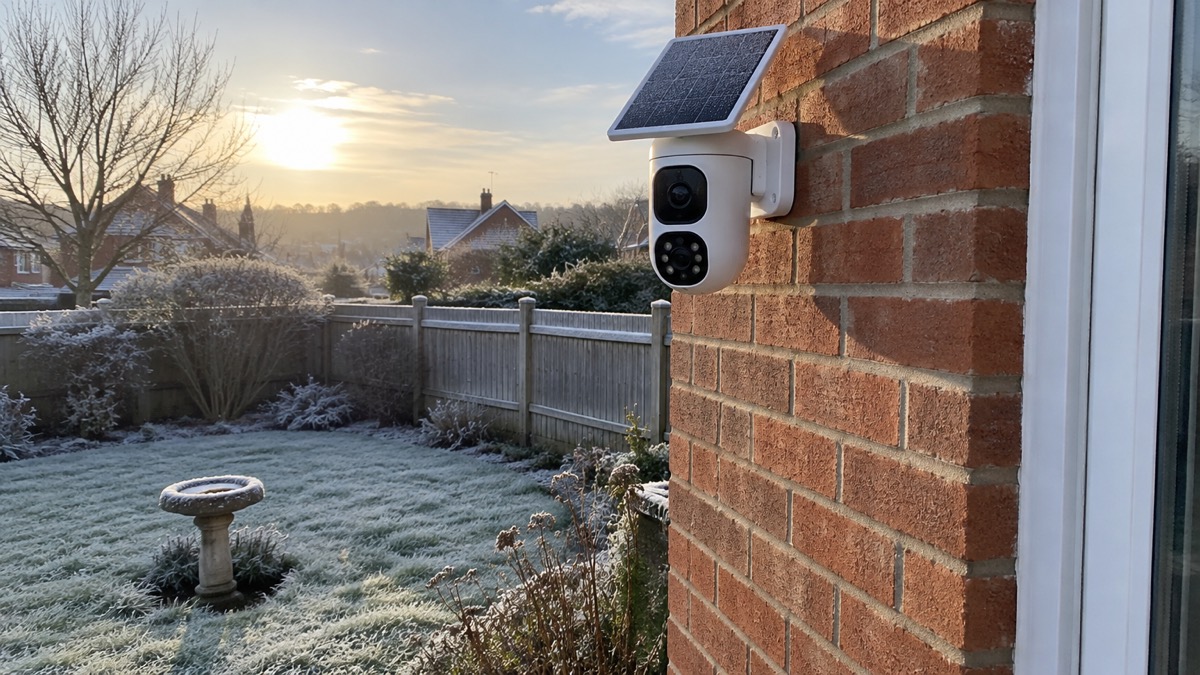
The eufyCam S4 is one unit holding two cameras: an upper 4K wide-angle camera with a fixed 130° view, and a lower 2K dual-lens pan-tilt-zoom camera that rotates for 360° coverage1. When the upper camera detects movement, the lower one starts tracking and following the person, and you see both views side by side in the eufy app2. It is a battery camera with a solar panel on top, so it needs no mains wiring where you fit it, and it can run without a subscription3.
For a household, that combination answers two common problems at once. A fixed camera watches a whole area all the time, while a moving camera can follow someone across a garden or drive and zoom in on detail up to 50 metres away1. The trade-off is that a battery and solar camera records motion-triggered clips rather than running continuously, unless you connect a power cable, which is sold separately2.
This page sets out what the camera covers, how the solar panel and battery keep it going, how much footage it holds, which HomeBase units work with it, and how to mount and look after it. For the wider question of what cameras can and cannot do for a home, see Home Cameras and CCTV: Types and How to Choose.
What the eufyCam S4 is and what it covers
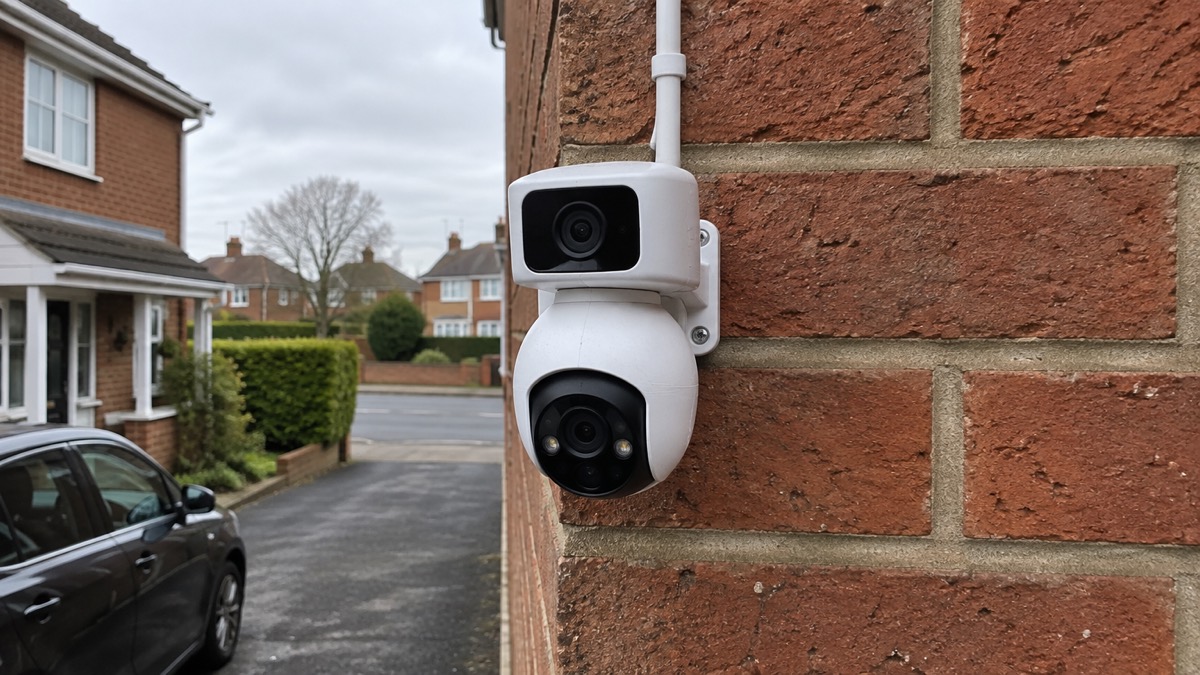
The maker describes it as a 2-in-1 triple-lens bullet and pan-tilt-zoom camera1. In practice that means three camera units inside one housing: a wide-angle fixed camera capable of 4K video that you can tilt up and down by hand, and two 2K cameras, one wide-angle and one 3x telephoto, mounted in a motorised pan-tilt-zoom housing you control from a smartphone3. The upper camera holds a 130° wide-angle 4K view over a specific area at all times, while the lower assembly rotates for 360° coverage1.
The point of the arrangement is that you are not choosing between watching a wide area and getting a close look at someone. The fixed camera keeps watch; the moving camera does the following. The maker says the pan-tilt-zoom camera locks on and auto-tracks a person with a centred close-up from up to 50 metres, and can zoom in on detail up to 50 metres away and track multiple people when needed1. It offers up to 8× hybrid zoom2.
Detection is handled on the device itself, with on-device AI for person, vehicle and pet detection, and radar and PIR sensors working together to give accurate motion alerts with fewer false alarms1. You can set detection ranges and specific zones so that you only receive the alerts that matter to you2.
| Feature | What it gives the household |
|---|---|
| Upper camera | 4K, 130° fixed wide-angle view, manually tiltable1 |
| Lower camera | 2K dual-lens pan-tilt-zoom, 360° coverage, up to 8× hybrid zoom1 |
| Tracking | Follows a person automatically, up to 50 metres1 |
| Detection | On-device AI for person, vehicle and pet, plus radar and PIR sensors1 |
| Deterrent | 105 dB siren with red and blue warning lights1 |
Solar charging: an hour of direct sun a day
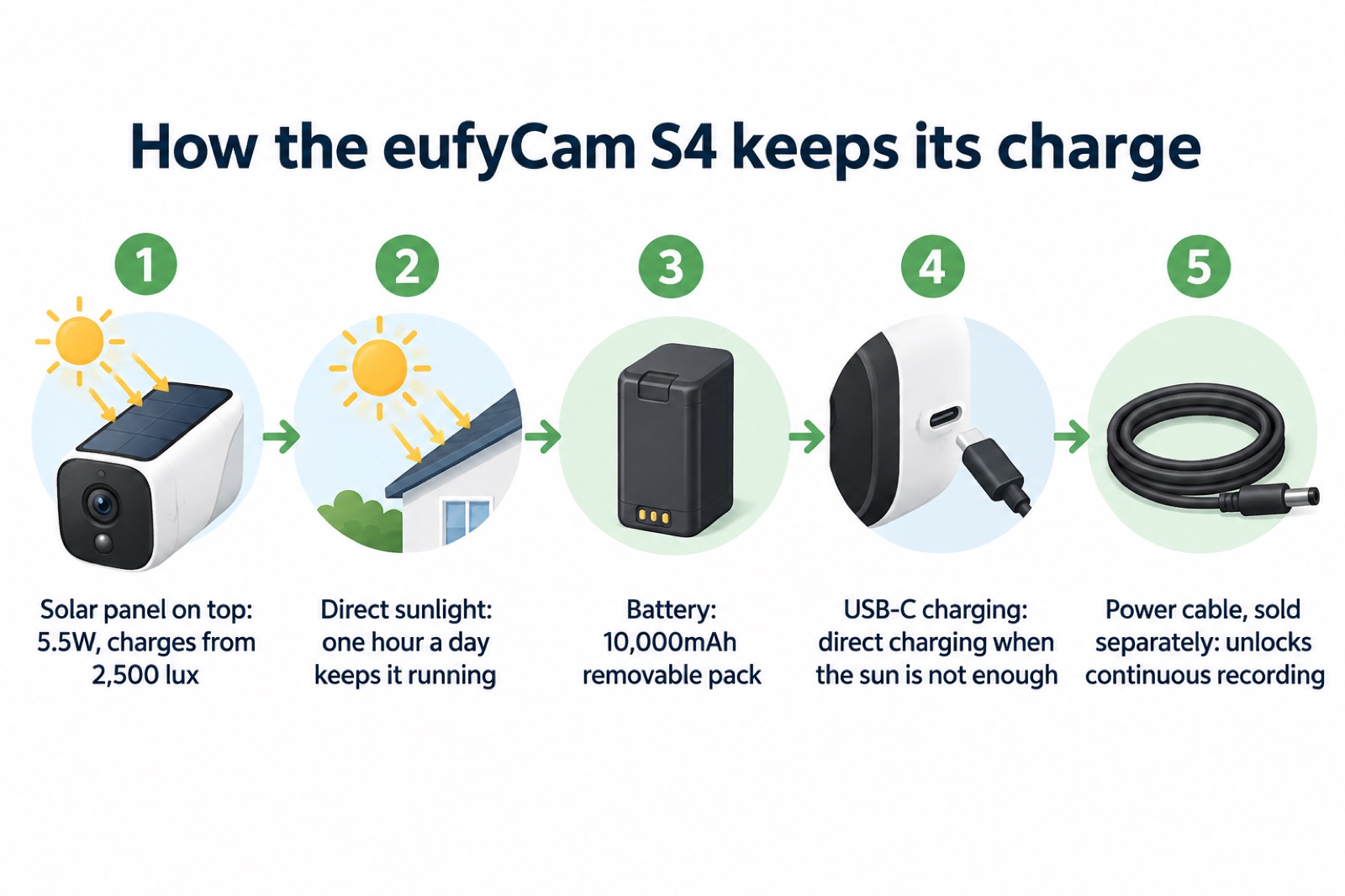
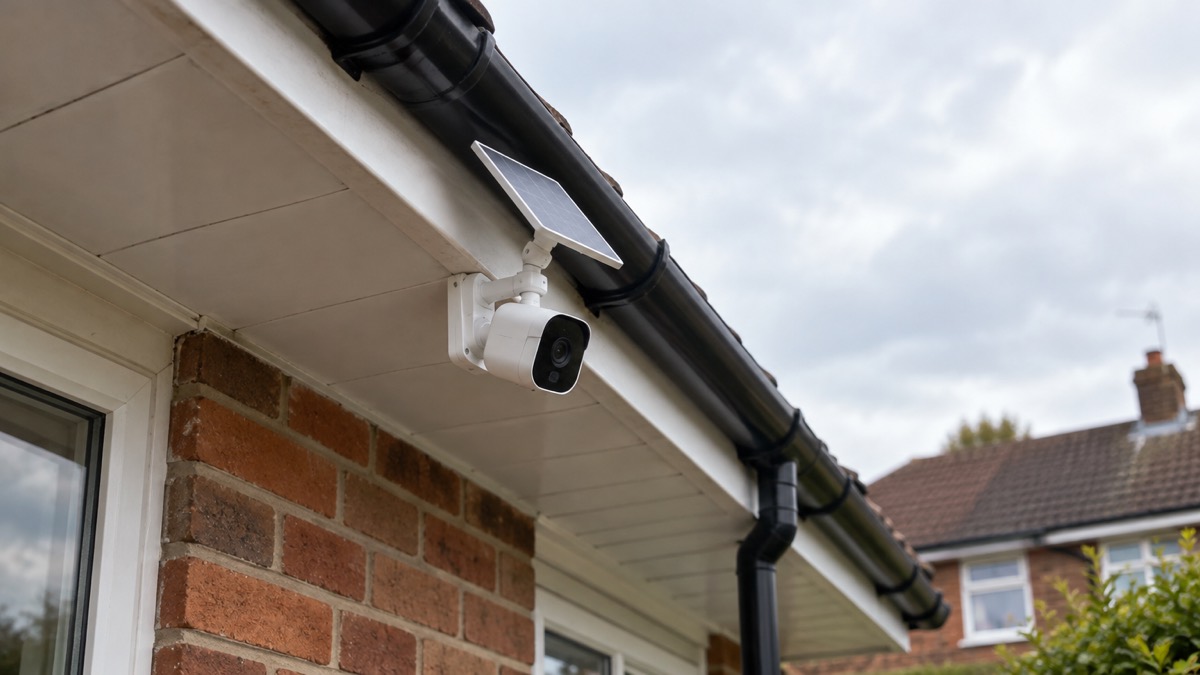
The camera carries a 5.5W solar panel that mounts to the top of the unit, and the maker says just one hour of direct sunlight a day keeps the camera running, even on a cloudy day1. The panel is detachable, which the maker says makes setup easy and flexible1. Eufy's SolarPlus 2.0 circuitry starts charging at just 2,500 lux, so the camera keeps running at dawn or on cloudy days, and the maker states that advanced circuitry means the camera stays charged even in partial shade2.
That is the maker's claim, and one reviewer's experience broadly supports it: even on an overcast London day, they saw the camera gain more than 10% capacity in a single morning3. The same reviewer notes the panel is capable of charging the battery in as little as an hour in direct sunlight, according to the spec sheet3.
Two things follow for where you put it. First, the panel needs to see the sky, so a position deep under a dense canopy or on a north-facing wall will not do the job the maker intends. Second, eufy's wider guidance for its outdoor cameras with built-in solar panels is that two hours of sunlight each day is enough to keep them running, and for its wireless outdoor cameras that two hours of sunlight per day keeps the system running for a full 24 hours5. The S4's own figure is the one hour a day stated for this model; the two-hour figure is the general guidance across the range. If your proposed spot gets less than the S4's stated hour of direct sun, plan to charge the battery by cable instead.
Battery, USB-C charging and continuous recording
The battery is a 10,000mAh rechargeable, removable pack, and it has a USB-C port built in so you can charge it directly3. That matters in a British winter: when the panel cannot keep up, you can take the battery out and charge it indoors rather than moving the camera or running a cable to it.
The camera's normal mode is motion-triggered recording, which is how battery and solar cameras conserve power4. If you want continuous recording, the maker says you can unlock it by connecting a power cable, which is sold separately2. Eufy states plainly that the eufyCam S4 can record continuously when connected to direct power4. So the choice is between a wire-free installation that records when something moves, and a cabled one that records all the time. For a household weighing that up, Wired or Battery Security Camera? sets out the wider trade-offs.
Motion detection, alerts and the 105 dB siren
Detection combines radar and PIR sensors, which the maker says deliver accurate motion alerts with fewer false alarms, backed by on-device AI that distinguishes people, vehicles and pets1. You can draw detection ranges and specific zones so that only the alerts you care about reach your phone2.
Two measured figures give a realistic sense of what using it feels like. One reviewer found motion detection alerts delivered in an average of 6.2 seconds over a strong local Wi-Fi connection, and a one-second delay between real-life action and the live view on a smartphone3. Those are good numbers for a battery camera, but they depend on a strong signal at the camera. If your Wi-Fi is weak where the camera will hang, expect longer waits; Alarms and Cameras on a Weak Mobile Signal or Slow Broadband covers what to do about that.
When a threat is detected within your set zone or schedule, red and blue warning lights and a 105 dB siren activate to deter intruders1. The reviewer describes red and blue LED lights to scare off criminals3. Treat the siren as a deterrent and an alert to neighbours, not as a substitute for an alarm: it is triggered by the camera's own detection, and nobody is dispatched in response to it. If you want a response, that is a question about Monitored Alarms: Receiving Centres and Who Responds.
Storage: 32GB built in, expandable to 256GB
The camera comes with 32GB of built-in storage, expandable up to 256GB with a microSD card, which is not included1. The reviewer confirms 32GB of storage built into the camera itself, expandable by microSD card3. For context, most home security cameras support local recording via microSD cards of up to 256GB or 512GB, so the S4's 256GB ceiling is at the lower end of what is common7.
How long 32GB lasts depends entirely on how often the camera triggers, which the material here does not put a figure on. What can be said is that motion-triggered clips use far less space than continuous recording, so the built-in storage goes further in the camera's default mode than it would with the optional power cable fitted. If you add a HomeBase S380, eufy says expandable setups of up to 16TB can support long retention without mandatory monthly cloud storage plans6. That is a HomeBase capability rather than a figure for this camera alone.
You do not need a subscription to use the camera: the reviewer found you can run it without paying any kind of subscription, and eufy describes its outdoor cameras as needing no monthly subscriptions3. Local storage is the reason that works.
Which HomeBase units work with it
The eufyCam S4 works independently, even without a HomeBase1. You can connect it directly to your home's Wi-Fi network, or add a HomeBase S380 for an enhanced experience with additional features2. If you already own eufy kit, this is the section to read before buying, because not every hub in the range will work with this camera.
| HomeBase or hub | Works with the eufyCam S4? |
|---|---|
| None (direct to home Wi-Fi) | Yes, the camera works independently1 |
| HomeBase S380 | Yes, adds features and storage2 |
| HomeBase 2 (Homebase S280) | Not currently supported1 |
| Homebase mini | Not currently supported1 |
| eufy NVR | Not currently supported1 |
If you are building the camera into a wider system, Eufy HomeBase S380 covers what the hub adds. For the general question of how hubs, cameras and storage fit together, see Home Cameras and CCTV: Types and How to Choose.
Mounting it safely, and where to put it
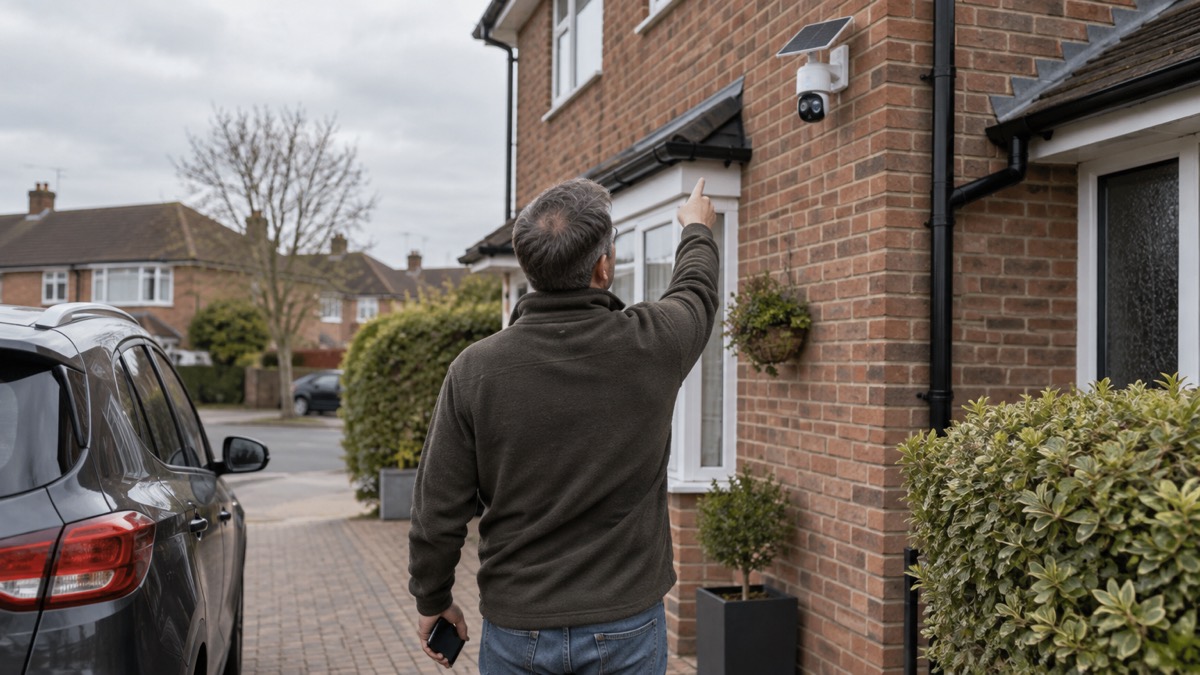
The camera is supplied with a sturdy plastic bracket with two holes, which you screw to the wall where you want it3. It can also be mounted to the underside of a horizontal roof overhang, secured with captive security screws, and all screws and wall plugs are supplied3. Mounting under an overhang shelters the camera from rain, but check that the solar panel on top still sees enough sky to meet the maker's one hour of direct sunlight a day1.
Fit it high enough that someone on the ground cannot easily reach it, and run the fixing into solid masonry rather than a hollow section. Before you drill, decide whether the camera overlooks anything beyond your boundary: pointing a camera at a neighbour's garden or a public footpath brings data protection duties with it, which Filming Beyond Your Boundary: CCTV, Doorbells and Data Protection explains. Secure the account properly as well, since a camera on your Wi-Fi is only as private as its login; Camera and Doorbell Accounts: Stopping Strangers Getting In walks through it.
Support, updates and warranty
Eufy's website live chat runs Monday to Sunday, 7:00 AM to 7:00 PM GMT8. Use it for setup questions, app problems and warranty claims, with your order details and the camera's serial number ready.
On software, Which? reports that Eufy said it will update its cameras for at least three years from launch10. The same publisher reports a separate commitment of at least five years from launch for eufy doorbells, so the two product lines are treated differently11. Check the current position with eufy if a long update life matters to you; How Long Do Cameras and Doorbells Get Software Updates? looks at the wider picture.
On buying, eufy states that from 26 October you shop eufy at anker.com/uk under the One Anker name, with the same products and the same warranty8. Eufy describes comprehensive warranty protection on every order and a 30-day money-back guarantee8. Keep your order confirmation, since that is what a claim will rest on.
One review verdict, for what it is worth as one publication's opinion: Expert Reviews scored the eufyCam S4 9 out of 10 and concluded it is the most feature-packed security camera the site has reviewed and its favourite connected security camera3. That is a reviewer's judgement, not a statement of fact about how it will suit your home.
Sources (11)
- eufyCam S4 product page, eufy, 2026-11-03
- eufyCam S4 app and features, eufy, 2026-11-02
- EufyCam S4 review, Expert Reviews, 2025-12-01
- eufy security cameras, eufy, 2026-11-03
- eufy wireless security cameras, eufy, 2026-11-03
- eufy security hub, eufy, 2026-11-03
- The most popular home security cameras, EZVIZ, 2026-09-28
- eufy UK, eufy, 2025-10-26
- eufy UK store, eufy, 2026-11-03
- Best indoor security cameras, Which?, 2026-08-18
- How to buy the best smart video doorbell, Which?, 2026-10-16

 Ajax BulletCam
 Ajax TurretCam
 Aqara Camera Hub G350
 Arlo Essential 3 2K
 Arlo Essential 3 Indoor
 Arlo Pro 6
 Arlo Ultra 2
 Arlo Ultra 3
 Blink Outdoor 4
 Eufy SoloCam S340
 Eufy eufyCam S3 Pro Kit
 EZVIZ BC1-B2 Kit