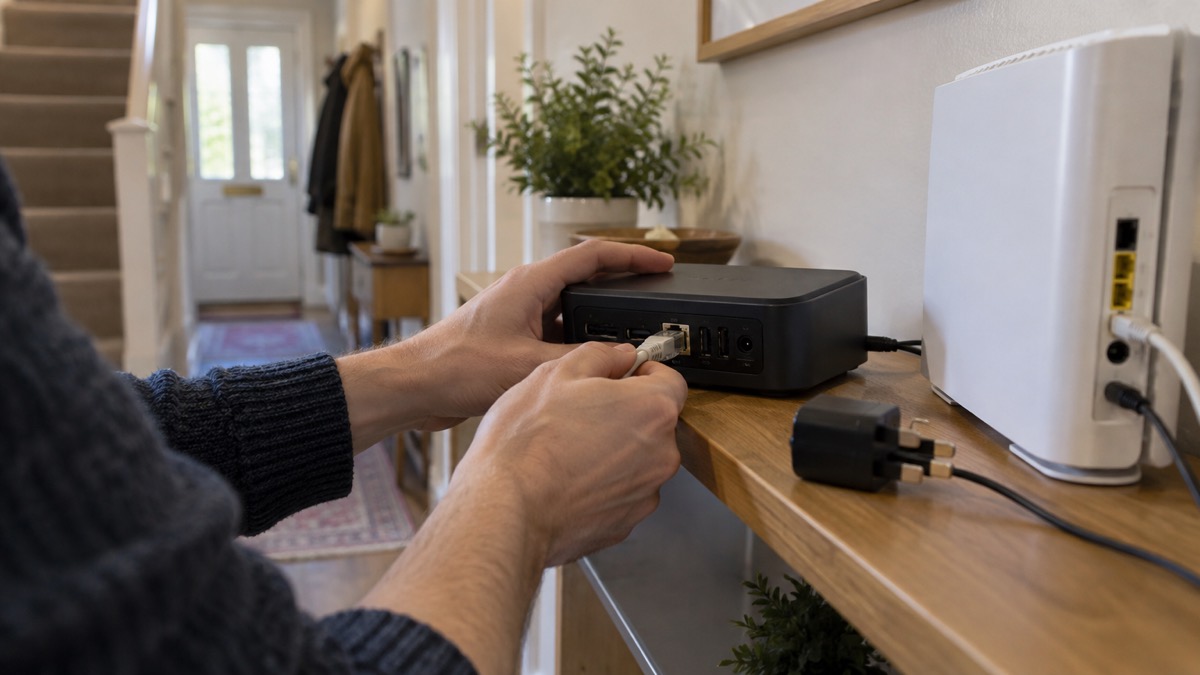
The Eufy HomeBase S380 is the hub that sits at the centre of a eufy home security set-up. Cameras and sensors talk to it, it stores the video, and it does the smart detection that decides which events are worth telling you about. On its own it guards nothing: it is the box that makes the cameras work together and keeps the footage in your home rather than in a subscription cloud.
For an ordinary household the appeal is straightforward. eufy says the hub has 16GB of built-in storage, expandable to 16TB with no monthly fee, and that it works with up to 16 devices and up to 34 sensors1. It connects to your router with an Ethernet cable, holds a 2.5 inch drive you supply, and runs a 100dB siren when its AI detection is triggered1. It is a piece of kit you set up once, place sensibly and then largely leave alone.
This page covers what the HomeBase S380 does, what it stores and for how long, which eufy devices connect, how to wire it in, where to put it, and how to get support. For the wider picture across other systems, start with our guide to home cameras and CCTV.
What the HomeBase S380 does for a home security system
Think of the HomeBase S380 as the brain and the filing cabinet in one box. The cameras capture the picture; the hub decides what the picture means, stores it and sends the alert to your phone. eufy describes it as combining BionicMind AI with Daily Security Briefings, using facial recognition to tell family from visitors and so cut down false alarms1. The maker claims its cameras can do this with 99.9 per cent accuracy, which is a manufacturer's claim rather than an independent test result2.
Under the lid the hub has a quad-core ARM Cortex-A55 processor, one SATA port for a hard drive and one LAN port rated at 10/100/1000 Mbps1. That processing power is what lets it run face and vehicle recognition on the device rather than sending footage away. eufy says BionicMind can distinguish between vehicles, pets, trusted visitors and strangers, and that the system learns over time3.
For a household, the practical effect is fewer nuisance alerts and a searchable record. Instead of a phone buzzing every time a cat crosses the drive, the hub is meant to flag a person it does not recognise. It also keeps the recordings locally, which matters if your broadband drops or you would rather not pay a monthly subscription. eufy notes that local storage through built-in memory, microSD, HomeBase or NVR recording keeps footage accessible without depending only on monthly cloud subscriptions4.
What it cannot do is act as an alarm on its own in the way a monitored system does. The siren sounds, and you get a notification, but nobody is dispatched. If you want a response beyond your own phone, read our comparison of monitored and self-monitored alarms.
Storage: 16GB built in, expandable to 16TB with no monthly fee
The headline figure is the storage. eufy lists 16GB of built-in eMMC storage, expandable to a massive 16TB with no monthly fee1. The same figures appear across the maker's pages: 16GB built in, expandable up to 16TB, with no monthly subscription fees3. The Independent's review of a eufy camera describes the hub as boosting storage to 16GB with the option to expand to 16TB if you buy and install your own additional drive2.
That last point matters: the large capacity is not in the box. You add a drive yourself. eufy specifies any 5V 2.5 inch storage drive, hard disk or solid-state, with a SATA interface, and states plainly that 12V storage drives are not supported1. Expert Reviews describes the hub as taking 2.5 inch SSDs or hard disks6. Buy the drive separately and check the voltage before you fit it.
| Feature | What eufy states |
|---|---|
| Built-in storage | 16GB eMMC1 |
| Maximum with added drive | 16TB1 |
| Monthly fee | None for local storage1 |
| Drive type | Any 5V 2.5 inch HDD or SSD, SATA interface1 |
| Drives not supported | 12V storage drives1 |
| Backup | Yes, needs a USB drive1 |
Two practical points follow. First, a new drive may need formatting by the hub before it will work, because eufy says the HomeBase S380 can read certain data formats only1. Formatting wipes the drive, so use one you are happy to erase. Second, eufy says to wait around 2 minutes after installing a hard drive before turning the hub on1. Fit the drive with the power off, wait, then power up.
How long 16TB lasts depends on how many cameras you run and whether they record continuously, and eufy does not give a figure in hours. What the maker does say is that expandable set-ups of up to 16TB can support long retention without mandatory monthly cloud storage plans7. If you want a second copy of important clips, the hub can back up to a USB drive1.
Up to 16 cameras and 34 sensors: which eufy devices connect
The HomeBase S380 is designed to sit under a whole eufy set-up rather than a single camera. eufy lists support for up to 16 devices and up to 34 sensors1. The Independent's review puts it the same way, noting that up to 16 cameras can be added2.
Compatibility is broad but not universal. eufy states that the hub will be compatible with all eufy Security devices with the exception of eufy Wired Doorbells1. The maker's list of what works includes eufyCam models, eufy Battery Doorbells, eufy Sensors, Indoor Cam, Outdoor Cam and Floodlight Cam 2K Pro, with SoloCam and other Floodlight models to follow1. If you are buying new cameras to go with it, check the current list on the product page before you order.
- Cameras: eufyCam models, Indoor Cam, Outdoor Cam and Floodlight Cam 2K Pro are listed as compatible1.
- Doorbells: battery doorbells are supported; wired eufy doorbells are not1.
- Sensors: entry and motion sensors count towards the 34 sensor limit1.
- SoloCam and other Floodlight models: eufy lists these as becoming compatible later1.
The storage is shared. The Independent notes that the hub's storage can be used by all of your eufy cameras2, so one drive serves the whole set-up rather than each camera needing its own card. That is the main reason to buy a hub rather than rely on cameras alone.
If you are still deciding what to put on the system, our guides to video doorbells and outdoor lights that deter burglars set out the options. For the cameras themselves, see home cameras and CCTV.
Ethernet only for now: connecting it to your network
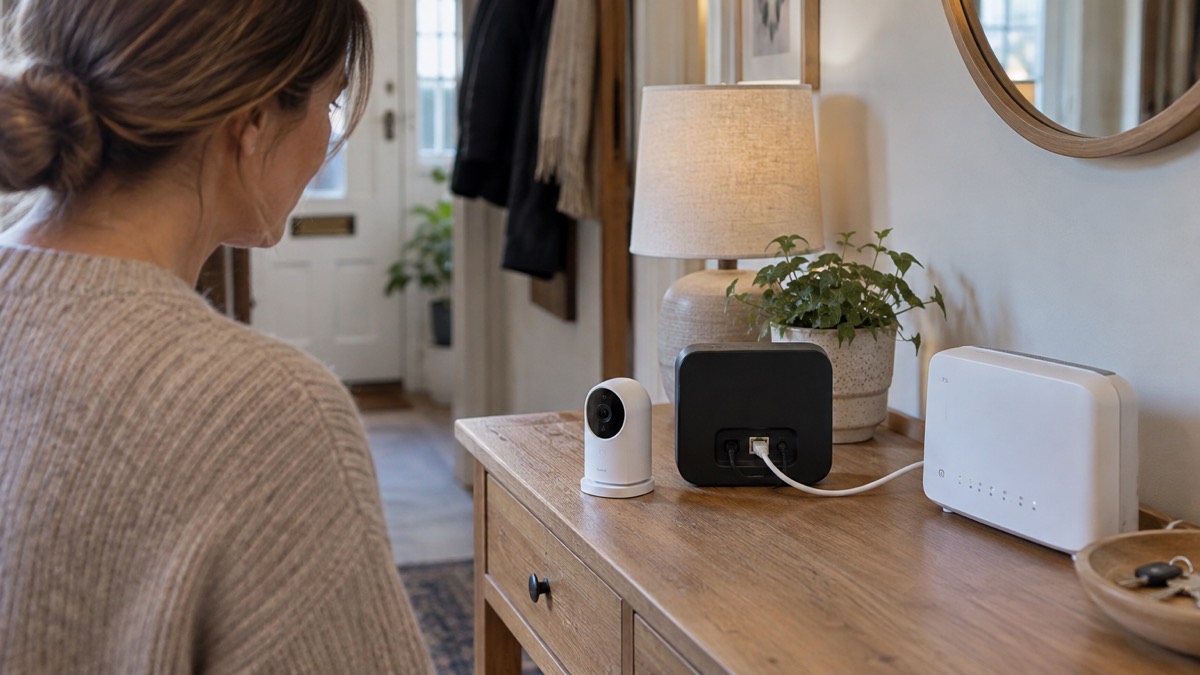
The HomeBase S380 connects to your network with a cable. eufy states that the hub can only be connected using an Ethernet cable at this time, with Wi-Fi connection expected after a software update1. The hub has one LAN port rated at 10/100/1000 Mbps1. Trusted Reviews, writing about a eufy camera kit, describes the hub as able to connect using Wi-Fi or Ethernet6, which does not match the maker's current product page; where the two differ, follow the maker's instruction for the device you own and check for updates in the app.
A wired connection is no bad thing. Ofcom advises using an Ethernet cable to connect directly to your router rather than using wifi, for a faster, more reliable connection9. For a security hub that is recording continuously, a cable removes one source of dropouts.
Set-up in order:
- Place the hub within cable reach of your router, in an open space1.
- Fit the 2.5 inch drive if you are using one, then wait around 2 minutes before switching on1.
- Connect the Ethernet cable between the hub's LAN port and your router1.
- Power on and add the hub in the eufy app, then add cameras and sensors.
- Check the firmware version and update if prompted; eufy says some newer cameras need the hub on version V3.7.2.8 or later5.
If your broadband is slow or your mobile signal weak, the hub still records locally, but remote viewing and alerts depend on your connection. Our guide to alarms and cameras on a weak mobile signal or slow broadband explains what to expect.
AI detection and the 100dB siren
The hub's detection is the feature that decides whether it is useful or merely noisy. eufy lists human detection, pet detection, vehicle detection and face recognition, backed by a self-learning algorithm1. BionicMind is the name eufy gives the AI that separates family from strangers, and the maker says it reduces false alarms by doing so1. Across its camera range eufy says the detection can recognise people, pets, vehicles, crying or familiar activity, with motion zones and app alerts to focus attention on meaningful events10.
The siren is rated at 100dB and is triggered automatically by AI tracking motion detection from connected eufy Security devices1. That is loud: roughly the level of a passing lorry or a busy street. It is intended to startle and to draw attention, not to summon help. Nobody is called when it sounds.
Face recognition raises a question of its own. The hub stores face data to tell family from visitors, and eufy says user data is protected using industry-standard cryptographic measures, including AES-256-GCM and ECC-256 where applicable1. Encryption protects the data on the device; it does not protect your account. Use a strong, unique password for the eufy app and turn on two-factor authentication if it is offered. Get Safe Online warns that criminals adapt their methods during cyber attacks and that connected devices widen what can be reached11; the practical response is to keep the hub's software up to date and to remove cameras you no longer use.
Our guide to stopping your security camera being hacked and to camera and doorbell accounts goes further on account security.
Where to place it: operating range -10°C to 50°C and cooling
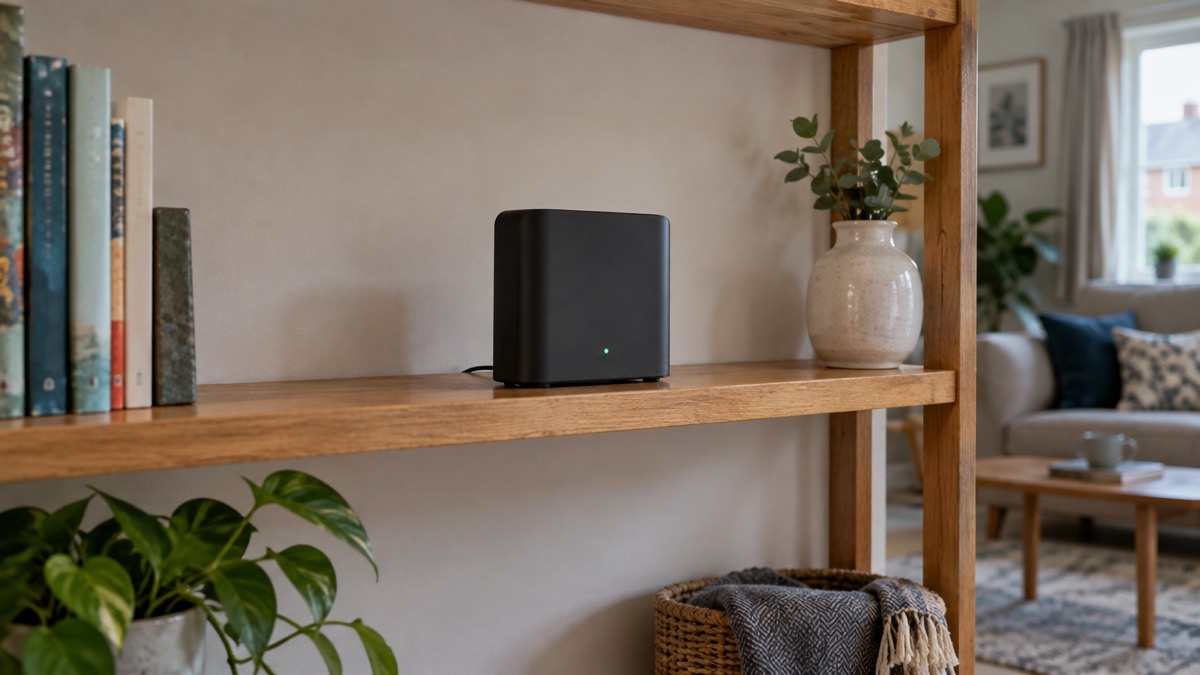
The HomeBase S380 is an indoor device and should be treated as one. eufy gives its operating temperature as -10°C to 50°C1. That range is wide, but it describes the air around the unit, not the inside of a shed in direct sun or a loft that bakes in summer.
The hub has a cooling fan inside that adjusts its speed to cool the device when required, and eufy recommends placing it in an open space to allow ventilation and heat dissipation1. In practice that means a shelf with air around it, not a closed cupboard, not stacked under paperwork and not on top of a radiator.
- Do put it somewhere central to your router and cameras, with the cable run kept tidy.
- Do leave clear space around the case for the fan1.
- Do keep it out of direct sun and away from heat sources.
- Do not box it in a metal cabinet, which will also weaken the wireless link to cameras.
- Do not put it in a garage or outbuilding where temperatures fall outside the stated range1.
For comparison, official guidance on carbon monoxide alarms says they should not be sited where the temperature may drop below -10°C or exceed 40°C unless the detector is designed for it12. The hub's upper limit of 50°C is higher, but the principle is the same: check the space, not just the number.
If you lose power, the hub stops recording until power returns. Our guide to keeping your home protected in a power cut covers what to do, and backup power at home explains what can and cannot keep a hub running.
Support, warranty and software updates
eufy's UK support includes website live chat, which the maker lists as available Monday to Sunday, 7:00 AM to 7:00 PM GMT13. Have your order details and the hub's serial number ready. The maker's UK site also carries support pages and manuals.
On buying, eufy says that from 26 October you can shop eufy at anker.com/uk, with the same products and the same warranty, and that eufy is now part of One Anker16. The maker describes comprehensive warranty protection on every order and a 30-day money-back guarantee17. Standard shipping is listed as delivery within 3 to 7 business days and free1. Wherever you buy, Electrical Safety First advises buying from a reputable retailer or directly from a known manufacturer rather than third-party online sellers, as unverified products may not meet UK safety standards18.
Software support is the part that decides how long the hub stays useful. Which? reports that Eufy said it will update its cameras for at least three years from launch19, and separately that Eufy said it will update its doorbells for at least five years from launch12. Those statements are about cameras and doorbells rather than the hub itself, so ask eufy support directly what the update commitment is for the HomeBase S380 if that matters to you. Our guide to how long cameras and doorbells get software updates explains why it does.
eufy also states that some newer cameras need the hub updated to version V3.7.2.8 or later, with the latest eufy app, or features such as 24/7 recording and Snapshot will not work5. Check the version in the app after set-up and after any new camera is added.
Sources (19)
- Eufy HomeBase S380 product page, eufy, 2026-11-02
- Eufy SoloCam S340 review, The Independent, 2025-02-06
- eufyCam S4 app and HomeBase S380, eufy, 2026-11-02
- eufy outdoor camera range, eufy, 2026-11-03
- eufyCam S4 product page, eufy, 2026-11-03
- Eufy eufyCam S3 Pro review, Trusted Reviews, 2024-11-07
- eufy security cameras collection, eufy, 2026-11-03
- eufy wireless security cameras collection, eufy, 2026-11-03
- Helping broadband and mobile users stay connected, Ofcom, 2020-03-25
- eufy Security hub and camera range, eufy, 2026-11-03
- How cybercriminals adapt their methods during cyberattacks, Get Safe Online, 2023-02-07
- How to buy the best smart video doorbell, Which?, 2026-10-16
- eufy UK product page with support hours, eufy, 2026-11-03
- eufy UK product page with support hours, eufy, 2026-11-03
- eufy UK outdoor security cameras, eufy, 2026-11-03
- eufy UK, eufy, 2026-11-03
- eufy, eufy, 2026-11-03
- Electric fans safety advice, Electrical Safety First, 2026-10-25
- Best indoor security cameras, Which?, 2026-08-18

 Reolink Home Hub 2
 Reolink Home Hub Storage