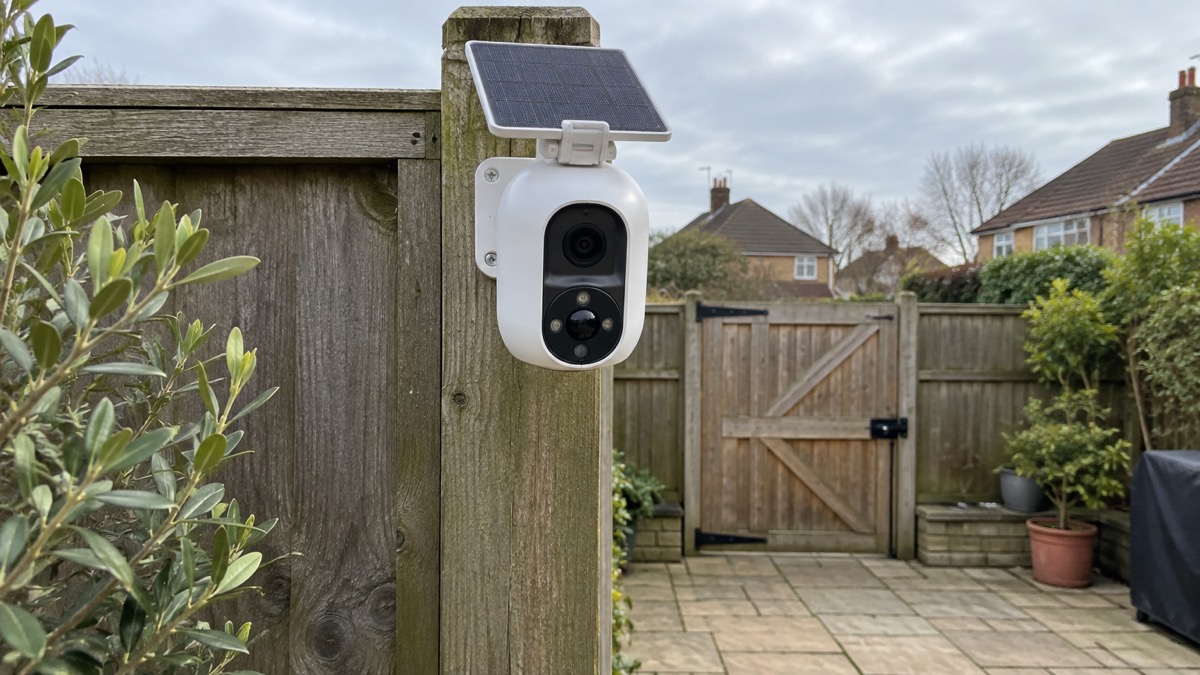
The Eufy SoloCam S340 is a wireless outdoor security camera with two lenses and a solar panel in the box. It pans a full 360° and tilts 70°, so one unit can cover a driveway, porch or garden without blind spots, and it records to 8GB of memory inside the camera rather than to a paid cloud service1. Eufy says the battery stays topped up with about two hours of sunlight on the panel each day3.
For a UK household the appeal is straightforward: no cabling to the house, no monthly fee, and a camera that can be pointed at the places a burglar would use. The trade-offs are equally plain. It depends on daylight, it takes a few seconds to send an alert to your phone, and its tracking can lose its thread when two people are in shot at once3.
This page sets out what the camera does, the specifications that decide whether it suits your home, how to site and run it safely, and how to get support in the UK. It does not rank it against other cameras; for that, start with Home Cameras and CCTV: Types and How to Choose.
What the SoloCam S340 is and where it suits
The SoloCam S340 is a wireless outdoor security camera sold with a solar panel and a dual-lens setup1. Eufy positions it for wide areas, using the two lenses and the pan and tilt to cover more ground than a fixed camera1. The maker's own description of who it suits is specific: porches, driveways and gardens where you want cable-free, 360° wide-angle coverage with the ability to zoom in on fine details2.
"Wireless" here means the video travels without a cable, not that the camera needs no power at all. Eufy makes the point itself: wireless cameras only transmit video wirelessly but still require power, and some, like the SoloCam S340, use batteries or solar panels while others rely on standard power adapters4. That distinction matters when you plan where to put it. You are not running a video cable back to a recorder, but you are relying on the battery and the panel to keep it alive.
Because it is battery and solar powered, it is easier to install and reposition than a wired unit, with less cabling to plan5. That makes it a realistic option for a rented home or a position you might want to change after a season. The same flexibility is why it appears in round-ups of cameras that work without a subscription: the recordings sit on the camera, not in a paid account3.
It is one option among several shapes of camera. If you are weighing a camera against a doorbell, or a wired unit against a battery one, the comparison pages on Video Doorbell or Outdoor Camera? and Wired or Battery Security Camera? set out the trade-offs. For the wider picture on placing cameras so they deter rather than merely record, see How Burglars Choose a Home and What Puts Them Off.
Specifications: two lenses, 3K and 8GB on board
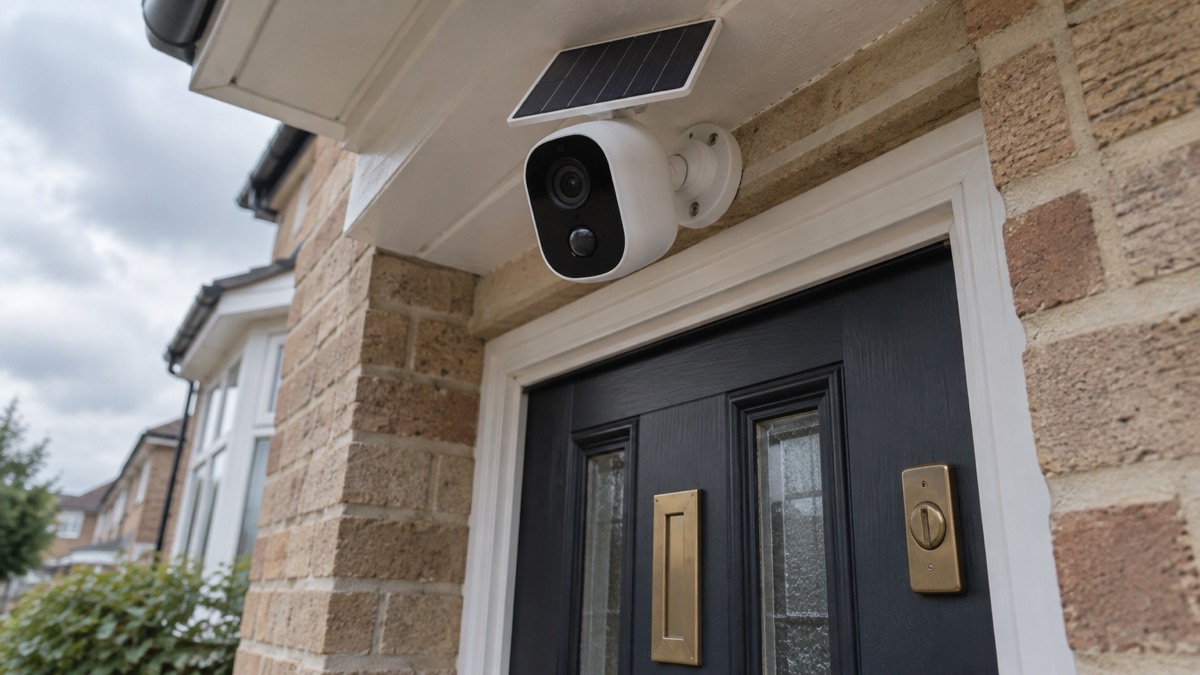
The camera's headline is its lens arrangement. It uses a dual-lens system: a wide 3K lens to capture the full scene and a telephoto 2K lens for zooming in on details2. The wide lens gives a 135° field of view, which provides broad context in each shot2. Together the lenses support an 8x hybrid zoom, which Eufy says lets you spot faces or number plates from as far as 15 metres2.
The specification table below draws on the maker's figures and the reviewer's tested measurements. Where the two describe the same thing differently, both are given.
| Specification | Figure | Source |
|---|---|---|
| Video resolution | 3K (2880 x 1620) | 3 |
| Lens system | Wide 3K lens plus telephoto 2K lens | 2 |
| Field of view | 135° | 2 |
| Zoom | 8x hybrid; beyond 3x it is digital, so quality gradually falls | 2 |
| Local storage | 8GB onboard | 2 |
| Power source | Battery plus solar panel | 3 |
| Solar panel | Detachable 2.2W | 2 |
| Pan and tilt | 360° pan, 70° tilt | 2 |
| Night vision | Yes, colour optional | 3 |
| Two-way audio | Yes | 3 |
| Smart home | Google Assistant and Amazon Alexa | 3 |
| Weatherproofing | Protected against rain and snow | 3 |
| Installation | DIY | 3 |
Two details are worth pausing on. The first is the zoom. Eufy quotes 8x hybrid, but the reviewer found that beyond 3x the zoom is purely digital, so video quality gradually falls3. In practice the optical reach is about 3x, and anything beyond that is enlargement. The second is storage. The 8GB is inside the camera, which is why there is no subscription fee to worry about3. Eufy also lists an expandable storage variant of the camera1; if you expect to keep weeks of footage, that version is the one to look at.
360° pan, 70° tilt and tracking that follows people
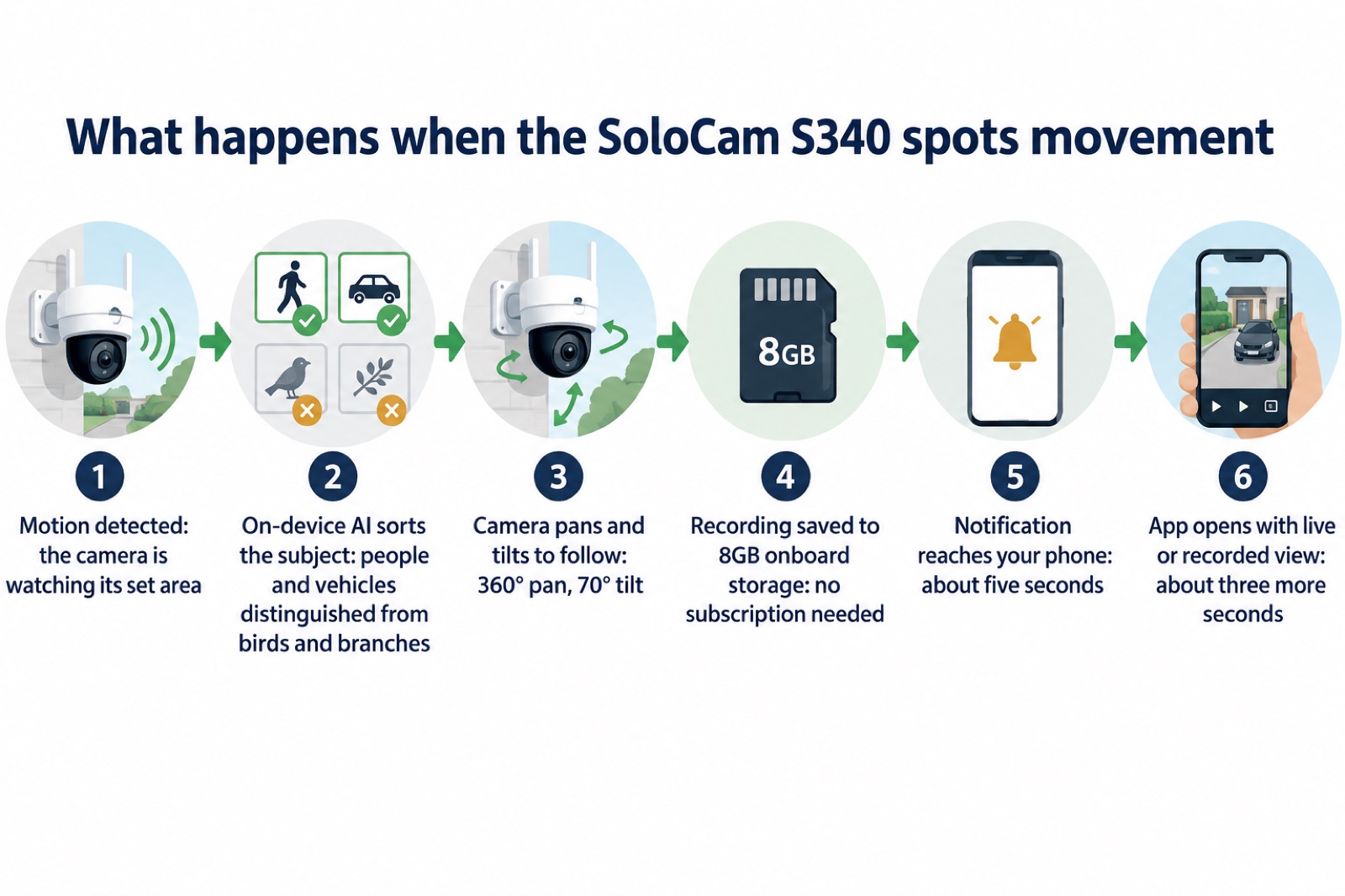
A fixed camera sees one wedge of ground. The SoloCam S340 is motorised, so it can rotate and tilt for full 360-degree coverage, and you can control that movement manually in the app or set it to follow movement automatically when it is spotted3. Eufy describes the range as a full 360° pan and 70° tilt, which it says eliminates blind spots2.
The detection behind the movement is the part that decides whether the camera is useful or merely busy. Eufy says the camera uses AI-powered tracking that distinguishes between humans, vehicles and animals, reducing false alerts4. The reviewer's experience matches: the embedded AI does a good job of ignoring non-human movement like birds and tree branches3. That matters on a UK street with trees, cats and passing traffic, because a camera that alerts on every branch soon gets ignored.
There is a limit worth knowing before you buy. The tracking can get confused if two people are in shot at the same time; unless they are close to each other, the camera will jump between the two3. For a household watching a driveway, that is rarely a problem. For a shared entrance or a footpath where groups pass, expect the camera to swing between figures rather than follow one.
Solar power: about two hours of sunlight a day
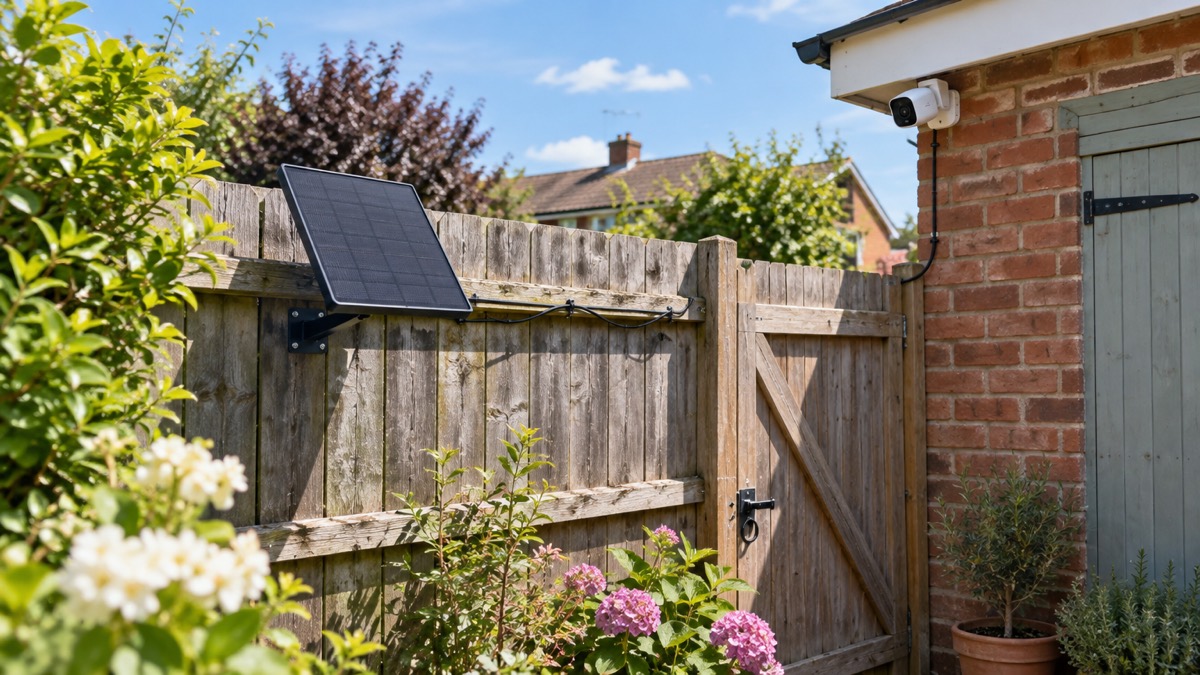
The camera comes with a detachable 2.2W solar panel, which Eufy says helps maintain "Forever Power" so you are not frequently climbing ladders to recharge2. The maker's figure for keeping it running is modest: just two hours of sunlight each day is enough to keep outdoor cameras with built-in panels running4. The reviewer put it the same way: Eufy says the battery will remain topped-up indefinitely with just two hours of sunlight hitting the solar panel each day3.
That is the theory. In a UK test over a couple of weeks, with just a few hours' exposure to the sun each morning, the S340's battery always stayed above 90 per cent3. A short test in decent weather is not a winter, though, and the reviewer lists the solar panel as location and weather dependent3. Treat the two-hour figure as the minimum on a good day, not a guarantee in December.
Practical siting follows from that:
- Face the panel south where you can, and keep it clear of the shade of the house, a fence or a tree for the hours that matter.
- Mount the panel separately if needed. It can be attached directly to the camera with a ball-and-socket joint, or to a nearby wall or other flat surface3. The box includes long and short cables for exactly this choice3.
- Plan for the darker months. The panel is the camera's only charging source, so a spell of short, grey days means less going in than the camera uses.
- Do not rely on the panel alone for a camera watching a gate you check daily. If the battery runs down, the camera stops watching.
Night footage, spotlight and siren
The camera does not stop at dusk. It has night vision, with colour optional3. An integrated spotlight adds colour to night footage when it triggers, and the on-device AI can distinguish between people and vehicles after dark as well as in daylight2.
Beyond recording, the camera can act. It includes a spotlight and siren that can be configured to trigger when movement is detected, and you can even play a recorded message aloud to ward off trespassers3. For a household, that turns the camera from a recorder into something closer to a deterrent: a light snapping on and a voice speaking is often enough to send someone away from a driveway.
Two cautions. First, a siren that fires on every cat will annoy your neighbours and train you to ignore it, so use the AI filtering to limit what triggers it. Second, a recorded message is not a conversation and not a call for help. If you see someone at your gate and you are not at home, the camera records; it does not summon anyone. For what to do when something happens, see When to Call 999 or 101 About a Crime at Home.
The camera also carries two-way audio3, so you can speak to a caller through the app. That is useful for a delivery or a doorstep caller, and it is covered in more detail on Bogus Callers: Spotting and Turning Away Doorstep Crime.
Recording without a subscription, and what the app does
The SoloCam S340 saves recordings locally instead of uploading them to a cloud storage service, which means there is no subscription fee to worry about3. Eufy makes the same point across its outdoor range, describing dependable protection without relying on monthly subscriptions or complicated installation4. The 8GB of onboard storage is what makes that possible2.
The app is where you watch and control it, and its speed is worth knowing. Notifications generally take about five seconds to arrive on your phone, and then it takes about another three seconds for the app to open and show footage3. That is roughly eight seconds from the moment of detection to a picture on your screen. It is fast enough to catch someone at the door; it is not instant, and it is not a live feed you can rely on to watch a person walk up a path in real time.
Smart home links extend where you can see it. The camera supports Google Assistant and Amazon Alexa, and you can use them to show a live video stream on a compatible smart display such as an Amazon Echo Show3. A screen in the kitchen showing the drive is often more useful than a phone in a pocket.
If you run several cameras, or want recordings held centrally, the camera can be connected to the Eufy HomeBase S380, which acts as a home server3. That is optional: a single camera works on its own storage. The hub is described on Eufy HomeBase S380.
Rain, snow and mounting it safely
The camera has weatherproofing to ensure it is protected against rain and snow3. Eufy's own guidance on UK conditions treats wet and cold weather as the baseline an outdoor camera has to survive, which is why the housing and the mounting matter as much as the electronics2.
Safe mounting is mostly about the ladder and the drill, not the camera:
- Fix to a solid surface. The box includes mounts for both the camera and solar panel, plus screws and wall plugs3. Use fixings suited to brick, render or timber, and never rely on a bracket screwed into a fascia board that is already soft.
- Angle the panel rather than laying it flat. The ball-and-socket joint lets you set the panel's position on the camera or on a nearby wall or flat surface3, so water runs off instead of sitting on the glass.
- Plan the first installation so you do not have to repeat it. The panel is there to keep the camera charged without regular trips up a ladder, so get the position and fixings right the first time.
- Check the signal where you mount it. A camera at the end of a garden may sit at the edge of your wi-fi. Alarms and Cameras on a Weak Mobile Signal or Slow Broadband explains what to test before you drill.
The camera is a DIY installation3, which means the quality of the fixing is yours. If you are not confident on a ladder, a local installer can fit the bracket and you can set up the app yourself.
What comes in the box and what you still need
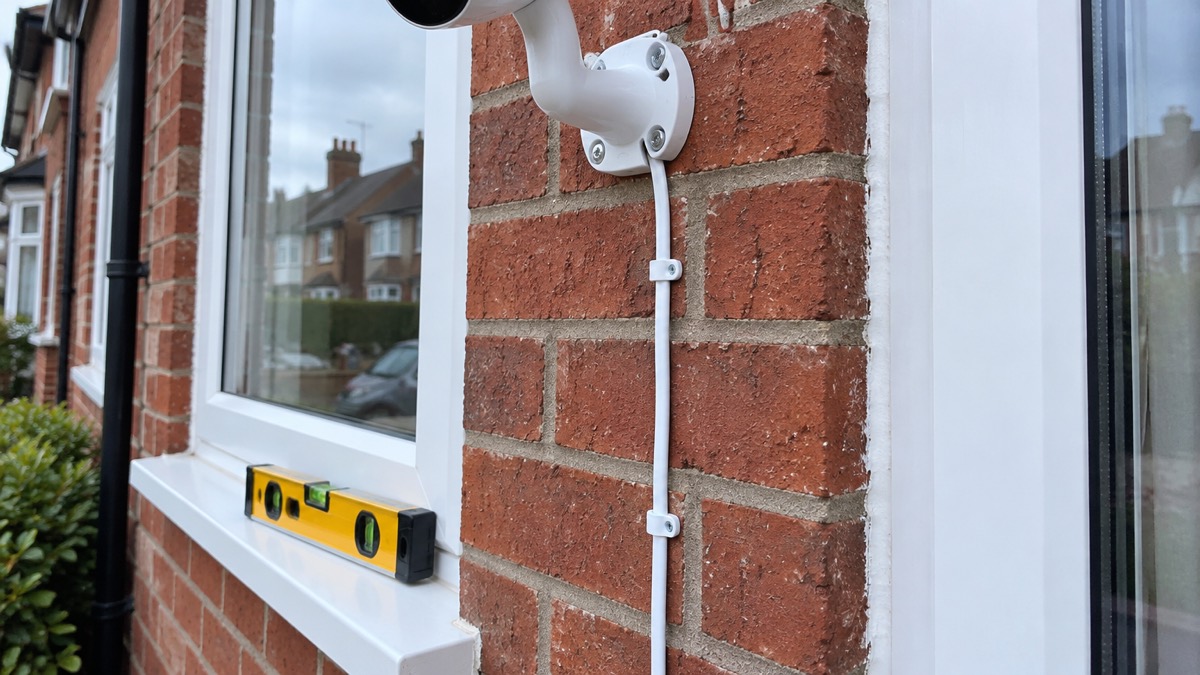
The box includes mounts for both the camera and solar panel, long and short cables depending on the chosen location of the panel, and screws and wall plugs3. That covers the hardware for most installations. You will still need a drill, the right bit for your wall, a ladder and a phone with the app installed.
The camera is sold with the solar panel as standard1, and Eufy also lists an expandable storage variant1. If you are buying for a specific spot, measure the run from the camera to where the panel will catch the sun before you choose which cable to use; the short cable suits a panel clipped to the camera, the long one suits a panel on a nearby wall3.
Support, warranty and updates in the UK
Eufy sells and supports its cameras in the UK, and the company's own pages give the routes to help. Website live chat runs Monday to Sunday, 7:00 AM to 7:00 PM GMT7. The company describes comprehensive warranty protection on every order and a 30-day money-back guarantee9.
There has been a change in where you buy. From 26 October, Eufy products are sold at anker.com/uk, with the same products and the same warranty9. If you are looking for the camera or for support, that is the current UK shop. Eufy describes itself as now part of One Anker9, and says it has been making smart home technology for nine years and sells in 59 countries9.
On privacy, Eufy states that it has earned TRUSTe Privacy Certification10. That is the company's own claim about its handling of data, and it is worth reading alongside the practical steps on Camera and Doorbell Accounts: Stopping Strangers Getting In and How to Stop Your Security Camera Being Hacked. A camera on your house is a small computer on your network; a strong, unique password and two-factor authentication where offered are the basics.
The update commitment is the other support question. Eufy said it will update its cameras for at least three years from launch6. Beyond that window, treat the camera as working but unsupported, and plan accordingly if it guards something important.
Sources (10)
- Eufy UK outdoor cameras, eufy, 2026
- Best security camera features for UK weather conditions, eufy, 17 September 2025
- Eufy SoloCam S340 review, The Independent, 6 February 2025
- Eufy outdoor security cameras, eufy, 2026
- Eufy security hub, eufy, 2026
- Best indoor security cameras, Which?, 18 August 2026
- Eufy product page, eufy, 2026
- Eufy product page, eufy, 2026
- Eufy UK, eufy, 26 October 2025
- Eufy, eufy, 2026

 Ajax BulletCam
 Ajax TurretCam
 Aqara Camera Hub G350
 Arlo Essential 3 2K
 Arlo Essential 3 Indoor
 Arlo Pro 6
 Arlo Ultra 2
 Arlo Ultra 3
 Blink Outdoor 4
 Eufy eufyCam S3 Pro Kit
 Eufy eufyCam S4 Setup
 EZVIZ BC1-B2 Kit