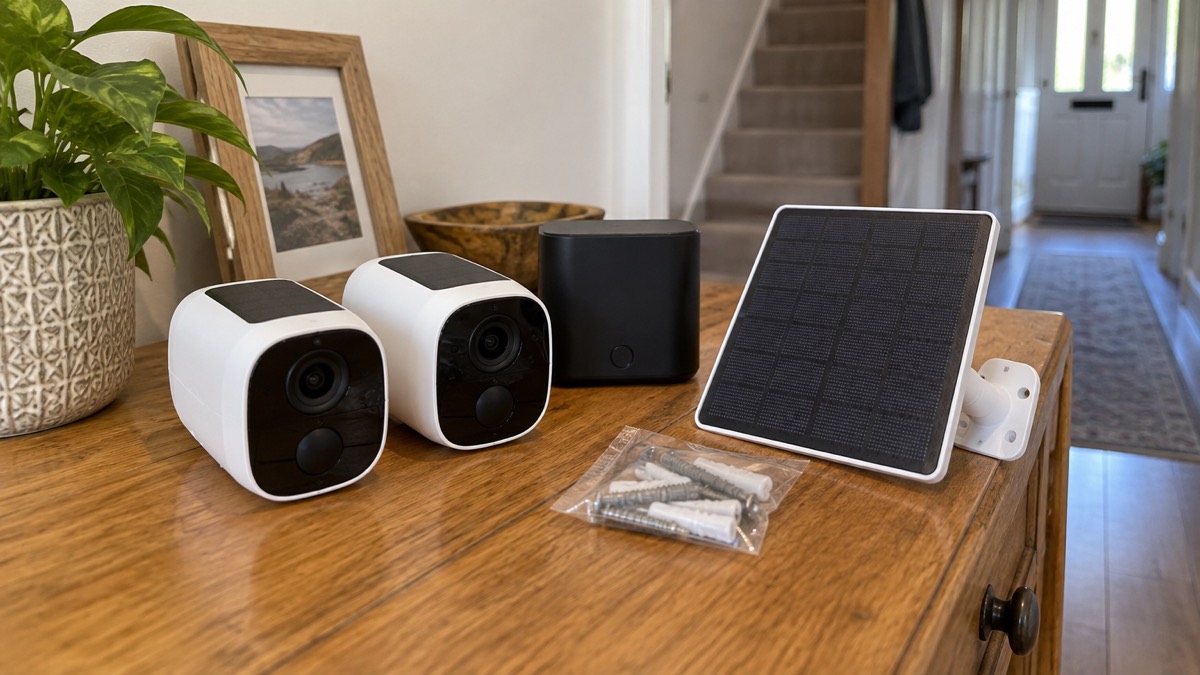
The eufyCam S3 Pro is a two-camera outdoor security kit with a HomeBase S380 recorder, made by Anker under the eufy name and released in 20241. Each camera records true 4K video, 3840 x 2160, through a 135° field of view, and each has a built-in solar panel so that ordinary daylight does the charging2. The HomeBase stores the footage in your home, so the system keeps recording without a subscription and keeps recording when the broadband drops3.
If you are deciding whether it suits your house, the questions that matter are placement, sunlight and what happens on a bad day. The cameras talk to the HomeBase over Wi-Fi, and the HomeBase connects to your home network by Ethernet or Wi-Fi, so the distance between camera and hub decides where you can put them1. The solar panels need about an hour of direct sun a day, according to eufy2. And when the internet fails, recording carries on locally while alerts and remote viewing stop4.
What the kit is and who it suits
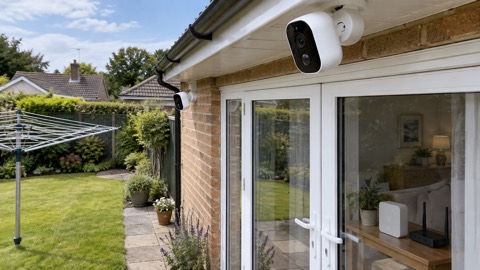
The box contains two cameras and a HomeBase S3801. The cameras are outdoor wireless units with integrated solar panels, so in normal use you never take them down to charge them1. Each camera measures 69 x 143 x 82 mm and mounts on a wall1. The kit also includes a secondary plug-in solar panel with its own mount, which you can run on a cable to a spot with better light than the camera itself gets1.
That combination suits a household that wants footage kept at home rather than in someone else's cloud, and that has a reasonable spread of daylight across the front and back of the house. It also suits anyone who does not want a monthly bill: there is no subscription fee, because video is recorded to the HomeBase's onboard storage1. The trade-off is that you are running your own recorder, so the HomeBase needs a mains socket and a place indoors where its network connection reaches.
It is a camera system, not an alarm. It records and alerts; it does not replace a burglar alarm, and the two do different jobs. If you are weighing them up, our guide to burglar alarms and cameras sets out which suits which kind of home, and Home Cameras and CCTV covers the wider choice of types.
Specifications: 4K video through a 135° view
The headline figure is the resolution: true 4K, given as 3840 x 2160, with a 135° field of view2. In practice a wide view means one camera can take in a driveway and the path beside it, at the cost of faces being smaller in the frame than they would be with a narrower lens. That is why placement, covered below, matters as much as the specification.
| Specification | Figure | Source |
|---|---|---|
| Cameras in kit | Two, plus HomeBase S380 | 1 |
| Type | Outdoor wireless camera | 1 |
| Resolution | 3840 x 2160 (true 4K) | 1 |
| Field of view | 135 degrees | 1 |
| Night vision | Yes, full colour | 1 |
| Light | LED spotlight | 1 |
| Motion detection | Activity zones | 1 |
| Object detection | People, faces, pets, vehicles | 1 |
| Power source | Battery, charged by solar | 1 |
| Size | 69 x 143 x 82 mm | 1 |
| Mounting | Wall | 1 |
| Voice assistants | Amazon Alexa, Google Assistant | 1 |
| Recording option | HomeBase, HomeKit Secure Video | 1 |
| Manufacturer | Anker | 1 |
| Released | 2024 | 1 |
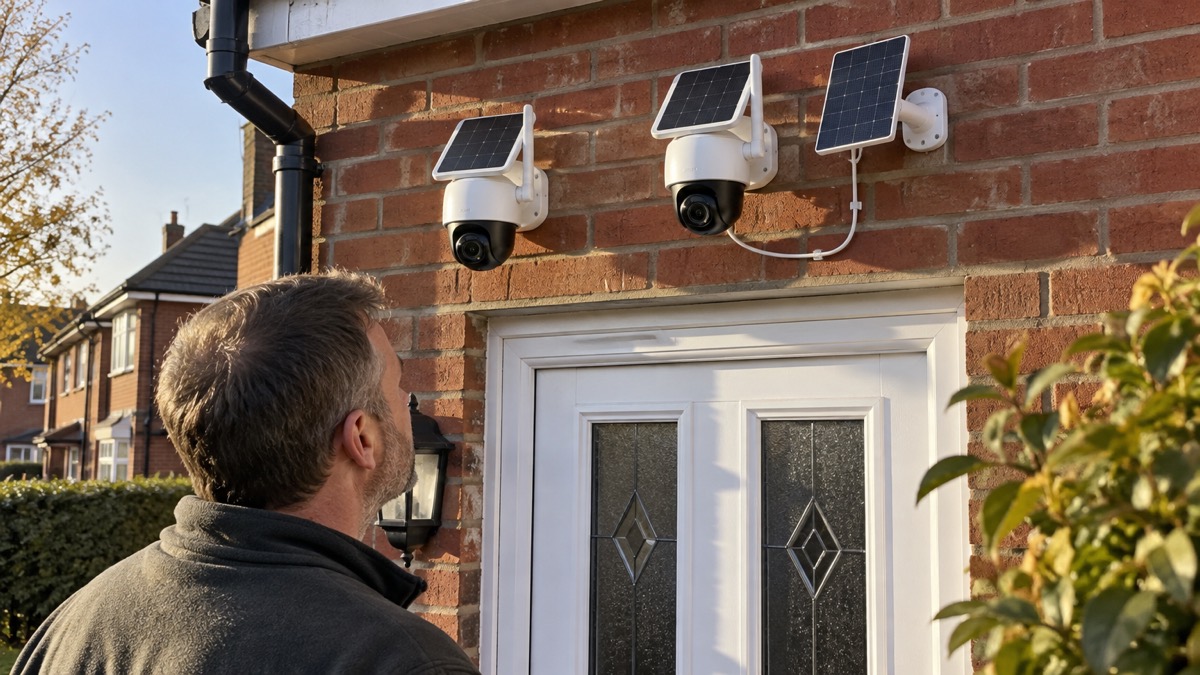
The camera also carries MaxColor Vision, which eufy says gives day-like colour night vision even with minimal light2. The reviewer who tested the kit as their main camera from November 2024 called the video quality excellent by day and by night, and the system as a whole close to perfect at the high end, while noting the price1. That is a reviewer's judgement, not a manufacturer's claim, and it is worth weighing against your own budget and needs.
Solar charging: about an hour of direct sun a day
eufy states that the built-in solar panels extend battery life with just one hour of direct sun each day, so recharging is rarely needed2. Elsewhere eufy gives a more generous figure for its outdoor cameras generally, saying two hours of sunlight a day is enough to keep them running, and that two hours a day keeps a system running for a full 24 hours4. Those are different claims about different products, so treat the one-hour figure as the one for this kit and the two-hour figure as eufy's general guidance.
The practical point is that "direct sun" is not the same as "daylight". A camera under an eave, on a north-facing wall or shaded by a tree for most of the day will not collect what the panel needs, and the battery will fall behind. The reviewer's advice is straightforward: provided you place the camera in sunlight, or put the solar panel in a suitable location, you should not have to charge it by hand1. That is what the secondary panel in the box is for: mount it where the light is, and run its cable to the camera.
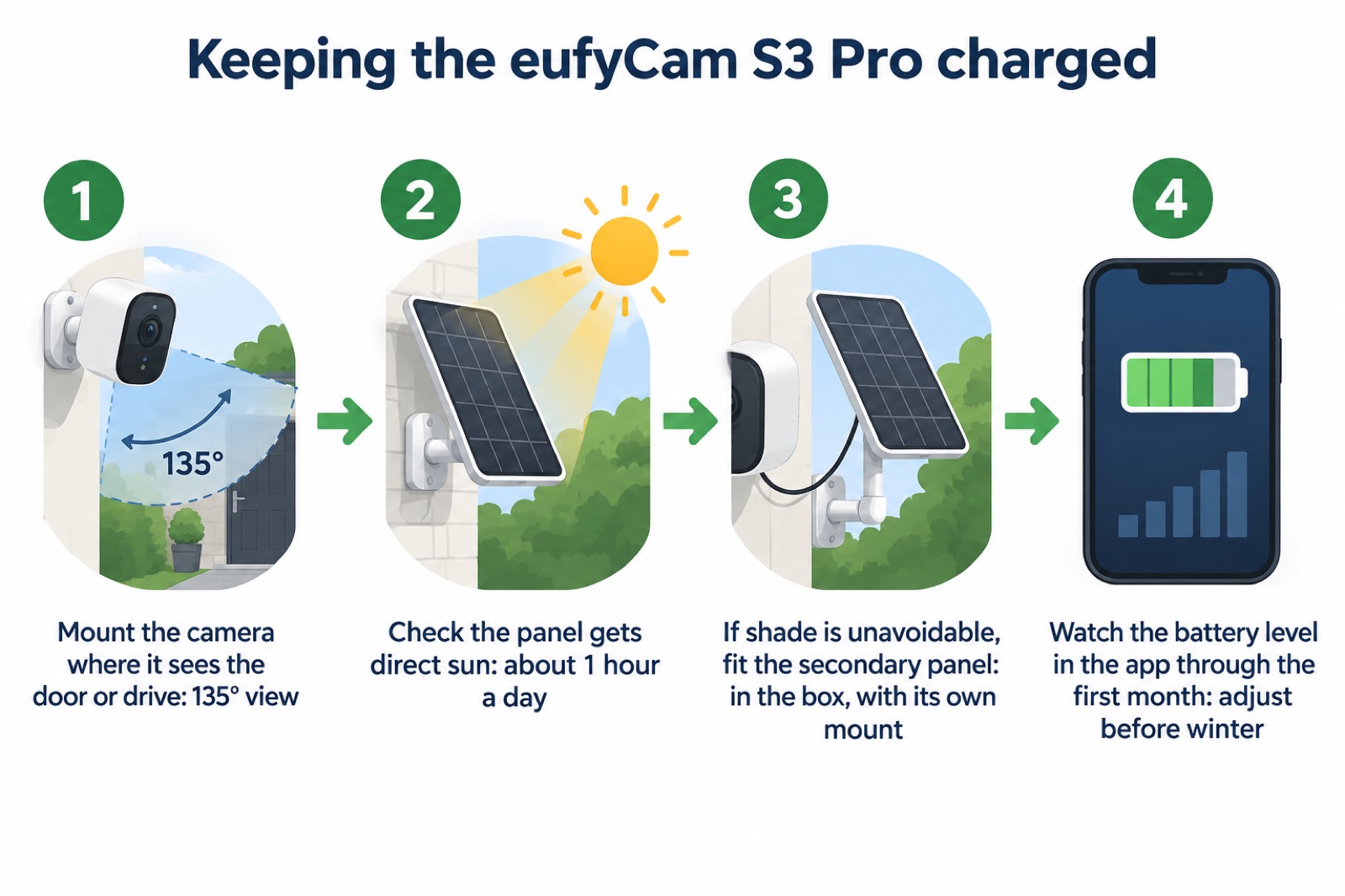
Winter is the test. Low sun and short days cut what the panel collects, and a camera that has been fine since spring can start to drop. Check the battery level in the app as the days shorten, and move the secondary panel rather than waiting for a flat battery. If you want the wider picture on keeping a camera running through a power cut, our guide to keeping your home protected in a power cut covers what stays working when the mains goes off.
Recording without the internet or a subscription
This is the part of the system that matters most in an emergency. The eufyCam S3 Pro records locally to the HomeBase, and eufy states plainly that most of its cameras, this one included, can record locally without internet3. There is no subscription fee, because the video goes to the HomeBase's storage rather than to a cloud plan1. The review unit had 16GB of onboard storage1.
What that means when the broadband fails is worth being precise about. The cameras keep capturing footage, but you will not receive alerts or be able to view the feed remotely until the internet returns4. The same limit applies across the category: local recording continues, while alerts, off-site live streaming and cloud backup are lost for the duration7. Government guidance notes that phone and broadband outages are usually short or localised, but after severe weather disruption can last for a number of days8. Ofcom's advice is to report the loss to your provider if you can, which helps get faults fixed sooner9.
Storage is the other half of this. The HomeBase S380 manages recordings locally and supports expandable storage, and eufy describes expandable setups of up to 16TB, which supports long retention without a mandatory monthly cloud plan3. The difference between the 16GB the review unit shipped with and a larger drive is the difference between a short window of clips and months of them. Our page on Eufy HomeBase S380 goes into the hub itself, and Can Security Cameras Record Without the Internet? covers the principle across makes.
Night vision and the adaptive spotlight
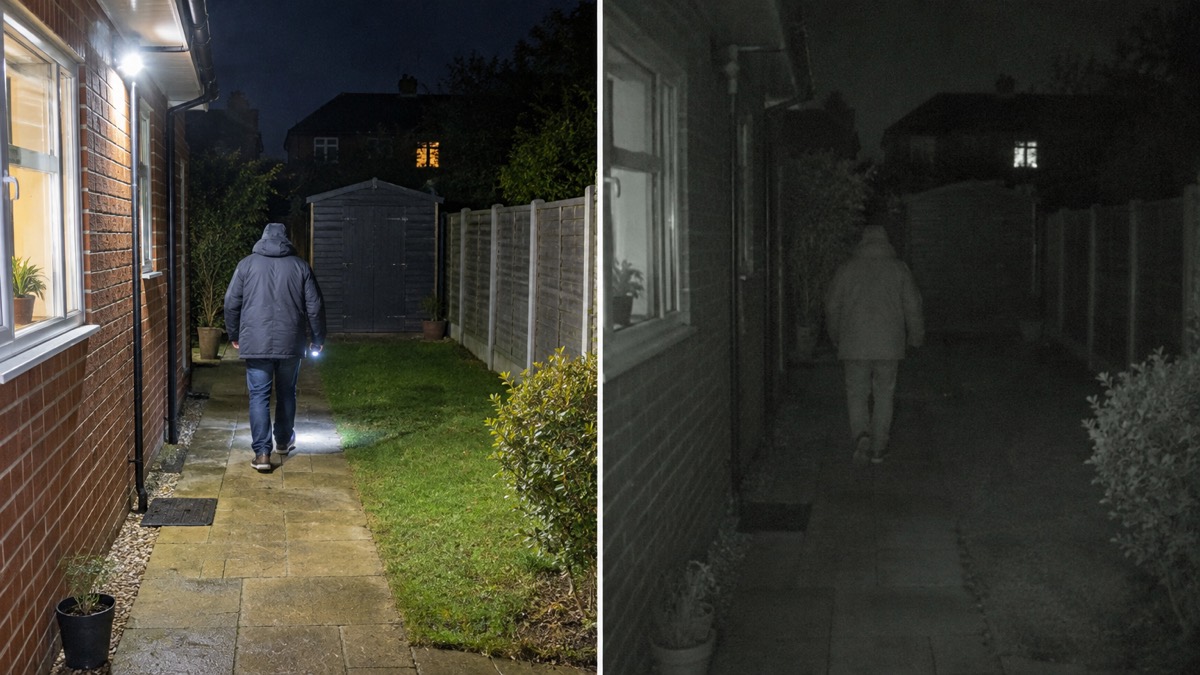
The camera has full-colour night vision and an LED spotlight1. eufy's MaxColor Vision technology is claimed to deliver day-like colour night footage even with minimal light2. The adaptive spotlight mode uses four LEDs to capture more detail without flooding out the subject, and the camera also offers a sensor-only colour night mode and an infrared black and white mode1.
The reviewer found a real difference between those modes. Sensor-only night mode lowers the frame rate, so people tend to look blurred as they move, while the adaptive spotlight mode captures near-daylight quality at night1. For a household, that is the choice that decides whether a clip is useful: a blurred figure is hard to identify, and a lit one is not. The spotlight also makes the camera visible in a way that a passive camera is not, which some households want and others do not.
Set the mode deliberately rather than leaving it on whatever the camera chose at installation. If your priority is identifying a face at the door, the spotlight mode is the one the review supports. If you would rather the camera did not light up the garden, accept the softer, blurrier result and place the camera closer to the point people pass. Our guide to outdoor lights that deter burglars covers lighting as a deterrent in its own right.
Placing the cameras within range of the HomeBase
Placement decides whether the system works, and there are two separate limits to respect: what the camera can see, and whether it can reach the hub. The cameras use Wi-Fi to connect to the HomeBase, which connects to your home network by Ethernet or Wi-Fi1. The reviewer found that range could restrict placement: a camera at the front of the house and one at the back of the garden would not connect, even though the home Wi-Fi reached both1. Plan for the HomeBase to sit roughly central to the cameras, or accept that the far end of the garden may be out of reach.
For the view itself, eufy's guidance is to place outdoor cameras high enough to resist tampering but low enough to capture useful facial detail, usually near front and back doors, driveways, side gates, garages or ground-floor windows, avoiding strong backlighting, branches and direct views into a neighbouring property3. Its separate placement advice names the same key points: front and back doors, side entrances and ground-floor windows, plus driveways, garages and garden paths, mounted high enough to avoid tampering4.
- Front door and porch: the main approach, and the view most households check first.
- Back door and garden path: the route an intruder is least likely to be seen using.
- Driveway and garage: vehicles and tools, and the approach to the side of the house.
- Side gate: the gap between front and back that cameras often miss.
- Avoid: pointing at a neighbour's window or garden, and anywhere a branch will move in the wind.
Two cameras will not cover all of that, so choose the two approaches that worry you most. If your house has a shared entrance or a rear alley, the constraints are different again, and our pages on flats and shared entrances and terraced houses and rear alleys set out what to do. Filming beyond your boundary carries data protection duties, covered in Filming Beyond Your Boundary.
HomeKit, Alexa and Google Assistant: what changes when you link them
The camera lists Amazon Alexa and Google Assistant as its voice assistants, and HomeBase or HomeKit Secure Video as its recording options1. A software update added HomeKit support, letting the S3 Pro cameras be controlled and monitored through the Apple Home app1. That is genuinely useful if your household already runs on Apple devices.
There is a catch, and it is a big one for a 4K camera. With HomeKit turned on, the cameras are limited to recording at 1080p1. You are trading most of the resolution you paid for against the convenience of one app. If identifying a face at the gate matters more than having everything in one place, leave HomeKit off and use eufy's own app.
Voice assistants are a lighter matter. Linking lets you ask a speaker to show a camera on a compatible display, which is handy when your hands are full. The exact steps differ by platform and by maker; Bosch, for example, sets out a sequence of enabling its skill, opening partner settings in its camera app and signing in with the same account before searching for devices in the Alexa app10. Expect a similar account-linking step here, and expect to redo it if you change your password.
Whichever route you take, the account is the weak point. Our guide to camera and doorbell accounts covers strong passwords and removing old users, and How to Stop Your Security Camera Being Hacked covers the settings worth changing on day one.
Support, updates and warranty
eufy's parent is Anker, and the kit was released in 20241. On software, eufy has said it will update its cameras for at least three years from launch11. That is a commitment worth diarising: three years from a 2024 launch takes you to around 2027, after which updates are not promised. Our page on how long cameras get software updates explains why that date matters for security as well as features.
For help, eufy's website live chat runs Monday to Sunday, 7:00 AM to 7:00 PM GMT12. Have the model name, the HomeBase serial number and a clear description of the fault ready. eufy describes comprehensive warranty protection on every order and a 30-day money-back guarantee14. Keep your order confirmation, because a warranty claim will ask for it.
On where to buy, eufy sells direct, and from 26 October eufy products are sold at anker.com/uk under One Anker, with the same products and the same warranty14. The cameras also reach UK buyers through online marketplaces and wholesalers15. Check the returns terms and the warranty cover before you mount anything on a wall.
The system is part of a wider eufy range, and eufy states that more than 5,000,000 families worldwide use its products16. That is a scale claim by the maker, not an independent measure. If you are comparing this kit with the rest of the range, our pages on eufyCam S4 and Eufy SoloCam S340 cover the alternatives, and Wired or Battery Security Camera? sets out the trade-off that decides most installations.
Sources (16)
- Eufy eufyCam S3 Pro review, Trusted Reviews, 7 November 2024
- Best security camera features for UK weather conditions, eufy, 17 September 2025
- Security hub, eufy, 2026
- Outdoor security cameras, eufy, 2026
- Security cameras, eufy, 2026
- Wireless security cameras, eufy, 2026
- WiFi security cameras, Reolink, 2026
- Phone and broadband outages, UK Government Prepare campaign, 12 October 2026
- Stay connected in severe weather, Ofcom via Mobile UK, 23 October 2026
- Help with compatibility: Amazon Alexa, Bosch Smart Home, 2026
- Best indoor security cameras, Which?, 18 August 2026
- eufy product page, eufy, 2026
- eufy product page, eufy, 2026
- eufy UK, eufy, 2026
- Best home security cameras UK, Reolink, 31 October 2025
- eufy UK home, eufy, 2026

 Ajax BulletCam
 Ajax TurretCam
 Aqara Camera Hub G350
 Arlo Essential 3 2K
 Arlo Essential 3 Indoor
 Arlo Pro 6
 Arlo Ultra 2
 Arlo Ultra 3
 Blink Outdoor 4
 Eufy SoloCam S340
 Eufy eufyCam S4 Setup
 EZVIZ BC1-B2 Kit