
Abode makes a do-it-yourself smart home security system: a hub, door and window sensors, motion detectors and cameras that you fit yourself, without an installer. For a household getting ready for emergencies, the useful part is not the app. It is that the system is wireless, can keep running on battery backup and a 4G connection when the power or broadband goes, and can be used without a subscription. That makes it a sensible piece of a wider plan for storms, power cuts and long absences, provided you understand what it can and cannot do.
The kit is modular. You start with a security kit and add sensors and cameras as your needs grow. Which? lists the Abode Iota Security Kit with an 82dB alarm and the Abode Security Kit with a 98dB alarm, both compatible with Alexa, Apple HomeKit, Google Assistant and Philips Hue, and both with a software update period until at least 20281. The Iota kit includes a key fob1.
What Abode will not do is replace your own preparations. It will not call 999 for you, it will not keep your food cold, and it will not tell you the storm is coming. Use it alongside a charged phone, a torch, water and a written plan, and treat it as one layer of household readiness rather than the whole of it.
What Abode makes: a DIY smart home security system
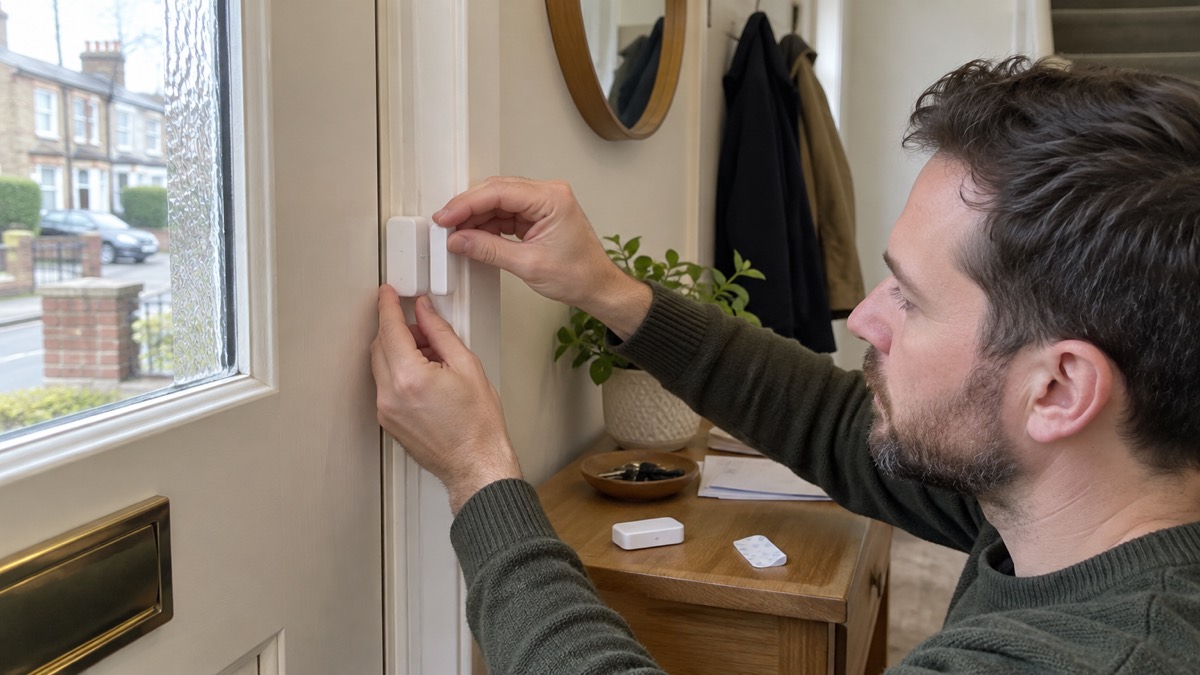
Abode's core product is a security system you install yourself. The hub is the brain: it talks to the sensors and cameras, sounds the alarm and connects to your home network. The sensors watch doors, windows and movement. The cameras add pictures. Because the system is wireless, there is no cabling to run through walls, which matters in a rented flat or a home you may have to leave in a hurry.
For emergency planning, the value of a system like this is early warning and evidence. A door sensor that triggers while you are asleep, or a camera that records movement while you are away, gives you information you would not otherwise have. The alarm itself is a deterrent: 82dB on the Iota kit and 98dB on the Security Kit is loud enough to be noticed1. Neither figure is a guarantee that anyone will respond, and neither replaces a working smoke alarm.
The system also fits the pattern the police recommend for home security. Gloucestershire Constabulary describes a "WIDE" combination of measures: window locks, indoor lights on timer switches, double door locks or deadbolts, and external lights on a sensor5. Abode's sensors and cameras sit alongside those physical measures rather than replacing them. A camera does not stop a door being forced; a good lock does.
If you are building a household plan, treat the security system as part of the home protection layer, alongside Home Security: A Household Guide and the wider Getting Started: Preparing Your Household for an Emergency checklist. The Abode Starter Kit page sets out what comes in the entry-level kit.
Start with a security kit, then add sensors and cameras
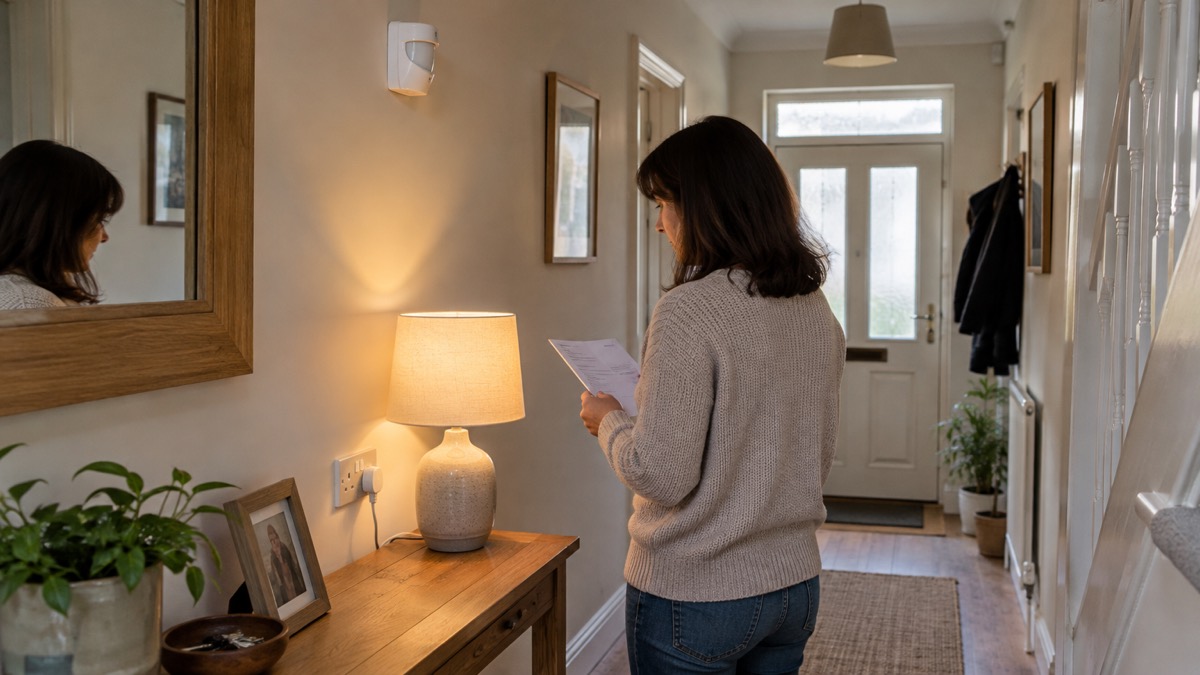
The sensible way into Abode is a starter kit, then add-ons as you learn how your household uses the system. A starter kit gives you the hub and the core sensors; extra door and window sensors, motion detectors and cameras extend coverage to a back door, a garage or a room you want watched.
Build the system around the risks you actually face. A household in a flood-prone area may want a camera on a low doorway and a sensor on a gate. A household that travels may want cameras and motion sensors covering the main routes through the house. A household with a garage or shed full of tools may want a sensor there first.
| What you add | What it does for the household | When it earns its place |
|---|---|---|
| Starter kit (hub and core sensors) | The base system: alarm, app control and the connection to add-ons | First purchase, before anything else1 |
| Extra door and window sensors | Warns when an entry point opens | Back doors, ground-floor windows, a garage side door |
| Motion detectors | Detects movement inside the home | Hallways and rooms you do not pass through at night |
| Cameras | Records and lets you check remotely | Long absences, a vulnerable relative's home, a shed |
Keep the physical measures alongside the electronics. The police "WIDE" combination is window locks, indoor lights on timer switches, double door locks or deadbolts, and external lights on a sensor5. Avon and Somerset Police suggest timer plugs with lamps to make a house seem occupied, and photosensitive bulbs that come on when it gets dark6. Those cost little and work when the internet is down.
Fitting it yourself: wireless, peel-and-stick, set up in under 15 minutes
Abode is designed to be fitted by the householder. The sensors are wireless and mount with adhesive pads, so you can place them on a door frame or a wall without drilling. The hub needs a power socket and a place near the centre of the home where it can reach the sensors. Setup is done through the app.
The maker's own setup time is not settled in the information here: one product page gives about 20 minutes and another about 30 minutes for the whole kit. Treat both as a guide and allow an evening for the first install, including testing every sensor. The important thing is not speed but that you test each sensor after fitting and again after any change to your broadband or router.
A few practical points for renters and for anyone who may need to move in a hurry:
- Fix sensors with the maker's adhesive mounts rather than screws where you can, and check your tenancy agreement before fixing anything to a wall or door.
- Keep the hub on a shelf, not on the floor, so it is not knocked or tripped over.
- Never overload sockets when you add plugs for the hub, cameras or a charger7.
- If you rent privately and your home has a problem that raises risk, you can ask your landlord to carry out repairs or improvements8.
For a household preparing for emergencies, the fitting is also a chance to walk the house and note every way in and out. That walk is the same one you would do for a fire plan. The fire service's online home fire safety check takes around 15 minutes and is a useful companion to the install9.
Abode keeps working in a power or internet cut with 4G and battery backup
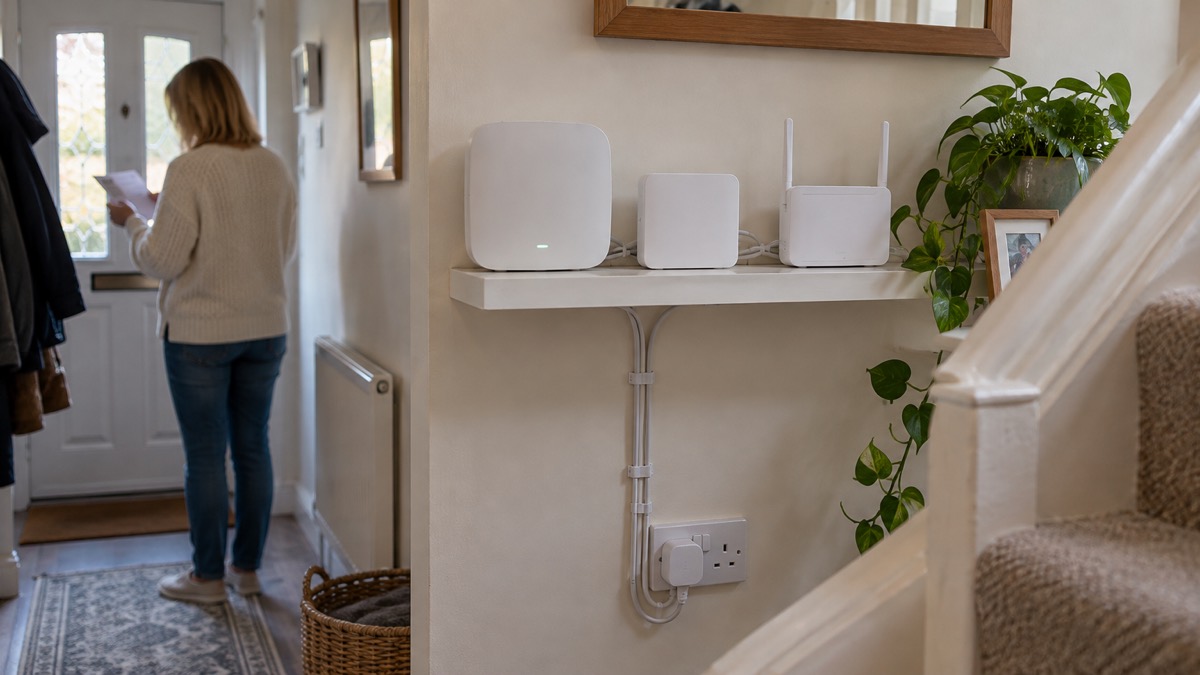
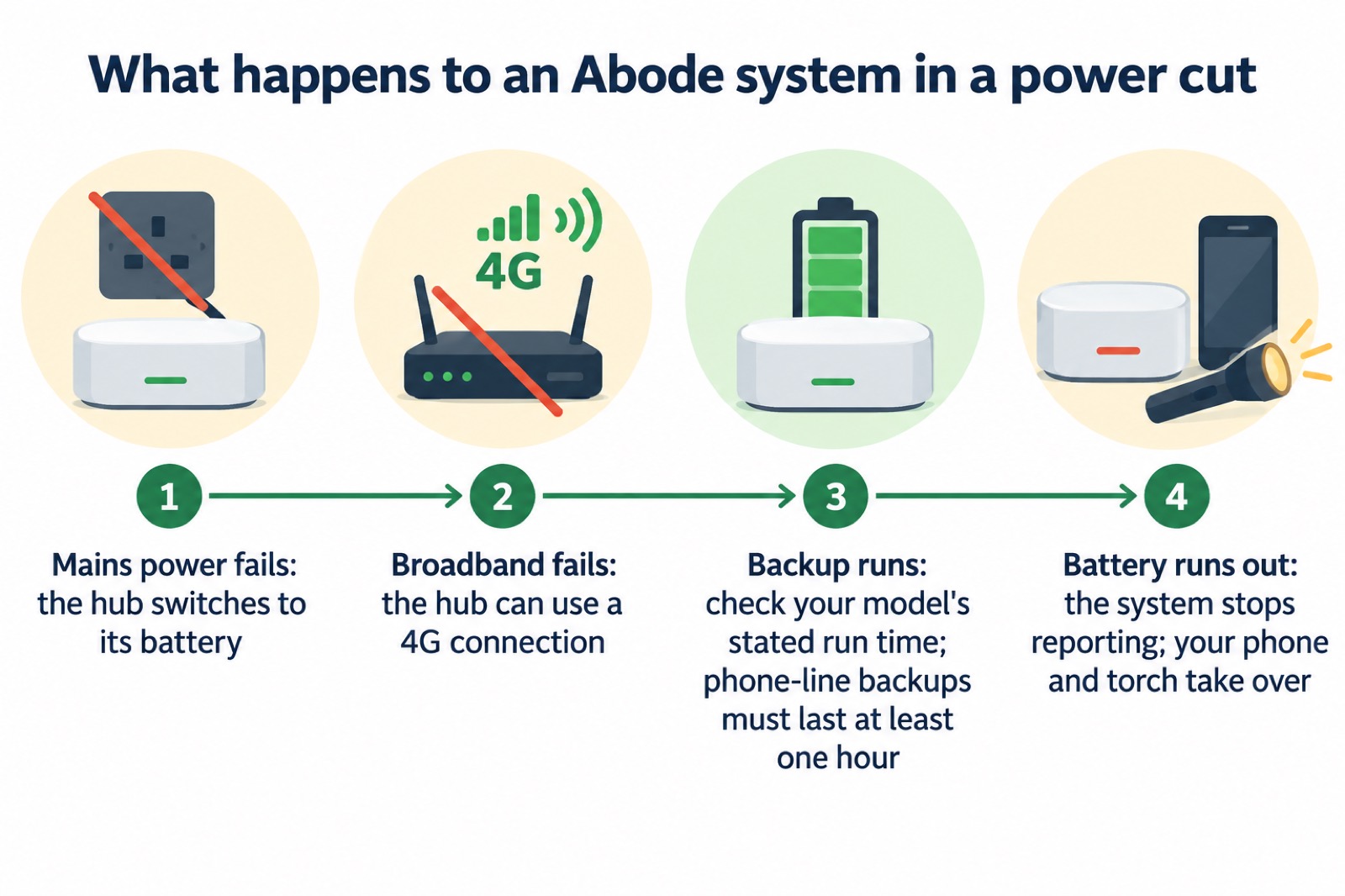
The reason a security system matters on a preparedness site is the power cut. A system that dies when the electricity goes is useless in the storm that causes the outage. Abode's design includes battery backup and a 4G connection so the hub can keep reporting when the mains and broadband fail.
How long the backup lasts depends on the kit and the load. The information here does not give a single run time for every Abode model, so test yours. For context, Ofcom says a phone-line battery backup must last at least one hour in a power cut, and some providers offer units that last up to seven hours2. That range is a useful benchmark: if your Abode hub is expected to cover a multi-hour outage, check the maker's stated figure for your model and test it before winter.
The same official advice applies to the rest of your kit. Northern Ireland's nidirect guidance says to keep mobile phones, laptops, tablets and power banks fully charged so you have battery power for a short time at least10. The Scottish Government's Ready Scotland guidance for disabled people and carers says a telecare provider will assess your needs and may provide a free battery backup and have engineers test it, so care alarms and other important devices continue to work during a power cut11. If someone in your household depends on a care alarm, that conversation with the provider matters more than any security camera.
Using Abode without a subscription
You do not have to pay a monthly fee to use Abode. The system works as a self-monitored alarm: it sounds, it notifies your phone, and you decide what to do. That suits a household that wants the warning and the app control without an ongoing cost, and it means the system still does its main job if you cancel a subscription or a payment fails.
Self-monitoring puts the response on you. If the alarm goes off while you are at work, you need a plan: a neighbour with a key, a family member nearby, or a decision to call the police if you can see a crime in progress. For a crime in progress or a fire, dial 9993. For urgent NHS advice, dial 11112. Write those numbers on paper as well as in your phone, because a phone can be lost, flat or out of signal.
The trade-off is straightforward. Without a subscription you get the alarm, the app and the recordings, but no one is watching the system for you. With a subscription you get a monitoring centre, but you are relying on someone else's response. Neither is wrong; they suit different households. What matters is that you know which one you have and that your plan matches it.
Keep the system ready the way you keep the rest of your kit ready:
- Check the app and the sensors monthly, and after any power cut.
- Replace batteries on the maker's schedule, not when they fail.
- Keep the hub's firmware updated while the software support period runs, which is until at least 2028 on the kits listed1.
- Keep a paper list of who to call, including 999 and 1113.
Professional monitoring: 24/7 from a US-based centre
Abode offers professional monitoring, described as 24/7 cover from a centre based in the United States. That is the key fact for a UK household: the people answering the alarm are not in the UK. The information here does not say that the centre dispatches UK police or fire crews, so do not assume it does.
For comparison, UK telecare and lifeline services work differently. Staffordshire County Council describes telecare as providing 24/7 access to help and support through alarms, sensors and emergency response services13. Warwickshire County Council describes monitored assistive technology as a lifeline pendant or sensors connected through a base unit to a phone line and a monitoring centre open 24 hours a day, seven days a week14. Devon County Council describes a service giving instant access to a call-monitoring centre 24 hours a day, 365 days a year, plus reminders to take medication and attend appointments15. Anglesey's telecare service is described in similar terms16. Those are UK-based services with a care remit; Abode's monitoring is a security service from a US centre.
If someone in your household needs help at the press of a button, a UK telecare service may be the better fit, and it is often arranged through the council. If you want your security system watched while you are away, Abode's monitoring is one option, provided you understand where the call is answered.
Apple HomeKit: arm, disarm and check sensors from the Home app
The Abode Iota Security Kit is listed as compatible with Apple HomeKit, alongside Alexa, Google Assistant and Philips Hue1. Once the kit is set up in the Home app, you can arm and disarm it and check the state of your sensors from an Apple device, which is useful when you are away or in bed.
HomeKit integration is not the same as Siri control on every device. The Hive Motion Sensor, for example, cannot be used with Amazon Alexa, Google Assistant, Apple HomeKit or Siri Shortcuts17. That is a reminder to check each device's own compatibility before you buy, rather than assuming that because one part of a system works with Siri, all of it will. The Hive app itself is available on many smartphones, tablets and the Apple Watch, provided the device runs an up-to-date operating system17.
For a household plan, the Home app is a convenience, not a safety system. Use it to check the house is armed when you leave, and to see whether a door opened while you were out. Do not use it as your only way to know whether someone is safe. A phone call, a neighbour's knock and a written check-in plan all work when the app does not.
Alexa, Google Home and IFTTT control
Abode works with the main voice assistants. The Iota kit is listed as compatible with Alexa, Google Assistant and Apple HomeKit1. That means you can arm the system or check a sensor by voice, which is handy when your hands are full or when you are checking the house from another room.
Voice control has limits in an emergency. It depends on the internet, on the assistant's servers and on your account being signed in. In a power cut or a broadband outage, the voice route may fail even if the hub's battery and 4G keep the sensors reporting. Keep the app and a physical key fob as backups; the Iota kit includes a key fob1.
IFTTT-style automation is best used for small, useful jobs: turning on a lamp when a sensor triggers, or sending a notification when a door opens while you are away. Do not build a chain of automations you cannot explain to another adult in the house. If something goes wrong at 3am, someone needs to be able to disarm the system without a manual.
The same principle applies to other smart home devices. The Aqara Smoke Detector, for example, is compatible with Home Assistant, Google, Alexa, IFTTT, Yandex and Apple Home through a Matter bridge, and requires a Matter controller and a compatible Aqara hub18. Smart home compatibility is a chain, and the weakest link decides whether it works when you need it.
Zigbee and Z-Wave: adding locks, lights and thermostats
Abode's hub supports Zigbee and Z-Wave, the two common wireless standards for smart home devices. That lets you add locks, lights and thermostats from other makers and control them alongside your security sensors. For a preparedness household, the useful additions are the ones that keep working when the mains does not: battery-powered locks, lamps on smart plugs, and a thermostat you can check remotely.
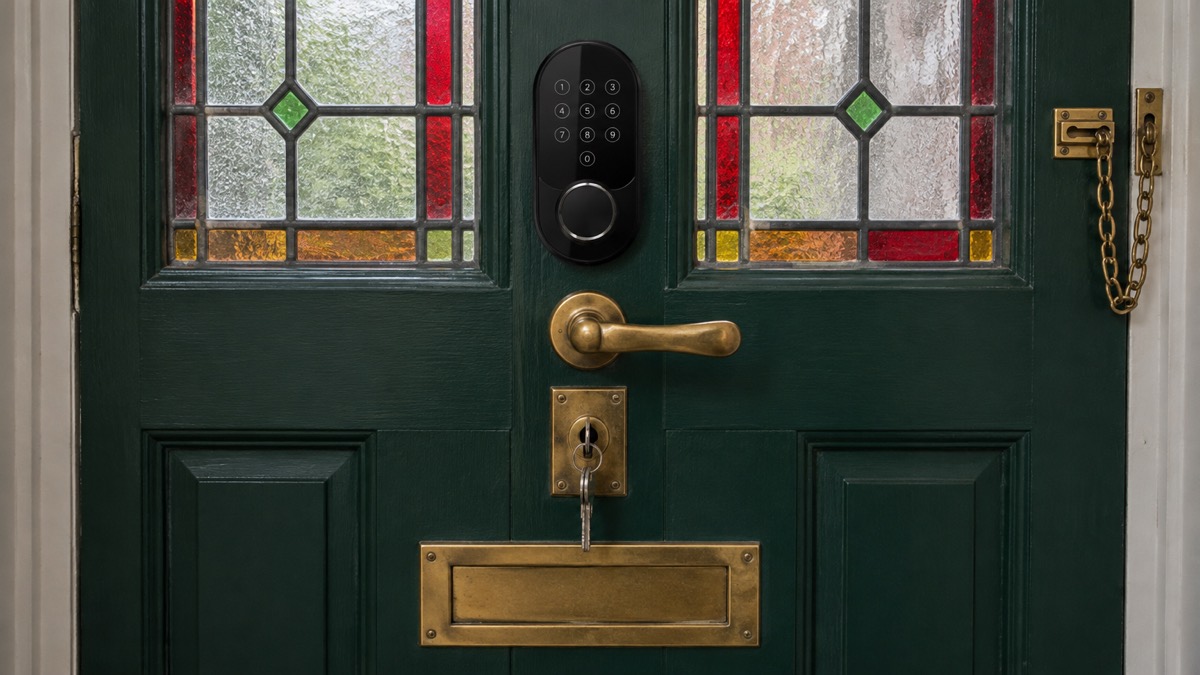
Add devices slowly and test each one. A smart lock that fails in a power cut is a security problem, not a convenience. A smart plug that controls a lamp is useful only if the lamp is on a circuit that stays live, or if you have a backup power source. The Backup Power at Home: A Household Guide sets out what keeps running and for how long.
Keep the physical layer strong whatever you automate. The police "WIDE" combination is still the foundation: window locks, timer switches, double door locks or deadbolts, and sensor lights5. A smart lock is an addition to a good lock, not a replacement for one. If you are going away, the pre-holiday routine of timer plugs and photosensitive bulbs is worth doing even with a smart system in place6.
Keeping Abode ready for the next emergency
A security system is only as good as its last test. Build a short routine into your household plan, and repeat it at the start of winter and before any trip away.
- Check every sensor in the app and walk-test each one.
- Confirm the hub's battery backup is charged and the 4G connection is working.
- Update the app and the hub firmware while support runs, which is until at least 2028 on the kits listed1.
- Check the alarm volume is set as you expect: 82dB on the Iota kit and 98dB on the Security Kit1.
- Keep phones, tablets and power banks charged, as nidirect advises for a power cut10.
- Keep a paper list of numbers: 999 for a crime in progress or a fire3, and 111 for urgent NHS advice12.
- If anyone in the household depends on a care alarm, ask the provider about battery backup and testing11.
For the wider picture, the Home Security: A Household Guide covers locks, lighting and routines, and Power Cuts: A Household Guide covers what to do when the electricity fails. The Abode Starter Kit page sets out the entry-level kit in detail.
Sources (18)
- Best burglar alarms and smart security systems, Which?, 2026
- Future of landline calls, Ofcom, 2026
- Preparing your family, Essex Prepared, 2026
- Staying safe, Greater Manchester Fire and Rescue Service, 2026
- Burglary, Gloucestershire Constabulary, 2026
- Pre-holiday routine, Avon and Somerset Police, 2026
- Student and rented accommodation, North Yorkshire Fire and Rescue Service, 2026
- Housing help if your home is flooded, Somerset Council, 2026
- Home fire safety, Northern Ireland Fire and Rescue Service, 2026
- Strong winds and heavy rain warning: information and advice, nidirect, 2026
- Disabled people and carers, Ready Scotland, 2026
- Emergency, Basingstoke and Deane Borough Council, 2026
- Telecare, Staffordshire County Council, 2025
- Assistive technology, Warwickshire County Council, 2026
- Support at home, Devon County Council, 2025
- What's available from the Telecare service, Isle of Anglesey County Council, 2026
- Hive Motion Sensor, Hive, 2026
- Aqara Smoke Detector, Aqara, 2026
 Abode Starter Kit