
If you are somewhere with no mobile signal and no Wi-Fi, and you need the emergency services, an iPhone 14 or later can send a text to 999 over satellite. Apple states that with iPhone 14 or later (all models) you can use Emergency SOS via satellite to text the emergency services when you are off the grid with no mobile and Wi-Fi coverage1. It is a fallback for the places where nothing else reaches 999, not a replacement for an ordinary call.
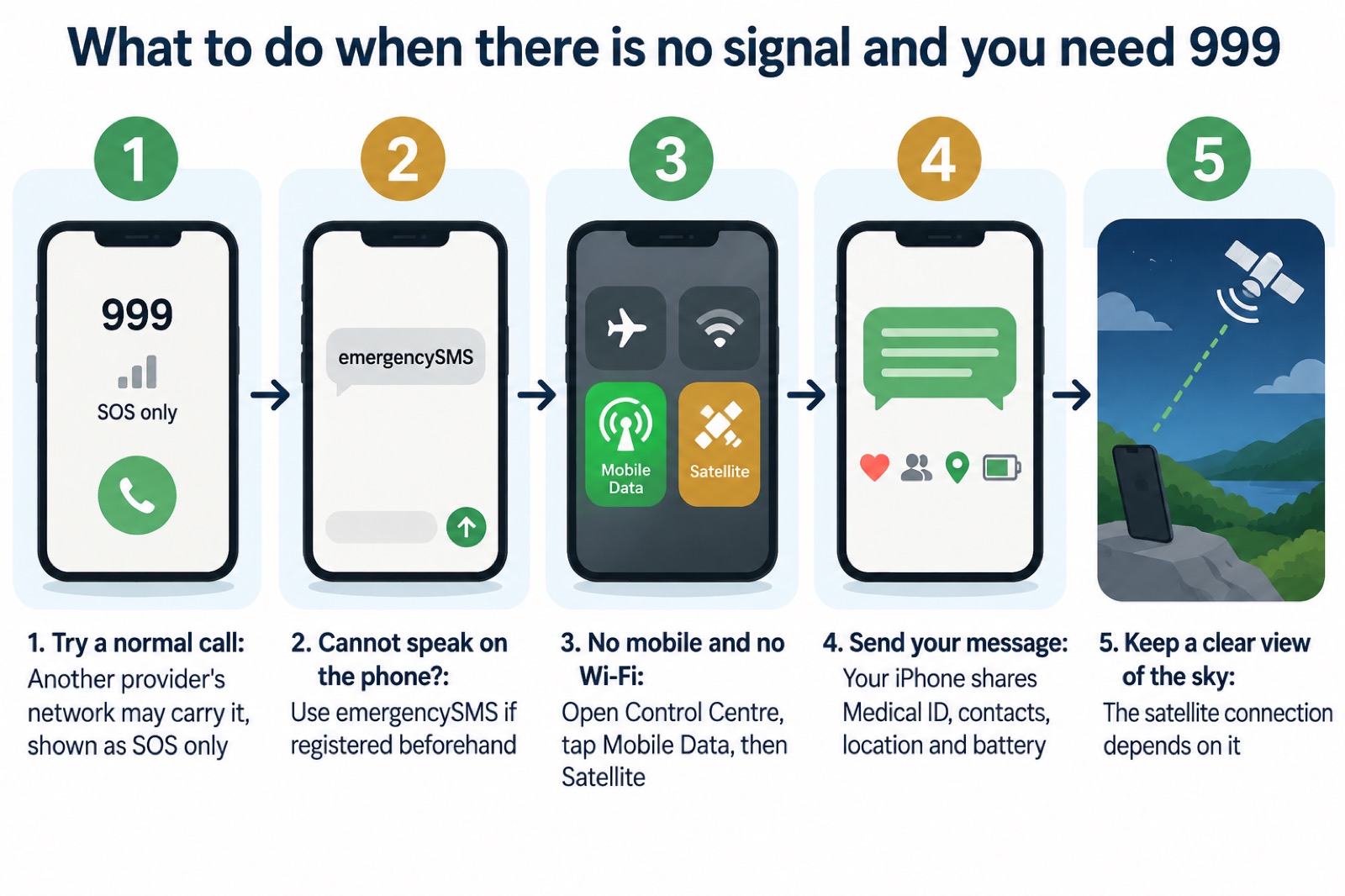
The steps are short. With no coverage, open Control Centre by swiping down from the top right-hand corner of the screen, tap the Mobile Data button, then Satellite. The same option sits in Settings, under Satellite1. Your iPhone then starts a text conversation with emergency responders, sharing information such as your Medical ID, your emergency contacts, your answers to an emergency questionnaire, your location including elevation, and your remaining battery life1.
Two things decide whether it works when you need it. The first is your software: Apple advises updating your iPhone to the latest software before going off the grid, so the feature and its keywords are available1. The second is preparation: your Medical ID and emergency contacts need to be filled in beforehand, because you may not be in a position to type them out in an emergency.
Emergency SOS via satellite is for when nothing else can reach 999
Satellite SOS is the last option in a short list, and it helps to know the order. If your own mobile provider is having an outage, Ofcom explains that you will be able to automatically use another provider's network to call 999 or 112 free of charge, shown as "emergency calls only" on Android or "SOS only" on iOS2. That is still an ordinary call, and it is quicker than satellite. Satellite comes in only when you are outside both mobile service and Wi-Fi coverage3.
If you cannot make a voice call at all, there is a separate route that works over the ordinary mobile network: emergencySMS. The ambulance service in England explains that if you cannot make voice calls, you can contact the 999 emergency services by SMS text from your mobile phone4. It is designed specifically for people with hearing loss or difficulty with speech5, and you must register your phone beforehand6. Text 999 should only be used when you cannot make a voice call7. If you are unable to use voice telephony, alternative options include the EmergencySMS service via Relay UK, or 999 BSL for British Sign Language users8.
So the sequence for a household is: try a normal call first, including on another provider's network if your own is down; use emergencySMS if you cannot speak on the phone and have registered; and use satellite when there is no network of any kind. Apple's own wording for the satellite feature is clear that it is for the gaps: "you can use Emergency SOS via satellite to text emergency services when you're outside mobile service and Wi-Fi coverage"3.
Which iPhones can use it: iPhone 14 or later
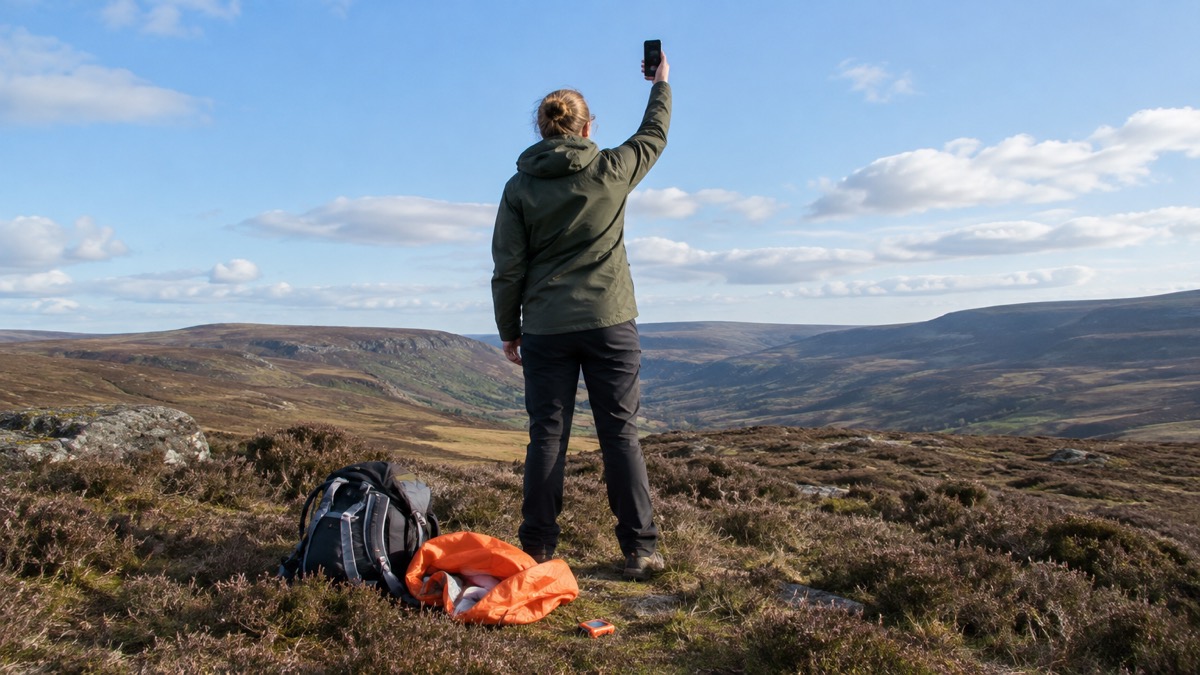
The hardware requirement is simple and worth checking before a trip. Apple states that with iPhone 14 or later (all models) you can use Emergency SOS via satellite to text the emergency services when you are off the grid with no mobile and Wi-Fi coverage1. Older iPhones do not have the feature, however recently they were updated.
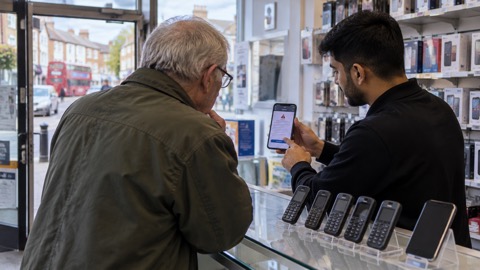
Do not confuse this with Emergency Alerts, which is a different system with much wider compatibility. Government guidance states that Emergency Alerts work on iPhones running iOS 14.5 or later, and on Android phones and tablets running Android 11 or later9. A phone that receives government alerts perfectly well may still have no satellite capability at all. The two are separate: alerts come to you, satellite SOS goes out from you.
| Feature | What it does | Which iPhones |
|---|---|---|
| Emergency SOS via satellite | Texts 999 over satellite when there is no mobile or Wi-Fi coverage1 | iPhone 14 or later, all models1 |
| Emergency Alerts | Government warning sent to phones in an area of risk10 | iPhones running iOS 14.5 or later9 |
| EmergencySMS | Text 999 over the ordinary mobile network if you cannot make a voice call4 | Any mobile phone, registered beforehand6 |
There is a cost point to know, and it is not a reason to delay. Apple states that Emergency SOS via satellite is free for two years after the activation of an iPhone 14 or later (all models)1. If your phone is older than that window, check your own account details with Apple rather than assuming.
The feature also covers more than a message you send yourself. Apple states that if your iPhone or Apple Watch detects a severe car crash or a hard fall and you are unresponsive, an automatic Crash Detection or Fall Detection notification may be communicated via satellite if you are outside mobile and Wi-Fi coverage1. That matters for anyone walking, cycling or driving in remote country.
Before you go off the grid: update your iPhone
The single most useful thing you can do before a trip is to update the software. Apple's advice is direct: "To make sure that you can access Emergency SOS via satellite with these keywords, update your iPhone to the latest software"1. An out-of-date phone may not offer the feature at the moment you open Control Centre.
The version question causes more confusion than it should. Apple states that iOS 16.2 or later is required in the UK to connect to the emergency services via satellite1. Certain local emergency numbers elsewhere require iOS 16.4 or later1. So the widely repeated idea that you need iOS 16.4 is not the UK position: 16.2 is the stated minimum here, and updating to the latest software covers both.
Two other settings are worth doing at the same time, at home, with a signal:
- Medical ID and emergency contacts. Open the Health app, tap your profile picture, tap Medical ID, scroll to Emergency Contacts, tap Edit, then add or delete a contact and save11. Apple notes that you cannot set the emergency services as an SOS contact11.
- ICE contacts. Official preparedness guidance advises adding "in case of emergency" (ICE) contacts that can be easily found on your phone, and enabling safety and emergency features such as the Health app on iOS2. The same guidance explains that these can be programmed in so that someone can contact your loved ones without unlocking your phone12.
- A charged phone and a way to recharge it. Preparedness guidance for households includes keeping extra batteries to charge your phone6.
How to start a satellite emergency text from Control Centre
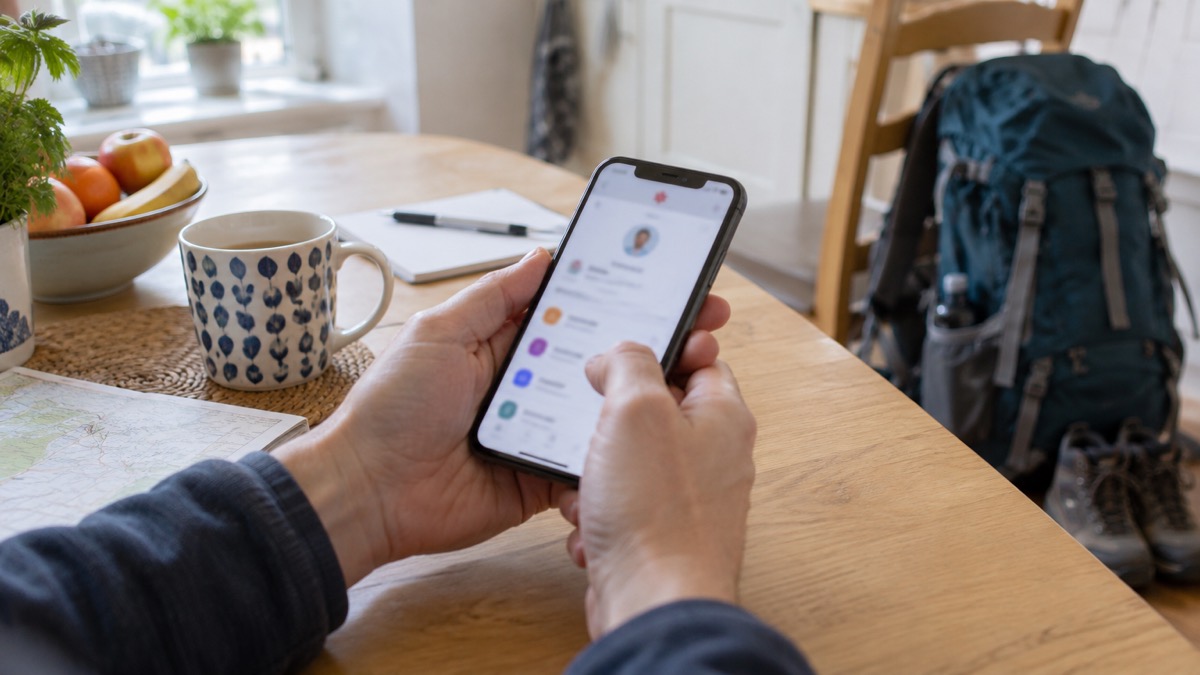
When you have no coverage and need help, Apple's route is through Control Centre. Swipe down from the top right-hand corner of your iPhone to open Control Centre, tap the Mobile Data button, then tap Satellite. The same satellite option is available in Settings, then Satellite1. From there your iPhone starts a text conversation with emergency responders1.
The conversation is a text, not a voice call, so write as you would in a message. Say where you are, what has happened and what help you need. Your iPhone shares your location including elevation automatically, which saves you trying to describe a remote spot1. Keep the phone pointed towards open sky and stay where you are if it is safe to do so, because the connection depends on a clear view.
If you are using an Apple Watch, there is a related route for texting the emergency services. Apple's steps are to tap Add Contact, type 999, then tap OK; tap Create Message, then tap SMS; write, dictate or type your message; tap Done, then tap Send3. Apple notes this is not available in all countries or regions1. On an iPhone, the equivalent is to open the Messages app, type 999 or your local emergency services number in the To field, then type your emergency in the Text Message field11. That route depends on having a network, which is why the satellite option in Control Centre matters when you do not.
What your iPhone shares with emergency services
The value of satellite SOS is partly in what it sends for you. Apple states that your iPhone will start a text conversation with emergency responders by sharing critical information, such as your Medical ID, emergency contact information, emergency questionnaire answers, location including elevation, and remaining battery life1. Each of these answers a question responders would otherwise have to ask, over a slow link, while you may be injured or in poor weather.
Elevation is the detail people overlook. On high ground, in a valley or on a coast path, height above sea level narrows down where you are in a way that a map pin alone may not. Battery life tells responders how long they may have to keep the conversation going.
Your emergency contacts are looked after too. Apple states that after an emergency call ends, your iPhone alerts your emergency contacts with a text message, unless you choose to cancel, and sends your current location if available; for a period of time after you enter SOS mode, your contacts receive updates when your location changes3. If your emergency contacts use iMessage on iOS 16.4 or later, you can share a live transcript of your conversation with emergency services, including questionnaire answers, a location map and the messages exchanged1. Apple adds that your emergency contacts cannot respond to the messages, other than replying "YES" or "NO" when necessary, and do not need to contact the emergency services themselves1.
"After an emergency call ends, your iPhone alerts your emergency contacts with a text message, unless you choose to cancel."
One limit to be clear about: the Medical ID sharing described in Apple's guidance for calls and texts to 911 is marked as US only11. In the UK, the satellite route shares the information listed above, and the ordinary route to 999 remains a call or an emergencySMS text.
If satellite is not an option for your household
Not every household has an iPhone 14 or later, and that is not the end of the story. Ofcom notes that some mobile devices can use Emergency SOS on iOS and Satellite SOS on Android to contact the emergency services by satellite if no mobile networks are available2. On a Google Pixel, for example, you dial the emergency services number in your area, such as 999 in the UK, and if you have no mobile or Wi-Fi network an option to use Satellite SOS appears in the dialler15. Google's own guidance is that satellite help should be used only under exceptional circumstances, when no other means of reaching the emergency services are available15.
For households without any satellite-capable phone, the practical alternatives are the ones that work over ordinary networks and need setting up in advance:
- emergencySMS. Register your phone beforehand6, then text 999 if you cannot make a voice call4. The message is passed to the police, ambulance, fire and rescue service or coastguard as appropriate16.
- Relay UK and 999 BSL. If you are unable to use voice telephony, these are the alternative options8. Relay UK advises using emergencySMS only if you have no other option17.
- A separate satellite communicator. Some households travelling far from coverage carry a dedicated device. The ZOLEO Satellite Communicator, for example, lists location sharing among its features18. Compare what a dedicated device does with what a phone can do before deciding which suits your circumstances.
Wherever you are, the same preparation applies: keep the phone charged, keep a way to recharge it6, and know which of these routes your household can actually use.
Sources (18)
- Emergency SOS via satellite on your iPhone, Apple, 2026-10-05
- Stay connected in severe weather, Ofcom, 2026-10-13
- Make an emergency call or text on iPhone or Apple Watch, Apple, 2026
- Using 999 with speech or hearing impairment, Yorkshire Ambulance Service, 2026-10-29
- Medicines and tablet safety, Just One Norfolk, 2026-10-29
- Preparing yourself, Wiltshire and Swindon Prepared, 2026-10-25
- Additional support when accessing 999, Welsh Ambulance Service, 2026-10-29
- Fire safety information for residents living in flats, Greater Manchester Fire and Rescue Service, 2026-10-29
- How Emergency Alerts work, GOV.UK, 2026
- Emergency Alerts, GOV.UK, 2026
- Personal Safety User Guide, Apple, 2026
- Out and about, Wiltshire and Swindon Prepared, 2026-10-25
- Emergency Alerts factsheet, Saltford Parish Council, 2023-04
- National Emergency Alerts, Warwick District Council, 2026-10-29
- Use Satellite SOS on Pixel, Google, 2026-10-29
- For people with disabilities, Tyne and Wear Fire and Rescue Service, 2026
- Contacting 999 with speech or hearing impairment, East of England Ambulance Service, 2026-10-29
- ZOLEO Satellite Communicator, ZOLEO, 2026-10-29
 Free Alert Services
 Emergency Apps
 Digital Switchover Checklist
 Silent 999 Calls
 Giving Your Exact Location
 When to Call 999
 Calling 999 With No Signal
 999 by Wi-Fi Calling
 When You Get an Alert
 Alerts While Driving
 Spotting a Genuine Alert
 Phones That Get Alerts
 Emergency Alerts On or Off
 Emergency Alert Privacy
 Emergency Alert Tests