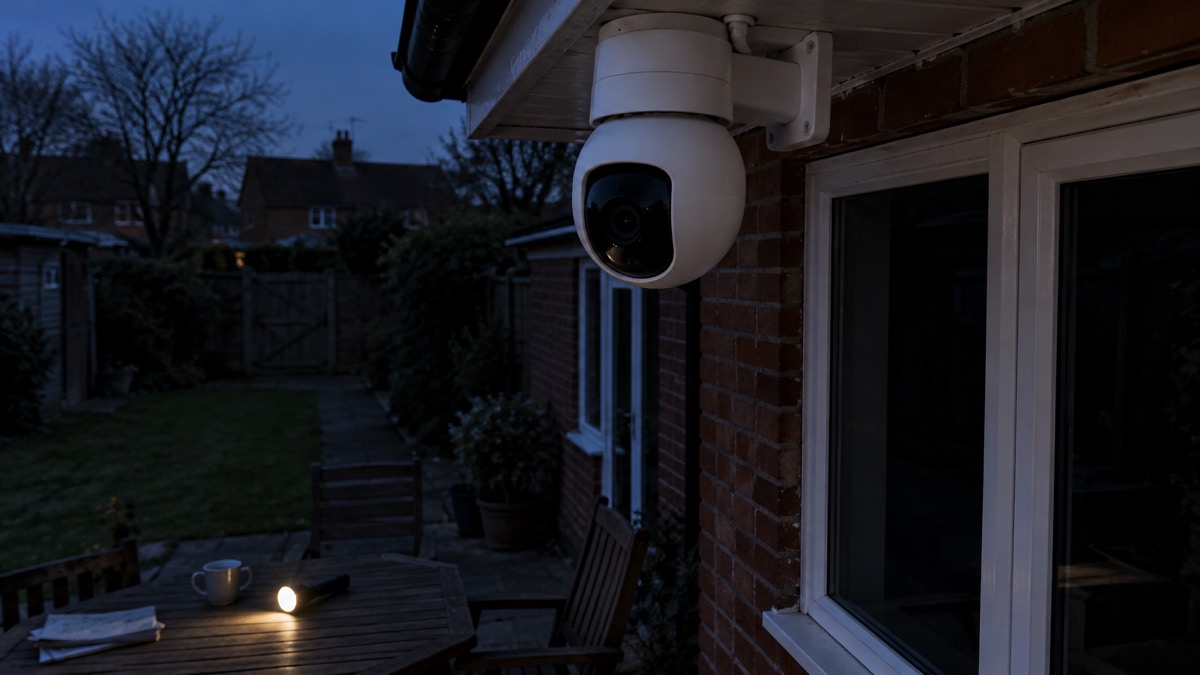
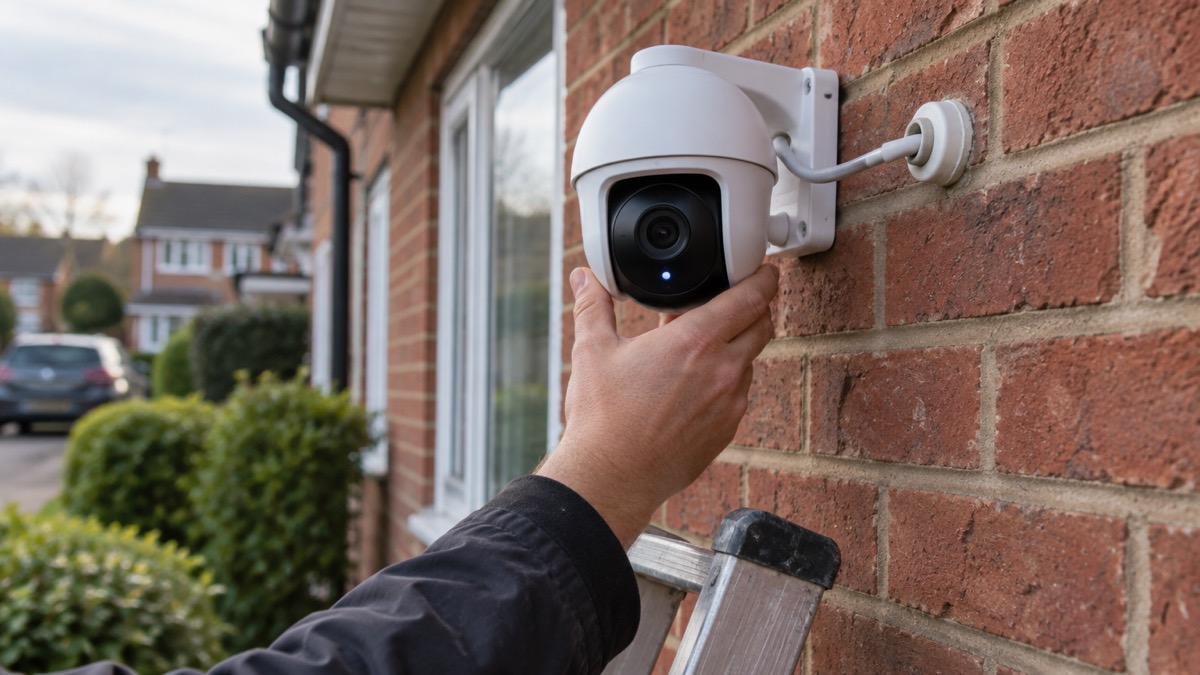
The EZVIZ C8W Pro 2K is an outdoor pan and tilt Wi-Fi camera: a single unit that turns to follow what it sees, records to a memory card or to an optional cloud service, and lets you watch and speak through a phone app1. It is a mains-powered camera, not a battery one, so it needs a socket and a working home network to do its job. If you are weighing up whether a camera like this suits your home at all, our guide to home cameras and CCTV sets out the wider choices.
The headline figures are these. It sees up to 30 m in the dark, in colour, black and white or a smart mode that switches between them1. It pans 340° and tilts 80°, and can be set to up to 12 preset angles in the app1. It runs from a 12V 1A adapter and draws at most 6 W1. It connects on 2.4 GHz Wi-Fi only, or by Ethernet cable1. And it is weatherproof, rated to work between -30 °C and 60 °C1.
What it cannot do is keep going when the power goes off. There is no battery in the box and no battery option listed, so a power cut takes the camera and, usually, your broadband with it. That matters in the UK, where storms and flooding regularly interrupt supplies2. Plan for that separately if cover during an outage matters to you.
What the C8W Pro 2K is and what it suits
This is a mains-powered outdoor camera on a motorised mount. The maker describes it as a pan and tilt Wi-Fi camera with 2K resolution, an 8x zoom in the app and digital wide dynamic range, which helps balance a bright sky against a shadowed doorway1. A 1/2.7 inch progressive scan CMOS sensor sits behind either a 4 mm lens with an 87° horizontal and 105° diagonal view, or a 6 mm lens with 55° horizontal and 66° diagonal, so the version you buy decides how wide the picture is1.
Because it turns, one camera can cover more of a garden or drive than a fixed one. The maker says it will automatically rotate to follow a person's movement and record the activity when human motion is detected1. It also recognises human and vehicle shapes for alerts, and you can set detection zones in the app1. The maker lists no subscription fee for these detection features1.
It suits a household with a spare outdoor socket or a route for the adapter cable, a reasonable Wi-Fi signal at the mounting point, and a wish to check a garden, drive or side passage from a phone. It suits less well a shed or gate at the end of a long garden with no power, or a home where the broadband goes down in every storm. For those cases, a wired or battery camera may fit better; our comparison of wired or battery security cameras sets out the trade-offs.
Specifications
The maker's published figures are set out below. Where a specification decides whether the camera will work in your home, it is worth checking before you buy rather than after.
| Specification | Maker's figure |
|---|---|
| Model number | CS-C8W-A0-1H3WKFL1 |
| Type | Outdoor pan and tilt Wi-Fi camera, 2K1 |
| Image sensor | 1/2.7" Progressive Scan CMOS1 |
| Lens | 4 mm (87° horizontal, 105° diagonal) or 6 mm (55° horizontal, 66° diagonal), both F1.61 |
| Pan and tilt | Pan 340°, tilt 80°1 |
| Preset angles | Up to 12 via the EZVIZ App1 |
| Night vision | Up to 30 m (98 ft)1 |
| Night vision modes | Full colour, black and white, smart1 |
| Video compression | H.265 / H.2641 |
| Frame rate | Maximum 30 fps, self-adaptive during network transmission1 |
| Power supply | DC 12V / 1A1 |
| Power consumption | Maximum 6 W1 |
| Wi-Fi | 802.11b, 802.11g, 802.11n; 2.4 GHz to 2.4835 GHz1 |
| Wired network | RJ45 × 1, 10M/100M adaptive Ethernet port1 |
| Local storage | microSD card up to 256 GB1 |
| Cloud storage | EZVIZ CloudPlay, subscription required1 |
| Operating temperature | -30 °C to 60 °C, humidity 95% or less, non-condensing1 |
| Dimensions | 112 × 171 × 156 mm1 |
| Weight | 605 g, or 992 g with packaging1 |
| Certifications | UL / FCC / CE / WEEE / REACH / RoHS / UKCA1 |
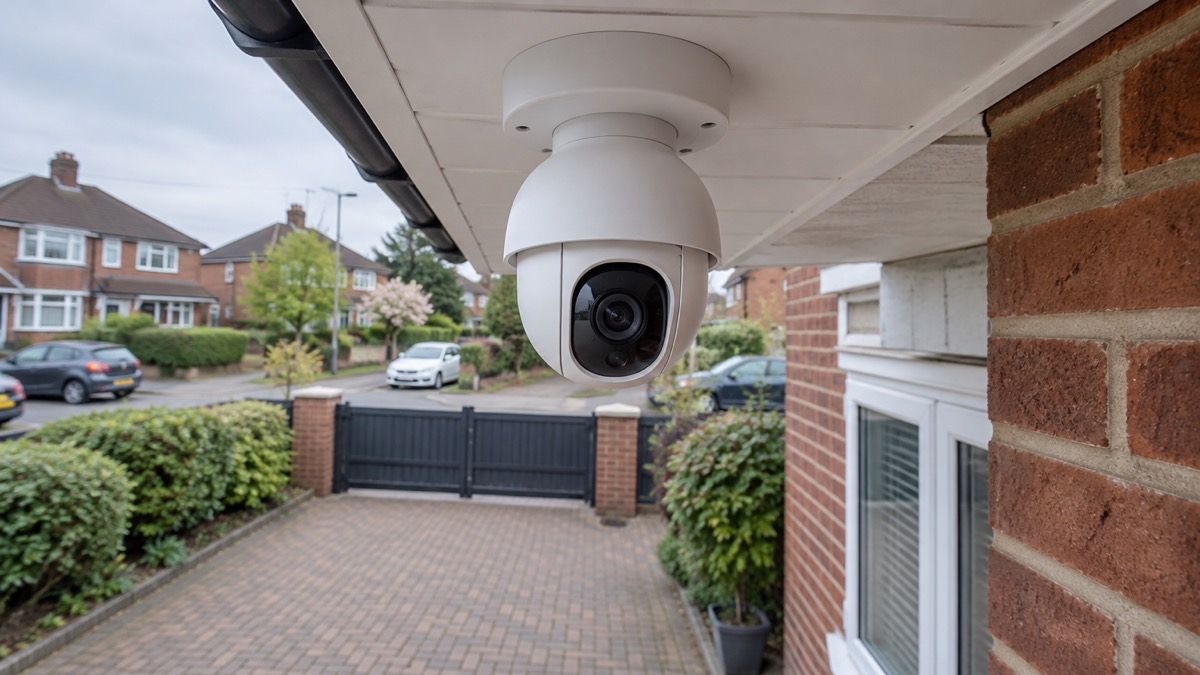
The camera is not large: at 605 g and roughly the size of a large mug, it will sit under eaves or on a bracket without much visual weight1. The boxed weight of 992 g tells you the adapter and fittings account for a fair share of what arrives1.
Night vision: 30 m in colour, black and white or smart mode
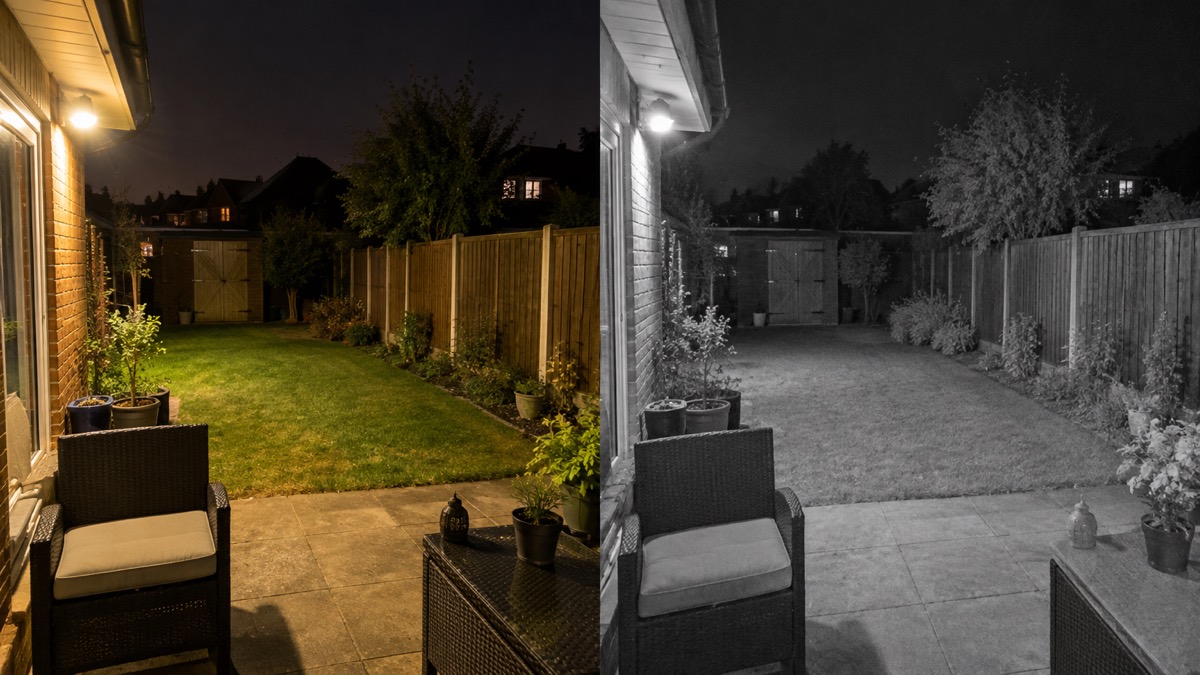
The camera has three night vision modes, and the maker says they are there to meet any need1. In full colour mode it uses its spotlights to light the scene and keep the picture in colour. In black and white mode it switches to infrared, and the maker says you can still see 30 m (100 ft) away1. Smart mode moves between the two, starting in black and white and switching to colour when it detects something worth lighting up.
The 30 m figure is the maker's stated night vision distance1. Treat it as the distance at which the camera is designed to see, not a promise of a clear identification at that range: a person at 30 m in the dark will be a small figure in the frame. For reading a face or a number plate, the useful distance is much shorter, and the lens choice matters. The 4 mm version gives a wider view and the 6 mm version a narrower, closer one1.
One detail from the maker's own notes is easy to miss: the spotlights will not flash when the colour night vision mode is enabled1. If you are relying on the flash as a deterrent, that behaviour changes with the mode you have chosen.
Siren, spotlights and auto tracking when a person is detected
The camera's active defence is a siren and two spotlights. The maker states that on detection of intruders the camera will set off a loud siren and flash two spotlights for on-site deterrence1. Alongside that, when human motion is detected the camera rotates to follow the movement and records it1. Shape detection for people and vehicles decides what triggers an alert, and detection zones let you exclude a swaying tree or a public footpath1.
Two-way talk completes the set: you can hear and talk to your family, welcome visitors, or turn away uninvited guests from your smartphone1. Combined with the pan and tilt range, that means you can turn the camera towards the person at the gate before you speak.
It is worth being clear about what this is and is not. A camera with a siren is a deterrent and a record, not a monitored alarm: nobody is dispatched when it sounds. If you want a response, an alarm with a receiving centre is a different product, and our guide to monitored alarms explains who responds and when. Many households run a camera alongside an alarm rather than instead of one; our comparison of burglar alarms and CCTV cameras helps you decide which does the heavier work for your home.
Power and connection: 12V adapter, 2.4 GHz Wi-Fi or Ethernet
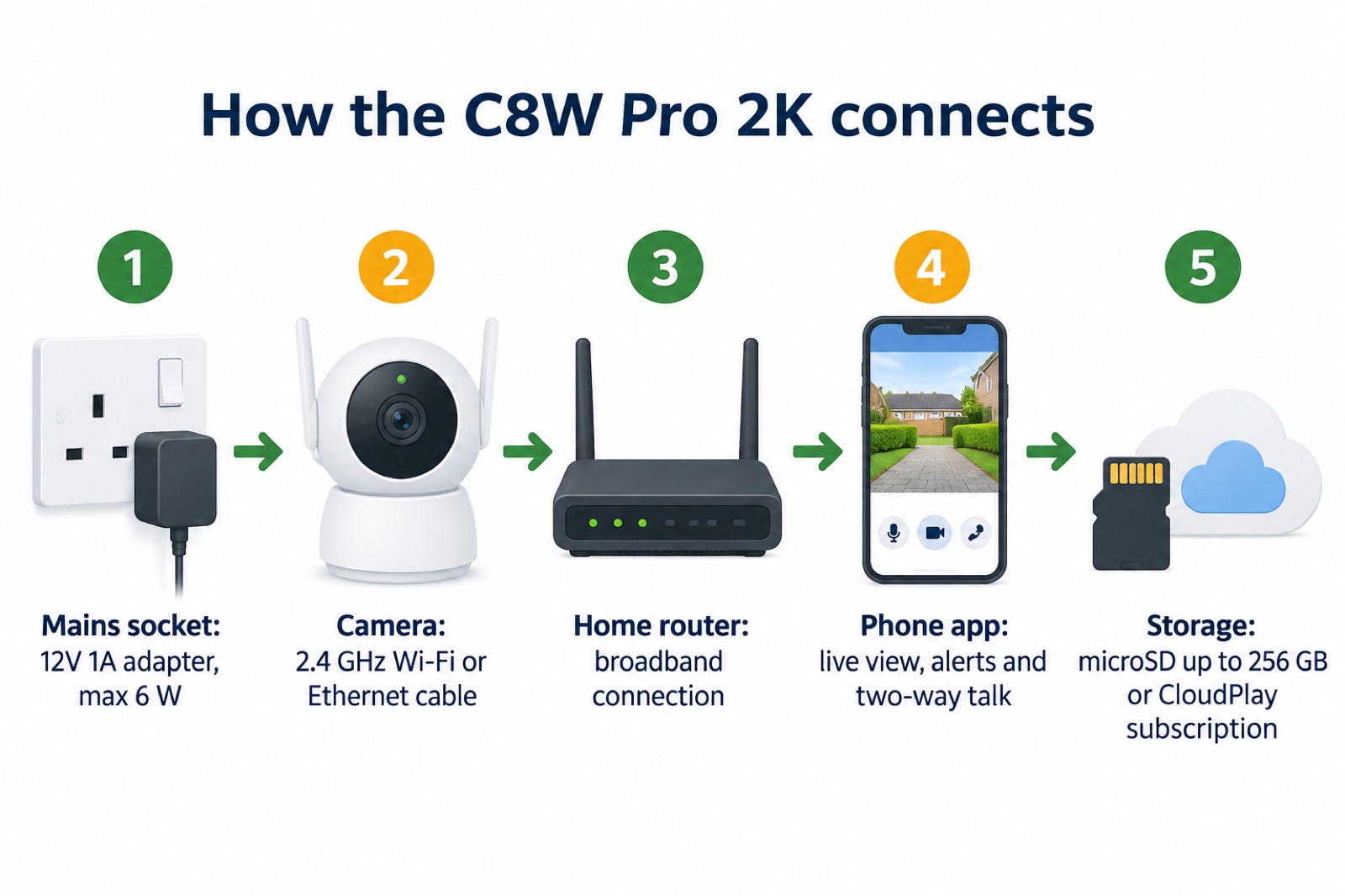
The camera takes its power from a DC 12V 1A adapter and draws a maximum of 6 W1. That is a low draw, roughly what a broadband router uses, but it is mains power all the same: there is no battery and no solar option listed for this model. The adapter is included in the box1.
For the network, the camera works on 2.4 GHz Wi-Fi only. The maker gives the frequency range as 2.4 GHz to 2.4835 GHz and the standards as 802.11b, 802.11g and 802.11n, with transmission rates of 11 Mbps, 54 Mbps and 72 Mbps respectively1. It does not list 5 GHz support. If your router presents one network name for both bands, the camera may struggle to join; separating the 2.4 GHz band or using the wired port avoids the problem. Pairing is by AP mode through the app1, and the maker lists WPA-PSK and WPA2-PSK as the Wi-Fi security it supports1.
There is also an RJ45 Ethernet port, a 10M/100M adaptive connection1. A cable is the more reliable option where the camera is close enough to the router or a network point, and it removes the Wi-Fi signal question entirely. The maker gives a maximum bitrate of 2 Mbps1, so the camera does not need a fast connection, but it does need a stable one. If your broadband or mobile signal is marginal, our guide to alarms and cameras on a weak signal covers what to expect.
Weatherproofing and the -30 °C to 60 °C range
The maker describes the camera as weatherproof, built to deliver long-standing performance even in tough weather conditions1. Its stated operating range is -30 °C to 60 °C, at humidity of 95% or less and non-condensing1. For a UK garden that range covers ordinary winter frost and summer sun with room to spare, and the upper figure is well above anything a British heatwave is likely to produce at the camera.
Weatherproof is not the same as waterproof. The maker describes the camera as weatherproof, to deliver long-standing performance even in tough weather conditions, and rates it for -30 °C to 60 °C at a humidity of 95% or less, non-condensing1. That rating is the limit to work within: an outdoor camera that fogs, restarts or stops altogether is usually one that has been asked to cope with more water than its housing was built for.
Mounting matters as much as the conditions it is rated for. The maker rates the camera for -30 °C to 60 °C at a humidity of 95% or less, non-condensing, and describes it as weatherproof for long-standing performance in tough weather1. Fit it under eaves or on a bracket where rain runs off rather than into the lens, and where the cable has a drip loop before it enters the wall.
Security, encryption and how long updates last
The maker states that data transmission between the camera and the EZVIZ Cloud is encrypted end to end, and that only you have the keys to decrypt your data1. It lists AES 128-bit encryption, the TLS encryption protocol and multi-step authentication among the camera's security features1. EZVIZ also states that it has been awarded certification by DNV for information security (ISO/IEC 27001:2013), personal data protection (ISO/IEC 27701:2019) and cloud security (CSA STAR)4.
On updates, the published positions differ. Which? reports that EZVIZ will support its products for at least four years from launch5. A later Which? article states that EZVIZ will support its products for two years from launch6. The two documents disagree, and the maker's own page for this camera does not give a support period. Treat the shorter figure as the one to plan around and the longer as the best case, and check the current position with EZVIZ before you rely on the camera for years.
Whatever the period, the practical steps are the same. The camera itself supports AES 128-bit encryption, the TLS encryption protocol and multi-step authentication1, so use them: keep the app and firmware up to date, set a strong and unique password for the EZVIZ account, and turn on multi-step authentication. Our guides to stopping strangers getting into your camera account and to how long cameras get software updates go further.
What comes in the box and what you need to add
The maker lists the contents as the C8W Pro 2K camera, a power adapter, a screw kit, a waterproof kit, a drilling template, regulatory information and a quick start guide1. The drilling template is a small but useful item: it marks the screw holes so the camera goes up level and in the right place first time.
What is not in the box is a microSD card. The camera supports one up to 256 GB for local recording1, and without a card or a CloudPlay subscription it has nowhere to keep footage beyond the live view. If you want recordings to hand to police or an insurer after an incident, a card is the simplest route. Our guide to recording without the internet explains how local storage behaves when the connection drops.
On cloud storage, the maker states that EZVIZ CloudPlay requires a subscription and offers fully encrypted, unlimited cloud storage1. It also states, on this page and on other product pages, that the cloud service is only available in certain markets and advises verifying availability before making a purchase1. A maker blog post describes CloudPlay as requiring an optional subscription9. Check that the service is offered where you live before you count on it.
Running during a power cut
The camera will not run during a power cut. When the supply fails the camera stops, the app loses the live view and any recording in progress ends. In most homes the broadband router loses power at the same moment, so even a camera on a backup supply may have nothing to send its pictures over. Network operators advise keeping one light switched on so you know when power is restored1, and the fire and rescue service asks people to take care during a power cut and use safe ways to heat and light their homes as well as cook2.
Power cuts are common during adverse weather events, and electrical items such as fridges, freezers and ovens may break down if they have come into contact with water1. Network operators advise keeping one light switched on so you know when power is restored2, and warn that during an outage your electricity may go off and come back on several times for short periods while engineers reroute supplies, a process called switching5. If your power is not restored within an hour, the network operator asks you to report it6.
If cover during an outage matters to you, plan it as a separate piece of kit rather than expecting it from the camera. Our guides to keeping your home protected in a power cut and to backup power at home set out the options. Whatever you use, the fire and rescue service asks people to take care during a power cut and to use safe ways to heat and light their homes as well as cook10.
Where to get help and support
Support for the camera itself comes from EZVIZ, through its app, its support pages and the documentation in the box1. Keep the model number, CS-C8W-A0-1H3WKFL, and your proof of purchase to hand when you contact them1. The maker's stated support period is the subject of conflicting reports, at least four years from launch in one Which? article and two years in another5, so ask EZVIZ directly what applies to your unit.
For the wider job of protecting a home, our section guide to home security covers doors, locks, windows, alarms and lighting, and our guide to how burglars choose a home explains what actually puts them off. If you are fitting the camera as part of a wider plan, outdoor lights that deter burglars and video doorbells are the natural companions.
If you are filming beyond your boundary, the rules on data protection apply to home cameras as they do to any other. Our guide to filming beyond your boundary explains what that means in practice. And if something does happen, our step-by-step guide to what to do after a break-in sets out the order to do things in.
Sources (10)
- EZVIZ C8W Pro 2K product page, EZVIZ, 2026
- Food safety in the kitchen: flooding, Food Standards Scotland, 2026
- Dehumidifiers safety advice, Electrical Safety First, 2026
- EZVIZ H8c 2K product page, EZVIZ, 2026
- Best indoor security cameras, Which?, 2026
- How to buy the best smart video doorbell, Which?, 2026
- EZVIZ DB2 Pro Kit product page, EZVIZ, 2026
- EZVIZ HP3 Pro product page, EZVIZ, 2026
- The most popular home security cameras, EZVIZ, 2026-09-28
- Storm Eowyn updates, Scottish Fire and Rescue Service, 2025-01-24

 Ajax BulletCam
 Ajax TurretCam
 Aqara Camera Hub G350
 Arlo Essential 3 2K
 Arlo Essential 3 Indoor
 Arlo Pro 6
 Arlo Ultra 2
 Arlo Ultra 3
 Blink Outdoor 4
 Eufy SoloCam S340
 Eufy eufyCam S3 Pro Kit
 Eufy eufyCam S4 Setup