If you own an Anker power bank, the first thing to do is turn it over and find the model number on the back or side. Anker has recalled several power bank models, including the A1257, because of a lithium-ion battery fire risk, and its notice is blunt about what that means for owners: a unit confirmed to be part of the recall should be stopped from use even if it appears to work normally1.
The full list in the current notice is A1647, A1652, A1257, A1681 and A1689. Check your model number against those five. If it matches, stop using the power bank, store it somewhere safe, verify the serial number through Anker's recall form and submit a claim. Anker says confirmed units can be dealt with by full refund or a gift card redeemable across its own shops1.
This page is for households who keep a power bank as part of their emergency kit, for charging a phone when the mains fails. It sets out how to check what you have, what to do if the label is missing or the unit came second-hand, why the list has grown over time, and where to get help. For the wider picture on keeping phones charged in an outage, see Power Banks: Keeping Phones Charged in an Emergency.
Anker A1257 recall: what owners should do now
The instruction from Anker is not conditional on the power bank misbehaving. Its safety notice says that even if the device appears to function normally, any unit confirmed to be part of the recall should be stopped from use1. A power bank that charges your phone perfectly well today can still be one of the affected units, so the check is about the label, not about how the device behaves.
The steps Anker sets out for its power bank recalls are short. Store the device in a safe location, verify the serial number through the submission form, and if it matches, continue to fill out the claim3. In practice that means taking the power bank out of your emergency kit and out of everyday use, putting it somewhere it cannot cause trouble while it waits, and starting the claim rather than leaving it for later.
- Stop using the power bank and unplug it from chargers and devices.
- Store it in a safe location while you complete the claim3.
- Find the model number on the back or side and compare it with the recall list1.
- Verify the serial number through the recall form3.
- Submit the Recall Claim form if the unit is confirmed as part of the recall1.
It is also worth building the habit of checking recalls into your household routine. The independent safety charity Electrical Safety First advises households to stay up to date with product recalls and safety notices4. A power bank sits in a drawer for months between uses, so a check once or twice a year, perhaps when you go through your Power Cut Backup Power Checklist, catches a notice you would otherwise miss.
Check the model number on the back or side of your power bank
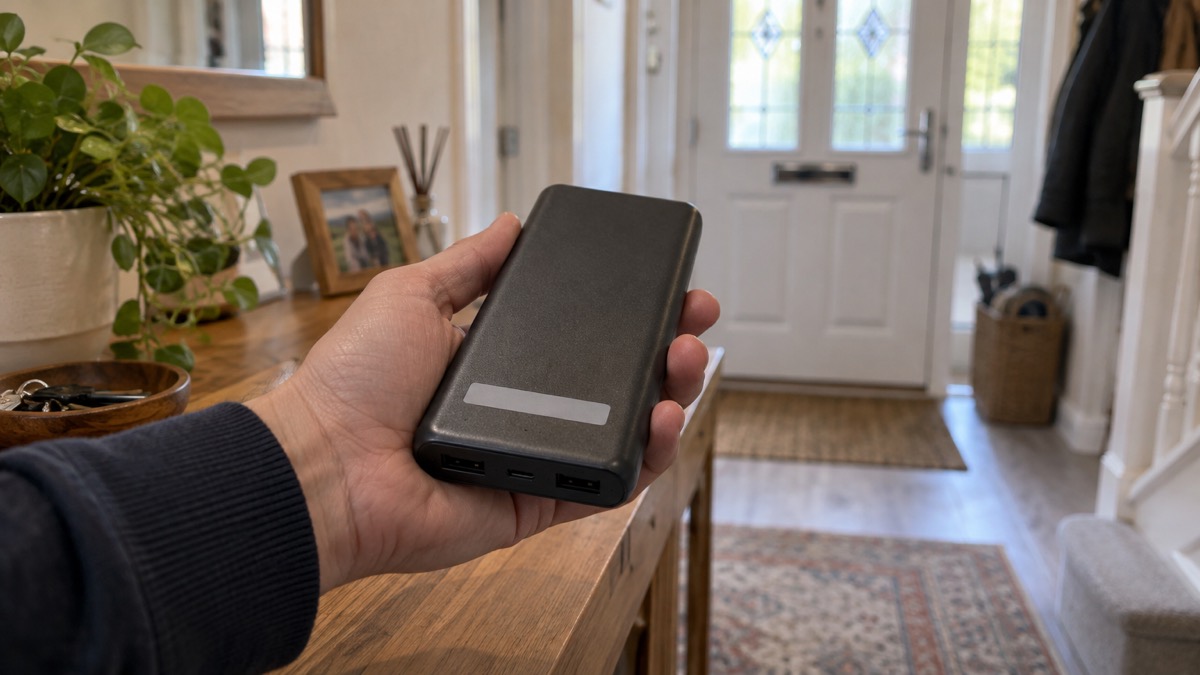
Anker's current notice is specific about where to look: the model number is located on the back or side of your power bank1. Its earlier notice for the A1642, A1647 and A1652 models describes checking the bottom of the unit for the model name and the model number, and finding the 16-digit serial number there too3. Between the two, the label can be on the back, the side or the bottom depending on the model, so turn the unit over and look at all three faces before concluding it has none.
The serial number matters as much as the model number. Anker's process is to verify the serial number through its form, and only then to continue with the claim3. One detail from the maker's own instructions saves a lot of frustration: serial numbers do not contain the letter "O" or the letter "I"3. If you are reading a code off a worn label and it seems to contain either, you are probably misreading a zero or a one.
Work through the household methodically:
- Gather every power bank in the house, including spares in bags, gloveboxes, desk drawers and the emergency kit.
- For each one, find the model number and write it down beside the unit.
- Compare each number with the five recalled models.
- For any match, find the 16-digit serial number and verify it through the recall form3.
- Keep a note of which units are cleared and which are waiting to go back.
If you are unsure whether a particular power bank is the right sort of kit for an emergency in the first place, Power Bank or Portable Power Station sets out what each is for.
Models in the recall: A1647, A1652, A1257, A1681 and A1689
The current notice lists five models: A1647, A1652, A1257, A1681 and A16891. The A1257 is the model this page is named for, but a household check should cover all five, because the same drawer often holds more than one power bank and the older notices cover overlapping ground.
| Model | Status in the current notice | Where to check | What to do if it matches |
|---|---|---|---|
| A1647 | Recalled1 | Back or side1; bottom on the earlier notice3 | Stop use, verify serial number, claim1 |
| A1652 | Recalled1 | Back or side1; bottom on the earlier notice3 | Stop use, verify serial number, claim1 |
| A1257 | Recalled1 | Back or side1 | Stop use, verify serial number, claim1 |
| A1681 | Recalled1 | Back or side1 | Stop use, verify serial number, claim1 |
| A1689 | Recalled1 | Back or side1 | Stop use, verify serial number, claim1 |
The A1647 and A1652 have their own product pages on this site, at Anker A1647 Power Bank and Anker A1652 Power Bank, and the A1681 and A1689 are covered at Anker A1681 Power Bank (recalled) and Anker A1689 Power Bank (recalled). If you are checking a household's worth of kit, those pages save you working out which notice applies to which unit.
If your model number matches
A match is not a reason to panic, but it is a reason to act in a set order. Anker's notice gives the sequence: stop using the unit, store it in a safe location, verify the serial number through the form, and if it matches, submit the Recall Claim form1. The claim form is at anker.com/rc2506-form1. Anker's separate notice for its power bank recalls also points owners to an online recall form at www.anker.com/mmrc2506-form for verifying a serial number or submitting proof of purchase5.
What Anker offers for a confirmed unit is a full refund, or a gift card redeemable on anker.com, eufy.com, soundcore.com, ankersolix.com, seenebula.com or eufymake.com1. The choice is yours; the notice sets out both routes without ranking them.
For the replacement process, Anker asks for three things: proof of purchase such as an order confirmation, a photo of the model number on the back or side, and the serial number of the device3. Having those ready before you start the form makes the claim quicker.
While the claim is in progress, your emergency kit is short of a power bank. A phone that stays charged is one of the things that matters most in a power cut, for news, for family and for calling for help, so replace the gap in your plan rather than leaving it until the new unit arrives. Power Banks: Keeping Phones Charged in an Emergency explains what to look for, and Safe Battery Charging at Home Checklist covers charging the replacement safely.
If the label is missing or hard to read
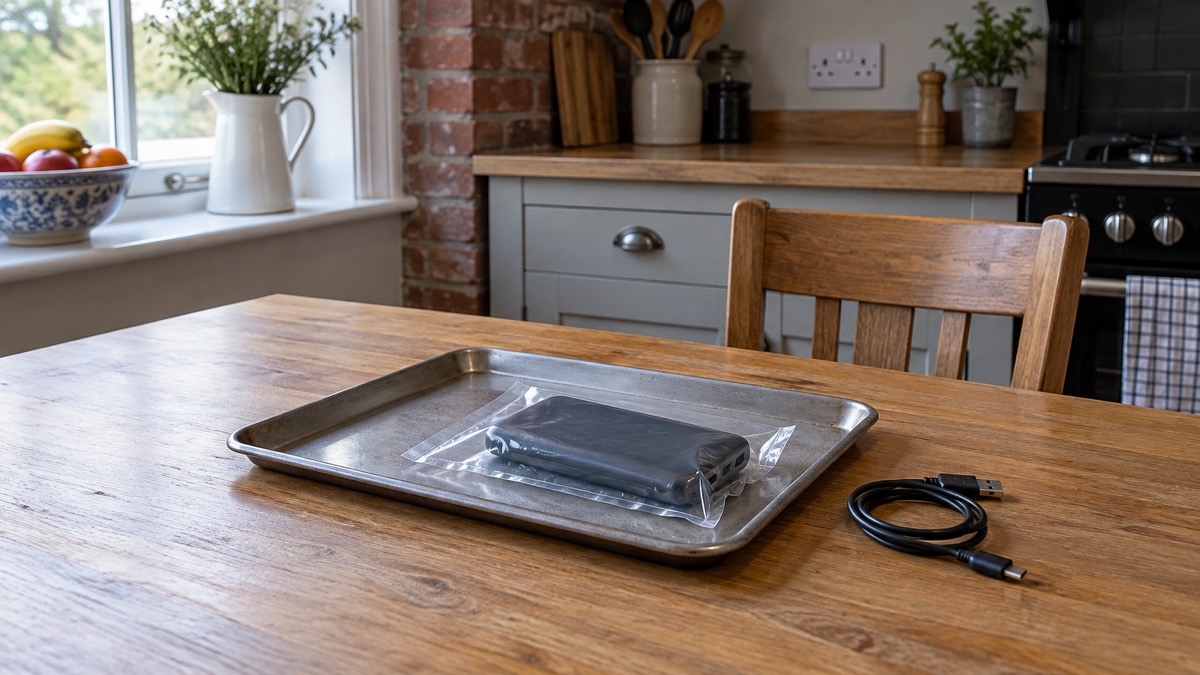
A worn label is common on a power bank that has lived in a bag for a few years, and it does not mean the unit is safe to keep using on trust. Anker's notices give three places to look: the back or side on the current notice1, and the bottom on the earlier one3. Clean the case gently and look under a good light before deciding the label has gone.
If nothing is readable, contact Anker directly rather than guessing. The maker's customer service address is support@anker.com, and its notice asks owners to include "Anker Power Bank Recall" in the subject line3. A separate Anker notice gives the same address with "535 Power Bank Recall" in the subject line2. Either wording names the recall clearly; the important thing is that the subject line tells the support team what the email is about.
Without a readable label you cannot complete the serial number check yourself, so the email should explain what you can see: where you bought it, roughly when, and any numbers still legible. Anker's replacement requirements include proof of purchase, a photo of the model number and the serial number3, so gather whatever you have of those before you write.
Why the recall list has grown
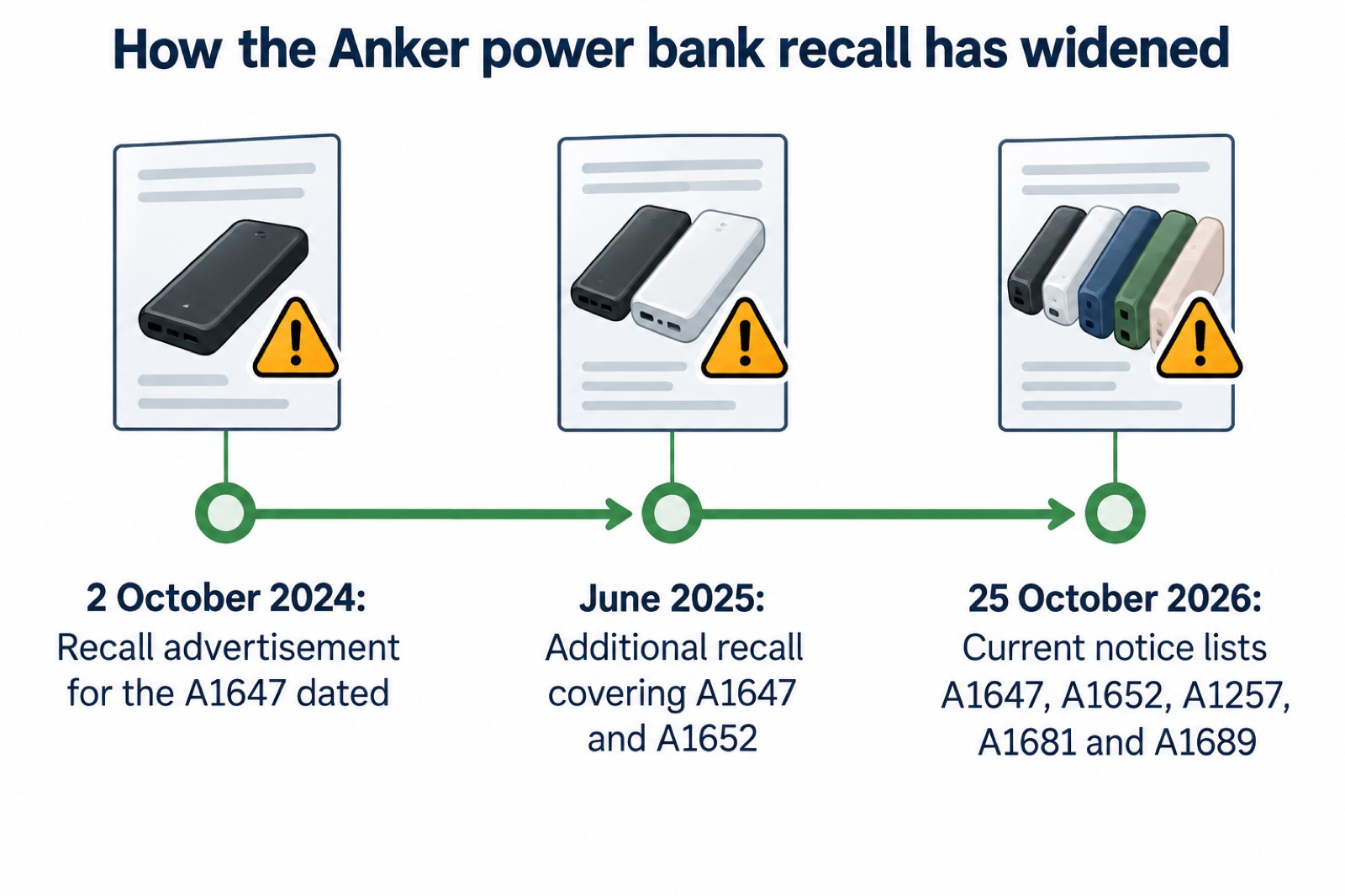
The list has grown because Anker has widened its recall more than once. The recall advertisement for the A1647 is dated 2 October 20245. In June 2025 Anker issued an additional recall covering models A1647 and A16523.
That pattern is the reason a household should not assume an old check still stands. If you looked at your power bank in 2024 and concluded it was not affected, the June 2025 expansion means the answer may have changed, so check every unit you own against the current notice rather than the one you bought the notice about3. The current notice, dated 25 October 2026, lists five models1.
The practical lesson for an emergency kit is to date your checks. Write the date beside your note of each power bank's model and serial number, so that next time a notice appears you know whether your last check came before or after it. Electrical Safety First's advice to stay up to date with recalls and safety notices4 is easier to follow when you have a record to compare against.
Where to get help with a recalled power bank
Anker runs the claim process itself, and there are two ways in. The first is the Recall Claim form at anker.com/rc2506-form, which the current notice directs owners of confirmed units to submit1. The second is email. Anker's customer service address is support@anker.com, with "535 Power Bank Recall" in the subject line on one notice2 and "Anker Power Bank Recall" on another3. Either gets the message to the right team.
| Route | Address | When to use it |
|---|---|---|
| Recall Claim form | anker.com/rc2506-form1 | You have confirmed your unit is part of the recall |
| Recall form | www.anker.com/mmrc2506-form5 | You need to verify a serial number or submit proof of purchase |
| support@anker.com3 | The label is missing, the unit was a gift or bought second-hand, or you are unsure |
Have your evidence ready before you make contact: proof of purchase, a photo of the model number and the serial number are what Anker asks for3. If you bought the unit second-hand or were given it, say so in the email and send what you have; the claim route is the same, and the support team can tell you what will work in your case.
For the wider subject of lithium-ion safety at home, from warning signs to storage temperatures, see Lithium-Ion Battery Safety at Home. If a battery in your kit ever starts to swell, What to Do If a Battery Starts Swelling sets out what to do, and What to Do If a Lithium Battery Catches Fire covers the fire itself. And when you are ready to rebuild the gap in your emergency kit, Backup Power at Home: A Household Guide is the place to start.
Sources (5)
- Anker power bank recall notice (rc2506), Anker, 2026-10-25
- Anker 535 Power Bank recall notice, Anker
- Anker A1642, A1647 and A1652 power bank recall, Anker, 2025
- Is your power bank a flight risk?, Electrical Safety First, 2026-10-25
- Anker power bank recall form and notice (mmrc2506), Anker, 2025

 BLUETTI Apex 300 Power Station
 BLUETTI Elite 100 V2
 Anker SOLIX C2000 Gen 2
 Anker SOLIX C1000 Power Station
 EcoFlow DELTA Pro
 BLUETTI Elite 400
 Anker SOLIX C300 Power Station
 EcoFlow DELTA 3
 EcoFlow DELTA 2 and DELTA 2 Max
 EcoFlow DELTA and DELTA Max
 EcoFlow RIVER 3 and RIVER 3 Plus
 EcoFlow RIVER 2 and RIVER 2 Max