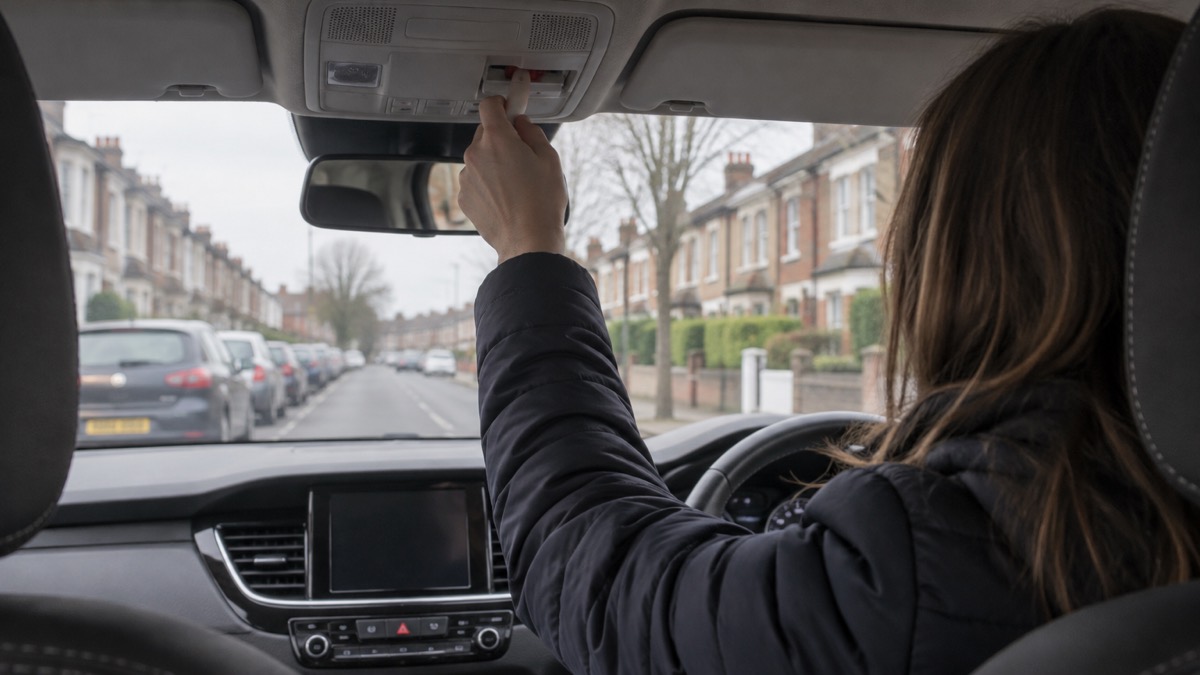
If your car has a small button marked SOS near the rear-view mirror or on the centre console, it is there for one purpose: to put you through to the emergency services when something has gone badly wrong. Press it and, in a car with the standard eCall system, the call goes to a 999 operator and passes on your vehicle's exact location1. In many cars the same call happens without you touching anything, because the system activates automatically when the airbags are deployed in a crash1.
That automatic call is the part most drivers do not know about. It means a serious collision can summon help even if the driver is unconscious and nobody else has seen the crash. It also means the button is not a general assistance line: National Highways is explicit that you should not use it if you only need breakdown recovery or roadside assistance2.
This page explains what the button does, what the call sends, when to press it and when to dial 999 yourself, and what to do if you press it by mistake. It covers UK arrangements; if you drive abroad, check your handbook before you rely on it.
What happens when you press the SOS button
The button is deliberately placed where a driver or passenger can reach it without looking far: in the ceiling console by the internal rear-view mirror, behind a pop-out hatch, or on the centre console2. The exact position varies by car, so find yours while you are parked and calm rather than after a collision.
Pressing it manually triggers the emergency call system, which is what you do if the vehicle sensors fail to activate the feature automatically1. When the call connects, eCall contacts a 999 operator and provides your vehicle's exact location directly to the emergency services1. You are then in a voice call, able to speak to the operator about what has happened and who is hurt.
There is a second layer in many vehicles. Automatic and manual activation of the private eCall connects you to your vehicle manufacturer's call centre, whose operators work with 999 operators and communicate your exact location to the emergency services1. In practice this means you may speak to the manufacturer's centre first, which then passes the details on. Either way, the outcome is the same: the emergency services get your position without you having to describe it.
Automatic calls after a serious crash
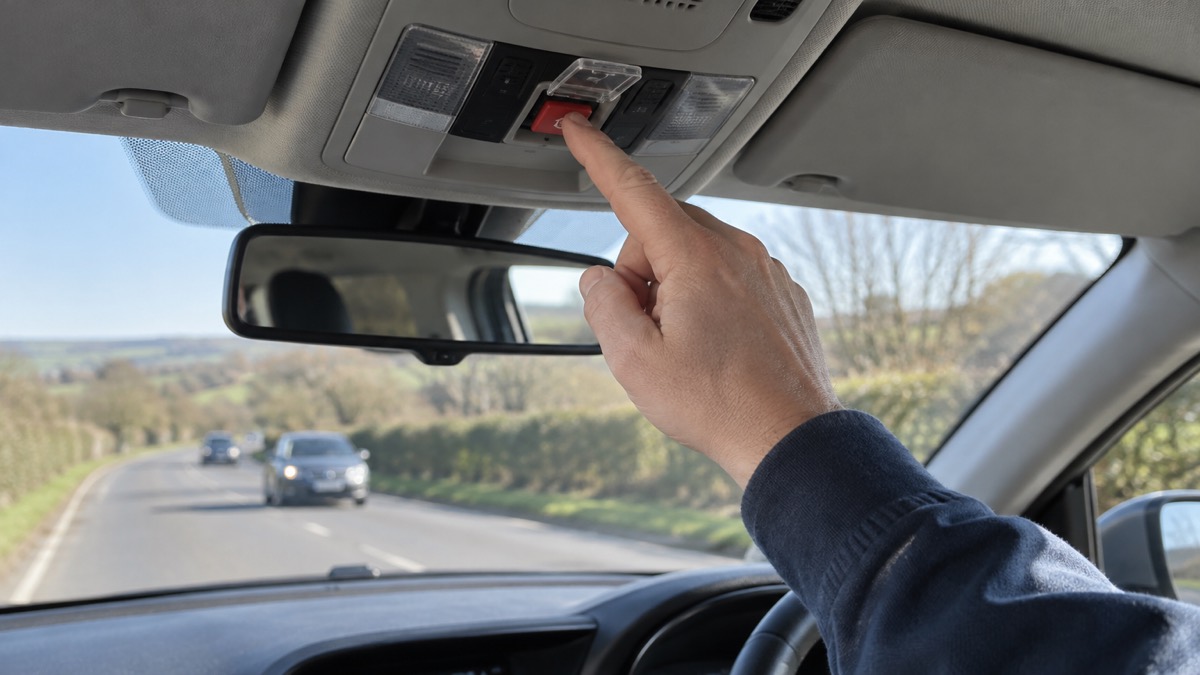
The system is automatically activated in the event of an incident when the airbags are deployed1. That is the whole point of it: a crash severe enough to fire the airbags may leave the occupants unable to pick up a phone, and the car makes the call for them.
This does not replace the judgement of bystanders or other drivers. If you come across a serious collision, or you are in one and can act, call 999. NHS guidance is clear that you should call 999 if you think someone has had a major trauma, such as after a serious road traffic accident, a stabbing, a shooting, a fall from height, or a serious head injury4. The Scottish Ambulance Service gives the same advice for major trauma such as a road traffic accident or a fall from height5, and the South Western Ambulance Service lists major trauma such as a road traffic accident among the situations where you must dial 999 for an ambulance6.
So the automatic call and your own call are not alternatives. The car may already have raised the alarm; a person on the scene can confirm what is needed, describe injuries and give the operator information the sensors cannot. If you are the driver and you are able, press the button or call 999 yourself.
What the call sends to the emergency services
The core of what eCall sends is your location. National Highways states that when activated, eCall contacts a 999 operator and provides your vehicle's exact location directly to emergency services1. That is the fact that matters most on a motorway, where a few hundred metres of carriageway can be the difference between help arriving quickly and a long search.
Location is also the thing you can supply yourself if the system is not fitted or has failed. National Highways advises drivers to press the eCall SOS button if the vehicle has one, or use a mobile telephone mapping application, to communicate your location to the emergency services7. It also advises quoting the numbers and letters on marker posts or driver location signs, which are located along the edge of the road3. Those posts exist precisely so that a stranded driver can say where they are.
The emergency services can then alert National Highways, so that motorway lanes can be closed and other help sent as required, such as a traffic officer1. That is the practical value of an accurate location: it sets in motion the road management that protects you and the people coming to help.
| What you can use | What it gives the operator | When it suits |
|---|---|---|
| eCall SOS button | Your vehicle's exact location, passed directly to the emergency services1 | Your car has the system and you can reach the button |
| Mobile mapping app | Your position on a map you can read out7 | No eCall, or the system has failed |
| Marker posts and driver location signs | The numbers and letters on the post at the roadside3 | You are on a motorway and can see a post |
| A paper map | Enough to explain where you are when calling for assistance8 | Remote places with poor signal |
When to press SOS and when to dial 999 instead
Press the SOS button when you have an emergency and the car has the system: a collision, a medical emergency at the wheel, or a breakdown in a live lane where you cannot get out safely. National Highways advises that if you break down in a live lane and it is not safe to exit the vehicle, you should stay in your vehicle, keep your seatbelts and hazard warning lights on, call 999 immediately and ask for the police, or press your SOS button if your vehicle has one and ask for the police3. The same advice appears in its motorway guidance7.
Dial 999 on your phone when you need the emergency services and the button is not the right tool: you are not in the car, the system is not fitted, or you need to speak to a specific service. The emergency number is 9999. For a car fire, dial 999 and ask for fire10. If you see someone else broken down, it is safer to call National Highways on 0300 123 5000, or if there is an immediate risk to life call 9993.
Do not press the button for a breakdown. National Highways states plainly that you should not use the emergency call system or press the eCall SOS button if you only require breakdown recovery or vehicle roadside assistance2. If you have broken down and can leave your vehicle safely, press your bCall button or use your phone to call for breakdown recovery or roadside assistance1. The bCall button, where fitted, is the breakdown button, not the emergency one.
"Do not use the emergency call system or press the eCall SOS button if you only require breakdown recovery or vehicle roadside assistance"
If you press the button by mistake
It happens: a hand brushes the console, a child reaches up, a passenger mistakes it for something else. The important thing is to stay calm and not to drive away from a call you have started.
Stay on the line and tell the operator it was a mistake. The call has connected you to a 999 operator or a manufacturer's call centre, and the operator needs to know that no help is required so that resources are not sent to a location where nothing is wrong. If your vehicle's sensors fail to activate the system automatically, you can press the eCall SOS button yourself to trigger the emergency call1.
If you are in a hire car or an unfamiliar vehicle, take a moment before you drive to see where the button is and what it looks like, so you do not press it by accident. The same applies to children in the car: teach them that the button is for emergencies only, in the same way that fire services advise teaching children how and when to call 99911.
If you have pressed it and cannot speak, for example because you are deaf or have a speech difficulty, do not hang up in the hope that it will sort itself out. Register for the emergencySMS service before you need it, and read our guide to what to do if you dial 999 but cannot speak.
If the call cannot get through
eCall depends on a mobile connection, so a dead spot can stop the call reaching anyone. That is not the end of your options, and the right next step depends on where you are.
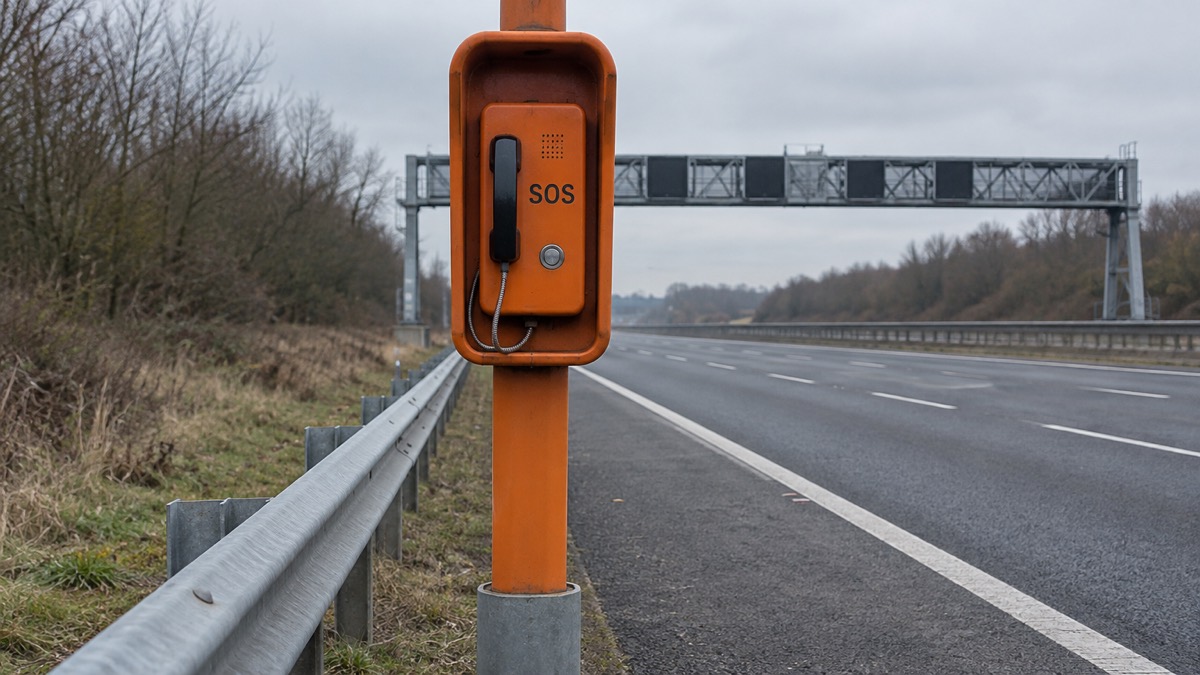
On a motorway, get to an emergency phone if you can do so safely. National Highways advises that if you are on the motorway you will need to locate the nearest emergency phone8. Milton Keynes Council explains why the orange boxes are worth the walk: it is generally best to use one of the roadside SOS telephones in orange boxes because they are connected to a motorway police call centre where they can pinpoint your exact location and, if you want, they will contact your motoring organisation12.
On quieter roads, assess the situation: it may be a case of walking to the nearest house or sitting tight and waiting for a passing motorist to stop and help8. Brake, the road safety charity, advises carrying a map so you can easily explain where you are when calling for assistance, as you may not have signal in remote places8.
A 999 call from your mobile is more resilient than you might think. Ofcom states that even if you have no signal on your usual mobile network, calling 999 will automatically connect through another mobile network if one is available13. If your own provider is having an outage, you will be able to automatically use another provider's network to call 999 or 112 free of charge, displayed as "emergency calls only" on Android or "SOS only" on iOS14. Some mobile devices can also use Emergency SOS (iOS) and Satellite SOS (Android) to contact the emergency services by satellite when no mobile networks are available14. Our guide to calling 999 when your mobile network is down covers this in more detail.
Privacy: what the system does and does not track
A common worry is that the button is a listening device or a tracker. National Highways addresses this directly: eCall is not a "black box" and does not monitor your vehicle's movements1. It will only locate your vehicle's position when the safety feature is activated automatically by the vehicle sensors, or manually when you press the eCall SOS button1.
That is a narrow scope, and it is worth understanding it plainly. The system is dormant until a crash fires the airbags or a person presses the button. It is not logging your journeys, and it is not sending your location anywhere in between.
This is different from the Emergency Alerts system on your phone, which is a separate thing entirely. Emergency Alerts are sent to compatible 4G and 5G mobile phones within an area of risk, and they do not need your location or phone number15. Denbighshire Council states that they do not track your location, need your phone number, or collect personal data16. If you want to understand that system, see our guide to Emergency Alerts.
If you want to know what your own manufacturer records through its private eCall service, check the privacy information supplied with the car. This page can tell you what National Highways says about the standard system; it cannot speak for every maker's data practices.
Where to get help and what to keep in the car
The button is one tool among several, and the others are cheap and worth having. A charged mobile phone lets you call for assistance, and a paper map lets you explain where you are when signal is poor8. On the motorway, a roadside phone is often the better choice if you can reach one safely12.
Teach everyone in the household how and when to call 99911. The emergency number is 9999, and in an emergency you should always dial 999 if you need urgent police assistance17. Police Scotland gives the same advice: in an emergency always phone 999, for example when an immediate response is needed because a crime is happening, someone suspected of a crime is nearby, or someone is injured, being threatened or in danger18. Northern Ireland's guidance is that you should only use 999 in a real emergency: when there is a danger to life, someone is using or there is an immediate threat of serious violence, serious injury has been caused to someone or their property, or in cases like road traffic collisions where life is at risk, the road is blocked, or a crime is being committed9.
For non-emergencies, keep the numbers to hand: National Highways on 0300 123 5000 for broken-down vehicles where there is no immediate risk to life3. Our list of emergency and non-emergency numbers to keep on paper is a sensible thing to print and leave in the glovebox.
If you use a satellite communicator as a backup for remote journeys, makers give their own instructions for their SOS buttons. ZOLEO, for example, states that on the ZOLEO 1000 you press and hold the covered SOS button for 3 seconds and the alert is sent after the hold is complete19, while on the ZOLEO 1500 you press the covered SOS button once and an alert is sent immediately19. Those are the maker's instructions for its own devices, not a substitute for eCall. Our guide to the ZOLEO satellite communicator explains how it fits into a household plan.
Sources (19)
- eCall, National Highways, 2026-10-29
- eCall, Traffic England, 2026-10-29
- Driving on motorways, National Highways, 2026-10-29
- Emergency care and 999, NHS Surrey and Sussex ICB, 2026-10-29
- When should you call 999?, Scottish Ambulance Service, 2026-10-29
- When to call 999 this summer, South Western Ambulance Service NHS Foundation Trust, 2026-10-29
- Driving on our roads: motorways, Traffic England, 2026-10-29
- Know what to do if you breakdown or crash, Brake, 2026-10-29
- Emergency situations and keeping safe, nidirect, 2025-01-08
- Car and vehicle fires, Devon and Somerset Fire and Rescue Service, 2026
- Be ready for emergencies, Cheshire Fire and Rescue Service, 2026-10-29
- Vehicle breakdown advice, Milton Keynes Council, 2026
- Future of landline calls, Ofcom, 2026-08-26
- Stay connected in severe weather, Ofcom, 2026-10-13
- Emergency alerts, Denbighshire County Council, 2026-10-29
- Emergency alerts service, Croydon Council, 2026
- ACT: Report suspicious activity, ProtectUK, 2026-06-01
- Emergency contact numbers, Argyll and Bute Council, 2026
- How ZOLEO SOS works, ZOLEO, 2026-10-29
 Free Alert Services
 Emergency Apps
 Digital Switchover Checklist
 Silent 999 Calls
 Giving Your Exact Location
 When to Call 999
 Calling 999 With No Signal
 999 by Wi-Fi Calling
 When You Get an Alert
 Alerts While Driving
 Spotting a Genuine Alert
 Phones That Get Alerts
 Emergency Alerts On or Off
 Emergency Alert Privacy
 Emergency Alert Tests