
ZOLEO is a satellite communicator: a small rugged device that pairs with a free app on your smartphone or tablet to keep two-way text messages moving when ordinary mobile networks are not available. The device itself transmits over the Iridium satellite network, while the app handles messaging over cellular and Wi-Fi, and the two hand messages between each other so the connection follows you as you move1. For a UK household, that means a way to stay in touch, share your location and call for help when you are somewhere a phone cannot reach a mast, whether that is a hillside, a coastal path or a rural road during a storm.
The device is built for rough treatment and long trips. The maker rates it IP68 for water and dust resistance and MIL-STD 810G for durability, with 200+ hours of battery life and global coverage on the Iridium network2. It carries a dedicated SOS button connected to 24/7/365 monitored emergency response coordination, a check-in button to tell people you are safe, and full two-way satellite texting rather than emergency alerts alone3. It does not support voice calling: the maker is clear that it is a two-way satellite messaging device, not a phone4.
What ZOLEO is: a satellite communicator
The ZOLEO Satellite Communicator is a safety and SOS satellite communicator that works alongside a free mobile app for smartphones and tablets1. The two parts do different jobs. The device is the satellite link: it is designed to be used outside, where it has a clear line of sight to the satellites, or in the windshield of a vehicle, vessel or aircraft8. The app is the interface: it runs on your phone or tablet, can be used indoors or outdoors, and handles messaging over cellular or Wi-Fi whenever those are available9.
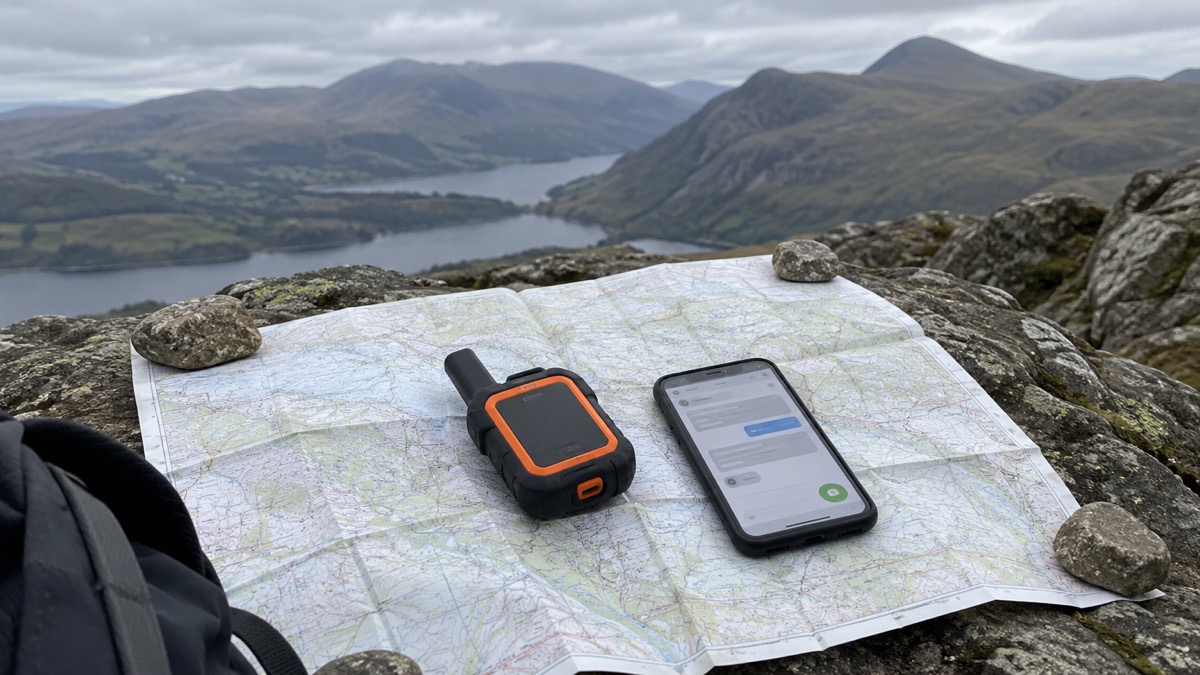
The maker states plainly that the device is not intended for use indoors, because as an Iridium-based satellite communicator it needs a clear line of sight with the satellites10. That single point shapes how a household uses it: the app lives in your pocket like any messaging app, but the device needs to be somewhere with a view of the sky when the satellite link is needed.
Beyond messaging, the communicator offers location sharing and Xweather forecasts, and it uses both GPS and GLONASS satellite systems for positioning1. The maker lists its uses as camping, hiking, biking, climbing, kayaking, canoeing, boating, overlanding and road trips, and notes it is also used by lone and remote workers, fleet managers, safety officers and expedition leaders11. ZOLEO was the first satellite communicator to offer truly seamless global messaging coverage across satellite, cellular and Wi-Fi, according to the maker5.
The device can be used on its own or paired with a smartphone or tablet for more advanced features12. Even when you are using ZOLEO without the app, the device's LEDs confirm that your SOS message was received13. Your contacts do not need to own a ZOLEO device to message you: they can use the dedicated SMS number or email address, and you will receive their messages even when you are travelling beyond mobile coverage9.
Three networks: satellite, cellular and Wi-Fi
ZOLEO transmits over three networks: satellite, cellular and Wi-Fi14. The device handles the satellite side over Iridium; the app handles cellular and Wi-Fi. When you pair ZOLEO with your smartphone or tablet, messages keep moving across cellular, Wi-Fi and satellite coverage areas15.
| Network | Used by | When it is used |
|---|---|---|
| Cellular | ZOLEO app | Whenever mobile signal is available |
| Wi-Fi | ZOLEO app | Whenever Wi-Fi is available |
| Iridium satellite | ZOLEO device | When cellular and Wi-Fi are unavailable |
The app transmits messages via the mobile network and Wi-Fi when available, which the maker describes as ensuring least cost routing for your messages9. A practical consequence is that the app can deliver messages over cellular or Wi-Fi even when the ZOLEO device is off, so you never miss a message simply because the communicator is switched off or out of battery16. The app can also be used on its own, without carrying the ZOLEO device, whenever you are within ordinary coverage17.
Pairing is done over Bluetooth: you connect your smartphone or tablet to the device using the ZOLEO app18. The app switches automatically between networks as you travel, and supports multiple languages19. Within the app, you can tap to send a check-in message and optionally add your GPS coordinates to share your location, and with the Location Share+ feature you can start and stop location sharing at any time and download maps for use offline19.
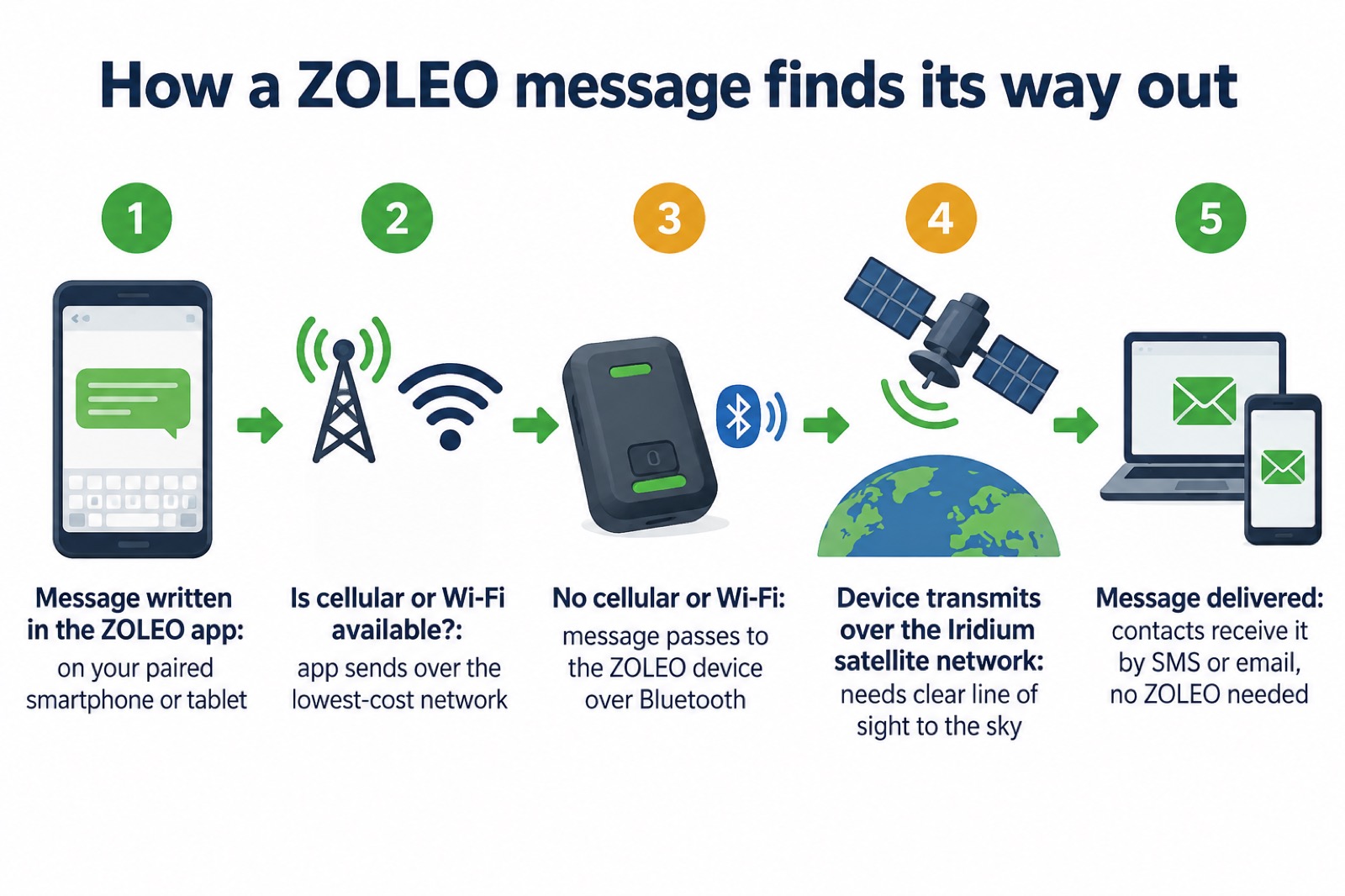
ZOLEO switches to Iridium satellite when cellular and Wi-Fi are unavailable
The heart of the system is the handover. Outside of cellular or Wi-Fi coverage, ZOLEO connects through the Iridium satellite network19. The device defaults to cellular or Wi-Fi whenever either is available, so you only use satellite when you need to12. The maker describes this as taking advantage of the lowest-cost network, transmitting via cellular and Wi-Fi when they are available and over the Iridium satellite network when they are not14.
ZOLEO runs on Iridium, which the maker describes as the only commercial satellite network with truly global coverage, across land, oceans, skies and even the Polar Regions3. ZOLEO devices operate on what the maker calls the world's largest and most advanced commercial satellite constellation14. For a household, the practical meaning is that the satellite fallback works wherever you are, not only in the UK.
Two things affect how well the satellite link works. First, the device needs an unobstructed line of sight to the sky: the maker's instruction is that if you do not have Wi-Fi or mobile network access, you should ensure the device has an unobstructed line of sight to the sky to connect via satellite18. Second, timing: it can take between a few seconds to a couple of minutes to transmit messages over the Iridium satellite network7. Neither is a fault in the device; both are properties of satellite messaging, and knowing them in advance stops a household mistaking a short delay for a failure.
When you activate a ZOLEO, the device is activated on the Iridium satellite network, and the maker sends you an email to confirm; the device is then ready to use in just minutes20.
When a household might use ZOLEO in an emergency
For most UK households, most emergencies happen at home, where ordinary phones and staying informed through radio and official alerts do the work. A satellite communicator earns its place when the emergency, or the journey that runs into one, takes you beyond mobile coverage: a winter drive across remote moorland, a walking holiday, a boat trip, or work in a place with no signal.
The core safety feature is SOS. ZOLEO has a dedicated SOS button with 24/7 two-way emergency coordination, and you can send an SOS from the device or from the ZOLEO app, even if your smartphone is damaged or out of battery21. The SOS service is 24/7/365 monitored emergency response coordination6. When you set the device up you must provide two emergency (SOS) contacts, who are notified as part of the arrangement20.
Alongside SOS, the ZOLEO app includes Medical Assist: 24/7 non-emergency support for medical questions and minor incidents. The maker is clear that it is a separate service from SOS13. Medical Assist covers non-emergency medical advice, help locating a clinic, hospital, pharmacy or dentist, and assistance replacing prescriptions or medical supplies21. For a household, that is the difference between the two buttons: SOS is for emergencies, Medical Assist is for the awkward middle ground, such as a minor injury on a remote trip or a lost prescription.
The check-in button is the everyday feature. Tap it to send a check-in message, optionally with your GPS coordinates automatically included, to let the people who care know you are safe17. During a storm or a disrupted journey, a scheduled check-in removes the need for family to guess whether you have arrived.
The maker also notes that service plans can be suspended when not in use9, which matters to a household that needs the device for a few trips a year rather than every month. For the wider household picture of staying in touch when networks fail, see our guide to staying informed and in touch in an emergency, and for what to keep ready at home, the emergency kit guide.
Before you travel: check local restrictions
The device has global coverage, but that does not mean every country allows you to use it. Some jurisdictions restrict or prohibit satellite communicators, and the maker's advice to international travellers is to contact the local consulate or customs office for information on any restrictions which may prohibit use14. Do this before you travel, not at the border.
If you are already abroad and messages are not getting through, contact ZOLEO support if you suspect your messages are being blocked9.
Closer to home, the same principle of checking before you set out applies to the journey itself. Official UK guidance is consistent on this point across conditions:
- In snow and ice in Wales, check traffic alerts for road restrictions or closures before travelling, and check with your local authority if there are closures on non-trunk roads23.
- In heavy rain or floods, the same applies: check traffic alerts before travelling, and your local authority for non-trunk road closures24.
- In high winds in Scotland, if your journey includes crossing any bridges, check the Traffic Scotland traffic info map and use its bridge restrictions filter before crossing25.
- South Wales Fire and Rescue Service advises checking the forecast and road conditions before setting out in adverse conditions26.
- When a storm is forecast, the UK government's advice is to limit travel as much as you can, and if you must make a journey, allow extra time, check the latest advice from your travel operator ahead of time, and adhere to Do Not Travel notices27.
A satellite communicator is a backstop for when a journey goes wrong despite this preparation, not a reason to make a journey official advice warns against. For storm preparation at home, see our guide to storms, snow and ice.
Where to get ZOLEO support
Activation is done online. The maker's instruction is to visit www.myzoleo.com/activate/ and follow the online activation steps28. Before you start, you need your ZOLEO device, a credit card, two emergency (SOS) contacts, and one check-in contact with a name, phone number and email29. The device is ready to use in just minutes, and the maker sends an email when it is activated on the Iridium satellite network20.
The steps in order:
- Download and install the ZOLEO app from Google Play or the Apple store28.
- Gather your device, a credit card, two emergency (SOS) contacts and one check-in contact29.
- Visit www.myzoleo.com/activate/ and follow the online steps28.
- Wait for the email confirming activation on the Iridium network; the maker states the device is then ready to use in just minutes20.
- Connect the app to the device over Bluetooth, and when you have no Wi-Fi or mobile network access, give the device an unobstructed line of sight to the sky18.
The app itself is available for iPhone, iPad and Android in multiple languages3. For ongoing help, contact ZOLEO support, including if you suspect your messages are being blocked9. The maker's support pages cover the device, the app and activation, and the app includes 24/7 Medical Assist for non-emergencies12.
For the full detail on what the device can do for a UK household, see our ZOLEO Satellite Communicator product page, and for how it fits into a household's wider communications plan, the staying informed guide.
Sources (29)
- ZOLEO Satellite Communicator, ZOLEO, 2026
- ZOLEO Global Messaging Overview, ZOLEO, 2026
- ZOLEO Global Satellite Communicator, ZOLEO, 2026
- ZOLEO Support FAQs, ZOLEO, 2026
- ZOLEO Global Coverage, ZOLEO, 2026
- How ZOLEO SOS Works, ZOLEO, 2026
- Getting Started with Satellite Messaging, ZOLEO, 2026
- ZOLEO Support FAQs, ZOLEO, 2026
- ZOLEO Support FAQs, ZOLEO, 2026
- ZOLEO Support FAQs, ZOLEO, 2026
- ZOLEO Global Messaging Overview, ZOLEO, 2026
- ZOLEO Global Messaging Overview, ZOLEO, 2026
- How ZOLEO SOS Works, ZOLEO, 2026
- ZOLEO Global Coverage, ZOLEO, 2026
- ZOLEO Satellite Communicator, ZOLEO, 2026
- ZOLEO Global Messaging Overview, ZOLEO, 2026
- ZOLEO Mobile Messaging App, ZOLEO, 2026
- How to Activate, ZOLEO, 2026
- ZOLEO Mobile Messaging App, ZOLEO, 2026
- How to Activate, ZOLEO, 2026
- ZOLEO vs iPhone Satellite Messaging, ZOLEO, 2026
- How ZOLEO SOS Works, ZOLEO, 2026
- Driving in Snow and Ice, Traffic Wales, 2026
- Driving in Heavy Rain or Floods, Traffic Wales, 2026
- Driving in High Winds, Traffic Scotland, 2026
- Adverse Driving Conditions, South Wales Fire and Rescue Service, 2026
- Storms, Prepare Campaign, 2026
- How to Activate, ZOLEO, 2026
- How to Activate, ZOLEO, 2026
 ZOLEO Satellite Communicator: Messaging, SOS and Check-Ins Without Mobile Signal