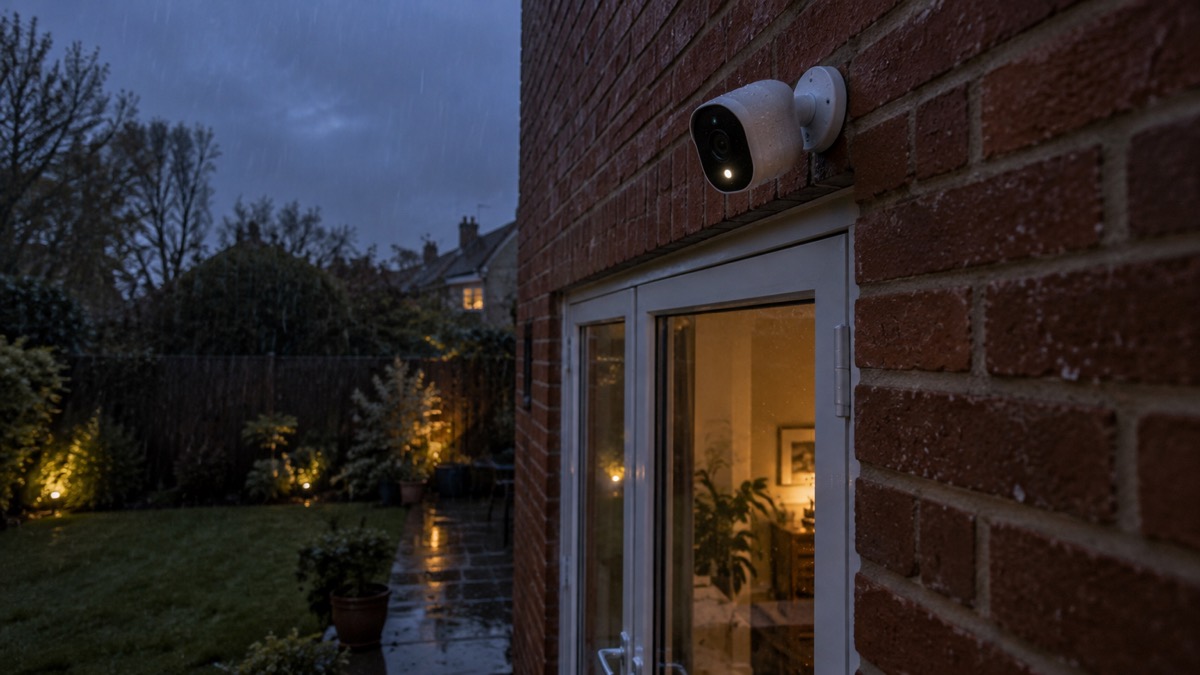
The Tapo C320WS is an outdoor Wi-Fi security camera, and the things that decide whether it works for your household are the same for any camera of its kind: it needs a weatherproof rating suited to where you mount it, a steady wireless signal at that spot, a storage card if you want recordings without paying a subscription, and a fixing high enough to be out of easy reach. Get those four right and the rest is app settings.
This page sets out what the camera is for, what it can and cannot do, and how to fit and run it safely. It does not give a price and it does not rank it against other cameras. Where a figure comes from a maker's own product information, it is described as the maker's figure, and where two documents disagree that is said plainly.
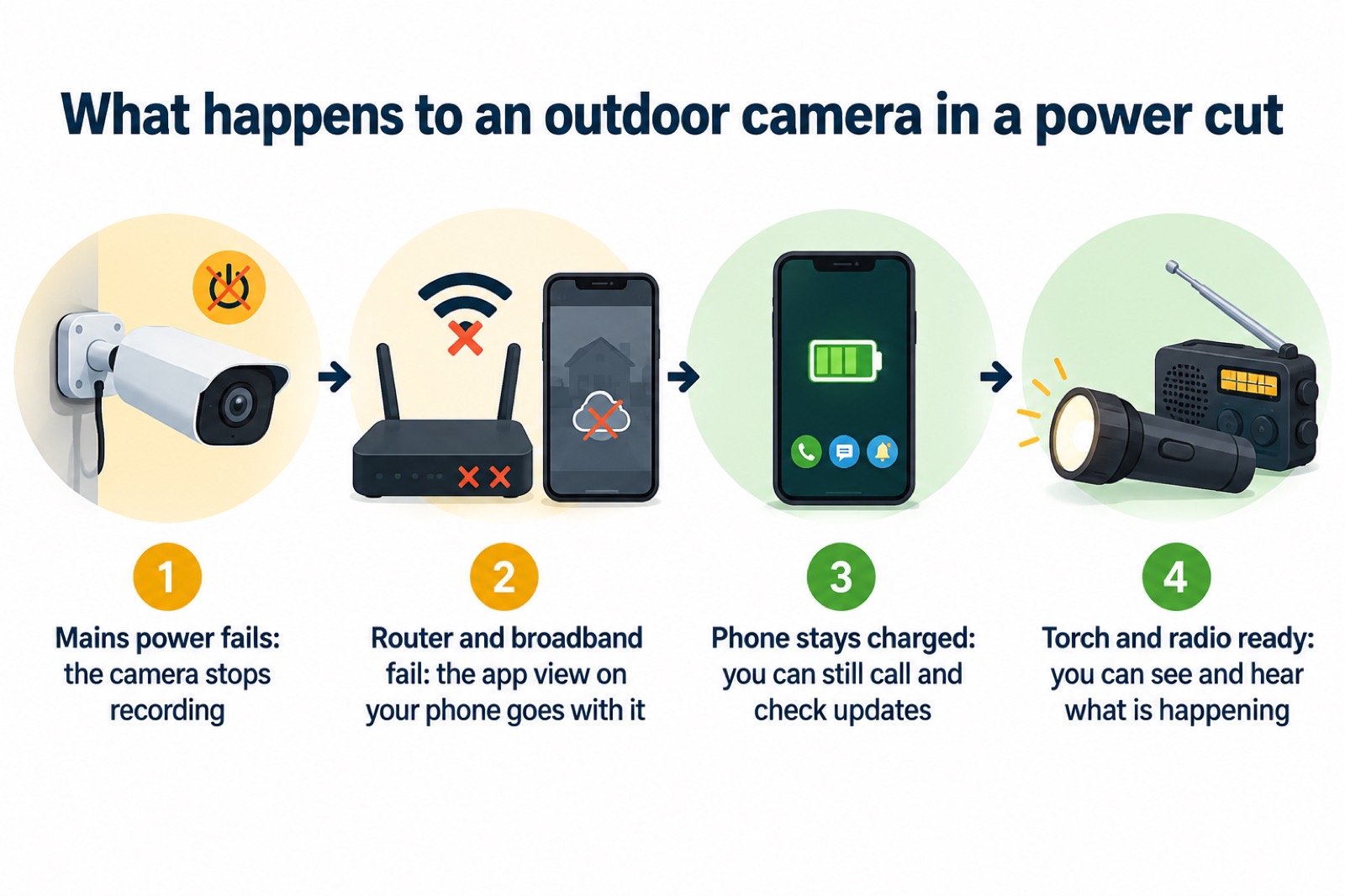
One point up front, because it changes how you plan: a mains-powered Wi-Fi camera is only as reliable as your electricity and your broadband. During a power cut it stops, and so does the app view on your phone unless your router and broadband are still running. Treat it as one layer of home security, not the whole of it.
What the Tapo C320WS is, and who it suits
The Tapo C320WS sits in Tapo's outdoor camera range. Tapo's own outdoor camera pages describe the range as a whole: 77 products, with resolution options of 1080p, 2K and even 4K, IP65 and IP66 weatherproof ratings, free AI detection for person, vehicle, pet and motion, and a choice of local storage on a microSD card or secure cloud storage5.
That range-level guidance is the honest starting point for a named model. It tells you the questions the maker expects a buyer to ask: resolution, how the camera is powered, how it connects, where it stores footage and how it behaves at night. Answer those for your own house before you buy, because the answers decide whether an outdoor camera is the right tool at all.
An outdoor camera suits a household that wants a record of what happens at a drive, a back garden, a side gate or a front approach, and that is willing to run power to the spot and check the Wi-Fi reaches it. It suits someone who wants footage kept on their own card rather than in a paid cloud account, and who is comfortable setting up an app.
It suits less well where there is no mains power at the mounting point, where the wireless signal is weak, or where the camera would look into a neighbour's windows or a public path. Those are the cases where a different arrangement, or no camera, is the better answer. For the wider picture of what cameras do and how they compare as a category, see Home Cameras and CCTV: Types and How to Choose.
Weatherproofing: what IP65 means for an outdoor mounting
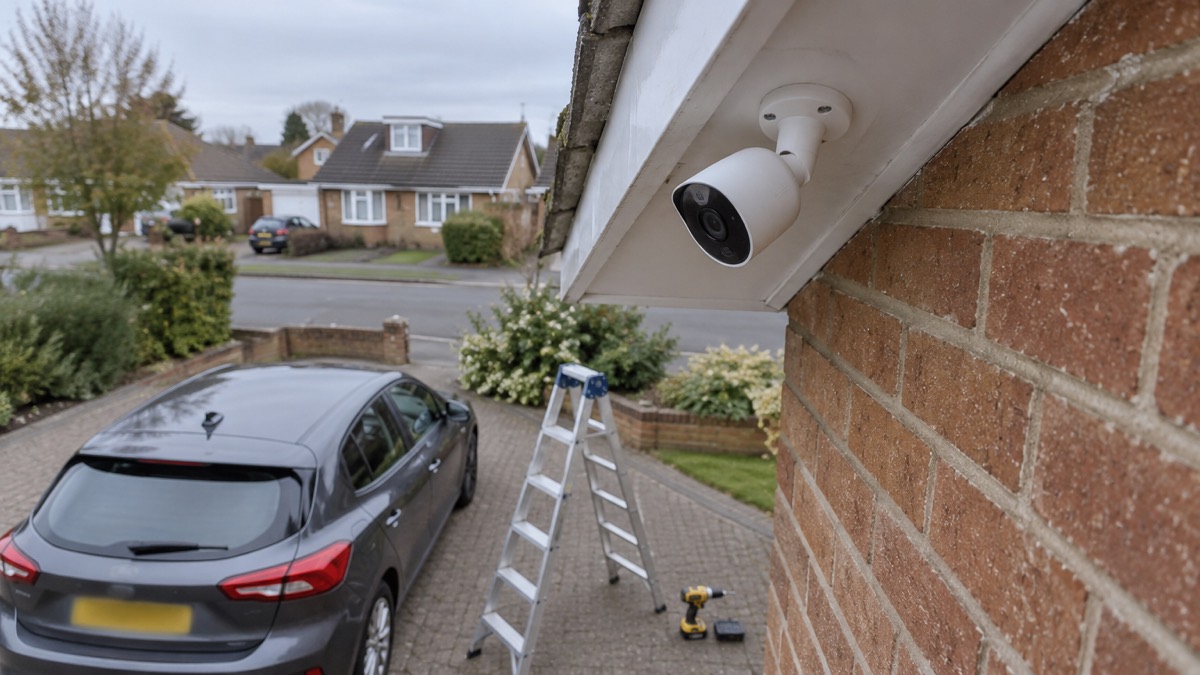
Outdoor cameras are rated for weather, and the rating is written as an IP number. Outdoor models typically carry an IP65, IP66 or higher weatherproof rating, according to maker guidance for outdoor cameras1. The two digits do different jobs: the first is protection against solid objects such as dust, the second against water.
IP65 is a common rating for outdoor kit, and it is worth understanding what it promises. A maker of waterproof bags describes its IP65 zip pocket as foul weather and spray proof, able to handle rain, splashes and spray but not submersible, and notes that water may enter if the pocket is fully submerged6. The same collection describes its bags as having an external weatherproof zip pocket with an IP65 rating7. That is a fair reading of IP65 in general terms: rain and hose spray, not a pond.
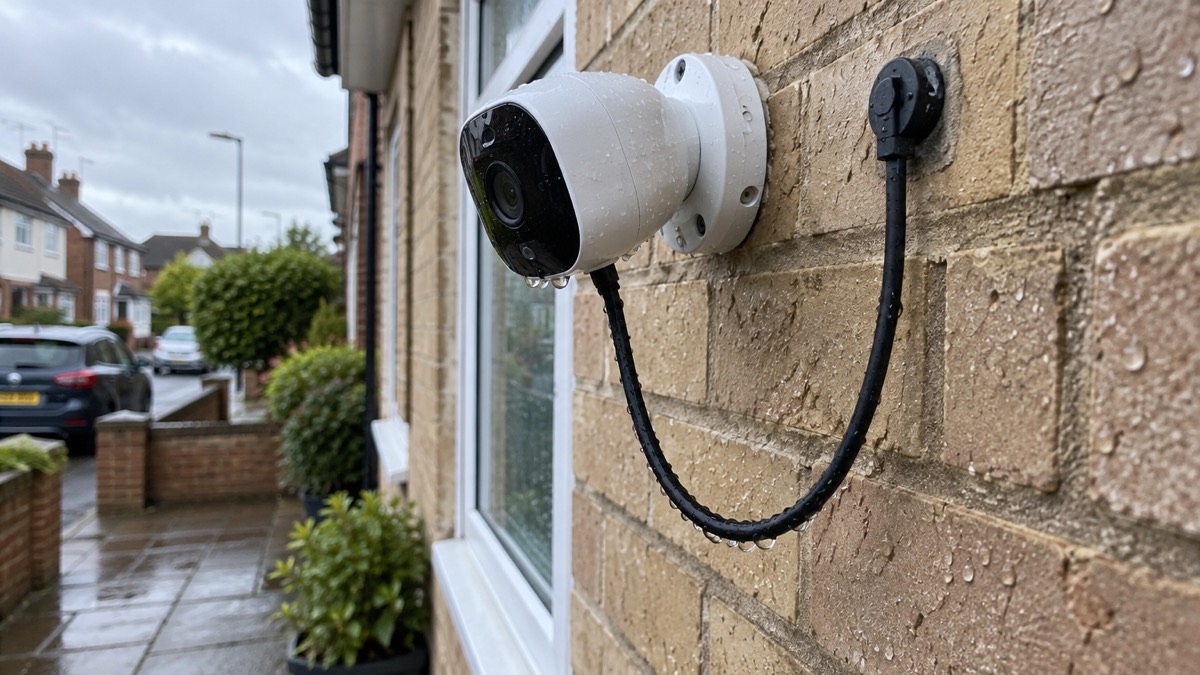
For a camera on a wall, that is usually enough. What it does not cover is where you put it. A camera under a deep eave is sheltered; one on an exposed corner takes the weather head on. Water running down a cable into a gland is a common way for a well-rated camera to fail, so route cables with a drip loop and seal any entry point.
If you are mounting near an outdoor socket, the same logic applies to the socket. Guidance on patio heaters says an outside socket must be protected against splashes and rain, rated IP44 or preferably higher, and IP55 or IP66 if it is likely to be subjected to water jets8. A camera transformer plugged into an unprotected socket undoes the camera's own rating.
Power and connection: 2.4 GHz, 5 GHz or a wired supply
The camera needs two things at the mounting point: electricity and a network connection. On the wireless side, the choice between the two Wi-Fi bands matters more than it sounds. Maker guidance for Wi-Fi cameras says most units use 2.4 GHz because it reaches farther and passes through walls better, while 5 GHz can carry more data and reduce crowded-network lag2.
For an outdoor camera on the far side of a brick wall, that usually points to 2.4 GHz. It is slower but it gets there. A 5 GHz signal that is strong in the kitchen can be weak by the time it has passed through a cavity wall and out to a back fence.
| What the camera needs | Why it matters | What to check before you buy |
|---|---|---|
| Mains power at the mounting point | The camera runs from the mains, so an outdoor socket or a spur is needed | Whether an outside socket is rated for the weather8 |
| A Wi-Fi signal at the wall | 2.4 GHz reaches farther and passes through walls better; 5 GHz carries more data2 | Test your phone's signal at the exact spot, at the height you plan to mount |
| A router that stays on in a power cut | The camera is useless without the network it reports over | Whether your router has a battery backup |
Where the signal will not reach, a wired network supply is the alternative, and it is the more reliable of the two. It also removes the wireless band question entirely. If you are weighing the two approaches generally, Wired or Battery Security Camera? sets out the trade-offs, and Alarms and Cameras on a Weak Mobile Signal or Slow Broadband covers what to do when the connection is marginal.
Recording without a subscription: microSD card or cloud
A camera is only useful if it keeps what it sees. Maker guidance for Wi-Fi cameras describes local storage via microSD card, a network video recorder, a home hub and FTP servers without a subscription, alongside optional cloud services2. In plain terms: you can keep footage on a card in the camera and pay nothing ongoing, or pay a subscription for cloud storage and the features that come with it.
The choice between the two local options is about how many cameras you have. Maker guidance says microSD cards are suitable for individual cameras, while network video recorders offer larger storage capacities and centralised recording for multiple cameras3. A single camera at the front of the house is a card job. A house with four cameras around it is a recorder job.
| Storage route | Suits | What it means in practice |
|---|---|---|
| microSD card in the camera | A single camera3 | No ongoing cost; footage is on the card, so if the camera is taken the footage goes with it |
| Network video recorder | Several cameras, centralised recording3 | One place to review footage; needs a recorder and its own power |
| Cloud subscription | Households wanting remote access and added features | An ongoing cost, and footage leaves your home |
Subscription features are worth understanding before you rely on them. One maker's service plans describe an early warning system using AI that knows the difference between a stranger, a car, a pet and a real threat, so you only get alerts that matter, with person, animal, package and vehicle detection on all its secure plans, and advanced recognition of familiar faces and known vehicles on its higher plans9. That is that maker's description of its own paid tiers, and it shows the pattern: the cleverer the alert, the more likely it sits behind a subscription. Check what your camera does on its own.
Fitting the camera on a wall or ceiling
Height is the decision that matters most, and it is a compromise. Maker guidance for outdoor Wi-Fi cameras says to mount the camera 8 to 10 feet high, because that height is hard to reach for tampering yet low enough for clear faces2. Too low and someone can knock it or cover it. Too high and you get the top of a hood rather than a face.
A sensible order of work:
- Test the signal before you drill. Hold your phone at the planned spot, at the planned height, and check the Wi-Fi holds.
- Choose the height. Mount the camera 8 to 10 feet high: that height is hard to reach for tampering, yet low enough for clear faces2.
- Check the view. Look at what the camera will see: your boundary, a neighbour's window, a public path. Adjust before fixing.
- Fix the mount into masonry or a solid fixing, not into fascia or cladding that can be prised away.
- Route the cable with a drip loop and seal the entry point.
- Set privacy zones in the app so the camera does not record areas it should not10.
That last step is not optional housekeeping. Filming beyond your boundary brings data protection duties, and Filming Beyond Your Boundary: CCTV, Doorbells and Data Protection explains what they are. Setting privacy zones at installation, rather than after a complaint, is the easier path.
What it can and cannot do: alerts, audio and voice control
Camera features are often described at range level rather than model level, so treat the following as the questions to ask of the exact model you buy.
Person and vehicle alerts. Detection that tells a person from a passing cat is now standard on better cameras, but the sophistication varies. One maker describes customisable vehicle alerts that let you train the device to identify vehicles you know, such as your own car, so you know whether a detected vehicle is known or unknown9. Another maker lists customisable face and vehicle alerts among its plan features9. Where a camera offers this without a subscription, it is a genuine convenience; where it needs one, that is a running cost to weigh.
Two-way audio. This lets you see, listen and speak to a visitor through the app on your phone, as one maker describes for its doorbell11. On an outdoor camera it is useful for a delivery driver or a caller at a gate. It is not a substitute for a doorbell intercom at the front door, and Video Doorbell or Outdoor Camera? helps if you are deciding between the two.
Alexa and Google Assistant. Voice assistant support is common. Maker guidance for Wi-Fi cameras says they work with voice assistants such as Alexa and Google Assistant for hands-free control2, and one maker lists Amazon Alexa, Google Assistant, Apple HomeKit with a hub, IFTTT and Samsung SmartThings for its doorbell11. What you can actually ask the assistant to do varies, so check before you plan around it.
Privacy mode. Privacy zones prevent cameras recording footage in certain designated areas, as one maker puts it10. Use them for a neighbour's window, a shared path or a public pavement.
Keeping it running in a power cut
A mains-powered Wi-Fi camera stops in a power cut, and so does the app view on your phone if your router and broadband go down with it. That is not a fault; it is how the system is built. The useful question is what you have ready for the rest of the household when the power goes.
Official advice is consistent on the basics. Keep mobile phones, laptops or tablets fully charged so you will have use of battery power for a short time at least4. Keep a charged power bank, a torch and spare batteries at home, and keep important telephone numbers written down somewhere accessible12. Keep a battery or wind-up radio and spare batteries, and write down radio station frequencies on paper13. Keep a mobile phone fully charged14.
There is a sequence to follow if the power goes and your neighbours still have supply. Check that the trip switch in your fuse box is in the on position; if it has operated, switch off all your appliances and attempt to reset it, and if it has not operated, call your network operator's contact centre to report the issue16. If the trip switch is off, switch it back on; if it switches back off, one of your appliances may be faulty, so unplug all appliances and reset the switch16.
For the camera specifically, a small uninterruptible supply or a power bank designed for routers will keep the network up for a while, but check what the maker states it can run and for how long before relying on it. Keeping Your Home Protected in a Power Cut covers the security side, and Backup Power at Home: A Household Guide covers the wider question of what to keep running.
Support, warranty and where to get help
Tapo's own outdoor camera pages set out the range's features, including the choice between local storage on a microSD card or secure cloud storage, and free AI detection for person, vehicle, pet and motion5. That is the first place to look for how the range works, and the product page for the C320WS is the place to confirm its exact specification, including the weatherproof rating, before you buy.
Keep the receipt and the box. Warranty terms are set by the maker and the retailer, and they are not something this page can state for you; check them at the point of sale and keep the paperwork with the camera's manual.
If the camera is part of a wider security plan, the surrounding pages help. Home Security: A Household Guide is the starting point. Camera and Doorbell Accounts: Stopping Strangers Getting In covers account security, which matters more than most people expect for a device that watches your home. How to Stop Your Security Camera Being Hacked goes further, and Is It Safe to View Your Home Camera Remotely? covers remote viewing. If you are weighing a camera against an alarm, Burglar Alarm or CCTV Camera: Which Suits Your Home? sets the two side by side.
For power cuts, your electricity network operator is the body to contact, and Power Cuts: A Household Guide explains what to expect and how to report one. For anything that looks like a crime in progress, call 999; When to Call 999 or 101 About a Crime at Home explains which number fits which situation.
Sources (17)
- Outdoor security cameras, Reolink, 2026
- WiFi security cameras, Reolink, 2026
- Security camera without subscription, Reolink, 2026
- Strong winds and heavy rain warning: information and advice, nidirect, 2026
- Tapo Wi-Fi security cameras, Tapo, 2025
- Original waterproof backpack user guide, OverBoard, 2026
- Waterproof duffels, OverBoard, 2026
- Patio heaters, Electrical Safety First, 2026
- Arlo service plans, Arlo, 2026
- Arlo cameras, Arlo, 2026
- Arlo doorbells, Arlo, 2026
- Be prepared for winter emergencies, NHS Norfolk and Suffolk ICB, 2026
- Be informed about hazards: power cuts, UK Government, 2026
- Types of power cut, Powercut 105, 2026
- Power cut, Energy Networks Association, 2026
- Preparing for a power cut, National Grid Electricity Distribution, 2022
- Power cut leaflet, National Grid Electricity Distribution, 2022

 Ajax BulletCam
 Ajax TurretCam
 Aqara Camera Hub G350
 Arlo Essential 3 2K
 Arlo Essential 3 Indoor
 Arlo Pro 6
 Arlo Ultra 2
 Arlo Ultra 3
 Blink Outdoor 4
 Eufy SoloCam S340
 Eufy eufyCam S3 Pro Kit
 Eufy eufyCam S4 Setup