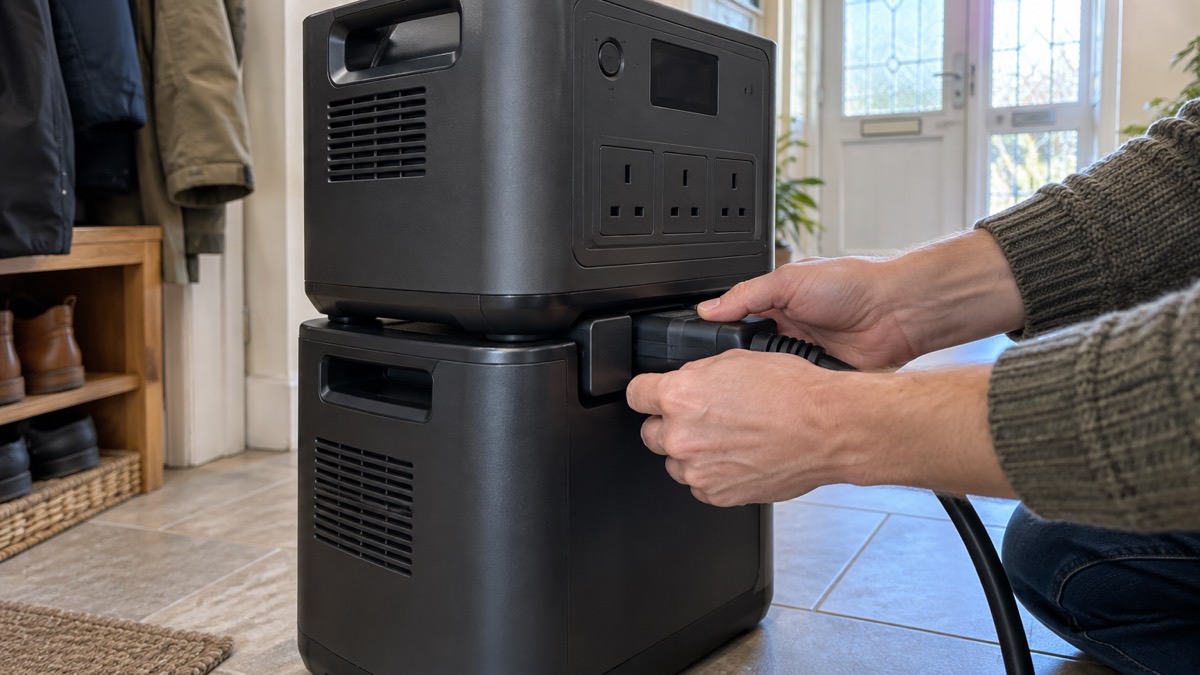
The BLUETTI B500K is an expansion battery: a separate block of stored energy that plugs into a compatible BLUETTI power station to give it more capacity. On its own it does not run anything. Paired with an Apex 300 or one of the other compatible models, it adds 5,120Wh, so the pair can keep a fridge, lights, phones and a router going for longer than the power station could alone1.
The maker states the battery uses LiFePO₄ chemistry, supplies reliable energy for over 4,000 cycles and lasts up to 10 years1. It is built to be fixed in place, on a wall or rack, or carried on a trolley, and it is designed to take the knocks of real use. If you already own a compatible BLUETTI station and want more stored energy for outages, this is the part that does it. If you are starting from nothing, read Portable Power Stations: What They Do and How to Choose first, because the battery is only useful with a station to connect it to.
This page sets out what the B500K is, what it can do, how to fit and charge it safely, and how to register the warranty. It does not give a price, and it does not rank the battery against other products.
What the B500K is and what it adds
An expansion battery is storage without the electronics. The B500K holds 5,120Wh of energy in LiFePO₄ cells, which the maker says are chosen for over a decade of safe use1. The battery's job is to hold more energy so the system runs for longer.
The maker describes the B500K as part of a smarter power system, pairing with the SolarX 4K, the Hub D1 and more for clean, connected energy2. Those are separate accessories, not included with the battery. The B500K is also scalable: the maker states the system can reach 100 kWh, which is far beyond a typical household need but shows the battery is designed to stack1.
BLUETTI states it was one of the first to adopt the LiFePO₄ battery type in portable power stations, and that it has over 3.5 million users in 110+ countries3. Those are the maker's own figures about its business, not about this battery's performance.
For a household, the practical question is what the extra 5,120Wh buys you. It does not change what the power station can run at any one moment; it changes how long it can run it. To work out what that means for your fridge, boiler or phone charging, see Watts, Watt-Hours and Surge Explained and How Long Will a Power Station Run a Fridge or Laptop?.
Lasts over 4,000 cycles and up to 10 years
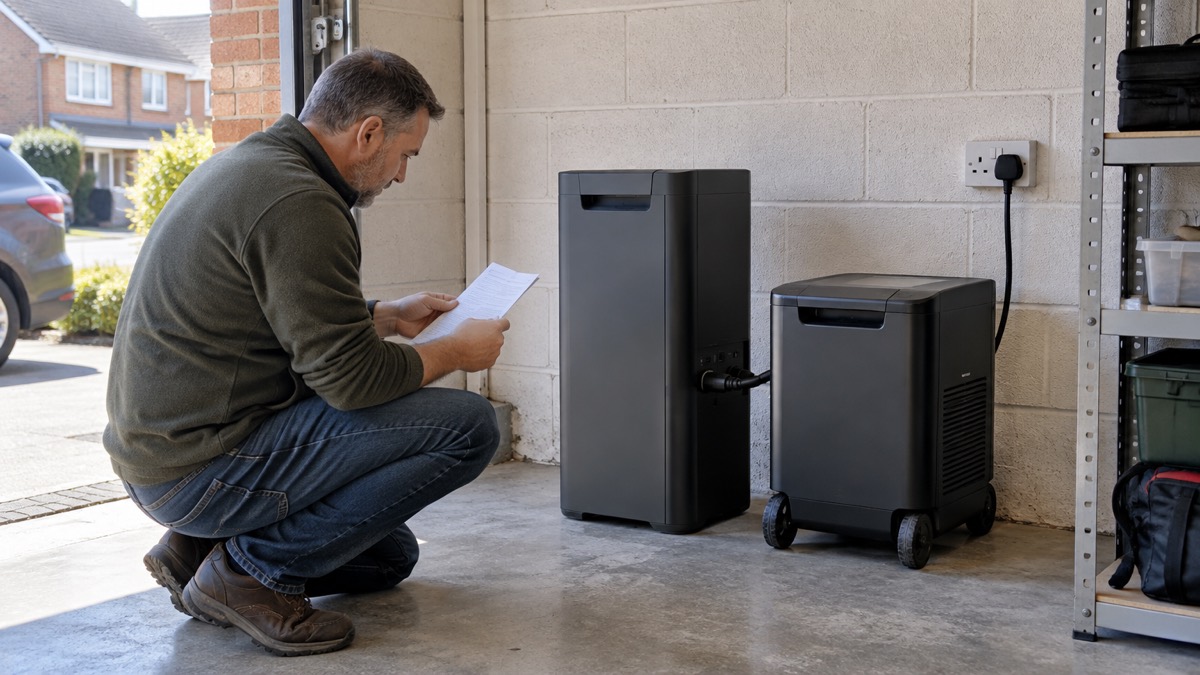
The maker states the B500K supplies reliable energy for years with over 4,000 cycles, and lists its service life as up to 10 years1. A cycle is one full charge and discharge. Over 4,000 of them is a long working life for a battery that sits mostly idle between outages.
For context, BLUETTI states its LiFePO₄ batteries generally last 2,500 to 6,000+ cycles, roughly 7 to 17 years of daily use4. The B500K's figure sits inside that range. The expansion battery range as a whole is described as using durable LiFePO₄ batteries that last for over 2,500 cycles5. The B500K's own page gives the higher figure of over 4,000, and that is the one to use for this model.
What affects how long it actually lasts:
- Depth of discharge. Batteries that are run flat repeatedly age faster than ones kept partly charged. The maker's cycle figures assume normal use; check the manual for its guidance.
- Temperature. Charging and storing lithium batteries in very cold or very hot places shortens life. See What Temperature Should Batteries Be Stored At?.
- How often it is used. A battery that only works during power cuts will take far longer to reach 4,000 cycles than one cycled daily.
The 10-year figure is the maker's stated service life, not a guarantee. Treat it as an estimate of how long the battery is designed to remain useful, and keep the warranty registration in hand in case something goes wrong sooner.
Fitting it at home: wall, rack or trolley
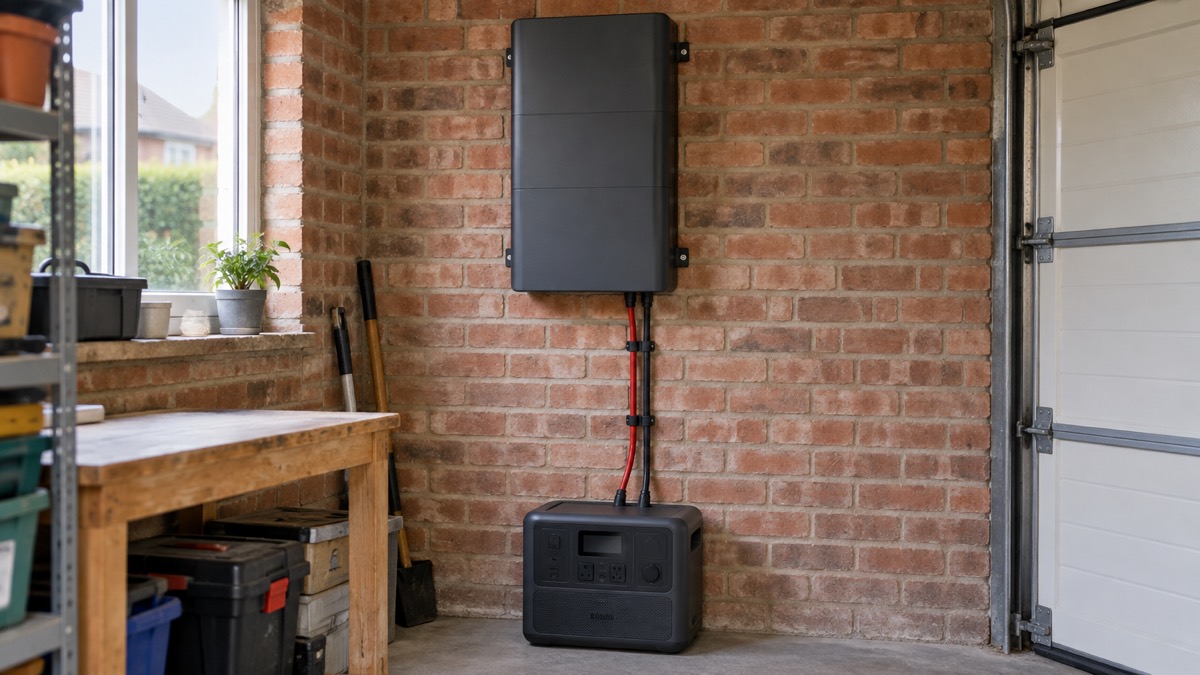
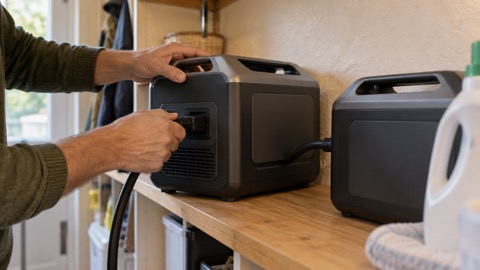
The B500K is not a small handheld power bank. It is designed to be fixed in place or moved on wheels. The maker states you can secure it to the wall or rack of your home or RV using its mounting holes, or attach it to the Foldable Trolley 2 for a mobile power supply1. The trolley is sold separately1.
That gives three ways to live with it:
| Set-up | What it suits | What to plan for |
|---|---|---|
| Wall mounted | A permanent spot in a garage, utility room or cupboard | Use the mounting holes; keep cables tidy and out of walkways1 |
| Rack mounted | A stack of batteries or a dedicated power corner | Check the rack can take the weight; follow the manual |
| On the Foldable Trolley 2 | Moving power between rooms or taking it away | Trolley sold separately1 |
Whichever you choose, the safety advice for the space around it is the same as for any heavy electrical kit at home. The NHS advises removing clutter, trailing wires and frayed carpet to prevent falls6. Electrical Safety First advises moving an electrical item closer to the wall socket rather than stretching an extension lead, and checking you are not exceeding the load with its overload calculator7. If you are fixing anything to a wall, remember that cables buried in walls are required to run horizontally or vertically from sockets and switches, so check before you drill8.
Built for knocks, with a cooling fan
The B500K is designed to survive the bumps of real life. The maker states its wireless internal frame makes it resilient to real-world knocks and shocks, and that its third-generation wireless internal design and efficient cooling fan ensure stable performance, even in challenging conditions1.
The cooling fan matters because batteries generate heat when charging and discharging. A fan that keeps the internals cool helps the battery run steadily and supports its long service life. BLUETTI's Armor series, a different product line, uses a vacuum-coated fan designed to withstand dust and water intrusion9. That is a feature of the AC240 and AC60, not the B500K, so do not assume the B500K is dust or water resistant on that basis.
Practical points for keeping it in good order:
- Give the fan room to breathe. Do not box the battery in or cover the vents.
- Keep it dry. The maker does not claim the B500K is water resistant. Site it away from leaks, drips and damp floors.
- Check it after a knock. If the battery takes a hard impact, inspect it and stop using it if the casing is damaged. See Warning Signs a Lithium Battery Is Dangerous.
Charging it safely
The B500K can be topped up in more than one way. BLUETTI states its expansion battery range can be charged from a solar panel, a wall socket, a car outlet or a lead-acid battery5. The maker also states its charging set-up can charge from both your car and solar panels while driving, powering your main storage and leisure battery without draining your reserve10.
For a household, the wall socket is the usual route. Electrical Safety First advises installing appliances close to a wall socket rather than using an extension lead, and using its overload calculator if you must extend7. Fire and rescue services advise plugging high-power appliances straight into a wall socket and avoiding adaptors, which can cause overloads12. The same principle applies to charging a large battery: use a dedicated socket where you can, and do not daisy-chain leads.
If you want to charge from solar, read Portable Solar Panels for Charging in a Power Cut and What Size Solar Panel Do I Need to Charge a Power Station?. For car charging, see Can You Charge a Power Station from Your Car?.
Connecting it to a power station and accessories
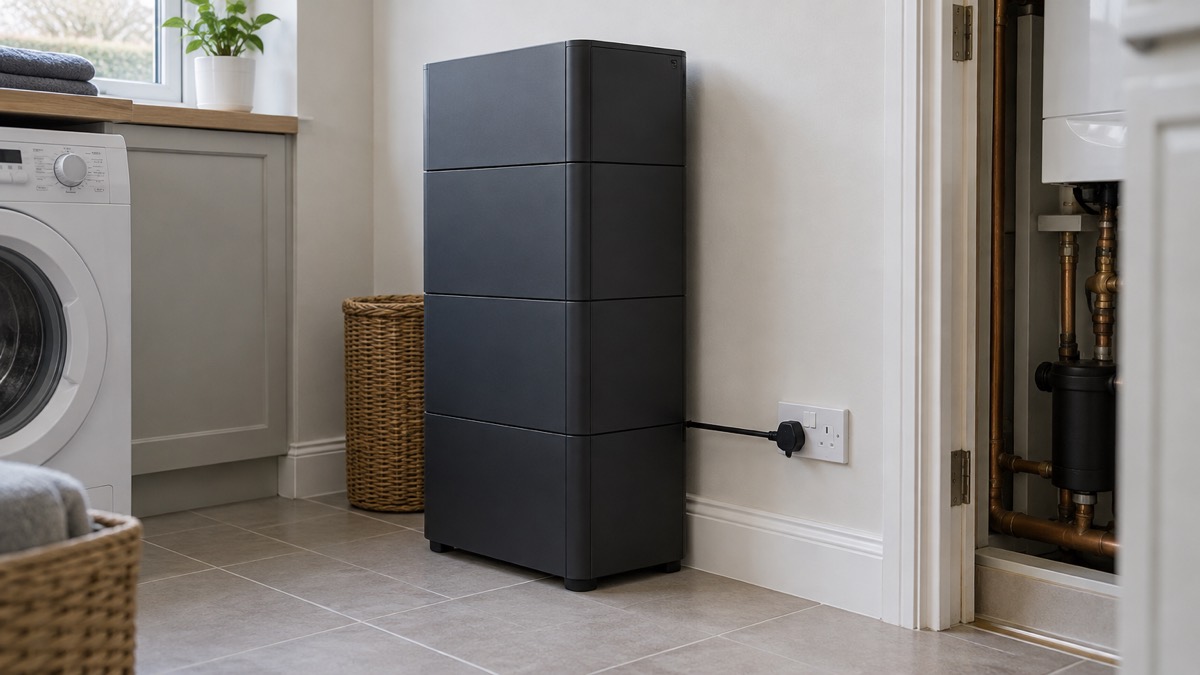
The B500K is built to connect to specific BLUETTI models. The maker states it works seamlessly with the Apex 300, AC300, AC500, AC200L, AC200MAX and upcoming models1. The box contains the B500K, a short battery expansion cable (CA90) and a user manual2.
The CA90 is the cable that carries power between the battery and the station. It is included, so you do not need to source one separately. Use it as the manual directs.
The maker also states the B500K pairs with the SolarX 4K, the Hub D1 and more2. These are separate accessories. The B500K product page does not set out in detail what the Hub D1 does or how the SolarX 4K connects, so read their own pages and manuals before buying. The maker's pages disagree slightly on whether the Foldable Trolley 2 counts as a paired accessory or a separate mounting option: one page lists it alongside the SolarX 4K and Hub D1, another lists it separately as sold separately1. Either way, the trolley is not in the box.
If you are connecting the system to your home's wiring rather than running appliances from its sockets, that is a different job with its own rules. See Connecting a Generator or Battery to Your Home's Wiring.
Registering the warranty
The maker states you should register on the BLUETTI website after receiving the product to claim your warranty1. Do this as soon as the battery arrives, before you rely on it.
Registration is not just admin. Official fire safety guidance for e-bikes and e-scooters, which applies to lithium batteries generally, advises registering your product with the manufacturer to validate any warranties, noting that batteries are usually included in warranties, and that registering makes it easier for manufacturers to contact you in the event of safety or recall information13. The same reasoning applies to a large home battery: if there is a safety notice for your model, you want to hear about it.
BLUETTI's warranty terms vary by product. Its published tiers list 5 years for the EP500Pro, 4 years for the AC300 and B300, and 2 years for portable power stations and other brands' portable power stations17. The B500K's own page does not state its warranty length, so confirm the term for your model when you register.
Keep a note of:
- The date you received the battery.
- The serial number.
- Your registration confirmation.
- The manual, in case you need to check a charging or mounting instruction later.
Where to get help and further reading
If you are building a backup power set-up for outages, start with Backup Power at Home: A Household Guide and Deciding What to Keep Running When the Mains Fails. For the wider picture on outages, see Power Cuts: A Household Guide. For safe use during an outage, read Using Generators and Power Stations During an Outage.
For the maker's wider range, see BLUETTI. For battery safety more generally, see Lithium-Ion Battery Safety at Home and Safe Battery Charging at Home Checklist.
Sources (17)
- BLUETTI B500K for Apex 300, BLUETTI, 2026-10-25
- BLUETTI B500K Expansion Battery, BLUETTI, 2026-10-25
- BLUETTI Home Backup, BLUETTI, 2026-10-25
- BLUETTI Portable Power Station, BLUETTI, 2026-10-25
- BLUETTI Expansion Battery, BLUETTI, 2026-10-25
- Falls, East of England Ambulance Service NHS Trust, 2023-06
- Plug Checkers, Electrical Safety First, 2026-10-25
- DIYers, Electrical Safety First, 2026-10-25
- BLUETTI AC240 and AC60, BLUETTI, 2026-10-25
- BLUETTI Camping Portable Power Station, BLUETTI, 2026-10-25
- Fridges and freezers, Electrical Safety First, 2026-10-25
- Kitchen safety, Scottish Fire and Rescue Service, 2024-11-11
- E-bikes and e-scooters fire safety guidance, National Fire Chiefs Council, 2025-01-21
- E-bikes and e-scooters, South Wales Fire and Rescue Service, 2026-07-29
- ChargeSafe safety tips for e-bikes and e-scooters, North Yorkshire Fire and Rescue Service, 2024-11-12
- NFCC Guidance: E-bikes and Scooters, National Fire Chiefs Council, 2022-01
- BLUETTI EP500Pro, BLUETTI, 2026-10-25

 Anker SOLIX BP2000 Battery