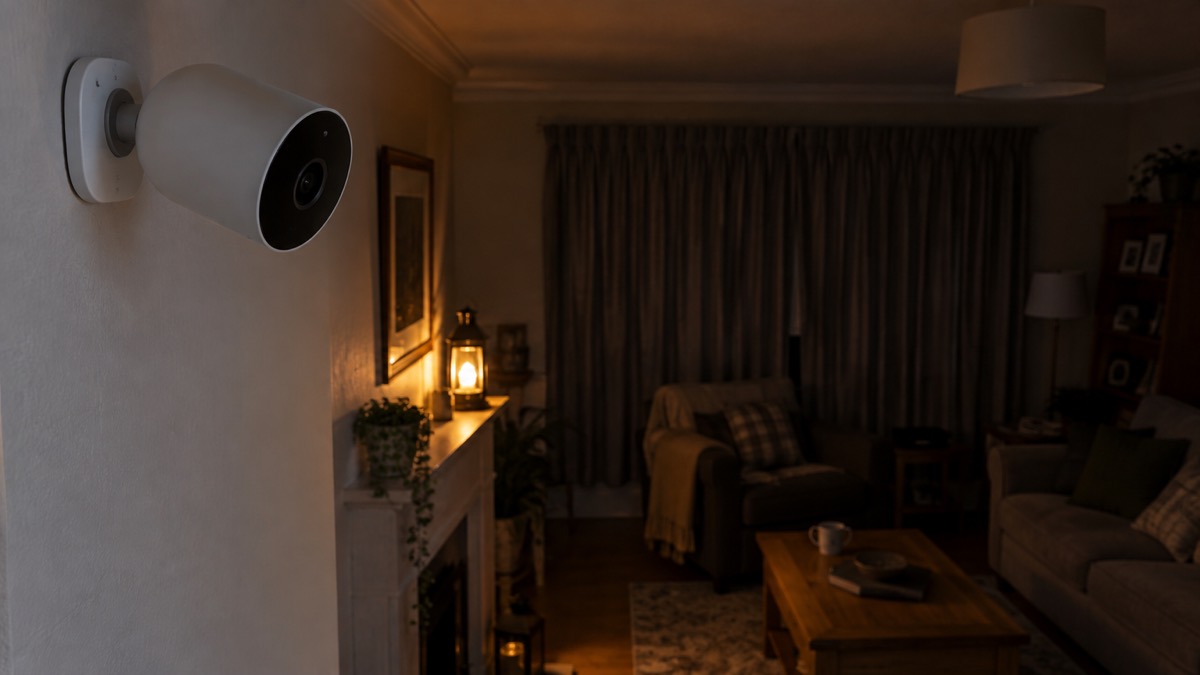
The UniFi G5 Flex is a small, cylindrical security camera from Ubiquiti. It is a wired camera: a single Ethernet cable carries both power and data, so there is no battery to charge and no separate power supply to fit. That makes it a sensible choice for a household that wants a camera in a fixed spot, watching a door, a hallway or a short run of garden, and is willing to run a cable to get there.
The specifications that decide whether it suits you are simple. It has an 8MP 1/1.8" CMOS sensor1, a body of Ø48 x 107.5 mm2, and an infrared range of 6 m (20 ft) for night vision3. It is rated for outdoor use, though Ubiquiti's own pages give two different water-resistance figures, which we cover below. It is not a pan-and-tilt camera and it does not run on batteries; it is a fixed, wired unit that does one job.
If you are weighing up whether a camera is worth fitting at all, our guide to home cameras and CCTV sets out the types and what each is for. This page sticks to the G5 Flex: what it is, what it can do, how to power and place it, and how to keep it working.
What the G5 Flex is and who it suits
The G5 Flex sits in Ubiquiti's compact camera range, and the maker's own description is the clearest summary: a "compact, easy-to-deploy 2K HD PoE camera that can be staged indoors or outside"6. "Staged" is the useful word here. It is a camera you put in a chosen place and leave there, aimed at one view, rather than something you move around or pan remotely.
Because it runs on Power over Ethernet, it belongs to a particular kind of home set-up. A PoE camera receives both power and data through a single Ethernet cable5, which means the camera needs a cable run back to a PoE injector or a PoE-enabled network switch5. A standard home router cannot usually power a PoE camera directly, because most routers do not provide Power over Ethernet through their LAN ports5. So the G5 Flex suits a household that either already has PoE networking or is prepared to add a switch or injector and run cable.
That shapes who it is for. If you want a camera you can stick on a wall in ten minutes with no wiring, a battery or wireless model will suit you better; our comparison of wired or battery security cameras sets out the trade-offs. If you want a stable, continuously powered camera in a fixed position and you can get a cable to it, the G5 Flex is built for exactly that. A wired camera, often using PoE, gives a stable connection and continuous 24/7 recording but needs more effort to install7.
It is also worth being clear about what a camera does and does not do for home security. A camera records and lets you see what happened; it does not physically stop anyone entering. Our guide to how burglars choose a home explains what actually puts intruders off, and burglar alarms covers the detection side. Many households run a camera alongside an alarm rather than instead of one.
G5 Flex specifications
The table below gathers the figures Ubiquiti publishes for the G5 Flex. These are the numbers that decide where it can go and what it can see.
| Specification | Figure | Source |
|---|---|---|
| Product type | Compact 2K HD PoE camera, indoors or outside | 4 |
| Image sensor | 8MP 1/1.8" CMOS | 1 |
| Dimensions | Ø48 x 107.5 mm (Ø1.9 x 4.2") | 2 |
| Infrared night vision range | 6 m (20 ft) | 3 |
| Water resistance | IPX5 on one page; IPX4 (while covered) on another | 2 |
| Power | Power over Ethernet, one cable | 5 |
| Cable required | Cat5e or higher | 5 |
| Cover options | Black, Camo, Concrete, Marble, Wood | 8 |
The 8MP sensor1 is the heart of it. The 6 m infrared range3 is the figure to think hardest about. It is not a long-distance night camera. At night, anything beyond about 6 m from the lens will not be lit by the camera's own infrared, so if you need to watch a long driveway or a large back garden after dark, this camera will not cover the far end of it.
The size, Ø48 x 107.5 mm2, is small enough to sit discreetly under eaves or in a corner. That cuts both ways: it is unobtrusive, but it is also easy to reach if mounted low, which is why placement matters (see below).
Using the G5 Flex outdoors: weather rating, covers and placement
The G5 Flex can be used outside, but the weather rating needs care because Ubiquiti's own pages give two different figures. One product page lists the camera as IPX52; another describes it as IPX4 while covered1. The IPX4 figure comes with the condition "while covered", which tells you something practical: the maker's more cautious figure assumes the camera is sheltered. Treat the lower figure as the safer assumption and mount the camera under cover, such as beneath eaves or a porch roof, rather than fully exposed to driving rain.
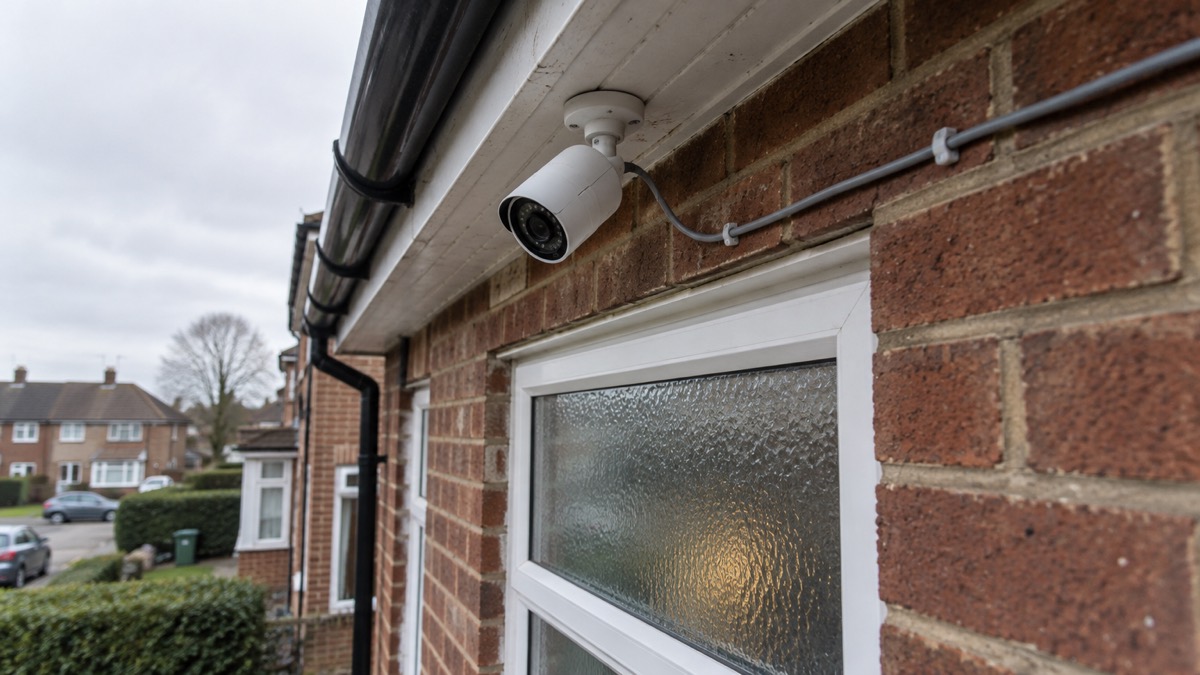
This is not unusual advice for outdoor cameras. Reolink's guidance for exposed outdoor locations is to check weather resistance and operating temperature, and to make sure the installation point has reliable Wi-Fi coverage9; for a wired PoE camera the equivalent check is that the cable run is sound and the mounting point is sheltered. Eufy's placement advice for outdoor cameras is to fit them high enough to resist tampering but low enough to capture useful facial detail, usually near front and back doors, driveways, side gates, garages or ground-floor windows, and to avoid strong backlighting, branches and direct views into neighbouring property10. Reolink adds that outdoor cameras should be tucked under eaves to shield them from rain, at a height that catches faces but stays out of reach11.
Putting that together for the G5 Flex:
- Mount under cover. Given the IPX4 (while covered) figure1, keep it beneath eaves or a porch roof where rain cannot drive straight at it.
- Aim for face height, out of reach. High enough that someone cannot easily grab or cover it, low enough to capture a face10.
- Watch the 6 m limit at night. Place it so the doorway or path you care about is within 6 m of the lens3.
- Avoid backlight and branches. Strong light behind a subject and moving foliage both spoil the picture10.
- Do not point it into a neighbour's property. Keep the view on your own boundary10; our guide to filming beyond your boundary explains the data protection rules.
The covers are a practical extra outdoors as well as indoors. Ubiquiti lists five: Black, Camo, Concrete, Marble and Wood8. A cover lets you match the camera to a brick wall, a painted fascia or a garden fence, which matters if you would rather it did not stand out.
Setting up and powering the camera over PoE
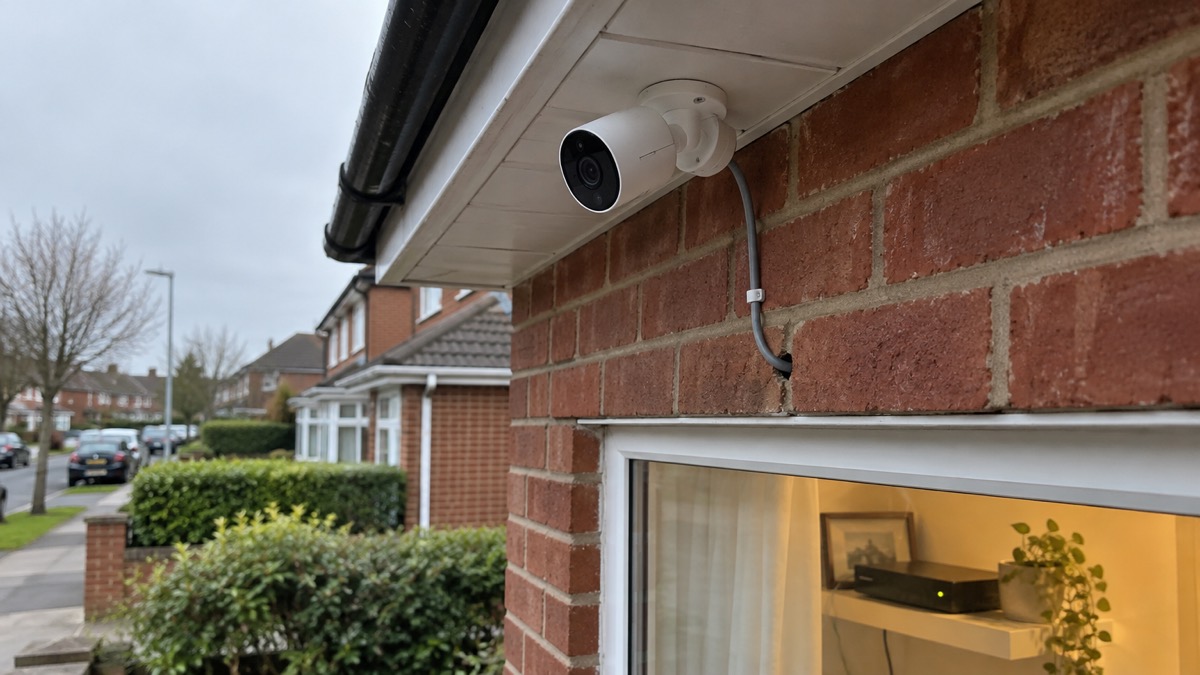
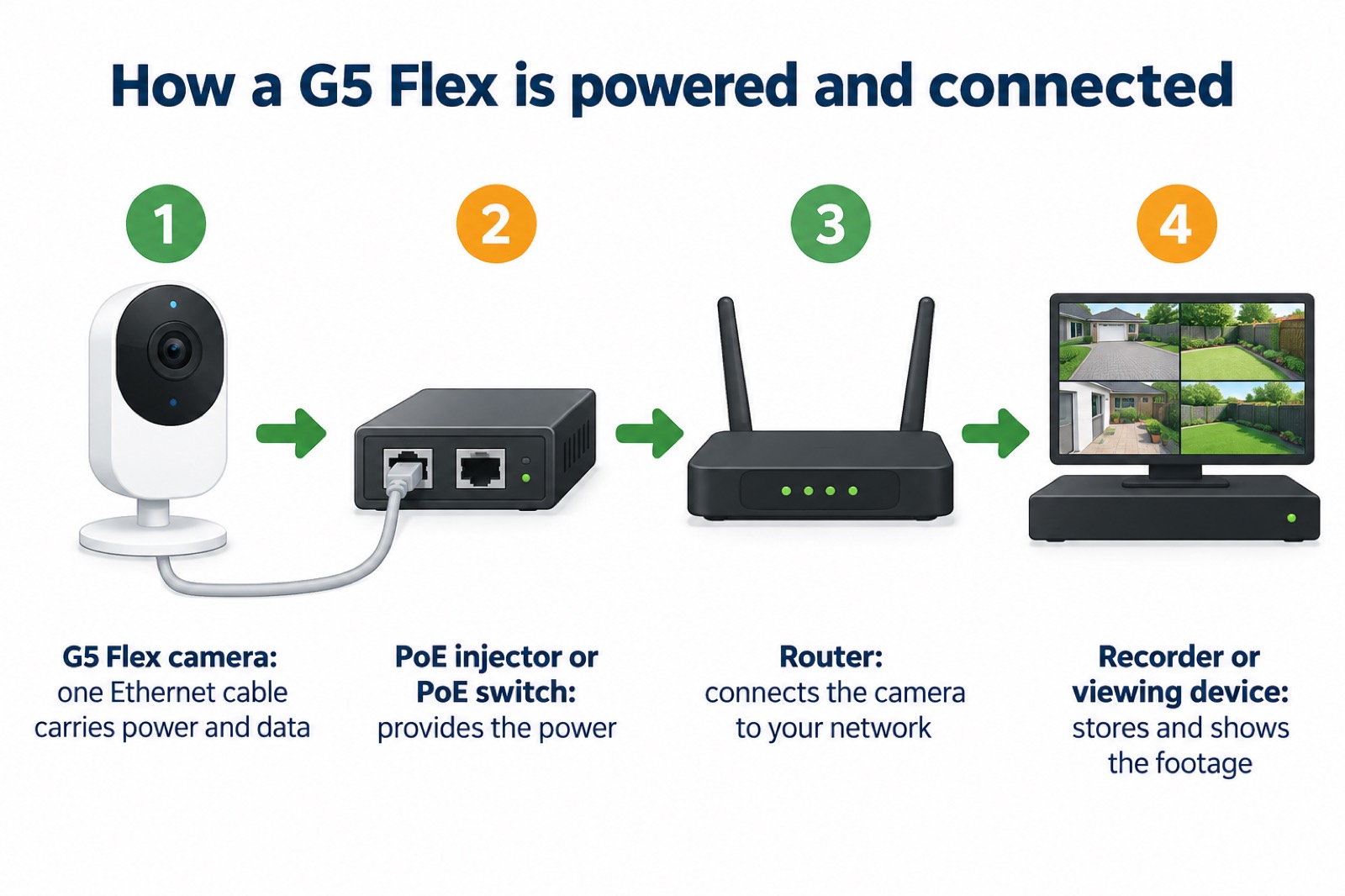
The G5 Flex is powered and connected by one cable. A PoE camera receives both power and data through a single Ethernet cable5, so there is no separate mains adaptor at the camera end. What you need is a cable of Cat5e or higher5 and something to inject the power: a PoE injector or a PoE-enabled network switch5.
The typical chain is simple: PoE camera, then PoE switch, NVR or injector, then router5. In a home set-up that usually means the camera's cable runs back to a PoE switch (or a single-port injector), and the switch connects on to your router and, if you have one, a network video recorder. If you are building this out, our page on the UniFi Network Video Recorder covers the recording end, and Ubiquiti is the maker's page for the wider range.
A step-by-step for a household fitting one:
- Choose the spot. Under cover, within 6 m of what you want to see at night3, and within cable reach of your switch or injector.
- Run the cable. Use Cat5e or higher5. Plan the route so the cable is protected from weather and not a trip or tamper risk.
- Provide PoE. Fit a PoE injector or a PoE-enabled switch; a standard router will not usually power the camera on its own5.
- Connect and check. Bring the camera up and confirm the view covers the doorway or path you intended, with no strong backlight10.
- Fit a cover if you want one. Choose from Black, Camo, Concrete, Marble or Wood8.
Keeping it working in a power cut or internet outage
Because the G5 Flex is a wired PoE camera, what keeps it running is the same thing that keeps any PoE device running: power at the switch or injector end, and a network to carry the footage. If the mains goes off, the camera goes off with it unless the switch or injector is on a battery backup. That is a different proposition from a battery camera, which keeps recording on its own for a while. Our guide to keeping your home protected in a power cut covers the wider question of what stays working when the power fails, and backup power at home explains what can keep a router or switch alive.
The internet side matters too. If your broadband or router is down, remote viewing over the internet stops even if the camera still has power. Whether local recording continues depends on your recorder, not the camera. If you want to understand what a camera can do when the internet is out, our page on cameras that record without the internet sets out the options.
For a household thinking about emergencies, the practical points are:
- Put the PoE switch or injector on backup power if you want the camera to keep running in a cut; the camera itself has no battery.
- Keep a local recorder if you want footage stored when the internet is down, rather than relying on remote viewing.
- Check the camera after an outage. A wired camera should come back when power and network return, but confirm the view is still correct.
If your home has a weak mobile signal or slow broadband, that affects remote viewing more than local recording; our guide to alarms and cameras on a weak signal covers that.
Support, warranty and keeping the camera ready
When you buy, keep the order details and check the warranty terms that apply at the time of purchase, as these are set by the maker and can change.
Keeping the camera ready is mostly about routine checks rather than maintenance:
- Check the view periodically. A view that was clear can become blocked.
- Check the cable and mounting. A loose cable or a mount that has worked loose in wind is the most common reason a wired camera stops working.
- Keep the lens clean. Dirt and cobwebs on the lens spoil the picture, especially at night when the infrared range is only 6 m3.
- Review who can see the footage. Our guide to camera and doorbell accounts explains how to stop strangers getting into your camera account, and how to stop your security camera being hacked covers the practical steps.
If you are comparing the G5 Flex with other cameras in the UniFi range, the G6 Dome and G6 Turret pages cover those models on their own terms. This page has not ranked the G5 Flex against them; each suits a different spot and a different job.
Sources (14)
- Special devices, Ubiquiti, 2026
- Compact cameras, Ubiquiti, 2026
- All physical security, Ubiquiti, 2026
- UniFi G5 Flex, Ubiquiti, 2026
- PoE IP cameras, Reolink, 2026
- Compact cameras, Ubiquiti, 2026
- Best security camera features for UK weather conditions, Eufy, 2025
- UniFi G5 Flex, Ubiquiti, 2026
- Argus series cameras, Reolink, 2026
- Security hub, Eufy, 2026
- Security camera without subscription, Reolink, 2026
- High winds, Scottish Borders Council, 2026
- Staying safe in hot weather, St John Ambulance, 2026
- Outdoor lighting, Electrical Safety First, 2026

 Ajax BulletCam
 Ajax TurretCam
 Aqara Camera Hub G350
 Arlo Essential 3 2K
 Arlo Essential 3 Indoor
 Arlo Pro 6
 Arlo Ultra 2
 Arlo Ultra 3
 Blink Outdoor 4
 Eufy SoloCam S340
 Eufy eufyCam S3 Pro Kit
 Eufy eufyCam S4 Setup