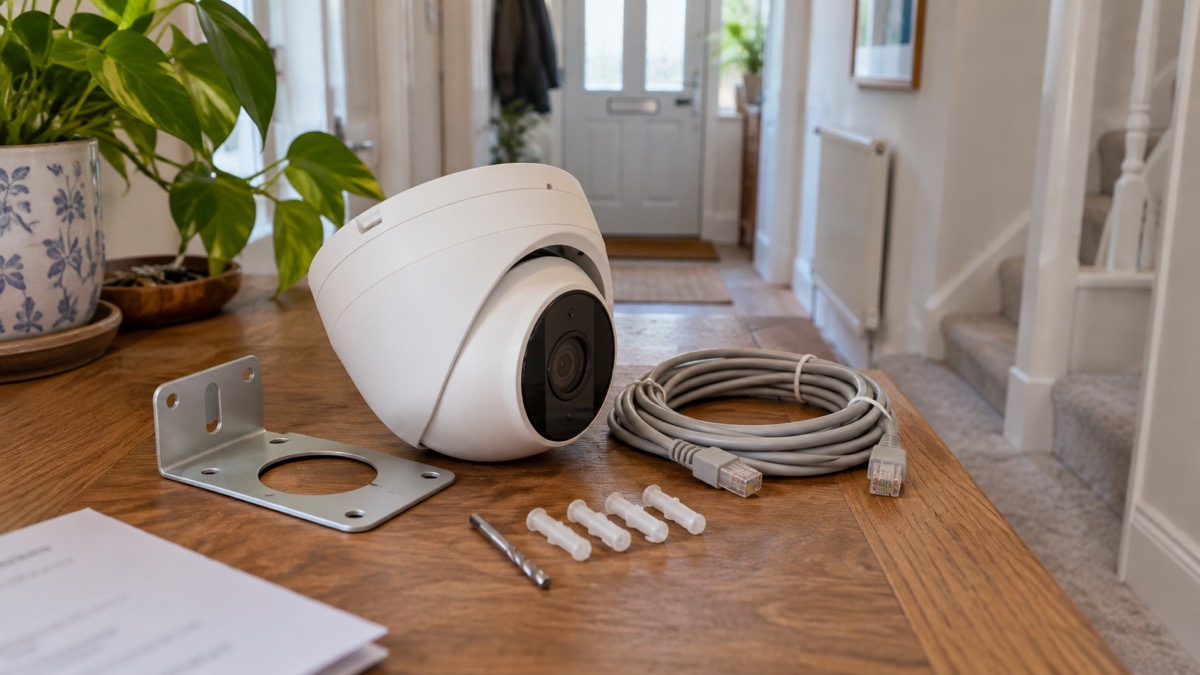
The UniFi G6 Turret is an all-weather, tamper-resistant 4K camera that takes both its power and its data down a single network cable1. Ubiquiti builds it for indoor and outdoor use, with a 1/1.8" 8MP image sensor, a Multi-TOPS AI engine and infrared for low light1. If you are weighing one up for a home, the practical questions are where it goes, how it is wired, and what it does when the power or the internet drops.
The wiring is the part that decides most of the rest. It is a Power over Ethernet camera, so it needs a Cat5e or Cat6 cable and a device that supplies power over that cable, such as a PoE injector, a PoE switch or a network video recorder3. Most home routers cannot power it directly3. That single cable is also its weakness in an outage: if the device feeding it loses mains power, the camera stops until power returns.
This page sets out what the G6 Turret does, its specifications, how to plan the wiring, how to keep it working through a power cut or broadband outage, and where to get support. It does not compare it with other cameras; it gives you the facts to decide whether it suits your household. The maker describes it as offering identical performance to the G6 Bullet in a compact, streamlined form factor for lobbies, offices or retail spaces4.
What the G6 Turret is and who it suits
Ubiquiti describes the G6 Turret as an all-weather, tamper-resistant 4K PoE camera1. It is part of the Gen 6 camera line, and the maker positions the turret shape for lobbies, offices or retail spaces, in a compact, streamlined form factor4. For a household, that shape matters less than the mounting: the camera has a 3-axis manual adjustment for flexible installation, so you can aim it where you need it and lock it off4.
It is built for both indoor and outdoor deployments, and Ubiquiti's dome and turret range is described as versatile PoE-powered cameras for either2. The enclosure is metal and rated IP66, which is the maker's claim of weather resistance for an outdoor camera4. That makes it a reasonable fit for a driveway, a garden wall, a side passage or a shed, provided you can run a cable to it.
The camera is not a standalone gadget. It is one part of a small network: the camera itself, a PoE switch, injector or recorder, the router, and whatever you use to view the footage3. If you want a camera you can stick on a wall and forget, with no cabling, this is not that kind of product. If you are happy to plan a cable run and a place to house the network equipment, it is designed for exactly that.
Specifications at a glance
The table below sets out what the maker and its store list for the G6 Turret. Where a figure comes from the wider dome and turret range rather than the Turret alone, it is marked as such.
| Specification | Detail | Source |
|---|---|---|
| Type | All-weather, tamper-resistant 4K PoE camera | 1 |
| Image sensor | 1/1.8" 8MP | 1 |
| AI | Multi-TOPS AI engine | 1 |
| Night vision | Infrared; maker says as effective in low light as the G6 Bullet | 4 |
| Power | Power over Ethernet, one cable for power and data | 2 |
| Cable | Cat5e or Cat6 | 3 |
| Weather rating | IP66-rated metal enclosure | 4 |
| Tamper resistance | IK10 (dome and turret range) | 2 |
| Adjustment | 3-axis manual adjustment | 4 |
| Colour | Black on the store listing; the launch post says black or white | 1 |
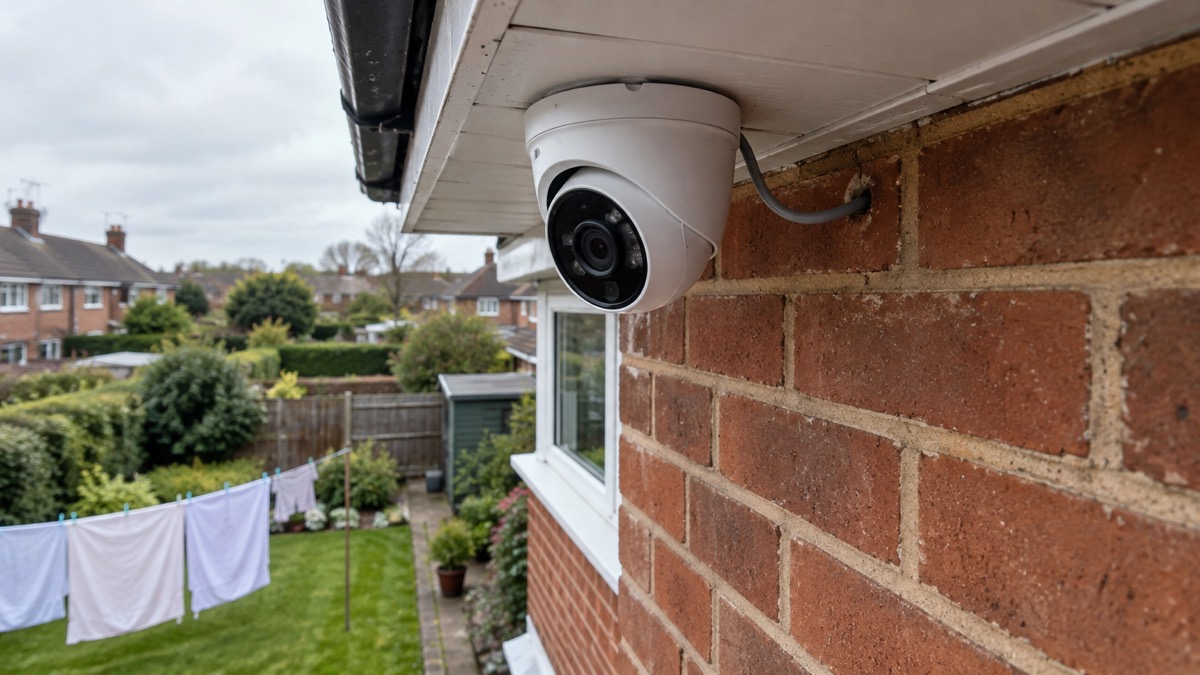
Two points in that table need care. First, the colour: the store lists the G6 Turret as black, while the launch post for the Gen 6 line says the cameras are available in black or white with multiple mounting solutions1. The two descriptions do not match exactly, so check the current listing if colour matters. Second, the tamper rating: IK10 appears in the dome and turret comparison table, which covers the range rather than naming the Turret on its own2. Treat it as the range figure.
Image quality and the AI engine
The headline is the sensor. The G6 Turret uses a 1/1.8" 8MP image sensor, paired with a Multi-TOPS AI engine1. In plain terms, a larger sensor gathers more light, which helps in the low light of a winter evening or a shaded side passage, and the AI engine is what the camera uses to work out what it is looking at rather than just recording everything.
Ubiquiti's dome and turret comparison table lists two sensor sizes across the range, 1/1.2" 8MP and 1/1.8" 8MP, without labelling which column is which model on the page2. The G6 Turret's own listing gives 1/1.8" 8MP, so that is the figure to rely on for this camera1. The same 1/1.8" 8MP sensor size appears elsewhere in Ubiquiti's range, including the AI Theta Pro and the AI Theta Pro lens models, which suggests it is a sensor the maker uses across several cameras rather than one unique to the Turret6.
What the AI engine does for a household is reduce the noise in your recordings. A camera that can tell a person from a swaying branch or a passing cat gives you fewer pointless alerts and a shorter list to review after something happens. The maker's specification is the Multi-TOPS AI engine; how you set up detection zones and alerts is done in the UniFi software that manages the camera, alongside the rest of your network.
Night vision: how far infrared reaches
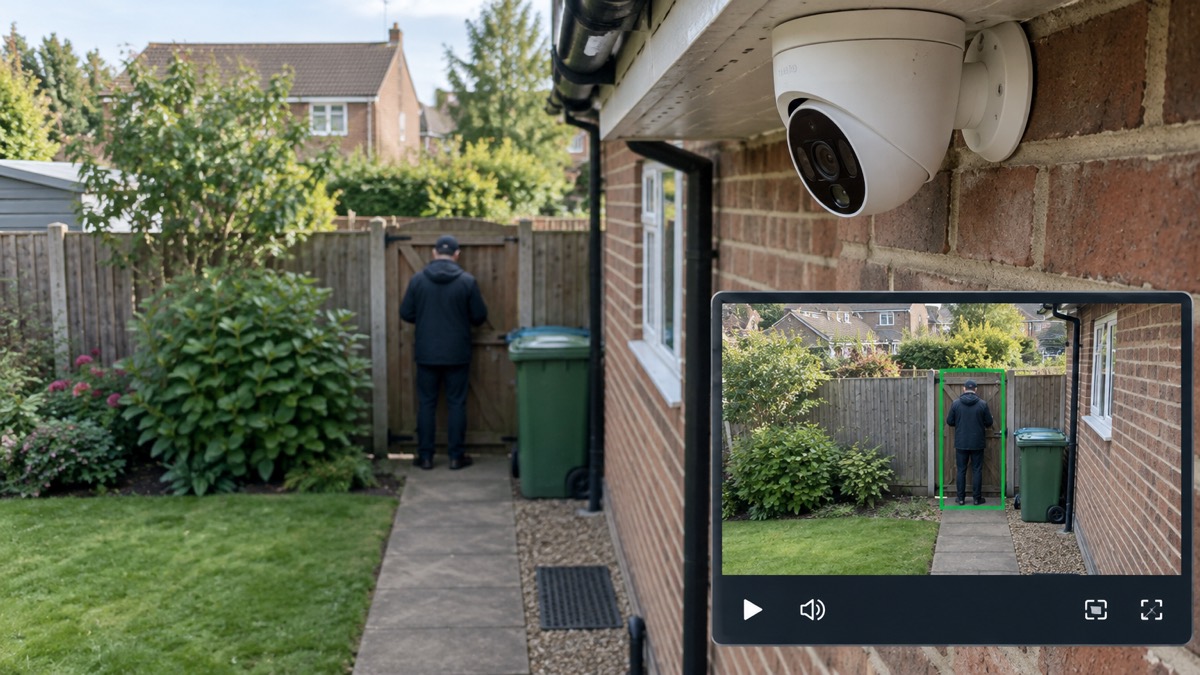
The G6 Turret sees in the dark using infrared. Ubiquiti says that, like the G6 Bullet, it is PoE-powered and equipped with powerful infrared capabilities, making it just as effective in low-light conditions4. Infrared means the camera lights the scene with light your eye cannot see, so it can produce a picture with no visible light at all.
How far that reaches is the figure people ask about. The dome and turret comparison table lists infrared ranges of 40 m (131 ft) and 30 m (98 ft) across its two columns, again without labelling which model is which on the page2. For context, a maker blog on home security cameras describes typical infrared night vision distances as 10 m to 30 m7. So the Turret's infrared is in the same territory as, or beyond, what is typical, but you should confirm which of the two figures applies to the Turret before you plan a camera to cover a long driveway.
Practical points that affect night vision more than the headline distance:
- Aim matters. Infrared falls off with distance and is blocked by walls, fences and foliage. A camera covering a 30 m garden will see the near ground clearly and the far end less so.
- Reflective surfaces help. A white wall or a gravel path bounces infrared back and brightens the scene.
- Rain, fog and snow scatter infrared. In poor weather the usable range shortens, which is worth knowing in a UK winter.
- The IR illuminator draws power. It runs from the same PoE feed as the camera, so it is part of what your switch or injector has to supply.
Power over Ethernet: one cable for power and data
Power over Ethernet is the feature that decides how the camera is installed and how it behaves in an outage. A PoE camera receives both power and data through a single Ethernet cable3. Ubiquiti's own guidance for PoE cameras sets out the chain: the camera connects by Cat5e or higher cable to a PoE switch, a PoE injector or a network video recorder, and that device connects to the router3.
The reason for the extra device is simple. A standard router cannot directly power a PoE camera, because most routers do not provide Power over Ethernet through their LAN ports3. Some business routers have built-in PoE ports, but that is uncommon in home routers3. So the usual home arrangement is:
- Run a Cat5e or Cat6 cable from where you want the camera to where the network equipment will live3.
- Connect the camera end to the camera and the other end to a PoE injector, PoE switch or recorder3.
- Set the camera up in the UniFi software that manages your network.
The single cable is a real advantage outdoors: there is no separate mains adaptor to house in a waterproof box, and no plug socket needed at the camera. It also means the camera's uptime is tied to the device feeding it. If that switch or recorder is on a plug that goes off in a power cut, so does the camera.
Weather resistance and where to fit it
The G6 Turret's enclosure is metal and rated IP664. The IP rating is the standard way of describing how sealed a camera is against dust and water. A maker blog explains that ratings like IP65, IP66 or IP67 confirm the camera is sealed against dust and resistant to rain or even temporary submersion11. IP66 therefore means the camera is built to withstand rain and hose-level water, which is what a UK outdoor installation needs.
For comparison, some outdoor cameras from other makers are rated IP67, a slightly higher water rating12. That does not make the G6 Turret unsuitable outdoors; IP66 is an outdoor rating, and the maker describes the camera as all-weather1. It does mean you should fit it sensibly: under eaves or a soffit where possible, angled slightly down, with the cable entering the wall or a junction box below the camera so water runs away from the connection.
Where to fit it is a security question as much as a weather one. A camera at the front door, over a driveway or covering a side gate is doing the job most households want. A camera covering a neighbour's property or the public pavement raises data protection questions, which are covered in Filming Beyond Your Boundary: CCTV, Doorbells and Data Protection. For the wider picture on choosing cameras, see Home Cameras and CCTV: Types and How to Choose.
Tamper resistance and keeping the camera secure
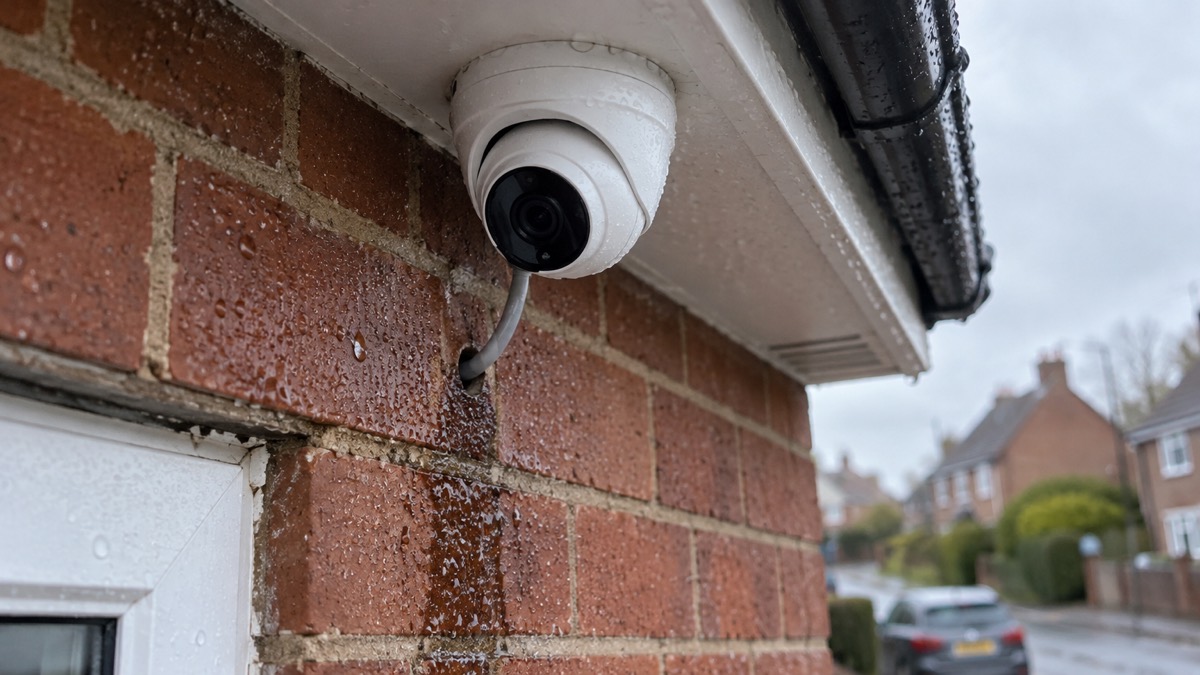
Ubiquiti calls the G6 Turret tamper-resistant, and the dome and turret comparison table gives the range an IK10 tamper resistance rating1. IK10 is an impact rating: it describes how well the housing resists being hit or struck. It does not stop someone unscrewing the mount, cutting the cable or unplugging it at the switch.
So the practical measures sit around the camera, not just in it:
- Mount it high. Out of arm's reach where you can, so the housing and cable are harder to interfere with.
- Protect the cable. Run it through conduit or trunking, and bring it into the building through a wall rather than leaving a loop of cable accessible.
- House the switch or recorder securely. If someone can reach the device feeding the camera, they can switch it off. Keep it indoors and out of sight.
- Check the account. Camera accounts are a route in for strangers if they are not secured; see Camera and Doorbell Accounts: Stopping Strangers Getting In.
The camera has 3-axis manual adjustment for flexible installation4. Check it is firm after fitting, and check it again after a storm.
What happens in a power cut or internet outage
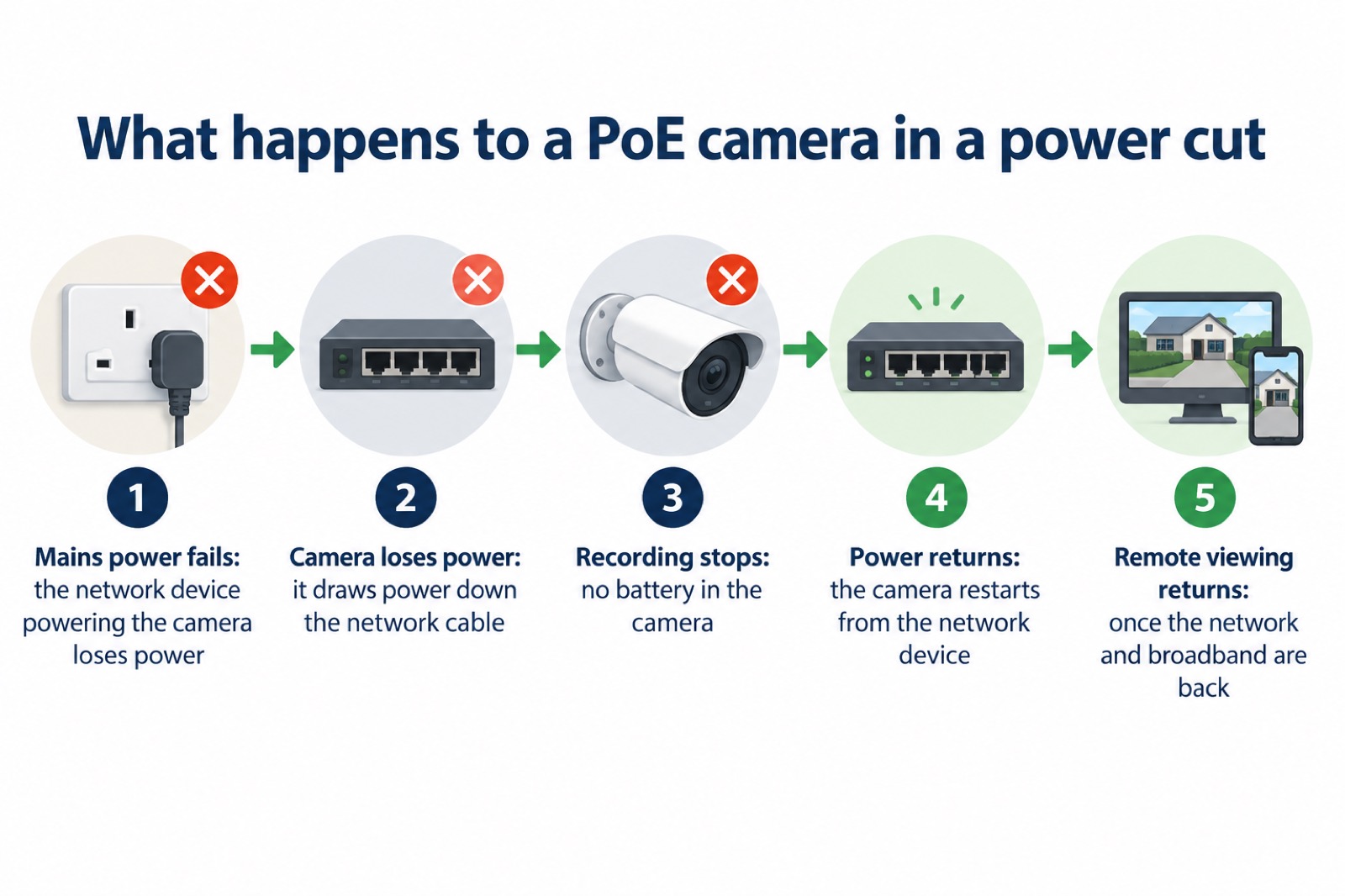
This is the question that matters most for a household thinking about preparedness. A PoE camera has no battery. It draws its power down the network cable from the switch, injector or recorder3. If that device loses mains power, the camera loses power too, and it stops recording until power returns.
The camera itself should come back by itself when power returns, because it takes its power from the network device rather than from a battery that needs recharging. What will not come back by itself is anything that depended on the internet: remote viewing on your phone, and cloud features, need a working broadband connection. Ofcom's advice on staying connected notes that an Ethernet cable gives a faster, more reliable connection than wifi14, which is one reason a wired camera is steady when it is running, but it does not help when the line itself is down.
If you want the camera to keep running through a short cut, the device feeding it needs to be on a battery backup. That is a decision about your network equipment, not the camera. The wider subject is covered in Backup Power at Home: A Household Guide and Keeping Your Home Protected in a Power Cut.
The official advice for a cut is straightforward and worth having ready: turn off irons, ovens, electric fires and fryers, and unplug your TV and PC, which can be damaged by a surge when power returns16. Keep one light switched on so you know when power is restored17. Keep a torch and spare batteries at home18. The Red Cross adds that power cuts can affect lighting, heating, communications and access to information, which is why a charged phone and a power pack matter19.
Setting it up: wiring a PoE camera at home
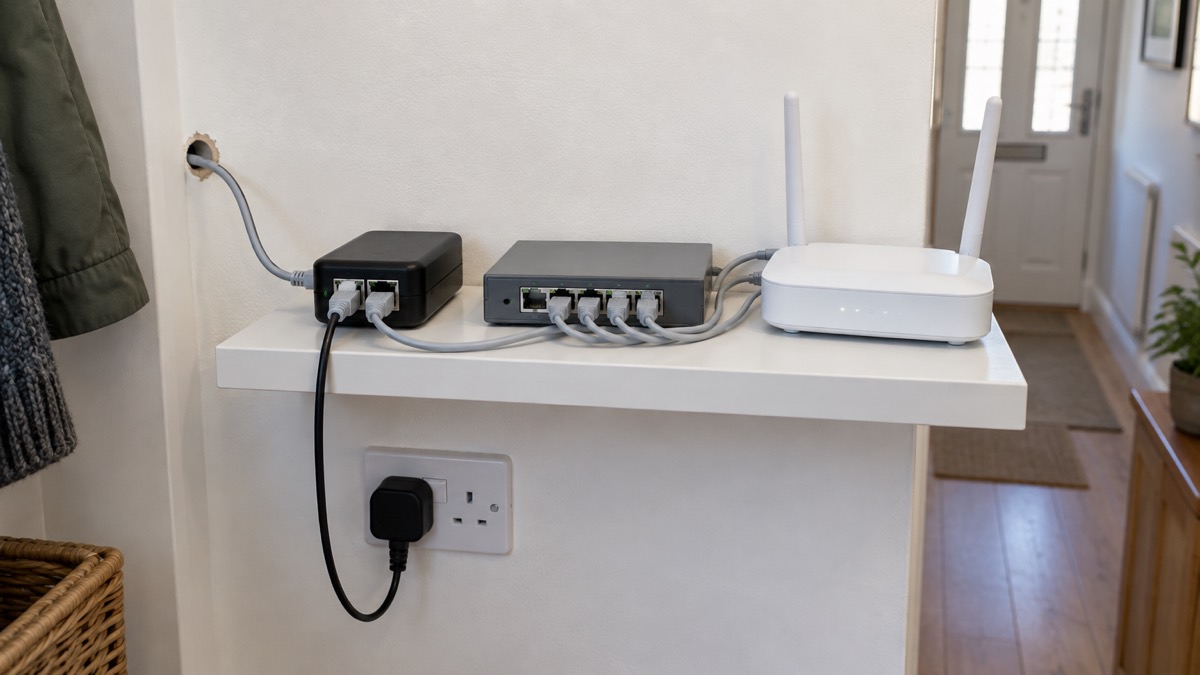
The installation is a cable job, and the cable is the part you cannot skip. You need a Cat5e or Cat6 cable to carry power and data3. If your router has built-in PoE ports, which is uncommon on home routers but available on some business models, you can connect the camera directly to it with a single cable3. Otherwise you need a PoE injector or a PoE-enabled switch to provide both power and data through the cable3.
A sensible order for a household installation:
- Choose the position. Pick the view you want, under cover where possible, and check you can reach it safely for cleaning and adjustment.
- Plan the cable route. Measure from the camera to where the network equipment will sit, and decide how the cable will enter the building.
- Get the right cable. Cat5e or Cat6, long enough for the route with a little slack3.
- Provide PoE. A PoE injector, a PoE switch or a recorder with PoE ports3.
- Connect to the router. The PoE device connects to the router, and the camera connects to the PoE device3.
- Set it up and aim it. Use the 3-axis adjustment to frame the view, then tighten it4.
If you are not confident running cables, an electrician or a network installer can do the physical work. The maker's guidance is about the equipment, not about working at height or drilling through walls, so take the usual care with ladders and with any cable that passes near mains wiring.
Keeping it ready: maintenance and recordings
A camera is only useful if it is working when you need it. A short routine keeps it ready:
- Check the view. Look at the live picture now and then, especially after wind or snow, to confirm the camera has not been knocked out of aim.
- Clean the lens and housing. Dirt, cobwebs and bird droppings degrade the picture, particularly at night when infrared reflects off them.
- Check the recording. Confirm footage is being stored where you expect, and that you can find and play back a recent clip.
- Check the account. Keep the login secure and review who has access; see Camera and Doorbell Accounts: Stopping Strangers Getting In.
- Check the power path. Confirm the switch or injector is on a socket you know about, and that nothing has been unplugged.
On storing recordings, the camera is part of a network that includes a recorder or local storage3. Where that storage lives decides what you keep and for how long. If you want recordings to survive a power cut, the recorder needs to be on a battery backup, and if you want them to survive a break-in, the recorder should not be in the room the camera is watching. The wider subject of keeping footage safe is covered in Home Cameras and CCTV: Types and How to Choose.
Support, warranty and where to get help
If something is not working, the first checks are the ones above: power at the switch or injector, the cable, and the account.
For the household side of security, the Home Security: A Household Guide sets out the wider picture, and Wired or Battery Security Camera? helps if you are still deciding between a cabled camera and a battery one. If you are comparing this camera with the rest of the range, the UniFi G6 Bullet and UniFi G6 Dome pages cover the siblings, and the Ubiquiti brand page covers the maker.
Sources (21)
- UniFi G6 Turret product page, Ubiquiti, 2026-11-03
- Dome and Turret cameras, Ubiquiti, 2026
- PoE IP cameras, Reolink, 2026-11-03
- Introducing the Gen 6 camera lineup, Ubiquiti, 2025-03-24
- Planned power cuts - SSEN, SSEN (Scottish and Southern Electricity Networks)
- Compact cameras, Ubiquiti, 2026
- The most popular home security cameras, EZVIZ, 2026-09-28
- Celebrate safely, Humberside Fire and Rescue Service, 2026-10-26
- Extension leads, cable reels and block adaptors, Electrical Safety First, 2026-10-25
- Fire safety in the home, Westminster City Council, 2017-01
- Best security camera features for UK weather conditions, Eufy, 2025-09-17
- Outdoor security cameras, Eufy, 2026-11-03
- WiFi security cameras, Reolink, 2026-11-03
- Helping broadband and mobile users stay connected, Ofcom, 2020-03-25
- Further snow and ice forecast following Storm Goretti, Met Office, 2026-01-09
- Power cuts, UK Government, 2026-10-21
- Prepared support for customers following forecast strong winds, Northern Powergrid, 2024-12-20
- Staying safe in the snow, North Yorkshire Fire and Rescue Service, 2023-03-09
- Prepare an emergency kit, British Red Cross, 2026-10-25
- Storm advice, Power Cut 105, 2026-10-26
- Look up and stay safe around power networks this summer, SSEN, 2022-08-01

 Ajax BulletCam
 Ajax TurretCam
 Aqara Camera Hub G350
 Arlo Essential 3 2K
 Arlo Essential 3 Indoor
 Arlo Pro 6
 Arlo Ultra 2
 Arlo Ultra 3
 Blink Outdoor 4
 Eufy SoloCam S340
 Eufy eufyCam S3 Pro Kit
 Eufy eufyCam S4 Setup