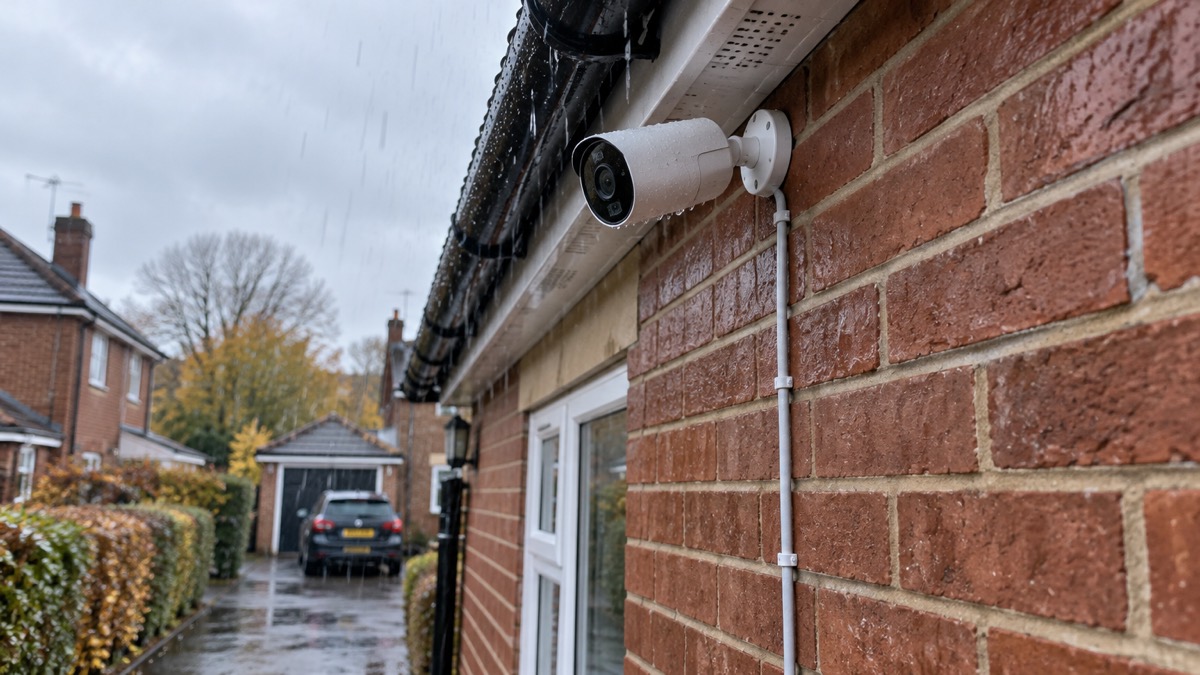
The UniFi G6 Bullet is Ubiquiti's all-weather 4K camera for mounting outside a home, and it is designed to run from a single Ethernet cable rather than a mains plug. Ubiquiti lists it with a 1/1.8 inch 8MP image sensor, a Multi-TOPS AI Engine and long-range infrared night vision, in a metal housing rated IP66 against weather1. If you are weighing one up, the practical questions are what it can see after dark, where the cable goes, and what happens to your recordings when the power or broadband drops.
The headline figure for night vision is 30 m of infrared range on the standard G6 Bullet, against 40 m on the G6 Pro Bullet2. Both are 4K cameras, and the Pro adds PoE+ power, 2.36x optical zoom and a larger sensor3. Neither is a plug-in-and-go consumer gadget: both are Power over Ethernet devices, which means they draw power and send video down the same network cable, and they need something on the other end to record and manage them4.
This page sets out what the camera does, how it is powered, how to mount it sensibly and how to keep it working through an outage. It does not tell you it is better than any other camera, because that depends on your house, your network and what you want to watch.
What the G6 Bullet is and what it suits
The G6 Bullet is a bullet-shaped camera, the long-bodied style that points along a wall or fence line rather than down from a ceiling. Ubiquiti's own description is an all-weather 4K PoE camera with a 1/1.8 inch 8MP image sensor, a Multi-TOPS AI Engine and long-range IR night vision5. In plain terms, that is a camera built to sit outside in British weather, record at high resolution, and process some of what it sees on the camera itself rather than sending everything to a separate box to be analysed.
Bullet cameras as a type are well suited to covering a long run outdoors, such as a driveway, a side return or the length of a garden, and their shape makes them visible, which is part of why people fit them6. That visibility cuts both ways: a camera on show can put off someone who is casually looking, and it also tells anyone who looks closely where your coverage is and is not. Think about what a camera adds alongside your doors, locks and lighting rather than instead of them; our guide to home cameras and CCTV sets out the wider choices.
The G6 Bullet is not a doorbell and not a pan-and-tilt indoor camera. It is fixed, it points where you aim it, and it is designed to be wired in permanently. That makes it a good fit if you want a steady view of one area and can run a cable to it. It is a poor fit if you want something you can move around the house, or if you cannot get a network cable to the mounting point.
Ubiquiti also lists the G6 Pro Bullet, a separate model in the same range with a larger 1/1.2 inch sensor, 2.36x optical zoom and PoE+ power3. The two are not interchangeable in specification, so decide which one you are buying before you plan the cable and the power.
Picture quality by day and at night
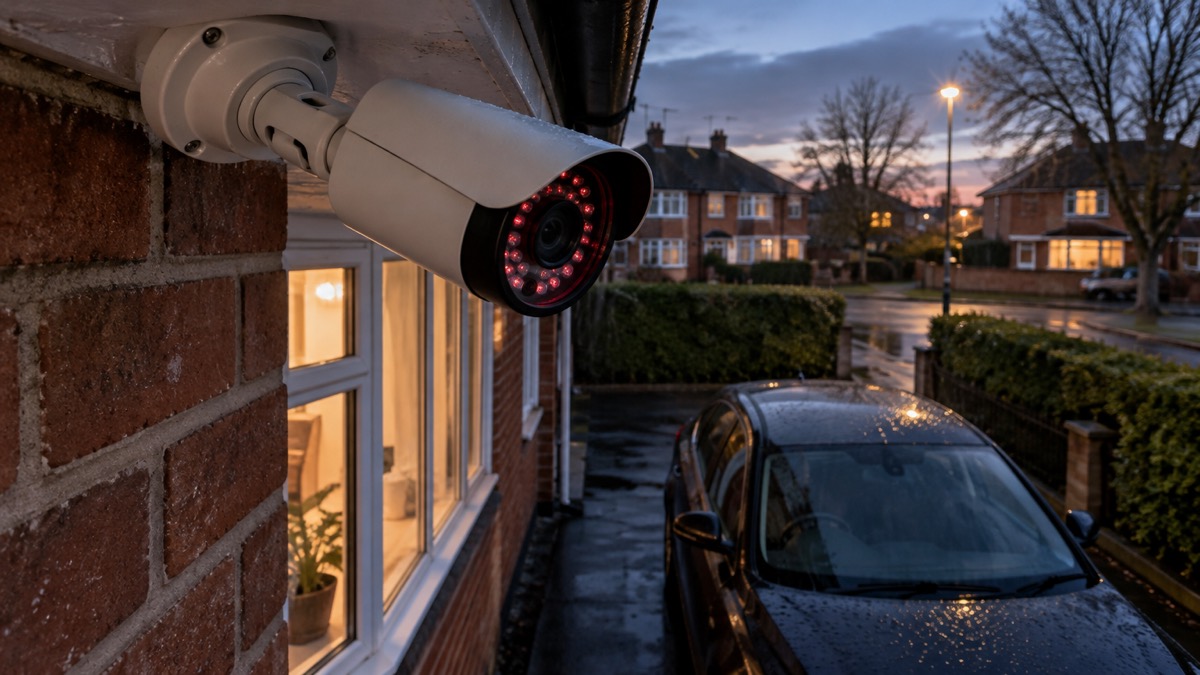
The camera's daytime performance rests on its 8MP sensor and 4K resolution, which is enough detail to make out faces and number plates at a reasonable distance in good light5. The more useful question for a UK household is what happens after dark, because that is when most people want a camera to earn its place. Home security cameras typically offer an infrared night vision range of 10 m to 30 m4, so the G6 Bullet's 30 m sits at the top of that ordinary band and the Pro's 40 m goes beyond it1.
The G6 Bullet has 30 m (98 ft) of infrared range, and the G6 Pro Bullet has 40 m (131 ft)2. Infrared range is the distance at which the camera's own invisible light will still illuminate a subject well enough to see it. It is not a promise of a clear face at that distance: the further away something is, the less detail you get, and rain, fog and dirty glass all cut the range. For context, consumer security cameras commonly quote night vision of 10 m to 30 m, so the G6 Bullet sits at the top of that ordinary band and the Pro reaches beyond it7.
| Feature | G6 Bullet | G6 Pro Bullet |
|---|---|---|
| Resolution | 4K5 | 4K3 |
| Image sensor | 1/1.8 inch 8MP5 | 1/1.2 inch CMOS3 |
| Infrared range | 30 m (98 ft)2 | 40 m (131 ft)2 |
| Optical zoom | Not listed | 2.36x3 |
| Power | PoE5 | PoE+3 |
| AI engine | Multi-TOPS5 | Multi-TOPS3 |
The Pro's larger sensor is the reason it can promise what Ubiquiti calls exceptional low-light clarity alongside its longer infrared reach5. A bigger sensor gathers more light, so colour and detail hold up better in dusk and under street lighting. If your camera will look down a long garden or across a yard with no lighting, that difference matters. If it covers a doorway three metres from the wall, the standard model's 30 m is already more reach than you need.
Positioning decides more than specification. Mount the camera at a height where you can still make out a face, angle it so the view is not washed out by a nearby security light or the sun at dusk, and keep foliage and bins out of the near field. A camera that is technically capable but pointed at a hedge will not help you.
Power over Ethernet: one cable for power and data
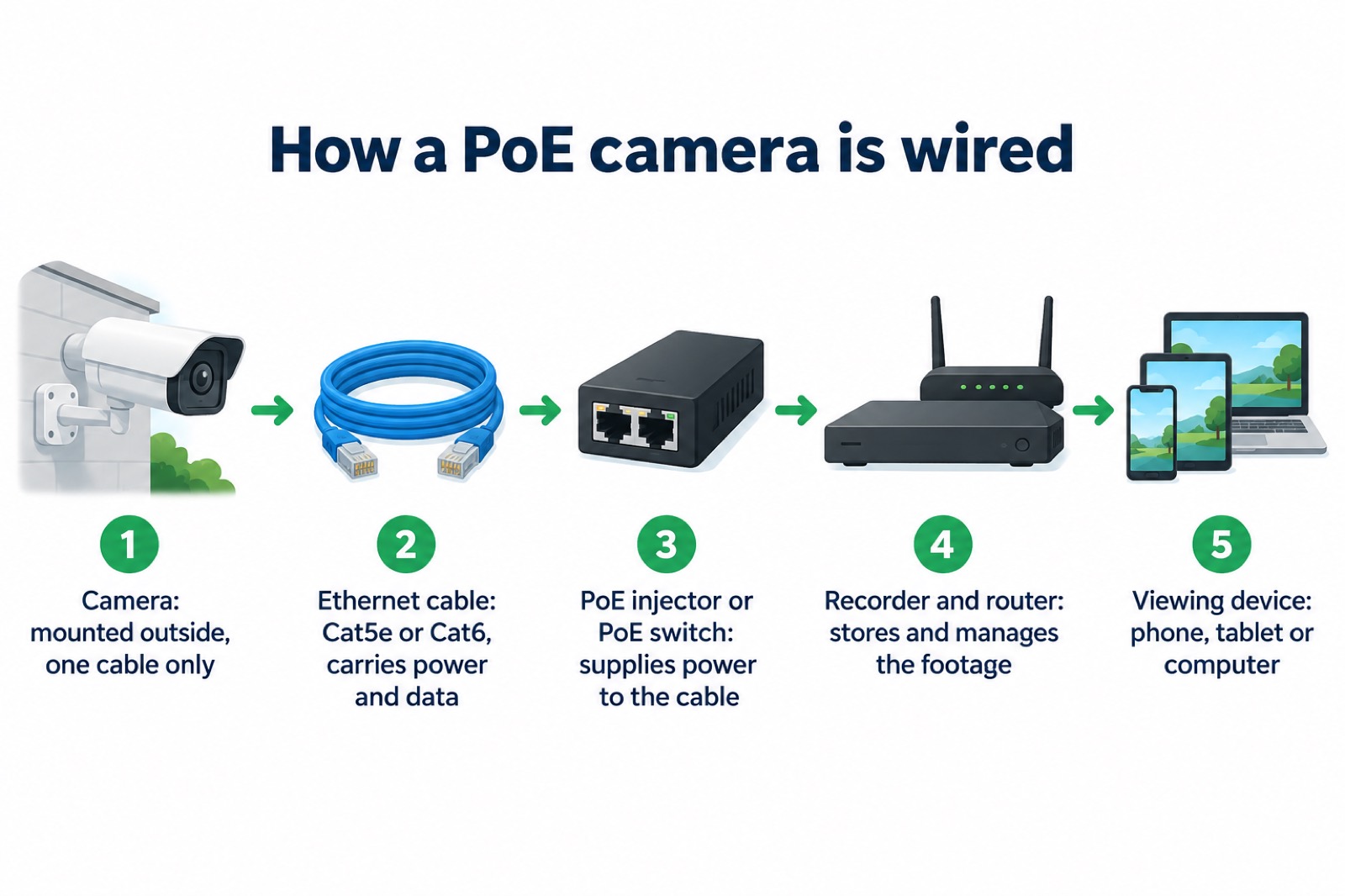
Power over Ethernet, usually shortened to PoE, sends both electricity and network data down a single Ethernet cable. That is the whole appeal for a household: you do not need a mains socket at the camera, so you can put it high on a wall or at the end of a garden where no power point exists. Ubiquiti describes the G6 Bullet as a PoE-powered camera, and the Pro model as PoE+5.
To make it work you need something at the other end to supply the power. A PoE camera needs either a PoE injector or a PoE-enabled network switch to provide both power and data through the Ethernet cable4. The rest of a PoE system is straightforward: the cameras, a PoE network video recorder, Ethernet cables, a router and whatever you view the footage on4. Cat5e or Cat6 cable carries both the power and the data, so the cable you choose matters4.
A wired connection is also the more reliable one. Ofcom's advice for broadband is to use an Ethernet cable to connect your computer directly to your router rather than relying on wifi, for a faster and more reliable connection8. A camera streaming 4K video is doing exactly the kind of steady, high-bandwidth job that wifi handles least gracefully, especially through an outside wall. If your broadband is slow or your mobile signal is weak, our page on alarms and cameras on a weak signal covers what to expect.
The practical constraint is the cable run. You need a route from the camera to your switch or injector that stays dry and out of reach, usually through a wall and into a loft or a cupboard. Plan that route before you buy, because it decides where the camera can go far more than the camera's own specification does.
Built for weather, mounting and upgrades
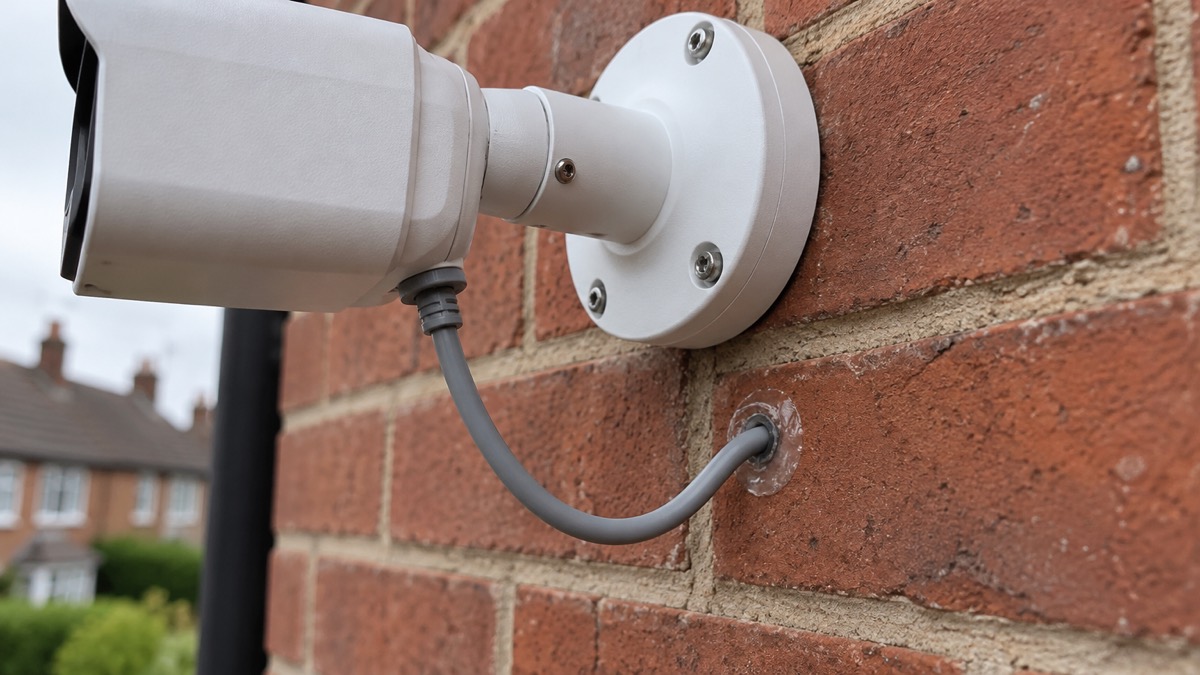
The G6 Bullet's housing is IP66-rated metal, which Ubiquiti says is built to withstand harsh environments1. The IP66 rating is the part that matters for a British garden: it means the enclosure is dust-tight and protected against powerful jets of water, so driving rain should not get inside. It does not make the camera waterproof if water can pool around a seal or run down the cable entry, so seal the wall penetration and leave a drip loop in the cable where it enters the camera.
Ubiquiti designed the Gen 6 range with field upgrades in mind, so on-site hardware enhancements can be made without swapping out the entire unit, and with backwards compatible mounting for easy upgrades1. In practice that means the bracket you fit today is likely to take a later model, and you may be able to change parts of the camera rather than replace the whole thing. If you are fitting a camera to a house you plan to stay in, that is worth knowing before you drill.
Mounting choices are part of the buying decision. Ubiquiti's launch information says the camera has versatile mounting options and is available in black or white1. The UK store product page, by contrast, lists the colour simply as black5. The two descriptions disagree on colour, so if the finish matters, confirm it with the retailer before ordering rather than assuming either.
There is one more model to be aware of if you are planning ahead. Ubiquiti's UK store lists the G6 Edge Bullet as coming in Q4 2026, with customers invited to sign up for notification2. That is a stated window rather than a confirmed date, and it is a different camera from the G6 Bullet, so do not plan an installation around it until it is actually on sale. The G6 Bullet itself is designed with field upgrades in mind, allowing easy on-site hardware enhancements without needing to swap out the entire unit3.
Keeping it running in a power cut or broadband outage
A PoE camera has one great advantage in an outage and one real limitation. The advantage is that it has no plug of its own: if your network switch or injector is on a battery backup, the camera keeps running with it. The limitation is that everything depends on that one cable and the equipment at the far end. Lose the power to the switch, the router or the recorder, and the camera goes dark with them.
If you want the camera to survive a power cut, the thing to protect is the equipment in the cupboard, not the camera on the wall. Put the switch, router and recorder on a battery backup unit sized to run them, and test it before you need it. Our guide to keeping your home protected in a power cut covers the wider planning, and backup power at home explains what different units can and cannot run.
Broadband is the other dependency. A PoE camera records to a recorder on your own network, so local recording can continue without an internet connection, but remote viewing on your phone will not work if the broadband is down. Ofcom's guidance on staying connected covers what to do when broadband and mobile services fail8. If you rely on seeing your home while you are away, know now whether your setup records locally or only to the cloud, because that decides what you still have after an outage.
Charging and batteries are not part of this camera's design, since it takes its power down the cable. Where you do handle rechargeable batteries for other kit, Electrical Safety First's advice is to use USB Power Delivery where possible, because the charger and device agree the safest and fastest charging level10. That is general guidance for the chargers around your home, not for the camera itself.
Setting it up and keeping it ready
Setting up a G6 Bullet is a network job as much as a mounting job. Work through it in order, and test before you commit to a final position.
- Decide the view first. Walk the mounting point at the height you plan to use and check what the camera will actually see, including at night.
- Run the cable. Use Cat5e or Cat6, keep the run dry and protected, and leave a drip loop at the camera4.
- Provide the power. Fit a PoE injector or use a PoE switch port, and check the rating matches your model, particularly PoE+ for the Pro3.
- Connect the recorder and router, then confirm the camera appears on your network and records4.
- Set up viewing on your phone or computer, and check remote access works before you rely on it4.
- Seal the cable entry, tidy the cable and check the camera is firmly fixed.
Once it is running, the routine is short. Check the view every few weeks for cobwebs, leaves and dirt on the lens, because a smeared lens undoes a 30 m infrared range faster than anything else. Check that recordings are actually being kept, not just streamed. And keep the camera's software current: our page on how long cameras get software updates explains why an unpatched camera is a weak point, and stopping strangers getting into camera accounts covers the account settings that keep other people out.
If the camera looks beyond your boundary, even slightly, the rules on filming change. Our guide to filming beyond your boundary sets out what data protection law expects of a household camera that catches a neighbour's garden or the pavement.
Support, warranty and where to get help
Ubiquiti sells the G6 Bullet through its UK store, and the product page is the place to check the current specification, colour and availability before you order5. The G6 Pro Bullet has its own page with its own specification3, and the store's security category lists the range, including the G6 Edge Bullet's Q4 2026 window2. For the wider UniFi ecosystem, including recorders and network equipment, see our Ubiquiti page.
Warranty terms for this camera are not stated here, so ask the retailer or check the maker's documentation before you buy if warranty length matters to you. What the maker does state is that the range was designed with field upgrades in mind, so parts can be enhanced on site without replacing the whole unit1. That is a statement about design, not a promise of support duration.
If you are fitting a camera as part of a wider plan for your home, start with our household guide to home security and the page on how burglars choose a home. A camera is one layer among several, and the layers that slow someone down at the door usually matter more than the one that records them afterwards.
Sources (10)
- Introducing the Gen 6 Camera Lineup, Ubiquiti, 2025-03-24
- All Physical Security, Ubiquiti, 2026-11-03
- Camera G6 Pro Bullet, Ubiquiti, 2026-11-03
- PoE IP Cameras, Reolink, 2026-11-03
- Camera G6 Bullet, Ubiquiti, 2026-11-03
- Outdoor Security Cameras, Reolink, 2026-11-03
- The most popular home security cameras, EZVIZ, 2026-09-28
- Helping broadband and mobile users stay connected, Ofcom, 2020-03-25
- Celebrate Safely, Humberside Fire and Rescue Service, 2026-10-26
- USB Chargers, Electrical Safety First, 2026-10-25

 Ajax BulletCam
 Ajax TurretCam
 Aqara Camera Hub G350
 Arlo Essential 3 2K
 Arlo Essential 3 Indoor
 Arlo Pro 6
 Arlo Ultra 2
 Arlo Ultra 3
 Blink Outdoor 4
 Eufy SoloCam S340
 Eufy eufyCam S3 Pro Kit
 Eufy eufyCam S4 Setup