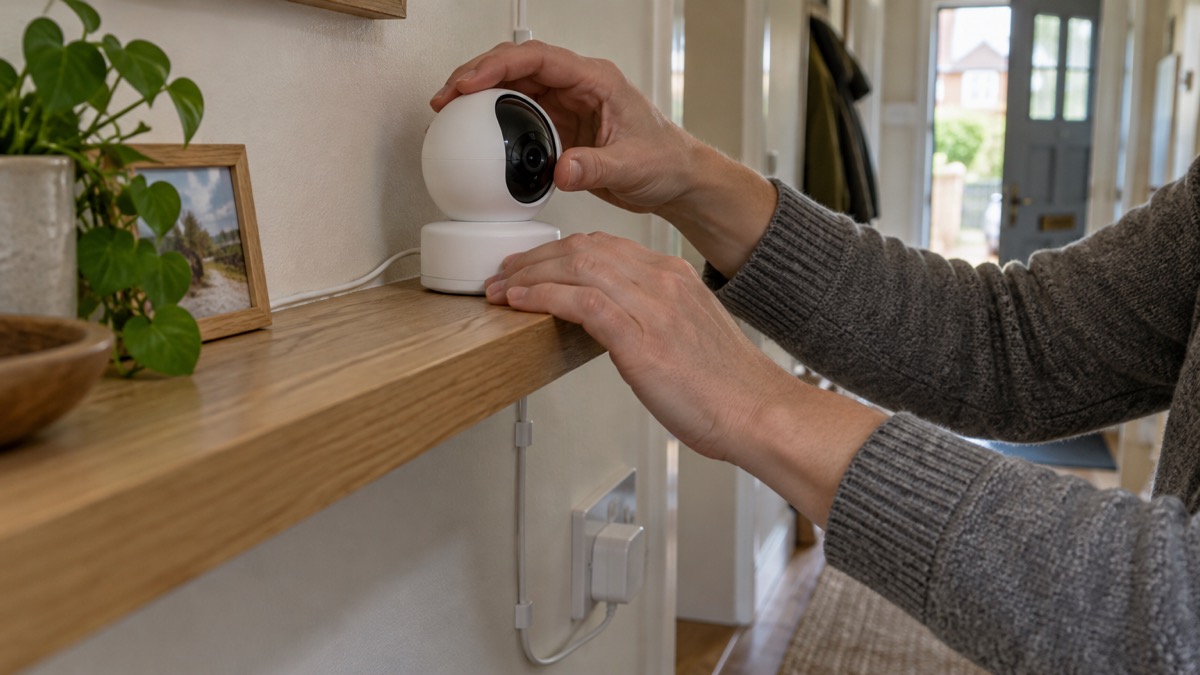
The EZVIZ C6 2K+ is an indoor Wi-Fi camera that sits on a shelf or fixes to a wall and pans and tilts to follow a room. It records at 2560 × 1440, sees up to 10 m in total darkness, and runs from a mains adapter supplying DC 5V/2A, drawing at most 8 W1. It is the kind of camera a household buys to watch a back room, a hallway or a flat while they are out, and the things that decide whether it suits you are simple: where it points, how it connects, and who can see what it records.
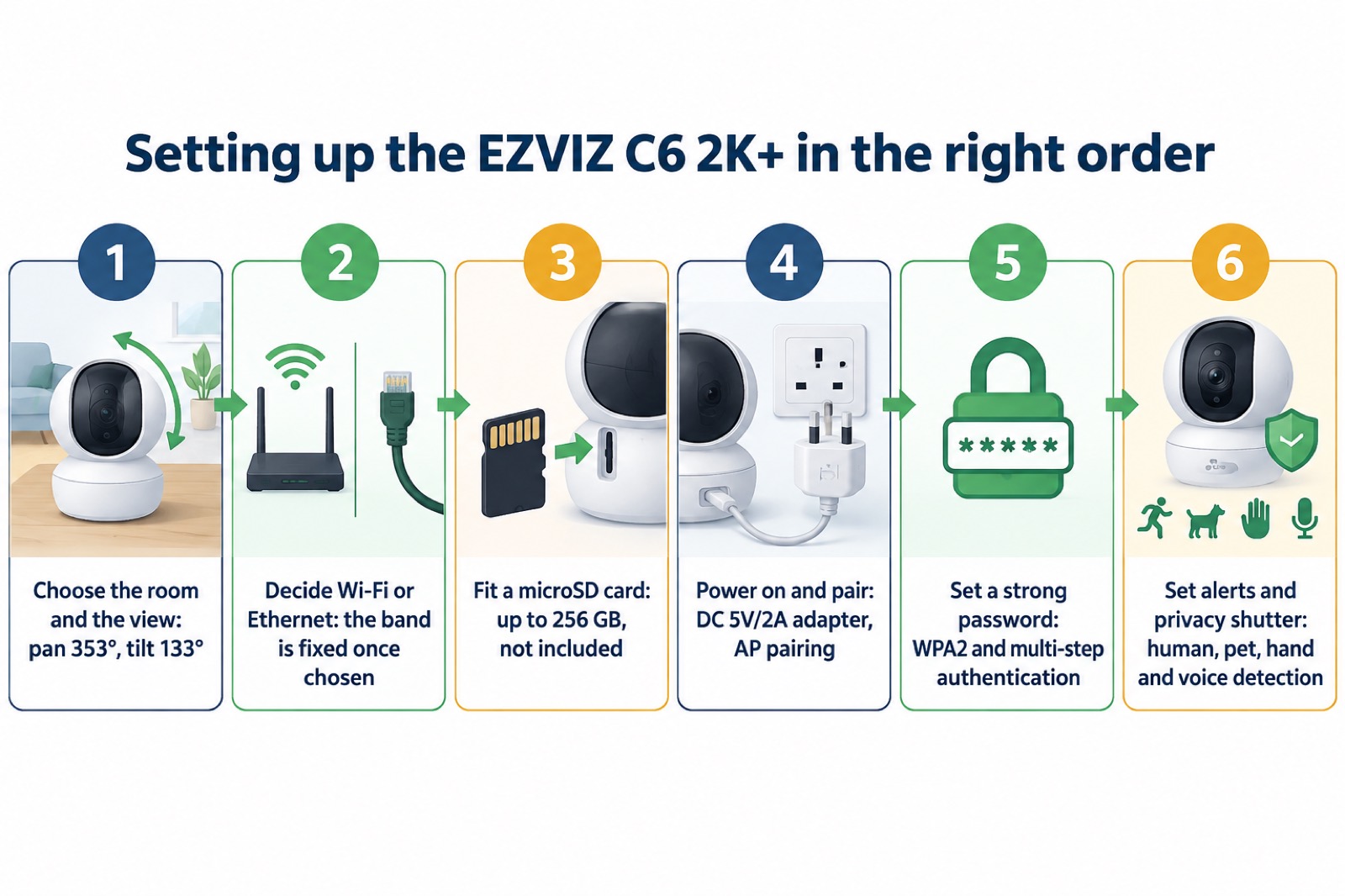
Set it up in this order. Decide the room and the view before you unpack it, because the camera pans 353° and tilts 133°, which is nearly a full turn and a wide sweep up and down1. Choose the Wi-Fi band during setup, because the maker states that once the choice is made you cannot change it to another frequency band1. Fit a microSD card if you want recordings kept in the house, since none is included1. Then set a strong password and turn on the privacy shutter routine when the room is in use.
What the camera is and where it suits
The maker describes the C6 2K+ as a 2K+ smart home camera, an indoor Wi-Fi model built around a 1/3 inch progressive scan CMOS sensor1. Its job is to give you a moving view of one room rather than a fixed view of a doorway, which is why the pan and tilt matter more than the resolution for most households. A camera that can turn can be aimed at a window, a back door or a hallway in turn, and can be set to follow movement across the room.
That makes it a reasonable fit for a flat, a rented room, a home office or the ground floor of a house where the risk you are thinking about is someone coming in through a back door or window rather than the front. It is not a substitute for the physical measures that actually keep people out. If you are working out what to do about the house as a whole, start with Home Security: A Household Guide and How Burglars Choose a Home and What Puts Them Off; a camera records what happens, it does not stop it.
The maker also states that the camera can automatically zoom in up to 4 times to follow a moving object, and that the app offers up to 8x zoom1. In a small room that is more than enough to read a face at the distance the camera is likely to be from the door. The lens is a 4 mm model at F1.6, with a 92° diagonal viewing angle, and the camera uses 3D digital noise reduction and an 80dB wide dynamic range figure to cope with a bright window behind a darker figure1.
Picture, lens and night vision
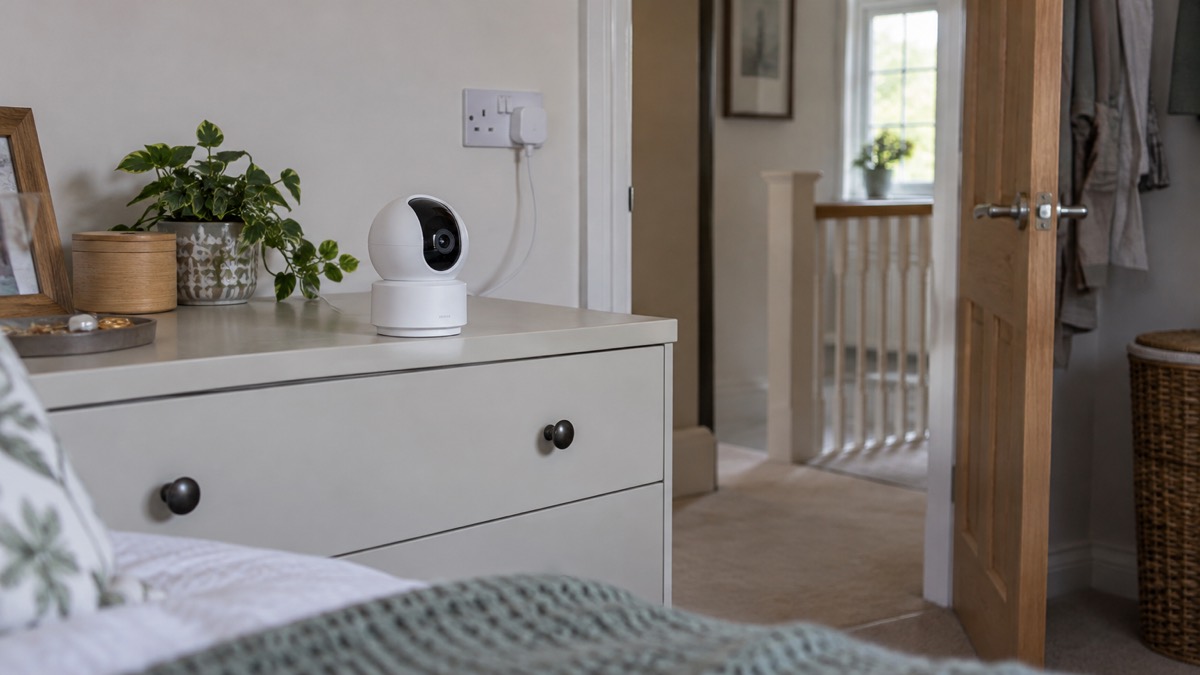
The headline figure is 2560 × 1440, which the maker calls 2K+, at a maximum of 25 frames per second, adapting itself during network transmission1. In practice the frame rate you get depends on your connection, and the camera offers Quad HD, Full HD, HD and Standard bit rates with adaptive bit rate, so it can drop quality rather than stall when the broadband is busy1. Video is compressed as H.265 or H.264, with a maximum bitrate of 4Mbps1.
Night vision is quoted at 10 m, with a minimum illumination figure of 0.1 Lux at F1.6 with automatic gain control on, and 0 Lux with the infrared illuminators running1. What that means for a household is straightforward: in a room with no light at all, the camera will show you shapes and movement out to about 10 m, which covers most domestic rooms and a short hallway. Beyond that distance the infrared falls away and you should not expect detail.
| Specification | Figure |
|---|---|
| Maximum resolution | 2560 × 14401 |
| Frame rate | Up to 25fps, self-adaptive1 |
| Lens | 4 mm at F1.6, 79° horizontal, 42° vertical, 92° diagonal1 |
| Night vision | 10 m1 |
| Minimum illumination | 0.1 Lux at F1.6, 0 Lux with IR1 |
| Compression | H.265 / H.264, maximum bitrate 4Mbps1 |
| Wide dynamic range | 80dB1 |
Two practical points follow. First, infrared light reflects off glass, so a camera pointed through a window at night will show you the reflection of its own LEDs rather than the garden. Second, the 10 m figure is a darkness figure; in a room with a lamp on, the camera is working in colour and the range is not the limit.
Power, Wi-Fi and choosing the band
The camera is mains powered through an adapter supplying DC 5V/2A, and the maker gives a maximum consumption of 8 W1. That is a low draw, well within a normal socket circuit, but it does mean the camera stops when the power does. If you want a camera that keeps watching through a power cut, that is a different kind of device and a different question; Keeping Your Home Protected in a Power Cut sets out what to think about, and Wired or Battery Security Camera? compares the two approaches.
The connection is where most of the setup decisions are made. The camera supports IEEE 802.11a, b, g, n and ac, with 64 and 128-bit WEP, WPA and WPA2 security, and pairing is done by AP pairing1. It also has a wired network port, an RJ45 socket described as 10M/100M adaptive Ethernet1. The maker's instruction is the one to read twice:
"You will need to choose the Wi-Fi frequency band during the device setup process. Once the choice is made, you will not be able to change it to another frequency band."
The frequency range covers 2.4G at 2400 to 2483.5MHz and 5G at 5170 to 5250MHz and 5735 to 5835MHz, with 40MHz channel bandwidth supported1. The 2.4GHz band reaches further through walls; the 5GHz band is less crowded. Because the choice is fixed, think about where the camera will live before you start, not after. If your broadband is weak in the room you have in mind, Ofcom's advice for a more reliable connection is to use an Ethernet cable to connect directly to the router rather than relying on Wi-Fi2, and the C6 2K+ has the port to do it.
Privacy, encryption and keeping the camera secure
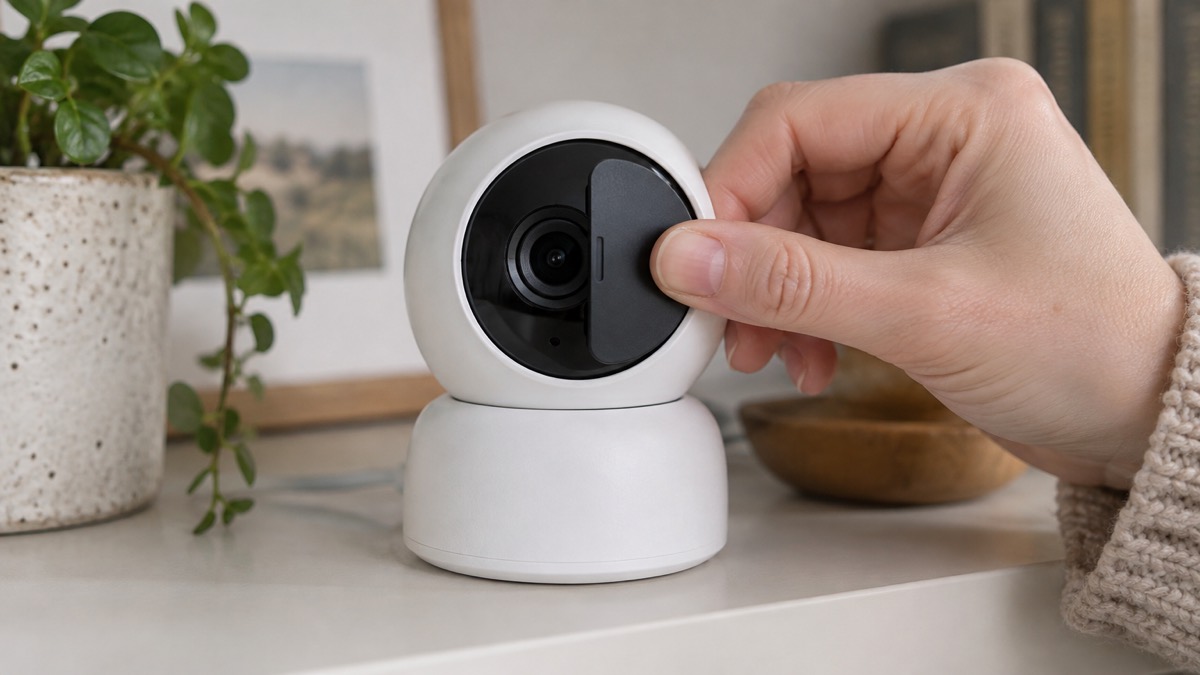
The C6 2K+ has a privacy shutter that covers the lens completely, which the maker presents as a way to take your private time back without unplugging anything1. Use it. A camera in a living room or hallway is a camera in the room where you live, and a physical cover is the one control that does not depend on an app, a password or a connection working.
On the software side the maker lists AES 128-bit encryption, TLS encryption protocol and multi-step authentication, along with password protection and a watermark function1. The camera talks to the EZVIZ cloud through a proprietary protocol, and the maker states that the cloud storage service is only available in certain markets1. EZVIZ states that it has been awarded certification by DNV for information security (ISO/IEC 27001:2013), personal data protection (ISO/IEC 27701:2019) and cloud security (CSA STAR)3.
Two habits matter more than any specification. Keep the camera's firmware and app updated, and use a password you do not use anywhere else. If you want the wider picture on accounts and access, Camera and Doorbell Accounts: Stopping Strangers Getting In and How to Stop Your Security Camera Being Hacked go through it step by step, and How Long Do Cameras and Doorbells Get Software Updates? explains why the four-year figure matters.
Alerts, two-way talk and what the camera can and cannot do
The smart alarm functions are AI-powered human shape detection, pet detection, waving-hand detection and voice activity detection1. Read that list as a set of filters rather than a guarantee. The camera is trying to distinguish a person from a pet or a raised hand, and to notice sound as well as movement, which cuts down the alerts you get when a cat crosses the room. It will still occasionally get it wrong, and the answer is to tune which alerts are on rather than to switch them all off.
Two-way talk is supported through a dual microphone, with a built-in high-sensitivity microphone for input and a built-in high-power speaker for output1. The maker gives a 10-metre sound pick-up figure1. That is the distance over which the camera is designed to hear, and it is the number to use when you decide where to put it: a camera above a front door will hear someone at the step, one at the far end of a long hallway may not.
What the camera cannot do is worth stating plainly. It cannot stop anyone entering, it does not replace locks, and it is not an alarm that summons help. It records, it alerts you, and it lets you speak. If you want something that raises an alarm, Burglar Alarms: Types and How to Choose One and Burglar Alarm or CCTV Camera: Which Suits Your Home? set out the difference. If the camera is to watch a shared entrance or a flat door, Flats and Shared Entrances: Door Entry and Communal Doors covers the points that catch people out.
Specifications
| Item | Detail |
|---|---|
| Model number | CS-C6-A0-8C4WF1 |
| Product type | Indoor Wi-Fi camera, 2K+ smart home camera1 |
| Dimensions | 100 × 100 × 96.5 mm1 |
| Net weight | 325 g1 |
| Weight with package | 641 g1 |
| Packaging dimensions | 116 × 116 × 164 mm1 |
| Image sensor | 1/3 inch progressive scan CMOS1 |
| Pan and tilt | Pan 353°, tilt 133°1 |
| Day and night | IR-cut filter with auto-switching1 |
| Digital noise reduction | 3D DNR1 |
| Backlight compensation | Supported1 |
| Shutter speed | Self-adaptive1 |
| Power supply | DC 5V/2A1 |
| Power consumption | Maximum 8 W1 |
| Wired network | RJ45 × 1, 10M/100M adaptive Ethernet1 |
| Wi-Fi pairing | AP pairing1 |
| Local storage | microSD slot, maximum 256 GB, card not included1 |
| Cloud storage | EZVIZ Cloud Storage, available in certain markets1 |
| Operating conditions | -30°C to 60°C, humidity 95% or less, non-condensing1 |
| Certifications | CE, FCC, UKCA, UL, WEEE, RoHS, REACH1 |
| Reset button | Yes1 |
It is described as an indoor camera, and the humidity condition, 95% or less and non-condensing, is the one that matters in a kitchen or bathroom, where steam will fog the lens and eventually find its way inside. Keep it in the dry, ventilated rooms it was designed for.
What comes in the box and how to mount it
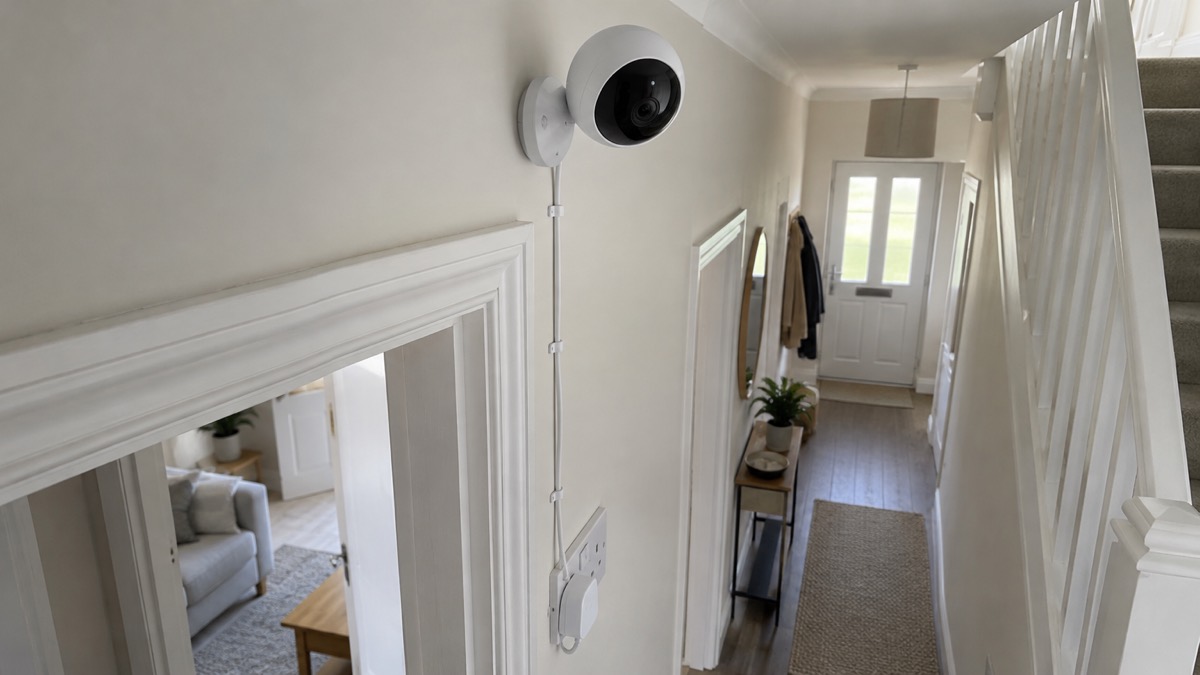
The maker lists the camera, a base, a power cable, a power adapter, a drill template, a screw kit, a quick start guide and regulatory information1. The drill template and screw kit are there because the base can be fixed to a wall or ceiling; the base also lets the camera stand on a flat surface. Nothing else is needed to get started, but a microSD card is not included and must be bought separately if you want local recording1.
Before you drill, check three things. The cable needs to reach a socket without being stretched across a walkway. The view should cover the door or window you care about without pointing into a neighbour's window or a public footpath, because filming beyond your boundary brings data protection duties with it; Filming Beyond Your Boundary: CCTV, Doorbells and Data Protection explains what those are. And the camera should not be somewhere it can be reached and turned or taken by someone standing on a chair.
Support, updates and where to get help
EZVIZ states that it holds DNV-awarded certification for information security, personal data protection and cloud security3, and Ezviz states that it will support its products for at least four years from launch4. Together those give you a reasonable expectation of a supported device for several years, but the four-year figure is the one to note in your diary: after it, treat the camera as an older device and check for updates before relying on it.
If something goes wrong, check the camera's network settings first: it connects over Wi-Fi or through its RJ45 Ethernet port, so a wired connection is the fallback when the wireless link is unreliable1. Footage already written to a microSD card is not affected by a reset.
For the wider question of how a camera fits into protecting a home, Home Cameras and CCTV: Types and How to Choose is the place to start, and Is It Safe to View Your Home Camera Remotely? covers the practical side of checking in from your phone. If you are comparing this kind of indoor camera with others in the same role, the pages on the EZVIZ C6N and the Arlo Essential 3 Indoor Camera describe what those models do, and Wired or Battery Security Camera? sets out the trade-off in general terms.
Sources (4)
- EZVIZ C6 2K+ product page, EZVIZ, 2026-11-03
- Helping broadband and mobile users stay connected, Ofcom, 2020-03-25
- EZVIZ H8c 2K product page, EZVIZ, 2026-11-03
- Best indoor security cameras, Which?, 2026-08-18

 Ajax BulletCam
 Ajax TurretCam
 Aqara Camera Hub G350
 Arlo Essential 3 2K
 Arlo Essential 3 Indoor
 Arlo Pro 6
 Arlo Ultra 2
 Arlo Ultra 3
 Blink Outdoor 4
 Eufy SoloCam S340
 Eufy eufyCam S3 Pro Kit
 Eufy eufyCam S4 Setup