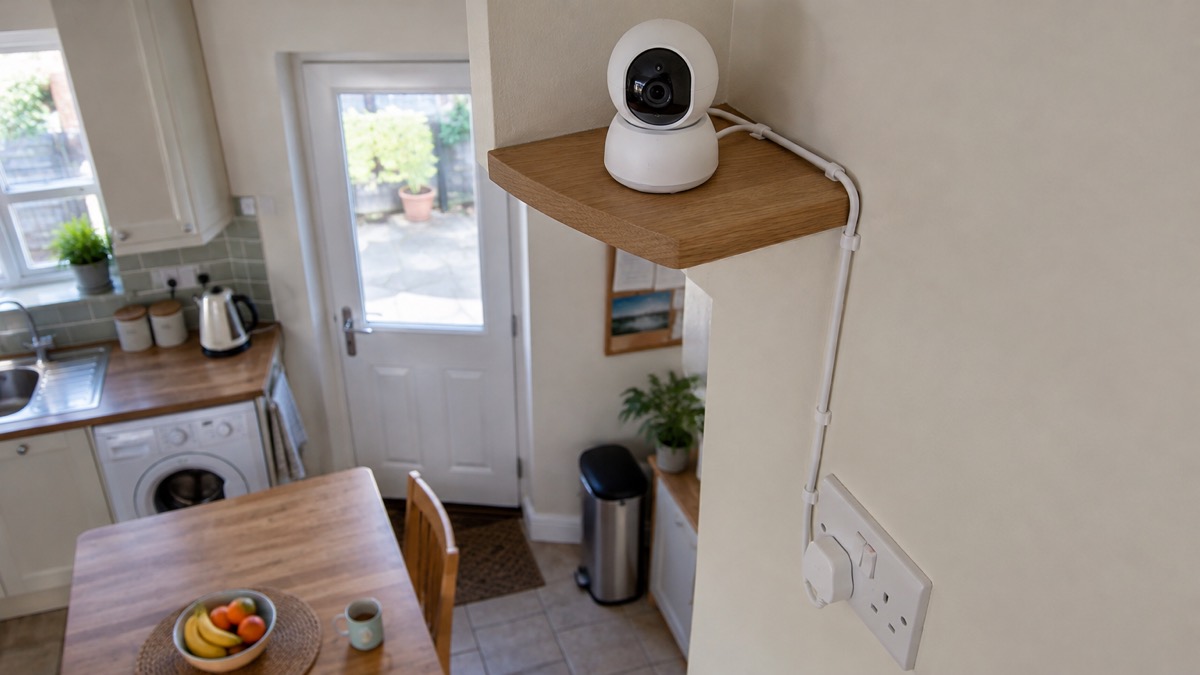
The EZVIZ C6N is an indoor camera that sits on a shelf or is fixed to a wall and turns to look around a room. It records at 1080p, pans through 340 degrees and tilts through 55 degrees, and connects to your home network over 2.4 GHz Wi-Fi or by a cable. It takes power from a Micro USB supply rated DC 5V/1A and draws 5W at most, and it stores footage on a microSD card of up to 256 GB or in EZVIZ's encrypted cloud1.
If you are thinking of buying one, the things that decide whether it suits your home are these: it is for indoor use, it needs a 2.4 GHz network or a cable, and it needs a card or a cloud subscription if you want to keep recordings. If you already own one, the safe set-up is simple: keep it within its temperature and humidity limits, keep its software updated, and use sleep mode when you want privacy1.
This page sets out what the camera is, what it can and cannot do, how to connect and power it, where it should not go, and how to keep the account behind it secure. It does not cover prices, and it does not set the C6N against other cameras.
What the EZVIZ C6N is and what it suits
The maker calls the C6N a smart Wi-Fi pan and tilt camera1. That description matters more than it sounds. A fixed camera points where you aimed it on the day you fitted it. The C6N has a motorised mount, so it can sweep across a room and look up and down, and EZVIZ describes it as giving 360 degree visual coverage from a single setup position1. In practice that means one camera on a shelf can cover most of an open-plan living room, a hallway or a small shop floor, rather than one corner of it.
It is an indoor camera. The maker's own figures for temperature and humidity, set out below, are the limits of a room, not a garden. If you want a camera for a driveway, a garden or the outside of a house, the C6N is the wrong tool; EZVIZ makes outdoor models, and the home cameras and CCTV guide explains the difference between indoor and outdoor types and what each is for.
What it suits is the ordinary household job: watching a room while you are out, checking on a pet or an older relative, or seeing who is at the door of a flat where there is no entryphone camera. It has a two-way talk feature through the EZVIZ app, so you can speak as well as listen1. It also has motion detection and smart tracking, which the maker says will automatically track movement while alerting you with an image in real time1.
What it does not do is replace a burglar alarm. It records and it alerts; it does not sound a siren or summon help. The burglar alarms guide and the comparison of alarms or cameras set out where each fits.
Specifications
The maker's product page gives the full specification. The figures below are the ones that decide where it goes and what it can do1.
| Specification | Figure |
|---|---|
| Model number | CS-C6N-A0-1C2WFR |
| Type | Smart Wi-Fi pan and tilt camera, indoor |
| Maximum resolution | 1920 × 1080 (1080p) |
| Image sensor | 1/4 inch progressive scan CMOS |
| Lens | 4 mm at F2.4; 85° diagonal, 75° horizontal, 45° vertical |
| Pan and tilt | 340° horizontal, 55° vertical |
| Night vision | Infrared, maximum 10 m (32.81 ft) |
| Zoom | Up to 8x |
| Video compression | H.264 |
| Wi-Fi | 2.4 GHz, IEEE802.11 b/g/n, 20 MHz channel bandwidth |
| Wired network | One RJ45 10M/100M self-adaptive Ethernet port |
| Storage | microSD up to 256 GB; encrypted cloud storage |
| Power | DC 5V/1A, Micro USB, 5W maximum |
| Power cable | 3 m (9.8 ft) |
| Operating humidity | 95% or less, non-condensing |
| Dimensions | 88 mm × 88.2 mm × 119 mm |
| Weight | 218 g |
| Certifications | FCC, UL, CE, WEEE, REACH, RoHS |
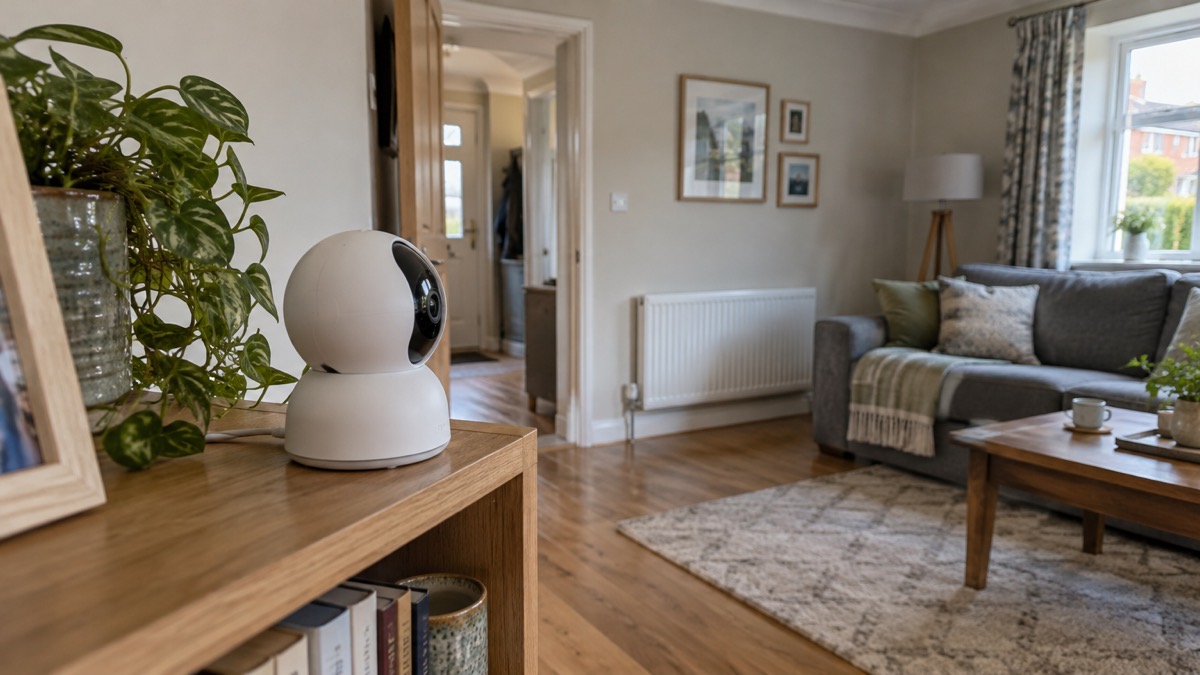
The camera is small: 218 g and about the size of a large mug. That makes it easy to move from room to room, and easy to knock over, so the base and screw kit in the box are there for fixing it where you want it1.
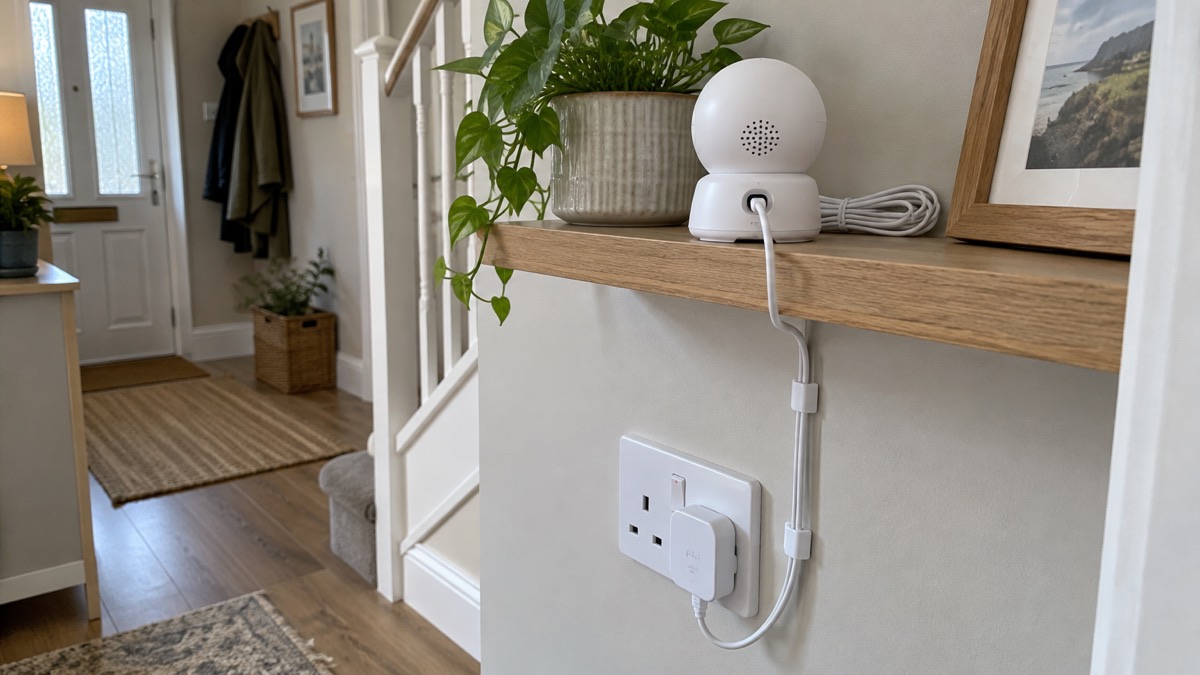
Power: 5V 1A by Micro USB, 5W at most
The C6N takes its power through a Micro USB connection at DC 5V/1A, and the maker gives its consumption as 5W maximum1. The box includes a power adapter and a 3 m (9.8 ft) power cable, so in most rooms you can reach a socket without an extension lead1. The maker's blog describes the same arrangement: power is supplied through DC 5V/1A Micro USB5.
That 5W figure is small. It is the sort of load a USB charger handles without effort, and it means the camera is not a significant drain on a household's electricity. It also means the camera is entirely dependent on mains power: there is no battery in the specification, so a power cut takes the camera off until the power returns. If you want a camera that keeps watching through a cut, that is a different product decision, and the guide to keeping your home protected in a power cut covers what to think about.
A USB power bank of the right output can supply 5V/1A, and some owners use one as a stopgap. The maker does not list a power bank as an accessory and gives no running time, so treat it as a temporary measure. Check the power bank's own instructions, and do not leave a power bank charging unattended in a hot room or in direct sun.
Connecting it: 2.4 GHz Wi-Fi or a wired Ethernet port
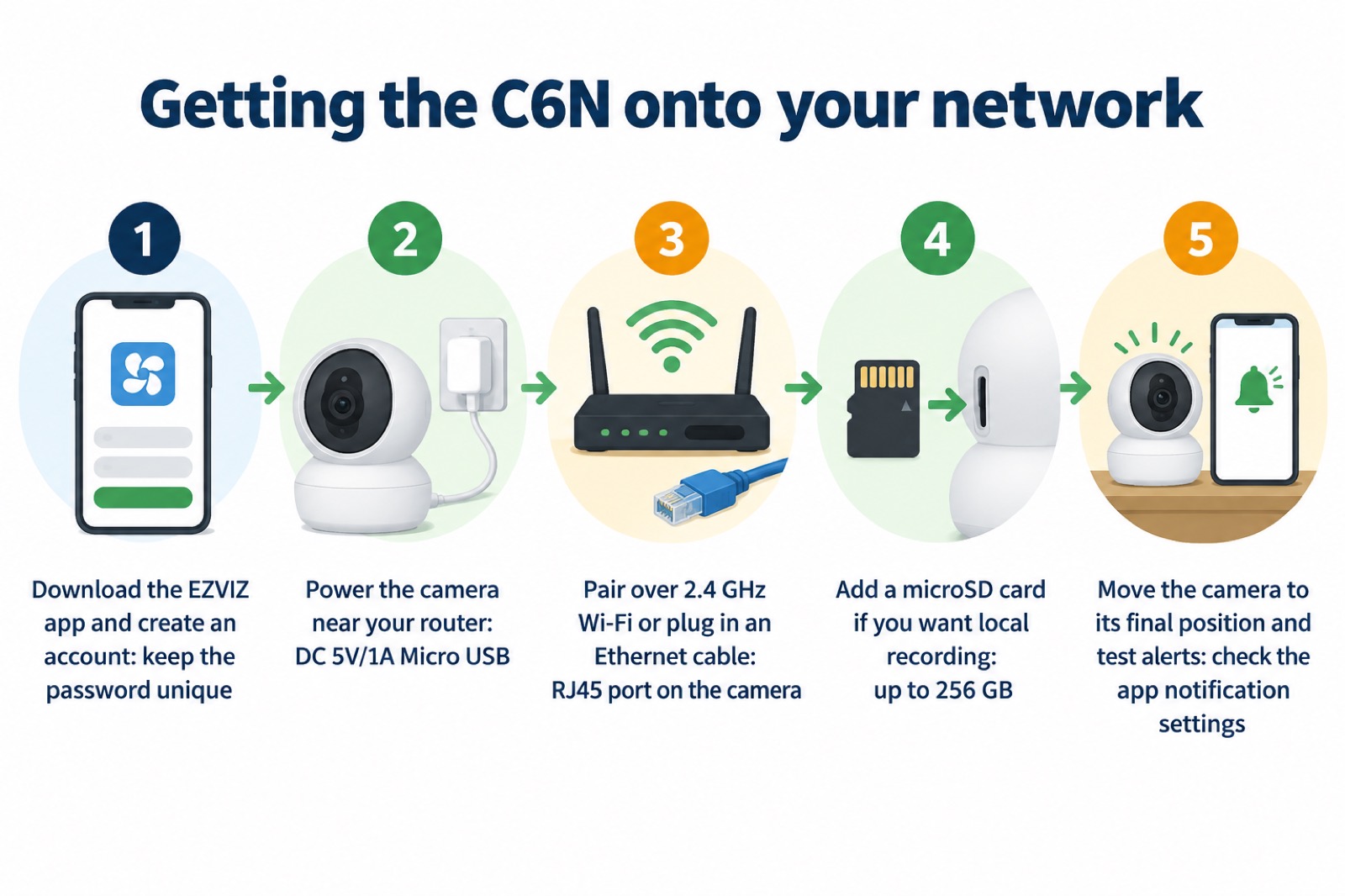
The C6N connects over 2.4 GHz Wi-Fi. The maker lists the standard as IEEE802.11 b/g/n, the frequency range as 2.4 GHz to 2.4835 GHz, and the supported security as 64/128-bit WEP, WPA/WPA2 and WPA-PSK/WPA2-PSK1. It does not list 5 GHz. If your router offers only a single network name that combines both bands, the camera may not find it; separating the 2.4 GHz band, or using the cable, is the usual fix.
The wired option is a real one. The maker lists an RJ45 10M/100M self-adaptive Ethernet port on the camera1, and EZVIZ's own blog describes the C6N Black as having 2.4 GHz Wi-Fi and a physical RJ45 Ethernet port4. A cable is the more reliable connection where the camera is fixed in one place, and Ofcom's advice on broadband makes the same point for any device: for the best speeds, use an Ethernet cable to connect directly to your router rather than relying on Wi-Fi6. If your broadband or mobile signal is weak where the camera would go, the guide to alarms and cameras on a weak signal is worth reading before you commit.
Set-up is through the EZVIZ app, and the maker lists AP pairing as the method1. Have your Wi-Fi password to hand, keep the camera close to the router while you pair it, and move it to its final position afterwards.
Where recordings go: microSD up to 256 GB or encrypted cloud
The C6N supports a microSD card and encrypted cloud storage1. The card slot takes up to 256 GB, a figure the maker gives on the product page and repeats in its blog posts1. There is no card in the box, so local recording means buying one.
The two routes do different jobs. A card keeps footage in the camera, on your premises, and needs no subscription. Cloud storage keeps footage off-site, so it survives the camera being taken or damaged, but it depends on your broadband and on the subscription continuing. EZVIZ's own guidance on choosing a camera makes the trade-off plainly: local options such as microSD cards or network video recorders keep everything on site and avoid monthly fees, while cloud storage offers remote access and off-site safety but usually comes with ongoing costs and time limits on how long video is kept7. EZVIZ's CloudPlay service is described by the maker as fully encrypted, unlimited cloud storage8.
For a household, the practical answer is often both: a card for everyday recording, and cloud if you want to be able to look back at footage after the camera itself has gone. Whichever you choose, the account that holds the footage is the thing to protect. The guide to camera and doorbell accounts explains how to lock one down.
Where the C6N must not go: damp, steam and the weather
The maker gives the C6N a humidity limit of 95% or less, non-condensing1. That figure decides placement. A camera inside that limit in a normally heated or ventilated room will be fine. A camera outside it is being asked to work in conditions it was not built for.
That rules out several tempting spots:
- A bathroom or kitchen close to steam. The humidity limit is 95% non-condensing, and steam condenses on cold surfaces.
- Anywhere it can get wet. The C6N is an indoor camera; rain, hose water and splashes are outside its specification.
- A shed, garage or conservatory that swings between damp and dry. An unheated outbuilding is not the room the maker's humidity figure describes.
The same principle applies to other electrical kit in the home. Electrical Safety First advises avoiding storing, using or charging a vape in extreme temperatures9, and official guidance on heaters says they should be used only in enclosed, supervised spaces and not outdoors or unsupervised unless rated for that environment10. A camera is a smaller risk than a heater, but the logic is identical: electrical equipment has a stated operating range, and it should be kept inside it.
That warning is not about the camera, but it belongs on any page about kit in the home. If you are placing a camera to watch a room with a heater, a boiler or a flue in it, the guide to home emergencies covers carbon monoxide, gas leaks and burst pipes. For a boiler house or an outbuilding, keep the camera within its stated humidity limit and check the room through the year, not just on the day you fit it.
Privacy, security certification and software updates
A camera in the home is a camera that can be watched by someone else if the account behind it is weak. The C6N has a sleep mode: EZVIZ states that with one tap of the EZVIZ app you can enable it, giving you privacy when you need it1. Use it when you are in the room and do not want to be recorded, and check in the app that it has taken effect.
On the security of the product itself, the maker lists FCC, UL, CE, WEEE, REACH and RoHS certification for the C6N1. Those are product safety and environmental marks. Separately, EZVIZ states that it has been awarded certification by DNV for information security (ISO/IEC 27001:2013), personal data protection (ISO/IEC 27701:2019) and cloud security (CSA STAR)12. Those are certifications of the company's systems, not a guarantee about any one camera, but they are the relevant ones when you are deciding whether to trust the cloud side.
Software updates are the part owners control. Police Scotland's advice on hacked accounts is to keep software and apps updated for the latest security updates3, and that applies to the EZVIZ app on your phone as much as to the camera. On how long updates will come, the published figures differ. Which? reports that Ezviz will support its products for at least four years from launch2, while a later Which? article on video doorbells says Ezviz will support its products for two years from launch13. The two documents disagree, and the difference matters if you are buying a camera to last. The guide to how long cameras and doorbells get software updates looks at the question across makers.
What comes in the box and how to set it up
The maker lists the contents as the C6N camera, a base, a screw kit, a 3 m (9.8 ft) power cable, a drill template, a power adapter and a quick start guide1. The drill template is there because the camera can be fixed to a wall or ceiling rather than stood on a shelf; the base and screws are for that. There is no microSD card, so add one if you want local recording.
A sensible order of work is:
- Decide the position first. High enough to see the room, within reach of a socket and within the humidity limit1.
- Pair it near the router. Use 2.4 GHz Wi-Fi or the Ethernet port, and have the Wi-Fi password ready1.
- Fit the card. Up to 256 GB, inserted before the camera goes up if the slot is hard to reach afterwards1.
- Test the alerts. Walk across the room and check that the app notifies you and that smart tracking follows you1.
- Fix it in place. Use the base, screws and drill template if you are mounting it1.
- Set sleep mode and check updates. Both are in the app1.
If the camera is watching a shared or communal area, or pointing beyond your boundary, the rules on filming change. The guide to filming beyond your boundary explains what data protection law expects of a household camera.
Where to get help and what to expect from support
The C6N is sold and supported by EZVIZ, and the maker's product page is the place to check the specification, the app requirements and the support contact for your country1. Keep the model number, CS-C6N-A0-1C2WFR, to hand when you contact support, and keep the receipt: the warranty terms are set by the seller and the maker, not by this page.
If the camera stops working, work through the obvious causes in order. Check the power supply and cable first, since the camera has no battery and a loose Micro USB connection looks exactly like a dead camera. Check that your router is broadcasting a 2.4 GHz network. Check the app for an update. If the camera is online but you cannot see it remotely, the problem is more likely your broadband or mobile signal than the camera, and the guide to viewing your home camera remotely covers that.
For the wider question of what cameras can and cannot do for a household, and how they fit alongside locks, lighting and alarms, start with the home security guide. If you are weighing a camera against a doorbell, the comparison of video doorbells or outdoor cameras sets out the difference, and the guide to video doorbells covers the doorbell side in more detail.
Sources (13)
- EZVIZ C6N product page, EZVIZ, 2026-11-02
- Best indoor security cameras, Which?, 2026-08-18
- Hacked accounts, Police Scotland, 2026-11-03
- The most popular home security cameras, EZVIZ, 2026-09-28
- 5 best high quality smart home cameras, EZVIZ, 2026-09-18
- Helping broadband and mobile users stay connected, Ofcom, 2020-03-25
- Best security camera features for UK weather conditions, Eufy, 2025-09-17
- EZVIZ C8W Pro 2K product page, EZVIZ, 2026-11-03
- Vapes and e-cigarettes, Electrical Safety First, 2026-10-25
- Safe use of heaters and generators, Armagh City, Banbridge and Craigavon Borough Council, 2026-10-29
- Carbon monoxide diagnosis algorithm, UK government, 2015
- EZVIZ H8c 2K product page, EZVIZ, 2026-11-03
- How to buy the best smart video doorbell, Which?, 2026-10-16

 Ajax BulletCam
 Ajax TurretCam
 Aqara Camera Hub G350
 Arlo Essential 3 2K
 Arlo Essential 3 Indoor
 Arlo Pro 6
 Arlo Ultra 2
 Arlo Ultra 3
 Blink Outdoor 4
 Eufy SoloCam S340
 Eufy eufyCam S3 Pro Kit
 Eufy eufyCam S4 Setup