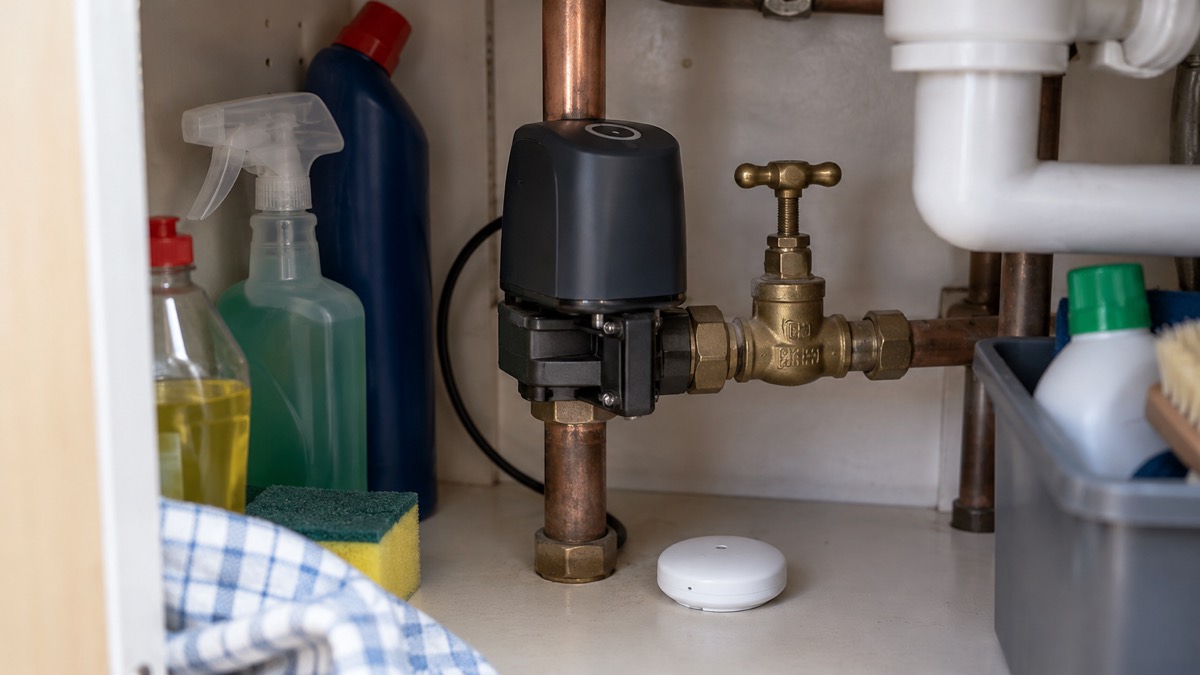
A burst pipe or a leaking washing machine can flood a home in the time it takes to do the school run. The Ajax WaterStop is a smart water shutoff valve: it sits on your incoming water pipe and closes the valve automatically when a linked leak detector senses water, stopping the supply within 7 seconds of a leak being detected1. It runs on four CR123A batteries, so it keeps working when the mains power is off, and it needs an Ajax hub to operate2.
For a household getting ready for winter storms, a cold snap or simply a fortnight away, that matters. Most water damage happens when nobody is watching. The WaterStop gives you a way to limit it, provided you know how to set it up, how to keep its batteries healthy and what to do when the low battery warning appears.
This page covers what the device does, how it links to a leak detector, how to set up automatic shutoff in the app, and how to replace its batteries safely. It does not cover installation of the valve itself, which the maker says should be done by a plumber3.
What the Ajax WaterStop does, and what it cannot do
The WaterStop is a motorised valve that fits into your existing plumbing line and turns the water on or off on command3. Its main job is simple: when a leak detector raises an alarm, the valve closes and the supply stops5. The maker says the shutoff happens within 7 seconds of a leak being detected1, and that in a system with a ¾-inch pipe and 2.5 bar water pressure, less than 33 oz of water is released before shutoff3.
It is not only a leak response device. The valve can also be set to close when the alarm system is armed and open again when it is disarmed, and it can follow a schedule that turns the water on and off at set times1. That makes it useful for a household that wants the water off whenever the house is empty, without crawling under the sink each time.
What it cannot do is replace your own knowledge of the stop tap. Water UK's advice is clear that the first thing to do when you find a leak is turn off the water at the stop tap6, and Severn Trent Water says the fastest way to stop the flow is to turn off your stop tap7. The WaterStop is an extra layer, not a substitute. If the device fails, loses its connection or has flat batteries, you still need to know where your stop tap is and how to turn it.
The device is designed for indoor use3 and is not designed to control the supply of gas or any liquid other than water2. The maker also warns against using the leakage response feature with water fire suppression systems2.
Linking WaterStop to LeaksProtect for automatic shutoff
The WaterStop works with LeaksProtect Jeweller and with third-party detectors connected through an Ajax integration module1. The maker's manual for LeaksProtect describes the basic behaviour: the WaterStop shuts off the water supply as soon as the leak detector transmits an alarm5.
That link is what turns a leak detector from a noise into an action. A detector on its own tells you there is water where there should not be. A detector linked to a shutoff valve stops the water before you get to the cupboard.
The maker lists the scenarios the WaterStop can respond to, and they go beyond leak alarms2:
- Alarm reactions, including a leak detector alarm
- Security mode changes, so the water closes when you arm the system
- Scheduled actions, so the valve opens and closes at set times
- A Button press
- Temperature protection
- A LightSwitch press
- Humidity and CO2 concentration triggers
For most households the leak alarm and the security mode link are the two that matter. The first protects the home while you are in it; the second protects it while you are out.
The maker says up to 200 leak detectors and shutoff valves can be deployed across an entire site on a single Ajax system3. That figure is aimed at larger premises, but it shows the system scales from a single flat to a building.
Setting up automatic shutoff in the Ajax app
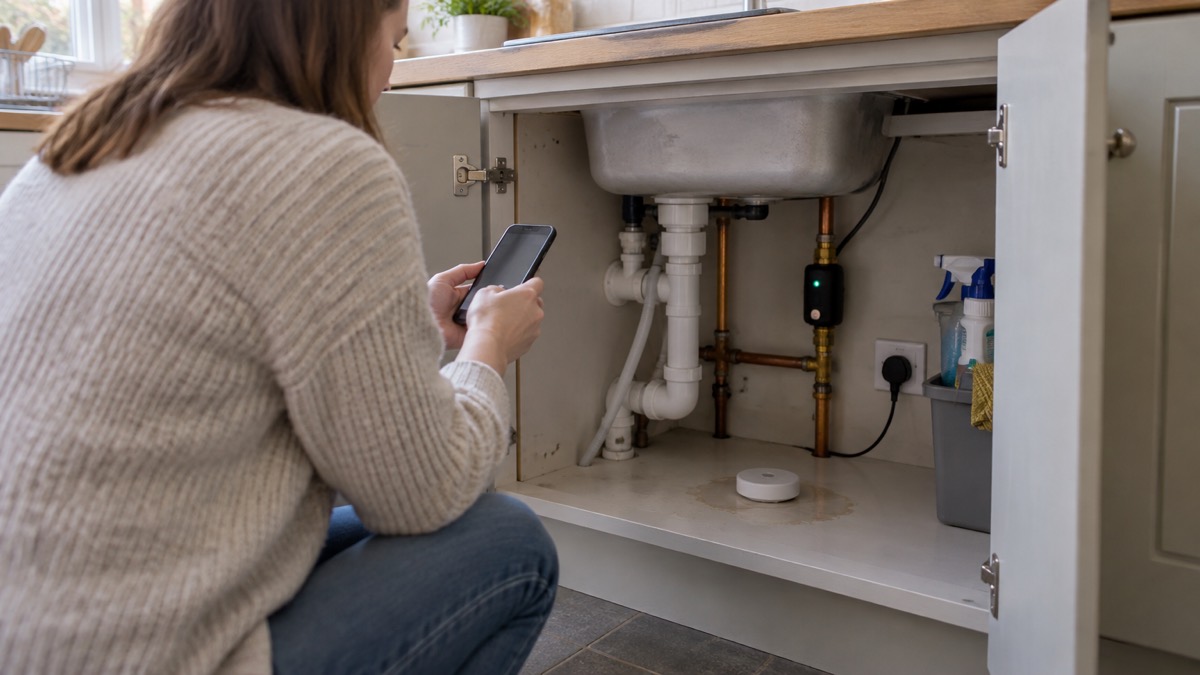
The maker's support article sets out the steps for creating the automatic shutoff scenario in the Ajax app8. You need the app installed and the WaterStop already added to your hub.
- Open the Ajax app and select a hub if you have more than one, or if you are using the PRO app8.
- Go to Devices8.
- Select Ajax WaterStop in the list8.
- Open its settings using the gear icon8.
- Create a scenario following the prompts in the app8.
The app walks you through the rest. The maker's manual lists the app versions that support the space functionality: Ajax Security System 3.0 for iOS and Android, Ajax PRO: Tool for Engineers 2.0, and Ajax PRO Desktop 4.02. If your app is older, update it first.
Once the scenario is set, test it. The maker's manual notes that if the WaterStop cannot shut off the water after installation, the mount is installed in the wrong position2. A test run, with someone at the valve to watch and listen, confirms the valve turns and the mount is right before you rely on it in a real leak.
The maker also offers a preventive maintenance feature that opens and closes the valve automatically at a set interval, with options of 7, 30 and 90 days2. The manual explains why: without this procedure, a thick layer of limescale can form inside the valve over time2. The maker suggests, for example, once a week for one minute, which protects the valve from getting stuck and extends its life2. If a scheduled maintenance run fails, the device will not try again later, so you would need to open the valve manually or through the app2.
Power: four CR123A batteries and what they mean in an emergency
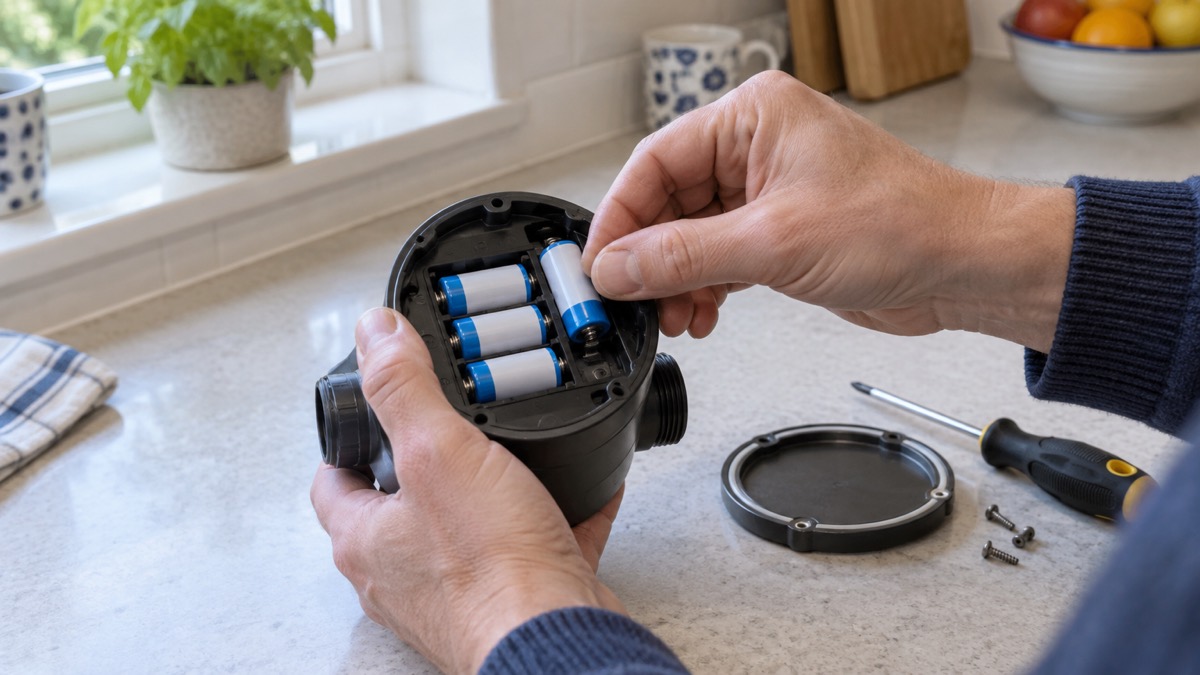
The WaterStop runs on four CR123A batteries, which the maker says last up to three years2. The batteries come pre-installed, and the kit also includes a DN15, DN20 or DN25 RuB shutoff valve, two mounting lockers, a sealing nut and a quick start guide2.
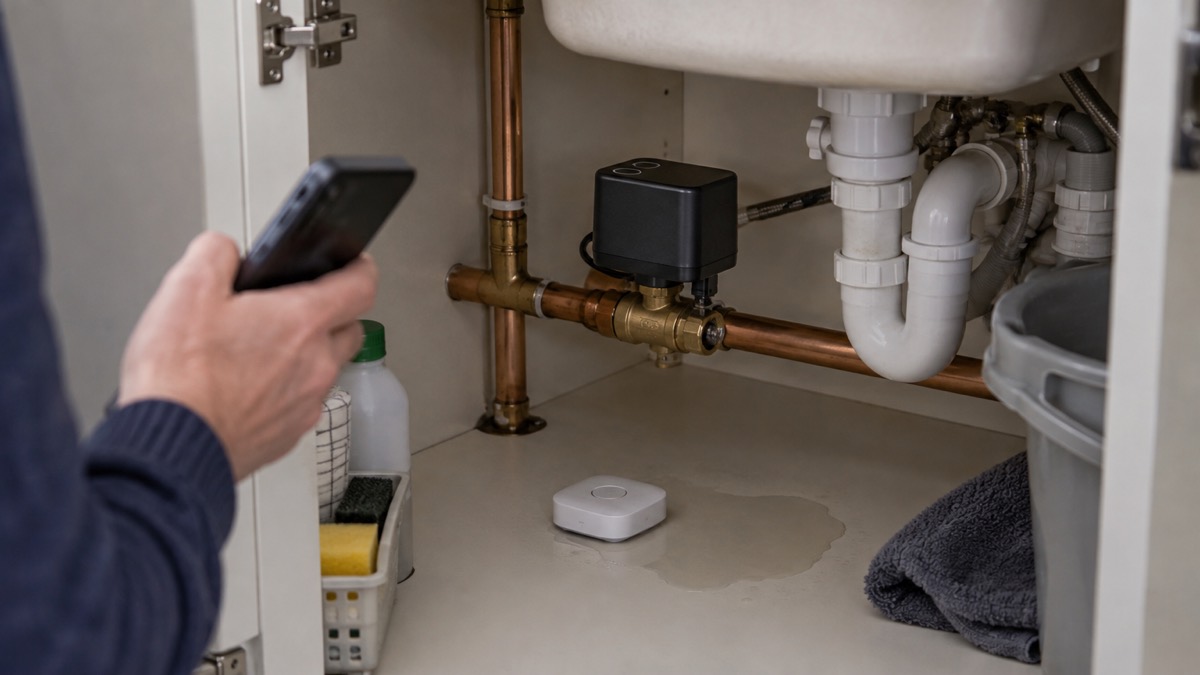
The device can also be connected to a 9 to 12 V power supply3. When external power is connected, the pre-installed batteries stay in place as a backup source, and the maker says not to remove them when connecting the power supply2. That arrangement is what makes the device useful in a power cut: the valve keeps working on its batteries even when the mains is down3.
For a household preparing for winter, this is the part that matters. Cold snaps cause burst pipes, and NI Water has urged property owners to check their homes during cold weather9. A shutoff valve that depends on mains power would be least useful exactly when the power is most likely to fail. The WaterStop runs on four CR123A batteries, which the maker states last up to 3 years when an external power supply is connected4.
The maker's guidance on Ajax systems in a power outage explains that Ajax hubs, apart from the Superior Hub Hybrid, have a built-in backup battery that keeps the system running when the power goes10. The WaterStop's own batteries then keep the valve working. Together, the two give a household a leak response that survives a power cut.
Battery life is not a guarantee. The maker warns that if other batteries are installed, the operating time may differ from the calculated time4. Use the specified CR123A cells and check the app's battery status periodically rather than waiting for the low battery signal.
Replacing the batteries safely
The maker's support article sets out the battery replacement procedure4. Work through it in order, and do not skip the first step.
- Shut off the water supply if necessary4.
- Turn off the device by holding the power button for three seconds4.
- Loosen the lid screws with a PH1 cross-head screwdriver4.
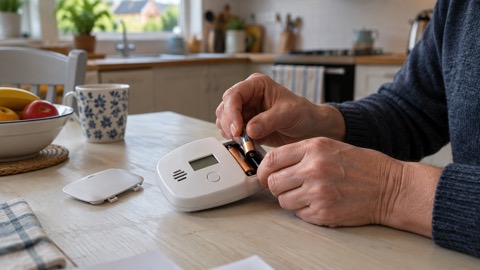
- Replace the four CR123A batteries, following the polarity marked on the device4.
- Refit the lid in its one correct position4.
- Turn the device on and check the battery status in the Ajax app and the overall operation of the device4.
The maker's manual adds that the button activates and deactivates the device when pressed for three seconds, while a short press of about a second controls the water supply2. Know which you are doing before you start.
The manual also warns not to disassemble the device under voltage and not to use it with a damaged power cable2. If the casing or cable is damaged, stop and get advice from the maker rather than attempting a repair.
Never install used or damaged batteries
The instruction is short and the maker states it plainly: never install used or damaged batteries4. It is worth taking seriously, because the consequences are not limited to a device that stops working.
The fire and rescue services treat battery safety as a fire safety matter. Greater Manchester Fire and Rescue Service advises never to modify or tamper with batteries11. West Yorkshire Fire and Rescue Service warns that batteries or devices which are swollen, punctured or show signs of damage can fail without warning and pose a serious fire risk12. The government's safety message on e-bike and e-scooter batteries makes the same point for those products: never attempt to modify or tamper with your battery13.
For the WaterStop, the practical rules are:
- Use four CR123A batteries, as specified by the maker4.
- Follow the polarity marked on the device4.
- Do not mix old and new cells, and do not fit a cell that is dented, swollen or leaking.
- Do not attempt to modify or tamper with the batteries11.
- If a battery looks damaged, stop and dispose of it safely rather than fitting it.
The maker's warning about other battery types is a performance warning rather than a safety one: if other batteries are installed, the operating time may differ from the calculated time4. That still matters in an emergency, because a valve that runs out of power earlier than expected is a valve that may not close when a pipe bursts.
Checking WaterStop after a battery change
The check after a battery change is part of the maker's procedure, not an optional extra. Turn the device on, then check the battery status in the Ajax app and the overall operation of the device4.
The manual describes the light signals that tell you what the device is doing2:
| Signal | What it means |
|---|---|
| Green flashes three times every 1.7 seconds | Low battery |
| Red flashes five times every 3 seconds | Battery malfunction |
| Green flashes twice every 2 seconds | No connection to the hub or range extender |
| Red flashes twice | Valve blocked from turning |
The green double flash stops automatically after 60 seconds, or when you press the control button2. If you see it, check the hub is powered and in range before assuming the valve is at fault.
The manual also lists the conditions that produce a malfunction display: temperature protection has activated, there is no connection between the WaterStop and the hub or range extender, or the batteries are discharged2. Work through them in that order.
Finally, test the valve. Run the scenario you set up in the app and confirm the valve closes and opens. The maker notes that the shutoff time may increase due to contamination of the shutoff valve3, so a valve that has been in place for a while may take slightly longer than the 7 seconds quoted for a new one. If the valve does not move at all, check the mount position before assuming a fault2.
Where the WaterStop fits a household plan
The WaterStop is one part of a household's water plan, not the whole of it. The other parts cost nothing and should come first.
Know where your stop tap is and check that it works, so you can turn off your water in an emergency such as a burst pipe14. Affinity Water advises that you will need a flat-headed screwdriver and a torch to reach an outside stop tap, and you might also need a stop tap key from a local DIY store15. Wiltshire and Swindon Prepared asks a simple question worth answering before winter: if you have a leak in your home, do you know how to stop the water and how to turn it off?16
The Met Office's thunderstorm safety advice includes turning off gas, water and electricity supplies when a storm is coming17. A WaterStop with a security mode link can do the water part automatically when you arm the system1, but the gas and electricity still need a person.
For the wider picture, the site's guide to home emergencies covers burst pipes alongside fire, gas leaks and carbon monoxide, and the water section covers storage and supply. If you are building an Ajax system around the valve, the Ajax brand page lists the hubs and detectors that work with it, and the burglar alarms guide explains how an alarm system is put together.
The maker's own instructions are the authority for this device. Keep the manual, note the battery change date, and check the app's battery status at the same time each year, ideally before the cold weather arrives.
Sources (17)
- Water damage prevention, Ajax Systems, 2026-11-02
- Ajax WaterStop Jeweller user manual, Ajax Systems, 2026-06-04
- Ajax WaterStop product page, Ajax Systems, 2026-11-02
- How to replace batteries in WaterStop, Ajax Systems, 2024-08-08
- LeaksProtect user manual, Ajax Systems, 2025-09-05
- What should I do if I find a leak in or around my home or business?, WaterSafe, 2026-10-29
- Leakage, Severn Trent Water, 2026
- How to set up automatic water shutoff with alarm, Ajax Systems, 2024-08-08
- Cold snaps causing burst pipes: check your property, urges NI Water, NI Water, 2025
- How an Ajax system operates in case of a power outage, Ajax Systems, 2026-08-19
- Battery safety, Greater Manchester Fire and Rescue Service, 2026-10-29
- Battery safety, West Yorkshire Fire and Rescue Service, 2026-10-29
- Buy safe, be safe: avoid e-bike and e-scooter fires, GOV.UK, 2024-10-24
- My winter: plumber Lee Ekins, Met Office, 2026-10-29
- Outside stop tap, Affinity Water, 2026-10-28
- Turn water off, Wiltshire and Swindon Prepared, 2026-10-25
- Stay safe in a thunderstorm, Met Office, 2026-10-25

 FireAngel FA3313 CO Alarm
 FireAngel FA3322 CO Alarm
 FireAngel FA3820 CO Alarm
 FireAngel FA6812 CO Alarm
 FireAngel FA6813 CO Alarm
 FireAngel FA6829S CO Alarm
 FireAngel CW1-PF CO Alarm
 FireAngel W2-CO-10X CO Alarm
 FireAngel FP1820W2-R CO Alarm
 FireAngel FP2620W2-R Alarm
 FireAngel ST-632 Smoke Alarm
 FireAngel ST-750 Smoke Alarm